1
Freescale Semiconductor
Application Note
Document Number: AN2646
Rev. 1, 02/2007
Samba in Linux on a Sandpoint
NCSG/DSD Applications
Freescale Semiconductor, Inc.
Austin, TX
This application note describes the steps for obtaining,
building, downloading, installing, and starting Samba on
Linux on the Sandpoint platform. After completing these
steps, one can run the Sandpoint Linux platform as a Samba
server for Windows platforms on PCs.
This document addresses Samba 3.0.1, and it is assumed that
the reader has installed Linux on a Sandpoint platform
(application note AN2578 “Creating a Linux ‘Out of the
Box’ Experience on a Sandpoint Platform,” describes that
process).
© Freescale Semiconductor, Inc., 2004, 2007. All rights reserved.
1.
2.
3.
4.
5.
6.
7.
8.
9.
10.
Contents
Introduction . . . . . . . . . . . . . . . . . . . . . . . . . . . . . . . . . 2
Obtaining a PowerPC™ Samba Source . . . . . . . . . . . 3
Building the Samba Executable . . . . . . . . . . . . . . . . . 3
Install Directory . . . . . . . . . . . . . . . . . . . . . . . . . . . . . 5
Configuring the Samba Server . . . . . . . . . . . . . . . . . . 7
Controlling Samba and Users . . . . . . . . . . . . . . . . . . 15
Cold-Starting Linux with Samba . . . . . . . . . . . . . . . 24
Conclusion . . . . . . . . . . . . . . . . . . . . . . . . . . . . . . . . 25
References . . . . . . . . . . . . . . . . . . . . . . . . . . . . . . . . . 25
Documentation Revision History . . . . . . . . . . . . . . . 26
Introduction
1
Introduction
If using Sandpoint Linux with a preinstalled Samba server, read Section 7, “Cold-Starting Linux with
Samba,” first.
The following description of Samba is taken from the README file.
What is Samba, SMB/CIFS?
The very short answer is that it is the protocol by which a lot of PC-related machines share files and printers
and other information such as lists of available files and printers. Operating systems that support this
natively include Windows 9x, Windows NT (and derivatives), OS/2, MacOS X and Linux. Add-on
packages that achieve the same are available for DOS, Windows 3.1, VMS, Unix of all kinds, MVS, and
more. Some web browsers can speak this protocol as well (smb://). Alternatives to SMB include Netware,
NFS, Appletalk, Banyan Vines, Decnet, and so on. Many of these have advantages, but none are both
public specifications and widely implemented in desktop machines by default.
The Common Internet File System (CIFS) is what the new SMB initiative is called. For details, watch
http://samba.org/cifs.
What are the uses of SMB?
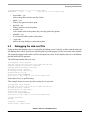
• Many people want to integrate their Microsoft desktop clients with their Unix servers.
• Others want to integrate their Microsoft (and so on) servers with Unix servers. This is a different
problem than integrating desktop clients.
• Others want to replace protocols like NFS, DecNet and Novell NCP, especially when used with
PCs.
What can Samba do?
Here is a very short list of what Samba includes and what it does. For many networks this can be simply
summarized by Samba to provide a complete replacement for Windows NT, Warp, NFS or Netware
servers.
• A SMB server, to provide Windows NT and LAN Manager-style file and print services to SMB
clients such as Windows 95, Warp Server, smbfs and others
• A Windows NT 4.0 domain controller replacement
• A file/print server that can act as a member of a Windows NT 4.0 or Active Directory domain.
• A NetBIOS (rfc1001/1002) name server that, amongst other things, gives browsing support.
Samba can be the master browser on the LAN if preferred.
• A FTP-like SMB client to access PC resources (disks and printers) from UNIX, Netware, and other
operating systems
• A tar extension to the client for backing up PCs
• Limited command-line tool that supports some of the NT administrative functionality, which can
be used on Samba, a NT workstation, and a NT server
Samba in Linux on a Sandpoint, Rev. 1
2
Freescale Semiconductor
Obtaining a PowerPC™ Samba Source
1.1
Terminology
This document uses the following terms:
Bash shell
Boot
Boot address
Compiler
CPU
CVS
DINK32
Host
OS
PCI
PC
RAM
ROM/FLASH
Server
Windows
2
Extension to the Bourne shell, which is popular on Linux systems and is sometimes called
GNU Born Again Bourne Shell. This shell is the default for most Linux systems because
Linux uses GNU tools exclusively and is the best shell running the ISS.
Program that begins at hardware reset and prepares the hardware for loading an operating
system
Address from which the board attempts to boot after reset
Software program that converts high-level source code into machine-specific binary
Central processor unit (that is, the processor)
Source control system
Small operating system debugger for the Sandpoint evaluation board
Machine used to build kernels. The host may or may not be the same architecture. For
example, Freescale builds kernels on G4 machines, UNIX machines, and Intel machines.
Operating system
Peripheral component interface
Personal computer
Random access memory
Read-only memory / persistent memory
Computer that holds and transfers objects, such as kernel objects. Can also be used as a
host.
Microsoft operating system
Obtaining a PowerPC™ Samba Source
Public sources of Linux for the PowerPC device (built on Power Architecture™ technology) are available
on the following web sites:
1. http://www.samba.org/samba/whatsnew/samba-3.0.0.html
This code tree is in the C language and is independent of the chip set. One code base is sufficient
for all architectures. This URL always points to the latest version, which is currently 3.0.2.
2. http://www.samba.org
One can navigate to the download sites from this web site and download Samba-3.0.2. This
application note uses Samba-3.0.1, which is the first patch level of the all-new release.
Samba-3.0.1 was released on 12/15/2003.
3
Building the Samba Executable
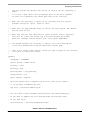
Assuming that a user has been created on the Sandpoint, use the following steps to do development on
Samba on the Sandpoint.
1. Download the Samba source code.
a) Telnet into the Sandpoint running Linux to where building will occur.
Samba in Linux on a Sandpoint, Rev. 1
Freescale Semiconductor
3
Building the Samba Executable
2.
3.
4.
5.
6.
b) Prepare Linux for remote graphics support from the telneting machine.
export DISPLAY=xxx.yyy.zzz.aaa, where xxx.yyy.zzz.aaa is the IP address of the
telneting machine (in this case, a Windows PC).
c) Start Mozilla, which is similar to Netscape.
mozilla
d) Navigate to a download site. The source code can be downloaded from the following link:
http://download.samba.org/samba/ftp/
e) Download the tarball. Click the following link with the right mouse button:
# samba-3.0.1.tar.bz2
Choose a location on the Linux machine to download the tarball.
f) Exit Mozilla.
Unzip the tarball.
a) The tarball is in bzip2 format and must be unzipped first.
bunzip2 samba-3.0.1.tar.bz2
This step converts samba-3.0.1.tar.bz2 to samba-3.0.1.tar.
b) Untar the unzipped tarball.
tar xvf samba-3.0.1.tar
This step creates a Samba directory, samba_3.0.1, with all the source and make files necessary
to build a Samba file system.
The following steps complete the Samba installation:
a) Configure the build.
build
install
configure samba
b) The following steps must be done in super user mode. Change to super user with the sucommand.
Configure the build.
a) Go to the Samba directory.
cd samba-3.0.1
Note that many documents in the top level are helpful in understanding Samba. The manifest
file describes the contents of the directory and contains instructions for configuring, building,
and installing Samba.
b) Configure the build using the standard Linux configure program.
cd source
./configure
Build. Make the executables.
make
Install the executables.
make install
This step installs the appropriate files and directories into the /usr/local/samba directory.
Samba in Linux on a Sandpoint, Rev. 1
4
Freescale Semiconductor
Install Directory
NOTE
If an old version of Samba exists, the make install renames all executables
in usr/local/samba/bin and usr/local/samba/sbin to *.old. These files can be
removed with the following commands:
cd /usr/local/samba
rm - rf *.old
4
Install Directory
Download, unzip, untar, and configure the build install. These steps usually proceed smoothly.
Configuring the Samba server and turning it on, on the other hand, is a rather complex procedure that
depends on the Samba configuration file. Fortunately, an example file can be modified for a specific
system.
Before looking at the Samba configuration file, the installed Samba directory must be explored at
/usr/local/samba. The following sections describe important directories and files located in this directory.
4.1
bin Directory
This directory contains all the executables for Samba, but just a few of them are discussed here. Point the
PATH to the PATH=$PATH:/usr/local/samba/bin directory. Be aware of the following:
The smbpasswd executable creates Samba passwords for shared file directories. This action is the only
way to implement shared directories that are accessible from Windows machines.
The testparm executable is the most important program while the Samba configuration is being attempted.
This program processes the Samba configuration file, finds errors, and summarizes the final configuration.
The findsmb executable attempts to locate NetBIOS machines in the local network. The following is an
example of findsmb output:
[root@8245SambaLinux bin]# findsmb
IP ADDR
NETBIOS NAME
WORKGROUP/OS/VERSION
--------------------------------------------------------------------169.254.0.0
10.82.117.1
10.82.116.3
10.82.117.6
10.82.116.14
10.82.116.15
10.82.116.16
4.2
unknown nis name
TX32-0200
[SPS] [Windows 5.0] [Windows 2000 LAN Manager]
RA8136-02
[SPS] [Windows 5.0] [Windows 2000 LAN Manager]
TX32-0220
[SPS] [Windows 5.0] [Windows 2000 LAN Manager]
NCSDLAB-5
[SPS] [Windows NT 4.0] [NT LAN Manager 4.0]
TX32-0241
[SPS] [Windows 5.0] [Windows 2000 LAN Manager]
TX32-0240
[SPS] [Windows 5.0] [Windows 2000 LAN Manager]
include Directory
This directory includes the lone header file, libsmbclient.h.
Samba in Linux on a Sandpoint, Rev. 1
Freescale Semiconductor
5
Install Directory
4.3
lib
This is the most important directory because it is where the Samba configuration file resides. The testparm
executable expects the configuration file to be in this directory. The Samba configuration file is smb.conf
and is discussed in Section 5, “Configuring the Samba Server.”
Unfortunately, the build procedure does not place a default smb.conf file in this directory. Copy it from
Samba-3.0.1/examples/simple into this directory.
All the various message formats for swat are in this directory with the names xx.msg, where xx determines
the language (for example, fr for french, ja for japanese, en for english).
4.4
man
This directory contains all the man pages for Samba. Set the MANPATH to point to the following:
export MANPATH=$MANPATH:/usr/local/samba/man
4.5
private
This directory contains the Samba password file, smbpasswd. The smbpasswd commands use this file to
remember passwords for file-sharing access.
4.6
sbin
This directory contains the commands for starting and stopping Samba and swat. The root user should
point to this directory with the PATH variable as follows:
PATH=$PATH:/usr/local/samba/sbin
4.7
swat
This directory contains all the swat files. The swat system is a system where a web server is used to debug
the Samba configuration. The most important subdirectory is /usr/local/samba/swat/using_samba, which
contains the definitive Samba user’s manual in HTML format for easy browsing on the web (see Section 9,
“References,” number 7 and its note). Start a web browser at the inx.html file to get a context-sensitive
manual. Information about using swat can be found by pointing the browser to
file:///usr/local/samba/swat/help/SWAT.html. These files are also available in the Samba source at
samba_3.01/docs/htmldocs/using_samba.
4.8
var
This directory is most useful for debugging the configuration file. It contains the logs of all activity done
by Samba. A log for the two daemons, log.nmbd and log.smbd, is included, along with a log for every IP
address, name server name, and user that attempts to contact the Samba server. Perusing these logs can
reveal when a problem occurs and aid the user in understanding the reason for the problem, which may
lead to a method for solving a problem.
Samba in Linux on a Sandpoint, Rev. 1
6
Freescale Semiconductor
Configuring the Samba Server
4.9
The .bashrc File
The user and the root each have a .bashrc file. This file is used to globally set the PATH and MANPATH
variables for the login session. It includes the definitions for these two variables. In addition, the user can
set any aliases and exports that are needed, such as the DISPLAY variable. The following is an example
of a .bashrc file:
[root@SPlinux lib]# cat /root/.bashrc
# .bashrc
# User specific aliases and functions
alias rm='rm -i'
alias cp='cp -i'
alias mv='mv -i'
# Source global definitions
if [ -f /etc/bashrc ]; then
. /etc/bashrc
fi
alias ls='ls -F'
export MANPATH=$MANPATH:/usr/local/samba/man
export PATH=$PATH:/usr/local/samba/bin:/usr/local/samba/sbin
export DISPLAY=10.82.124.155:0.0
5
Configuring the Samba Server
Several shared directories or shared printers can be configured in the smb.conf file.
Remember that the Samba configuration file is smb.conf, and should reside in the /usr/local/samba/lib
subdirectory. It can be somewhere else while pointing the appropriate commands to this alternate directory.
A default smb.conf file is found in the source at samba-3.0.1/simple/smb.conf. This place is a good starting
point. A complete description of the parameters for the smb.conf file is in Chapter 6 of the swat Samba
manual, which is located at /usr/local/samba/swat/using_samba/ch06.html. A paper copy of any of these
chapters can be created from any web browser that is displaying the chapter by using the File|Print... menu,
or a text file can be created from the File|Save As... menu.
Copy the default Samba configuration file to the /usr/local/samba/lib directory:
cp samba-3.0.1/simple/smb.conf /usr/local/samba/lib
5.1
Sections of the smb.conf File
The smb.conf file is separated into several logical sections. A keyword surrounded by brackets [keyword]
denotes each section. The following sections contain descriptions on the different sections.
Samba in Linux on a Sandpoint, Rev. 1
Freescale Semiconductor
7
Configuring the Samba Server
5.1.1
[global]
The single line [global] denotes the first section, which defines global parameters. The settings for the
global parameters that were set are shown below. Note that any parameters that are not specified in this
section are unchanged from the default file.
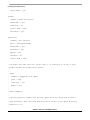
1. workgroup = 8245GROUP, the name of the server. If a user accesses My Network Places on a
Windows machine, this server appears as 8245GROUP.
2. server string = Samba Server, the NT description field.
3. security = user. This parameter indicates that Samba will run in the user mode. That is, each user
must be authorized and verified at the initial login time of file sharing or printer requests.
4. log file = /usr/local/samba/log.%m
This parameter generates a separate log for each client.
5.1.2
[homes]
Denoted by the single line, [homes], this section defines the home directories that can be shared.
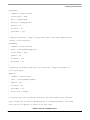
1. comment = Home Directories
A human-readable name
2. browseable = yes
Indicates that users can browse for these shared directories
3. writable = yes
Indicates that users can write into shared directories
5.1.3
[printers]
Denoted by the single line, [printers], this section defines shared printers.
comment = All Printers
A human-readable name. Each private printer can have a specific section. However, all BSD-style printers
share the [printers] section.
NOTE
The directory, path = /usr/spool/samba, is used for spooling print jobs. It
must exist, be owned by root, and have all permissions on so that print users
can spool the print file here. If this directory does not exist, the user gets a
'no permission' error.
create directory /usr/spool/samba
permissions 777, i.e. all permissions
/usr needs permission of 755 and /usr/spool needs permissions of 777.
ls -ld /usr
[root@8245Sambalinux /]#
[root@8245Sambalinux /]# ls -ld usr
drwxr-xr-x
17 root
root
4096 Dec 18 10:36 usr/
[root@8245Sambalinux /]# ls -ld usr/spool
drwxr-xr-x
3 root
root
4096 Dec 18 10:36 usr/spool/
Samba in Linux on a Sandpoint, Rev. 1
8
Freescale Semiconductor
Configuring the Samba Server
[root@8245Sambalinux /]# ls -ld usr/spool/samba/
drwxrwxrwx
2 root
root
4096 Dec 18 10:55 usr/spool/samba/
•
•
•
•
•
•
5.2
browseable = yes
Allows the printer to be browsed by clients
public = yes
Allows user guest account to print
guest ok = yes
Allows guest access to the printer
writable = no
Users cannot write to the printer; they can only print to the printer.
printable = yes
A user must be able to print to the printer.
./cups start
Allows the cups facility to control the printer
Debugging the smb.conf File
Using an editor that displays color is very helpful for finding errors. Using the vi editor with the smb.conf
file displays these colors. Sections are coded in gold, keywords in green, yes/no in red, and values in black.
The testparm program reads a smb.conf file and reports any errors. It also displays the service definitions
that this smb.conf file generates.
The following example shows an error.
[root@SPlinux root]# testparm
Load smb config files from /usr/local/samba/lib/smb.conf
Unknown parameter encountered: "secutiry"
Ignoring unknown parameter "secutiry"
Processing section "[homes]"
Processing section "[printers]"
Loaded services file OK.
Server role: ROLE_STANDALONE
Press enter to see a dump of your service definitions
Notice that secutiry is spelled wrong.
This example shows no errors once the security line is corrected.
[root@SPlinux lib]# testparm
Load smb config files from /usr/local/samba/lib/smb.conf
Processing section "[homes]"
Processing section "[printers]"
Loaded services file OK.
Server role: ROLE_STANDALONE
Press enter to see a dump of your service definitions
# Global parameters
[global]
workgroup = 8245GROUP
server string = Samba Server
Samba in Linux on a Sandpoint, Rev. 1
Freescale Semiconductor
9
Configuring the Samba Server
guest account = pcguest
log file = /usr/local/samba/log.%m
[homes]
comment = Home Directories
read only = No
create mask = 0750
[printers]
comment = All Printers
path = /usr/spool/samba
create mask = 0700
guest ok = Yes
printable = Yes
browseable = No
5.3
Example smb.conf File
The following smb.conf file is used in the previous example of testparm.
[root@SPlinux lib]# cat smb.conf
; Configuration file for smbd.
; ============================================================================
; For the format of this file and comprehensive descriptions of all the
; configuration option, please refer to the man page for smb.conf(5).
; The following configuration should suit most systems for basic usage and
; initial testing. It gives all clients access to their home directories and
; allows access to all printers specified in /etc/printcap.
; Things you need to check:
; -------------------------; 1: Check the path to your printcap file. If you are using a system that does
;
not use printcap (eg., Solaris), create a file containing lines of the
;
form
;
printername|printername|printername|
;
;
where each "printername" is the name of a printer you want to provide
access to. Then alter the "printcap =" entry to point to the new file.
;
;
If using Solaris, the following command will generate a suitable printcap
file:
;
;
lpc status | grep ":" | sed s/:/\|/ > myprintcap
; 2: Make sure the "print command" entry is correct for your system. This
;
command should submit a file (represented by %s) to a printer
;
(represented by %p) for printing and should REMOVE the file after
;
printing.
Samba in Linux on a Sandpoint, Rev. 1
10
Freescale Semiconductor
Configuring the Samba Server
;
;
One most systems the default will be OK, as long as you get "printing ="
right.
;
;
;
It is also a good idea to use an absolute path in the print command
as there is no guarantee the search path will be set correctly.
; 3: Make sure the "printing =" option is set correctly for your system.
;
Possible values are "sysv", "bsd" or "aix".
;
; 4: Make sure the "lpq command" entry is correct for your system. The default
;
may not work for you.
;
; 5: Make sure that the user specified in "guest account" exists. Typically
;
this will be a user that cannot log in and has minimal privileges.
;
Often the "nobody" account doesn't work (very system dependant).
;
; 6: You should consider the "security =" option. See a full description
;
in the main documentation and the smb.conf(5) manual page
;
; 7: Look at the "hosts allow" option, unless you want everyone on the internet
;
to be able to access your files.
;
[global]
workgroup = 8245GROUP
server string = Samba Server
security = user
printing = bsd
printcap name = /etc/printcap
load printers = yes
guest account = pcguest
;
This next option sets a separate log file for each client. Remove
;
it if you want a combined log file.
log file = /usr/local/samba/log.%m
;
You will need a world readable lock directory and "share modes=yes"
;
if you want to support the file sharing modes for multiple users
;
of the same files
;
lock directory = /usr/local/samba/var/locks
Samba in Linux on a Sandpoint, Rev. 1
Freescale Semiconductor
11
Configuring the Samba Server
;
share modes = yes
[homes]
comment = Home Directories
browseable = yes
read only = no
create mode = 0750
writeable = yes
[printers]
comment = All Printers
path = /usr/spool/samba
browseable = yes
printable = yes
public = yes
writable = no
create mode = 0700
; You might also want this one; notice that it is read only so as not to give
; people without an account write access.
;
; [tmp]
;
comment = Temporary file space
;
path = /tmp
;
read only = yes
;
public = yes
;
; Other examples:
;
; A private printer, usable only by fred. Spool data will be placed in fred's
; home directory. Note that fred must have write access to the spool directory,
; wherever it is.
Samba in Linux on a Sandpoint, Rev. 1
12
Freescale Semiconductor
Configuring the Samba Server
;[fredsprn]
;
comment = Fred's Printer
;
valid users = fred
;
path = /homes/fred
;
printer = freds_printer
;
public = no
;
writable = no
;
printable = yes
;
; A private directory, usable only by fred. Note that fred requires write
; access to the directory.
;[fredsdir]
;
comment = Fred's Service
;
path = /usr/somewhere/private
;
valid users = fred
;
public = no
;
writable = yes
;
printable = no
;
; A publicly accessible directory, but read only, except for people in
; the staff group
;[public]
;
comment = Public Stuff
;
path = /usr/somewhere/public
;
public = yes
;
writable = no
;
printable = no
;
write list = @staff
;
; A service that has a different directory for each machine that connects.
; This allows you to tailor configurations to incoming machines. You could
; also use the %u option to tailor it by user name.
Samba in Linux on a Sandpoint, Rev. 1
Freescale Semiconductor
13
Configuring the Samba Server
; The %m gets replaced with the machine name that is connecting.
;[pchome]
;
comment = PC Directories
;
path = /usr/pc/%m
;
public = no
;
writeable = yes
;
; A publicly accessible directory, read/write to all users. Note that all files
; created in the directory by users will be owned by the default user, so
; any user with access can delete any other user's files. Obviously this
; directory must be writable by the default user. Another user could of course
; be specified, in which case all files would be owned by that user instead.
;[public]
;
path = /usr/somewhere/else/public
;
public = yes
;
only guest = yes
;
writable = yes
;
printable = no
;
; The following two entries demonstrate how to share a directory so that two
; users can place files there that will be owned by the specific users. In this
; setup, the directory should be writable by both users and should have the
; sticky bit set on it to prevent abuse. Obviously this could be extended to
; as many users as required.
;[myshare]
;
comment = Mary's and Fred's stuff
;
path = /usr/somewhere/shared
;
valid users = mary fred
;
public = no
;
writable = yes
;
printable = no
Samba in Linux on a Sandpoint, Rev. 1
14
Freescale Semiconductor
Controlling Samba and Users
;
create mask = 0765
[root@SPlinux lib]#
6
Controlling Samba and Users
The following sections discuss controlling Samba and how users use Samba.
6.1
Creating File Shares
To share files on the Samba server, it is necessary to create Samba user/password pairs. These pairs are
created by the smbpassword command.
[root@SPlinux root]# smbpasswd -a maurie
New SMB password:
Retype new SMB password:
startsmbfilepwent_internal: file /usr/local/samba/private/smbpasswd did not exist.
File successfully created.
Added user maurie.
[root@SPlinux root]# smbpasswd -a joey
New SMB password:
Retype new SMB password:
Added user joey.
[root@SPlinux root]#
These commands create sharable directories for the two users, maurie and joey, which must exist and have
home directories on the server.
NOTE
When connecting to a Samba share folder, only one user name at a time can
be used in a single session.
Thus, a user can connect to joey’s home directory or maurie’s home
directory but not both in a single Windows login session. The user must log
out of Windows and log back in to see the other share, or log out of joey to
log into maurie and vice versa.
It is necessary to be logged into one of these two shares to print from the
Samba server printer.
6.2
Creating Printer Shares
To share a printer, create a printer share on the server. The easiest way is to use the interactive command,
printtool. Remember from Section 3, “Building the Samba Executable,” that the DISPLAY variable must
Samba in Linux on a Sandpoint, Rev. 1
Freescale Semiconductor
15
Controlling Samba and Users
be exported before running this command. The following steps outline how to create a printer share on the
server using printtool:
1. Run the printtool command.
2. Select the New button.
3. The ‘Add a new print queue window’ will open. Fill in the Name and Short Description label
boxes. An example is provided below:
Name: smbprinter8245
Short Description: Canon400-BW in B2455 IP 10.82.119.224
The name is what the users see on their Windows machine. The short description is just for
documentation purposes.
4. Choose a queue type by pulling down the list box next to ‘Select a Queue Type’. An example is as
follows:
Select a Queue Type: Networked JetDirect
Alternatively, the user can select a local printer or any other type of networked printer as in the
following example:
Printer: 10.82.119.224
Port: 9100
This is the printer’s IP address. Use the default port number, which is 9100 in this case.
5. Choose a printer model:
Printer model: LaserJet 4Si/4Si MX
The user should choose the correct printer driver, which is the Canon ImageWriter 400 in this case.
However, there is no driver for it, so choose the HP LaserJet 4Si Mx instead. Choosing the wrong
driver can cause garbage printing.
6. Apply the changes.
Now the printer is available on the Samba server. Commands that are useful while logged into the Samba
server are as follows:
• lp <filename>
Prints this filename on the printer
• lpq
Shows which jobs are in the queue
• lpstat
Shows the status of the queue
• lprm <job id>
Cancels the printing of the job. Obtains the job ID from the lpq command, which lists all the print
jobs in the queue. The job ID is under the heading ‘Job’.
The following is an example of these commands:
[root@SPlinux root]# lpq
smbprinter8245 is ready
no entries
Samba in Linux on a Sandpoint, Rev. 1
16
Freescale Semiconductor
Controlling Samba and Users
[root@SPlinux root]# lpstat
[root@SPlinux root]# cd /usr/local/samba/lib
[root@SPlinux lib]# lp smb.conf
request id is smbprinter8245-2 (1 file(s))
[root@SPlinux lib]# lpq
smbprinter8245 is ready and printing
Rank
Owner
Job
File(s)
active root
2
smb.conf
[root@SPlinux lib]# lpstat
smbprinter8245-2
root
6.2.1
Total Size
6144 bytes
6144
Sun 04 Jan 2004 05:26:11 PM EST
Problems with the Printer
If the queue becomes corrupted and printing does not work, stop and start cups.
cd /etc/init.d
./cups stop
./cups start
If the user gets any of the following errors while trying to use the printer on the server or cannot remotely
connect to the printer, start cups.
[maurie@8245SambaLinux maurie]$ lpq
lpq: Unable to contact server!
[maurie@8245SambaLinux maurie]$ lpstat
lpstat: Unable to connect to server: Connection refused
[maurie@8245SambaLinux maurie]$ lp .bashrc
lp: error - no default destination available.
[maurie@8245SambaLinux maurie]$
Cups should now be stopped. Check the status of cups with the following command:
[root@8245SambaLinux root]# cd /etc/init.d
[root@8245SambaLinux init.d]# ./cups status
cupsd is stopped
Now start cups.
cd /etc/init.d
./cups start
If the remote user gets the error ‘Could not start print job’, the most likely error is that the /usr/spool/samba
directory does not exist or has the wrong permissions. See Section 5.3, “Example smb.conf File” for more
information.
6.3
Turning Samba On and Off
The following sections discuss starting and stopping the two daemons, smbd and nmbd.
Samba in Linux on a Sandpoint, Rev. 1
Freescale Semiconductor
17
Controlling Samba and Users
6.3.1
Starting and Stopping the Daemons
Only the root user can start and stop the two daemons.
/usr/local/samba/sbin/smbd -D (or just smbd -D)
/usr/local/samba/sbin/nmbd -D (or just nmbd -D)
6.3.2
Verifying the Daemons
The following commands verify the daemons.
ps -ef | grep mbd
[root@8245Sambalinux lib]# ps
root
860
1 0 14:11
root
862
1 0 14:12
root
1078
860 0 15:23
[root@8245Sambalinux lib]#
6.3.3
-ef | grep mbd
?
00:00:00 ./smbd -D
?
00:00:00 ./nmbd -D
?
00:00:02 [smbd]
Killing the Daemons
Use the kill command and specify the PIDs of smbd and nmbd.
kill -9 860 862
6.3.4
Forcing the Daemons to Reread the smb.conf File
Normally, the daemons reread the smb.conf file every 60 seconds, but to force a quicker read use the
following command:
killall -HUP smbd nmbd
Note that the smb.conf file is dynamic. Changes while the daemons are running take effect within 60
seconds.
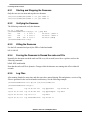
6.3.5
Log Files
After running Samba for some time and after users have started sharing files and printers, a series of log
files are generated in the /usr/local/samba/var directory. See the following example:
[root@8245SambaLinux init.d]# cd /usr/local/samba/var
[root@8245SambaLinux var]# ls
locks/
log.10.82.124.155
log.appslab12
log.rzvx90-02
log.10.82.117.255
log.10.82.242.208
log.appslabpc07
log.smbd
log.10.82.118.239
log.127.0.0.1
log.nmbd
log.10.82.119.177
log.8245sambalinux
log.r18795-11
Samba in Linux on a Sandpoint, Rev. 1
18
Freescale Semiconductor
Controlling Samba and Users
Notice that logs are produced for all IP address machines and/or named machines that attempt access and
for all users (for example log.rzvx90-02, and the daemons, smbd and nmbd). Most of the logs are empty
because no problems or useful activity occurred.
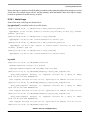
6.3.5.1 Useful Logs
Some of the more useful logs are shown below:
log.appslabpc07 (a machine used to access file shares)
[2003/12/18 08:55:07, 1] smbd/service.c:make_connection_snum(698)
appslabpc07 (10.82.117.255) connect to service joey initially as user joey (uid=504,
gid=504) (pid 1956)
[2003/12/18 08:55:24, 1] smbd/service.c:close_cnum(880)
appslabpc07 (10.82.117.255) closed connection to service joey
[2004/01/06 08:34:20, 1] smbd/service.c:make_connection_snum(698)
appslabpc07 (10.82.117.255) connect to service maurie initially as user maurie
(uid=503, gid=503) (pid 617)
[2004/01/06 08:37:00, 1] smbd/service.c:close_cnum(880)
appslabpc07 (10.82.117.255) closed connection to service maurie
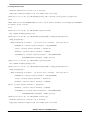
log.nmbd
[2003/12/17 13:52:03, 0] nmbd/nmbd.c:main(664)
NetBIOS nameserver version 3.0.0 started.
Copyright Andrew Tridgell and the Samba Team 1994-2003
[2003/12/17 13:57:13, 0] nmbd/nmbd_namequery.c:query_name_response(101)
query_name_response: Multiple (2)
10.82.118.239 for name MYGROUP<1d>.
responses
received
for
a
query
on
subnet
This response was from IP 10.82.117.115, reporting an IP address of 10.82.117.115.
[2003/12/17 14:02:06, 0] nmbd/nmbd_namequery.c:query_name_response(101)
query_name_response: Multiple (2)
10.82.118.239 for name MYGROUP<1d>.
responses
received
for
a
query
on
subnet
This response was from IP 10.82.117.115, reporting an IP address of 10.82.117.115.
[2003/12/17 14:07:21, 0] nmbd/nmbd_namequery.c:query_name_response(101)
query_name_response: Multiple (2)
10.82.118.239 for name MYGROUP<1d>.
responses
received
for
a
query
on
subnet
This response was from IP 10.82.117.115, reporting an IP address of 10.82.117.115.
[2003/12/17 14:12:03, 0] nmbd/nmbd.c:main(664)
Samba in Linux on a Sandpoint, Rev. 1
Freescale Semiconductor
19
Controlling Samba and Users
NetBIOS nameserver version 3.0.0 started.
Copyright Andrew Tridgell and the Samba Team 1994-2003
[2003/12/17 14:17:42, 0] nmbd/nmbd_become_lmb.c:become_local_master_stage2(396)
*****
Samba name server 8245SAMBALINUX is now a local master browser for workgroup 8245GROUP
on subnet 10.82.118.239
*****
[2003/12/17 16:28:00, 0] nmbd/nmbd.c:process(540)
Got SIGHUP dumping debug info.
[2003/12/17 16:28:00, 0] nmbd/nmbd_workgroupdb.c:dump_workgroups(266)
dump_workgroups()
dump workgroup on subnet
10.82.118.239: netmask=
255.255.252.0:
MYGROUP(4) current master browser = NO_HOSTNAME
SPS(3) current master browser = RLTL30-01
ECLAB(2) current master browser = MPTEC0
8245GROUP(1) current master browser = 8245SAMBALINUX
8245SAMBALINUX 40049803 (Samba Server)
[2003/12/17 17:22:15, 0] nmbd/nmbd.c:process(540)
Got SIGHUP dumping debug info.
[2003/12/17 17:22:15, 0] nmbd/nmbd_workgroupdb.c:dump_workgroups(266)
dump_workgroups()
dump workgroup on subnet
10.82.118.239: netmask=
255.255.252.0:
MYGROUP(4) current master browser = NO_HOSTNAME
SPS(3) current master browser = RLTL30-01
ECLAB(2) current master browser = MPTEC0
SPS(3) current master browser = RLTL30-01
ECLAB(2) current master browser = MPTEC0
8245GROUP(1) current master browser = 8245SAMBALINUX
8245SAMBALINUX 40049803 (Samba Server)
[2004/01/06 08:31:34, 0] nmbd/nmbd.c:main(664)
NetBIOS nameserver version 3.0.0 started.
Copyright Andrew Tridgell and the Samba Team 1994-2003
Samba in Linux on a Sandpoint, Rev. 1
20
Freescale Semiconductor
Controlling Samba and Users
[2004/01/06 08:37:00, 0] nmbd/nmbd.c:terminate(54)
Got SIGTERM: going down...
[2004/01/06 08:37:00, 0] libsmb/nmblib.c:send_udp(758)
Packet send failed to 10.82.119.255(138) ERRNO=Invalid argument
[2004/01/06 09:57:50, 0] nmbd/nmbd.c:main(664)
NetBIOS nameserver version 3.0.0 started.
Copyright Andrew Tridgell and the Samba Team 1994-2003
[2004/01/06 10:03:27, 0] nmbd/nmbd_become_lmb.c:become_local_master_stage2(396)
*****
Samba name server 8245SAMBALINUX is now a local master browser for workgroup 8245GROUP
on subnet 10.82.118.239
*****
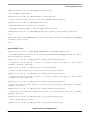
log.rzvx90-02 (a user)
[2003/12/17 13:53:38, 0] passdb/pdb_smbpasswd.c:startsmbfilepwent(189)
startsmbfilepwent_internal: file /usr/local/samba/private/smbpasswd did not exist.
File successfully created.
[2003/12/17 15:20:41, 1] smbd/service.c:make_connection_snum(698)
rzvx90-02 (10.82.124.155) connect to service maurie initially as user maurie
(uid=503, gid=503) (pid 1076)
[2003/12/17 15:22:52, 1] smbd/service.c:close_cnum(880)
rzvx90-02 (10.82.124.155) closed connection to service maurie
[2003/12/17 15:23:15, 1] smbd/service.c:make_connection_snum(698)
rzvx90-02 (10.82.124.155) connect to service maurie initially as user maurie
(uid=503, gid=503) (pid 1078)
[2003/12/17 15:54:44, 1] smbd/service.c:make_connection_snum(698)
rzvx90-02 (10.82.124.155) connect to service joey initially as user maurie (uid=503,
gid=503) (pid 1078)
[2004/01/06 11:15:35, 1] smbd/service.c:make_connection_snum(698)
rzvx90-02 (10.82.124.155) connect to service joey initially as user joey (uid=504,
gid=504) (pid 759)
[2004/01/06 11:15:35, 0] smbd/service.c:set_current_service(56)
chdir (/home/maurie) failed
[2004/01/06 11:15:35, 0] smbd/service.c:set_current_service(56)
Samba in Linux on a Sandpoint, Rev. 1
Freescale Semiconductor
21
Controlling Samba and Users
chdir (/home/maurie) failed
[2004/01/06 11:15:51, 0] smbd/service.c:set_current_service(56)
chdir (/home/maurie) failed
[2004/01/06 11:15:53, 0] smbd/service.c:set_current_service(56)
chdir (/home/maurie) failed
[2004/01/06 11:16:09, 1] smbd/service.c:close_cnum(880)
rzvx90-02 (10.82.124.155) closed connection to service maurie
[2004/01/06 11:23:18, 0] lib/smbrun.c:setup_out_fd(42)
setup_out_fd: Failed to create file /tmp/smb.BtjH78. (Permission denied)
[2004/01/06 11:25:09, 0] lib/smbrun.c:setup_out_fd(42)
setup_out_fd: Failed to create file /tmp/smb.rLliO5. (Permission denied)
[2004/01/06 11:30:33, 0] lib/smbrun.c:setup_out_fd(42)
setup_out_fd: Failed to create file /tmp/smb.H2XVHj. (Permission denied)
[2004/01/06 11:33:07, 0] lib/smbrun.c:setup_out_fd(42)
setup_out_fd: Failed to create file /tmp/smb.jePQ1o. (Permission denied)
[2004/01/06 11:33:08, 1] smbd/service.c:make_connection_snum(698)
rzvx90-02 (10.82.124.155) connect to service smbprinter8245 initially as user joey
(uid=504, gid=504) (pid 759)
[2004/01/06 11:33:18, 1] smbd/service.c:close_cnum(880)
rzvx90-02 (10.82.124.155) closed connection to service smbprinter8245
[2004/01/06 11:33:38, 0] lib/smbrun.c:setup_out_fd(42)
setup_out_fd: Failed to create file /tmp/smb.UiODFE. (Permission denied)
[2004/01/06 11:33:51, 0] lib/smbrun.c:setup_out_fd(42)
setup_out_fd: Failed to create file /tmp/smb.KpYAuL. (Permission denied)
log.smbd
[2003/12/17 13:51:54, 0] smbd/server.c:main(747)
smbd version 3.0.0 started.
Copyright Andrew Tridgell and the Samba Team 1992-2003
[2003/12/17 14:11:58, 0] smbd/server.c:main(747)
smbd version 3.0.0 started.
Copyright Andrew Tridgell and the Samba Team 1992-2003
Samba in Linux on a Sandpoint, Rev. 1
22
Freescale Semiconductor
Controlling Samba and Users
[2003/12/17 16:28:00, 1] smbd/server.c:open_sockets_smbd(342)
Reloading services after SIGHUP
[2003/12/17 17:22:15, 1] smbd/server.c:open_sockets_smbd(342)
Reloading services after SIGHUP
[2004/01/06 08:31:29, 0] smbd/server.c:main(747)
smbd version 3.0.0 started.
Copyright Andrew Tridgell and the Samba Team 1992-2003
[2004/01/06 09:57:46, 0] smbd/server.c:main(747)
smbd version 3.0.0 started.
Copyright Andrew Tridgell and the Samba Team 1992-2003
NOTE
Logs are not rewritten from the beginning when the daemons are stopped
and started. Delete a log to remove previous log information.
6.4
Accessing Files and Printers on a Windows PC
Files and printers can be remotely accessed from the server. In this example, two users (maurie and joey)
are sharable on the server. One printer, smbprinter8245, is available.
Only one user per session can be shared on a Windows PC.
6.4.1
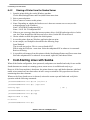
Sharing a Home Directory from the Samba Server
The steps to share a home directory from the Samba server on a Windows machine are outlined below.
1. Open Windows Explorer.
2. Open the Map Network Drive Dialog Tools|Map Network Drive menu item.
3. Specify the folder. If the Samba server is known by a name server, use the workgroup name
specified in the smb.conf file; if not, specify the IP address. Also specify the share name.
The order is Folder: \\server\share.
An example of how to specify the folder for the smb.conf file and users specified in this
application note is as follows:
When a name server is available: Folder: \\8245GROUP\maurie, or
Using an arbitrary IP: Folder: \\xx.yy.zz.aa\maurie and Folder: \\10.82.118.239\maurie.
The joey share can be specified as Folder: \\10.82.118.239\joey.
4. Select Connect using a different user unless the Windows login name and password are the same
as the Samba login and password.
5. Select Finish.
6. The shared home directory is now available on the Windows Explorer window under the drive
letter designated in the Map Network Drive dialog box.
7. This drive can be disconnected with the Tools|Disconnect Network Drive dialog box.
Samba in Linux on a Sandpoint, Rev. 1
Freescale Semiconductor
23
Cold-Starting Linux with Samba
6.4.2
Sharing a Printer from the Samba Server
1. Open the printer dialog box on the Windows machine.
Use the Start|Settings|Printers and Faxes|Add Printer menu item.
2. Select a network printer.
3. Select Connect to connect to this printer.
4. Name: Depending on whether the Samba server is known to a name server or not, use the
workgroup name or the IP address.
Name: \\8245GROUP\smbprinter8245, or
Name: \\10.82.118.239\smbprinter8245
5. If the user gets a message about the incorrect printer driver, click OK and assign a driver. In this
case, the Canon ImageWriter 400 does not have a driver, but the HP 4Si can be used.
6. Choose whether to make this printer the default printer.
7. Access this printer from any Windows application that can print.
8. As an example, use Wordpad as described in the following steps:
Open Wordpad.
Type in some text such as ‘This is a test on Samba 8245’.
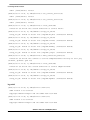
Print it using the File|Print... menu item. Select the smbprinter8245 or whatever it was named.
Retrieve the listing.
9. It is possible to disconnect from this printer with the Start|Settings|Printers and Faxes menu item.
Select the smbprinter8245 or whatever it was named, right click, and choose Delete.
7
Cold-Starting Linux with Samba
When all the Samba configuration, share passwords, and printers are installed and ready for use and the
Samba daemons are started on a running system, remote access is available and ready to go.
However, if the Linux machine is shut down, the printer daemon, cups, and Samba daemons, smbd and
nmbd, are not started on Linux boot unless an init is set up to start them. This paper does not discuss
autostarting these three daemons.
Whenever the Linux Samba server is rebooted, activate the restart cups and Samba and verify their
operation with the following commands:
[root@8245SambaLinux init.d]# cd /etc/init.d
[root@8245SambaLinux init.d]# ./cups start
Starting cups:
[
OK
]
[root@8245SambaLinux init.d]# lpstat
[root@8245SambaLinux init.d]# lpq
smbprinter8245 is ready
no entries
[root@8245SambaLinux init.d]#
Samba in Linux on a Sandpoint, Rev. 1
24
Freescale Semiconductor
Conclusion
[root@8245SambaLinux init.d]# smbd -D
[root@8245SambaLinux init.d]# nmbd -D
[root@8245SambaLinux init.d]# ps -ef | grep mbd
root
752
1
1 09:57 ?
00:00:00 smbd -D
root
754
1
0 09:57 ?
00:00:00 nmbd -D
root
756
660
0 09:57 pts/0
00:00:00 grep mbd
[root@8245SambaLinux init.d]#
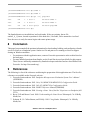
The Samba binaries are installed into /usr/local/samba. If they are missing, the tar file,
samba3_0_1_bin.tar, located on partition 4 of the hard drive, /dev/hda4, can be untarred to /usr/local.
Now the server is ready for remote logins and remote printer usage.
8
Conclusion
This paper has presented all the pertinent information for downloading, building, and configuring a Samba
server for Linux on a Sandpoint system. Samba is a file and print server running on Linux to support
sharing on Windows machines.
• For assistance with this application note, contact a Freescale representative at the website listed on
the back page.
• For more detailed questions about Samba, see the E-mail list site used specifically for this purpose.
These lists are informally maintained by Samba developers and others and are not affiliated with
Freescale. See http://lists.samba.org/.
9
References
The following is a list of the references used during the preparation of this application note. The first five
references are available on the Freescale web site:
1. Freescale Semiconductor. 2003. Sandpoint Microprocessor Evaluation System User’s Manual
(SPX3BUM).
2. Freescale Semiconductor. 2003. Unity X4 (MPMC8240/MPMC8245) Configuration Guide.
3. Freescale Semiconductor. 2003. Valis X3 (MPMC745x) Configuration Guide.
4. Freescale Semiconductor. 2006. DINK32 Reference Manual (DINKRM).
5. Freescale Semiconductor. 2004. Creating a Linux ‘Out of the Box’ Experience on Sandpoint (AN
2578).
6. Bovet, D.P. and Marco Cesati. 2000. Understanding the Linux Kernel. Sebastopol, CA: O'Reilly
Media, Inc.
7. Eckstein, R., D. Collier-Brown, and P. Kelly. 1999. Using Samba. Sebastopol, CA: O'Reilly
Media, Inc.
Samba in Linux on a Sandpoint, Rev. 1
Freescale Semiconductor
25
Documentation Revision History
NOTE
Using Samba is available in HTML format in the Samba distribution. See
Section 4.7, “swat,” for information on where to find it.
10 Documentation Revision History
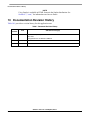
Table 10-1 provides a revision history for this application note.
Table 1. Document Revision History
Rev.
Number
Date
1
02/09/2007
Document template update.
Minor fixes.
Changed reference to AN2475 to AN2578.
0.2
01/26/2004
Minor fixes.
0.1
01/08/2004
Initial release.
Substantive Change(s)
Samba in Linux on a Sandpoint, Rev. 1
26
Freescale Semiconductor
Documentation Revision History
THIS PAGE INTENTIONALLY LEFT BLANK
Samba in Linux on a Sandpoint, Rev. 1
Freescale Semiconductor
27
How to Reach Us:
Home Page:
www.freescale.com
Web Support:
http://www.freescale.com/support
USA/Europe or Locations Not Listed:
Freescale Semiconductor, Inc.
Technical Information Center, EL516
2100 East Elliot Road
Tempe, Arizona 85284
+1-800-521-6274 or
+1-480-768-2130
www.freescale.com/support
Europe, Middle East, and Africa:
Freescale Halbleiter Deutschland GmbH
Technical Information Center
Schatzbogen 7
81829 Muenchen, Germany
+44 1296 380 456 (English)
+46 8 52200080 (English)
+49 89 92103 559 (German)
+33 1 69 35 48 48 (French)
www.freescale.com/support
Information in this document is provided solely to enable system and software
implementers to use Freescale Semiconductor products. There are no express or
implied copyright licenses granted hereunder to design or fabricate any integrated
circuits or integrated circuits based on the information in this document.
Freescale Semiconductor reserves the right to make changes without further notice to
any products herein. Freescale Semiconductor makes no warranty, representation or
guarantee regarding the suitability of its products for any particular purpose, nor does
Freescale Semiconductor assume any liability arising out of the application or use of
any product or circuit, and specifically disclaims any and all liability, including without
limitation consequential or incidental damages. “Typical” parameters which may be
provided in Freescale Semiconductor data sheets and/or specifications can and do
vary in different applications and actual performance may vary over time. All operating
parameters, including “Typicals” must be validated for each customer application by
customer’s technical experts. Freescale Semiconductor does not convey any license
Japan:
Freescale Semiconductor Japan Ltd.
Headquarters
ARCO Tower 15F
1-8-1, Shimo-Meguro, Meguro-ku
Tokyo 153-0064
Japan
0120 191014 or
+81 3 5437 9125
[email protected]
under its patent rights nor the rights of others. Freescale Semiconductor products are
Asia/Pacific:
Freescale Semiconductor Hong Kong Ltd.
Technical Information Center
2 Dai King Street
Tai Po Industrial Estate
Tai Po, N.T., Hong Kong
+800 2666 8080
[email protected]
claims, costs, damages, and expenses, and reasonable attorney fees arising out of,
For Literature Requests Only:
Freescale Semiconductor
Literature Distribution Center
P.O. Box 5405
Denver, Colorado 80217
+1-800 441-2447 or
+1-303-675-2140
Fax: +1-303-675-2150
LDCForFreescaleSemiconductor
@hibbertgroup.com
Document Number: AN2646
Rev. 1
02/2007
not designed, intended, or authorized for use as components in systems intended for
surgical implant into the body, or other applications intended to support or sustain life,
or for any other application in which the failure of the Freescale Semiconductor product
could create a situation where personal injury or death may occur. Should Buyer
purchase or use Freescale Semiconductor products for any such unintended or
unauthorized application, Buyer shall indemnify and hold Freescale Semiconductor
and its officers, employees, subsidiaries, affiliates, and distributors harmless against all
directly or indirectly, any claim of personal injury or death associated with such
unintended or unauthorized use, even if such claim alleges that Freescale
Semiconductor was negligent regarding the design or manufacture of the part.
Freescale™ and the Freescale logo are trademarks of Freescale Semiconductor, Inc.
The Power Architecture and Power.org word marks and the Power and Power.org logos
and related marks are trademarks and service marks licensed by Power.org. The
PowerPC name is a trademark of IBM Corp. and is used under license. All other
product or service names are the property of their respective owners.
© Freescale Semiconductor, Inc., 2004, 2007. All rights reserved.