1
iView X™ SDK 3.0
12
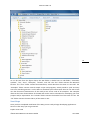
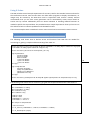
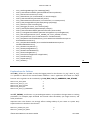
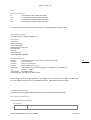
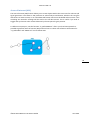
As can be seen from the figure above, the SDK folder is divided into six sub-folders, “Automatic
Updates”, “bin”, “docs”, “Examples”, “include”, and “lib”. The “bin” folder contains the Microsoft
binaries. The “docs” folder contains documentation, which describes the iView X™ API itself. The
“Examples” folder contains several sample scripts and programs, which provide a quick and easy
start into controlling iView X™ via the SDK. For detailed syntax information the user can take a look
into the functional characteristics of the ready-to-use source code of all examples. The examples
illustrate the basic functionalities of the SDK and can be used as a baseline for developing your own
projects and/or experiments. The “include” folder contains the header file of the iView X™ API. The
“lib” folder contains the static library of the iView X™ API.
Next Steps
Once you have completed installation of the SDK, you are ready to begin developing applications.
Here are a few ways you can get started:
Explore some code
©2012 SensoMotoric Instruments GmbH
June 2012