1
Setting the Bluetooth security level
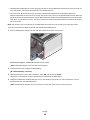
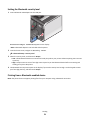
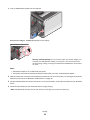
1 Insert a Bluetooth USB adapter into the USB port.
Bluetooth Dongle Connected appears on the display.
Note: A Bluetooth adapter is not included with the printer.
2 From the home screen, navigate to Security Level:
> Bluetooth Setup > Security Level
3 Select the security level, and then touch Accept.
• Low—Allow Bluetooth devices to connect and send print jobs to your printer without requiring users to enter
a pass key.
• High—Require users to enter a four-digit numeric pass key on the Bluetooth device before connecting and
sending print jobs to the printer.
4 The Bluetooth Pass Key menu opens on the display if you set the security level to High. Use the keypad to enter
your four-digit pass key, and then touch Accept.
Printing from a Bluetooth-enabled device
Note: The printer does not support printing files from your computer using a Bluetooth connection.
Printing
51