1
Wireless ADSL Router User Guide
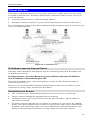
Connecting 2 LANs via VPN
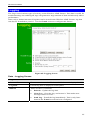
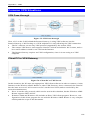
Figure 77: Connecting 2 VPN Gateways
This allows two (2) LANs to be connected. PCs on each endpoint gain secure access to the
remote LAN.
•
The 2 LANs MUST use different IP address ranges.
•
The VPN Policies at each end determine when a VPN tunnel will be established, and what
systems on the remote LAN can be accessed once the VPN connection is established.
•
It is possible to have simultaneous VPN connections to many remote sites.
VPN Example
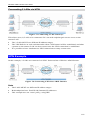
In this example, 2 LANs are connected via VPN. Each end has a Wireless ADSL Router.
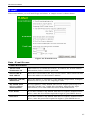
Figure 78: Connecting 2 Wireless ADSL Routers
Note
•
The LANs MUST use different IP address ranges.
•
Both endpoints have fixed WAN (Internet) IP addresses.
•
This example uses an "Auto" policy, using IKE
110