1
Setup
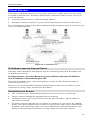
Wireless Security
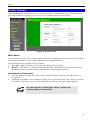
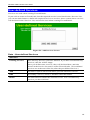
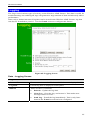
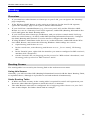
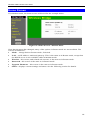
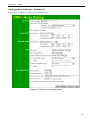
This screen is accessed by clicking the "Configure" button on the Wireless screen. There are 3
options for Wireless security:
•
Disabled - no data encryption is used.
•
WEP - data is encrypted using the WEP standard.
•
WPA-PSK - data is encrypted using the WPA-PSK standard. This is a later standard than
WEP, and provides much better security than WEP. If all your Wireless stations support
WPA-PSK, you should use WPA-PSK rather than WEP.
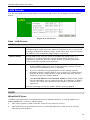
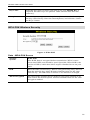
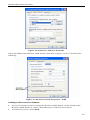
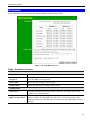
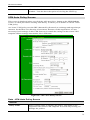
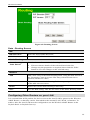
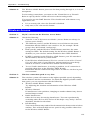
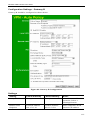
WEP Wireless Security
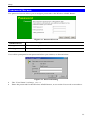
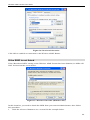
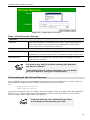
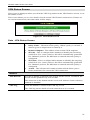
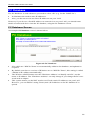
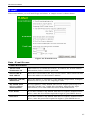
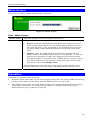
Figure 8: WEP
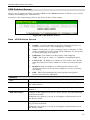
Data - WEP Screen
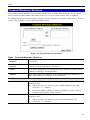
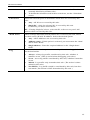
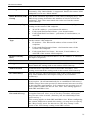
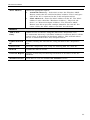
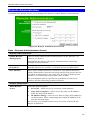
WEP Data Encryption
WEP Data
Encryption
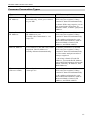
Select the desired option, and ensure the Wireless Stations use the
same setting.
•
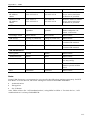
64 Bit - data is encrypted, using the default key, before being
transmitted. You must enter at least the default key. For 64 Bit Encryption, the key size is 10 chars in HEX (0~9 and A~F).
•
128 Bit - data is encrypted, using the default key, before being
transmitted. You must enter at least the default key. For 128 Bit
Encryption, the key size is 26 chars in HEX (0~9 and A~F).
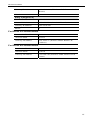
Authentication
Type
Normally, this should be left at the default value of "Automatic". If
changed to "Open System" or "Shared Key", ensure that your Wireless
Stations use the same setting.
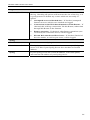
Default Key
Select the key you wish to be the default. Transmitted data is
ALWAYS encrypted using the Default Key; the other Keys are for
decryption only.
You must enter a Key Value for the Default Key.
19