1
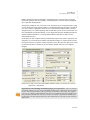
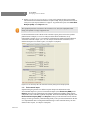
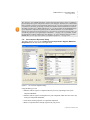
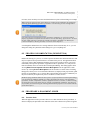
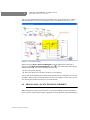
Application Settings ..... PROCESS PROPERTIES & SIMULATION decisions. Use the “Comments’ field of the Flowsheet Attributes dialog, as the storage area for all such explanations. 8.19c Automatic Versioning (Archiving) of the Process File The program, in an attempt to protect you against inadvertently losing your current process file, it automatically creates a set of backup (archive) files every time you save (File Save option from the main menu) any changes you made in your process and attempt to overwrite the previous version that already existed on the disk. The program will always maintain three versions for every process file: 1. Current (latest) Version: myfile.spf (for SuperPro) or myfile.epf (for EnviroPro) 2. Previously Saved Version: filename.sp~ or filename.ep~ 3. Oldest Version: filename.s~~ or filename.e~~ Every time you save a process file by selecting File Save of the main menu or by clicking on the Save button ( ) or the Save All button ( ) of the main toolbar, all three files are updated: the oldest version is deleted, the previous version is renamed as filename.s~~ (or filename.e~~), the existing version is renamed as filename.sp~ (or filename.ep~) and finally the version you have just completed is saved under the filename.spf (or filename.epf) you have provided. 8 . 2 0 AP P L I CA T I O N S E T T I N G S Besides the properties that a process has on its own it also inherits some that are set in association with the application itself and of course, they apply to each of the documents (processes) created with it. Each of the following subsections deals with properties that apply to your preferences on how the application is run and are saved in your user profile (in the Windows Registry). All of the settings that are described in this section can be accessed and set from the Application Settings Dialog. Since different users may be running this application under in the same PC, all the application preferences are saved under the particular user’s profile. They will be enforced the next time the application is run by the same user, but they will have no effect on the appearance and behavior of the application when run by another user (on the same PC). 8.20a Announcements Upon Opening a Process File Right after the application accesses the file where a process description is kept, it performs a few checks: • Format Compatibility Check: First off, it makes sure that the process file format is compatible with the currently running application version and build number. Please remember that even though future versions of the application will be backwards compatible with previously created process files, the opposite is not the case. In other words, if a process file was created with an application version/build that is more recent than the running version/build, then the file will not open. Instead you will get an error message. Process Properties & Simulation 8 -53