1
PCI Express Board User’s Manual
Software Installation
Using Moxa PComm Utility
The PComm Diagnostic program is a useful tool for checking the status of Moxa’s multiport
boards. The program can be used to test internal and external IRQ, TxD/RxD, UART, CTS/RTS,
DTR/DSR, etc. Use this program to ensure that your Moxa boards and ports are working properly.
To start the program, click Start Æ Programs Æ PComm Lite 2000 Æ PComm Diagnostic.
NOTE
You can download the PComm Lite software for free from Moxa’s website at
www.moxa.com/support/free_downloads.htm.
Using Event Log
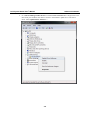
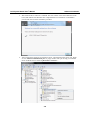
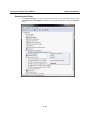
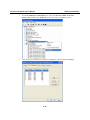
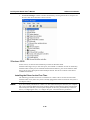
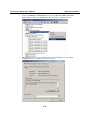
To use the Event Log to check the installation of your Moxa boards, click Start Æ Settings Æ
Control Panel Æ Administrative Tools Æ Event Viewer to enter the Event Viewer utility. Look
under the System category to find the latest information relevant to Moxa’s drivers.
3-55