1
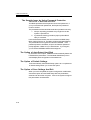
Section 5 TROUBLE SHOOTING Network Adapter Problems The Ethernet adapter does not work – n Go to [Start > Settings > Control Panel] and double click the System icon. Select the Device Manager tab from the System Properties. Double-click on Network Adapters and check if SiS 0900 PCI Fast Ethernet Adapter appears as one of the adapters. If it does not exist, Windows has not detected the SiS adapter or the device driver has not been installed. If there is a yellow mark or red cross on the SiS network adapter, there may be a device or resource conflict. Consult Windows manual on how to solve this problem. n Make sure the physical connections on both ends of the cable are good. n The hub or concentrator may not be working properly. Check to see if other workstations connected to the same hub or concentrator are working. n Try restarting Windows with the port replicator already connected to the network. The Ethernet adapter does not appear to operate in the 100Mbps transmission mode – n Make sure the hub you are using supports 100Mbps operation. n Make sure that your RJ-45 cable meets the 100Base-TX requirements. n Make sure the Ethernet cable is connected to the hubs socket that supports 100Base-TX mode. The hub may have both 100Base-TX and 100Base-T sockets. PC Card (PCMCIA) Problems PC Cards do not functionn Make sure you have properly installed the driver for the card. n Consult the card`s manual or contact the vendor for troubleshooting. 5-13