1
Section 1 GETTING TO KNOW THE BASICS
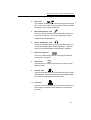
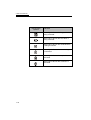
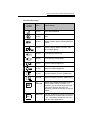
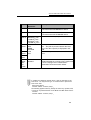
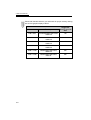
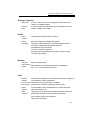
Function (Hot) Keys
Graphic
Symbol
Scroll
Lock
Action
System Control
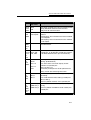
Fn + F1
Enters Suspend Mode.
Fn + F2
Mute
Fn + F3
Toggles between Battery Warning Beep on
and off.
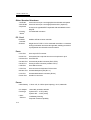
Fn + F4
Switches Display Mode: LCD-only, CRTonly and dual-display.
Fn + F5
Turns Speaker Volume up.
Fn + F6
Turns Speaker Volume down.
Fn + F7
Increases Display Brightness.
Fn + F8
Decreases Display Brightness.
Fn + F9
Increases Display Contrast. (DSTN Only)
Fn + F10
Decreases Display Contrast. (DSTN Only)
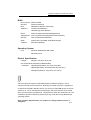
Fn +
Num Lock
Enables the embedded keypad to work in
numeric mode. The keys function as a
calculator. Use this mode when you need
to do a lot of numeric data entry. An
alternative would be to connect an external
keypad.
Scroll Lock
Pressing the ScrLk key allows the screen to
move one line up or down when you press
or respectively. Scroll Lock may not
work with some applications.
Æ Ç
1-15