1
32
MiniCom 3
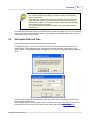
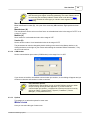
Clicking on "OK" sends the data to the meter (even if you don't make any changes). "Cancel" stops
communication with the meter.
Time delay after selecting this command
First, the meter must be connected. After selecting this command, first the
current meter parameters are read, and then the configuration dialog is
shown. We recommend using this command only after doing a meter
readout. If there is a communication error during the readout, this will be
shown on the screen and you won't be able to continue in the configuration.
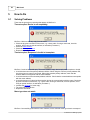
If the command doesn't run successfully, still try to read the meter using "Start Readout". Solutions to
problems during communication with meters can be found under the topic "Solving Problems".
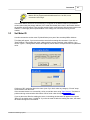
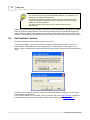
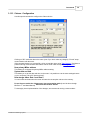
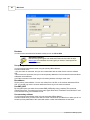
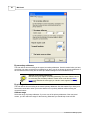
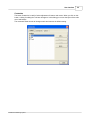
In the default setting the tarif function is switched off. You have to activate this function first (the top
item in the dialog). Then the specific conditions are available and you can select the tariff condition and
its limit value. Please keep in mind the specified physical unit.
If, after selecting the command "Set tariff parameters" and before setting the new condition by clicking
on "OK", the physical meter is changed, then the new tariff setting won't go through.
If the setting has been made successfully, it will be shown on your screen and the meter will calculate
further values using the new tariff.
If you check "Save changes to protocol", a protocol file in text format will be created to document these
changes - the corresponding time and the newly set tariff parameters with the setting time (system
time of your PC). This file is named using the fabrication number of the meter (for example, 23660127.
txt) and stored in the MiniCom 3 main directory. This is, when installed as suggested, the directory "C:
\Program Files\MiniCom 3".
© 2006 Sensus Metering System