1
Section 6: StorPoint HD Security System
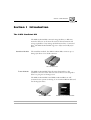
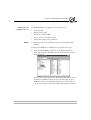
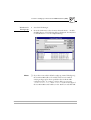
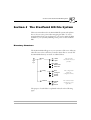
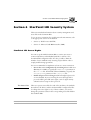
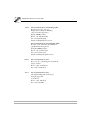
The access files are stored in the Volumes folder, which contains the
three folders shown:
volumes
jazdisk
scsi
server
Jazdisk folder
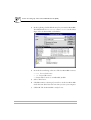
The Jazdisk folder contains the access right information for all the
inserted Jaz disks. When inserting a new Jaz disk, a text file with the
volume name is automatically created. The file will remain in storage
even if the Jaz disk is ejected, in order to be immediately available
when the disk is re-inserted. When the memory becomes full, the
oldest file will be discarded.
Scsi folder
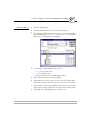
The Scsi folder contains the access right information for the Jaz drives.
For each SCSI ID, a text file named id<x>lun<y>.txt, where <x> is
the SCSI address and <y> the LUN address, is automatically created.
Note:
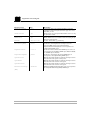
❏ If a DriveAlias is set for a Jaz drive, the access settings for the
drive will override the Jaz disk settings for disks that are inserted
in that drive. This can be useful if you have a series of disks, e.g. a
monthly issue. If DriveAlias is set, the following parameters will
override those defined for the inserted volume:
•
•
•
•
Comment
UserLimit
SessionTimeout
SMBPassword
However, if no alias is set, the access settings for the drive will not
be used.
Server folder
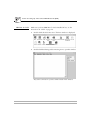
The Server folder contains the access right information for the
StorPoint HD file system. The jaz.txt and root.txt files control
the access to the Jaz and Root directory, respectively. The
default.txt file contains the default settings used whenever a new
Jaz disk or Jaz drive is connected.
58
AXIS StorPoint HD User’s Manual