1
1020A-T User's Manual
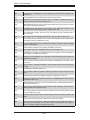
Power LED/Speaker ................................................................................ 5-16
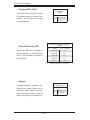
ATX PS/2 Keyboard & Mouse Ports ...................................................... 5-16
Wake-On-LAN ......................................................................................... 5-16
Wake-On-Ring ........................................................................................ 5-16
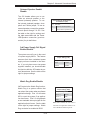
Chassis Intrusion .................................................................................... 5-17
JLAN 1/2 (Ethernet Ports) ....................................................................... 5-17
SATA Header .......................................................................................... 5-17
SMB ........................................................................................................ 5-17
Overheat LED.......................................................................................... 5-18
Serial ATA Activity LED .......................................................................... 5-18
Keylock ................................................................................................... 5-18
5-10 Jumper Settings ............................................................................................. 5-19
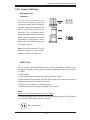
Explanation of Jumpers ........................................................................... 5-19
CMOS Clear ............................................................................................ 5-19
JLAN Enable/Disable .............................................................................. 5-20
VGA Enable/Disable ................................................................................ 5-20
I2C to PCI Enable/Disable ...................................................................... 5-20
SATA Controller Enable/Disable ............................................................. 5-20
Onboard Speaker Enable/Disable .......................................................... 5-21
3rd Power Supply Fail Detect Enable/Disable ........................................ 5-21
Watch Dog Enable/Disable ..................................................................... 5-21
5-11 Onboard Indicators ........................................................................................ 5-22
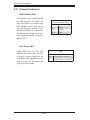
JLAN1/JLAN2 LEDs ................................................................................ 5-22
+3.3V Power LED .................................................................................. 5-22
5-12 Floppy, IDE and SATA Drive Connections..................................................... 5-23
Floppy Connector .................................................................................... 5-23
IDE Connectors ....................................................................................... 5-24
SATA Connectors .................................................................................... 5-24
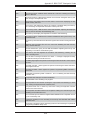
Chapter 6: Advanced Chassis Setup
6-1
Static-Sensitive Devices .................................................................................. 6-1
6-2
Control Panel ................................................................................................... 6-2
6-3
System Fans .................................................................................................... 6-3
System Fan Failure ................................................................................... 6-3
Replacing System Cooling Fans ............................................................... 6-3
6-4
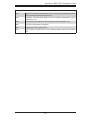
Drive Bay Installation/Removal ........................................................................ 6-4
Removing the Front Bezel ........................................................................ 6-4
Accessing the Drive Bays ......................................................................... 6-5
Serial ATA Drive Installation ...................................................................... 6-6
viii