1
01-06 iLok Activation
01-05 Temporary Activation
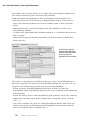
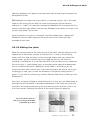
If you cannot decide right away which form of activation to use, Melodyne allows
you time to think about it: after the first installation, you can use the software for
ten days after entering the serial number, which makes it possible to begin work
immediately. Temporary activation is only possible after the first installation of
Melodyne on a computer.
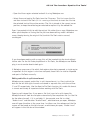
After selecting this option, click "Continue". The assistant will then inform you
that Melodyne has been activated for a period of ten days. You can now close the
assistant and use Melodyne. We recommend, however, that you undertake the
definitive activation as soon as possible. Otherwise, the temporary activation
period is liable to expire at precisely the wrong moment…
01-06 iLok Activation
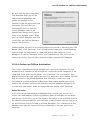
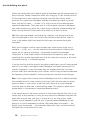
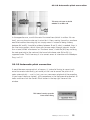
You can also activate Melodyne using an iLok USB copy-protection dongle manufactured by Pace (www.pace.com). When this solution is chosen, your Melodyne
license is transferred to an iLok dongle, making it possible to use the software on a
variety of computers – provided, obviously, Melodyne has been installed on each of
them and you insert the dongle into a USB port each time you wish to run it. This
allows you, in effect, to carry your copy of Melodyne about with you if you work
regularly in a number of different studios. One iLok is capable of storing many
different licenses, including those of other manufacturers, so you do not need a
different dongle for each item of software you have chosen to activate in this way.
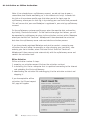
To use the iLok activation system, you need:
- an iLok copy protection dongle (which you can purchase from your local music
store; Celemony does not sell iLok dongles);
- to open an iLok account at www.ilock.com (unless you already have one);
- to transfer your Melodyne license to your iLok account (this is done via the
myCelemony website, which the assistant will open for you;
- to transfer your Melodyne license from your iLok account to your iLok dongle
(this is done at www.ilok.com, where you will find the necessary instructions).
Note: if you opt for iLok activation, you will no longer be entitled to a computerspecific activation from Celemony.
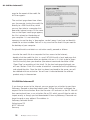
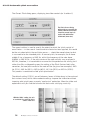
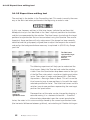
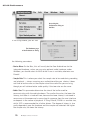
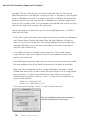
When, from the activation assistant's welcome page, you select "iLok activation
and click on the "Continue" button, a new page opens in the assistant for
14
Melodyne uno user manual