1
Toad™ for Oracle® Installation Guide
13
Silently Install Toad Editions
2. Complete the wizard. Review the following for additional information:
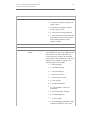
Product Selection
Page
Description
Select the product Verify that all the products you want to extract display in this
you want to
list. If a product does not display, you should start over and
extract
select an edition that contains all the files.
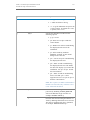
Finish Page
"specified
location" link
Description
Click this link to open the directory where your files have been
extracted. This directory also includes the silent installation
batch file (SilentInstall.bat).
The batch file contains the commands to silently install all the
products that you selected from the relative path. The install
requires the applicable directories from the locations that you
extract to and installs each product to the default directory.
"Readme.txt" link
Click this link to open the extraction log as well as the
command-line parameters that are needed to perform default
installations of the products. This file also defines the order in
which the products need to be installed to satisfy the
dependencies between the products.
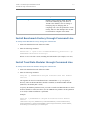
This option allows you to change the parameters to fit your
environment or standards, such as installing to a different
directory.