1
QUICK REFERENCE GUIDE
CONTENTS
Problem: Limited range or low power showing
Causes:
Remedy:
Insufficient charge
Ensure batteries are charged for
in batteries
at least 12 hours.
Weak batteries
Replace batteries if error persists.
Problem: Batteries not charging
Causes:
Remedy:
No mains power
Try another mains socket
Loose connections
Check all connections
Blown fuse
Check fuse in charger and plug
Charger fault
Contact dealer.
1.
PREFACE AND INTRODUCTION
2. SAFETY NOTICE
Before Driving
Whilst Driving
Labelling
Electromagnetic Interference
3. PARTS INTRODUCTION
4. OPERATION
Control Panel – Drive
How to Operate your Powerchair
How to set freewheel mode
Problem: Powerchair will not drive
Causes:
Remedy:
Freewheel levers
Ensure freewheel levers are in
disengaged
DRIVE position
Low battery power
Recharge batteries
Charger plugged in
Remove charger and restart
Circuit breaker
Reset circuit breaker
Joystick held whilst
Release joystick and do not hold;
powerchair is
restart powerchair
switched on
5. BATTERY CHARGING AND CARE
Charging the battery
Battery
Replacing Drive Batteries or Charger
Problem: Only one wheel turns
Causes:
Remedy:
Only one freewheel
Ensure both freewheel levers are
lever engaged
in DRIVE position
Problem: Excessive motor noise
Causes:
Remedy:
Freewheel levers
Ensure both freewheel levers are
not fully engaged
in DRIVE position
Problem: Battery gauge flashes
Symptoms:
Remedy:
The powerchair has Ensure the joystick is released
diagnosed a fault
and switch the powerchair off and
on.
Recharge batteries if error
persists.
Refer to fault diagnosis guide
6. INSPECTION AND MAINTENANCE
Inspection
Regular Check List
Battery and Tyres
Storage
7. TROUBLESHOOTING
8. SPECIFICATION
9. WARRANTY
10. SERVICE RECORD
11. WARRANTY REGISTRATION
“Caution: Federal Law restricts this
device to sale by or on the order of a
practitioner licenced by the law of the
State in which he/she practices”
(USA Only)
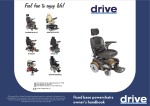
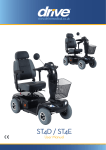
Drive Image GT pictured
Drive Powerchair Range
Page 1
Z20945 (Rev C)