1
FLYBOX®
Use of the instrument
If you choose the wrong option or insert a wrong quantity of fuel
it is possible to correct the quantity of fuel in the tank/s (see
option “REMAINING” in chapter 4.2 “Setup menu”).
If you begin the flight without choosing any of the three options
you can do this later because the FC1 measure anyways the
fuel flow (of course only if the FC1 is turned on).
CAUTION: Before begin a flight check that the remaining fuel
indicated by the FC1 correspond to the level indicated by the
televel.
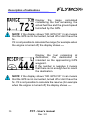
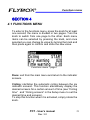
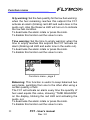
Now the FC1 is operative and it shows the first of the six
available indicator screens; rotate the knob to scroll between
the six screens in this order:
FLOW → REMAINING → BURNED → ENDUR → RANGE →
RESERVE
18
FC1 - User’s manual
Rev. 3.0