1
Table of contents
1
1 Setting up your camera .........................................................................1
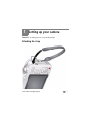
Attaching the strap ....................................................................................... 1
Loading the AA batteries............................................................................... 2
Turning on the camera .................................................................................. 2
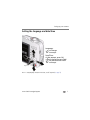
Setting the language and date/time............................................................... 3
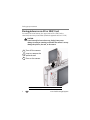
Storing pictures on an SD or SDHC Card ........................................................ 4
2 Taking pictures/videos ...........................................................................5
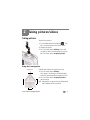
Taking pictures.............................................................................................. 5
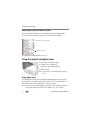
Using the optical and digital zoom ................................................................ 6
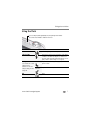
Using the flash.............................................................................................. 7
Using different modes ................................................................................... 8
Taking a video ............................................................................................ 10
Using shortcuts ........................................................................................... 10
Using the self-timer..................................................................................... 11
Taking panoramic pictures........................................................................... 12
Understanding the picture-taking icons........................................................ 13
3 Working with pictures/videos ..............................................................14
Reviewing pictures/videos ........................................................................... 14
Deleting pictures/videos .............................................................................. 15
Viewing pictures/videos in different ways..................................................... 16
Selecting multiple pictures/videos ................................................................ 16
Running a slide show .................................................................................. 17
Using the menu button in review................................................................. 18
Cropping pictures........................................................................................ 19
Using KODAK PERFECT TOUCH Technology................................................. 19
Rotating pictures......................................................................................... 20
Copying pictures/videos............................................................................... 20
Editing videos ............................................................................................. 21
Understanding the review icons................................................................... 23
www.kodak.com/go/support
iii