1
3
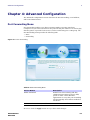
Basic Configuration
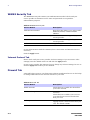
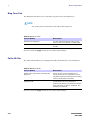
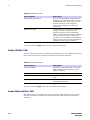
Ring Tone Tab
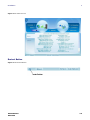
The Ring Tone tab allows you to customize ring tones for your telephone(s).
NOTE
You need a phone connected to your CPE to hear ring tones.
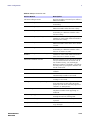
Table 3-9 Ring Tone Tab
Field or Button
Description
Default Line Ring Type
Use the drop-down box to select a ring
tone for Line. The default is ringtone R0.
Test
Click to hear how the selected ring tone
sounds.
Be sure to click the Apply button once you have made changes.
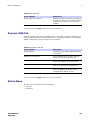
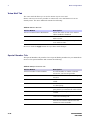
Caller ID Tab
The Caller ID tab allows you to manage the Caller ID functions for your telephones:
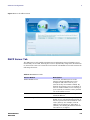
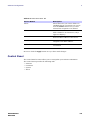
Table 3-10 Caller ID Tab
Field or Button
Description
Enable Line Anonymous Incoming Call
Rejection
If Line is your active telephone port,
check this box if you would like to reject
telephone calls from anonymous incoming
callers. The default is checked.
Enable Line Permanent Anonymous
Outgoing Call
If Line is your active telephone port,
check this box if you would like to
permanently block your telephone number
from appearing on others’ Caller ID. The
default is unchecked.
Be sure to click the Apply button once you have made changes.
3-8
68P09308A83
DEC 2009