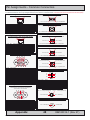
1
Touch screen products
Introduction to products with touch screen
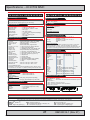
Both Resistive and Capacitive touch screen solutions are used for our products. Please review
specifications found in this manual or our website (www.hatteland-display.com) to find your exact
type number and then determine if it uses Resistive or Capacitive.
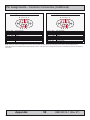
Capacitive Touch screen
The glass overlay has a coating that stores the charge deposited over its surface electrically. It will
not operate with either a gloved hand or with a mechanical stylus. Capacitive touch screens
operate by applying a small amount of voltage to each corner of the touch screen. When the
screen is touched by a human finger it draws a minute amount of current to the X,Y point of
contact. This location is calculated by the touch screen controller and transmitted back to the
computer connected to the touch screen controller.
CAPACITIVE - Brief Specifications
Subject
Details
Construction
Top: ClearTek protective overcoat protects the sensors and increase durability.
Inside: Electrode X/Y grid pattern and conductive coating.
Bottom: Glass and conductive coating.
Small amount of voltage is applied to the four corners for measuring X and Y coordinates of the touch point.
Positional Accurancy
Reported touch coordinates are within 1.0% of true position. (Based on viewing area dimensions)
Touch Contact Requirements
3 ms for finger input.
Enduarance Tested
More than 225 million touches in one location without noticable degradation to the surface.
Cleaning
Water, isopropyl, alcohol, and similar non-abrasive cleaners.
Liquid Resistance
Liquids on screen does not impede touchscreen performance.
Light Transmission
Up to 88% at 550 nm; dependant on specific surface finish chosen.
Resistive Touch screen
It generally uses a display overlay composed of layers, each with a conductive coating on the
interior surface. Special separator “dots” are distributed evenly across the active area and
separate the conductive interior layers. The pressure from using either a mechanical stylus or
finger produces an internal electrical contact at the “action point” which supplies the controller with
vertical and horizontal analog voltages for data input. The resistive touch screens are anti-glare to
reduce reflective shine intensity, which will slightly diffuse the light output throughout the screen.
Resistive technology activation can be initiated by; a gloved hand, fingernail, mechanical stylus
or an ungloved finger.
RESISTIVE - Brief Specifications
Subject
Details
Construction
Top: Polyester with outside hard-surface coating with clear or anti-glare finish.
Inside: Transparent conductive coating.
Bottom: Glass substrate with uniform conductive coating.
Top and bottom layers separated by separator dots.
Positional Accurancy
Standard deviation of error is less than +- 0.080-inch (2mm).
Touch Activation Force
Typically 57 to 133 g
Expected Life Performance
More than 35 million touches in one location without failure, using a stylus similar to a finger.
Cleaning
Water, isopropyl, alcohol, and similar non-abrasive cleaners.
Chemical Resistance
(Exposed for one hour)
Acetone, Common food and beverages, Hexane, Isopropyl alcohol, Methylene chloride, Methyl ethyl ketone,
Mineral spirits, Turpentine
Light Transmission
Typically 75% over visible light spectrum.
Touch screen
IND100110-1
11
INB100014-1 (Rev 27)