1
Settings
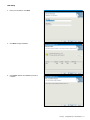
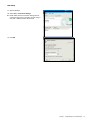
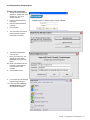
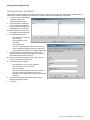
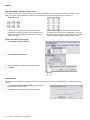
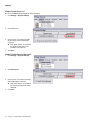
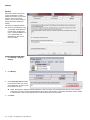
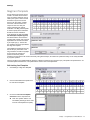
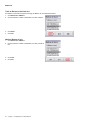
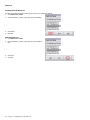
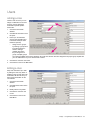
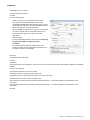
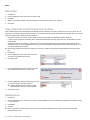
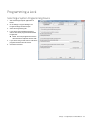
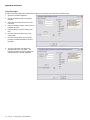
4. You can test the mag cards to be used with the facility against the template.
•
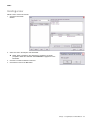
If using a serial reader or a lock to read the cards, double click the box below Full Card Date (No Template applied).
Swipe the card within eight (8) seconds.
• If using a keyboard card reader, click Test and swipe the card.
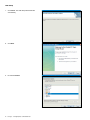
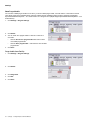
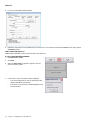
5. The data will be displayed in the three
boxes.
•
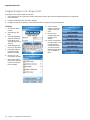
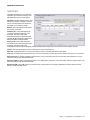
Full Card Data shows all the data
from the mag card.
•
Templated Card Data shows the
data within the template.
•
Update Data shows the data used
for lost card updates.
6. Click Save.
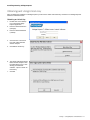
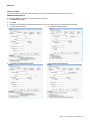
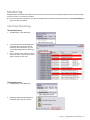
Auto Card Replacement
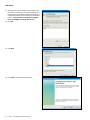
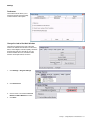
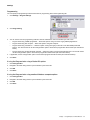
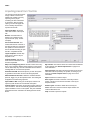
Auto Card Replacement (ACR) is a
feature used to issue a new card
when a card is lost.
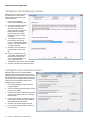
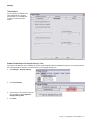
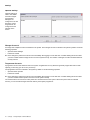
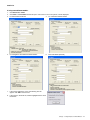
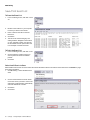
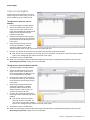
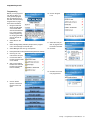
In the example, ten (10) characters
have been specified in the template.
The last two (2) characters of the
template, characters nine (9) and ten
(10) have been selected for the auto
card replacement characters. This is
indicated in the 1st Lost Card
Update Character box. The data in
the Update Data box shows 11. If the
auto card replacement feature is
used on this card, the number will be
incremented to 12.
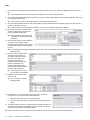
Either one (1) or two (2) characters
can be used for auto card
replacement. To use only one
character, choose the last character
in the template for the 1st Lost Card
Update Character.
ÎÎ Note: Only certain characters
are available for selection in the
1st Lost Card Update Character
box. The mag card template can
be adjusted until the character you want to select is available.
ÎÎ Note: If only one (1) character is used, the number of replacement cards is limited to nine (9) cards. If two (2) characters are
used, the number of replacement cards is limited to ninety-nine (99) cards.
44 • Schlage • Schlage Express Software Manual