1
FULL HD MEGA PIXEL CAMERA
FULL HD
MEGA PIXEL
IR BULLET CAMERA
USER’S MANUAL
®
e
Th
■
■
■
■
■
■
■
■
■
■
t
Ar
of
Su
e
nc
lla
i
rve
1/3" Panasonic CMOS sensor
Full HD Resolution
DAY & NIGHT
WDR (Wide Dynamic Range)
DNR (Digital Noise Reduction, 2D+3D)
Privacy mask Function
On Screen Display
Intelligent motion detection
HD-SDI/CVBS Output
Multi Protocol(Pelco-D, Pelco-P)
HD 003
Precaution
Do not Keep the camera face to strong light directly
Do not install the camera in extreme temperature conditions .
Do not disassemble the camera even if troubles happened
To avoid malfunctions, never use the camera close to a gas
or oil leak
Do not drop the camera or subject them to physical shocks.
Do not expose the camera to rain or spill beverage on it.
Do not install the camera under unstable lighting conditions
Do not install or use the camera in an environment where the
humidity is high
Components
SCREW
WDR/3D DNR IR BULLET CAMERA
SUN SHIELD
WDR / 3D DNR
IR BULLET CAMERA
USER’S MANUAL
WDR/3D DNR
Zero Defect
High Resolution of 600 TV Lines
Sens Up(x512, DSS)
DIS(Digital Image Stabilization)
Polygonal Privacy Masking
D.Zoom(x1~x10)
Eclipse
High Sensitivity Day&Night
MANUAL
Option
SERVICE VIDEO
L-WRENCH
RS-485
Terminal Block
1. Features
• 1/3" Panasonic CMOS sensor
2,227,080pixels(Total) / 2,122,848pixels(Active)
• Full HD Resolution
1920x1080p / 30fps
1280x720p / 60fps
• DAY & NIGHT
This camera supports filter changed day and night function using DC Motor
controller. It can be changeable OLPF day to night depending on the luminance
level using DC Motor. It can be also controlled by external Day and Night port.
• WDR (Wide Dynamic Range)
WDR, more effectively than previous models,
by applying an optimum fusion ratio when combining the high speed
shutter used in bright areas and the low speed shutter used in dark areas.
• DNR (Digital Noise Reduction, 2D+3D)
The DNR technology eliminates noise thus generating a distinct and clear
image. This camera DNR function utilizes both an adaptive 2D filter
reducing noise in the brightness of the image and an adaptive 3D filter
reducing noise caused by movement.
• Privacy mask Function
The privacy zone function makes it possible to make specific areas of the
scene from view.
• On Screen Display
This camera supports the OSD function. And so, the camera can be controlled
by selecting text displayed on the monitor screen.
• Intelligent motion detection
You can transmits an alert signal when it detects motion of an object on
the screen. This feature is useful when you have to monitor several screens
simultaneously.
• Output
Digital output : HD-SDI
Analog output : NTSC, PAL Composite (without WDR)
• Protocol
This camera supports the multi-protocol (Pelco-D, Pelco-P)
2. Names and Functions of Parts
②
⑥
③
⑤
④
①
②
③
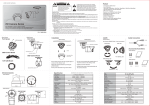
① IR LEDs
② Focus Handle
Used to provide for accurate of an object within the
lens field of view
③ Zoom Handle
Used to adjust zoom magnification by turning
④ OSD Board
LEFT
RIGHT
ENTER
UP
⑤ Sun-Shield
⑥ Bracket
DOWN
Service Video
3. Installation & Connection
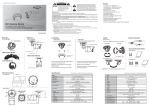
AC Power Connecting
AC24V + (RED)
AC24V - (BLACK)
Adaptor
HD-SDI Cable
(Option)
RS485 +
RS485 -
Monitor
DVR
PORT2 PORT1
TX RX TX RX
_ + _ + _ + _ +
4. How to Set up the Function
Main Menu
MENU
MODEL
IR CDS
EXPOSURE
WHITE BAL
IMAGE
INTELLIGENCE
SPECIAL FUNC
DISPLAY
EXIT
Functions can be set-up using the Menu Key of pelco protocol.
The menu consists of the “Main Menu” and “Sub Menu”.
The main menu is displayed where 6 camera functions can be selected.
The sub menu is displayed at the push of each main menu selection.
MODEL
MENU
MODEL
IR CDS
EXPOSURE
WHITE BAL
IMAGE
INTELLIGENCE
SPECIAL FUNC
DISPLAY
EXIT
select model : IR CDS
-> Switches day and Night using an external CDS Sensor
EXPOSURE
MENU
MODEL
IR CDS
EXPOSURE
WHITE BAL
IMAGE
INTELLIGENCE
SPECIAL FUNC
DISPLAY
EXIT
EXPOSURE
BRIGHTNESS
LENS
SHUT SPEED
FLICKERLESS
DSS
AGC
WDR/BLC
DAY&NIGHT
SMART IR
RETURN
DC
AUTO
OFF
OFF
ON
10
OFF
1. BRIGHTNESS : Adjust brightness level
- 0(dark) ~ 20(bright) steps
2. LENS : Select LENS type(DC / MANUAL)
MODE : In case of the indoor, will be recommended the INDOOR MODE
In case of the outdoor, will be recommended the OUTDOOR MODE
*If Shutter rolling occurs, the MODE should be changed from
OUTDOOR to INDOOR
3. SHUTTER SPEED : Can be set to AUTO or MANUAL(PAL(NTSC))
AUTO / 1/25(30),1/50(60),1/100(120),1/240,
1/500,1/1000,1/2000,1/4000,1/8000, 1/16,000,
1/30000, 1/60000 sec.
4. FLICKERLESS : Select ON or OFF
5. DSS : Select maximum DSS(Digital Slow Shutter)
-OFF / x2, x3, x4
6. AGC : SELECT ON/OFF
Select ON : Auto gain control(0~20 steps)
7. WDR/BLC : Select WDR(Wide Dynamic Range) or BLC(Back Light Compensation)
- WDR
WEIGHT :Represent the exposure of the shutter. The higher value,
the brighter part looks well but the dark part relatively seems to
darken (0 ~ 3)
- BLC
AREA : According to illumination of WINDOW, BLC controls.
POS-X : Adjust the window X-Axis position
POS-Y : Adjust the window Y-Axis position
SIZ-X : Adjust the window X-Axis size
SIZ-Y : Adjust the window Y-Axis size
* ACE and DEFOG should be off while WDR mode is on.
8. DY&NIGHT : Select Day&Night
1) D&N
-AUTO / DAY / NIGHT / EXT
Delay : 0 ~ 255 seconds
BURST : OFF / ON
THRS : (LOW / MIDDLE / HIGH)
According to daytime, nighttime setting the levels of transition
sets to no changes when it is dark at, higher the step it is set to
GAP : LOW / MIDDLE / HIGH
This setting adjusts the margin of change from the setting
of light to dark /daytime to nighttime and dark to light / nighttime
to daytime. If this setting is too low then fluctuation may occur.
2) IR CDS Model
-AUTO / DAY / NIGHT
Delay : --BURST : OFF / ON
THRS : --GAP : ---
WHITE BALANCE
MENU
MODEL
IR CDS
EXPOSURE
WHITE BAL
IMAGE
INTELLIGENCE
SPECIAL FUNC
DISPLAY
EXIT
WHITE BAL
AWB
AUTO
CHROMA
10
RETURN
1. AWB : Select WHITE BALANCE mode
-AUTO / ONE PUSH / MANUAL / INDOOR / OUTDOOR
AUTO : Automatically adjusts color according to the available lighting.
ONE PUSH : It is a fixed white balance mode that may be automatically
readjusted only by pressing ONE PUSH
MANUAL : Color can be corrected when the user increases or decreases
“Red Gain” or “Blue Gain”.
RED GAIN : Adjust R gain value 0 ~ 20
BLUE GAIN : Adjust B gain value 0 ~ 20
INDOOR : Set color temperature to be Indoor light (3700°K)
OUTDOOR : Set color temperature to be Outdoor light (5100°K)
2. CHROMA : Adjust CHROMA gain value
-0 ~ 20 steps
IMAGE
MENU
MODEL
IR CDS
EXPOSURE
WHITE BAL
IMAGE
INTELLIGENCE
SPECIAL FUNC
DISPLAY
EXIT
IMAGE
SHARPNESS
MIRROR
FREEZE
E.ZOOM
HLC
ACE
DNR
D.COMPRESS
RETURN
6
OFF
OFF
X1
OFF
OFF
AUTO
OFF
1. SHARPNESS : Adjust sharpness level(0 ~ 10 steps)
2. MIRROR : Select a flip mode
-OFF / H / V / H&V
H : You can flip the picture horizontally on the screen
V : You can flip the picture vertically on the screen
H&V : You can flip the picture horizontally & vertically on the screen
3. Freeze : Select real or still mode(OFF / ON)
4. E.ZOOM : Select maximum digital zoom magnification.
-x1 ~ x12, x14, x15, x18, x21, x25, x32
5. HLC : Select High Light Compensation
When extremely bright light is projected to the camera masking is
used on the portion to prevent partial saturation on the monitor.
-OFF / ON
ON LEVEL : 0 ~ 20 steps
COLOR : Black, White, Yellow, Cyan, Green, Magenta, Red, Blue
6. ACE : Select Digital WDR(Wide Dynamic Range)
-OFF / ON
*When ACE is ON, WDR and DEFOG function can not turn on
7. DNR : Select Digital Noise Reduction
-AUTO / OFF / LOW / MIDDLE / HIGH
8. D.COMPRESS : Video image data compression function.
Please use this function only IP camera.
-OFF / ON
INTELLIGENT
MENU
MODEL
IR CDS
EXPOSURE
WHITE BAL
IMAGE
INTELLIGENCE
SPECIAL FUNC
DISPLAY
EXIT
INTELLIGENCE
PRIVACY
OFF
MOTION
OFF
RETURN
1. PRIVACY : Hide an area you want to hide on the screen
-OFF / ON
MASK# : Select mask area number (0 ~ 31)
MODE : Mask enable or disable (OFF / ON)
X-POS : Adjust the mask X-Axis position
Y-POS : Adjust the mask Y-Axis position
X-SIZ : Adjust the mask X-Axis size
Y-SIZ : Adjust the mask Y-Axis size
COLOR : Cyan, Green, Magenta, Red, Blue, Black, White, Yellow
TRANS : Select mask transparency level (0 ~ 4)
2. MOTION : When there is movement of the subject on the screen,
there will be an motion detection
-OFF / ON
SENSITIVITY : Adjust sensitivity of MD (0 ~ 20 steps)
More sensitive to setting to lower step with sensitivity
AREA : Designate motion detection area (WHOLE / EACH)
-AREA# : Setting 3 areas(0~2) of motion detection
-MODE : Limit and define areas of motion detection
-X-POS : Adjust the AREA X-Axis position
-Y-POS : Adjust the AREA Y-Axis position
-X-SIZ : Adjust the AREA X-Axis size
-Y-SIZ : Adjust the AREA Y-Axis size
-TRANS : Adjust color tone of designated area.
INTERVAL :Select the alarm interval time (0 ~ 255sec)
DWELL : Select the duration time about changing MD mode (0 ~ 255sec)
RETURN
SPECIAL FUNCTION
MENU
MODEL
IR CDS
EXPOSURE
WHITE BAL
IMAGE
INTELLIGENCE
SPECIAL FUNC
DISPLAY
EXIT
SPECIAL FUNC
SHADING DET OFF
SHADING
OFF
DEFECT DET
OFF
DEFOG
OFF
SYSTEM
PAL
HD FORMAT
1080P
PG
OFF
CVBS
ON
COMM
DEFAULT
ON
RETURN
1. SHADING DET : Sets the shading calibration that the lens will perform.
Only occurs when the entire screen is viewed in white
light.(OFF / ON)
2. SHADING : Select Lens shading compensation.(OFF / ON)
3. DEFECT DET : Compensates for bad pixels that my occur. Occurs
when the whole screen is in full black or if there is bad
pixelation and it changes the THRS values until the
screen is fixed.(OFF / ON)
*If you use a DC lens what closed IRIS, you do not need to block the lens while
operating DEFECT function.In case of using a DC lens not closed and manual lens,
you have to block the lens while operating DEFECT function.
4. DEFOG : Carry out defog function
-OFF / ON
LEVEL : Eliminate amount of fog on display screen.(0 ~ 10)
* When DEFOG is ON, ACE and WDR function can not turn on.
5. SYSTEM : Select NTSC or PAL (NTSC / PAL)
6. HD FORMAT : Select Digital output to 1080P or 720P(1080P / 720P)
7. PG : Select Color pattern generator.(OFF / ON)
8. CVBS : Select Composite signal(OFF / ON)
9. COMM : Set up the camera ID, baud rate, protocol
-ID : Select the camera ID(1 ~ 255)
-BAUD RATE : Select serial communication speed
2400 / 4800 / 9600 / 19200 / 38400 / 57600 / 115200bps
-PROTOCOL : Select operating protocol
Pelco-D / Pelco-P / UPDATE
10. DEFAULT : All the settings will be restored to the factory default.
DISPLAY
MENU
MODEL
IR CDS
EXPOSURE
WHITE BAL
IMAGE
INTELLIGENCE
SPECIAL FUNC
DISPLAY
EXIT
DISPLAY
DISP SEL
SET TITLE
RETURN
1. DISP SEL : Select display item.
-ID : OFF / ON
-TITLE : OFF / ON
-EZOOM : OFF / ON
2. SET TITLE : Select camera title menu (Text edit)
i
5. Specification
Image Sensor
1/3" Panasonic CMOS
Total Pixels
2010(H) x 1108(V) = 2,227,080 (pixel)
Active pixels
Scanning system
1944(H) x 1092(V) = 2,122,848 (pixel)
Progressive
Resolution
Min. illumination
Video Output
Digital ; 1920x1080p(1080p/30fps) , 1280x720p(720p/60fps)
Analog : 700TVL
Color : 1.0 lux , BW : 0.5lux
Color DSS : 0.002 lux , BW DSS : 0.001 lux
HD-SDI, BT.1120
Brightness
Analog : NTSC, PAL(without WDR)
more than 50dB (AGC off)
Exposure
0 ~ 20 steps
Lens
Shutter Speed
DSS
DC / Manual
Auto, 1/30(1/25) ~ 1/30000 sec
off / x2 / x3 / x4
S/N Ratio
AGC
WDR/BLC
Day&Night
White Balance
Shappness
Mirror
Freeze
E.Zoom
HLC
ACE
DNR
D.Compress
Off / On
Off / WDR / BLC
Auto / Day / Night / Ext
Auto / ONE PUSH / Manual / Indoor / Outdoor
Image
0~10 steps
Off / H / V / H&V
Off / On
x1 ~ x32
Off / On
Off / On
Off / Low / Middle / High / Auto
Off / On
Intelligence
Privacy
Motion Detection
Off / On (32 points)
Off / On (4 points)
Shading Det
Shading
Defect Det
Defog
System
HD Format
Special Function
Off / On
Off / On
Off / On
Off / On
NTSC / PAL
1080P / 720P
PG
CVBS
COMM
Default
Disp Sel (Off / On)
Set Title
Language
O.S.D Text
IR
Night View Distance
Lens
Cable
Off / On
Off / On
ID (1 ~ 255)
Baudrate : 2400 / 4800 / 9600 / 19200 / 38400 / 57600 / 115200
Protocol : Pelco-P / Pelco-D / Update
On / Done
Display
ID / Title / Zoom Ratio
Text Edit
English
0~9, A~Z, a~z
68EA
40EA
Outdoor 50m
Outdoor 40m
ICR 2.8~10mm Mega Pixel Varifocal Lens
5C-2V 120m(Max)
Power Source
DC12V±10% , AC24V±10%
Power Consumption DC12V 800mA / AC 24V 300mA DC12V 600mA / AC 24V 260mA
Operating Temperature
-10 ~ +50 (Humidity : 0%RH ~ 80%RH)
Storage Temperature
Dimension
-20 ~ +60 (Humidity : 0%RH ~ 90%RH)
94(Ø) x 161mm
74.5(Ø) x 162mm
Design and specifications are subject to change without notice.