1
GE Fanuc Automation
CIMPLICITY Monitoring and Control Products
CIMPLICITY HMI Plant Edition
Base System
Device Communications Manual
GFK-1181J
July 2001
GFL-005
Warning notices are used in this publication to emphasize that hazardous voltages, currents, temperatures, or other
conditions that could cause personal injury exist in the equipment or may be associated with its use.
In situations where inattention could cause either personal injury or damage to equipment, a Warning notice is used.
Caution notices are used where equipment might be damaged if care is not taken.
Note
Notes merely call attention to information that is especially significant to understanding and operating the equipment.
This document is based on information available at the time of publication. While efforts have been made to be accurate,
the information contained herein does not purport to cover all details or variations in hardware or software, not to provide
for every possible contingency in connection with installation, operation, or maintenance. Features may be described
herein which are not present in all hardware and software systems. GE Fanuc Automation assumes no obligation of
notice to holders of this document with respect to changes subsequently made.
GE Fanuc Automation makes no representation of warranty, expressed, implied, or statutory with respect to, and assumes
no responsibility for the accuracy, completeness, sufficiency, or usefulness of the information contained herein. No
warranties of merchantability or fitness for purpose shall apply.
CIMPLICITY and Genius are registered trademarks and Series 90, Series Six, Series Five, and Logicmaster are
trademarks of GE Fanuc Automation North America, Inc.
Windows, Windows NT, Windows 2000 and Windows 98 are registered trademarks of Microsoft Corporation
PLC PLC-2, and PLC-3 are registered trademarks and AdvancedDDE, Data Highway and RSLinx are trademarks of
Allen-Bradley Company, Inc.
Modbus, Modbus PLUS, SA84 and SM85 are trademarks of Groupe Schneider.
STEP and SINEC are registered trademarks of Siemens AG.
APPLICOM is a trademark of applicom international.
Mitsubishi is a registered trademark of Mitsubishi Electronics, Inc.
OMRON is a registered trademark of OMRON Electronics, Inc.
Seriplex is a trademark of Square D Corporation
Other products and company names mentioned in this document are trademarks and registered trademarks of their
respective companies.
This manual was produced using Doc-To-Help®, by WexTech Systems, Inc.
Copyright 1997-2001 GE Fanuc Automation North America, Inc.
All rights reserved
ii
CIMPLICITY HMI Device Communications Manual–July 2001
GFK-1181J
Preface
Content of this Manual
This manual is composed of the sections described below.
Chapter 1: Allen-Bradley Communications: Describes the Allen-Bradley
Communications enabler.
Chapter 2. Allen-Bradley Data Highway Plus Communications: Describes the
Allen-Bradley Data Highway Plus communications option.
Chapter 3. Allen-Bradley DF1: Describes the CIMPLICITY Allen-Bradley
Communication Enabler, which can be used to communicate with Allen-Bradley
Programmable Controllers through the DF-1 serial communication protocol.
Chapter 4: Allen-Bradley Intelligent Antenna Communications: Describes the
Allen-Bradley options that uses the computer's local serial ports, or a remote terminal
server
Chapter 5. APPLICOM Communications: Describes the APPLICOM
communications option.
Chapter 6. CCM2 Communications: Describes the CCM2 communications option
for GE Fanuc programmable controllers.
Chapter 7. DDE Client Communications: Describes the DDE Client
communications option.
Chapter 8: FloPro/FloNet Communications: Describes FloPro, a program that
runs on IBM PC compatible computers and lets them perform functions similar to
PLCs. and the FloNet cards
Chapter 9. Geniusâ Communications: Describes the Genius communications
option for GE Fanuc programmable controllers.
Chapter 10: Honeywell IPC 620 Communications: Describes the Honeywell
Asynchronous Byte Count (ABC) Protocol Device.
Chapter 11. Johnson Controls N2 Communications: Describes the Mitsubishi ASeries Serial communications option.
Chapter 12. Mitsubishi A-Series Serial Communications: Describes the
Mitsubishi A-Series Serial communications option.
Chapter 13. Mitsubishi TCP/IP Communications: Describes the Mitsubishi
TCP/IP communications option.
Chapter 14. Modbus Plus Communications: Describes the Modbus Plus
Communications option.
GFK-1181J
iii
Chapter 15. Modbus RTU Communications: Describes the Modbus RTU
communications option.
Chapter 16. Modbus RTU Slave Communications: Describes Modbus RTU Slave
Communications option that supports a multi-drop configuration with the Modbus
RTU Slave Communications enabler functioning as a slave. .
Chapter 17. Modbus TCP/IP Communications: Describes the Modbus TCP/IP
communications option.
Chapter 18. Modbus/TCP Slave Communications: Describes the Modbus/TCP
Slave Communications option that supports a multi-drop configuration with the
Modbus/TCP Slave Communications enabler functioning as a slave
Chapter 19. OMRON Host Link Communications: Describes the OMRON Host
Link communications option
Chapter 20. OMRON TCP/IP Communications: Describes the OMRON TCP/IP
communications option.
Chapter 21: OPC Client: Describes the OPC Client software that gives users access
to an OPC server.
Chapter 22. Series 90 TCP/IP Communications: Describes the Series 90 TCP/IP
communications option for GE Fanuc programmable controllers.
Chapter 23. Seriplex Communications: Describes the Seriplex communications
option.
Chapter 24. Sharp TCP/IP Communications: Describes the Sharp TCP/IP
communications option.
Chapter 25. Siemens TI Communications: Describes the Siemens TI
communications option.
Chapter 26. Smarteye Electronic Assembly Communications: Describes the
Smarteye Electronic Assembly communications option.
Chapter 27. SNP and SNPX Communications: Describes the SNP/SNPX
communications option for GE Fanuc programmable controllers.
Chapter 28. Square D SY/MAX Communications: Describes the Square D
SY/MAX communications option.
Chapter 29: Toyopuc Ethernet Device Communication Module: Describes the
connections with Toyopuc programmable controllers.
Chapter 30. Series 90 TCP/IP Triplex Communications: Describes the Series 90
TCP/IP Triplex enabler.
iv
CIMPLICITY HMI Device Communications Manual–July 2001
GFK-1181J
Related Publications
For more information about CIMPLICITY software, refer to these publications:
CIMPLICITY HMI Base System User Manual (GFK-1180). This book describes
all the basic features on the CIMPLICITY HMI for Windows NT and Windows 95
product.
Also, the "Related Documentation" section of each device's chapter contains a list of
suggested documents you should have on hand for that device.
GFK-1181J
v
Contents
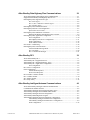
Allen-Bradley Communications
1-1
About Allen-Bradley Communications .................................................................................. 1-1
Sample Allen Bradley Network ............................................................................... 1-1
Allen-Bradley Communications Features ................................................................ 1-2
Required Hardware/Software................................................................................... 1-2
Supported Allen-Bradley Devices.......................................................................................... 1-3
Supported File Types ............................................................................................................. 1-4
Required Allen-Bradley Software .......................................................................................... 1-4
Allen-Bradley Related Documents ......................................................................................... 1-5
RSLinx Installation Procedures.............................................................................................. 1-5
Ethernet Communications RSLinx Installation Procedure....................................... 1-5
1784-KTX Data Highway Plus Communications RSLinx Installation Procedure ... 1-7
Allen-Bradley Communications Ethernet Installation Verification........................................ 1-8
Using abiping.exe .................................................................................................... 1-8
Examples of Valid Ethernet Network Addresses ..................................................... 1-9
CIMPLICITY Application Configuration ............................................................................ 1-10
Port Configuration ................................................................................................. 1-10
Device Configuration............................................................................................. 1-11
Point Configuration................................................................................................ 1-15
Point Address Formats ........................................................................................... 1-16
PLC-5 PD File Support ........................................................................................................ 1-20
Defining Points for Unsolicited Data ................................................................................... 1-22
Rules For Defining Unsolicited Points................................................................... 1-22
Controlling Multiple Point Updates via a Logical Definition ................................ 1-25
Enabling PLC-2 Protected Writes.......................................................................... 1-25
Configuring PLCs for Unsolicited Data ............................................................................... 1-26
Ethernet Direct....................................................................................................... 1-26
Ethernet through PI Gateway ................................................................................. 1-28
Data Highway Plus................................................................................................. 1-30
Communication through ControlLogix Gateway.................................................................. 1-31
Specifying the Network Address in the CIMPLICITY Device Configuration....... 1-31
Network/Cable Redundancy Support ................................................................................... 1-32
Features of network redundancy ............................................................................ 1-33
Unsolicited data ..................................................................................................... 1-34
Advanced Configuration Requirements................................................................................ 1-34
ABI_MAXDEF...................................................................................................... 1-34
ABETH_PLC_POLL_TIMEOUT ......................................................................... 1-34
ABETH_PLC_REQUEST_TIMEOUT ................................................................. 1-35
ABETH_PLC_RESPONSE_TIMEOUT ............................................................... 1-35
GFK-1181J
Contents-vii
Allen-Bradley Data Highway Plus Communications
2-1
About Allen-Bradley Data Highway Plus Communications................................................... 2-1
Supported Allen-Bradley Data Highway Plus Devices .......................................................... 2-3
Data Highway Plus Supported File Types.............................................................................. 2-4
PLC-2 File Types ..................................................................................................... 2-4
PLC-3, PLC-5 and PLC-5/250 File Types ............................................................... 2-4
SLC 5/04 File Types ................................................................................................ 2-4
Data Highway Plus Related Documents ................................................................................. 2-4
Data Highway Plus KT Card Configuration........................................................................... 2-5
Special Note on I/O Cards ....................................................................................... 2-7
Data Highway Plus Installation Verification .......................................................................... 2-8
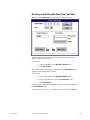
Reading and Writing Data Highway Plus Test Data ................................................ 2-9
Data Highway Plus Application Configuration .................................................................... 2-10
Port Configuration.................................................................................................. 2-10
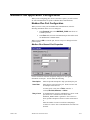
Data Highway Plus Device Configuration ............................................................. 2-11
Point Configuration................................................................................................ 2-14
Point Address Formats ........................................................................................... 2-15
Note on PLC-5 Addressing .................................................................................................. 2-18
Data Highway Plus Unsolicited Data ................................................................................... 2-19
Unsolicited Data Message Block ........................................................................... 2-19
PLC-5 Example...................................................................................................... 2-20
PLC-3 Unsolicited Messages ................................................................................. 2-21
Allen-Bradley DF-1
3-1
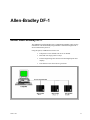
About Allen-Bradley DF-1 ..................................................................................................... 3-1
Allen-Bradley DF-1 Supported Devices................................................................................. 3-2
Allen-Bradley DF-1 Supported Memory Types ..................................................................... 3-2
Allen-Bradley DF-1 Application Configuration ..................................................................... 3-2
Port Configuration.................................................................................................... 3-2
DF-1 Device Configuration .................................................................................................... 3-5
Point Configuration ................................................................................................................ 3-8
General Point Properties .......................................................................................... 3-8
Device Point Properties............................................................................................ 3-8
PLC2 and PLC3 Address Format ........................................................................................... 3-9
PLC 5 Address Format ......................................................................................................... 3-10
SLC Address Format ............................................................................................................ 3-11
DF-1 Setup Utility ................................................................................................................ 3-12
Allen-Bradley Intelligent Antenna Communications
4-1
About Allen-Bradley Intelligent Antenna Communications ................................................... 4-1
Communications Enabler Features ......................................................................................... 4-2
Allen-Bradley Intelligent Antenna Supported Data Types ..................................................... 4-2
Allen-Bradley Intelligent Antenna Related Documents.......................................................... 4-3
Allen-Bradley Intelligent Antenna Configuration................................................................... 4-3
Allen-Bradley RFID Diagnostic Program .............................................................................. 4-3
Allen-Bradley Intelligent Antenna Application Configuration............................................... 4-5
Allen-Bradley Intelligent Antenna Port Configuration............................................. 4-5
Allen-Bradley Intelligent Antenna Device Configuration ........................................ 4-9
Point Configuration................................................................................................ 4-12
Contents-viii
CIMPLICITY HMI Device Communications Manual–July 2001
GFK-1181J
Intelligent Antenna Configuration........................................................................................ 4-13
Updating an Antenna’s Configuration File ............................................................ 4-14
Updating the Antenna Configuration Settings........................................................ 4-15
Viewing an Antenna’s Current Configuration........................................................ 4-16
APPLICOM Communications
5-1
About APPLICOM Communications..................................................................................... 5-1
APPLICOM Communications Supported Protocols .............................................................. 5-3
APPLICOM Communications Supported Data Types ........................................................... 5-4
APPLICOM Generic Device Data Types ................................................................ 5-4
APPLICOM Interface Database Data Types ........................................................... 5-4
Siemens Device Data Types..................................................................................... 5-5
APPLICOM Required Hardware and Software ..................................................................... 5-6
APPLICOM Related Documents ........................................................................................... 5-6
APPLICOM Card Configuration............................................................................................ 5-6
Directory Path for APPLICOM Communications.................................................................. 5-7
APPLICOM Installation Verification..................................................................................... 5-7
APPLICOM Application Configuration................................................................................. 5-8
Port Configuration ................................................................................................... 5-9
APPLICOM Device Configuration........................................................................ 5-10
Point Configuration................................................................................................ 5-14
APPLICOM Point Address Formats ...................................................................... 5-15
APPLICOM Domain Configuration..................................................................................... 5-17
Field Definitions .................................................................................................... 5-17
Sample File ............................................................................................................ 5-19
CCM2 Communications
6-1
About CCM2 Communications .............................................................................................. 6-1
Supported CCM2 Devices and Memory Types...................................................................... 6-2
Series 90-30 ............................................................................................................. 6-2
Series 90-70 ............................................................................................................. 6-2
Series Six ................................................................................................................. 6-2
Series Five................................................................................................................ 6-3
Related CCM2 Documents..................................................................................................... 6-4
CCM2 Hardware Installation External to the Computer ........................................................ 6-4
CCM2 Application Configuration .......................................................................................... 6-5
CCM2 Port Configuration........................................................................................ 6-5
CCM2 Device Configuration ................................................................................... 6-6
CCM2 Point Configuration ...................................................................................... 6-9
CCM2 Point Configuration Notes ........................................................................................ 6-10
Register Memory Addressing................................................................................. 6-10
Input/Output Memory Addressing ......................................................................... 6-10
GFK-1181J
Contents
Contents-ix
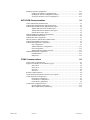
DDE Client Communications
7-1
About CIMPLICITY DDE Client Communications .............................................................. 7-1
CIMPLICITY DDE Client Supported Protocols.................................................................... 7-2
DDE Required Hardware and Software ................................................................................. 7-2
DDE Setup ............................................................................................................................. 7-3
NetDDE Setup........................................................................................................................ 7-4
DDE Diagnostic Utility .......................................................................................................... 7-5
DDE Application Configuration............................................................................................. 7-6
Port Configuration.................................................................................................... 7-6
DDE Device Configuration...................................................................................... 7-7
Point Configuration................................................................................................ 7-10
Diagnostic Point Configuration.............................................................................. 7-12
DDE Communications Limitations....................................................................................... 7-13
FloPro/FloNet Communications
8-1
About FloPro/FloNet Ethernet Device Communications ....................................................... 8-1
FloPro/FloNet Communications Features and Restrictions.................................................... 8-2
FloPro/FloNet Communications Supported Devices.............................................................. 8-2
FloPro/FloNet Communications Supported Memory Types .................................................. 8-3
FloPro/FloNet Communications Related Documents............................................................. 8-3
Running the FloPro/FloNet Communications Test Program .................................................. 8-4
FloPro/FloNet Communications Application Configuration .................................................. 8-5
FloPro/FloNet Communications Port Configuration................................................ 8-5
FloPro/FloNet Communications Device Configuration ........................................... 8-6
FloPro/FloNet Communications Point Configuration .............................................. 8-9
Advanced Configuration Requirements................................................................................ 8-11
FLOPRO_STATIC_MODEL ................................................................................ 8-11
FLOPRO_RESPONSE_TIMEOUT ...................................................................... 8-12
DC_RETRY_ONE_DEVICE ................................................................................ 8-12
Genius Communications
9-1
About Genius Communications.............................................................................................. 9-1
Supported Genius Devices ..................................................................................................... 9-2
Supported Genius Memory Types .......................................................................................... 9-3
Series 90 Datagram Communications ...................................................................... 9-3
Series Six Datagram Communications ..................................................................... 9-4
Block Datagram Communications............................................................................ 9-4
Global Communications........................................................................................... 9-4
Genius Hardware Configuration Requirements ...................................................................... 9-5
Genius Related Documents .................................................................................................... 9-5
IC660ELB906 PCIM DIP Switch Settings............................................................................. 9-6
PCIM Motherboard Switch Settings ........................................................................ 9-6
PCIM Daughterboard Switch Settings ..................................................................... 9-9
PCIM Card Installation Procedures...................................................................................... 9-10
IC660ELB921 or IC660ELB922 PCIM Card........................................................ 9-10
IC660ELB906 PCIM Card .................................................................................... 9-11
Contents-x
CIMPLICITY HMI Device Communications Manual–July 2001
GFK-1181J
PCIM Configuration Application ......................................................................................... 9-12
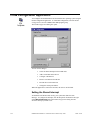
Setting the Shared Interrupt ................................................................................... 9-12
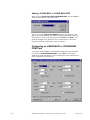
Adding A PCIM Card ............................................................................................ 9-13
Configuring an IC660ELB921 or IC660ELB922 PCIM Card............................... 9-14
Removing A PCIM Card........................................................................................ 9-16
Reordering the PCIM Card List ............................................................................. 9-16
Changing A Master Port Address........................................................................... 9-16
Genius Link Application ...................................................................................................... 9-17
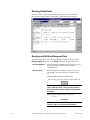
Reading Global Data.............................................................................................. 9-18
Reading and Writing Datagram Data ..................................................................... 9-18
About Genius Application Configuration............................................................................. 9-20
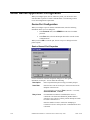
Genius Port Configuration ..................................................................................... 9-20
Genius Device Configuration................................................................................. 9-22
Genius Device Point Configuration ....................................................................... 9-25
Enabling Directed Outputs to Analog Blocks ...................................................................... 9-26
Enabling Outputs to BIUs .................................................................................................... 9-26
Configuring Global Data Points on Programmable Controllers ........................................... 9-26
Genius Fault Data................................................................................................................. 9-28
Configuring Fault Points for IC660BBD020 Blocks ............................................. 9-28
Configuring Fault Points for IC660BBA100 Blocks ............................................. 9-28
Decoding Fault Data .............................................................................................. 9-29
PCIM Port Global Data Broadcast....................................................................................... 9-31
Port Configuration ................................................................................................. 9-31
Device Configuration............................................................................................. 9-31
Memory Addressing............................................................................................... 9-32
Special Cautions..................................................................................................... 9-32
Monitoring Broadcast Data from Generic Devices .............................................................. 9-32
Receiving Unsolicited Datagrams ........................................................................................ 9-33
Honeywell IPC 620 Communications
10-1
Introduction.......................................................................................................................... 10-1
Supported Devices ............................................................................................................... 10-1
Additional Documentation ................................................................................................... 10-2
Supported Memory Types .................................................................................................... 10-2
Hardware Configuration Requirements ................................................................................ 10-3
Custom Cable......................................................................................................... 10-3
CIMPLICITY System Configuration ................................................................................... 10-3
Hardware Checklist .............................................................................................................. 10-3
Installation Verification Procedures ..................................................................................... 10-4
Honeywell ABC Diagnostics ................................................................................. 10-4
CIMPLICITY Application Configuration ............................................................................ 10-5
Honeywell ABC Device Communications Port Configuration .............................. 10-5
Honeywell ABC Device Communications Device Configuration.......................... 10-6
Honeywell ABC Device Communications Point Configuration ............................ 10-9
Johnson Controls N2 Bus Communications
11-1
About Johnson Controls N2 Bus Communications .............................................................. 11-1
Supported Devices ............................................................................................................... 11-1
Additional Documentation ................................................................................................... 11-1
Supported Memory Types .................................................................................................... 11-2
Unitary Controller Memory Types......................................................................... 11-2
DX9100 Memory Types ........................................................................................ 11-2
GFK-1181J
Contents
Contents-xi
Hardware Configuration Requirements ................................................................................ 11-3
Custom Cable......................................................................................................... 11-3
N2 Bus Cabling...................................................................................................... 11-3
Hardware Installation External to the Computer .................................................................. 11-4
Installation Verification Procedures ..................................................................................... 11-4
Probe N2 Network ................................................................................................. 11-5
Select a Device....................................................................................................... 11-5
Parse an Address .................................................................................................... 11-5
Dump XT Configuration ........................................................................................ 11-6
Read a Value .......................................................................................................... 11-6
Write a Value ......................................................................................................... 11-7
NT System Configuration..................................................................................................... 11-7
CIMPLICITY Application Configuration ............................................................................ 11-8
Port Configuration.................................................................................................. 11-8
Device Configuration ........................................................................................... 11-10
Point Configuration.............................................................................................. 11-13
Point Types......................................................................................................................... 11-15
Memory................................................................................................................ 11-15
System Data ......................................................................................................... 11-16
Releasing DX9100 Output Holds ....................................................................................... 11-17
Supervisory Control Bits...................................................................................... 11-17
Analog Control and Status ................................................................................... 11-17
Hold Control ........................................................................................................ 11-18
DX9100 I/O Map ............................................................................................................... 11-18
Region Analog Input (AI) .................................................................................... 11-19
Region Binary Input (BI) ..................................................................................... 11-19
Region Analog Output (AO) ................................................................................ 11-20
Region Binary Output (BO) ................................................................................. 11-21
Region Internal Floating Point Data (ADF) ......................................................... 11-21
Region Internal Integer Data (ADI) ..................................................................... 11-22
Region Internal Byte Data (BD)........................................................................... 11-22
Region Logic Results (LRS) ................................................................................ 11-22
Region Programmable Module Constants (PMK)................................................ 11-23
Region Programmable Module Outputs (PMO)................................................... 11-23
Region Programmable Module Logic (PML) ...................................................... 11-24
Region Programmable Module Accumulator (PMA)........................................... 11-24
Mitsubishi A-Series Serial Communications
12-1
About Mitsubishi A-Series Serial Communications ............................................................. 12-1
Supported Mitsubishi A-Series Devices ............................................................................... 12-2
Supported Mitsubishi A-Series Memory (Device) Areas ..................................................... 12-2
Mitsubishi A-Series Required Documents............................................................................ 12-3
Mitsubishi Hardware Configuration Requirements .............................................................. 12-3
Supported Computer Link Modules ....................................................................... 12-3
Default Communication Parameters....................................................................... 12-4
Mitsubishi A-Series PLC Cable Diagrams ........................................................................... 12-4
RS-232 Interface Cables ........................................................................................ 12-4
RS-422 Interface Cables ........................................................................................ 12-6
Contents-xii
CIMPLICITY HMI Device Communications Manual–July 2001
GFK-1181J
Validating Mitsubishi A-Series Serial Communications ...................................................... 12-7
Opening A Communication Port............................................................................ 12-8
Selecting A Target Programmable Controller........................................................ 12-8
Reading Data.......................................................................................................... 12-9
Writing Data .......................................................................................................... 12-9
Diagnosing Communication Problems................................................................. 12-10
Closing Communication Port and/or Changing Ports and Configuration............. 12-10
Exiting the Diagnostic Program ........................................................................... 12-10
Mitsubishi A-Series Serial Communications Application Configuration ........................... 12-11
Port Configuration ............................................................................................... 12-11
Device Configuration........................................................................................... 12-13
Point Configuration.............................................................................................. 12-16
Adjusting the Communications Time-out Parameter.......................................................... 12-18
Default Protocol Parameters............................................................................................... 12-19
Mitsubishi TCP/IP Communications
13-1
About Mitsubishi TCP/IP Communications ......................................................................... 13-1
Mitsubishi TCP/IP Supported Devices................................................................................. 13-1
Mitsubishi TCP/IP Supported Memory Types ..................................................................... 13-2
Mitsubishi TCP/IP Hardware Configuration Requirements ................................................. 13-3
A1SJ71E71-B2 Settings......................................................................................... 13-3
AJ71E71 Settings................................................................................................... 13-4
Mitsubishi TCP/IP Related Documents................................................................................ 13-4
Mitsubishi TCP/IP Communications Configuration Checklist............................................. 13-5
Using the Mitsubishi TCP/IP Test Program........................................................... 13-6
Mitsubishi TCP/IP Application Configuration..................................................................... 13-8
Mitsubishi TCP/IP Port Configuration................................................................... 13-8
Mitsubishi TCP/IP Device Configuration ............................................................ 13-10
Mitsubishi TCP/IP Point Configuration............................................................... 13-12
Unsolicited Data................................................................................................................. 13-15
Advanced Configuration Requirements.............................................................................. 13-16
Changing Timing and Performance Characteristics ............................................. 13-16
Matching Addresses with Unsolicited Messages ................................................. 13-17
Mitsubishi TCP/IP Troubleshooting .................................................................................. 13-19
Modbus Plus Communications
14-1
About Modbus Plus.............................................................................................................. 14-1
Sample Modbus Plus Network............................................................................... 14-2
Supported Modbus Plus Devices.......................................................................................... 14-2
Supported Modbus Plus Memory Types .............................................................................. 14-2
Double Precision Notes.......................................................................................... 14-3
Modbus Plus Required Documents ...................................................................................... 14-3
Modbus Plus Installation Checklist ...................................................................................... 14-4
Special Note on I/O Cards ..................................................................................... 14-5
Special Note on General Reference Registers........................................................ 14-5
Configuring the SA85 Card.................................................................................................. 14-6
Modbus Plus Installation Verification.................................................................................. 14-8
Reading and Writing Modbus Plus Test Data........................................................ 14-9
Displaying Modbus Plus Network Statistics ........................................................ 14-10
Modbus Plus Application Configuration............................................................................ 14-11
Modbus Plus Port Configuration.......................................................................... 14-11
Modbus Plus Device Configuration ..................................................................... 14-14
Modbus Plus Point Configuration........................................................................ 14-17
GFK-1181J
Contents
Contents-xiii
Modbus Plus Unsolicited Data ........................................................................................... 14-19
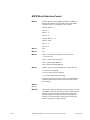
MSTR Block Data Area Format........................................................................... 14-20
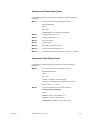
Sample MSTR Block -No Timestamping ............................................................ 14-24
Sample MSTR Block - Compressed Timestamping............................................. 14-26
Sample MSTR Block - Uncompressed Timestamping......................................... 14-28
Sample MSTR Block - Compressed Timestamping with mSecs.......................... 14-30
Sample MSTR Block - Uncompressed Timestamping with mSecs...................... 14-32
Modbus Plus Advanced Configuration Topics................................................................... 14-35
DC_ASCII_REVERSE ........................................................................................ 14-35
Modbus Plus Query Command Support............................................................... 14-35
Supporting PCs without General Reference Memory .......................................... 14-36
SA85_DRIVER_TIMEOUT................................................................................ 14-36
Modbus RTU Communications
15-1
About Modbus RTU............................................................................................................. 15-1
Modbus RTU Supported Devices......................................................................................... 15-2
Modbus RTU Supported Memory Types ............................................................................. 15-2
Series Six Controllers............................................................................................. 15-2
3720 ACM Electronic Power Meter....................................................................... 15-3
Modicon Controllers .............................................................................................. 15-3
Double Precision Notes.......................................................................................... 15-4
Modbus RTU Required Documents ..................................................................................... 15-4
Modbus RTU Hardware Configuration Requirements ......................................................... 15-5
Modbus RTU Hardware Installation ...................................................................... 15-5
Modbus RTU Serial Port Configuration ................................................................ 15-5
Validating Modbus RTU Communications .......................................................................... 15-6
Modbus RTU Communications Problem Checklist ............................................... 15-7
Modbus RTU Application Configuration............................................................................. 15-7
Modbus RTU Port Configuration........................................................................... 15-7
Modbus RTU Device Configuration .................................................................... 15-12
Modbus RTU Point Configuration....................................................................... 15-16
Modbus RTU Slave Communications
16-1
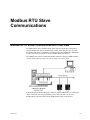
Modbus RTU Slave Communications Overview.................................................................. 16-1
Modbus RTU Slave Specifications....................................................................................... 16-2
CIMPLICITY HMI Specifications for Modbus RTU Slave .................................. 16-2
Modbus RTU Slave Protocol ................................................................................. 16-2
Following Modbus RTU Slave Cabling Requirements .......................................... 16-3
Required Documents ............................................................................................................ 16-4
Procedure for Getting Modbus RTU Slave Started .............................................................. 16-4
Modbus RTU Slave Configuration Overview ...................................................................... 16-6
Step 1 of 3. Edit the Modbus RTU Slave Configuration File............................................... 16-6
Understanding the File Naming Convention .......................................................... 16-6
Reviewing Types of Modbus RTU Slave Configuration Records.......................... 16-7
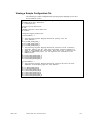
Viewing a Sample Configuration File .................................................................... 16-9
Using Register Mappings Guidelines................................................................... 16-10
Step 2 of 3. Select the Modbus RTU Slave Protocol.......................................................... 16-11
Step 3 of 3: Implement the Modbus RTU Slave Configuration.......................................... 16-12
Starting the Associated CIMPLICITY HMI Project ............................................ 16-12
Contents-xiv
CIMPLICITY HMI Device Communications Manual–July 2001
GFK-1181J
Modbus RTU Slave Troubleshooting................................................................................. 16-13
Expected Modbus RTU Slave Runtime Behavior................................................ 16-13
Using the CIMPLICITY HMI Status Log............................................................ 16-15
Using the Protocol Stack Trace Log .................................................................... 16-18
Using Modbus Exception Codes.......................................................................... 16-19
Modbus RTU Slave Test Program ..................................................................................... 16-20
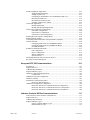
Modbus TCP/IP Communications
17-1
About Modbus TCP/IP Communications............................................................................. 17-1
Supported Modbus TCP/IP Devices .................................................................................... 17-2
Supported Modbus TCP/IP Memory Types ......................................................................... 17-2
Double Precision Notes.......................................................................................... 17-2
Modbus TCP/IP Required Documents ................................................................................. 17-3
Modbus TCP/IP Installation Checklist................................................................................. 17-3
Modbus TCP/IP Installation Verification............................................................................. 17-4
Connecting to a PLC .............................................................................................. 17-5
Reading Modbus TCP/IP Test Data....................................................................... 17-6
Writing Modbus TCP/IP Test Data........................................................................ 17-7
Showing Device Statistics...................................................................................... 17-8
Clearing Device Statistics ...................................................................................... 17-9
Modbus TCP/IP Application Configuration....................................................................... 17-10
Modbus TCP/IP Port Configuration .................................................................... 17-10
Modbus TCP/IP Device Configuration................................................................ 17-11
Modbus TCP/IP Point Configuration................................................................... 17-13
Modbus TCP/IP Unsolicited Data...................................................................................... 17-15
MSTR Block Data Area Format .......................................................................... 17-15
Sample MSTR Block ........................................................................................... 17-16
Advanced Modbus TCP/IP Configuration Topics.............................................................. 17-18
Alternate Configuration Files............................................................................... 17-18
Modbus TCP/IP Global Parameters..................................................................... 17-21
Modbus TCP Slave Communications
18-1
Modbus TCP Slave Communications Overview .................................................................. 18-1
Modbus TCP Slave Specifications ....................................................................................... 18-2
CIMPLICITY HMI Specifications for Modbus TCP Slave................................... 18-2
Modbus TCP Slave Protocol.................................................................................. 18-2
Required Documents ............................................................................................................ 18-3
Procedure for Getting Modbus TCP Slave Started............................................................... 18-4
Modbus TCP Slave Configuration Overview....................................................................... 18-6
Step 1 of 3. Edit the Modbus TCP Slave Configuration File ............................................... 18-6
Understanding the File Naming Convention .......................................................... 18-6
Reviewing Types of Modbus TCP Slave Configuration Records .......................... 18-6
Viewing a Sample Configuration File.................................................................... 18-9
Using Register Mappings Guidelines..................................................................... 18-9
Step 2 of 3. Select the Modbus TCP Slave Protocol .......................................................... 18-11
Step 3 of 3: Implement the Modbus TCP Slave Configuration .......................................... 18-12
Starting the Associated CIMPLICITY HMI Project............................................ 18-12
Modbus TCP Slave Troubleshooting ................................................................................. 18-13
Expected Modbus TCP Slave Runtime Behavior ................................................ 18-13
Using the CIMPLICITY HMI Status Log............................................................ 18-15
Using the Protocol Stack Trace Log .................................................................... 18-18
Using Modbus Exception Codes.......................................................................... 18-19
Modbus TCP Slave Test Program...................................................................................... 18-20
GFK-1181J
Contents
Contents-xv
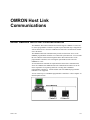
OMRON Host Link Communications
19-1
About OMRON Host Link Communications ....................................................................... 19-1
Supported Protocols ............................................................................................... 19-2
Supported OMRON Devices................................................................................................ 19-3
Supported Addresses ............................................................................................................ 19-4
Read/Write Areas for C-Series on Local Host Link............................................... 19-4
Read-Only Areas for C-Series on Local Host Link................................................ 19-4
Read/Write Areas for CV-Series............................................................................ 19-5
Read-Only Areas for CV-Series............................................................................. 19-5
OMRON Required Documents ............................................................................................ 19-5
OMRON Hardware Configuration Requirements ................................................................ 19-6
Supported Host Link Units..................................................................................... 19-6
Default Communication Parameters....................................................................... 19-6
OMRON PLC Cabling Diagrams......................................................................................... 19-7
C-Series Host Link Adapters.................................................................................. 19-7
CV-Series Host Link Adapters............................................................................... 19-8
Validating OMRON Communications ............................................................................... 19-10
Opening A Communication Port .......................................................................... 19-11
Selecting A Target Programmable Controller ...................................................... 19-11
Reading Data........................................................................................................ 19-12
Writing Data......................................................................................................... 19-12
Diagnosing Communication Problems ................................................................. 19-12
Closing Communication Port and/or Changing Ports and Configuration............. 19-13
Exiting the Diagnostic Program ........................................................................... 19-13
OMRON Host Link Application Configuration ................................................................. 19-14
Port Configuration................................................................................................ 19-14
Device Configuration ........................................................................................... 19-15
Point Configuration.............................................................................................. 19-20
Point Address Formats ......................................................................................... 19-21
Advanced Configuration Topics......................................................................................... 19-23
Adjusting the Communications Time-out Parameter ........................................... 19-23
Default Protocol Parameters............................................................................................... 19-23
OMRON TCP/IP Communications
20-1
About OMRON TCP/IP Communications ........................................................................... 20-1
Supported OMRON Devices................................................................................................ 20-2
Supported Addresses ............................................................................................................ 20-3
Read/Write Areas for C-Series on Sub-network .................................................... 20-3
Read-only Areas for C-Series on Local Ethernet ................................................... 20-3
Read/Write Areas for CS1-Series .......................................................................... 20-4
Read-only Areas for CS1-Series ............................................................................ 20-4
Read/Write Areas for CV-Series............................................................................ 20-5
Read-only Areas for CV-Series.............................................................................. 20-5
OMRON TCP/IP Required Documents ............................................................................... 20-6
OMRON TCP/IP Application Notes .................................................................................... 20-7
About Datagrams ................................................................................................... 20-7
About IP Addresses................................................................................................ 20-7
About the Source Computer ID.............................................................................. 20-8
About Port Numbers .............................................................................................. 20-8
Contents-xvi
CIMPLICITY HMI Device Communications Manual–July 2001
GFK-1181J
Validating OMRON TCP/IP Communications .................................................................... 20-9
Opening A Communication Socket...................................................................... 20-10
Selecting A Target Programmable Controller...................................................... 20-11
Reading Data........................................................................................................ 20-12
Writing Data ........................................................................................................ 20-12
Diagnosing Communication Problems................................................................. 20-12
Closing Communication Socket and/or Changing the Service
Name/SNA/SA1 Setup ................................................................................... 20-13
Exiting the Diagnostic Program ........................................................................... 20-13
OMRON TCP/IP Application Configuration ..................................................................... 20-14
OMRON TCP/IP Port Configuration................................................................... 20-14
OMRON TCP/IP Device Configuration .............................................................. 20-15
Point Configuration.............................................................................................. 20-19
Point Address Formats ......................................................................................... 20-21
Adjusting the Communications Time-out Parameter.......................................................... 20-23
Setting Required Protocol Parameters................................................................................ 20-24
Default Protocol Parameters............................................................................................... 20-25
Technical Support Worksheet ............................................................................................ 20-26
CIMPLICITY Project Information ...................................................................... 20-26
OMRON Ethernet Module Configuration Information........................................ 20-27
Targeted OMRON Controller Information .......................................................... 20-27
Testing Results..................................................................................................... 20-28
Status Log Messages............................................................................................ 20-28
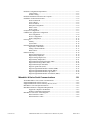
OPC Client
21-1
OPC Client Overview........................................................................................................... 21-1
Supported OPC Servers........................................................................................................ 21-3
Supported OPC Client Types ............................................................................................... 21-5
OPC Client Hardware Configuration Requirements............................................................. 21-7
OPC Client Configuration Checklist .................................................................................... 21-7
OPC Client Application Configuration. ................................................................. 21-7
Configuring the OPC Client Port ........................................................................... 21-7
Configuring an OPC Client Device........................................................................ 21-9
Configuring OPC Client Points............................................................................ 21-13
OPC Client Unsolicited Data ............................................................................................. 21-15
DCOM Overview ............................................................................................................... 21-16
Requirements for Distributed COM..................................................................... 21-16
CIMPLICITY and OPC Server Nodes' DCOM Setup ....................................................... 21-17
Optional OPC Client Debug Tracing ................................................................................. 21-18
Enabling Tracing.................................................................................................. 21-19
Viewing Trace Information.................................................................................. 21-20
OPC Client .ini Configuration File..................................................................................... 21-21
GFK-1181J
Contents
Contents-xvii
Series 90 TCP/IP Communications
22-1
About Series 90 TCP/IP Communications ........................................................................... 22-1
Series 90 TCP/IP Communication Requirements................................................................. 22-2
Series 90 TCP/IP Supported Devices................................................................................... 22-3
Series 90 TCP/IP Supported Memory Types ....................................................................... 22-3
Series 90 TCP/IP Hardware Configuration Requirements ................................................... 22-4
Series 90 TCP/IP Related Documents .................................................................................. 22-4
Series 90 TCP/IP Installation Verification Procedures ........................................................ 22-5
Series 90 PLC Fault Table.................................................................................................. 22-11
Series 90 TCP/IP Application Configuration ..................................................................... 22-14
Series 90 TCP/IP Port Configuration................................................................... 22-14
Series 90 TCP/IP Device Configuration .............................................................. 22-16
Series 90 TCP/IP Point Configuration ................................................................. 22-19
Series 90 TCP/IP Unsolicited Data Support....................................................................... 22-20
Unsolicited Messages........................................................................................... 22-20
Unsolicited Compound Messages with Timestamps ............................................ 22-22
Series 90 Ethernet Global Data .......................................................................................... 22-25
Ethernet Global Data Configuration..................................................................... 22-25
Ethernet Global Data Configuration File ............................................................. 22-26
About Series 90 TCP/IP Redundancy ................................................................................ 22-27
About PLC Redundancy....................................................................................... 22-27
About Cabling Redundancy ................................................................................. 22-28
About Combined PLC and Cabling Redundancy................................................. 22-29
Series 90 TCP/IP Redundancy Application Configuration .................................. 22-29
Series 90 TCP/IP Redundancy Port Configuration .............................................. 22-30
Series 90 TCP/IP Redundancy Device Configuration.......................................... 22-33
Series 90 TCP/IP Redundancy Point Configuration............................................. 22-35
Series 90 TCP/IP Redundancy Diagnostic Points ................................................ 22-36
Examples of Redundant Configurations............................................................... 22-39
Series 90 TCP/IP Advanced Configuration Topics ............................................................ 22-42
HCT_SKIP_L_DOMAIN .................................................................................... 22-42
GMR_SKIP_L_DOMAIN ................................................................................... 22-42
UNSO_TX_AREA_<n> ...................................................................................... 22-42
GMR_WRITE_ALL ............................................................................................ 22-43
GMR_NO_MASTER........................................................................................... 22-43
Seriplex Communications
23-1
About Seriplex Communications.......................................................................................... 23-1
Supported Seriplex Devices ................................................................................................. 23-2
Supported Seriplex Memory Types...................................................................................... 23-3
Seriplex Hardware Configuration Requirements.................................................................. 23-3
Seriplex Related Documents ................................................................................................ 23-3
Seriplex Card Installation Procedures .................................................................................. 23-4
Seriplex Bus Configuration File ........................................................................................... 23-5
Seriplex Configuration Program........................................................................................... 23-8
Configuring a Card................................................................................................. 23-9
Saving Configuration Changes............................................................................... 23-9
Exit without Saving Configuration Changes .......................................................... 23-9
Contents-xviii
CIMPLICITY HMI Device Communications Manual–July 2001
GFK-1181J
Seriplex Diagnostic Program.............................................................................................. 23-10
Seriplex Application Configuration.................................................................................... 23-11
Seriplex Port Configuration ................................................................................. 23-11
Seriplex Device Configuration............................................................................. 23-12
Seriplex Device Point Configuration ................................................................... 23-15
Seriplex Memory Type Details ............................................................................ 23-16
Sharp TCP/IP Communications
24-1
About Sharp TCP/IP Communications................................................................................. 24-1
Sharp TCP/IP Communications Supported Devices ............................................................ 24-2
Sharp TCP/IP Communications Supported Memory Types................................................. 24-2
Sharp TCP/IP Communications Hardware Configuration Requirements............................. 24-2
Sharp TCP/IP Communications Related Documents ........................................................... 24-3
Sharp PLC Communications Configuration Checklist ......................................................... 24-3
Sharp TCP/IP Communications Test Program..................................................................... 24-4
Verifying the PLC Connection............................................................................... 24-4
Testing PLC Communications ............................................................................... 24-5
Sharp TCP/IP Communications Application Configuration................................................. 24-6
Sharp TCP/IP Port Configuration .......................................................................... 24-6
Sharp TCP/IP Device Configuration...................................................................... 24-7
Sharp TCP/IP Point Configuration ...................................................................... 24-10
Point Address Formats ......................................................................................... 24-11
Sharp TCP/IP Unsolicited Data.......................................................................................... 24-12
Sharp TCP/IP Communications Troubleshooting .............................................................. 24-14
Skip Polling.......................................................................................................... 24-14
Get Host Name Failed.......................................................................................... 24-14
Unable to Get A Socket ....................................................................................... 24-14
Bind Failed........................................................................................................... 24-15
Siemens TI Serial Communications
25-1
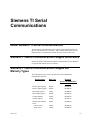
About Siemens TI Serial Communications .......................................................................... 25-1
Siemens TI Serial Communications Supported Devices ...................................................... 25-1
Siemens TI Serial Communications Supported Memory Types........................................... 25-1
Siemens TI Serial Communications Related Documents ..................................................... 25-2
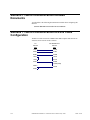
Siemens TI Serial Communications RS-232 Cable Configuration....................................... 25-2
Siemens TI Serial Communications Application Configuration........................................... 25-3
Siemens TI Communications Port Configuration................................................... 25-3
Siemens TI Communications Device Configuration .............................................. 25-4
Siemens TI Communications Point Configuration................................................. 25-7
Smarteye Electronic Assembly Communications
26-1
About Smarteye Electronic Assembly Communications ...................................................... 26-1
Smarteye Electronic Assembly Supported Data Types ........................................................ 26-2
Labels..................................................................................................................... 26-2
Errors ..................................................................................................................... 26-2
Diagnostics............................................................................................................. 26-2
Conveyance System IDs......................................................................................... 26-3
System Data ........................................................................................................... 26-3
Smarteye Electronic Assembly Related Documents............................................................. 26-3
Smarteye Electronic Assembly Configuration...................................................................... 26-3
GFK-1181J
Contents
Contents-xix
Smarteye Electronic Assembly Application Configuration .................................................. 26-4
Smarteye Electronic Assembly Port Configuration................................................ 26-4
Smarteye Electronic Assembly Device Configuration ........................................... 26-8
Point Configuration.............................................................................................. 26-10
Point Address Formats ......................................................................................... 26-11
Conveyance System IDs ..................................................................................................... 26-13
Command Points ................................................................................................................ 26-13
Advanced Configuration Topics......................................................................................... 26-14
<port>_LOG_WARNING ................................................................................... 26-14
<port>_MODE..................................................................................................... 26-14
<port>_POLL_LIMIT.......................................................................................... 26-15
<port>_RESTART_SEA ..................................................................................... 26-15
SE_LABEL_LEN ................................................................................................ 26-15
Smarteye Reader Errors...................................................................................................... 26-16
Status Log Entries ................................................................................................ 26-16
Configuring Reader Error Alarms ........................................................................ 26-17
SNP and SNPX Communications
27-1
About SNP and SNPX Communications.............................................................................. 27-1
SNP and SNPX Performance Comparison ........................................................................... 27-2
Supported SNP Devices ....................................................................................................... 27-2
Supported SNPX Devices .................................................................................................... 27-3
Supported SNP and SNPX Memory Types .......................................................................... 27-3
SNP Hardware Configuration Requirements........................................................................ 27-4
Series 90-30: .......................................................................................................... 27-4
Series 90-70 family: ............................................................................................... 27-4
Series 90 Micro PLCs ............................................................................................ 27-5
SNPX Hardware Configuration Requirements ..................................................................... 27-5
Required SNP and SNPX Documents .................................................................................. 27-5
SNP and SNPX Hardware Installation (External) ................................................................ 27-6
Cabling Diagrams for Point-to-Point Configurations............................................. 27-7
Cabling Diagrams for Multidrop Configurations ................................................. 27-10
Cable Configurations ........................................................................................... 27-15
SNP and SNPX Hardware Installation ............................................................................... 27-30
SNP and SNPX Application Configuration........................................................................ 27-30
SNP and SNPX Port Configuration ..................................................................... 27-30
SNP and SNPX Device Configuration................................................................. 27-35
SNP and SNPX Point Configuration.................................................................... 27-38
SNP Performance Notes..................................................................................................... 27-39
Impact on Series 90 Performance......................................................................... 27-39
Performance Using the SNP Communications Enabler........................................ 27-39
Tuning SNP Protocol Throughput ....................................................................... 27-39
SNP Special Notes ............................................................................................... 27-40
SNPX Performance Notes .................................................................................................. 27-41
Time after SNPX Broadcast Attach Messages..................................................... 27-41
Square D SY/MAX Communications
28-1
About Square D SY/MAX Communications........................................................................ 28-1
Required Documents ............................................................................................................ 28-2
Supported Devices................................................................................................................ 28-2
Supported Memory Types .................................................................................................... 28-3
Installation Requirements ..................................................................................................... 28-3
Contents-xx
CIMPLICITY HMI Device Communications Manual–July 2001
GFK-1181J
About the Square D SY/MAX Test Program ....................................................................... 28-3
The Test Program Banner Page ............................................................................. 28-4
Examples of Test Program Applications................................................................ 28-4
CIMPLICITY Application Configuration ............................................................................ 28-5
Port Configuration ................................................................................................. 28-5
Device Configuration............................................................................................. 28-9
Point Configuration.............................................................................................. 28-11
SY/MAX Advanced Configuration Topics ........................................................................ 28-12
SYMAX_<port_name>_WORD_SWAP ............................................................ 28-12
Toyopuc Ethernet Device Communication Module
29-1
About Toyopuc Ethernet Device Communication Module .................................................. 29-1
Supported Devices ................................................................................................. 29-1
Required Hardware/Software................................................................................. 29-1
Toyopuc Programmable Controller Configuration Requirements.......................... 29-2
Toyopuc Ethernet Device Communication Module Related Documents ............................. 29-2
Communication Configuration Checklist ............................................................................. 29-3
Using Toyopuc_diag ............................................................................................................ 29-4
Application Configuration when using Toyopuc Communications Enabler......................... 29-5
Toyopuc Port Configuration................................................................................................. 29-5
Toyopuc Device Configuration ............................................................................................ 29-6
Device Address Specification .............................................................................................. 29-7
Host Name Specification...................................................................................................... 29-7
Example Device Address Specification ............................................................................... 29-8
Toyopuc Point Configuration............................................................................................... 29-9
General Page .......................................................................................................... 29-9
Device Page ........................................................................................................... 29-9
Toyopuc Ethernet Communications Supported Memory Types......................................... 29-11
Advanced Configuration Requirements.............................................................................. 29-11
Triplex Communications
30-1
About Series 90 TCP/IP Triplex .......................................................................................... 30-1
Reviewing Series 90 TCP/IP Redundancy............................................................. 30-1
Series 90 TCP/IP Redundancy Failure Conditions and Actions ............................ 30-3
Configuring Series 90 TCP/IP Triplex Applications ............................................. 30-5
Configuring a Series 90 TCP/IP Triplex Port ........................................................ 30-5
Configuring a Series 90 TCP/IP Triplex Device.................................................... 30-9
Configuring Series 90 TCP/IP Triplex Points...................................................... 30-13
Reviewing Series 90 TCP/IP Triplex Diagnostic Points...................................... 30-14
Series 90 TCP/IP Triplex Advanced Configuration Topics ............................................... 30-17
TcpMaxConnectRetransmissions......................................................................... 30-17
Triplex Enabler used with Server Redundancy .................................................................. 30-19
Failure Conditions and Actions using Triplex Enabler ........................................ 30-19
Related Publications...................................................................................................................v
Index
GFK-1181J
i
Contents
Contents-xxi
Allen-Bradley Communications
About Allen-Bradley Communications
The Allen-Bradley Communications enabler lets you exchange data between
CIMPLICITY HMI software and Allen-Bradley PLC processors.
This enabler is built with Allen-Bradley's RSLinx™ software and the
CIMPLICITY HMI Device Communications Toolkit. The Device
Communications Toolkit provides the interface to CIMPLICITY HMI software
and a structured environment for constructing device interfaces. The RSLinx
software provides a library of function calls that are embedded in the toolkit
code to perform the actual device interface and data exchange.
The physical communications link between a CIMPLICITY HMI computer and
the PLC processors is an Ethernet network or a Data Highway Plus network via
an Allen-Bradley 1784 KTX card.
Sample Allen Bradley Network
GFK-1181J
1-1
This enabler supports the following CIMPLICITY HMI features:
•
Polled reads at user defined rates
•
Poll after setpoint
•
Triggered reads
•
Analog deadband
•
Alarm on communications failure
•
Server Redundancy configurations
This enabler supports the following data types:
•
Signed 8, 16, and 32 bit integer
•
Unsigned 8, 16, and 32 bit integers
•
Floating point
•
Text
•
Arrays
Allen-Bradley Communications Features
The Allen-Bradley Communications enabler provides the following features:
•
Configuration functions for defining the logical communication
ports used by CIMPLICITY HMI software for the device interface.
A device communications process is attached to each port, and up
to four communication processes can be configured for a
CIMPLICITY HMI computer.
•
Configuration functions for defining the devices accessed via each
communication port and the data or "points" to be exchanged.
•
Asynchronous exchange of data between CIMPLICITY HMI
software and a variety of devices.
•
Support for collecting data from the Allen-Bradley processors via
unsolicited data messages.
•
Alarm generation when a communication failure occurs.
•
A utility program for Ethernet communications, abiping.exe,
which is used for validating the network addresses that must be
specified for each device to which communications are to be
established.
Required Hardware/Software
You must have the following:
1-2
•
Allen-Bradley RSLinxä OEM software version 2.0
•
ControlLogix Gateway with the appropriate modules and
ControlLogix Gateway Configuration software (see Allen-Bradley
Publication 1756-10.2 ControlLogix Gateway Configuration
Software and Communication through ControlLogix Gateway in
this chapter).
CIMPLICITY HMI Device Communications Manual–July 2001
GFK-1181J
Supported Allen-Bradley Devices
The following Allen-Bradley devices are supported locally via an Ethernet link:
•
Allen-Bradley PLC-5 processors with a built-in Ethernet interface
such as the PLC-5/20E™, PLC-5/40E™, or PLC-5/80E™
•
Allen-Bradley PLC-5/250 Pyramid Integrator Systems with an
Ethernet Interface Module (5820-EI)
The following Allen-Bradley devices can be accessed through a 1784-KTX card:
•
PLC-5 Family PLCs
PLC-5/12 (1785-LT3), PLC-5/25 (1785-LT2)
•
SLC-5/04
The following Allen-Bradley devices can be accessed remotely through a
Pyramid Integrator via a Resource Manager Module (5130-RM1, RM2), or a
KA Data Highway / Data Highway Plus Interface Module (5130-KA).
•
PLC-5 Family PLCs
PLC-5/12 (1785-LT3), PLC-5/25 (1785-LT2)
•
PLC-2 Family PLCs
PLC-2, 2/20 (LP1), MINI PLC-2, 2/20 (LP2), PLC-2/15, 2/16,
2/17, 2/30, 2/02, 2/05
DH/DH+ interfaces: 1171-KC, 1171-KD, 1771-KA2, 1771-KA,
1771-KA4, 1771-KE, 1771-KF, 1770-KF2, 1771-KG, 1771-KGM,
1785-KA3
GFK-1181J
•
PLC-3 with one of the following DH/DH+ interfaces: 1771-KA,
1775-SA, 1775-SR5, 1775-KA-232, 1775-S5, and 1775-SR5 (new
revisions)
•
PLC-5/250
•
Supported PLCs via a 1785-KA Bridge using off-link addressing
•
SLC-5/04
Allen-Bradley Communications
1-3
Supported File Types
For PLC-3, PLC-5/250, and PLC-5 devices, data can be read and written to the
following file types:
File Type
Description
Comments
N
Integer
I
Input
Not supported for PLC-5/250 or SLC-5/04
O
Output
Not supported for PLC-5/250 or SLC-5/04
F
Floating Point
Not supported for SLC-5/04
B
Bit
T
Timer
PLC-5/250 CTL field is read-only
C
Counter
PLC-5/250 CTL field is read-only
S
Status
A
ASCII
Not supported for PLC-5/250
D
BCD
Not supported for PLC-5/250 or SLC-5/04
H
High Order Integer
PLC-3 only
L
Long Integer
PLC-5/250 only
R
Control
Not supported for PCL-3
PCL-5/250 CTL field is read-only
For points in the Floating Point (F) file type, use the FLOATING point type.
For points in the BCD (D) file type, use the 3D_BCD or 4D_BCD point type.
When using Recipe Management to read and write in Floating Point files, only
FLOATING point types are supported.
For the PLC-2, data can be read from and written to Register Memory only.
Required Allen-Bradley Software
You must install Allen-Bradley RSLinx OEM software for Windows NT version
2.0 or higher. The part number to be used when ordering the RSLinx OEM
software is 9355WABOEM.
If you need the bootpd service, you must call Rockwell Software for the latest
copy of the bootptab file. The file is self-documenting.
Important
A sample bootptab file is included in the Installation Procedure section. If
your file differs from the sample, follow the instructions in your bootptab file
for adding PLC/5-xxE Ethernet processors and 5820-EI Ethernet Interface
modules.
1-4
CIMPLICITY HMI Device Communications Manual–July 2001
GFK-1181J
Allen-Bradley Related Documents
You should have one or more of the following documents available when
configuring your communications network:
RSLinx OEM User's Guide
RSLinx Installation Procedures
The RSLinx installation procedure you use depends on whether you are
installing Ethernet communications or 1784-KTX communications.
Ethernet Communications RSLinx Installation
Procedure
Follow the instructions found in the Allen-Bradley RSLinx software to:
1.
Install the RSLinx software.
2.
Configure at least one Windows NT computer to serve as Ethernet
Boot server for the EI modules and Ethernet PLC-5 processor. If
you need a bootpd service for your Windows NT computer, use
the Allen-Bradley bootpd utility. Use the bootptab file provided
to you by Rockwell Software and enter the information for your
devices as instructed.
3.
Create a LMHOSTS file in a directory of your choice, and use
Notepad to enter the PLC IP address, node name and alias for each
EI module and Ethernet PLC-5 processor. The format is:
<IP_Address>
GFK-1181J
<node_name>
<alias>
4.
Import the LMHOSTS file. See below for detailed instructions if
you do not know how to do this.
5.
Use the Rockwell Software RSLinx OEM driver configuration to
configure the RSLinx Ethernet to PLC-5 or 5820-EI driver to
communicate with the PLC-5 or EI module processors. Follow the
instructions in your RSLinx documentation to do this.
Allen-Bradley Communications
1-5
Sample bootptab File
The following is an example of a bootptab file:
#
# Legend:
#
bf -- bootfile
#
gw -- gateways
#
ha -- hardware address
#
ht -- hardware type
#
ip -- host IP address
#
sm -- subnet mask
#
vm -- BOOTP vendor extensions format
defaults5E: ht=1:vm=rfc1048
defaultsPI: ht=1:vm=rfc1048:hd="c:/rsi/bootpd":bf=sgmpccc.bin
# Copy and modify this entry for each PLC/5-xxE Ethernet processor:
# 1.
Change plc5name to the host name of the processor.
# 2.
Change aa.bb.cc.dd to the processor's IP address.
# 3.
Change xxyy to the last 4 digits of the processor's Ethernet
#
hardware address. This is found on a printed label on the top
#
edge of the circuit board, in the form 00-00-BC-1C-xx-yy.
#plc5name: tc=defaults5E:ip=aa.bb.cc.dd:ha=0000BC1Cxxyy
ALPLCE:tc=defaults5E:sm=255.255.255.0:ip=205.133.104.112:ha=0000BC1C05bd
# Copy and modify this entry for each 5820-EI Ethernet Interface module
# 1.
Change einame to the host name of the module.
# 2.
Change aa.bb.cc.dd to the module's IP address.
# 3.
Change xxyy to the last 4 digits of the module's Ethernet
#
hardware address. This is found on a printed label on the top
#
edge of the circuit board, in the form 00-00-BC-01-xx-yy.
#einame: tc=defaultsPI:ip=aa.bb.cc.dd:ha=0000BC01xxyy
Sample LMHOSTS File
The following is an example of a LMHOSTS file:
205.133.104.111
205.133.104.112
abplcd
abplce
ALPLCD
ALPLCE
Importing an LMHOSTS File
To import your LMHOSTS file, do the following:
1-6
1.
From the Start menu, select Control Panel.
2.
In the Control Panel group, select Network.
3.
In the Network Settings dialog box, select the Protocols property
page.
4.
On the Protocols property page, double-click on TCP/IP
Protocol in the Network Protocols list.
5.
In the Microsoft TCP/IP Properties dialog box, select the WINS
Address property page.
6.
In the WINS Address property page, select Import LMHOSTS....
7.
In the Open dialog box, specify the pathname for your LMHOSTS
file, then select Open.
8.
When the import is complete, select Cancel in the Microsoft
TCP/IP Properties dialog box and the Network Settings dialog box.
CIMPLICITY HMI Device Communications Manual–July 2001
GFK-1181J
1784-KTX Data Highway Plus Communications
RSLinx Installation Procedure
You must configure the 1784-KTX card using the RSLinx Driver Configuration
software. You cannot use the configuration driver supplied with the 1784-KTX
card.
Follow the instructions found in the Rockwell RSLinx software to install the
RSLinx software.
Use the Rockwell Software RSLinx OEM driver configuration to configure the
1784-KTX card. Follow the instructions in your RSLinx documentation to do
this. See the following sections in the on-line Help for RSLinx software:
•
•
GFK-1181J
How to Configure Communications Hardware
How to Configure Communications Drivers
Allen-Bradley Communications
1-7
Allen-Bradley Communications Ethernet Installation
Verification
You can do the following to verify your installation:
•
In RSLinx OEM, run the SuperWho utility to verify that the
RSLinx driver has detected the existence of the configured PLC-5
or EI module processors on the Ethernet.
•
Run the abiping.exe program.
Using abiping.exe
The abiping.exe program is provided to assist you in validating the network
address to be configured for a device and verifying the communications link.
This program is invoked by using the following command:
\CIMPLICITY\exe\abiping.exe PLCX Netname Port_id
station_num
where:
PLCX can be PLC2, PLC3, PLC5, or PLC5250
Netname, Port_id and station_num are as described in the Device
Configuration section.
This is especially helpful when your communications network contains gateways
and bridges.
If you enter a valid network address and your communications hardware is
properly installed, the following message displays:
Communications successfully detected the device
If you enter an invalid address or your communication link is not operating
properly, a message similar to the following displays:
Unable to successfully DTL_C_CONNECT to Device
Status = 158 address >PLC2< hi_xd = 0
Important: Enter the station ID in RSLINX software in Decimal format. In
ABIPING, enter the address in Octal.
1-8
CIMPLICITY HMI Device Communications Manual–July 2001
GFK-1181J
Examples of Valid Ethernet Network Addresses
The sample network, shown on page 1-1, depicts a PLC network utilizing a
CIMPLICITY HMI computer using Allen-Bradley Communications to:
•
Communicate to various PLCs directly over Ethernet, through a
PLC-5/250 and other bridge devices, and through a 1784-KTX
card.
•
Communicate to various PLCs via a 1784-KTX card using Data
Highway Plus protocol.
The network address for CIMPLICITY HMI device configuration has following
format :
Driver_name, Port_id, Station_number
The network address for each device in the sample Ethernet network is:
Device
Address
PLC-5/250
AB_ETH-1,AB:LOCAL,1
PLC-540E
AB_ETH-1,AB:LOCAL,2
PLC-5
AB_ETH-1, AB:PIGATEWAY/P:0/M:RM/C:2/E:1,31
Communication is via the Resource Manager in the 5/250 on channel 2
PLC-3
AB_ETH-1,AB:PIGATEWAY/P:1/M:KA/C:2/E:1,6
Communication is via the KA module in the 5/250 on channel 2
This example assumes that the pushwheel setting on the KA Module is
1.
PLC-2
AB_ETH-1,AB:PIGATEWAY/B:71/P:1/M:KA/C:2/E:1/KA,4
Communication is via the KA module in the 5/250 on channel 2, a
1785KA bridge, and a 1785KA module
The network address for each device in the sample Data Highway Plus network
is.
Device
Address
PLC-5
AB_KT-1,AB:LOCAL,12
SLC-5/04
AB_KT-1,AB:LOCAL,17
Note
When directly connected to the Data Highway Plus network via the 1784-KTX
adapter, the driver name is AB_KT-1, the Port ID is AB:LOCAL, and the
Station Number is the number assigned to the PLC.
Refer to the Device Configuration section of this document for information on
the format of the network address.
Refer to the RSLinx Reference Manual for additional detailed information on
offlink addressing.
GFK-1181J
Allen-Bradley Communications
1-9
CIMPLICITY Application Configuration
When you are configuring ports, devices, and device points, you will be asked
for some information that is specific to the Allen-Bradley Communications
enabler.
Port Configuration
When you configure a port for Allen-Bradley Communications, enter the
following information in the New Port dialog box:
1.
In the Protocol field, select AB_ETHERNET from the list of
available protocols.
2.
In the Port field, select the communication port that will be used
for Allen-Bradley Communications.
When you select OK to create the port, the Port Properties dialog box for the
protocol opens.
General Properties
Use the General properties to enter general information for the port. You can
define the following:
Description
Enter an optional description to help you identify the port.
Scan Rate
Enter the base scan rate for the port. Point scan rates will be
multiples of the base rate.
You can specify a scan rate in Ticks (100 ticks = 1 second),
Seconds, Minutes, or Hours.
Retry Count
If communications cannot be established to a device on the port,
the device is considered to be down and a $DEVICE_DOWN
alarm is generated. Once the device is down, periodic attempts
are made to resume connections to it.
Enter the number of scans to wait before attempting to reconnect
to a device on this port after a communications error is detected.
1-10
CIMPLICITY HMI Device Communications Manual–July 2001
GFK-1181J
Enable
Set this check box if you want the port to be enabled when the
project starts. If you clear this check box, the port will not be
enabled when the project starts, and points will not be available
for devices on the port.
Default Properties
The Default properties are not used for Allen-Bradley Communications.
Device Configuration
When you create a device for Allen-Bradley Communications, enter the
following information in the New Device dialog box:
1.
In the Device field, enter the name of the device you are
configuring.
2.
In the Port field, select the Allen-Bradley Communications port to
be used for the device.
When you select OK to create the device, the Device Properties dialog box for
devices using this protocol opens.
General Properties
GFK-1181J
Allen-Bradley Communications
1-11
Use the General properties to enter general information for the device. You can
define the following:
Port
Select the port for this device.
•
- to the right
You can click the Browser button of the field to display the list of ports and select one.
•
You can click the Pop-up Menu button - to
create a new port, edit the current port, or select a
port from the list of ports.
Description
Enter an optional description to help you identify the device.
Resource
Enter a resource that can be associated with this device for alarm
generation.
Model Type
•
You can click the Browser button - to the right
of the field to display the list of resources and select
one.
•
You can click the Pop-up Menu button - to
create a new resource, edit the current resource, or
select a resource from the list of resources.
Select the type of device. Click the drop-down button to the right
of the input field to display your choices, then make a selection.
For this protocol, the choices are:
PLC 2
PLC 5
PLC 3
PLC 5/250
SLC-5/04
1-12
CIMPLICITY HMI Device Communications Manual–July 2001
GFK-1181J
Default Properties
Use the Default properties to enter information about Allen-Bradley
Communications for the device. You can define the following:
Address
Enter the Network Address for the device.
The network address for CIMPLICITY device configuration has
following format :
Driver_name, Port_id, Station_number
where:
Driver_name is the name of the driver user configured in the
Rockwell Software RSLinx OEM driver configuration.
•
For the Ethernet driver, use AB_ETH-1.
•
For the 1784-KTX Data Highway Plus driver, use
AB_KT-1.
Port_id has the following format :
AB:KEYWORD/B:b/L:l/G:g/P:p/M:m/C:c/E:e/KA
where:
KEYWORD
is the port type. Valid port types are:
LOCAL
OFFLINK
PIGATEWAY
DF1MASTER
GFK-1181J
Allen-Bradley Communications
1-13
/B:b
is the bridge address in the range from 1–376 (octal).
/L:l
is the Destination Link ID in the range from 0–65535
(decimal).
/G:g
is the Gateway to final DH-485 Link in the range from
1–367 (octal).
/P:p
is the Pushwheel Number in the range from 0–4
(Ethernet).
/M:m
is the Module Type. Valid types are:
RM
KA
/C:c
is the Channel Number. Valid numbers are 0, 2 or 3.
/E:e
is the Station number used in the Rockwell Software
RSLinx OEM driver configuration.
The number is an octal number in the range
of 0-77 (RSLinx software used a decimal number here).
If you are using the CIMPLICITY HMI Host
Redundancy option and the KT or KTX card, do not use
the /E:e option.
/KA
is used if the Bridge requires 1785-KA addressing mode.
/KA is required to communicate through a 1785-KA
from Data Highway Plus to Data Highway.
If you need help defining the Port ID, see your Allen-Bradley
network administrator.
Station_number specifies the station number of a remote
processor on an Allen-Bradley network.
Valid station numbers are :
1-14
•
For Ethernet, use the station number used in the
RSLinx Ethernet driver configuration. The number
is an octal number in the range of 0-77 (RSLinx
software uses a decimal number).
•
For Data Highway channels, 1-376 (octal).
•
For Data Highway Plus channels, 0-77 (octal).
•
For Data Highway-485 channels, 0-37 (octal).
•
For RS-232 Full Duplex DF1, 0-77 (octal).
CPU ID
Not used.
Enable
Select Yes in this box to enable the device when the project
starts. Select No in this box to disable the device. Points
associated with the device will be unavailable.
CIMPLICITY HMI Device Communications Manual–July 2001
GFK-1181J
Point Configuration
When you define a point, the following fields have values that are unique to or
have special meanings for the Allen-Bradley Communications enabler.
General Page
On the General property page, you may configure points for Read or
Read/Write access.
When you are reading / writing data between CIMPLICITY software and a
Floating Point file (F), define CIMPLICITY points using the REAL data
structure type.
When you are configuring array points, make sure that the size of the array is
within the limits of the file. CIMPLICITY software does not declare an array
configured beyond the end of a file as invalid.
Device Page
On the Device property page:
Address
Point address requirements are device dependent. Valid
devices are:
PLC-2
PLC-3
PLC-5
PLC-5/250
SLC-5/04
Update Criteria
The update criteria determine how the data will be requested.
Enter On Change or On Scan for points whose values
should be polled by the Allen-Bradley Communications
enabler at regular intervals.
Enter On Demand On Change or On Demand On Scan
for points whose values should be polled by the Allen-Bradley
Communications enabler at regular intervals while users are
displaying them.
Enter Unsolicited for points that will accept unsolicited data.
Enter Poll Once for points that are to be polled once when
the Allen-Bradley Communications enabler starts.
When you are configuring Boolean points, you must also enter data in the
following field:
Bit Offset
GFK-1181J
Enter the bit offset that corresponds to the bit position within
the word. The valid range for bit offset is 0–15 where 0 is the
least significant bit. The bit offset must be specified as a
decimal value.
Allen-Bradley Communications
1-15
Point Address Formats
PLC-2 Address Formats
PLC-2 devices support the following address formats:
File Type
R
Address Format
<ELEMENT>
where <ELEMENT> is an octal offset
PLC-3 Address Formats
PLC-3 devices support the following address formats:
File Type
D, A, H, S,
N, F, B
Address Format
<FILE><FILE NUMBER>:<ELEMENT>
The use of leading zeros when specifying the <FILE NUMBER> and
<ELEMENT> is not supported.
I, O
<FILE><FILE NUMBER>:<OFFSET>
where <FILE> is I for inputs or O for outputs.
T, C
<FILE><FILE NUMBER>.<TYPE>
where <TYPE> is one of the following:
ACC - Accumulator
PRE - Preset
CTL - Control Word
Bit offsets for the Control Word (CTL) in Counters and Timers are:
Timers
Counters
1-16
Control Bit
Offset
Control Bit
Offset
CU
15
EN
15
CD
14
TT
14
DN
13
DN
13
OV
12
UF
11
EN
10
ZR
9
FN
8
CIMPLICITY HMI Device Communications Manual–July 2001
GFK-1181J
PLC-5 Address Formats
PLC-5 devices support the following address formats:
File Type
D. A. N, F,
B
Address Format
<FILE><FILE NUMBER>:<ELEMENT>
The use of leading zeros when specifying the <FILE NUMBER> and
<ELEMENT> is not supported.
S, I, O
<FILE>:<OFFSET>
where <FILE> is I for inputs, O for outputs, and S for status.
T, C, R
<FILE><FILE NUMBER>:<ELEMENT>.<TYPE>
where <TYPE> is one of the following:
ACC - Accumulator
PRE - Preset
CTL - Control Word
LEN - Length (R only)
POS - Position (R only)
Accumulators, Presets, and Control Words are 16 bits.
Bit offsets for the Control Word (CTL) in Controls are:
Control Bit
Offset
Control Bit
Offset
EN
15
ER
11
EU
14
UL
10
DN
13
IN
9
EM
12
FD
8
Bit offsets for the Control Word (CTL) in Counters and Timers are:
Timers
Counters
PD
Control Bit
Offset
Control Bit
Offset
CU
15
EN
15
CD
14
TT
14
DN
13
DN
13
OV
12
UN
11
<FILE NUMBER>:<ELEMENT>
For more information about using this file type, see PLC-5 PD File
Support below.
GFK-1181J
Allen-Bradley Communications
1-17
PLC-5/250 Address Formats
PLC-5/250 devices support the following address formats:
File Type
N, F, B, L
Address Format
<MODULE><FILE> <FILE NUMBER>:<ELEMENT>
The use of leading zeros when specifying the <FILE NUMBER> and
<ELEMENT> is not supported.
S
I, O
<MODULE><FILE>:<OFFSET>
<FILE>:<OFFSET>
where <FILE> is I for inputs or O for outputs.
T, C, R
<MODULE><FILE> <FILE NUMBER>:<ELEMENT> .<TYPE>
where <TYPE> is one of the following:
ACC - Accumulator
PRE - Preset
CTL - Control Word
LEN - Length (R only)
POS - Position (R only)
Accumulators and Presets are 32 bits, and Control Words are 16
bits. Accumulators, Presets, and Control words for Counters are 16
bits.
Note
For PLC-5/250 devices, Control Words are read-only.
Bit offsets for the Control Word (CTL) in Controls are:
Control Bit
Offset
Control Bit
Offset
EN
15
ER
11
EU
14
UL
10
DN
13
IN
9
EM
12
FD
8
Bit offsets for the Control Word (CTL) in Counters and Timers are:
Timers
Counters
1-18
Control Bit
Offset
Control Bit
Offset
CU
15
EN
15
CD
14
TT
14
DN
13
DN
13
OV
12
UN
11
CIMPLICITY HMI Device Communications Manual–July 2001
GFK-1181J
SLC-5/04 Address Formats
SLC-5/04 devices support the following address formats:
File Type
A, N, B
Address Format
<FILE><FILE NUMBER>:<ELEMENT>
The use of leading zeros when specifying the <FILE NUMBER> and
the <ELEMENT> is not supported.
S
T, C, R
<FILE>:<OFFSET>
<FILE><FILE NUMBER>:<ELEMENT>.<TYPE>
where <FILE> is T for timers or C for counters, and <TYPE> is one
of the following:
ACC - Accumulator
PRE - Preset
CTL - Control Word
LEN - Length (R only)
POS - Position (R only)
Accumulators, Presets and Control Words are 16 bits.
Bit offsets for the Control Word (CTL) in Controls are:
Control Bit
Offset
Control Bit
Offset
EN
15
ER
11
EU
14
UL
10
DN
13
IN
9
EM
12
FD
8
Bit offsets for the Control Word (CTL) in Counters and Timers are:
Timers
Counters
GFK-1181J
Control Bit
Offset
Control Bit
Offset
CU
15
EN
15
CD
14
TT
14
DN
13
DN
13
OV
12
UN
11
Allen-Bradley Communications
1-19
PLC-5 PD File Support
PD File structures are extremely large (41 real values) and can be addressed
using two different methods.
•
The first method addresses the complete 41word real array (164
bytes) so that the entire PD structure can be read/written.
For example: PD30:5 returns 164 bytes.
You can access multiple PD structures by creating larger arrays, which
would be in increments of 41 real words or 164 bytes.
•
The second method of addressing is to access each PID Mnemonic
individually by using the .XXX format.
For example: PD30:5.SP returns the Setpoint value.
These points may also be accessed as arrays. For example, to read the
8 setpoint values for PD30:0.SP through PD30:7.SP, you can
create a standard real array of 8 elements with a starting at address
at PD30:0.SP.
The first two mnemonics in the array are actually short integers called CTL1 and
CTL2. These integers are mapped into the first real array value like this:
When you request CTL1 or CTL2 the appropriate 16 bit unsigned integer is
returned.
The table below identifies each item within the array so that they can be paired
up with their mnemonic. Information for this table can be found in the Rockwell
Software Hardware Interface Configuration User's Guide and the Instruction
Set Reference for PLC-5 Programmable Controllers. Bit access mnemonics are
not implemented. They are supported using the same method as Timers and
Counters. The particular bits are also listed in the table below.
Mnemonic
Bit
CTL1
1-20
Index as Real
0
Description
Control Word 0
EN
15
Enable
CT
9
Cascaded Type
CL
8
Cascaded Loop
PVT
7
Process variable tracking
DO
6
Derivative action
SWM
4
Set Output
CA
2
Control Action
MO
1
Mode
PE
0
PID Equation
CIMPLICITY HMI Device Communications Manual–July 2001
GFK-1181J
CTL2
0
INI
12
PID Initialized. This bit is cleared
during pre-scan
SPOR
11
Set Point out of range
OLL
10
Output alarm, lower limit
OLH
9
Output alarm, upper limit
EWD
8
DB set when error is in DB
DVNA
3
Error is alarmed low
DVPA
2
Error is alarmed high
PVLA
1
Process variable (PV) is alarmed low
PVHA
0
Process variable (PV) is alarmed high
SP
1
Setpoint
KP
2
Proportional/Controller Gain
KI
3
Integral Gain/Reset term
KD
4
Derivative gain/Rate Term
BIAS
5
Feedforward or bias
MAXS
6
Maximum scaling
MINS
7
Minimum scaling
DB
8
Dead band
SO
9
Set Output
MAXO
10
Maximum output limit (% of output)
MINO
11
Minimum output limit (% of output)
UPD
12
Loop update time (seconds)
PV
13
Scaled PV value
ERR
14
Scaled error value
OUT
15
Output
PVH
16
Process variable high alarm value
PVL
17
Process variable low alarm value
DVP
18
Error high alarm value
DVN
19
Error low alarm value
PVDB
20
Process variable alarm deadband
DVDB
21
Error alarm deadband
MAXI
22
Maximum input value
MINI
23
Minimum input value
TIE
24
Tieback value for manual control
25-40
GFK-1181J
Control Word 1
Allen-Bradley Communications
Internal storage
1-21
Defining Points for Unsolicited Data
The Allen-Bradley Ethernet Device Communications Interface can process
unsolicited data messages in PLC-2 style format. Unsolicited data can be
generated by PLCs, which are directly connected to the Ethernet, such as PLC-5
E series and 5/250 systems. PLCs that are connected to Data Highway or Data
Highway Plus networks can indirectly send messages through a bridge such as a
5/250 Resource Manager.
You can configure unsolicited data points via the Device Point Configuration
transaction by specifying an address in the following format:
point address>application address
where:
point address is the memory location in the PLC as described in the
previous section. This address must be specified in Uppercase.
application address is a unique tag that identifies the unsolicited data
item. This is an octal value and must be in the range of 0 – 77777.
Example:
N7:10>020
The application address is a logical identifier for CIMPLICITY software, and
the data will be mapped to the point address.
Rules For Defining Unsolicited Points
The following rules also apply when defining unsolicited data points:
Application Addresses
Rules for application addresses include:
1-22
§
An application address must be unique for each point on your
computer.
§
An application address does not have to be sequentially assigned.
§
The same application address can be used for multiple devices
communicating to the same CIMPLICITY device communications
process. When multiple Allen-Bradley Ethernet device
communications processes are configured for a CIMPLICITY host
computer, the same application address cannot be sent through the
same network interface to two different CIMPLICITY device
communications processes.
§
You cannot dynamically update the application address for an
unsolicited data point.
CIMPLICITY HMI Device Communications Manual–July 2001
GFK-1181J
The application address is used to identify the CIMPLICITY point to the
RSLINX interface software. As a result, there are several restrictions that must
be applied to the use of application addresses with unsolicited point data:
§
For each unsolicited message that a device sends to your
CIMPLICITY project you must configure a device point with an
application address. Configure the device point to have the exact
same size and data type as the message being sent. Also the
application address should match the CIF offset of that message.
For example, if you are sending a message containing integers from
N7:20 to N7:40 (inclusive) at CIF offset 3, you should configure a
point of type INT or UINT with 21 elements at the address
N7:20>3.
§
If you use the ALL_UNSO parameter and configure additional
overlapping points for an unsolicited message, the additional points
should not have an application address in their point address and
do not need to be the exact same size as the unsolicited message.
§
To insure that unsolicited communications is correctly initiated for
every message, points that have been configured with an
application address should never be configured as Delay Load
point or as Just-in-time attributes of a point object.
Data Type and Size
The data type and size of the data transmitted via an unsolicited message must
match exactly the type and size configured for the CIMPLICITY point to be
used for this data. For example, if ten 16-bit unsigned analog values are being
transmitted in a message, a CIMPLICITY data structure Type of UINT with an
Element attribute of 10 (ten) will be required. Messages that do not conform
will cause an error code to be generated, and the data point will not be updated.
When multiple devices route unsolicited messages through the same PLC 5/250
to the same CIMPLICITY device communications process, and use the same
application address, the data type and size of the messages must match exactly
the type and size configured for the CIMPLICITY point.
Note
If possible, you should use unique application addresses for all messages being
routed through a specific PLC 5/250.
Update Criteria
You must specify the Update Criteria attribute as UNSOLICITED when
configuring an unsolicited data point.
GFK-1181J
Allen-Bradley Communications
1-23
Array Points
When configuring CIMPLICITY data points for an unsolicited data message that
contains a block of data from a PLC, a CIMPLICITY array point must be
configured. The Element attribute specifies the number of data points
contained in the message, and the Address specifies the starting address where
the data is to be mapped.
For example, if the unsolicited data consists of one register, a single point with
an address of N7:10 is updated with the unsolicited data. If the unsolicited data
message contains 10 registers of data, then: element [0] of the array point
contains the data for the address N7:10, element [1] contains the data for
N7:11,... , and element [9] contains the information for data originating at
N7:19.
Certain restrictions apply to CIMPLICITY array points. For example, alarms
cannot be configured for array points, and setpoint actions are not allowed.
•
To circumvent these restrictions, you can configure individual
points with their corresponding PLC memory addresses. These
points can be configured as polled points with a very slow scan
rate. They will be updated each time the scan interval occurs. You
can also set a global parameter to have these individual points
updated by unsolicited data messages that map to the
corresponding memory addresses.
•
For example, if an unsolicited data point is configured as a ten
element array point with a point address of N7:100, you can also
configure ten points addressed at N7:100 through N7:109. If the
multiple point update global parameter is set to "true", then each
time an unsolicited data message is received for the array points,
the individual points addressed at N7:100 through N7:109 are
also updated.
Unique Point Registration
If you are implementing Allen-Bradley RSLinx applications directly, be aware
that the same unsolicited points cannot be registered for both CIMPLICITY
software and your application. Conflicts in these Allen-Bradley RSLinx
resources may cause either your application or CIMPLICITY software to be
unable to receive certain unsolicited messages.
1-24
CIMPLICITY HMI Device Communications Manual–July 2001
GFK-1181J
Controlling Multiple Point Updates via a Logical
Definition
Since there are some applications for which you may not wish to enable these
multiple point updates, this facility is controlled via a logical defined in the
CIMPLICITY logical names file. This file is located in your project's \data
directory and is named log_names.cfg.
To enable this multi-point update function for all device interfaces configured
for your system, define the logical ALL_UNSO to "true" by adding a record
similar to the following to this file:
ALL_UNSO|P|default|10|true
Since this file is a text file, you can add this record with any text editor. After
the edit has been completed, you need to restart the device communications
process to make the change active. In a multi-node system, you need to make
this change on the node where the device communications interface is configured
to run.
Alternatively, you can enable this function for a specific device communications
interface by adding a logical
<PORT>_ALL_UNSO|P|default|10|true
where <PORT> corresponds to the CIMPLICITY port for the specific interface.
For the Allen-Bradley Device Communications Interface, the valid ports are
ABINT0, ABINT1, ABINT2, and ABINT3.
If a logical is not defined in the log names file, the default mode of single point
update will apply.
This logical applies to all device interfaces, which are based on the
CIMPLICITY Device Communications Toolkit. This applies to those interfaces
provided by GE Fanuc as well as those developed by third parties.
Enabling PLC-2 Protected Writes
The Allen-Bradley Device Communications Interface utilizes unprotected writes
when communicating to the PLC-2.
For applications where "Protected Writes" are required, you can configure
CIMPLICITY software to use protected writes by adding a logical to the
CIMPLICITY software logical names files. This file is located in your project's
\data directory, and is named log_names.cfg.
To enable protected writes for all Allen-Bradley Ethernet Communications
Interfaces on a specific CIMPLICITY node, define the logical
PLC2_PROT_WRITE_ALL to "true" by adding a record to this file similar to
the following:
PLC2_PROT_WRITE_ALL|P|default|10|true
GFK-1181J
Allen-Bradley Communications
1-25
Alternatively, you can enable this function for a specific device communications
interface by adding a logical
PLC2_PROT_WRITE_<PORT>|P|default|10|true
where <PORT> corresponds to the CIMPLICITY port for the specific interface.
For the Allen-Bradley Device Communications Interface, the valid ports are
ABINT0, ABINT1, ABINT2, and ABINT3.
For example, the record that must be added to the Logical Names file to enable
this feature for an interface configured for port ABINT0 is:
PLC2_PROT_WRITE_ABINT0|P|default|10|true
If a parameter is not added to the logical names file, the default mode of
unprotected write will apply. You can also disable protected writes on a node or
port basis by specifying the logical value as "false".
Configuring PLCs for Unsolicited Data
The following sections describe how to set up unsolicited data on Allen-Bradley
PLCs. It is assumed that Allen-Bradley PLC ICOM configuration software is
used to set up the ladder logic on PLC.
Ethernet Direct
This is used for PLCs, which support direct Ethernet communication such as
PLC-5/40E. It is assumed that the RSLinx Driver AB_ETH-1 is configured to
include these PLCs as LOCAL.
Control Address:
Use an MG file address (ex. MG30:0)
Communication Command:
PLC-2 Unprotected Write
PLC-5 Data Table Address:
Starting address in the PLC of unsolicited data
Size In Elements:
Number of Elements of Data
*Host / Internet IP address:
IP address of CIMPLICITY host
Destination DT address:
PLC-2 data table address configured for
CIMPLICITY point
Port Number:
Channel to be used for communication (ex. 2A)
*Note: You can also use the word CLIENT instead of specifying the IP address.
In that case, you need to configure piunsol.ini file on the host computer.
The configuration of this file is discussed below
1-26
CIMPLICITY HMI Device Communications Manual–July 2001
GFK-1181J
PLC-5 Example
The following sample message block is an example of sending an unsolicited
message from a PLC-5/40E to CIMPLICITY project running RSLinx software.
Control Address:
MG30:0
Communication Command:
PLC-2 Unprotected Write
PLC-5 Data Table Address:
N55:0
Size In Elements:
2
*Host / Internet IP address:
3.26.5.205 (or CLIENT)
Destination DT address:
30
Port Number:
2A
In CIMPLICITY software, if you define an INT type array point of 2 elements
with address N55:0>30, and scan type UNSOLICITED for the device sending
the unsolicited data, values are updated each time the data is received from the
device.
If you specify CLIENT instead of a host IP address, the following section must be
included in the piunsol.ini file on the host computer.
[plc IP address]
30=2
GFK-1181J
Allen-Bradley Communications
1-27
Ethernet through PI Gateway
This is used for PLCs that are connected to the CIMPLICITY host computer
through a PI Gateway. The connection between the PI Gateway and
CIMPLICITY software is through Ethernet, and PLCs are connected to the
Gateway through a Data Highway Plus network. The unsolicited messages are
sent locally on DH+ to the EI module of the PI Gateway. The piunsol.ini
file must be configured on the host computer to receive unsolicited messages
from the PI Gateway.
PLC-5 Example
The following sample message block is an example of sending unsolicited
message from a PLC-5 to a CIMPLICITY host running RSLinx software through
a PI Gateway.
Control Address:
N50:0
Communication Command:
PLC-2 Unprotected Write
PLC-5 Data Table Address:
N55:0
Size In Elements:
2
Local / Remote:
LOCAL
Remote Station:
N/A
Link ID:
N/A
Remote Link type:
N/A
Local Node Address:
15
(This is the DH+ node address of the EI module
on the PI Gateway. It is also called the virtual
port no. on PI Gateway)
Destination DT address:
30
In CIMPLICITY software, if you define an INT type array point of 2 elements
with address N55:0>30, and scan type UNSOLICITED for the device sending
the unsolicited data, values are updated each time the data is received from the
device.
The following section must be included in piunsol.ini file on host computer.
[IP address of PI Gateway]
30=2
1-28
CIMPLICITY HMI Device Communications Manual–July 2001
GFK-1181J
SLC-5/04 Example
The following sample message block is an example of sending unsolicited
message from an SLC-5/04 to a CIMPLICITY host running RSLinx software
through a PI Gateway.
Control Block:
N7:50
Read/Write:
Write
Target Device:
485-CIF
Local / Remote:
Local
Channel:
1
Target Node:
13 (015)
(Octal 15 is DH+ node address of EI module on
PI Gateway)
Local File address:
N55:0
Target file address/offset:
48
(The target offset is in byte count. Enter PLC-2
application address*2 expressed in decimal)
In CIMPLICITY software, if you define an INT type array point of 2 elements
with address N55:0>30, and scan type UNSOLICITED for the device sending
the unsolicited data, values are updated each time the data is received from the
device.
The following section must be included in piunsol.ini file on host computer.
[IP address of PI Gateway]
30=2
GFK-1181J
Allen-Bradley Communications
1-29
Data Highway Plus
Use this when the host computer has an KT (or KTx) card and the RSLinx driver
(AB_KT) has been configured for this card. The unsolicited messages are sent
locally on DH+ to the CIMPLICITY host computer. The configuration of
unsolicited messages in this case is the same as described in Ethernet through PI
Gateway. The only differences are:
•
The piunsol.ini configuration is not required on host.
•
The DH+ node address of the CIMPLICITY host is entered under
local node address.
Configuring PIUNSOL.INI
This is a configuration file for RSLinx.
There are two cases when you need to configure the piunsol.ini file:
1.
When the PLC sends unsolicited messages through PI Gateway.
You need to configure the PI Gateway's IP address in the
piunsol.ini file
2.
When the PLC sends unsolicited messages directly on Ethernet by
specifying CLIENT as destination IP address.
You need to configure the PLC's IP address in the piunsol.ini
file.
This file needs to be in RSLinx root directory (generally \RSI\RSLINX) of the
host computer running the CIMPLICITY application. The format of this file is :
[<IP address
<application
<application
.
.
[<IP address
<application
<application
.
.
[<IP address
<application
<application
.
.
1>]
data table address> = <Number of elements>
data table address> = <Number of elements>
2>]
data table address> = <Number of elements>
data table address> = <Number of elements>
n>]
data table address> = <Number of elements>
data table address> = <Number of elements>
where <application data table address> is a unique octal number
associated with the unsolicited point.
For example, 30 is the application data table address in the CIMPLICITY point
address N55:0>30. Assuming the point is configured with a size of 2 elements,
then the entry is:
30=2
in the piunsol.ini file.
1-30
CIMPLICITY HMI Device Communications Manual–July 2001
GFK-1181J
Communication through ControlLogix Gateway
Specifying the Network Address in the
CIMPLICITY Device Configuration
For the AB Communications Driver, the network address for CIMPLICITY
device configuration has following format:
Driver_name, Port_id, Station_number
Where:
Driver_name is the name of the driver user configured in the Rockwell
Software RSLinx OEM driver configuration. For communicating to a remote
device via a ControlLogix Gateway, use TCP-n where n is the driver number.
Port_id has the following format:
AB:KEYWORD/L:l
Where:
KEYWORD is the port type. The port types for the ControlLogix Gateway is
ASA.
/L:l is the Destination Link ID of the Data Highway Plus Network to which you
are bridging to (in the range from 0–65535 (decimal)).
If you need help defining the Port ID, see your Allen-Bradley network
administrator.
Station_number specifies the station number of a remote processor on an
Allen-Bradley network. For a remote device via the ControlLogix Gateway, the
format is:
Port.Slot.Channel.Station
Where:
GFK-1181J
•
Port is always equal to 1 for Ethernet.
•
Slot is the location of the DHRIO module in the backplane.
•
Channel is the DHRIO module channel. Enter 2 for channel A, or
3 for channel B.
•
Station is the destination node number in decimal.
Allen-Bradley Communications
1-31
Network/Cable Redundancy Support
CIMPLICITY network/cabling redundancy for Allen Bradley Communications
requires each Allen-Bradley PLC to be connected to two different physical
networks.
Following are some examples of redundant networks as regards Allen-Bradley
PLCs and CIMPLICITY software.
•
The CIMPLICITY computer has two KT (or KTX) cards. (A
combination of one KT and other KTx is also allowed). An AllenBradley PLC is connected to computer using two Data Highway
plus networks (cables).
In order to have these networks redundant, user has to take
following steps.
1.
Configure a driver in RSLinx for each card (AB_KT-1 and
AB_KT-2). The Data Highway Plus node address for the two
drivers have to be different.
2.
In CIMPLICITY device configuration, provide two network
addresses for the device. You can specify these addresses by
separating them by a ";" (semicolon).
For example, if the two network addresses for a device are
AB_KT-1,AB:LOCAL,22 and AB_KT-2,AB:LOCAL,22, the
Network Address field in device configuration is:
AB_KT-1,AB:LOCAL,22;AB_KT-2,AB:LOCAL,22
•
The CIMPLICITY computer has one Ethernet card and one KT (or
KTx) card. An Allen-Bradley PLC is connected to computer using
the Ethernet and Data Highway Plus networks.
In order to have these networks redundant, user has to take
following steps.
1.
Configure a driver in RSLinx for each card (AB_ETH-1 and
AB_KT-1).
2.
In CIMPLICITY device configuration, provide two network
addresses for the device. You can specify these addresses by
separating them by a ";" (semicolon).
For example, if the two network addresses for a device are
AB_ETH-1,AB:LOCAL,22 and AB_KT-1,AB:LOCAL,22 ,
network address field in device configuration is:
AB_ETH-1,AB:LOCAL,22;AB_KT-1,AB:LOCAL,22
Important
CIMPLICITY software currently does not support network
redundancy for Allen-Bradley Communications when the computer
has two Ethernet cards.
1-32
CIMPLICITY HMI Device Communications Manual–July 2001
GFK-1181J
Features of network redundancy
A PLC, which is connected on two physical networks, is considered to be two
logical devices having two different network addresses. The two devices are
termed as Primary and Secondary. Only one network at a time is used to access
the PLC.
CIMPLICITY network redundancy for Allen-Bradley Communications works in
the following manner:
•
On start-up, the Allen-Bradley Communications software uses the
primary device to access the PLC.
•
When the communication software determines that the primary
device has failed, it switches communications to the secondary
device. When this switchover occurs,
REDUND_DEVICE_DOWN and the communication
software generates DEVICE_FAILOVER alarms.
•
If subsequently , the primary device comes up, the communication
software clears the REDUND_DEVICE_DOWN alarm. However
device communications continues to use secondary device for
communication with the PLC.
•
If secondary device fails while the communication software is
using it, the communication software will switch back to primary
device after generating proper alarms.
•
As long as the communication software can talk to the PLC over a
network, the device will always remain on-line (Alive).
•
The device will be declared dead only when both the networks are
down.
The Resource ID for all secondary devices is $SYSTEM. Because the Resource
ID is used when REDUND_DEVICE_DOWN and DEVICE_FAILOVER
alarms are generated and cleared, it is recommended that you not enter
$SYSTEM in the Resource field when you configure redundant devices.
With this scheme, there is a single alarm listed for all
REDUND_DEVICE_DOWN alarms on the secondary network. You can use
the View Stack option in the Alarm Viewer to look at individual alarms.
All DEVICE_FAILOVER alarms are generated using Resource ID you
configure for the device.
GFK-1181J
Allen-Bradley Communications
1-33
Unsolicited data
To support unsolicited data over redundant networks, you need to configure the
PLC ladder logic to send the unsolicited data over both the networks. To do
this, you need to use separate Application Data Table addresses for the point on
the primary device and the secondary device.
To calculate the point's address on the secondary device, add 10,000 (octal) to
its address on the primary device.
For example:
You have configured an unsolicited point with address N7:0>06 in your
CIMPLICITY project. The Application Data Table address for the
unsolicited point is 06. You must configure PLC ladder logic to send the
unsolicited data to this Application Data Table address. If network
redundancy is supported for this PLC, you also must configure the ladder to
send the same unsolicited data at same time to the address 10006 (10000 +
06) over the PLC's secondary network.
Advanced Configuration Requirements
ABI_MAXDEF
By default, the Allen-Bradley Communications enabler supports a combination
of 100 devices and unsolicited data messages. If the total number of devices and
unsolicited data messages exceeds this number, you must define an additional
logical ABI_MAXDEF in the log_names.cfg file in order to specify the number
of definitions required for your installation.
The following entry would increase the maximum definitions to a value of 300.
ABI_MAXDEF|P|default|6|300
ABETH_PLC_POLL_TIMEOUT
The Allen-Bradley Communications enabler uses asynchronous requests to poll
point data. By default, time-out for an asynchronous request is 10 seconds. You
can use this global parameter to increase or decrease the time-out value.
To change the default time-out, add the following to the global parameter file:
ABETH_PLC_POLL_TIMEOUT|1|<value>
where <value> is a positive integer.
For example,
ABETH_PLC_POLL_TIMEOUT|1|8
sets the time-out value to 8 seconds.
1-34
CIMPLICITY HMI Device Communications Manual–July 2001
GFK-1181J
ABETH_PLC_REQUEST_TIMEOUT
The Allen-Bradley Communications enabler uses synchronous requests during
device initialization and during setpoint operations. By default, time-out for a
synchronous request is 5 seconds. You can use this global parameter to increase
or decrease the time-out value.
To change the default time-out, add the following to the global parameter file:
ABETH_PLC_REQUEST_TIMEOUT|1|<value>
where <value> is a positive integer.
For example,
ABETH_PLC_REQUEST_TIMEOUT|1|2
sets the time-out value to 2 seconds.
ABETH_PLC_RESPONSE_TIMEOUT
When the queue for point polls is nearly full the Allen-Bradley Communications
enabler waits for responses to the poll requests. The default wait time is 1
second. You can use this global parameter to increase the wait time.
To change the default wait time, add the following to the global parameter file:
ABETH_PLC_RESPONSE_TIMEOUT|1|<value>
where <value> is a positive integer.
For example,
ABETH_PLC_RESPONSE_TIMEOUT|1|2
sets the wait time to 2 seconds.
GFK-1181J
Allen-Bradley Communications
1-35
Allen-Bradley Data Highway
Plus Communications
About Allen-Bradley Data Highway Plus
Communications
The Allen-Bradley Data Highway Plus Communications enabler utilizes a 1784KT/B card to communicate with Allen-Bradley PLCs on a Data Highway Plus
network.
5/30 PLC
(046)
5/40 PLC
(050)
Data Highway Plus Network
Data Highway Plus Network
Data Highway
Bridge
133
220
Computer
5/25 PLC
(001)
5/30 PLC
(002)
1785-KA
(033)
(LAN-1)
1785-KA
(020)
(LAN-2)
Because of a registry conflict between the Allen-Bradley Data
Highway Plus Communications enabler and RSLinx software, you
cannot use the Allen-Bradley Data High Plus Communications
enabler and the Allen-Bradley Communications enabler on the same
computer.
Using this option, CIMPLICITY software can:
GFK-1181J
•
Poll points at a user-defined scan rate or on demand.
•
Read and write single points or arrays.
•
Perform Engineering Unit conversion for meaningful point value
displays.
•
Issue alarms to users when a device goes down.
2-1
This communications interface can:
•
Support up to six (6) 1784-KT/B cards in one PC.
•
Access PLCs via a 1785-KA Bridge using off-link addressing.
•
Receive unsolicited data messages from a PLC-3, PLC-5, or PLC5/250 at a local or off-link address.
Note
This communications option does not support the 1784-KTX card. If you intend
to use a 1784-KTX card, use the CIMPLICITY Allen-Bradley Communications
option and Allen-Bradley RSLinx software.
This enabler supports the following CIMPLICITY HMI features:
•
•
•
•
•
•
•
•
Polled read at user defined rates
Poll after setpoint
Triggered reads
Unsolicited data
Analog deadband
Engineering units conversion
Alarm on communications failure
Server redundancy configuration
This enabler supports the following data types:
•
•
•
•
•
2-2
Signed 8, 16, and 32 bit integers
Unsigned 8, 16, and 32 bit integers
Floating point
Text
Arrays
CIMPLICITY HMI Device Communications Manual–July 2001
GFK-1181J
Supported Allen-Bradley Data Highway Plus Devices
The Data Highway Plus communications enabler supports the following devices
•
Allen-Bradley PLC-2®
•
Allen-Bradley PLC-3®
•
Allen-Bradley PLC-5 Family, excluding the PLC-502
•
Allen-Bradley PLC-5/250™ (Pyramid Integrator)
•
Allen-Bradley SLC 5/04
Supported PLCs may be accessed locally or via a 1785-KA Bridge using off-link
addressing.
PLC-2 and PLC-3 devices must be in "RUN" mode for the Data Highway Plus
Interface to communicate successfully with them.
The Data Highway Plus communications enabler also supports receipt of
unsolicited data messages from the PLC-3, PLC-5, or PLC-5/250 at a local or
off-link address. See the Data Highway Plus Unsolicited Data section for more
information.
GFK-1181J
Allen-Bradley Data Highway Plus Communications
2-3
Data Highway Plus Supported File Types
PLC-2 File Types
For PLC-2, data can be read from and written to:
•
Register Memory
PLC-3, PLC-5 and PLC-5/250 File Types
For PLC-3, PLC-5, and PLC-5/250, data can be read from and written to the
following file types:
Type
Description
N
Integer
I
Input
O
Output
F
Floating Point
Only FLOATING point types should be configured for the Floating Point
(F) file type.
B
Bit
T
Timer
C
Counter
SLC 5/04 File Types
For SLC 5/04, data can be read from and written to the following file types:
Type
Description
N
Integer
B
Bit
T
Timer
C
Counter
Data Highway Plus Related Documents
You should have the following documentation available when configuring this
interface option:
Allen-Bradley Cat. No. 1784-KT/B Installation Data Communication
Interface Module
This document is shipped with each KT card and discusses the issues involved in
selecting the interrupt (IRQ) and start/end controller addresses for use in a PC.
2-4
CIMPLICITY HMI Device Communications Manual–July 2001
GFK-1181J
Data Highway Plus KT Card Configuration
The KT Card Configuration program is a program provided with the Data
Highway Plus communication enabler that can be used to configure up to six KT
cards on a PC.
For the KT Card Configuration program to successfully function, CIMPLICITY
HMI software's Data Highway Plus communications enabler must be
successfully installed, and the Data Highway Plus port(s) and devices must have
been configured using CIMPLICITY application configuration functions.
To start the card configuration program, select the KT Card Configuration icon in
the CIMPLICITY HMI menu.
The ABKT Driver for Windows Setup dialog box opens.
You may install up to six KT cards (numbered 0 through 5) in a PC. The
following information must be configured for each KT card that you install:
Node Address
GFK-1181J
Enter the node address of the KT card. The node address
for each KT card must be a unique octal address between 00
and 77. Click the drop-down list to the right of the input
field, and select the node address for the card from the
choices given.
Allen-Bradley Data Highway Plus Communications
2-5
Memory Address
Enter a unique starting memory address in shared memory
on the PC for the KT card. This address is based on the
hardware configuration of the computer and the hardware
configuration option on the KT card.
A KT card uses 0x4000 bytes, or 16 KB, of memory for
each card installed, and each KT card installed in a single
PC must have a unique starting memory address. Be sure
that the address chosen does not conflict with other cards,
such as Ethernet interface cards.
Important
Under some circumstances, the Data Highway
Plus device communication enabler cannot be
reliably used in systems that use external memory
caching hardware. If external memory caching is
used, you must be able to not cache the shared
memory addresses used by the KT cards. The
device communication enabler and test program
may fail to operate correctly if this is not done.
Interrupt
Enter the interrupt (IRQ) to be used for the KT card. This
number is based on the hardware configuration of the
computer and the hardware configuration option of the KT
card(s).
You must configure the same interrupt (IRQ) for all KT
cards installed on a single PC within CIMPLICITY
software.
Card Type
Select the KT card type. Currently, the only valid choices
are 1784-KT or Disabled.
Terminator
If the KT card is at the physical end of the Data Highway
Plus network, set this check box to enable the software
terminating resistor. If the card is not at the end of the
network, clear this check box.
Select Save Configuration to save the configuration changes, or select Exit
Without Saving to exit the utility without saving any changes.
After the changes are saved, the registry enables the configured ports at bootup.
To verify that the KT card(s) are operating correctly, use the diagnostic program.
See the Data Highway Plus Installation Verification section for more
information.
2-6
CIMPLICITY HMI Device Communications Manual–July 2001
GFK-1181J
Special Note on I/O Cards
Problems have been reported following installation of some communication
cards into some 486 and Pentium computers and other computers equipped with
PCI and ISA interface bus slots. The Allen-Bradley 1784-KT card, and many
Ethernet interface cards, use memory mapped I/O which by default is often not
available in PCI/ISA bus computers.
Symptoms of this problem are seen when a driver attempts to access the I/O
space of the card and all the driver sees is a mirror of the system main memory.
This problem can become even more confusing when reads from the card I/O
work, but I/O writes fail to produce the intended results.
Basically, the PCI/ISA controller maps computer system memory over the ISA
memory address space. The BIOS setup usually has allocation features to allow
access of memory mapped I/O and interrupts.
Different computers and BIOS setups use different terms to describe the memory
mapping. Often memory mapped I/O is referred to as "Shared Memory" (not to
be confused with inter-program shared memory on UNIX machines).
From within the computer BIOS setup, look for terms such as PCI Configuration
or ISA Bus Setup. Typically, a memory configuration menu allows a block of
memory, such as 64 KB starting at address D000:0000, to be selected. Simply
configure the ISA bus cards and drivers to use memory within the configured
window.
For example, on the Gateway P60 system, an ISA Shared Memory block may be
enabled. The menu choice starts the address space at C8000, and a single range
of 32 KB, 64 KB, or 96 KB may be selected. To install a 16 KB memory
mapped Ethernet card, select the 64 KB range and place the Ethernet card at
address D0000. Addresses C8000-CFFFF and D4000-D7FFF will still be
available.
GFK-1181J
Allen-Bradley Data Highway Plus Communications
2-7
Data Highway Plus Installation Verification
The Data Highway Plus Diagnostic Program is a program provided with the Data
Highway Plus communication enabler that you can use to check the basic
configuration and operation of a network without starting CIMPLICITY HMI
software.
You can perform the following functions:
•
Updates of the currently displayed file type
•
Read test
•
Write test
For this program to function, CIMPLICITY HMI software's Data Highway Plus
communication enabler must be successfully installed, and the Data Highway
Plus port(s) and devices must be configured using CIMPLICITY HMI
application configuration functions.
To start the installation verification program, select the DH+ Diagnostics icon in the
CIMPLICITY HMI menu.
The ABKT Driver for Windows NT Utility Menu window opens.
When the program starts, the link communications monitoring menu displays.
This menu monitors data communications and displays the active nodes on the
network. Each active node address has an icon displayed next to it, which
indicates whether the device is a PLC, Bridge, or KT card. If the device is a
PLC, the model number is also displayed. If communications to a node are lost,
the icon is displayed dim and cannot be selected.
2-8
CIMPLICITY HMI Device Communications Manual–July 2001
GFK-1181J
Reading and Writing Data Highway Plus Test
Data
When you select a PLC, the Read/Write Data dialog box opens.
The node address and KT card number used by the PLC are displayed at the top
of the dialog box.
To read data, enter a valid address in the Register Address field and select
Read Data. The current contents of the address are displayed in the Data
Value fields in decimal, hexadecimal, and binary format.
To write data, enter a valid address in the Register Address field, and a valid
value in one of the Data Value fields, then select Write Data.
To select another PLC for testing, enter its node number in the Node Address
field.
GFK-1181J
Allen-Bradley Data Highway Plus Communications
2-9
Data Highway Plus Application Configuration
When configuring ports, devices, and points that use the Data Highway Plus
Communication enabler, some fields must contain unique values for the
communications to work successfully. These are detailed below.
Port Configuration
When you configure a port for Data Highway Plus Communications, enter the
following in the New Port dialog box:
1.
In the Protocol field, select DH_PLUS from the list of available
protocols.
2.
In the Port field, select the communication port that will be used
for Allen-Bradley Data Highway Plus Communications.
When you select OK, the Port Properties dialog for the protocol opens.
General Properties
Use the General properties to enter general information for the port. You can
define the following:
Description
Enter an optional description to help identify the port.
Scan Rate
Enter the base scan rate for the port. Point scan rates will be
multiples of the base rate.
You can specify the scan rate in Ticks (100 ticks = 1 second),
Seconds, Minutes, or Hours.
Retry Count
If communications cannot be established for a device on the port,
the device is considered to be down, and a $DEVICE_DOWN
alarm is generated. Once a device is down, periodic attempts are
made to resume connections to it.
Enter the number of scans to wait before attempting to reconnect
to a device after a communications error has been detected.
2-10
CIMPLICITY HMI Device Communications Manual–July 2001
GFK-1181J
Enable
Set this check box if the port is to be enabled when the project
starts. If you clear this check box, the port will not be enabled
when the project starts, and points will not be available for
devices on the port.
Default Properties
The Default properties are not used for Data Highway Plus communications.
Data Highway Plus Device Configuration
When you configure a device for Allen-Bradley Data Highway Plus
Communications, enter the following information in the New Device dialog box:
1.
In the Device field, enter the name of the device you are
configuring.
2.
In the Port field, select the Allen-Bradley Data Highway Plus
Communications port to be used for the device.
When you select OK, the Device Properties dialog box for devices using this
protocol opens.
General Properties
GFK-1181J
Allen-Bradley Data Highway Plus Communications
2-11
Use the General properties to enter general information for the device. You can
define the following:
Port
Select the port for this device.
•
You can click the Browser button - to the right
of the field to display the list of ports and select one.
•
You can click the Pop-up Menu button - to
create a new port, edit the current port, or select a
port from the list of ports.
Description
Enter an optional description to help identify the device.
Resource
Enter a resource that can be associated with this device for alarm
generation.
Model Type
•
You can click the Browser button - to the right
of the field to display the list of resources and select
one.
•
You can click the Pop-up Menu button - to
create a new resource, edit the current resource, or
select a resource from the list of resources.
Select the type of device. Click the drop-down button to the right
of the input field to display your choices, then make a selection.
For Data Highway Plus, the choices are:
PLC 2
PLC 5/250
PLC 3
SLC 5/04
PLC 5
2-12
CIMPLICITY HMI Device Communications Manual–July 2001
GFK-1181J
Default Properties
Use the Default properties to enter information about Data Highway Plus
communications for the device. You can define the following:
Address
Enter the node ID for the device.
For a local node, this is the octal node address (a value between
00 and 77) of the PLC.
For remote communications through a 1785-KA bridge, this is an
address consisting of three fields as follows:
<local_node_no>.<network_no>.<remote_node_no>
In our Sample Data Highway Plus Network, the Address for the
5/25 PLC is "1" and the Address for the 5/40 PLC is "33.2.50".
GFK-1181J
CPU ID
Not used.
Enable
Select Yes to enable the device when the project starts. Select
No to disable the device. If you select No, the device will not be
enabled at startup and points associated with the device will be
unavailable.
Allen-Bradley Data Highway Plus Communications
2-13
Point Configuration
When defining a point, the following fields have values that are unique to or
have special meaning for Data Highway Plus communications.
General Page
On the General page, you may configure points for Read or Read/Write
access.
Device Page
On the Device page, you may configure:
Address
Point address requirements are device-dependent. Valid
device types are:
PLC-2
PLC-3
PLC-5
PLC-5/250
SLC 5/04
See the sections below for detailed information on the point
address requirements for each device type.
Update Criteria
The update criteria determines how the data will be
requested.
Select On Change or On Scan for points whose values
should be polled by the Allen-Bradley Data Highway Plus
Communications enabler at regular intervals.
Select On Demand On Change or on Demand on
Scan for points whose values should be polled by the
Allen-Bradley Data Highway Plus Communications enabler
at regular intervals while users are displaying them.
Select Unsolicited for points whose value will be sent by a
PLC-3, PLC-5, or PLC-5/250 as necessary.
Remember that unsolicited data is only supported on the
PLC-3, PLC-5, and PLC-5/250.
When configuring Boolean points, you must also enter data in the following
field:
Bit Offset
Enter the bit offset that corresponds to the bit position
within the word.
The valid range for bit offset is 0 - 15, where 0 is the least
significant bit. The bit offset must be specified as a decimal
value.
When defining points for reading or writing data between CIMPLICITY HMI
software and a Floating Point (F) file, use the Real data structure type.
When configuring array points, make sure that the size of the array is within the
limits of the file. CIMPLICITY HMI software does not declare an array
configured beyond the end of a file as invalid. If an array point is configured
that extends beyond the end of a file, a $DEVICE_DOWN alarm will be
generated each time an attempt is made to read data from or write data to the
point.
2-14
CIMPLICITY HMI Device Communications Manual–July 2001
GFK-1181J
Point Address Formats
PLC-2 Address Formats
PLC-2 devices support the following address formats:
File Type
R
Address Format
<ELEMENT>
where <ELEMENT> is an octal offset.
PLC-3 Address Formats
PLC-3 devices support the following address formats:
File Type
N, F, B
Address Format
<FILE><FILE NUMBER>:<ELEMENT>
The use of leading zeros when specifying the <FILE NUMBER> and
the <ELEMENT> is not supported.
I, O
<FILE><FILE NUMBER>:<OFFSET>
where <FILE> is I for inputs or O for outputs, and <OFFSET> is an
octal offset.
T, C
<FILE><FILE NUMBER>.<TYPE>
where <FILE> is T for timers or C for counters, and <TYPE> is one
of the following:
ACC - Accumulator
PRE - Preset
CTL - Control Word
Bit offsets for the Control Word (CTL) in Counters and Timers are:
Timers
Counters
GFK-1181J
Control Bit
Offset
Control Bit
Offset
CU
15
TE
15
CD
14
TT
14
DN
13
TD
13
OV
12
UF
11
EN
10
ZR
9
FN
8
Allen-Bradley Data Highway Plus Communications
2-15
PLC-5 Address Formats
PLC-5 devices support the following address formats:
File Type
N, F, B
Address Format
<FILE><FILE NUMBER>:<ELEMENT>
The use of leading zeros when specifying the <FILE NUMBER> and
the <ELEMENT> is not supported.
I, O
<FILE>:<OFFSET>
where <FILE> is I for inputs or O for outputs, and <OFFSET> is an
octal offset.
T, C
<FILE><FILE NUMBER>:<ELEMENT>.<TYPE>
where <FILE> is T for timers or C for counters, and <TYPE> is one
of the following:
ACC - Accumulator
PRE - Preset
CTL - Control Word
Accumulators, Presets, and Control Words are 16 bits.
Bit offsets for the Control Word (CTL) in Counters and Timers are:
Counters
2-16
Timers
Control Bit
Offset
Control Bit
Offset
CU
15
EN
15
CD
14
TT
14
DN
13
DN
13
OV
12
UN
11
CIMPLICITY HMI Device Communications Manual–July 2001
GFK-1181J
PLC-5/250 Address Formats
PLC-5/250 devices support the following address formats:
File Type
N, F, B
Address Format
<MODULE><FILE><FILE NUMBER>:<ELEMENT>
The use of leading zeros when specifying the <FILE NUMBER> and
the <ELEMENT> is not supported.
I, O
<FILE>:<OFFSET>
where <FILE> is I for inputs or O for outputs, and <OFFSET> is an
octal offset.
T, C
<MODULE><FILE><FILE NUMBER>:<ELEMENT>.<TYPE>
where <FILE> is T for timers or C for counters, and <TYPE> is one
of the following:
ACC - Accumulator
PRE - Preset
CTL - Control Word
Accumulators and Presets are 32 bits. Control Words are 16 bits and
are read-only.
Bit offsets for the Control Word (CTL) in Counters and Timers are:
Timers
Counters
GFK-1181J
Control Bit
Offset
Control Bit
Offset
CU
15
EN
15
CD
14
TT
14
DN
13
DN
13
OV
12
UN
11
Allen-Bradley Data Highway Plus Communications
2-17
SLC 5/04 Address Formats
SLC 5/04 devices support the following address formats:
File Type
N, B
Address Format
<FILE><FILE NUMBER>:<ELEMENT>
The use of leading zeros when specifying the <FILE NUMBER> and
the <ELEMENT> is not supported.
T, C
<FILE><FILE NUMBER>:<ELEMENT>.<TYPE>
where <FILE> is T for timers or C for counters, and <TYPE> is one
of the following:
ACC - Accumulator
PRE - Preset
CTL - Control Word
Accumulators, Presets and Control Words are 16 bits.
Bit offsets for the Control Word (CTL) in Counters and Timers are:
Counters
Timers
Control Bit
Offset
Control Bit
Offset
CU
15
EN
15
CD
14
TT
14
DN
13
DN
13
OV
12
UN
11
Note on PLC-5 Addressing
CIMPLICITY software uses different addressing from Allen-Bradley. To use
Allen-Bradley addressing, enter the following record in the global parameters
file:
ABKT_AB_ADDRESSING|1|<flag>
If <flag> is set to TRUE, then for PLC-5 devices:
1.
I and O points offsets are in octal.
2.
DN, TT, and EN are valid suffixes for T points.
3.
B address can be specified as absolute bit number instead of word
number and bit offset for digital points.
To use CIMPLICITY addressing, set <flag> to FALSE or remove the record
from the global parameters file.
2-18
CIMPLICITY HMI Device Communications Manual–July 2001
GFK-1181J
Data Highway Plus Unsolicited Data
The Data Highway Plus communication enabler supports the receipt of
unsolicited data from the PLC-3, PLC-5 and PLC-5/250 to CIMPLICITY
software only. The maximum message size is 1000 bytes.
CIMPLICITY device points are updated by an unsolicited data message if the
following criteria are true:
•
The point length in bytes is less than or equal to the data length that
is transmitted in the message
•
The Data Highway address of the device configured for the point
matches that of the sending device.
•
The configured point address, except for Timers and Counters,
matches the External Data table Address exactly.
For Timers and Counters, it is not possible to specify an element type (ACC,
PRE, or CTL). Therefore, when Timer or Counter data is sent, the data is stored
in the CIMPLICITY point or points whose address matches the External Data
Table Address, excluding the type. For example, if T4:0 is sent from the PLC
and points for T4:0.CTL, T4:0.PRE, and T4:0.ACC have been defined in
CIMPLICITY software for the device, then all three points are updated with the
T4:0 data each time a valid unsolicited message is received from the device.
Unsolicited Data Message Block
The message block must specify the following information:
Communication
command
PLC-5: Typed Write.
Internal data
address
Starting address in the PLC of the data.
Number of elements
Number of elements of data.
Local/Remote
Use LOCAL for local connections, or REMOTE for
connections via a bridge.
Remote Station *
If REMOTE was selected, enter the network address
of the KT card. This address consists of the
elements:
Link ID *
0 (zero).
Remote link type *
If REMOTE was selected, enter "Data Highway".
Local node address
If REMOTE was selected, enter the address of the
bridge local to the PLC sending data.
External data table
address
Data address configured for the CIMPLICITY point.
PLC-3: Word Range Write, Logical Address
<LAN><KT card network address>
For example, if N1:0 is the address configured for
the point, then N1:0 should be specified. The
address configured here must match the configured
CIMPLICITY point address exactly (see following
note for Timers and Counters).
* This information is needed only when REMOTE is entered in the
Local/Remote field.
GFK-1181J
Allen-Bradley Data Highway Plus Communications
2-19
PLC-5 Example
The following sample message blocks show you how to send messages from
Allen-Bradley PLC-5 to CIMPLICITY software. Also included is a sample
ladder diagram for multiple messages.
Sample PLC-5 Unsolicited Message Block
For example, in the sample network, to send 3 elements starting at N7:0 from the
PLC-5/30 to CIMPLICITY software, the message command would be:
Communications command
Internal data address:
Elements:
Local/Remote:
Remote Station
Link ID:
Remote link type:
Local node address
External data table address:
PLC-5 Typed Write
N7:0
3
REMOTE
176
(LAN 1, address 76)
0
Data Highway
20
N7:0
In CIMPLICITY software, if an INT type array point of 3 elements starting at
N7:0 and a scan type of UNSOLICITED is defined for the device sending the
unsolicited data point, values are updated each time the message is received from
the PLC-5/30.
Sample PLC-5 Message Block For Timers
In the sample network, to send an unsolicited TIMER from the PLC-5/40 (050)
to CIMPLICITY software, configure the following CIMPLICITY information:
1.
A device corresponding to the PLC 5/20 whose station address is
33.2.50, and model is PLC-5.
2.
Configure the following three points:
T4:0.ACC as data structure type INT
T4:0.PRE as data structure type INT
T4:0.CTL as data structure type UINT
On the PLC-5/40, the message command is:
Communications command
Internal data address:
Elements:
Local/Remote:
Remote Station
Link ID:
Remote link type:
Local node address
External data table address:
PLC-5 Typed Write
T4:0
1
REMOTE
176
(LAN 1, address 76)
0
Data Highway
20
T4:0
It is absolutely necessary that the address of the unsolicited data be defined using
only capital letters. CIMPLICITY software needs to exactly match an incoming
address, and addresses are decoded into upper-case only.
In addition, unsolicited data packets are not encoded with leading zero
information. An address such as N7:01 will read correctly, but an unsolicited
packet will encode this incoming address as N7:1. These addresses are matched
and the data will not be received.
2-20
CIMPLICITY HMI Device Communications Manual–July 2001
GFK-1181J
Sample PLC-5 Ladder Diagram for Multiple Messages
Be aware that both PLC-5 and PLC-5/250 processors can interleave
communications packets. The Data Highway Plus device communication
enabler can only process one message for each node at a time. If two messages
are sent from a single node, both messages being larger than 220 words, the data
may be inadvertently interleaved. A solution is to trigger a second message upon
completion of a first message. For example:
I:000
MSG
SEND/REC MESSAGE
Control Block N7:520
(EN)
(DN)
(ER)
04
N7:520
MSG
SEND/REC MESSAGE
Control Block N7:540
(EN)
(DN)
(ER)
13
PLC-3 Unsolicited Messages
For detailed information of the Unsolicited Message format, refer to the AllenBradley PLC-3 SR5 documentation, PLC-3 Family I/O Scanner
Communication-Adapter Module. The following examples should aid you in
configuring unsolicited packets for CIMPLICITY software.
All the lengths in the messages are represented in words. This works well for 16
bit values such as N, B, and other 16 bit elements. However there are special
cases for Float, Timer, and Counter elements.
•
F registers should always be sent in double word increments. A
single float is 2 words, 5 F registers are 10 words.
•
Timers and counters are sent as the complete timer/counter control
structure. Each of these structures contains 5 words. Be sure to
multiply the number of timers times five words.
Important
The CIMPLICITY node cannot be node 77 (octal) on the network for the PLC 3
to be able to send unsolicited data to it. The address 77 implies special meaning
to the 1775 SR-5 interface.
GFK-1181J
Allen-Bradley Data Highway Plus Communications
2-21
A 200 word unsolicited N7:50 to CIMPLICITY as node 50
The command message in ladder logic to send a 200 word unsolicited message
to CIMPLICITY software from N7:50.
MESSAGE TYPE 1
CTL=B150.0
CH=E2.3.1
#H050$N7:50=$N7:50
where:
B150:0
Bit space to configure the message
E2.3.1
Specific depending on the interface module. This is the
correct value for a 1775-SR5
#H050$N7:50=$N7:50
The message can be decoded as follows:
#H050
Indicates the destination node as 050 (octal).
$N7:50
The destination address at node 050
=$N7:50
Source of the data.
Note that destination address must exist on the PLC-3. During startup, the PLC3 is interrogated for each address.
Example Using Floating Point Data
This message sends 10 floats, 2 words each.
MESSAGE TYPE 1
CTL=B150.200
CH=E2.3.1
#H050$F3:0=$F3:0,20
Example using Timers
This message sends 5 timers, at 3 words each.
MESSAGE TYPE 1
CTL=B150.400
CH=E2.3.1
#H050$T1=$T1,15
2-22
CIMPLICITY HMI Device Communications Manual–July 2001
GFK-1181J
Allen-Bradley DF-1
About Allen-Bradley DF-1
The CIMPLICITY Allen-Bradley DF-1 Communication Enabler can be used to
communicate with Allen-Bradley Programmable Controllers through the DF-1
serial communication protocol.
Using this option, CIMPLICITY software can:
GFK-1181J
•
Poll points at a user-defined scan rate or on demand.
•
Read and write single points or arrays.
•
Perform Engineering Unit conversion for meaningful point value
displays
•
Issue alarms to user when a device goes down.
3-1
Allen-Bradley DF-1 Supported Devices
This communication enabler supports the following Allen-Bradley
Programmable Controllers:
•
PLC 2 / PLC 3.
•
PLC 5
•
SLC 500 Series.
Allen-Bradley DF-1 Supported Memory Types
Data may be read and written to the following memory types.
•
Analog Inputs
•
Analog Outputs
•
Integer Files
•
Timers
•
Counters
•
Bits
•
Status Registers
•
Files
Allen-Bradley DF-1 Application Configuration
When configuring ports, devices, and points that use the DF-1 enabler, some
fields must contain unique values for the communications to work successfully.
These are detailed below.
Port Configuration
When you configure a port for DF-1, enter the following in the New Port dialog
box:
1.
In the Protocol field, select AB-DF-1 from the list of available
protocols.
2.
In the Port field, select the communication port that will be used
for the Allen-Bradley DF-1 enabler.
When you select OK, the Port Properties dialog for the protocol opens.
3-2
CIMPLICITY HMI Device Communications Manual–July 2001
GFK-1181J
Allen Bradley DF-1 General Port Properties
Use the General tab of the Port Properties dialog box to enter general
information for the port. You can define the following:
GFK-1181J
Description
Enter an optional description to help identify the port
Scan Rate
Enter the base scan rate for the port. Point scan rates will
be multiples of the base rate. You can specify the scan
rate in Ticks (100 ticks = 1 second), Seconds, Minutes, or
Hours.
Retry Count
If communications cannot be established for a device on
the port, the device is considered to be down, and a
$DEVICE_DOWN alarm is generated. Once a device is
down, periodic attempts are made to resume connections
to it. Enter the number of scans to wait before attempting
to reconnect to a device after a communications error has
been detected.
Enable
Set this check box if the port is to be enabled when the
project starts. If you clear this check box, the port will not
be enabled when the project starts, and points will not be
available for devices on the port.
Allen-Bradley DF-1
3-3
Allen Bradley DF-1 Port Properties
Use the Allen Bradley DF-1 tab of the Port Properties dialog box properties to
enter Allen Bradley DF-1 protocol information for the port. You can also define
these settings using the independent test utility. In the Allen Bradley DF-1
properties dialog box you can define the following:
Source ID
Enter station number of the DF-1 device.
Port Number
Select COM port connected to the device.
Baud rate
Enter the baud rate for communications. Click the dropdown list to the right of the input field and select a rate
from the list.
Parity
Select the parity to be used for communications.
Data Bits
Select the number of data bits from the drop out box.
Stop Bits
Number of stop bits.
Error Type
Can be a Block Check character (BCC) type or Cyclic
Redundancy Check (CRC) type.
RTS Control
Default is Toggle.
DTR Control
Default is Enable
These settings will override those from the independent test utility. See the "DF1 Setup Utility" section in this chapter for a description of the setup utility.
3-4
CIMPLICITY HMI Device Communications Manual–July 2001
GFK-1181J
DF-1 Device Configuration
When you configure a device for the DF-1 enabler, enter the following
information in the New Device dialog box:
1.
In the Device field, enter the name of the device you are
configuring.
2.
In the Port field, select the Serial Communications port to be used
for the device.
When you click OK, the Device Properties dialog box for devices using this
protocol opens.
Allen Bradley DF-1 General Device Properties
Use the General tab of the Device dialog box to enter general information for the
device. You can define the following:
Port
Select the port for this device. You can click the Browse
button
to the right of the field to display the list of
ports and select one. You can click the Pop-up Menu
button
to create a new port, edit the current port, or
select a port from the list of ports.
Description
GFK-1181J
Allen-Bradley DF-1
Enter an optional description to help identify the device
3-5
Resource
Enter a resource that can be associated with this device.
You can click the Browser button
to the right of the
field to display the list of resources and select one. You
can click the Pop-up Menu button
to create a new
resource, edit the current resource, or select a resource
from the list of resources.
Model Type
Select the type of device. Click the drop-down button to
the right of the input field to display your choices, then
make a selection. For Allen-Bradley DF-1, the choices
are:
PLC2/3
PLC5
SLC
3-6
CIMPLICITY HMI Device Communications Manual–July 2001
GFK-1181J
Allen Bradley DF-1 Default Device Properties
Use the Default tab of the Device dialog box to enter information about DF-1
communications for the device. You can define the following:
Address
Enter the node ID for the device.
For PLC 2 or PLC 3 this is an optional Station Number
Address used only when writing to a PLC 2 via a KA or
KG module. If this field is not used, it should be set to
zero.
For PLC 5 this is an address consisting of two fields as
follows:
<Octal digit station address>/< Octal digit station
address if the KF2 Module>
For SLC this is an address consisting of two fields as
follow:
<PLC Network address (00-31)>/<KF3 Node
address>
GFK-1181J
CPU ID
Not used.
Enable
Select “Yes” to enable the device when the project starts.
Select “No” to disable the device. If you select “No”, the
device will not be enabled at startup and points associated
with the device will be unavailable.
Allen-Bradley DF-1
3-7
Point Configuration
When defining a point, the following fields have values that are unique to or
have special meaning for DF-1 communications.
General Point Properties
On the General tab of the Point Properties dialog box, you may configure points
for Read or Read/Write access.
Device Point Properties
On the Device tab of the Point Properties dialog box, you may configure:
Address
Point address requirements are device-dependent. Valid
device types are PLC2/3, PLC5, and SLC. See the
sections below for detailed information on the point
address requirements for each device type.
Update Criteria
The update criteria determines how the data will be
requested.
Select On Change or On Scan for points whose values
should be polled by the Allen-Bradley DF-1
Communications enabler at regular intervals.
When configuring Boolean points, you must also enter data in the following
field:
Bit Offset
Enter the bit offset that corresponds to the bit position
within the word.
The valid range for bit offset is 0 - 15, where 0 is the least
significant bit. The bit offset must be specified as a
decimal value.
When configuring array points, make sure that the size of the array is within the
limits of the file. CIMPLICITY HMI software does not declare an array
configured beyond the end of a file as invalid. If an array point is configured
that extends beyond the end of a file, a $DEVICE_DOWN alarm will be
generated each time an attempt is made to read data from or write data to the
point.
3-8
CIMPLICITY HMI Device Communications Manual–July 2001
GFK-1181J
PLC2 and PLC3 Address Format
PLC 2 and PLC 3 devices support the following address format:
File Type
<highway number>
BN
<element>
<highway number>
B3
<element>
<highway number>
B4
<element>
<highway number>
BT
<element>
where the Highway number is an octal number.
The file type is
BN for 16 bit Analog
B3 for 3 decade BCD
B4 for 4 decade BCD
BT driving out discrete values to PLC
The element is the internal address.
GFK-1181J
Allen-Bradley DF-1
3-9
PLC 5 Address Format
PLC-5 devices support the following address formats:
File Type
Address Format
N, F, B
<FILE><FILE NUMBER>:<ELEMENT>
The use of leading zeros when specifying the
<FILE NUMBER> and the <ELEMENT> is not
supported.
I, O, S
<FILE>:< ELEMENT >
where <FILE> is I for inputs or O for outputs and S for status.
T, C
<FILE><FILE NUMBER>:<ELEMENT>.<TYPE>
where <FILE> is T for timers or C for counters, and
<TYPE> is one of the following:
ACC–Accumulator
PRE–Preset
CTL–Control Word
Accumulators, Presets, and Control Words are 16 bits.
Bit offsets for the Control Word (CTL) in Counters and
Timers are:
Timers
Counters
3-10
Control Bit
Offset
Control Bit
Offset
CU
15
EN
15
CD
14
TT
14
DN
13
DN
13
OV
12
UN
11
CIMPLICITY HMI Device Communications Manual–July 2001
GFK-1181J
SLC Address Format
SLC 5/04 devices support the following address formats:
File Type
Address Format
N, F, B
<FILE><FILE NUMBER>:<ELEMENT>
The use of leading zeros when specifying the
<FILE NUMBER> and the <ELEMENT> is not
supported.
I, O, S
<FILE>:< ELEMENT >
where <FILE> is I for inputs or O for outputs and S for
status.
T, C
<FILE><FILE NUMBER>:<ELEMENT>.<TYPE>
where <FILE> is T for timers or C for counters, and
<TYPE> is one of the following:
ACC – Accumulator
PRE – Preset
CTL - Control Word
Accumulators, Presets and Control Words are 16 bits.
Bit offsets for the Control Word (CTL) in Counters and
Timers are:
Timers
Counters
GFK-1181J
Allen-Bradley DF-1
Control Bit
Offset
Control Bit
Offset
CU
15
EN
15
CD
14
TT
14
DN
13
DN
13
OV
12
UN
11
3-11
DF-1 Setup Utility
The DF-1 Setup Utility Program is a program provided with the Allen-Bradley
DF-1 communication enabler that you can use to check the basic configuration
and operation of the communication path without starting CIMPLICITY HMI
software This test utility is normally installed in \CIMPLICITY\HMI\EXE
directory.
You can perform the following functions:
•
Configure Advanced Port Settings
•
Read test
•
Write test
For this program to function, CIMPLICITY HMI software's Allen-Bradley DF-1
communication enabler must be successfully installed. To start the installation
verification program, select the DF-1 Setup icon in the CIMPLICITY HMI
menu.
PLC Setup Utility Properties
When the program starts, you must select the Model type of PLC from the dropdown list box. The list is on the PLC tab of the Setup Utility dialog box.
3-12
CIMPLICITY HMI Device Communications Manual–July 2001
GFK-1181J
Port Setting Setup Utility Properties
Use the field on the Port Settings tab of the Setup Utility dialog box, to configure
the serial port characteristics:
GFK-1181J
Source ID
Enter the station number of the DF-1 device.
Port Number
Select the COM port attached to the device.
Baud rate
Enter the baud rate for communications from the dropdown list.
Parity
Select the parity to be used for communications.
Data Bits
Select the number of data bits in the data from the list.
Stop Bits
Number of stop bits.
Error Type
Can be a Block Check character (BCC) type or Cyclic
Redundancy Check (CRC) type.
RTS Control
Default is Toggle.
DTR Control
Default is Enable.
Allen-Bradley DF-1
3-13
Read/Write Data Setup Utility Properties
After configuring the port parameters the communication can be tested with the
Read/Write Data tab of the Setup Utility dialog box.
3-14
Node Address
Enter the same as the Source ID on the Port Settings tab.
Address
Enter the address to be tested.
Data Value
Enter data value in decimal to be written on the PLC.
Read Data
Reads data from the address specified in the Address field
and updates the Data Value field.
Write Data
Writes the data from the Data Value field to the address in
the Address field.
OK / Cancel
Closes the application.
Help
Provides the online help about the Setup utility.
CIMPLICITY HMI Device Communications Manual–July 2001
GFK-1181J
Allen-Bradley Intelligent
Antenna Communications
About Allen-Bradley Intelligent Antenna
Communications
The Allen-Bradley Intelligent Antenna Communications enabler uses the
computer's local serial ports, or a remote terminal server to communicate with
Allen-Bradley Intelligent Antenna devices.
The Allen-Bradley 2750-AS series antenna is one component of a Radio
Frequency Identification (RFID) system. Antennas collect information from RF
tags attached to objects. There are three basic types of RF tags:
GFK-1181J
•
Read Only Tags
•
Read/Write Tags
•
Programmable Tags.
4-1
The Allen-Bradley Intelligent Antenna Communications enabler supports read
access to the byte addressable memory of the all three RF Tag types (2-8K bytes
of data depending on model). It can also write to the Read/Write Tags and the
Programmable Tags. The Program Tag transaction is not supported.
The Allen-Bradley Intelligent Antenna Communications enabler also supports
the automatic download of antenna setup parameters during startup and reestablishment of communications. The setup parameters are configurable for
each individual device (antenna).
Communications Enabler Features
Using this option, CIMPLICITY software can:
•
•
•
•
•
Detect the presence of a Tag within the antenna’s range
Read Tag data at a user-defined scan rate
Write data to the Tag
Issue alarms to users when a read/write error occurs
Monitor antenna configuration through diagnostic points
This enabler can:
•
Support an infinite number of Intelligent Antennas in any
combination of local serial ports and/or remote terminal servers.
This enabler supports the following CIMPLICITY HMI features:
•
•
•
•
Polled read at user defined rates
Poll after setpoint
Triggered reads
Alarm on communications failure
This enabler supports the following data types:
•
•
•
•
•
Signed 8, 16, and 32 bit integers
Unsigned 8, 16, and 32 bit integers
Floating point
Text
Arrays
Allen-Bradley Intelligent Antenna Supported Data
Types
The Allen-Bradley Intelligent Antenna communicates supports the following tag
types:
4-2
Tag Type
Access type
0
Read
16
Read/Write
17
Read/Write
32
Read/Write
33
Read/Write
34
Read/Write
CIMPLICITY HMI Device Communications Manual–July 2001
GFK-1181J
Allen-Bradley Intelligent Antenna Related Documents
You should have the following documentation available when configuring this
interface option:
Allen-Bradley Intelligent Antenna User Manual (Cat. No. 2750-ND002)
This document is shipped with each Intelligent Antenna. It discusses the issues
involved in configuring the communication and operation parameters of the
Intelligent Antenna.
Allen-Bradley Intelligent Antenna Configuration
Configure the Allen-Bradley Intelligent Antenna with the following
communication and operational parameters.
Physical Protocol
RS-232
Baud Rate
9600
Parity
None
Communication Mode Byte swapping mode Enabled
See the Allen-Bradley Intelligent Antenna User Manual for details on setting
these parameters
Allen-Bradley RFID Diagnostic Program
You can use the AB RFID Diagnostics program, abrfid_diag.exe, to verify
hardware installation and communication operation.
To run the AB RFID diagnostics, execute the following command in a
Command Prompt window opened from the CIMPLICITY HMI project's
Configuration cabinet:
abrfid_diag.exe <port> <baud_rate> [<init_flag>
<counter>]
where:
<port> is the name of the port connected to the connection cable.
<baud_rate> has a default value of 9600.
<init_flag> is optional to let the program initialize antenna setting only.
<counter> is optional to indicate number of read operations that should be
invoked. Default value of counter is 20.
For example, executing the following command initializes the antenna setting
only:
abrfid_diag.exe COM2 9600 i
The following command reads data for three points:
abrfid_diag.exe COM2 9600 10
GFK-1181J
Allen-Bradley Intelligent Antenna Communications
4-3
After the command is issued, the program will ask:
Do you like to test write tag command?(y/n)
Answer y to allow the program to write data to the tag.
The program then will ask:
Please enter the number of read tag operations invoked
before each write
Enter the number of operations you want.
When the program is ready to write data to tag, user will be asked for the data to
be written.
The following is sample output for the program:
abrfid_diag parameters: Port = COM1, baud_rate = 9600, repeat count
= 10
Do you like to test write tag command? (y/n)
Y
Please enter number of read tag operations invoked before each
write:
1
!!!!!use echo command to test the communication link to the
antenna.
The antenna echoed: Hello!
!!!!!echo command finished.
Counter = 1
Read data for R0, element = 1.
Operation failed. Possible cause – no tag present.
Data from antenna:
Read data from R0, element = 6.
Data from antenna: 016405
Read data from R1, element = 2.
Data from antenna: 16
Please input 2 bytes of data to write to tag memory:
11
Write data to R1, element = 2.
Write tag command: W 1 002 11
Tag detected, operation failed. Return code: 9
Possible cause – RF power low, wrong tag type.
Write data for point R1 failed.
…
abrfid_diag program finished successfully.
4-4
CIMPLICITY HMI Device Communications Manual–July 2001
GFK-1181J
Allen-Bradley Intelligent Antenna Application
Configuration
When you configure ports, devices, and points that use Allen-Bradley Intelligent
Antenna Communications enabler, some fields must contain unique values for
the communications to work successfully. These are detailed below.
Allen-Bradley Intelligent Antenna Port
Configuration
When you configure a new port for Allen-Bradley Intelligent Antenna
communications, enter the following information in the New Port dialog box:
1.
In the Protocol field, select ABRFID from the list of protocols.
2.
In the Port field, select the communication port that will be used
for Allen-Bradley Intelligent Antenna communications.
When you click OK to create the port, the Port Properties dialog box opens.
GFK-1181J
Allen-Bradley Intelligent Antenna Communications
4-5
General Port Properties
Use the General tab in the Port Properties dialog box to enter general
information for the port. You can define the following:
Description
Enter an optional description to help you identify the port.
Scan Rate
Enter the base scan rate for the port. Point scan rates are
multiples of the base rate.
You can specify a scan rate in Ticks (100 ticks = 1
second), Seconds, Minutes, or Hours.
Retry Count
If communications cannot be established, the device is
considered to be down and a $DEVICE_DOWN alarm is
generated. Once a device is down, periodic attempts are
made to resume connections to it.
Enter the number of scans to wait before attempting to a
device on this port after a communications error is
detected.
Enable
4-6
Set this check box if you want the port to be enabled
when the project starts. If you clear this check box, the
port will not be enabled when the project starts, and
points will not be available for devices on the port.
CIMPLICITY HMI Device Communications Manual–July 2001
GFK-1181J
Serial Port Properties - Serial Connection
If you select the Serial Port connection method on the Serial tab in the Port
Properties dialog box, you need to define the following:
Baud Rate
Enter the baud rate for communications. Click the dropdown list to the right of the input field and select a rate
from the list.
Parity
Select the parity to be used for communications.
Remember that you must configure the same baud rate, data bits, parity, stop
bits and flow control for all PLCs using the serial port.
GFK-1181J
Allen-Bradley Intelligent Antenna Communications
4-7
Serial Port Properties - Telnet or TCP Connection
If you select the Telnet or TCP connection method on the Serial tab in the Port
Properties dialog box, you need to define the following:
Socket Options
Select the Keepalives check box to use keepalives
to detect the loss of the terminal server. Clear the
check box if you do not want to use keepalives to
detect the loss of the terminal server.
Select the TCP Nodelay check box if you want to
set the Nodelay flag on the socket. Clear the check
box if you do not want to set the Nodelay flag.
IP Address
Enter the IP address of the terminal server.
Linger Time
Enter the time in seconds to wait after closing the
socket before aborting the socket.
Telnet Connect Wait
Enter the time in seconds to wait for the Telnet
protocol to initialize.
Connect Timeout
Enter the time in seconds to wait for the TCP
connection to form.
Reconnect Delay
Enter the time in seconds to wait before attempting to
reconnect to a device.
If you set this value to zero and the terminal server is
not available, no attempts will be made to reconnect
to the terminal server.
4-8
CIMPLICITY HMI Device Communications Manual–July 2001
GFK-1181J
Allen-Bradley Intelligent Antenna Device
Configuration
When you create a new device for Allen-Bradley Intelligent Antenna
Communications, enter the following information in the New Device dialog box:
1.
In the Device field, enter the name of the device you are
configuring.
2.
In the Port field, select the ABRFID port to be used by the device.
When you click OK to create the port, the Device Properties dialog box opens.
General Device Properties
GFK-1181J
Allen-Bradley Intelligent Antenna Communications
4-9
Use the General tab in the Device dialog box to enter general information for the
device. You can define the following:
Port
Select the port for this device.
You can click the Browser button
to the right of
the field to display the list of ports and select one.
You can click the Pop-up Menu button to create a
new port, edit the current port, or select a port from
the list of ports.
Description
Enter an optional description to help you identify the
device.
Resource
Enter a resource that can be associated with this device
for alarm generation.
You can click the Browser button
to the right of
the field to display the list of resources and select
one.
You can click the Pop-up Menu button
to create a
new resource, edit the current resource, or select a
resource from the list of resources.
Model Type
4-10
There is only one model, AB_2750-AS.
CIMPLICITY HMI Device Communications Manual–July 2001
GFK-1181J
Default Device Properties
Use the Default tab in the Device dialog box to enter information about AllenBradley Intelligent Antenna communications for the device. You can define the
following:
Port number
For serial port connections, enter the local port number
For TCP or Telnet connections, enter the TCP port
number on the terminal server where this antenna resides.
Enable
GFK-1181J
Select this check box to enable the device when the
project starts. Clear this check box to disable the device.
Points associated with the device will be unavailable.
Allen-Bradley Intelligent Antenna Communications
4-11
Point Configuration
When you define a point, the following fields have values that are unique to or
have special meaning for Allen-Bradley Intelligent Antenna communications:
General Point Properties
On the General tab in the Point Properties dialog box, you may configure points
for Read or Read/Write access as follows:
Tag
Type
0
16
17
32
33
34
Range
Access type
6-digit
20 or 40 char
0 - 2047
0 - 8191
0-6
0 – 20
0 - 40
Read
Read/Write
Read/Write
Read/Write
Read/Write
Read/Write
Note
For tag type 0, there are 3 possible ranges. Points must be configured within the
memory range of the tag, otherwise read operations might fail and the
communication with the tag would die.
4-12
CIMPLICITY HMI Device Communications Manual–July 2001
GFK-1181J
Intelligent Antenna Configuration
The Allen-Bradley Intelligent Antenna contains four configuration settings.
These four settings are:
•
Tag Type
•
Object Detect Mode
•
Object Detect Timeout
•
RF Field Strength
CIMPLICITY HMI software stores these four settings for every device
(antenna) in your project in a standard Windows INI file named ABRFID.INI.
This file resides in the %SITE_ROOT% (project root) directory.
Every time you start your CIMPLICITY HMI project, the Allen-Bradley
Intelligent Antenna communications enabler queries each antenna for its current
configuration settings. It then compares these values against those in the
ABRFID.INI file.
If the configuration settings for a particular antenna do not exist in the
ABRFID.INI file (or the ABRFID.INI file does not exist), the file is updated (or
created) with the antenna’s current configuration settings.
If the configuration settings for a particular antenna exist in the ABRFID.INI
file, and the four values match the current antenna configuration, then no further
action is taken.
If the configuration settings for a particular antenna exist in the ABRFID.INI
file, and any of the four values do not match the antenna’s current configuration,
then the values from the ABRFID.INI file are written to the antenna, updating
the antenna’s configuration.
GFK-1181J
Allen-Bradley Intelligent Antenna Communications
4-13
Updating an Antenna’s Configuration File
You can override the antenna’s default configuration by maintaining the values
in the ABRFID.INI file. As with any Windows INI file, modifications are made
with a text editor (such as Notepad). Use the following procedure to make
changes to the ABRFID.INI file:
1.
From the Configuration cabinet for your CIMPLICITY HMI
project, select Command Prompt from the Tools menu.
The Command Prompt window opens.
2.
In the Command Prompt window, type NOTEPAD ABRFID.INI
The contents of the file will look similar to the lines below, depending upon the
names you have chosen for the Allen-Bradley Intelligent Antenna devices in
your project:
[ANTENNA1]
TagType=16
ObjectDetectMode=1
ObjectDetectTimeout=1000
RFFieldStrength=3
[ANTENNA2]
TagType=16
ObjectDetectMode=1
ObjectDetectTimeout=1000
RFFieldStrength=3
[ANTENNA3]
TagType=16
ObjectDetectMode=1
ObjectDetectTimeout=1000
RFFieldStrength=3
The text inside the square brackets identifies which device (antenna) the settings
are for. This is the name you gave the device during Device Configuration. The
values correspond to those from table 6.B in the Allen-Bradley Intelligent
Antenna User's Manual. Please refer to the user manual for the definitions of
these values.
After you complete the modifications you need to make, and save the
ABRFID.INI file, close Notepad and then close the Command Prompt window.
4-14
CIMPLICITY HMI Device Communications Manual–July 2001
GFK-1181J
Updating the Antenna Configuration Settings
There are two methods of getting the Allen-Bradley Intelligent Antenna
communications enabler to update the antenna’s configuration settings based on
the modifications to the ABRFID.INI file.
•
You can stop and restart the CIMPLICITY HMI project. This is
usually not a feasible thing to do.
•
You can update the configuration settings dynamically for a
particular antenna, without affecting the flow of data from the rest
of the antennas in your project:
To updated the configuration settings dynamically, use the following procedure:
GFK-1181J
1.
In the project's Configuration cabinet, select Dynamic from the
Tools menu. You can now change the device properties without
having to stop and restart the project.
2.
In the project's Configuration cabinet, double-click on the Devices
icon. The Devices window opens and shows you a list of all of the
devices (antennas) in your project.
3.
From the list of devices in the Devices window, double click on the
antenna you wish to update. This opens the Device Properties
dialog box.
4.
In the Device Properties dialog box for the antenna:
A. Clear the Enabled check box.
B. Click Apply.
C. Select the Enabled check box.
D. Click OK to close the dialog box.
5.
Close the Devices window.
Allen-Bradley Intelligent Antenna Communications
4-15
Viewing an Antenna’s Current Configuration
You can configure Diagnostic Points for each antenna in your CIMPLICITY
HMI project to display an antenna’s current configuration values.
Diagnostic Points are configured the same as any other device point, except that
a special address value is used, and the Diagnostic Data checkbox is selected.
The four special addresses you will use to create these Diagnostic Points are:
Configuration Value
Point Address
Point Type
Tag Type
$TAG_TYPE
USINT
Object Detect Mode
$OBJECT_DETECT_MODE
USINT
Object Detect Timeout
$OBJECT_DETECT_TIMEOUT
UINT
RF Field Strength
$RF_FIELD_STRENGTH
USINT
Configuring a Diagnostic Point
To create a Diagnostic Point that displays a current antenna configuration value:
1.
Open the Point Configuration window.
2.
Create a new point.
3.
In the New Point dialog box:
4.
5.
6.
4-16
•
Enter a name for the point in the Point ID field.
•
Select Device Point for Point Origin.
•
Select Analog for Point Class.
•
Click OK.
In the General tab of the Point Properties dialog box for the new
point, make sure you:
•
Select a Resource ID for the point.
•
Enter the correct Point Type in the Type field.
In the Devices tab of the Point Properties dialog box for the new
point, make sure you:
•
Enter the correct Point Address for the Diagnostic Point in the
Address field.
•
Select the Diagnostic Data check box.
•
For Update Criteria, select On Change.
•
Set the scan rate as you see fit.
Click OK to add the Diagnostic Point to the list of points.
CIMPLICITY HMI Device Communications Manual–July 2001
GFK-1181J
APPLICOM Communications
About APPLICOM Communications
The APPLICOM Communications enabler uses APPLICOM Communication
Server hardware and software to communicate with a variety of devices from
different vendors using appropriate protocols.
GFK-1181J
5-1
Using this enabler, CIMPLICITY HMI software can:
•
•
•
•
•
•
Poll points at a user-defined scan rate, on demand, or once at
startup
Read and write single points
Read arrays
Perform Engineering Unit conversion for meaningful point value
displays
Issue alarms to users when a device goes down
Access the APPLICOM interface database
This enabler can support up to eight (8) APPLICOM interface cards in one
computer.
This enabler supports the following CIMPLICITY HMI features:
•
•
•
•
•
•
Polled read at user defined rates
Poll after setpoint
Triggered reads
Analog deadband
Alarm on communications failure
Server redundancy configuration
This enabler supports the following data types:
•
•
•
•
•
5-2
Signed 8, 16, and 32 bit integers
Unsigned 8, 16, and 32 bit integers
Floating point
Text
Arrays
CIMPLICITY HMI Device Communications Manual–July 2001
GFK-1181J
APPLICOM Communications Supported Protocols
Through the APPLICOM Communications enabler, the APPLICOM device
communications enabler supports the following protocols:
•
April JBUS
•
Klöckner-Moeller SUCOMA
•
Modbus RTU
•
Omron SYSMAC-WAY
•
Otic Fischer & Porter Datalink
•
Profibus DP
•
SAIA SBUS
•
Siemens 3964 or 3964R
•
Siemens PPI
•
Siemens Profibus FMS
•
Siemens SINEC H1 HTB and H1-TF
•
Siemens SINEC L2/S5
•
Télémécanique ETHWAY
•
Télémécanique FIPWAY
•
Télémécanique UNI-TELWAY
The APPLICOM device communications enabler also supports access to the
database on each APPLICOM interface card.
For more information on these protocol and their hardware and software
requirements, see the APPLICOM Communication Server documentation.
GFK-1181J
APPLICOM Communications
5-3
APPLICOM Communications Supported Data Types
APPLICOM Generic Device Data Types
The following data types may be read from and written to generic devices
accessed through the APPLICOM Communications enabler. Not all data types
are available for all devices.
Tag
Memory domain
B
BI
BO
O
OI
OO
W
WI
WO
D
F
Bits
Input bits
Output bits
Bytes
Input bytes
Output bytes
Words
Input words
Output words
Double words
Floating point values
APPLICOM Interface Database Data Types
The following data types may be read from and written to the APPLICOM
interface internal database:
Type
B
O
W
F
D
Description
Bit data
Byte (octet) data
Word data (16 bits)
Floating point data
Double word data (32 bits)
Notes on Database Data Types
Byte, Word, Double Word and Floating Point data are all stored in the same area
of the database. This area is organized in 16 bit words addressed from 0 to
32,767 (decimal).
There are 32,766 double words. Each double word starts on a word boundary
thus a DINT point configured at address D0 overlaps one configured at D1 by
one word. The most significant word of the point at D0 is the least significant
word of the point at D1. In addition, a point configured at D0 is identical to one
configured at W0. The last double word is at D32766 and includes words
32,766 and 32,767.
There are 16,383 floating-point values addressed with even numbers from 0 to
32,766. Each value takes up two words starting on an even word boundary.
Thus, a REAL point at address F0 coincides with a DINT point at address D0,
and a REAL point at F2 coincides with a UDINT point at D2.
5-4
CIMPLICITY HMI Device Communications Manual–July 2001
GFK-1181J
The following illustrates the relationship between Word (W), Double Word (D),
and Floating Point (F) data in the internal database:
For example:
•
If R is a 3-element REAL array point at address F4, R[0] contains
F4, R[1] contains F6, and R[2] contains F8.
•
If S is a 3-element DINT array point at address D3, S[0] contains
D3, S[1] contains D5 and S[2] contains D7.
•
If T is a 3-element DINT array point at address D4, T[0] contains
D4, T[1] contains D6, and T[2] contains D8.
There are 14,000 bytes stored in words 25,000 through 31,999. In this Byte
addressable area, the relationship between Word (W) and Byte (O) data is:
A point of type SINT with address O0 (oh zero) retrieves the least significant
byte of word 25,000. Address O1 (oh one) is the most significant byte of word
25,000. A SINT or USINT point configured at O0 (oh zero) is identical to one
configured at W25000.
Siemens Device Data Types
The following data types may be read from and written to Siemens devices
accessed through the APPLICOM Communications enabler:
Type
Description
M
E
A
MB
EB
AB
MW
EW
AW
MD
Bits
Input bits
Output bits
Bytes
Input bytes
Output bytes
Words
Input words
Output words
Double words
The following data types may be read from and written to Siemens data blocks
accessed through the APPLICOM Communications enabler:
GFK-1181J
Type
Description
DP
DW
DD
Bits
Words
Double words
APPLICOM Communications
5-5
APPLICOM Required Hardware and Software
The APPLICOM Communications enabler is supported on personal computers
based on Intel 80486 and compatible processors. It requires the following
hardware and software:
•
One or more APPLICOM interface cards
•
APPLICOM Communication Server version 2.8 or later
These items are available from your APPLICOM distributor.
APPLICOM Related Documents
When configuring this interface option you should have the APPLICOM
Communication Server manual, as well as documentation specific to the
communication protocol and devices you are using.
APPLICOM Card Configuration
The APPLICOM interface cards are configured with PCCONF. This
APPLICOM Server Configuration tool comes with each card.
To start the card configuration program, double-click the PCCONF icon in the
APPLICOM SERVER Common project.
Refer to the APPLICOM documentation for details on using this utility.
You may have up to eight cards (numbered 1 through 8) installed in your
computer. Each card supports up to 4 channels (numbered 0 through 3). The
channels may be serial, Ethernet, or protocol-specific.
5-6
CIMPLICITY HMI Device Communications Manual–July 2001
GFK-1181J
Directory Path for APPLICOM Communications
After you install the APPLICOM Communication Server drivers, you must
include their directory path in the PATH environment variable on your
CIMPLICITY HMI computer.
To do this:
1.
Shut down all CIMPLICITY HMI projects on the computer.
2.
From the Start menu, select Settings.
3.
In the Settings menu, select Control Panel.
4.
In the Control Panel window, select System.
5.
In the System Properties dialog box, select the Environment tab.
6.
Highlight the Path environment variable in the System
Variables list.
7.
In the Value field, add the directory location of the APPLICOM
Communication Server drivers to the end of the list.
For example, if the drivers are located in c:\applicom, add
;C:\APPLICOM to the end of the value.
8.
Select Set to make the addition part of the Path environment
variable.
9.
Select OK to close the System Properties dialog box.
10. Exit the Control Panel window.
11. Reboot the computer to make the environment variable change
active.
12. Follow the directions for starting the APPLICOM Communication
Server drivers.
13. Start your CIMPLICITY HMI projects.
APPLICOM Installation Verification
The APPLICOM Communication Server comes with diagnostic and utility
programs that you can use to verify configuration and communication. Refer to
the APPLICOM documentation for details.
GFK-1181J
APPLICOM Communications
5-7
APPLICOM Application Configuration
Up to eight APPLICOM interface cards may be installed in a single computer.
Each interface card may have up to four channels, and each channel may have up
to 256 devices. A single APPLICOM Communication Server provides access to
all these devices for up to eight client programs.
Each CIMPLICITY port using the APPLICOM Communications enabler is a
client of the APPLICOM Communication Server. If no other client programs
are accessing the server, you can configure up to eight ports.
Because all device access in through a single APPLICOM server, all devices on
all channels may be accessed via any CIMPLICITY port. You may:
•
Use a single port for all your devices
•
Use ports to logically group devices by APPLICOM interface, by
device type, or by process area, or by some other criteria.
In the latter case, you can control a logical group of devices by enabling and
disabling a single CIMPLICITY port. Devices on other ports accessed via the
APPLICOM Communications enabler would continue to be available.
The following figure illustrates the relationship between CIMPLICITY ports, the
APPLICOM Communication Server, APPLICOM interfaces, and
communication channels.
CIMPLICITY
Device
CIMPLICITY
Device
Port 1
CIMPLICITY
Device
Port 2
Port 8
APPLICOM Communication Server
Software
Hardware
Card 1
Card 4
0
12
Card 8
13
28
29
30
31
Physical
Device
Physical
Device
Physical
Device
Physical
Device
When you configure ports, devices, and points that use the APPLICOM
Communication enabler, some fields must contain unique values for the
communications to work successfully. These are detailed below.
5-8
CIMPLICITY HMI Device Communications Manual–July 2001
GFK-1181J
Port Configuration
When you configure a new port for APPLICOM communications, enter the
following information in the New Port dialog box:
1.
In the Protocol field, select APPLICOM from the list of
protocols.
2.
In the Port field, select the communication port that will be used
for APPLICOM communications.
When you select OK to create the port, the Port Properties dialog box for the
protocol opens.
General Properties
Use the General properties to enter general information for the port. You can
define the following:
Description
Enter an optional description to help you identify the port.
Scan Rate
Enter the base scan rate for the port. Point scan rates will be
multiples of the base rate.
You can specify a scan rate in Ticks (100 ticks = 1 second),
Seconds, Minutes, or Hours.
Retry Count
If communications cannot be established for a device on the port,
the device is considered to be down, and a $DEVICE_DOWN
alarm is generated. Once a device is down, periodic attempts are
made to resume connections to it.
Enter the number of scans to wait before attempting to reconnect
to a device after a communications error has been detected.
Enable
GFK-1181J
Set this check box if you want the port to be enabled when the
project starts. If you clear this check box, the port will not be
enabled when the project starts, and points will not be available
for devices on the port.
APPLICOM Communications
5-9
APPLICOM Device Configuration
When you create a new device for APPLICOM Communications, enter the
following information in the New Device dialog box:
1.
In the Device field, enter the name of the device you are
configuring.
2.
In the Port field, select the APPLICOM port to be used by the
device.
When you select OK to create the port, the Device Properties dialog box opens.
General Device Properties
Use the General properties to enter general information for the device. You can
define the following:
Port
5-10
Select the port for this device.
•
You can click the Browser button - to the right
of the field to display the list of ports and select one.
•
You can click the Pop-up Menu button - to
create a new port, edit the current port, or select a
port from the list of ports.
CIMPLICITY HMI Device Communications Manual–July 2001
GFK-1181J
Description
Enter an optional description to help you identify the device.
Resource
Enter a resource that can be associated with this device for alarm
generation.
Model Type
•
You can click the Browser button - to the right
of the field to display the list of resources and select
one.
•
You can click the Pop-up Menu button - to
create a new resource, edit the current resource, or
select a resource from the list of resources.
Select the type of device. Click the drop-down button to the right
of the input field to display your choices, then make a selection.
The options are:
APPLICOM Generic Device
APPLICOM Interface Database
Siemens Device
For Siemens devices, select Siemens Device. This will let you
configure points with Siemens addressing rather than generic
addressing.
For all other devices supported by the APPLICOM
Communication Server, select APPLICOM Generic Device.
For access to the interface database, select APPLICOM
Interface Database.
Depending on the Model Type you choose, one of two APPLICOM dialogs will
be available. For the type APPLICOM Interface Database, you may specify
the card number of the database. For other models types, you may specify the
channel and equipment numbers for the device.
GFK-1181J
APPLICOM Communications
5-11
APPLICOM Device Properties
When you configure a physical device on the APPLICOM protocol, use the
APPLICOM properties to enter information about APPLICOM communications
for the device. You can define the following:
5-12
Channel
Enter the APPLICOM channel ID for the device. The channel ID
is an integer from 0 to 31. Channels 0 to 3 are on card 1,
channels 4 to 7 are on card 2, etc.
Equipment
Enter the APPLICOM equipment ID for the device as configured
in PCCONF.
Enable
Set this check box if you want the device to be enabled when the
project starts. If you clear this check box, the device will not be
enabled when the project starts, and points will not be available
for this device.
CIMPLICITY HMI Device Communications Manual–July 2001
GFK-1181J
APPLICOM Database Properties
When you configure an APPLICOM Database, use the APPLICOM properties
to enter information about the interface card. You can define the following:
GFK-1181J
Card
Enter the APPLICOM card ID for the interface card. The card ID
is an integer from 1 to 8.
Equipment
Not used.
Enable
Set this check box if you want the device to be enabled when the
project starts. If you clear this check box, the device will not be
enabled when the project starts, and points will not be available
for this device.
APPLICOM Communications
5-13
Point Configuration
You can configure points that correspond to values in a physical device, or to
values in each APPLICOM interface’s internal database.
When you define a point, the following fields have values that are unique to or
have special meaning for APPLICOM communications:
General Point Properties
On the General tab in the Point Properties dialog box, you may configure points
for Read or Read/Write access.
Device Point Properties
On the Device tab in the Point Properties dialog box:
Update Criteria:
The update criteria determines how the data will be
requested. Click the drop-down button to the right of the
input field to display your choices, then make a selection.
Select On Change or On Scan for points whose values
should be polled by the APPLICOM driver at regular
intervals.
Select On Demand On Change or On Demand On
Scan for points whose values should only be polled when
needed.
Select Poll Once for points whose values should be polled
by the APPLICOM driver only at startup or when the point
is dynamically configured
Address:
Use the point address format for the device's model type.
The address formats are:
APPLICOM Generic Device
APPLICOM Interface Database
Siemens Device
When you are configuring array points, make sure that the size of the array is
within the limits of the domain. CIMPLICITY software does not declare an
array configured beyond the end of a domain as invalid. If an array point is
configured that extends beyond the end of a domain, a $DEVICE_DOWN alarm
will be generated each time an attempt is made to read data from or write data to
the point.
5-14
CIMPLICITY HMI Device Communications Manual–July 2001
GFK-1181J
APPLICOM Point Address Formats
APPLICOM Generic Point Addresses
The general point address format is:
<TAG><OFFSET>
where:
<TAG> is a model-dependent prefix which specifies the memory domain.
Valid prefixes are:
Tag
Memory domain
B
BI
BO
O
OI
OO
W
WI
WO
D
F
Bits
Input bits
Output bits
Bytes
Input bytes
Output bytes
Words
Input words
Output words
Double words
Floating point values
Note
Not all devices support all memory types.
<OFFSET> is the offset of the item within the domain. The generic
APPLICOM device type supports the following offsets:
•
Decimal addressing (radix 10)
•
Address of the first element (minimum address) is 0.
APPLICOM Interface Database Addresses
The general point address format is:
<TAG><OFFSET>
where:
<TAG> is a model-dependent prefix which specifies the memory domain.
Valid prefixes are:
Tag
B
O
W
D
F
GFK-1181J
Memory domain
Bits
Bytes
Words
Double words
Floating point values
APPLICOM Communications
5-15
<OFFSET> is the offset of the item within the domain. The APPLICOM
Interface Database device type supports the following offsets:
•
Decimal addressing (radix 10)
•
Address of the first element (minimum address) is 0.
For example, when configuring a point in the APPLICOM interface database,
W23 is the 24th word value in the database (because database domains are
numbered starting at 0). The W specifies the word domain and the 23 specifies
which word.
Siemens Point Addresses
Data in Siemens devices can be read from device memory or data blocks.
When you select Siemens Device for the device model, you enter point
addresses in Siemens nomenclature. These addresses are then translated by the
APPLICOM Communications enabler into the corresponding APPLICOM
references according to the formulas shown in the APPLICOM Communication
Server manual.
For example, each data block is offset 256 items from the previous, so
DB150DW23 converts to an APPLICOM generic address of 38423 (or [150
* 256] + 23).
Device Memory Addresses
When you specify addresses for points in device memory, use the following
general format:
<TAG><INDEX>
where:
<TAG> is memory type. Valid memory types are:
Type
Description
M
E
A
MB
EB
AB
MW
EW
AW
MD
Bits
Input bits
Output bits
Bytes
Input bytes
Output bytes
Words
Input words
Output words
Double words
<INDEX> is the index of the item within the device memory. The index may
be in octal, decimal, or hexadecimal depending on the device model.
5-16
CIMPLICITY HMI Device Communications Manual–July 2001
GFK-1181J
Data Block Addresses
When you specify addresses for points in data blocks, use the following general
format:
DB<BLOCK><TAG><INDEX>
where:
<BLOCK> is the data block number.
<TAG> is data type. Valid data types are:
Type
DP
DW
DD
Description
Bits
Words
Double words
<INDEX> is the index of the item within the data block. The index may be
in octal, decimal, or hexadecimal depending on the device model.
For example, DB150DW23 is data word 23 in data block 150.
APPLICOM Domain Configuration
Some aspects of APPLICOM point configuration are controlled by the
configuration file %SITE_ROOT%\data\applicom.cfg. Generally, you should
not have to modify this file. However, you may modify it to:
•
Add explicit support for new devices
•
Change point address tags to match local conventions
•
Limit address ranges
Field Definitions
The memory domains for devices using the APPLICOM Communications
enabler are configured in %SITE_ROOT%\data\applicom.cfg. This file is in
IDT format with the following fields:
model|applicom type|name|tag|radix|min_addr|max_addr
model
The model number of the device. This corresponds to an entry in the .MODEL
file for the protocol.
The valid model numbers for the APPLICOM Communications enabler are:
60 APPLICOM Interface Database
61 APPLICOM Generic Device
62 Siemens Device
GFK-1181J
APPLICOM Communications
5-17
applicom type
A valid APPLICOM domain type. Valid types are:
0
1
2
3
4
5
6
7
8
9
10
11
Bits
Input bits
Output bits
Bytes
Input bytes
Output bytes
16 bit words
Input 16 bit words
Output 16 bit words
BCD words
Double (32 bit) words
Floating point values (CIMPLICITY Real values)
name
The name of the domain. The maximum length is 16 characters.
tag
The tag for point addresses in the domain. For a model, each domain must have
a unique tag. This is used in point configuration.
The tag may contain any character except |, -, *, ?, and \.
The combined length of the tag and index for a point cannot exceed 32
characters.
radix
Base for converting point address offsets. Defaults to 10 if blank. Suggested
values are 8 (octal), 10 (decimal), and 16 (hexadecimal); but any value from 2 to
36 is acceptable.
min_addr
Minimum address. The address of the first element in the domain. Typically, 0
or 1 but it may be anything.
This number is in the base specified in the radix field.
max_addr
Maximum address. The address of the last element in the domain. Must be
greater than or equal to min_addr.
This number is in the base specified in the radix field.
5-18
CIMPLICITY HMI Device Communications Manual–July 2001
GFK-1181J
Sample File
For example, the following file shows the default domain configuration for the
database on the APPLICOM interface card:
|-*
* model|applicom type|name|tag|radix|min_addr|max_addr
* Addresses are 32-bit unsigned integers
60|0 |Bits|B|10|0|32767
60|3 |Bytes|O|10|0|13999
60|6 |Words|W|10|0|32767
60|10|Double words|D|10|0|32767
60|11|Floating|F|10|0|32767
For another example, a domain of 65,535 16-bit input words which is naturally
addressed %I[x] (where x is a hexadecimal number), can be specified like:
61|7|Word Inputs|%I[|16|0|FFFF
A point address like "%I[6f]" is parsed into a tag of "%I[" and an offset of
"6f". The "]" suffix is ignored.
GFK-1181J
APPLICOM Communications
5-19
CCM2 Communications
About CCM2 Communications
The CCM2 Communications enabler uses the CCM2 protocol to communicate
with GE Fanuc Series Six™, Series Five™, and Series 90™ programmable
controllers. Using CCM2 master-slave protocol, this enabler acts as a master
PLC and supports point to point and multi-drop configurations.
This enabler supports the following CIMPLICITY HMI features:
•
Polled reads at user defined rates
•
Poll after setpoint
•
Triggered reads
•
Analog deadband
•
Alarm on communications failure
•
Server Redundancy configurations
This enabler supports the following data types:
GFK-1181J
•
Signed 8, 16, and 32 bit integer
•
Unsigned 8, 16, and 32 bit integer
•
Floating point
•
Text
•
Arrays
6-1
Supported CCM2 Devices and Memory Types
The following devices and memory types are supported by the CCM2
Communications option:
Series 90-30
The following memory types are support on a Series 90-30:
Memory
Type
Description
R
Registers
I
Inputs
O
Outputs
Series 90-70
The following memory types are support on a Series 90-70:
Memory
Type
Description
R
Registers
I
Inputs
O
Outputs
Series Six
The following memory types are supported on a Series Six:
Memory
Type
Description
R
Registers
I
Inputs
O
Outputs
IO
Input Overrides
OO
Output Overrides
AI
Auxiliary Inputs
AO
Auxiliary Outputs
AI-
Internal Auxiliary Inputs
AO-
Internal Auxiliary Outputs
I<chan>+
Real Expanded (Channelized) Inputs
O<chan>+
Real Expanded (Channelized) Outputs
I<chan>-
Internal Expanded (Channelized) Inputs
O<chan>-
Internal Expanded (Channelized) Outputs
where <chan> is the hexadecimal channel number from 1 to F.
6-2
CIMPLICITY HMI Device Communications Manual–July 2001
GFK-1181J
Series Five
The following memory types are supported on a Series Five:
Memory
Type
GFK-1181J
Description
R
Registers
LI
Local Input
LIO
Local Input Overrides
I1+I
I1+ Inputs
I2+I
I2+ Inputs
I1+IO
I1+ Input Overrides
I2+IO
I2+ Input Overrides
SI
Special Inputs
LO
Local Output
LOO
Local Output Override
O1+O
O1+ Outputs
O2+O
O2+ Outputs
O1+OO
O1+ Output Overrides
O2+OO
O1+ Output Overrides
O1IC
O1- Internal Coils
O2IC
O2- Internal Coils
O1ICO
O1- Internal Coil Overrides
O2ICO
O2- Internal Coil Overrides
CCM2 Communications
6-3
Related CCM2 Documents
You should have the appropriate documentation for your programmable
controllers available when configuring this interface option. The following
documents are available from GE Fanuc:
Series Six Programmable Controllers Data Communications Manual
(GEK-25364)
Series Five Data Communications (GFK-0244)
Series 90 PLC Serial Communications User's Manual (GFK-0582)
CCM2 Hardware Installation External to the Computer
Configure the following parameters for the CCM2 communications port on each
programmable controller that is to communicate with CIMPLICITY HMI
software:
CPU ID
Each device on the same port must have a unique
CPU ID.
Baud Rate (9600 or less)
All devices on the same port must be set to the
same baud rate.
Parity (usually odd)
All devices on the same port must be set to the
same parity.
Protocol
All devices must be configured as slave devices.
Depending on your network configuration, select
the Slave RS232 or Slave RS422 protocol.
Note
If you are using the J1 port on a Series Six CCM2 card, the parity is always odd.
Since this information is required when configuring the CIMPLICITY HMI
communications port and the CIMPLICITY HMI device, you should record
these values at this time.
Install the correct cables for CCM2 communications. See the appropriate GE
Fanuc Data Communications manual for cabling instructions. In addition, if you
are using Series 90 programmable controllers, the cabling is the same as for the
SNP protocol.
6-4
CIMPLICITY HMI Device Communications Manual–July 2001
GFK-1181J
CCM2 Application Configuration
When you are configuring ports, devices, and device points, you will be asked
for some information that is specific to CCM2 communications.
CCM2 Port Configuration
When you create a new port for CCM2 communications, enter the following
information in the New Port dialog box:
1.
In the Protocol field, select CCM2 from the list of available
protocols.
2.
In the Port field, select the communication port that will be used
for CCM2 communications.
When you select OK to create the port, the Port Properties dialog box for the
protocol opens.
General Properties
Use the General properties to enter general information for the port. You can
define the following:
Description
Enter an optional description to help you identify the port.
Scan Rate
Enter the base scan rate for the port. Point scan rates will be in
multiples of the base rate.
You can specify a scan rate in Ticks (100 ticks = 1 second),
Seconds, Minutes, or Hours.
Retry Count
If communications cannot be established, the device is considered
to be down and a $DEVICE_DOWN alarm is generated. Once a
device is down, periodic attempts are made to resume connections
to it.
Enter the number of scans to wait before attempting to reconnect to
a device after a communications error has been detected.
GFK-1181J
CCM2 Communications
6-5
Enable
Set this check box if you want the port to be enabled when the
project starts. If you clear this check box, the port will not be
enabled when the project starts, and points will not be available for
any devices on the port.
Default Properties
Use the Default properties to enter information about the CCM2
communications for the port. You can define the following:
Baud Rate
Enter the baud rate for communications. Click the drop-down list
to the right of the input field and select a rate from the list.
Parity
Select the parity for communications.
Note
Make sure the baud rate and parity you select match those on the programmable
controller being used on this port.
CCM2 Device Configuration
When you create a new device for CCM2 communications, enter the following
information in the New Device dialog box:
1.
In the Device field, enter the name of the device you are
configuring.
2.
In the Port field, select the CCM2 port to be used by the device.
When you select OK to create the device, the Device Properties dialog box
opens.
6-6
CIMPLICITY HMI Device Communications Manual–July 2001
GFK-1181J
General Properties
Use the General properties to enter general information for the device. You can
define the following:
Port
GFK-1181J
Select the port for this device.
•
You can click the Browser button - to the right
of the field to display the list of ports and select one.
•
You can click the Pop-up Menu button - to
create a new port, edit the current port, or select a
port from the list of ports.
Description
Enter an optional description to help you identify the device.
Resource
Enter a resource that can be associated with this device for alarm
generation.
CCM2 Communications
•
You can click the Browser button - to the right
of the field to display the list of resources and select
one.
•
You can click the Pop-up Menu button - to
create a new resource, edit the current resource, or
select a resource from the list of resources.
6-7
Model Type
Select the type of device. Click the drop-down button to the right
of the input field to display your choices, then make a selection.
For this protocol, the choices are:
GE Fanuc Series Six
GE Fanuc Series Five
GE Fanuc Series 90-30
GE Fanuc Series 90-70
Default Properties
Use the Default properties to enter information about CCM2 device
communications for the device. You can define the following:
Address
Not used.
CPU ID
This field must match the CPU ID that was set in the programmable
controller.
Enable
Select Yes in this box to enable the device when the project starts.
Select No to disable the device. The points associated with the device
will be unavailable when the project starts.
6-8
CIMPLICITY HMI Device Communications Manual–July 2001
GFK-1181J
CCM2 Point Configuration
When you define a point, the following fields have values that are unique to or
have special meanings for CCM2 communications:
General Page
On the General property page, you may configure points for Read or
Read/Write access.
Device Page
On the Device property page:
Address
Point address requirements are device-dependent. For CCM2
communications, the address format is:
<memory_type><offset>
The memory types you can use are listed in the Supported
CCM2 Devices and Memory Types section.
Update Criteria
The update criteria determines how the data will be requested.
Select On Change or On Scan for points whose values
should be polled by CCM2 communications at regular
intervals.
Select On Demand On Scan or On Demand On
Change for points whose values should be polled by CCM2
communications at regular intervals when users are viewing
them
When you are configuring Boolean points for memory types that are not bit
addressable, you must also enter data in the following field:
Address Offset
GFK-1181J
CCM2 Communications
Enter the bit offset that corresponds to the bit position within
the word.
6-9
CCM2 Point Configuration Notes
GE Fanuc programmable controllers follow the same basic addressing scheme.
The address of a point is specified by selecting a memory type, a location in the
memory type, and for Boolean points, a bit offset.
The range of addresses for each memory type varies from controller to controller
and depends on the model and its configuration (for example, the amount of
memory installed in the controller). Ranges are not checked during Point
configuration. If you enter a Point address that is out of range (such as R2000
on a controller that has Registers 1-1024), run-time errors will occur. Generally,
a point with a bad address displays the unavailable value. For CimView
screens, the unavailable value is the default text for the point. For Point Control
Panel, the unavailable value is ******.
Register Memory Addressing
Registers are 16 bit words. You can configure Analog or Boolean point types to
read registers.
•
For Analog point types, enter the address in the Address field.
For example, R10 specifies Register 10.
•
For Boolean point types, enter the register number in the Address
field and the bit offset (from 0 to 15) in the Address Offset field.
For example, an address of R25 with an address offset of 0
specifies the first bit in Register 25, while an address of R25 and an
address offset of 4 specifies the fifth bit in Register 25.
Input/Output Memory Addressing
These memory types include:
•
6-10
For the Series Six:
Inputs
Outputs
Input Overrides
Output Overrides
Auxiliary Inputs
Auxiliary Outputs
Internal Auxiliary Inputs
Internal Auxiliary Outputs
Real Expanded Inputs
Real Expanded Outputs
Internal Expanded Inputs
Internal Expanded Outputs
CIMPLICITY HMI Device Communications Manual–July 2001
GFK-1181J
•
For the Series Five
Local Inputs
Local Outputs
Local Input Overrides
Local Output Overrides
I1+ Inputs
O1+ Outputs
I2+ Inputs
O2+ Outputs
I1+ Input Overrides
O1+ Output Overrides
I2+ Input Overrides
O2+ Output Overrides
Special Input
O1- Internal Coils
O2- Internal Coils
O1- Internal Coils Overrides
O2- Internal Coils Overrides
•
For the Series 90
Input
Output
You can configure Analog and Boolean points in these memory types.
Analog Addressing
For Analog point types in Input/Output memory types, only addresses that fall on
byte boundaries are valid for analog points. To verify that the address is valid,
use the following formula:
check = (address - 1) mod 8
where address is the number of one of the starting bit in the memory type that
you want to use for the Analog point address. If check is zero (0), the address
is valid. Otherwise, the address is invalid.
For example, an address of I18 is not valid because:
check = (18 - 1) mod 8 = 17 mod 8 = 1
An address of I25 is valid because:
check = (25 - 1) mod 8 = 24 mod 8 = 0
Boolean Addressing
For Boolean point types in Input/Output memory types, enter the bit address in
the Address field. For example, an address of I32 specifies Input 32.
Any values you enter in the Address Offset field are ignored for these memory
types. For example, an address of O14 with an address offset of 2 specifies
Output 14 (not Output 16).
GFK-1181J
CCM2 Communications
6-11
DDE Client Communications
About CIMPLICITY DDE Client Communications
The CIMPLICITY HMI DDE Client Communication enabler acts as a DDE
Client and is able to communicate with standard DDE Servers. A DDE Server
uses a three-level hierarchy:
•
Application (or Service) Name
•
Topic Name
•
Item Name
to uniquely identify a unit of data the Server can exchange during a conversation
with a Client. Conforming to this hierarchy:
•
A CIMPLICITY HMI device is associated with the Application
and the Topic Name.
•
A CIMPLICITY HMI point is associated with an Item Name.
Typically, you must first configure a Topic through a configuration tool that is
specific to the type of Server being used (usually the Topic identifies the
physical address of the device). You then use that Topic Name, along with the
Application Name, to configure the CIMPLCITY HMI Device (see the DDE
Device Properties screen below). The CIMPLICITY HMI Device Point
Address is the Item Name whose format is dictated by the specific Server being
used.
The DDE Client Communications enabler is able to communicate with multiple
DDE Servers at one time. Each server is defined as a separate CIMPLICITY
HMI device.
GFK-1181J
7-1
The DDE Client Communications enabler provides the following features:
•
Communication with multiple DDE Servers at the same time.
•
Access to multiple Topics under a single Server at the same time.
•
Communication with DDE or NetDDE Servers.
•
Alarm generation when a communication failure occurs.
•
Read and write accessible Items.
•
A utility program, dde_diag.exe, which can be used to
validate a DDE Server’s Service, Topic and Item names.
Sample DDE Network
CIMPLICITY DDE Client Supported Protocols
The DDE Client Communications enabler supports the following protocols:
•
•
•
DDE
NetDDE
AdvancedDDE™
DDE Required Hardware and Software
There is no additional hardware or software required for the DDE Client
Communications enabler other than what might be required for the specific
DDE Server you are using.
7-2
CIMPLICITY HMI Device Communications Manual–July 2001
GFK-1181J
DDE Setup
For Windows 95, no special setup is required.
For Windows NT, you must change the default setting for the CIMPLICITY
HMI service as follows:
1.
From the Start menu, select Settings.
2.
From the Settings menu, select Control Panel.
3.
In the Control Panel program group, select Services.
4.
In the Services dialog box, select the CIMPLICITY HMI service.
5.
Select Startup...
6.
In the Service dialog box:
A. Set the Log On As field to system account.
B. Enable the Allow Service to Interact with Desktop
option.
C. Select OK to close the Service dialog box and save your
changes.
GFK-1181J
7.
Select Close to close the Services dialog box.
8.
Exit the Control Panel program group.
DDE Client Communications
7-3
NetDDE Setup
For Windows 95, no special setup is required.
For Windows NT, you must do the following:
1.
From the Start menu, select Settings.
2.
From the Settings menu, select Control Panel.
3.
In the Control Panel program group, select Services.
4.
In the Services dialog box, select the CIMPLICITY HMI service.
5.
Select Startup...
6.
In the Service dialog box:
A. Set the Log On As field to system account.
B. Enable the Allow Service to Interact with Desktop
option.
C. Select OK to close the Service dialog box and save your
changes.
7.
On the computer where the DDE Server is running, run
DDESHARE.EXE (usually found in
\winnt35\system32\ddeshare.exe).
A. Select DDE Shares from the Shares menu.
B. Add a new Share by creating a share name.
C. Enter the DDE Server’s Application Name and Topic into the
Old style, New style and Static fields.
D. Enable the Allow start application and Is Service option.
E. Select Permissions….
F.
Select Everyone.
G. Set Type of Access to Full Control.
H. Select OK to exit the permission and DDE Share
Properties.
7-4
CIMPLICITY HMI Device Communications Manual–July 2001
GFK-1181J
DDE Diagnostic Utility
The dde_diag.exe program, located in the CIMPLICITY HMI \exe
directory, is provided to assist you in validating communication to a specific
DDE Service, Topic and Item name. The Service and Topic name are used in
the CIMPLICITY HMI device configuration and the Item name is used in the
CIMPLICITY HMI point configuration.
This program is invoked by using one of the following commands:
•
For read tests
dde_diag.exe <service> <topic> <item>
•
For write tests
dde_diag.exe <service> <topic> <item> <type>
<value>
•
For HotLink tests
dde_diag.exe <service> <topic> <item> OnChange
where :
<service> is the Application (or Service) name of the DDE Server.
<topic> is a valid Topic for the DDE Server.
<item> is a valid Item for the DDE Server (format is Server specific).
<type> is one of the following data types:
C - Character
S - Short
L - Long
F - Floating
T - Text
<value> is a valid value to be written to the item.
Note
HotLink means a Hot Link will be created for the given item. Once the link is
established, the value of the item is updated automatically by the DDE Server.
Upon successful connection to the DDE Server for the given Topic, this test
utility reads and prints the value of the given Item. An appropriate error
message is printed if the utility fails to connect to the DDE server or the Item is
invalid.
When validating communication over NetDDE, the Service is:
\\<nodename>\ndde$
where:
<nodename> is the computer name where the DDE Server is running.
The Topic is the Share Name you created using the DDE share utility.
GFK-1181J
DDE Client Communications
7-5
DDE Application Configuration
As with other CIMPLICITY HMI Communication enablers, you must complete
the Port, Device, and Device Point configuration to set up the DDE Client
Communications enabler.
Port Configuration
When you configure a new port for DDE Client communications, enter the
following information in the New Port dialog box:
1.
In the Protocol field, select DDE from the list of protocols.
2.
In the Port field, select the communication port that will be used
for DDE Client communications.
When you select OK to create the port, the Port Properties dialog box for the
protocol opens.
General Port Properties
Use the General tab in the Port Properties dialog box to enter general
information for the port. You can define the following:
Description
Enter an optional description to help you identify the port.
Scan Rate
Enter the base scan rate for the port. Point scan rates will be
multiples of the base rate.
You can specify a scan rate in Ticks (100 ticks = 1 second),
Seconds, Minutes, or Hours.
Retry Count
If communications cannot be established for a device on the port,
the device is considered to be down, and a $DEVICE_DOWN
alarm is generated. Once a device is down, periodic attempts are
made to resume connections to it.
Enter the number of scans to wait before attempting to reconnect
to a device after a communications error has been detected.
7-6
CIMPLICITY HMI Device Communications Manual–July 2001
GFK-1181J
Enable
Set this check box if you want the port to be enabled when the
project starts. If you clear this check box, the port will not be
enabled when the project starts, and points will not be available
for devices on the port.
DDE Device Configuration
When you create a new device for DDE Client Communications, enter the
following information in the New Device dialog box:
1.
In the Device field, enter the name of the device you are
configuring.
2.
In the Port field, select the DDE port to be used by the device.
When you select OK to create the port, the Device Properties dialog box opens.
General Device Properties
Use the General tab in the Device dialog box to enter general information for the
device. You can define the following:
Port
Description
GFK-1181J
Select the port for this device.
•
You can click the Browser button
to the right
of the field to display the list of ports and select one.
•
to create
You can click the Pop-up Menu button
a new port, edit the current port, or select a port
from the list of ports.
Enter an optional description to help you identify the device.
DDE Client Communications
7-7
Resource
Model Type
Enter a resource that can be associated with this device for alarm
generation.
•
to the right
You can click the Browser button
of the field to display the list of resources and select
one.
•
You can click the Pop-up Menu button
to create
a new resource, edit the current resource, or select a
resource from the list of resources.
Select the type of device. Click the drop-down button to the right
of the input field to display your choices, then make a selection.
The choices are:
ADVANCED
DDE Client communications only communicates with the DDE
Server using the AdvancedDDE format.
DEFAULT
DDE Client communications negotiates with the DDE Server to
decide the format of the communication.
TEXT
DDE Client communications only communicates with the DDE
Server using the TEXT format.
7-8
CIMPLICITY HMI Device Communications Manual–July 2001
GFK-1181J
DDE Device Properties
When you configure a physical device for the DDE Client Communications
enabler, use the DDE properties to enter information about DDE
communications for the device. You can define the following:
Application
Topic
GFK-1181J
Enter the Application name:
•
For DDE communications, enter the Service Name
of the DDE server.
•
For NetDDE communications, enter
\\Nodename\ndde$, where Nodename is the
computer name where the DDE Server is running.
Enter the Topic name:
DDE Client Communications
•
For DDE communications, enter the Topic Name
that is configured for the specific DDE Server you
are using.
•
For NetDDE communication, enter the DDE share
name created within the ddeshare utility.
7-9
Server Path
Enter the full server executable name if the server should be
started by the CIMPLICITY DDE Client Communications
enabler.
•
If you provide the executable name of the Server,
the Enabler will start the server before attempting to
connect to the Server.
If you do not provide the Server's executable path, you must start
the Server independently and ensure the CIMPLICITY HMI
project and the Server are running under the same USER_ID.
Enable
Set this check box if you want the device to be enabled when the
project starts. If you clear this check box, the device will not be
enabled when the project starts, and points will not be available
for this device.
Point Configuration
You can configure points that correspond to values in a physical device. The
DDE Client communications enabler establishes a Hot Link to the DDE Server
for all DDE points in your project configuration. For Hot Link Items, the Server
provides an initial value, and then provides an update whenever the Item
changes. However, the data is passed back to the Point Manager based on the
update criteria you select for your DDE points.
When you define a point, the following fields have values that are unique to or
have special meaning for DDE communications:
General Point Properties
On the General tab in the Point Properties dialog box, you may configure points
for Read or Read/Write access.
7-10
CIMPLICITY HMI Device Communications Manual–July 2001
GFK-1181J
Device Point Properties
On the Device tab in the Point Properties dialog box:
Update Criteria:
The update criteria determines how the data will be
requested. Click the drop-down button to the right of the
input field to display your choices, then make a selection.
For device points–Select Unsolicited for the DDE Client
communications to send data it receives to Point
Management whether or not the point's value has changed..
For device points–Select Unsolicited On Change for
the DDE Client communications to send data it receives to
Point Management only if the point's value has changed.
For diagnostic points–Select On Change to have the
DDE Client Communications poll the values at regular
intervals and update only changed values.
For diagnostic points–Select On Scan to have the DDE
Client communications poll and update the values at regular
intervals, whether or not the values have changed.
For diagnostic points–Select On Demand On Change
for the DDE Client Communications to poll values
whenever they are needed by an application and to update
only changed values.
For diagnostic points–Select On Demand On Scan for
the DDE Client Communications to poll and update values
when they are needed by an application whether or not the
values have changed.
For device points–Select On Demand Unsolicited.
For device points–Select On Demand Unsolicited
On Change.
Important: Device points that are configured with an
update criteria other than Unsolicited or Unsolicited On
Change will be found to be invalid. When using point by
address, the point must be configured for an unsolicited
update criteria.
Address:
GFK-1181J
The general point address format is the format of the data
item defined by the specific DDE server. See the DDE
server documentation for the syntax of the data item.
DDE Client Communications
7-11
Diagnostic Point Configuration
For some DDE Servers, there is no mechanism or event to determine when a
device is disconnected (down). For this type of DDE Server, you can configure
a diagnostic (heartbeat) point for each physical device with which the DDE
Server is communicating. The DDE Client Communications enabler can then
read the point and set the device down if the read fails. The diagnostic point can
be configured as any point type with the following address format:
$HP <DDE_item_address>
where <DDE_item_address> is the point address to read from the DDE
Server. The scan rate of the point will be used as the heartbeat interval for the
device.
In addition, Device heartbeat points can be configured to specify that a device is
available based on the value of a specified point. Previously, a diagnostic point
with the address $HP<addr> would cause the device to be marked unavailable
whenever the address <addr> could not be polled.
Using the new hearbeat point syntax, the device can be marked unavailable
whenever the address <addr> does not have a specific value. For example, if
the point $HP_0<addr> were configured, the device would only be available
when <addr> could be read and contained the value 0.
Procedure for Enabling the Connection Reset Feature
You must perform the first two steps of the procedure to enable the Connection
Reset feature. The third step is needed only when the DDE server does not
respond to the disconnect request in a timely fashion.
To enable the Connection Reset feature:
1.
Create the following glb_parm entry.
DDE_RESET_ON_WRITE_FAILURE|1|Yes
When the devcom forces the connection to be closed (instead of
the server), a default mechanism is needed to determine when to
reconnect.
2.
Configure a heartbeat point to enable the default mechanism
capability. See “Diagnostic Point Configuration” above.
Configuring the heartbeat point will cause the connection to be
automatically re-established.
3.
Change the CPU_ID in the device.idt file as follows.
bit 0 --> accept NULL value back from the DDE server
bit 1 --> wait for 3 consecutive failure of heartbeat before marking
device dead
bit 3 --> For text heartbeat point we want to make sure that any
Unsol. data coming after the Device Dead that has device
dead string should not mark the device up.
bit 4 --> Use "advised heartbeat point"
7-12
CIMPLICITY HMI Device Communications Manual–July 2001
GFK-1181J
DDE Communications Limitations
You need to be aware of the following limitations for the DDE Client
Communications enabler:
•
GFK-1181J
The DDE Client Communications enabler does not support
CIMPLICITY Array points (formats of array points vary between
Servers), except for Text points.
DDE Client Communications
7-13
FloPro/FloNet Communications
About FloPro/FloNet Ethernet Device Communications
FloPro is a program that runs on IBM PC compatible computers and lets them
perform functions similar to PLCs. FloPro can communicate with a host
computer via a special interface card across 10/Base-T Ethernet physical
interconnections. This card is referred to by its model number (IPN-200) or as a
FloNet card. The physical network it communicates across may be referred to
as the Ethernet or as FloNet.
The FloPro/FloNet Communications option and the FloNet cards communicate
across a 10/Base-T Ethernet standard physical layer in loose compliance with
the UDP/IP protocol standard. As noted in the FloNet Specification for IPN-200
FloNet Interface Board document, the FloNet card’s flash ROM area holds all
the firmware involved with network communications. FloPro itself merely polls
the FloNet card to see if a command packet has arrived from a project on the
CIMPLICITY HMI host computer.
The physical communications link between a CIMPLICITY HMI computer and
the processors running FloPro is a 10 MHz Ethernet network with a twisted-pair
connection to each FloNet card.
GFK-1181J
8-1
FloPro/FloNet Communications Features and
Restrictions
The FloPro/FloNet Communications option provides the following features:
•
Configuration functions for defining the devices accessed via the
communication port and the data to be exchanged.
•
Synchronous exchange of data between CIMPLICITY software
and a variety of devices.
•
A utility program, flopro_diag, which is used for validating
the operation and communication ability of a FloNet device
residing at one particular IP address.
•
Since the FloPro/FloNet system accepts commands from any IP
address and replies on a message-by-message basis, a
CIMPLICITY HMI computer may converse with many FloPro
devices over one FloPro dedicated network.
You need to be aware of the following restrictions:
•
Because FloNet cards occupy and converse only with sockets
bound to privileged IP port number 165, only one FloPro/FloNet
Communications process can run on a CIMPLICITY HMI
computer.
•
Because FloNet cards cannot initiate communications with a
remote host, the FloPro/FloNet device communications does not
support unsolicited messages.
•
Because FloPro/FloNet communications supports a subset of UDP,
the FloPro card does not support the ping command.
•
A dedicated network is required for communication between
FloNet devices and their remote hosts.
FloPro/FloNet Communications Supported Devices
PCs equipped with FloNet cards running version 1.14 firmware, and FloPro
version 2.774, including model/capacity variants FloPro/64, FloPro/256,
FloPro/512, FloPro/1024, FloPro/4096 and FloPro/6144 are supported locally
via an Ethernet link.
Note
The motion-control disabled variants have not been tested, but should operate
identically, since the device communications module does not deal with the
options of FloPro such as motion-control and RF scanner.
8-2
CIMPLICITY HMI Device Communications Manual–July 2001
GFK-1181J
FloPro/FloNet Communications Supported Memory
Types
For all FloPro versions, data can be read and written to the following data types:
Domain Name
Data Type
Input
Digital
Read/Write
Output
Digital
Read/Write
Flag
Digital
Read/Write
Input Force
Digital
Read only
Output Force
Digital
Read only
Flag Force
Digital
Read only
Counter
16 bit signed
Read/Write
Register
4 digit unsigned BCD
Read/Write
Number
32 bit signed
Read/Write
ASCII
8 bit signed
Read/Write
Limit
32 bit unsigned
(10 ms increments)
Write only
Current value
32 bit unsigned
(10 ms increments)
Read only
Direction
(as seen by CIMPLICITY
software)
Timer
FloPro/FloNet Communications Related Documents
You should have the following documents on hand:
CIMPLICITY for Windows NT - Base System User’s Manual (GFK-1180)
IPN-200 configuration Guide, Revision 1.0 - Diversified Technology, Inc.
FloNet Specification for IPN-200 FloNet Interface Board, Version 2.0 Universal Automation, Inc.
GFK-1181J
FloPro/FloNet Communications
8-3
Running the FloPro/FloNet Communications Test
Program
To run the FloPro/FloNet communications test program to test your installation
and configuration of FloPro on the target computer:
1.
Open the project's Configuration cabinet.
2.
From the Tools menu, select Command Prompt....
3.
In the Command Prompt window, type the following command:
flopro_diag [<address>]
where <address> is an optional argument and is the IP address
of the target PC. If you do not supply this argument, the IP address
defaults to 3.26.5.159.
When you run flopro_diag and select a nonexistent IP address or an IP
address for a computer where FloPro is not configured, the output will show
domain sizes of zero.
When you run flopro_diag for a target computer where FloPro is working
correctly, it produces output like the following:
Target is IP address 3.26.5.159
Test to run 1 times
The Sockets DLL version is 1.1
Examining domain limits database...
For FloPro server at IP addr 9f051a03,
limit[ 0]=4095
Input
limit[ 1]=4095
Input Force
limit[ 2]=4095
Flag
limit[ 3]=4095
Flag Force
limit[ 4]=1023
Timer
limit[ 5]=2047
Counter
limit[ 6]=1023
Register
limit[ 7]=4095
Output
limit[ 8]=4095
Output Force
limit[ 9]=2047
Number
limit[10]=2047
Ascii
8-4
CIMPLICITY HMI Device Communications Manual–July 2001
GFK-1181J
FloPro/FloNet Communications Application
Configuration
When you are configuring ports, devices, and device points, you will be asked
for some information that is specific to FloPro/FloNet communications.
FloPro/FloNet Communications Port
Configuration
When you create a new port for FloPro/FloNet communications, enter the
following information in the New Port dialog box:
1.
In the Protocol field, select FLOPRO from the list of available
protocols
2.
In the Port field, select that communication port that will be used
for FloPro/FloNet communications.
When you select OK to create the port, the Port Properties dialog box for the
protocol opens.
Note
Only one FloPro port is supported on a CIMPLICITY HMI computer.
GFK-1181J
FloPro/FloNet Communications
8-5
General Port Properties
Use the General properties to enter general information for the port. You can
define the following:
Description
Enter an optional description to help you identify the port.
Scan Rate
Enter the base scan rate for the port. Point scan rates will be
multiples of the base rate.
You can specify a scan rate in Ticks (100 ticks = 1 second),
Seconds, Minutes, or Hours.
Retry Count
If communications cannot be established to a device on this port,
the device is considered to be down and a $DEVICE_DOWN
alarm is generated. Once a device is down, periodic attempts are
made to resume connection to it.
Enter the number of scans to wait before attempting to reconnect
to a device on this port after a communications error is detected.
Enable
Set this check box if you want the port to be enabled when the
project starts. If you clear this check box, the port will not be
enabled when the project starts, and points will not be available
for devices on the port.
FloPro/FloNet Communications Device
Configuration
You must configure one device for each PC from which you will collect data
using FloPro/FloNet communications.
When you create a new device for FloPro/FloNet communications, enter the
following information in the New Device dialog box:
1.
In the Device field, enter the name of the device you are
configuring.
2.
In the Port field, select the FloPro/FloNet port to be used by the
device.
When you select OK to create the device, the Device Properties dialog box
opens.
8-6
CIMPLICITY HMI Device Communications Manual–July 2001
GFK-1181J
General Device Properties
Use the General tab in the Device dialog box to enter general information for the
device. You can define the following:
Port
Select the port for this device.
•
You can click the Browser button
to the
right of the field to display the list of ports and
select one.
•
You can click the Pop-up Menu button
to
create a new port, edit the current port, or
select a port from the list of ports.
Description
Enter an optional description to help you identify the
device.
Resource
Enter a resource that can be associated with this device for
alarm generation.
Model Type
•
You can click the Browser button
to the
right of the field to display the list of
resources and select one.
•
You can click the Pop-up Menu button
to
create a new resource, edit the current
resource, or select a resource from the list of
resources.
The model type is FloPro 1.14/2.774
This model type supports PCs equipped with FloNet cards
running version 1.14 firmware, and FloPro version 2.774.
GFK-1181J
FloPro/FloNet Communications
8-7
FloNet Communications Device Properties
Use the FloNet tab in the Device dialog box to enter information about
communications for the device. You can define the following:
8-8
IP Address
IP address of the target FloNet card in the FloPro PC.
Enable
Set this check box to enable the device when the
project starts. If you clear this check box blank, the
device will not be enabled and points associated with
the device will be unavailable.
CIMPLICITY HMI Device Communications Manual–July 2001
GFK-1181J
FloPro/FloNet Communications Point
Configuration
Once your devices are configured, you may configure points for them. The
fields described below have configuration values that are unique to or have
special meaning to FloPro/FloNet Ethernet device communications.
General Point Properties
On the General tab in the Point Properties dialog box, the type of Access you
choose depends on the point's data type.
GFK-1181J
•
Select Read for Input Force, Output Force, Flag Force and
Current Value points.
•
Select Read/Write for Input, Output, Flag, Counter, Register,
Number, ASCII and Timer Limit points.
FloPro/FloNet Communications
8-9
Device Point Properties
On the Device tab in the Point Properties dialog box:
Update Criteria The update criteria field determines how the data will be
requested.
Select On Change or On Scan for points whose
values should be polled by FloPro/FloNet
communications at regular intervals.
Select On Demand On Scan or On Demand On
Change for points whose values should be polled by
FloPro/FloNet communications at regular intervals while
users are viewing them.
A FloPro/FloNet device point address consists of a one
Address
or two character alphabetic field followed by an n-digit
decimal-numeric field. The numeric field reflects the
offset within an addressing domain, of the particular
point. The alphabetic fields map to domains according
to the following table:
Enter the point address as follows:
Data Type
8-10
Address format
Input
In
Input Force
Ifn
Output
On
Output Force
Ofn
Flag
Fn
Flag Force
FFn
Timer
Tn
Counter
Cn
Register
Rn
Number
Nn
ASCII
An
CIMPLICITY HMI Device Communications Manual–July 2001
GFK-1181J
Advanced Configuration Requirements
In most cases, the standard startup procedure and response timeout are
acceptable. For those cases where they are not, you can use the following global
parameters to modify them.
FLOPRO_STATIC_MODEL
By default, when the FloPro/FloNet communications process starts, it queries all
the FloPro/FloNet devices to find the maximum file size for each file type. If
you have many FloPro/FloNet devices configured in the project, this can take
considerable time, and slows project startup.
You can configure the global parameter FLOPRO_STATIC_MODEL to disable
the queries. If this parameter is set to TRUE, the communications process uses
the default sizes for all memory types. The default sizes are:
File Type
Size
Input
4095
Input Force
4095
Flag
4095
Flag Force
4095
Timer
1023
Counter
2047
Register
1023
Output
4095
Output Force
4095
Number
2047
ASCII
2047
If you set the parameter to FALSE or delete it, the default startup behavior is
restored.
To change the startup behavior, add the following line to the global parameter
file:
FLOPRO_STATIC_MODEL|1|<value>
where <value> is one of the following:
TRUE = Use the default memory sizes
FALSE = Query each device to find memory sizes
GFK-1181J
FloPro/FloNet Communications
8-11
FLOPRO_RESPONSE_TIMEOUT
By default, the FloPro/FloNet communications process waits 10 milliseconds
before reading the response from the PLC. You can use the
FLOPRO_RESPONSE_TIMEOUT to increase or decrease this timeout.
To change the response timeout, add the following to the global parameter file:
FLOPRO_RESPONSE_TIMEOUT|1|<timeout>
where <timeout> is a value in milliseconds between 1 and 1000.
For example,
FLOPRO_RESPONSE_TIMEOUT|1|100
sets the response timeout to 100 milliseconds.
DC_RETRY_ONE_DEVICE
By default, the FloPro/FloNet communications process tries all down devices at
each retry interval. You can use the DC_RETRY_ONE_DEVICE to Implement
Alternate Retry Method for Down Devices.
If the global parameter DC_RETRY_ONE_DEVICE is set to TRUE, the
devcom will retry only one device per retry interval. The “down” devices are
retried in a “Round Robin” fashion (at the first Retry interval, the first “down”
device is retried, at the next interval, the next down device is retried, etc). This is
useful when many enabled devices are “down”, since the elapsed time for a retry
interval is reduced. Without this parameter, the Devcom will retry all “down”
devices each time the Retry interval expires. SPR 40994.
To set the global parameter to TRUE use:
DC_RETRY_ONE_DEVICE|1|TRUE
8-12
CIMPLICITY HMI Device Communications Manual–July 2001
GFK-1181J
Genius Communications
About Genius Communications
The Genius Communications enabler supports communications over a highspeed Genius LAN to Series 90™-70, Series 90-30 and Series Six™
programmable controllers, Genius Blocks, Genius Bus Interface Units (also
called BIU or Field Control), and other computers with PCIM cards.
The driver is available for use on Intel based PCs running Windows NT or
Windows 95 with the IC660ELB921, IC660ELB922 and IC660ELB906 PCIM
cards.
You may have up to four Genius ports (called PCIM0, PCIM1, PCIM2 and
PCIM3) on your computer.
GFK-1181J
9-1
This enabler supports the following CIMPLICITY HMI features:
•
Polled read at user-defined rates
•
Poll after setpoint
•
Triggered reads
•
Unsolicited data
•
Analog deadband
•
Alarm on communications failure
•
Server Redundancy configurations
This enabler supports the following CIMPLICITY HMI data types:
•
Signed 8, 16, and 32 bit integer
•
Unsigned 8, 16, and 32 bit integer
•
Floating point
•
Text
•
Arrays
Supported Genius Devices
The Genius Communications enabler currently supports the following devices:
For datagram communications
•
Series 90-70 programmable controllers with Genius Bus
Controller
•
Series 90-30 programmable controllers with Genius Bus
Controller
•
Series Six programmable controllers with Genius Bus
Controller
For global data communications
•
Series 90-70 programmable controllers with Genius Bus
Controller
•
Series 90-30 programmable controllers with Genius Bus
Controller
•
Series Six programmable controllers with Genius Bus
Controller
•
Genius Analog and Digital Blocks
•
Genius Bus Interface Units (BIUs)
•
Other PCIM cards on the network that are broadcasting global
data
For fault data
9-2
•
115 VAC 4 In/2 Out Analog Blocks (IC660BBA100)
•
24/48 VDC 16 Circuit Sink I/O Digital Blocks
(IC660BBD020)
CIMPLICITY HMI Device Communications Manual–July 2001
GFK-1181J
Supported Genius Memory Types
The Genius Communications Enabler supports:
•
Reading and writing point data to Series 90-70, Series 90-30 and
Series Six programmable controllers via Datagram and Global
communications
•
Reading and writing point data to Series 90-70, Series 90-30,
Series Six, Analog and Digital Genius blocks, Genius Bus Interface
Units and other PCIM cards via Global communications.
Note
If you add a block to a programmable controller, reconfigure a Bus Interface
Unit's bus map, or resize domains, you must stop and restart the Genius
Communications Enabler in order for it to see the changes.
Series 90 Datagram Communications
Data may be read from or written to, and unsolicited datagrams may be received
from the following memory types using Datagram communications:
Memory
Type
Description
%AI
Analog Input Table
%AQ
Analog Output Table
%I
Discrete Input Table
%Q
Discrete Output Table
%R
Register Memory
%M
Discrete Momentary Internals
%S
System Fault Table
%SA
Special Contacts A
%SB
Special Contacts B
%SC
Special Contacts C
Do not write data to the system registers (%S, %SA, %SB, and
%SC). Doing so may interfere with the normal operation of the
programmable controller.
GFK-1181J
Genius Communications
9-3
Series Six Datagram Communications
Data may be read from or written to, and unsolicited datagrams may be received
from the following memory types using Datagram communications:
Memory
Type
Description
R
Register Memory
I
Input Table
Q
Output Table
Block Datagram Communications
Fault data may be read from the following memory type on 24/48 VDC 16
Circuit Sink I/O Blocks (IC660BBD020) and 115 VAC 4 In/2 Out Analog
Blocks (IC660BBA100):
Memory
Type
Description
%GD
Read Block Level diagnostics
Block inputs and directed outputs are referenced as Global data. See the
following section.
Global Communications
Data may be read from or written to the following memory types using Global
data communications:
Memory
Type
Description
%I
Read discrete inputs from Genius BIU
%AI
Read analog inputs from Genius BIU *
%Q
Write discrete outputs to the Genius BIU Discrete Output table
%AQ
Write analog outputs to the Genius BIU Discrete Output table *
%GL
Read Global Data from Analog and Digital blocks
Read Global Data from programmable controllers
Write Outputs to Digital Blocks
Read Global Data from other Genius devices (such as PCIM cards)
%EO
Enable Outputs to Blocks
Enable Outputs to Genius BIU
%DO
Directed Outputs to Analog Blocks
* Analog points configured in Discrete memory on a BIU must be configured to
start on even-byte boundaries.
9-4
CIMPLICITY HMI Device Communications Manual–July 2001
GFK-1181J
Special Note for Genius Bus Interface Units
For %Q and %AQ values, the actual output values will match the values
displayed by your CIMPLICITY HMI project if and only if the BIU's outputs are
controlled by the CIMPLICITY Genius Communications driver and the outputs
are not otherwise forced.
Special Note for Directed Outputs to Analog Blocks
For %DO values, the actual output values will match the values displayed by
your CIMPLICITY HMI project if and only if the Analog Block's outputs are
controlled by the CIMPLICITY Genius Communications driver and the outputs
are not otherwise forced.
Genius Hardware Configuration Requirements
Target Series 90-70, Series 90-30 and Series Six programmable controllers
require the following:
A Genius Bus Controller
Personal computers running CIMPLICITY HMI Software and the Genius
Communications Enabler require one or more of IC660ELB921, IC660ELB922
and IC660ELB906 PCIM cards.
You can read fault data from:
24/48 VDC 16 Circuit Sink I/O Block - Phase B IC660BBD020
115 VAC 4 In/2 Out Analog Block - Phase B
IC660BBA100
If you are using Genius Communications with a Series Six, you must add an idle
DPREQ to the ladder logic. For more information, see the Series Six Bus
Controller User's Manual (GFK-0171).
Genius Related Documents
Refer to one or more of the following documents when configuring your
communications network:
Single Slot PC Interface Module (PCIM) User's Manual (GFK-0881)
Genius I/O PCIM User's Manual (GFK-0074)
Series 90-70 PLC Genius Bus Controller User’s Manual (GFK-0398)
Series 90-30 Genius Communications Module User’s Manual (GFK-0412)
Series Six Bus Controller User's Manual (GFK-0171)
Genius I/O System and Communications User's Manual - Volume 1 (GEK-90486-1)
Genius I/O Discrete and Analog Blocks User's Manual - Volume 2 (GEK-90486-2)
GFK-1181J
Genius Communications
9-5
IC660ELB906 PCIM DIP Switch Settings
When you use the IC660ELB906 PCIM card, you must set the I/O address,
Interrupt address, and starting memory address for the card in DIP switches on
the motherboard. There are three utilities you can use to help you set these DIP
switches. They are:
•
pcim_iosw
•
pcim_intsw
•
pcim_memsw
These utilities are located in CIMPLICITY HMI software's \exe directory, and
you can run them from a command prompt.
You must also set DIP switches on the daughterboard to configure the Serial Bus
Address, baud rate and output mode for the channel.
PCIM Motherboard Switch Settings
PCIM I/O Address
On the PCIM motherboard, you use Switch 1 to configure the I/O base address
for the PCIM card. This setting determines the port address that the PCIM card
uses to communicate with the Genius Communications Enabler.
The port occupies 4 contiguous bytes of I/O space and must be chosen so that it
does not conflict with other devices installed in the computer. Examples of other
devices are serial and parallel ports, video cards and Ethernet cards.
You can use the pcim_iosw utility to display the proposed switch settings for
your I/O address. To run the utility, enter the following command:
pcim_iosw <number>
where <number> is the hexadecimal address of the starting byte for the I/O
address in the I/O space. The utility then displays the switch settings for this
address. You can then manually set the switches according to the display.
For example, entering
pcim_iosw 3e0
generates this output:
9-6
CIMPLICITY HMI Device Communications Manual–July 2001
GFK-1181J
PCIM IRQ Level
On the PCIM motherboard, you use Switch 4 to configure the Interrupt address
(or (IRQ level) for the PCIM card. This setting determines the interrupt that the
PCIM card uses to communicate with the Genius Communications Enabler.
You must select a value that does not conflict with other devices currently
installed and used on the computer.
Note
IRQ 2 is not available for computers running CIMPLICITY HMI software.
While different computes and cards may be configured in many ways, some
typical configurations include the following:
IRQ 3 - COM2
IRQ 4 - COM1
IRQ 5 - Network card
IRQ 6 - Floppy drive
You can use the pcim_intsw utility to display the proposed switch settings for
your IRQ level. To run the utility, enter the following command:
pcim_intsw <number>
where <number> is the IRQ level you plan to use. The utility then displays the
switch settings for this number. You can then manually set the switches
according to the display.
For example, entering
pcim_intsw 4
generates this output:
Note
The actual switch has 8 settings and supports IRQ 3-6, 10, and 11.
For IRQ 10, the settings are:
1 2 3 4 5 6 7 8
0 0 0 0 0 XOC
For IRQ 11, the settings are:
1 2 3 4 5 6 7 8
0 0 0 0 0 XCO
GFK-1181J
Genius Communications
9-7
PCIM Host Memory Address
On the PCIM motherboard, you use Switches 2 and 3 to configure the starting
address on a 16 KB buffer in the host computer's memory. The PCIM uses this
buffer to store I/O data buffers for communication data and other information
used by PCIM.
In order for the PCIM card to operate successfully with CIMPLICITY HMI
software, you must select a starting address between 640 KB and 1 MB, and you
must make sure that the first switch on Switch 3 is closed. Be sure to check the
memory map for the computer where you are installing the PCIM to ensure that
there are no conflicts with other devices in this memory range.
Note
The Genius Communications Enabler cannot be reliably used in systems that use
external memory caching hardware. If your computer is using external memory
caching, you must be able to not cache the shared memory addresses. If you
cannot do this, changes to device data initiated by bus devices may not be
detected.
You can use the pcim_memsw utility to display the proposed switch settings for
your memory address. To run the utility, enter the following command:
pcim_memsw <number>
where <number> is the hexadecimal starting address of the I/O data buffer.
The utility then displays the switch settings for this address. You can then
manually set the switches according to the display.
For example, entering
pcim_memsw e4000
generates this output:
9-8
CIMPLICITY HMI Device Communications Manual–July 2001
GFK-1181J
PCIM Daughterboard Switch Settings
Use Switch 4 on the daughterboard to set the Serial Bus Address, baud rate, and
output mode for the PCIM.
PCIM Serial Bus Address
Use bits 1-5 to set the Serial Bus Address. Valid addresses are:
SBA
0*
1
2
3
4
5
6
7
8
9
10
11
12
13
14
15
1
C
O
C
O
C
O
C
O
C
O
C
O
C
O
C
O
2
C
C
O
O
C
C
O
O
C
C
O
O
C
C
O
O
3
C
C
C
C
O
O
O
O
C
C
C
C
O
O
O
O
4
C
C
C
C
C
C
C
C
O
O
O
O
O
O
O
O
5
C
C
C
C
C
C
C
C
C
C
C
C
C
C
C
C
SBA
16
17
18
19
20
21
22
23
24
25
26
27
28
29
30 *
31 *
1
C
O
C
O
C
O
C
O
C
O
C
O
C
O
C
O
2
C
C
O
O
C
C
O
O
C
C
O
O
C
C
O
O
3
C
C
C
C
O
O
O
O
C
C
C
C
O
O
O
O
4
C
C
C
C
C
C
C
C
O
O
O
O
O
O
O
O
5
O
O
O
O
O
O
O
O
O
O
O
O
O
O
O
O
* Bus addresses 30 and 31 are not recommended for the PCIM. They are used
by bus controllers in redundancy mode. In addition, Bus address 0 is used by
convention for the Hand Held Monitor.
PCIM Baud Rate
Use bits 6-7 to set the baud rate. Valid baud rates are:
Baud Rate
153.6 EXT
38.4 KB
76.8 KB
153.6 STD *
6
C
O
C
O
7
C
C
O
O
* Recommended setting
PCIM Output Mode
Use bit 8 to set the output mode. Valid output modes are:
Mode
Enable
Disable **
8
C
O
** Required setting
GFK-1181J
Genius Communications
9-9
PCIM Card Installation Procedures
You can use the Genius Communications enabler with IC660ELB921,
IC660ELB922 and IC660ELB906 PCIM cards. Because you configure the
IC660ELB921 and IC660ELB922 PCIM card in software and IC660ELB906
PCIM card in hardware, the installation procedure for each card is different. Be
sure to follow the steps for the card you are installing.
IC660ELB921 or IC660ELB922 PCIM Card
To install and configure an IC660ELB921 or IC660ELB922 PCIM card, follow
this procedure:
1.
Install CIMPLICITY HMI software.
2.
Determine the interrupt, I/O address, and memory address that are
available for use in your computer. On Windows NT systems, you
can review the system configuration with the NT Diagnostics
application, which is found in Administrative Tools.
Note
On some PCI Bus systems, it is necessary to configure the BIOS for the use of
shared memory by ISA cards. Refer to your system's manual for details. The
Genius Configuration application cannot detect a problem when this situation
occurs.
3.
Set the Master Port Address dip switches on the PCIM card. In
many cases, the default I/O address of 222 will be compatible with
your system.
4.
Shutdown your computer and install the PCIM card(s).
5.
Restart your computer.
6.
Run the PCIM Configuration application and set the Interrupt, I/O
Address, and Shared Memory addresses as desired. If you are
using more than a single Genius channel, note the following
requirements:
•
All channels on all cards should share a single interrupt.
•
All PCIM cards must have a unique Master Port I/O Address
setting.
•
All PCIM channels must have unique I/O and Memory address
settings.
It is recommended that Disable Outputs and Disable Watchdog
Timer be checked.
7.
9-10
Connect the PCIM to supported devices over a Genius network and
verify communications using the PCIM Link application.
CIMPLICITY HMI Device Communications Manual–July 2001
GFK-1181J
IC660ELB906 PCIM Card
To install and configure an IC660ELB906 PCIM card, follow this procedure:
1.
Install CIMPLICITY HMI software.
2.
Determine the interrupt, I/O address, and memory address that are
available for use in your computer. On Windows NT systems, you
can review the system configuration with the NT Diagnostics
application, which is found in Administrative Tools.
Note
On some PCI Bus systems, it is necessary to configure the BIOS for the use of
shared memory by ISA cards. Refer to your system's manual for details. The
Genius Configuration application cannot detect a problem when this situation
occurs.
3.
Set the DIP switches for I/O, Memory, Interrupt Level and Serial
Bus Address on the PCIM card. You can use the pcim_iosw,
pcim_intsw, and pcim_memsw utilities to find out how
switches should be set for the configuration you want.
4.
Shutdown your computer and install the PCIM card(s).
5.
Restart your computer.
6.
Run the PCIM Configuration application and set the Interrupt, I/O
Address, and Shared Memory addresses to match your card
configuration.
If you are using more than a single Genius channel, note the
following requirements:
•
All channels on all cards should share a single interrupt.
•
Each port must have a unique address.
•
All PCIM channels must have unique I/O and Memory address
settings.
It is recommended that Disable Outputs and Disable Watchdog
Timer be checked.
7.
GFK-1181J
Connect the PCIM to supported devices over a Genius network and
verify communications using the PCIM Link application.
Genius Communications
9-11
PCIM Configuration Application
You configure the PCIM hardware and the Windows NT operating system using the
PCIM Configuration application. To run PCIM Configuration, select the PCIM
Configuration icon in the CIMPLICITY HMI program group.
The PCIM Configuration dialog box opens.
You can use the dialog to
•
Select the shared interrupt for the PCIM cards.
•
Add a new PCIM card to the list.
•
Configure a PCIM card.
•
Remove a PCIM card from the list.
•
Reorder the list of PCIM cards.
•
Change the master port address.
When the application is run for the first time, the list box will be blank.
Setting the Shared Interrupt
All channels on all PCIM cards used by your system must share the same
interrupt. To configure the interrupt, click the drop-down list button to the right
of the Shared Interrupt field on the PCIM Configuration dialog box and
select the interrupt you want to use.
9-12
CIMPLICITY HMI Device Communications Manual–July 2001
GFK-1181J
Adding A PCIM Card
When you select Add or press Alt+A, the New Card dialog box opens.
Select the type of PCIM card you are configuring, then select OK. The next
dialog box that opens depends on the type of PCIM card you select here.
Adding an IC660ELB906 PCIM
When you select PCIM (IC660ELB906), then select OK, the PCIM
(IC660ELB906) dialog box opens.
For an IC660ELB906 PCIM card, enter the following information:
Memory
Enter the memory address you configured in the DIP switches on
the motherboard.
I/O Base
Enter the I/O Base Address you configured in the DIP switches on
the motherboard.
Interrupt
Enter the Interrupt you configured in the DIP switches on the
motherboard.
Enabled
Set this check box to enable the PCIM card.
To have your input accepted, select OK or press Enter. The PCIM
(IC660ELB906) dialog box closes, and the list box in the PCIM Configuration
dialog box updates to reflect your changes.
GFK-1181J
Genius Communications
9-13
Adding a IC660ELB921 or IC660ELB922 PCIM
When you select Single Slot PCIM (IC660ELB921/922), then select OK, the
PCIM (IC660ELB921/922) dialog box opens.
Type in or select the Control Port Address from the drop down box. This
address must match the Master Port Address configured in the DIP switches for
the PCIM card. To have your input accepted, select OK or press Enter. The
PCIM (IC660ELB921/922) dialog box closes, and the list box in the PCIM
Configuration dialog box updates to reflect your changes.
Configuring an IC660ELB921 or IC660ELB922
PCIM Card
To configure an IC660ELB921 or IC660ELB922 PCIM card, select it from the
list, then select View EEPROM Settings or press Alt+V. The Configure
EEPROM of PCIM (IC660ELB921/922) Card dialog box opens with the current
values configured for the PCIM card.
9-14
CIMPLICITY HMI Device Communications Manual–July 2001
GFK-1181J
Enter the following for each Genius channel on the card.
•
For IC660ELB921 enter the data for Module 0 only.
•
For IC660ELB922 enter the data for either or both Module 0 and
Module 1.
Memory
Enter the shared memory address to be used by the card.
Memory Enable
Set this check box to enable shared memory for this
channel.
Interrupt
Enter the Interrupt Request number to be used by the
card. This number must be the same for all cards and
modules when used with CIMPLICITY software.
Interrupt Enable
Set this check box to enable this channel.
Device
Enter the Bus Address for the Genius channel.
I/O Base
Enter the I/O Address for the Genius channel.
I/O Base Enable
Set in this check box to enable this channel.
Baud
Enter the Baud Rate for the Genius channel
Output Disabled
Set this check box to disable Outputs as the default when
the PCIM is enabled.
Watchdog Disabled
Set this check box to disable the watchdog timer
(required).
After you enter your changes, select Write or press Alt+W to write the new
configuration to the PCIM card.
You can also:
•
Select Master Port or press Alt+M to change the Master Port
Address for this card.
•
Select Read or press Alt+R to read the current configuration for
this card.
Select Close or press Esc when you have completed your configuration
changes. The dialog box closes and the PCIM Configuration dialog box
redisplays.
Note
When you close the dialog, changes that you have made are not automatically
saved. You must select Write or press Alt+W to save your changes and write
the new configuration to the PCIM card.
GFK-1181J
Genius Communications
9-15
Removing A PCIM Card
For each card that you want to remove from the configuration:
1.
Select the card from the list on the PCIM Configuration dialog
box.
2.
Select Remove.
When you are done, select Close to save your changes.
Reordering the PCIM Card List
For each card that you want to reorder in the list of PCIM cards:
1.
Select the card from the list on the PCIM Configuration dialog
box.
2.
Select Move Up to move the card up in the list or Move Down to
move the card down in the list.
When you are done, select Close to save your changes.
Changing A Master Port Address
If you need to change the Master Port Address for an IC660ELB921 or
IC660ELB922 PCIM card:
1.
Select the PCIM card from the list on the PCIM Configuration
dialog.
2.
Select Change.
3.
When the PCIM (IC660ELB921/922) dialog opens, enter the new
address in the Master Port Address field.
4.
Select OK or press Enter.
The new Master Port Address appears in the PCIM Configuration dialog box
when it redisplays.
9-16
CIMPLICITY HMI Device Communications Manual–July 2001
GFK-1181J
Genius Link Application
The CIMPLICITY Genius Link application lets you verify that you can
communicate with other devices on your Genius network. Using Genius Link
you can:
•
View the devices and the global data that is being broadcast on
your Genius network.
•
Read data via Datagrams from a programmable controller.
•
Write data to the programmable controller via Datagrams.
To run the Genius Link, double-click on the Genius Link icon in the CIMPLICITY
HMI program group.
The GENIPCIM Diagnostics dialog box opens.
To select a PCIM channel, click on the drop-down list button to the right of the
PCIM Channel input field, or press Alt+C. The first (top) channel of the first
card will be PCIM0 and next is PCIM1.
GFK-1181J
Genius Communications
9-17
Reading Global Data
Once you select a channel, the display changes to show the devices on the bus,
the data that is being broadcast as global data, and the total length of the data.
Reading and Writing Datagram Data
To read and write data to Series 90 programmable controllers on the bus, set the
Datagram Mode check box or type Alt+M. Then fill in the following fields:
PLC Bus Address
Enter the Genius Bus Address for the Series 90 or Series
Six programmable controller that is the target for
communications.
Data Location
Enter the address for the data you want to read or write
(for example, %R10 for register 10 or %I22 for input
22).
Supported Data Locations for Series 90 are:
%R, %I, %Q, %AI, %AQ, %M, %S, %SA, %SB, %SC
Do not write data to the system registers (%S,
%SA, %SB, and %SC). Doing so may interfere
with the normal operation of the programmable
controller.
Supported Data Locations for Series Six are:
R, I, O
Important
Outputs are %O for GENIPCIM Diagnostics only.
They are %Q for normal communications.
9-18
CIMPLICITY HMI Device Communications Manual–July 2001
GFK-1181J
Read Count
Enter the number of data elements you want to read. The
maximum length of the data that can be read at one time
is 128 bytes: 64 Registers or 1024 Bits from inputs and
outputs.
Value
Enter the data value to be written to the specified Data
Location. Only one data element is written at a time (one
register or one input/output bit).
You can now do one of the following:
•
Select Read or type Alt+R to initiate a read of the data.
•
Select Write or type Alt+W to write a value.
When data is read, the dialog box changes to display the data.
At this point, you can do any of the following:
GFK-1181J
•
Set the Signed check box or type Alt+S to view data as signed
integers.
•
Select Clear to clear data from the dialog box.
•
Select Close to exit.
Genius Communications
9-19
About Genius Application Configuration
When you configure ports, devices, and device points, you will need to enter
some data that is specific to Genius communications. The following sections
review the configuration requirements.
Genius Port Configuration
When you configure a port for Genius Communications, enter the following
information in the New Port dialog box:
1.
In the Protocol field, select GENIUS from the list of available
protocols.
2.
In the Port field, select the PCIM port that will be used for Genius
communications.
When you select OK to create the port, the Port Properties dialog box for the
protocol opens.
Genius General Port Properties
Use the General tab in the Port Properties dialog box to enter general
information for the port. You can define the following:
Description
Enter an optional description to help you identify the port.
Scan Rate
Enter the base scan rate for the port. Point scan rates will be
multiples of the base rate.
You can specify a scan rate in Ticks (100 ticks = 1 second),
Seconds, Minutes, or Hours.
Retry Count
If communications cannot be established, the device is
considered to be down and a $DEVICE_DOWN alarm is
generated. Once a device is down, periodic attempts are made
to resume connections to it.
Enter the number of scans to wait before attempting to
reconnect to a device on this port after a communications error
is detected.
9-20
CIMPLICITY HMI Device Communications Manual–July 2001
GFK-1181J
Enable
Set this check box if you want the port to be enabled. If you
clear this check box, the port will not be enabled when the
project starts, and points will not be available for devices on
the port.
Genius Port Properties
You only need to access the Genius tab in the Port Properties dialog box if you
intend to broadcast Global Data. For more information on broadcasting Global
Data, see "PCIM Port Global Data Broadcast".
Use the Genius property page to define the following:
GFK-1181J
Reference Address
The starting address of Global data for Series Six PLCs in
the Genius network.
Broadcast Length
The length, in bytes, for outgoing Global Data from this
computer to devices in the Genius network.
Genius Communications
9-21
Genius Device Configuration
When you create a device (a programmable controller or Genius Block) for
Genius Communications, enter the following information in the New Device
dialog box:
1.
In the Device field, enter the name of the device you are
configuring.
2.
In the Port field, select the Genius port to be used by the device.
When you select OK to create the device, the Device Properties dialog box
opens.
Genius General Device Properties
Use the General properties to enter general information for the port. You can
define the following:
Port
9-22
Select the port for this device.
•
You can click the Browser button - to the
right of the field to display the list of ports and
select one.
•
You can click the Pop-up Menu button - to
create a new port, edit the current port, or select a
port from the list of ports.
CIMPLICITY HMI Device Communications Manual–July 2001
GFK-1181J
Description
Enter an optional description to help you identify the device.
Resource
Enter the resource that can be associated with this device for
alarm generation.
Model Type
•
You can click the Browser button - to the
right of the field to display the list of resources and
select one.
•
You can click the Pop-up Menu button - to
create a new resource, edit the current resource, or
select a resource from the list of resources.
Enter the type of device. Click the drop-down button to the right
of the input field to display your choices, then make a selection.
For this protocol the choices are:
BUS INTERFACE UNIT
GE Fanuc Genius Analog Block
GE Fanuc Genius Digital Block
GE Fanuc Series 90-30
GE Fanuc Series 90-70
GE Fanuc Series Six
GE Fanuc Series Six (no diag)
Generic Global
Analog Blocks are 4 input/2 output Genius Analog Blocks.
Digital Blocks include 8, 16, and 32 channel digital blocks.
GFK-1181J
Genius Communications
9-23
Genius Default Device Properties
Use the Default tab in the Device dialog box to enter the following information
about the device:
9-24
Address
Enter the Serial Bus Address (SBA) of the device that you are
communicating with in this field.
Enable
Enter YES to enable the device. If you enter NO, the device
will not be enabled, and points associated with the device will be
unavailable.
CIMPLICITY HMI Device Communications Manual–July 2001
GFK-1181J
Genius Device Point Configuration
When you define a point, the following fields have values that are unique to or
have special meanings for Genius Communications.
Genius General Point Properties
On the General tab in the Point Properties dialog box, you may configure points
for Read or Read/Write access.
Genius Device Point Properties
On the Device tab in the Point Properties dialog box:
Address
For all programmable controller memory types, enter the
memory type and offset in the Address field on the Device
page of the Point Properties dialog box. The address format
is:
<memory type><address>
For example, to specify Register 1, the address is %R1. All
offsets have a minimum value of 1.
Update Criteria
The update criteria determines how the data will be requested.
Select On Change or On Scan for points whose values
should be polled by Genius communications at regular
intervals.
Select Unsolicited for points that will receive unsolicited
data from devices using Genius communications.
Select On Demand On Scan or On Demand On
Change for points whose values should be polled by Genius
communications at regular intervals while users are viewing
them.
When you are configuring Boolean points for memory types that are not bit
addressable, you must also enter data in the following field:
Address Offset
Enter the bit offset that corresponds to the bit position within
the word.
An address offset of 0 addresses the least significant bit of a
register. An address offset of 15 addresses the most
significant bit.
If you are configuring output points for Genius blocks, don't forget to implement
a method for enabling outputs to the blocks.
To write to the outputs of an analog block, use %DO1 (Directed Output) for the
first output circuit and %DO2 for the second output circuit. Prior to writing data
to the block, you must enable outputs to it.
GFK-1181J
Genius Communications
9-25
Enabling Directed Outputs to Analog Blocks
Before you can set directed outputs (%DO) on an Analog Block or receive
unsolicited fault reports, you must enable outputs to that block. To enable
outputs to a block, configure a digital point on that block with the address
%EO1. When the CIMPLICITY HMI project starts, the point at %EO1 will be
set to FALSE (0) and outputs to the block are disabled. When you set %EO1 to
TRUE (1), outputs are enabled to the block and can be used to control the
block's outputs.
You can use any of the following CIMPLICITY HMI functions to set %EO1:
•
A Setpoint action on a CimView screen.
•
A script that performs a setpoint in the Basic Control Engine.
•
A Point Management API procedure that performs a setpoint.
Once the %EO1 point is set to TRUE, directed outputs may be set.
Enabling Outputs to BIUs
Before you can set outputs (%Q and %AQ) on a BIU, you must enable outputs
to it. To enable outputs to a BIU, configure a digital point on the BIU with the
address %EO. When the CIMPLICITY HMI project starts, the point at %EO
will be set to FALSE (0) and outputs to the BIU are disabled. When you set
%EO to TRUE (1), outputs are enabled to the BIU and can be used to control
the block's outputs.
You can use any of the following CIMPLICITY HMI functions to set %EO:
•
A Setpoint action on a CimView screen.
•
A script that performs a setpoint in the Basic Control Engine.
•
A Point Management API procedure that performs a setpoint.
Once the %EO point is set to TRUE, outputs to the BIU may be set.
Configuring Global Data Points on Programmable
Controllers
To read Global Data that is broadcast from a programmable controller, use the
memory type %GL. The address is in bytes and ranges from 0 to 127. For
example, if you have configured a Series 90-70 programmable controller to
broadcast 64 registers of global data starting at register 100, then to read the data
that is in register 100, configure an analog point with the address %GL0.
Because each register uses two bytes of data, data from register 101 is at address
%GL2, and data from register 110 is at address %GL20.
Note
Global data can only be read from programmable controller memory. You
cannot use global memory to write to programmable controller memory.
9-26
CIMPLICITY HMI Device Communications Manual–July 2001
GFK-1181J
Configuring Global Data from Digital Blocks
For all digital blocks, use %GL to read the global data or to write data to the
block. The first circuit on a digital block is addressed as %GL1. Prior to
writing data to the block, you must enable outputs to it.
Configuring Global Data from Analog Blocks
For 4 input/2 output analog blocks, use %GL to read the global data from the
block. The first circuit on an analog block is addressed as %GL1; the second is
%GL2, and so on.
GFK-1181J
Genius Communications
9-27
Genius Fault Data
You can collect fault data from the following Genius blocks:
•
115 VAC 4 In/2 Out Analog Block - Phase B (IC660BBA100)
•
/48 VDC 16 Circuit Sink I/O Block - Phase B (IC660BBD020)
Configuring Fault Points for IC660BBD020
Blocks
For the 24/48 VDC 16 Circuit Sink I/O Block - Phase B (IC660BBD020),
configure points %GD0 through %GD16, where %GD0 is the Block-Level
diagnostic point, and %GD1 through %GD16 are the Circuit-Level diagnostic
points.
Note
If you do not configure %GD0, no fault data is collected. If you do configure
%GD0, but do not configure points between %GD1 and %GD16, messages for
the missing points are generated in the Status Log at startup and whenever a fault
occurs.
All diagnostic points are Analog device points with a Point Type of USINT.
The Update Criteria is On Change for the Block-Level diagnostic point, and
Unsolicited for the Circuit diagnostic points.
Prior to receiving fault data from the block, you must enable outputs to it.
Configuring Fault Points for IC660BBA100
Blocks
For the 115 VAC 4 In/2 Out Analog Block - Phase B (IC660BBA100),
configure points %GD0 through %GD6, where:
•
%GD0 is the Block-Level diagnostic point.
•
%GD1 through %GD4 are the Circuit-Level diagnostic points for
inputs.
•
%GD5 through %GD6 are the Circuit-Level diagnostic points for
outputs.
Note
If you do not configure %GD0, no fault data is collected. If you do configure
%GD0, but do not configure points between %GD1 and %GD6, messages for
the missing points are generated in the Status Log at startup and whenever a fault
occurs.
All diagnostic points are Analog device points with a Point Type of USINT.
The Update Criteria is On Change for the Block-Level diagnostic point and
Unsolicited for the Circuit-Level diagnostic points.
Prior to receiving fault data from the block, you must enable outputs to it.
9-28
CIMPLICITY HMI Device Communications Manual–July 2001
GFK-1181J
Decoding Fault Data
You can use the information contained in the Block-Level and Circuit-Level
diagnostic points on 24/48 VDC 16 Circuit Sink I/O Block - Phase B
(IC660BBD020) and 115 VAC 4 In/2 Out Analog Block - Phase B
(IC660BBA100) blocks to display detailed information or generate alarms when
faults occur.
GFK-1181J
Genius Communications
9-29
Decoding IC660BBD020 Block Fault Data
Use the following table to decode the reported values for the Block-Level
diagnostic points for 24/48 VDC 16 Circuit Sink I/O Block - Phase B Blocks:
Bit
0-2, 4-7
3
Diagnostic Fault
Not used
Terminal Assembly EEPROM fault
Use the following table to decode the reported values for Circuit-Level
diagnostic points for 24/48 VDC 16 Circuit Sink I/O Block - Phase B Blocks:
Bit
0
1
2
3
4
5
6
7
Diagnostic Fault
Loss if I/O power
Short circuit
Overload
No load, or input open wire
Over temperature
Failed Switch
Not used
Not used
Decoding IC660BBA100 Block Fault Data
Use the following table to decode the reported values for the Block-Level
diagnostic points for 115 VAC 4 In/2 Out Analog Block - Phase B Blocks:
Bit
0, 1, 2, 4
3
5
7
Diagnostic Fault
Not used
Terminal Assembly EEPROM fault
Electronics Assembly EEPROM fault
Internal circuit fault
Use the following table to decode the reported values for Circuit-Level
diagnostic points for 115 VAC 4 In/2 Out Analog Block - Phase B Blocks:
Bit
0
1
2
3
4
5
6
7
9-30
Diagnostic Fault
Input low alarm
Input high alarm
Input under range
Input over range
Input open wire
Output under range
Output over range
Feedback error
CIMPLICITY HMI Device Communications Manual–July 2001
GFK-1181J
PCIM Port Global Data Broadcast
You can configure a PCIM card to broadcast up to 128 bytes of global data.
Port Configuration
PCIM cards can be setup to broadcast up to 128 bytes of global data. The
CIMPLICITY HMI Genius communications interface now supports the ability to
configure PCIM cards used for communication in CIMPLICITY HMI so that
they can broadcast data. For any PCIM card to broadcast global data, it is
necessary to go to the port selection of the project and reconfigure the Port of
interest.
The Reference address is used by some Genius devices to specify the logical
address that may correspond to where the device's I/O data is stored in host
memory.
•
For many devices such as the Series 90, this information is not
used.
•
For other devices, such as a Series Five or Series Six, you will need
to enter a value.
See the Bus Controller (or Device) User's Manual for each device on your
Genius network to determine what the configuration requirements are. You may
only configure one reference address for each port of a PCIM card and this must
be compatible with all devices on the Genius network. The value entered must
fit within 16 bits. The high bit is always ON, regardless of the value entered for
the reference address.
The Broadcast length specifies the number of bytes a port on a PCIM card
will broadcast. A value of zero, the default value, specifies NO BROADCAST
data. A value between 1 and 128 defines the number of bytes of data to be
broadcast as well as the size of the directed control input table on the port of the
PCIM card.
Device Configuration
To configure your PCIM card to broadcast data, create a device that corresponds
to your PCIM card. To do this:
GFK-1181J
•
Select GENERIC GLOBAL for the Model Type.
•
Enter the Serial Bus Address (SBA) of the PCIM port in the CPU
ID.
Genius Communications
9-31
Memory Addressing
Broadcast Global data is referenced by using the %GL memory type. The offset
entered corresponds to the byte offset of the PCIM card. %GL0 is the first
offset and refers to BYTE 1, %GL1 is BYTE 2, etc.
Broadcast data may be modified by performing setpoint operations on the points
configured for the device. You must ensure that the number of byte being
broadcast is compatible with other devices on the network. For example, if the
broadcast data is being mapped to the Register memory of a Series 90 Bus
Controller, the number of bytes broadcast needs to be on an even-byte boundary.
Special Cautions
You need to know that:
•
Each time the Genius Communication enabler starts, the data
broadcast by the PCIM card is initialized to zero. Previous values
are not maintained.
•
For applications where PCIM cards are broadcasting data and
Series 90 processors are present on the bus, you must map the
System Configuration Mismatch to a Diagnostic Category rather
than the default classification of FATAL on each Series 90
processor.
If you do not modify this classification, the Series 90 will go to a
FAULT/STOP category each time the PCIM is initiated.
Monitoring Broadcast Data from Generic Devices
To monitor data broadcast from devices not otherwise configurable from a
CIMPLICITY HMI project, configure a device on the PCIM port with:
•
Model type of GENERIC GLOBAL
•
CPU ID corresponding to the Serial Bus Address (SBA) of the
device.
To access the broadcast data, use the %GL memory type with an offset between
0 and the broadcast length of the device. Broadcast data is byte addressable.
%GL0 is used to reference the first byte of the data, %GL1 the second byte, etc.
Broadcast data from devices other than your own PCIM port may not be
modified via CIMPLICITY HMI software.
Broadcast data for a device is assumed to have a static length. If the broadcast
data length changes, you need to disable and re-enable the device so that the
change will be properly processed by the Genius Communications enabler.
9-32
CIMPLICITY HMI Device Communications Manual–July 2001
GFK-1181J
Receiving Unsolicited Datagrams
To send data from a Series 90 or Series Six processor to a PCIM port, use the
WRITE DEVICE (subfunction code 20) to direct the data to the PCIM card.
The format of the message is the same as that defined for sending data to a Series
90 Bus Controller.
To define CIMPLICITY points to receive the unsolicited data, follow these
directions:
•
For points on a Series Six processor, use Series Six style addresses
for memory addressing:
R<offset> for registers
I<offset> for Inputs
O<offset> for outputs
Note that the first letter must be capitalized.
•
GFK-1181J
For points on a Series 90 processor, use Series 90 style addresses
for memory addressing. The format of the address is
%<MEMORY_TYPE><OFFSET>. Note that the MEMORY_TYPE
must be capitalized.
Genius Communications
9-33
Honeywell IPC 620
Communications
Introduction
The Honeywell IPC 620 Protocol Device Communication driver lets you exchange data
between CIMPLICITY HMI software and Honeywell’s IPC 620 family PLCs using the
Asynchronous Byte Count (ABC) protocol.
Supported Devices
The Honeywell ABC Protocol device communication option supports the following Data
Collection Modules:
§
620-0048 DCM Module (revision VR 3.1 or later)
§
620-0042 DCM Module (prom revision 21024L or later)
and the following PLCs:
§
IPC 620-12
§
IPC 620-15
§
IPC 620-16
§
IPC 620-20
§
IPC 620-30
Up to 32 programmable controllers may be connected to CIMPLICITY HMI over on a
single serial connection.
If your DCM module is at an earlier revision than listed above, you may encounter
interoperability issues. For additional information on this subject and upgrades, please
contact your Honeywell representative.
GFK-1181J
10-1
Additional Documentation
You should have the following documentation, as it applies to your hardware
configuration, available when configuring this interface:
§
620-0048 & 620-0052 Data Collection Modules User Manual, 620-8980
§
IPC 620 Communications Interface Module User Manual, Model IPC 620-0042
§
620 Logic Controller Modular Automation System
§
IPC 620 Programmable Controller Module IPC 620-10 and 620-15, 620-8999
§
IPC 620 Programmable Controller Module IPC 620-20, 620-8998
§
IPC 620 Programmable Controller Module IPC 620-30
Supported Memory Types
Memory Types
Digital
Register *
Extended Register *
System Status Register
Access
Read/Write
Read/Write
Read/Write
Read
* On
620-15, 620-20 and 620-30 programmable controllers, register data is represented in
17 bits. When accessing these registers, using the register memory type, values between 0
and 32767 will display consistently between CIMPLICITY HMI and the programming
software. For the aforementioned processors, for values outside of this range, the
extended register memory type should be used. When the extended memory type is used,
17 bit values are converted to 32 bits. This 32 bit representation can be mapped to a
standard CIMPLICITY HMI point type. (Analog_32 signed, for example). For 620
programmable controllers which represent the register data using 16 bit registers.
When floating point data values are configured, they must be mapped over the register
type only. Extended register will not support floating point data. One floating point value
consumes two 16-bit registers of storage, so arrays of floating point values consume twice
as many registers as they contain elements.
10-2
CIMPLICITY HMI Device Communications Manual–July 2001
GFK-1181J
Hardware Configuration Requirements
The Honeywell ABC Protocol allows up to 32 programmable controllers to be connected
to CIMPLICITY HMI system over on a single serial connection.
If using an RS232 serial port and connecting to a DCM configured for RS485 operation,
an RS232 to RS485 converter box will be required. When conversion is required, the use
of an isolated converter box is recommended.
Custom Cable
The following connections are required in the cable that connects DCM and
CIMPLICITY HMI system:
There are two types of configurations for interconnecting DCM(s) to a host:
§
Point-to-point connection is between only one DCM and the host
§
A multipoint/multidrop configuration connects two or more DCMs to the host on a
common line. This is a single master and series of slaves.
CIMPLICITY System Configuration
In your NT system’s Control Panel, select Ports. The various ports that can be used for
device communications will be listed. The serial communication ports are listed as
COM1, COM2, etc. Select one port for each physical device communication process
required. Hardware Installation External to the Computer
Hardware Checklist
GFK-1181J
1.
Honeywell IPC 620 family PLC and Data Collection Module as described in
section Supported Devices.
2.
Verify that green indicators in PLC and DCM are on for power and self-test.
3.
Custom Cable wired as shown in the diagram in Custom Cable.
4.
RS-232 Port on NT Host Computer.
5.
Connect DCM and CIMPLICITY HMI system using the custom cable.
6.
Use hwabc_diag program to verify communication.
Honeywell IPC 620 Communications
10-3
Installation Verification Procedures
Honeywell ABC Diagnostics
The Honeywell ABC Diagnostics program, hwabc_diag.exe, may be used to verify
hardware installation and communication operation.
To run the N2 diagnostics, execute the following command:
hwabc_diag.exe <port> <network drop #> <Baud > <Parity>
Where
<port> is the name of the port connected to the connection cable.
<network drop #> is the network nodal address of DCM which can be from 0 to 31.
The default value is 0.
<Baud Rate> has a default value of 9600.
<Parity> is none by default.
For example, if your connection cable is attached to COM2, network drop number is 2 for
the DCM, baud rate is 9600 and parity is none, execute the following command:
hwabc_diag.exe COM2 2
The Honeywell ABC Diagnostics program will open the port and read values of a few
points:
Comm parameters: drop 2, baud = 9600, parity = no
10-4
CIMPLICITY HMI Device Communications Manual–July 2001
GFK-1181J
CIMPLICITY Application Configuration
When you are configuring ports, devices, and device points, you will be asked for some
information that is specific to Honeywell ABC Device Communications.
Honeywell ABC Device Communications Port Configuration
When you create a new port for Honeywell ABC Device Communications, enter the
following information in the New Port dialog box:
1.
In the Protocol field, select HW_ABC from the list of available protocols
2.
In the Port field, select that communication port that will be used for Honeywell
ABC Device communications.
When you select OK to create the port, the Port Properties dialog box for the protocol
opens.
Honeywell IPC 620 General Port Properties
Use the General tab in the Port Properties dialog box to enter general information for the
port. You can define the following:
Description
Scan Rate
Retry Count
Enable
GFK-1181J
Enter an optional description to help you identify the port.
Enter the base scan rate for the port. Point scan rates will be
multiples of the base rates.
You can specify a scan rate in Ticks (100 ticks = 1 second),
Seconds, Minutes, or Hours.
If communications cannot be established to a device on this port,
the device is considered to be down and a $DEVICE_DOWN
alarm is generated. Once a device is down, periodic attempts
are made to resume connection to it.
Enter the number of scans to wait before attempting to reconnect
to a device on this port after a communications error is detected.
Set this check box if you want the port to be enabled when the
project starts. If you clear this check box, the port will not be
enabled when the project starts, and points will not be available
for devices on the port.
Honeywell IPC 620 Communications
10-5
Honeywell IPC 620 Serial Port Properties
Use the Default tab in the Port Properties dialog box to enter communication information
for the port.
If you select the serial port connection method, you need to define the following:
Baud Rate
Data Bits
Parity
Stop Bits
Flow Control
Enter the baud rate for communications. Click the dropdown list to the right of the input field and select a rate from
the list.
Select the number of data bits per word to be used for
communications.
Select the parity to be used for communications.
Select the number of stop bits to be used for
communications
Select the type of flow control to be used for
communications.
If you change the Flow Control type, you must reboot the
PC for the changes to take affect.
Remember that you must configure the same baud rate, data bits, parity, stop bits and
flow control for all PLCs using the serial port.
Honeywell ABC Device Communications Device Configuration
You must configure one device for each Honeywell device from which you will collect
data using Honeywell ABC Device communications.
When you create a new device for Honeywell ABC Device communications, enter the
following information in the New Device dialog box:
1.
In the Device field, enter the name of the device you are configuring.
2.
In the Port field, select the Honeywell ABC Device communications port to be
used by the device.
When you select OK to create the device, the Device Properties dialog box opens.
10-6
CIMPLICITY HMI Device Communications Manual–July 2001
GFK-1181J
Honeywell IPC 620 General Device Properties
Use the General tab in the Device dialog box to enter general information for the device.
You can define the following:
Port
Select the port for this device.
You can click the Browse button
to the right of the field to
display the list of ports and select one.
Description
Resource
You can click the Popup button
to create a new port, edit the
current port, or select a port from the list of ports.
Enter an optional description to help you identify the device.
Enter a resource that can be associated with this device for alarm
generation.
You can click the Browse button
to the right of the field to
display the list of resources and select one.
Model Type
GFK-1181J
You can click the Pop-up Menu button
to create a new
resource, edit the current resource, or select a resource from the
list of resources.
Select the type of device. Click the drop-down button to the right
of the input field to display your choices, then make a selection.
For this protocol, the choices are:
Honeywell IPC 620_12/48
Honeywell IPC 620_15/48
Honeywell IPC 620_16/48
Honeywell IPC 620_20/48
Honeywell IPC 620 Communications
10-7
Honeywell IPC 620_30/48
Honeywell IPC 620_12/52
Honeywell IPC 620_15/52
Honeywell IPC 620_16/52
Honeywell IPC 620_20/52
Honeywell IPC 620_30/52
Honeywell IPC 620 Default Device Properties
Use the Default tab in the Device dialog box to enter information about communications
for the device.
You can define the following:
Address
CPU Id
Enable
10-8
Enter the network node number here when the type of
configuration for interconnecting DCMs to the host is
multipoint/multidrop. This number is set up by DIP switch
on the actual device. The node numbers may run from zero
through 31.
Not used.
Set this check box to enable the device when the project
starts. If you clear this check box blank, the device will
not be enabled and points associated with the device will
be unavailable.
CIMPLICITY HMI Device Communications Manual–July 2001
GFK-1181J
Honeywell ABC Device Communications Point Configuration
Once your devices are configured, you may configure points for them. The fields
described below have configuration values that are unique to or have special meaning for
Honeywell ABC device communications..
General Point Memory Types
On the General tab in the Point Properties dialog box, select Read/Write for all the
memory types except System Status Register.
Honeywell IPC 620 Device Point Properties
On the Device tab in the Point Properties dialog box:
Update Criteria
Address
The update criteria field determines how the data will be
requested.
Select On Change or On Scan for points whose values should
be polled by the Honeywell driver at regular intervals.
A Honeywell device point address consists of a one or two
character alphabetic field, followed by an n-digit decimal-numeric
field. The numeric field reflects the offset within an addressing
domain, of the particular point. The alphabetic fields map to
domains according to the following table:
Enter the point address as follows:
Type of Memory
Address
Format
Numeric Range
Digital
Dn
0 – system-specific (up to
4095)
4096 – system-specific (17 bit
models)
Register *
Rn
4096 – system-specific
Extended Register *
ERn
4096 – system-specific
System Status
Register
Sn
2048 – 4095
Note: Points may be configured to use any CIMPLICITY point type, however, it is
advisable to maintain consistency between the CIMPLICITY point type and the data
representations supported by the underlying programmable controller. For example, only
620-12 and 620-16 processors support floating point numbers. When using other
processor types, it is recommended that you do not configure REAL CIMPLICITY point
type.
Warning: Extreme care should be taken when referencing Intelligent Module I/O.
Honeywell indicates that references to invalid Intelligent Module I/O may cause
interoperability issues with programmable control operation.
GFK-1181J
Honeywell IPC 620 Communications
10-9
Johnson Controls N2 Bus
Communications
About Johnson Controls N2 Bus Communications
The Johnson Controls N2 Bus Communications option lets you exchange data
between CIMPLICITY HMI software and Johnson Controls devices.
The Johnson Controls N2 Bus Communication option supports Read and Write
values. This communication option does not support array points.
Supported Devices
The N2 System Protocol device communication option supports Johnson
Controls N2 Open and DX9100 protocols. Supported device types are:
•
Unitary Controllers (UNT)
•
DX9100 Digital Controller (DX9100)
While not explicitly supported, other Johnson Controls and third-party devices
may work to the extent that they implement the available protocols.
Additional Documentation
The Johnson Controls document Metasys DX9100 Protocol Specification lists
all the data items available in the DX9100.
GFK-1181J
11-1
Supported Memory Types
The Johnson Controls N2 Bus Communications option supports Unitary
Controller and DX9100 memory types.
Unitary Controller Memory Types
Data may be read from the following regions in the Unitary Controller:
•
Analog Inputs
•
Analog Outputs
•
Binary Inputs
•
Binary Outputs
•
Internal Floating-Point data
•
Internal Integer data
•
Internal Byte data
•
Device Memory
Data may be written to the following regions in the Unitary Controller:
•
Analog Inputs
•
Analog Outputs
•
Binary Outputs
•
Internal Floating Point data
•
Internal Integer data
•
Internal Byte data
DX9100 Memory Types
The DX9100 supports reading from all the memory types supported by the
Unitary Controller, except Device Memory. In addition, the following memory
types may be read:
•
Logic Results
•
Programmable Module Constants
•
Programmable Module Outputs
•
Programmable Module Logic
•
Programmable Module Accumulator
The DX9100 supports writing to all the memory types supported by the Unitary
Controller except Analog Inputs. In addition, the following memory types may
be written:
11-2
•
Logic Results
•
Programmable Module Constants
•
Programmable Module Outputs
•
Programmable Module Logic
•
Programmable Module Accumulator
CIMPLICITY HMI Device Communications Manual–July 2001
GFK-1181J
Hardware Configuration Requirements
The N2 Protocol allows one master and up to 255 slaves on a common line. In
the CIMPLICITY HMI computer, the Johnson Controls N2 Bus Device
Communications Enabler is the master.
The N2 bus is RS-485 based but uses special biasing to allow 50 nodes without a
repeater. The Johnson Controls MM-CVT101-0 converter is required for
adapting the CIMPLICITY HMI computer's RS-232 serial port to the N2 bus.
Custom Cable
The following connections are required in the custom cable.
N2 Bus Cabling
The N2 bus cabling looks like this.
GFK-1181J
Johnson Controls N2 Bus Communications
11-3
Hardware Installation External to the Computer
You need to do the following before using the Johnson Controls N2 Bus
Controller Communications option:
1.
Acquire MM-CVT101-0 from Johnson Control.
2.
Acquire or fabricate Custom Cable as shown in Figure 1-1.
3.
Select RS-232 Port on NT Host Computer.
4.
Assemble as shown in Figure 1-2.
5.
Verify that green power indicator in MM-CVT101-0 is on.
6.
Use n2_diag probe command to verify communication.
Installation Verification Procedures
You can use the N2 Diagnostics program, n2_diag.exe, to verify hardware
installation and network operation.
To run the N2 diagnostics, execute the following command:
n2_diag.exe <port>
where <port> is the name of the port connected to the N2 bus.
For example, if your N2 bus is attached to COM2, execute:
n2_diag.exe COM2
The N2 Diagnostics menu displays:
===================
N2 Diagnostics menu
–––––––––––––––––––
1) Probe N2 network
2) Select a device
3) Parse an address
4) Dump XT config.
5) Read a value
6) Write a value
7) Turn on tracing
8) Turn off tracing
9) Dump statistics
0) Quit diagnostics
Use the numbers at the left to select options. You are prompted for other
parameters as needed. The options are briefly described in the following
sections.
11-4
CIMPLICITY HMI Device Communications Manual–July 2001
GFK-1181J
Probe N2 Network
When you select Probe N2 network, you are prompted for a starting and
ending address. The diagnostic program scans from the starting address to the
ending address trying to identify devices. For each address where a device is
found, the device type ID is reported in hexadecimal (base 16). For each address
where no device is found, two question marks are printed.
In this example, the starting address is 1 and ending address is 8. The only
devices configured are a DX9100 at N2 bus address 1 and a UNT at N2 bus
address 7.
First address to probe [1]:1
Last address to probe [255]:8
.15.??.??.??.??.??.71.??
Select a Device
Many of the diagnostic functions are dependent on the type of the device you
select. For these operations, you must select a device to work with. When you
choose Select a device, you can change devices.
Device [0]:7
===================
N2 diagnostics menu
------------------Type 0x71 device at address 7 selected
Parse an Address
Use Parse an address to test address strings for validity on the currently
selected device.
For example, for a unitary controller, AI[300] is invalid because there are only
256 records in each region.
Address<region[record].attr>:AI[2]
Valid
domain_index = 1, domain_offset = 54
Address<region[record].attr>:AI[300]
Invalid
GFK-1181J
Johnson Controls N2 Bus Communications
11-5
Dump XT Configuration
A DX9100 may have one or more extension (XT) modules installed. Use the
Dump XT configuration option to query the currently selected device for its
XT configuration and report it to the screen.
In the report:
•
X corresponds to an installed input/output point.
•
- corresponds to an input/output point which is not installed.
For example, there are two XT modules.
•
The first module has 8 analog points: 6 inputs and 2 outputs. For
this module, AI[9] through AI[14] are valid input addresses and
AI[15] through AI[16] are valid output addresses.
•
The second module has 8 binary points: four inputs and four
outputs. For this module, BI[17] through BO[20] are valid input
addresses, and BO[21] through BO[24] are valid output addresses.
The report to the screen looks like this:
XT 1
In
Out
XT 2
In
Out
Analog
09 10 11 12 13
X X X X X
– – – – –
Analog
17 18 19 20 21
– – – – –
– – – – –
14 15 16
X – –
– X X
22 23 24
– – –
– – –
Binary
09 10 11 12 13
– – – – –
– – – – –
Binary
17 18 19 20 21
X X X X –
– – – – X
14 15 16
– – –
– – –
22 23 24
– – –
X X X
Read a Value
Read a value prompts for an address string, and then attempts to read a value
from that address in the currently selected device. Values are reported in
floating point, decimal, and hexadecimal format. You must know what type of
data to expect to properly interpret the read results.
For example, reading an Analog Input might return:
Read 4 bytes, Value is 260.000000 1132593152
(0x43820000)
Because this is a floating-point value, only the first value (260.0) is meaningful.
Reading an integer value such as an Internal Integer (ADI) might return:
Read 2 bytes, Value is 0.000000 12346 (0x0000303a)
In this case, because the ADI is an integer value, the 0.0 is meaningless and the
correct value is the decimal integer 12346.
11-6
CIMPLICITY HMI Device Communications Manual–July 2001
GFK-1181J
Write a Value
Write a value prompts for an address string, data type, and value, then
attempts to write the value to the specified address in the currently selected
device. You must know the data type for the point for the write to succeed.
For example, to write a value to Analog Output 1:
Address(region[record].attr): ao[1]
Data type?
1) Bit
2) Byte
3) Integer
4) Long
5) Float
5
Value:3.141593
Because Analog Outputs are floating point numbers, data type 5 (float) was
picked from the Data Type list in the above example.
NT System Configuration
You must specify the number of N2 System Protocol interfaces to be configured
for your CIMPLICITY system. In your NT system’s Control Panel, select Ports.
The various ports that can be used for device communications will be listed. The
serial communication ports are listed as COM1, COM2, etc. Select one port for
each physical device communication process required.
GFK-1181J
Johnson Controls N2 Bus Communications
11-7
CIMPLICITY Application Configuration
When configuring ports, devices, and points that use the Johnson Controls N2
Bus Communications enabler, some fields must contain unique values for the
communications to work successfully. These are detailed below.
Port Configuration
When you configure a port for Johnson Controls N2 Bus Communications, enter
the following in the New Port dialog box:
1.
In the Protocol field, select JCI_N2 from the list of available
protocols.
2.
In the Port field, select the communication port that will be used
for Johnson Controls N2 Bus Controls Communications.
When you select OK, the Port Properties dialog box for the protocol opens.
General Port Properties
Use the General properties to enter general information for the port. You can
define the following:
Description
Enter an optional description to help you identify the port.
Scan Rate
Enter the base scan rate for the port. Point scan rates are
multiples of the base rate.
You can specify a scan rate in Ticks (100 ticks = 1
second), Seconds, Minutes, or Hours.
Retry Count
If communications cannot be established for a device on the
port, the device is considered to be down, and a
$DEVICE_DOWN alarm is generated. Once a device is
down, periodic attempts are made to resume connections to
it.
Enter the number of scans to wait before attempting to
reconnect to a device after a communications error has been
detected.
11-8
CIMPLICITY HMI Device Communications Manual–July 2001
GFK-1181J
Enable
Set this check box if you want the port to be enabled when
the project starts. If you clear this check box, the port will
not be enabled when the project starts, and points will not
be available for devices on the port.
Default Port Properties
Use the Default properties to enter information about the Johnson Controls N2
Bus Communications for the port. You can define the following:
Baud Rate
Enter the baud rate for communications. Click the dropdown list to the right of the input field and select a rate from
the list.
For Johnson Controls N2 Bus Communications, select
9600.
Parity
Select the parity for communications.
For Johnson Controls N2 Bus Communications, select
None.
GFK-1181J
Johnson Controls N2 Bus Communications
11-9
Device Configuration
When you configure a device for Johnson Controls N2 Bus Communications,
enter the following information in the New Device dialog box:
1.
In the Device field, enter the name of the device you are
configuring.
2.
In the Port field, select the Johnson Controls N2 Bus
Communications port to be used for the device.
When you select OK, the Device Properties dialog box for devices using this
protocol opens.
General Device Properties
Use the General properties to enter general information for the device. You can
define the following:
Port
Description
11-10
Select the port for this device.
•
You can click the Browser button - to the
right of the field to display the list of ports and
select one.
•
You can click the Pop-up Menu button to create a new port, edit the current port, or
select a port from the list of ports.
Enter an optional description to help you identify the
device.
CIMPLICITY HMI Device Communications Manual–July 2001
GFK-1181J
Resource
Model Type
Enter a resource that can be associated with this device for
alarm generation.
•
You can click the Browser button - to the
right of the field to display the list of resources
and select one.
•
You can click the Pop-up Menu button to create a new resource, edit the current
resource, or select a resource from the list of
resources.
Select the type of device. Click the drop-down button to the
right of the input field to display your choices, and make a
selection. For this protocol, the choices are:
JCI_DX9100R1
JCI_DX9100R2
JCI_N2_BASE
JCI_N2_OPEN
JCI_UNT
GFK-1181J
Johnson Controls N2 Bus Communications
Device is DX9100 Revision 1
Device is DX9100 Revision 2
Device supports N2 Base protocol
Device supports N2 Open protocol
Device is Unitary Controller
11-11
Default Device Properties
Use the Default properties to enter information about the Johnson Controls N2
Bus Communications for the device. You can define the following:
11-12
Address
Not used.
CPU ID
Enter the decimal address of the device on the N2 bus.
Enable
Set this check box to enable the device when the project
starts. If you clear this check box, the device will not be
enabled and points associated with the device will be
unavailable.
CIMPLICITY HMI Device Communications Manual–July 2001
GFK-1181J
Point Configuration
When you define a point, the following fields have values that are unique to or
have special meanings for Johnson Controls N2 Bus Communications:
General Point Properties
On the General property page, you may configure points for Read or
Read/Write access.
Array points are not supported. Set Elements to 1.
Device Point Properties
On the Device property page:
Address
Enter the point address of the data as follows:
region[record].attribute
where:
region specifies the point type from the table.
record is the index within the region.
attribute specifies what information about that
record is to be processed.
For example, to access the value of the Analog Input
3, configure a point with the address:
AI[3].VALUE
If you do not specify an attribute, the current value is
assumed. Thus, the previous example is equivalent
to:
AI[3]
For Unitary Controllers, the record range is 1–256.
See Point Types for the record number ranges in each
DX9100 region.
Update Criteria
The update criteria determines how the data will be
requested.
Select On Change or On Scan for points whose
values should be polled by Johnson Controls N2 Bus
Communications at regular intervals.
Select On Demand On Scan or On Demand On
Change for points whose values should be polled by
Johnson Controls N2 Bus Communications at regular
intervals while users are viewing them.
GFK-1181J
Johnson Controls N2 Bus Communications
11-13
When you are configuring Boolean points for memory types that are not bit
addressable, you must also enter data in the following field:
Address Offset
Enter the bit offset that corresponds to the bit
position within the word.
The valid range for bit offset is 0-15, where 0 is the
least significant bit. The bit offset must be specified
as a decimal value.
For binary I/O on Unitary Controllers, the bit offset
for a point is always 6.
For binary inputs on a DX9100, the bit offset is one
less than the remainder from dividing the record
number by 8. For example, BI[1] is at bit offset 0
and BO[45] is at bit offset 4 (45 % 8 = 5. 5 – 1 = 4).
For the first 8 binary outputs on a DX9100, consult
the table on page A-3. For binary outputs 9 and
above, the bit offset is one less than the remainder
from dividing the record number by 8.
11-14
CIMPLICITY HMI Device Communications Manual–July 2001
GFK-1181J
Point Types
The UNT and DX9100 point types are organized in regions, which correspond
to various types of input/output and internal value. The following table
summarizes region names and corresponding CIMPLICITY point types.
Long Name
Short Name
Analog Input
AI
FLOAT
Analog Output
AO
FLOAT
Binary Input
BI
DIGITAL
Binary Output
BO
DIGITAL
Internal Floating Point data
ADF
FLOAT
Internal Integer data
ADI
ANALOG_16
Internal Byte data
BD
ANALOG_U8
Logic Results
LRS
DIGITAL
Programmable Module Constants
PMK
ANALOG_U16
Programmable Module Outputs
PMO
FLOAT
Programmable Module Logic
PML
DIGITAL
Programmable Module Accumulator
PMA
ANALOG_U32
Point Type
System Data
SD
Various
Memory
MD
Application dependent
Each region has a number of records. The exact number of records in a region
depends on hardware and software configuration of the device.
Each record has a number of attributes such as current value and alarm limits.
Within each region, all records have the same attributes.
Memory
UNT device memory may be read by addressing the MD region name. The
device memory is treated as a continuous block of bytes from 0 to 65535. The
interpretation of any byte is device dependent. No data conversion is done on
MD data.
GFK-1181J
Johnson Controls N2 Bus Communications
11-15
System Data
The System Data region is a pseudo-region maintained within the device
communication process that contains information on the device. There is only
one record in the SD region; the device information is accessed as attributes of
this record.
For the UNT, the SD region provides the following data:
Description
Address
Point Type
Model ID
SD[1].DEVID
ANALOG_U8
Model name
SD[1].MODEL
TEXT[16]
Days in service
SD[1].SERVICE
ANALOG_U32
Device status
SD[1].STS
ANALOG_U32
For the DX9100, the SD region provides the following data:
Description
Address
Point Type
Model ID
SD[1].DEVID
ANALOG_U8
Firmware Revision
SD[1].FWREV
ANALOG_U8
Supervisory Control Word SD[1].SUP
11-16
ANALOG_U16
CIMPLICITY HMI Device Communications Manual–July 2001
GFK-1181J
Releasing DX9100 Output Holds
When a user setpoint request for a DX9100 output point is processed, the device
communication process must set the point value and a control bit. The control
bit causes the output value to be held at the setpoint value and prevents the
DX9100 internal programming from changing it. The hold may be manually
released by clearing the control bit via a setpoint.
There are three types of control bits.
•
A supervisory control bit controls the first 8 binary outputs.
•
A control and status bit controls the first 8 analog outputs.
•
All other outputs are controlled by a hold control bit.
Supervisory Control Bits
The supervisory control bits are in a one-byte word. Bits 0 to 5 enable
supervisory control of binary outputs 3 through 8. (Binary outputs 1 and 2 are
reserved and may not be controlled.)
For example, to monitor and control the supervisory status of BO[5]:
•
Configure a binary point with address BO[5].HOLD and bit offset
2.
•
After CIMPLICITY software sets a value in BO[5], BO[5].HOLD
has a value of 1.
•
To release control of BO[5] back to the DX9100 programming, set
BO[5].HOLD to 0.
Analog Control and Status
Each analog outputs from 1 to 8 has its own control and status byte. The hold bit
is bit 1.
For example, to monitor and control the hold status of AO[2]:
GFK-1181J
•
Configure a point with address AO[2].HOLD, bit offset 0.
•
After CIMPLICITY software sets a value in AO[2], AO[2].HOLD
has a value of 1.
•
To release control of AO[2] back to the DX9100 programming, set
AO[2].HOLD to 0.
Johnson Controls N2 Bus Communications
11-17
Hold Control
After BO[8] and AO[8], each group of 8 outputs is controlled by a single hold
control byte. The HOLD attribute of several different records map to the same
byte and control of individual outputs is accomplished via bit offsets.
The bit offset is one less than the remainder from dividing the record number by
8. For example, the hold control bit for BO[21] is at bit offset 4 and the hold
control bit for AO[9] is at bit offset 0.
For example, to monitor and control the hold status of BO[23]:
•
Configure a point with address BO[23].HOLD, bit offset 6.
•
After CIMPLICITY software sets a value in BO[23],
BO[23].HOLD has a value of 1.
•
To release control of BO[23] back to the DX9100 programming,
set BO[23].HOLD to 0
DX9100 I/O Map
The following table shows the valid range of record numbers in each of the
DX9100 regions. Depending on the configuration of extension modules
installed in the DX9100, not all records may be available in any particular
device.
Region
Valid
Range Notes
AI
1–72
Read only
BI
1–72
Read only
AO
1–72
Setpoint sets hold bit.
BO
1–72
Setpoint sets hold bit.
ADF
1–8
ADI
1–72
BD
1–32
LRS
1–64
Read only
PMK
1–240
These values are stored in EEPROM. They are writable but
setpoint should be limited in frequency.
PMO
1–96
PML
1–96
PMA
1–96
The following tables show the mapping between the regions and record used in
CIMPLICITY point addresses, and the hardware address of points in the
DX9100. These mappings are the same as that of the Johnson Controls Metasys
Companion product.
11-18
CIMPLICITY HMI Device Communications Manual–July 2001
GFK-1181J
Region Analog Input (AI)
The Region Analog Inputs are:
Record
R/W
Item Description
1–8
R
Analog Input #1–8
9–16
R
Analog Input #1–8 – Expander #1
17–24
R
Analog Input #1–8 – Expander #2
25–32
R
Analog Input #1–8 – Expander #3
33–40
R
Analog Input #1–8 – Expander #4
41–48
R
Analog Input #1–8 – Expander #5
49–56
R
Analog Input #1–8 – Expander #6
57–64
R
Analog Input #1–8 – Expander #7
65–72
R
Analog Input #1–8 – Expander #8
Region Binary Input (BI)
The Region Binary Inputs are:
GFK-1181J
Record
Bit
R/W
1–8
0–7
R
Binary (Digital) Input #1–8
9–16
0–7
R
Binary (Digital) Input #1–8 – Expander #1
17–24
0–7
R
Binary (Digital) Input #1–8 – Expander #2
25–32
0–7
R
Binary (Digital) Input #1–8 – Expander #3
33–40
0–7
R
Binary (Digital) Input #1–8 – Expander #4
41–48
0–7
R
Binary (Digital) Input #1–8 – Expander #5
49–56
0–7
R
Binary (Digital) Input #1–8 – Expander #6
57–64
0–7
R
Binary (Digital) Input #1–8 – Expander #7
65–72
0–7
R
Binary (Digital) Input #1–8 – Expander #8
Item Description
Johnson Controls N2 Bus Communications
11-19
Region Analog Output (AO)
Setting AO valves sets an output hold that must be manually reset to allow
algorithm control of the point. See Releasing DX9100 Output Holds for details.
11-20
Record
R/W
1
W
Analog Output #1
2
W
Analog Output #2
3
W
Analog Output #9
4
W
Analog Output #10
5
W
Analog Output #11
6
W
Analog Output #12
7
W
Analog Output #13
8
W
Analog Output #14
9–16
W
Analog Output #1–8 – Expander #1
17–24
W
Analog Output #1–8 – Expander #2
25–32
W
Analog Output #1–8 – Expander #3
33–40
W
Analog Output #1–8 – Expander #4
41–48
W
Analog Output #1–8 – Expander #5
49–56
W
Analog Output #1–8 – Expander #6
57–64
W
Analog Output #1–8 – Expander #7
65–72
W
Analog Output #1–8 – Expander #8
Item Description
CIMPLICITY HMI Device Communications Manual–July 2001
GFK-1181J
Region Binary Output (BO)
Setting BO valves sets an output hold that must be manually reset to allow
algorithm control of the point. See Releasing DX9100 Output Holds for details.
Record
Bit
R/W
1
6
W
Shut Off Mode
2
7
W
Start Up Mode
3
0
W
Binary (Digital) Output #3
4
1
W
Binary (Digital) Output #4
5
2
W
Binary (Digital) Output #5
6
3
W
Binary (Digital) Output #6
7
4
W
Binary (Digital) Output #7
8
5
W
Binary (Digital) Output #8
9–16
0–7
W
Binary (Digital) Output #1–8 – Expander #1
17–24
0–7
W
Binary (Digital) Output #1–8 – Expander #2
25–32
0–7
W
Binary (Digital) Output #1–8 – Expander #3
33–40
0–7
W
Binary (Digital) Output #1–8 – Expander #4
41–48
0–7
W
Binary (Digital) Output #1–8 – Expander #5
49–56
0–7
W
Binary (Digital) Output #1–8 – Expander #6
57–64
0–7
W
Binary (Digital) Output #1–8 – Expander #7
65–72
0–7
W
Binary (Digital) Output #1–8 – Expander #8
Item Description
Region Internal Floating Point Data (ADF)
The Region Internal Floating-Point Data is:
GFK-1181J
Record
R/W
1–8
W
Item Description
Analog Constant #1–8
Johnson Controls N2 Bus Communications
11-21
Region Internal Integer Data (ADI)
The Region Internal Integer Data are:
Record
R/W
1–8
W
DI1–DI8 Pulse Count
9–16
W
DI1–DI8 Pulse Count – Expander #1
17–24
W
DI1–DI8 Pulse Count – Expander #2
25–32
W
DI1–DI8 Pulse Count – Expander #3
33–40
W
DI1–DI8 Pulse Count – Expander #4
41–48
W
DI1–DI8 Pulse Count – Expander #5
49–56
W
DI1–DI8 Pulse Count – Expander #6
57–64
W
DI1–DI8 Pulse Count – Expander #7
65–72
W
DI1–DI8 Pulse Count – Expander #8
Item Description
Region Internal Byte Data (BD)
The Region Internal Byte Data are:
Record
Bit
R/W
1–16
0–15
W
Logic Constant #1–16
17–32
0–15
W
Logic Constant #17–32
Item Description
Region Logic Results (LRS)
The Region Logic Results are:
11-22
Record
Bit
R/W
Item Description
1–16
0–15
R
Logic Result #1–16
17–32
0–15
R
Logic Result #17–32
33–48
0–15
R
Logic Result #33–48
49–64
0–15
R
Logic Result #49–64
CIMPLICITY HMI Device Communications Manual–July 2001
GFK-1181J
Region Programmable Module Constants (PMK)
The Region Programmable Module Constants are:
Record
R/W
1–20
W
Module #1 – Constant #K1–K20
21–40
W
Module #2 – Constant #K1–K20
41–60
W
Module #3 – Constant #K1–K20
61–80
W
Module #4 – Constant #K1–K20
81–100
W
Module #5 – Constant #K1–K20
101–120
W
Module #6 – Constant #K1–K20
121–140
W
Module #7 – Constant #K1–K20
141–160
W
Module #8 – Constant #K1–K20
161–180
W
Module #9 – Constant #K1–K20
181–200
W
Module #20 – Constant #K1–K20
201–220
W
Module #11 – Constant #K1–K20
221–240
W
Module #12 – Constant #K1–K20
Item Description
Region Programmable Module Outputs (PMO)
Setting PMO valves sets an output hold that must be manually reset to allow
algorithm control of the point. See Releasing DX9100 Output Holds for details.
GFK-1181J
Record
R/W
1–8
W
Module #1 Output – Channel #1–8
9–16
W
Module #2 Output – Channel #1–8
17–24
W
Module #3 Output – Channel #1–8
25–32
W
Module #4 Output – Channel #1–8
33–40
W
Module #5 Output – Channel #1–8
41–48
W
Module #6 Output – Channel #1–8
49–56
W
Module #7 Output – Channel #1–8
57–64
W
Module #8 Output – Channel #1–8
65–72
W
Module #9 Output – Channel #1–8
73–80
W
Module #10 Output – Channel #1–8
81–88
W
Module #11 Output – Channel #1–8
89–96
W
Module #12 Output – Channel #1–8
Item Description
Johnson Controls N2 Bus Communications
11-23
Region Programmable Module Logic (PML)
Setting PML valves sets an output hold that must be manually reset to allow
algorithm control of the point. See Releasing DX9100 Output Holds for details.
Record
R/W
1–8
W
Module #1 DO – Channel #1–8
9–16
W
Module #2 DO – Channel #1–8
17–24
W
Module #3 DO – Channel #1–8
25–32
W
Module #4 DO – Channel #1–8
33–40
W
Module #5 DO – Channel #1–8
41–48
W
Module #6 DO – Channel #1–8
49–56
W
Module #7 DO – Channel #1–8
57–64
W
Module #8 DO – Channel #1–8
65–72
W
Module #9 DO – Channel #1–8
73–80
W
Module #10 DO – Channel #1–8
81–88
W
Module #11 DO – Channel #1–8
89–96
W
Module #12 DO – Channel #1–8
Item Description
Region Programmable Module Accumulator
(PMA)
The Region Programmable Module Accumulators are:
11-24
Record
R/W
1–8
W
Module #1 Accumulator – Channel #1–8
9–16
W
Module #2 Accumulator – Channel #1–8
17–24
W
Module #3 Accumulator – Channel #1–8
25–32
W
Module #4 Accumulator – Channel #1–8
33–40
W
Module #5 Accumulator – Channel #1–8
41–48
W
Module #6 Accumulator – Channel #1–8
49–56
W
Module #7 Accumulator – Channel #1–8
57–64
W
Module #8 Accumulator – Channel #1–8
65–72
W
Module #9 Accumulator – Channel #1–8
73–80
W
Module #10 Accumulator – Channel #1–8
81–88
W
Module #11 Accumulator – Channel #1–8
89–96
W
Module #12 Accumulator – Channel #1–8
Item Description
CIMPLICITY HMI Device Communications Manual–July 2001
GFK-1181J
Mitsubishi A-Series Serial
Communications
About Mitsubishi A-Series Serial Communications
The Mitsubishiâ A-Series Serial communications supports Mitsubishi A-Series
programmable controllers in point-to-point and multi-drop configurations with
one master device where the CIMPLICITY Mitsubishi A-Series Serial
Communication enabler acts as the master. The Mitsubishi A-Series Serial
Communications provides read and write access to the Mitsubishi programmable
controllers via the Mitsubishi dedicated ASCII protocol using format 2 as
documented in the Mitsubishi COMPUTER LINK MODULE Users Manual.
The Mitsubishi A-Series programmable controllers support Computer Link
Modules designed to allow a computer serial access to data in the programmable
controllers (some A-Series CPU models have built in Computer Link port
interfaces). Depending on the CPU and/or the Computer Link Module, you can
make either RS-232 point to point connections or RS-422 multi-drop
connections. You can connect up to 32 Mitsubishi programmable controllers to
a host computer via multi-drop RS-422 line. Each programmable controller
connected to the host can act as a gateway to MELSECNET or MELSECNET/B
and provide access to the programmable controllers connected to this proprietary
Mitsubishi network. Up to 64 programmable controllers on a MELSECNET(/B)
can be accessed through each gateway.
GFK-1181J
12-1
Supported Mitsubishi A-Series Devices
The Mitsubishi A-Series Serial Communications enabler supports
communications to the following programmable controllers:
A0J2H
A2
A2C
A3M
A1
A2 S1
A2N
A3N
A1N
A2A
A2N_S1
A1S
A2A S1
A3
Supported Mitsubishi A-Series Memory (Device) Areas
The Mitsubishi programmable controllers contain multiple data areas that consist
of channels of 16-bit data, discrete bit data, and completion bit data (timers and
counters). In Mitsubishi terminology, these areas are referred to as device areas
and the points within as devices. Device types include discrete I/O, Relays,
Contacts, Coils and Registers. The type of areas and number of devices depends
on the Mitsubishi programmable controller model. The amount of data read and
returned to CIMPLICITY HMI software is determined by the Point Type
configured for the device type you select.
All communication commands are implemented as master/slave communications
where the CIMPLICITY Mitsubishi A-Series Serial Communications enabler
acts as the master responsible for requesting data from or writing data to
Mitsubishi programmable controller(s). Unsolicited data sent from Mitsubishi
programmable controllers is not supported.
The memory areas supported by the CIMPLICITY Mitsubishi A-Series Serial
Communications enabler are:
Bit Device Area
Word Device Area
Input X
Timer (present value) T
Output Y
Counter (present value) C
Internal Relay M
Data Register D
Latch Relay L
Link Register W
Step Relay S
File Register R
Link Relay B
Special Register D
Annunciator F
Buffer Memory
Special Relay M
Timer Contact TS
Time Coil TC
Counter Contact CS
Counter Coil CC
12-2
CIMPLICITY HMI Device Communications Manual–July 2001
GFK-1181J
Mitsubishi A-Series Required Documents
In order to properly configure Mitsubishi programmable controller(s) and their
Computer Link Module(s) you must refer to the Operations and System manuals
for the appropriate programmable controller. If a Computer Link Module is
used, then the User's Manual for that interface is required.
These manuals contain important information on:
•
Setting the Computer Link port's communication parameters such
as address, communication speed and parity.
•
Constructing the proper RS-232 and RS-422 cable(s) for
connecting the CIMPLICITY computer to the programmable
controllers.
•
Interpreting response codes returned from programmable
controllers and reported to the Status Log.
Mitsubishi Hardware Configuration Requirements
Mitsubishi programmable controllers are connected via RS-232 or RS-422
connections to either the Mitsubishi programmable controller’s built in
Computer Link interface port or through an optional Computer Link Module.
Up to 32 Mitsubishi programmable controllers can be connected to a host
computer via RS-422 communications on a local network (additional
programmable controllers can be accessed though programmable controllers
acting as gateways to MELSECNET or MELSECNET/B).
Supported Computer Link Modules
The following Computer Link modules can be used with the given
programmable controller models:
•
AnA and AnN Series via AJ71C24-S8 (RS-232 and RS-422),
AJ71UC24 or equivalent
•
A1S Series via A1SJ71C24-R2 (RS-232) or A1SJ71C24-R4 (RS422) or equivalent
•
A2CCPUC24 and A2CCPUC24-PRF via internal computer link
modules supporting both RS-232 and RS-422
The choice of modules should be based on your Mitsubishi programmable
controller models and system requirements (multi-drop or single, point to point).
Please consult Mitsubishi documentation on the features and uses of each of the
listed interface modules.
If the Mitsubishi programmable controllers are to be connected via RS-422 then
you may need an RS-232 to RS-422 converter or RS-422 cards for your
computer. It is recommended that you contact Mitsubishi to determine the best
converter for your configuration.
GFK-1181J
Mitsubishi A-Series Serial Communications
12-3
Default Communication Parameters
The following communication parameters used by the CIMPLICITY Mitsubishi
A-Series Serial Communication enabler cannot be changed. The A-Series Serial
modules in the PLC must be configured to match these settings:
Parameter
Value
Description
Data Bits
7
Number of data bits used in transmissions
Stop Bits
1
Number of stop bits used in transmissions
The following communication parameters must match the Port configuration
parameters for the CIMPLICITY Mitsubishi A-Series Serial Communication
enabler:
•
•
Baud Rate
Parity
Mitsubishi A-Series PLC Cable Diagrams
The following diagrams are intended to provide general guidance for the
construction of the cable used to connect your CIMPLICITY HMI computer to
the Computer Link port on a Mitsubishi A-Series PLC.
Always refer to the appropriate A-Series programmable controller and/or
Computer Link Module User’s Manual that came with your system for detailed
diagrams for your particular adapter model and network configuration.
RS-232 Interface Cables
The cabling diagrams below illustrate the interfaces for:
•
Serial board DB-9 female connector to Mitsubishi AJ17C24 DB25 female connector
•
Serial board DB-25 female connector to Mitsubishi AJ17C24 DB25 female connector
•
Serial board DB-9 female connector to Mitsubishi AJ17C24 DB-9
female connector
•
Serial board DB-25 female connector to Mitsubishi AJ17C24 DB25 female connector
Serial Board DB-9 Connector to DB-25 Connector
12-4
CIMPLICITY HMI Device Communications Manual–July 2001
GFK-1181J
Serial Board DB-25 Connector to DB-25 Connector
Serial Board DB-9 Connector to DB-9 Connector
Serial Board DB-25 Connector to DB-9 Connector
GFK-1181J
Mitsubishi A-Series Serial Communications
12-5
RS-422 Interface Cables
The cabling diagrams below illustrate the interfaces for:
•
Serial board DB-15 female connector to Mitsubishi AJ17C24 6-pin
terminal
•
Serial board DB-25 female connector to Mitsubishi AJ17C24 6-pin
terminal
Serial Board DB-15 Connector to 6 Pin Terminal
Serial Board DB-25 Connector to 6 Pin Terminal
12-6
CIMPLICITY HMI Device Communications Manual–July 2001
GFK-1181J
Validating Mitsubishi A-Series Serial Communications
You can use the Mitsubishi A-Series Serial Diagnostics program to check the
basic configuration, cabling and operation of your network without running a
CIMPLICITY project. You can use this program to read data from and write
data to a specified Mitsubishi programmable controller. A single value (channel
or timer/completion bit) is transferred at a time.
To start the Mitsubishi A-Series Serial Diagnostics program, select the
Mitsubishi A-Series Serial Diagnostics icon in the CIMPLICITY HMI program
group. The Mitsubishi A-Series Serial Comm Test dialog box opens with default
parameters selected.
The top section of the dialog contains fields for setting the communication port
parameters. A display only field in the center of the dialog displays error and
status information. Below the status message field are fields you can use to
specify the programmable controller Address, Data Address and Data Values for
read and write testing
GFK-1181J
Mitsubishi A-Series Serial Communications
12-7
Opening A Communication Port
To test communication with a Mitsubishi programmable controller you first
select its communication port, baud rate and parity. To do this:
1.
In the Communications port field, select the communication
port for the PLC.
2.
In the Baud rate field, select the baud rate for the programmable
controller.
3.
In the Parity field, select the parity for the programmable
controller.
4.
Select Open port to initialize communications
The status of your request is displayed in the message field.
If an error message is displayed, check that the selected communication port is
not in use by another program and that the port is properly configured and
available on the PC and operating system.
Selecting A Target Programmable Controller
This is the same format you use when After you open the communication port, you can select the Mitsubishi
defining a device address in
programmable controller you want to test. To do this, enter the device's address
CIMPLICITY software
in the Controller Address field.
•
For programmable controllers attached directly to your computer
either point to point via RS-232 or on an RS-422 link, enter the
programmable controller’s Station Number, using the following
format:
<station number>
where <station number> is a hexadecimal number with a
valid range of 0 to 1F.
Examples of local addresses are: 1A and 2
•
For programmable controllers on a MELSECNET or
MELSECNET/B subnetwork to be accessed via a programmable
controller connected to your computer, use the following format:
<station number>.<PC CPU number>
where <station number> is the station number of the
programmable controller on the local serial network acting as the
MELSECNET(/B) gateway and <PC CPU number> is the
address assigned to the data link module attached to
MELSECNET(/B).
Entries are in hexadecimal with a valid range of 0 to 1F for the
station number and 0 to 40 for PC CPU number.
Examples of MELSECNET addresses are: 3.10, A.1A, and 0.1
If you enter an invalid programmable controller address, an error message
displays on the status line. You must enter a valid address to continue.
After you enter a valid programmable controller address, make a selection in the
Controller Model field. You can click on the down arrow beside the field to
view the list of valid selections. Once you select a controller model, the Read
and Write Data address fields are enabled.
12-8
CIMPLICITY HMI Device Communications Manual–July 2001
GFK-1181J
Reading Data
You can read data from valid data areas. Valid data areas are determined by the
programmable controller type. The format for entering a data address is the
same one you use when you configure points for a CIMPLICITY HMI project.
To read data from the targeted programmable controller:
1.
Enter the address of the data in the Data address field to the left
of the Read button. This activates the Read button
2.
Select Read.
If the read request completes successfully, the data appears in the Data value
field and the status message field says the read was successful. All read data is
displayed in hexadecimal. Bit type data such as discrete I/O, Timer Contact,
Time Coil, Counter Contact and Counter Coil are displayed as 1 or 0.
If the read request fails, an error message is displayed in the status message field.
Writing Data
You can write data to valid data areas. Valid data areas are determined by the
programmable controller type. The format for entering a data address is the
same one you use when you configure points for a CIMPLICITY HMI project.
To write data to the targeted programmable controller:
1.
Enter a valid data address in the Data address field to the right
of the Write button. This activates the Data value field.
2.
Enter the data you want to write in the Data value field. Enter
data values for word devices in hexadecimal notation and enter 1 or
0 for bit device data. This activates the Write button.
3.
Select Write.
The status message field displays a message indicating the success or failure of
the write request.
The status line will display a message indicating the result of the write operation,
either successful or, in the case of a failure, an error message.
GFK-1181J
Mitsubishi A-Series Serial Communications
12-9
Diagnosing Communication Problems
If the read or write request fails, a message is displayed in the status message
field giving an indication of the failure. Use this information to help diagnose
communication problems. Error messages will include the Error Code returned
from the target programmable controller where appropriate. Refer to the
Mitsubishi A-Series programmable controller’s or Computer Link Module’s
User Manuals for complete error descriptions. Errors will indicate possible
problems with data addresses, data ranges, etc.
Time-out Errors
Time-out errors may indicate an invalid programmable controller address,
incorrect communication parameters settings, or communication port problems.
The most common cause of time-out errors is an improperly constructed
communication cable.
Closing Communication Port and/or Changing
Ports and Configuration
You need to close communications when:
•
You are finished with diagnostic testing
•
You want to select a different port
•
You want to change the port's baud rate or parity.
To close communications, select Close port.
Exiting the Diagnostic Program
To exit the Mitsubishi A-Series Serial Diagnostics program:
12-10
1.
Select Close port to close and release the communication port.
2.
Select Exit to close the dialog and terminate the program.
CIMPLICITY HMI Device Communications Manual–July 2001
GFK-1181J
Mitsubishi A-Series Serial Communications
Application Configuration
When you configure ports, devices and points that use the Mitsubishi A-Series
Serial Communications enabler, some field must contain unique values for the
communications to work successfully. These are detailed below.
Port Configuration
When you configure a port for Mitsubishi A-Series Serial communications, the
Port Properties dialog box for the protocol opens. You can set general and
default properties for the port.
General Properties
Use the General properties to enter general information for the port. You can
define the following:
Description
Enter an optional description to help you identify the port.
Scan Rate
Enter the base scan rate for the port. Point scan rates will
be multiples of the base rate.
You can specify a scan rate in Ticks (100 ticks = 1
second), Seconds, or Hours.
Retry Count
If communications cannot be established for a device on
the port, the device is considered to be down, and a
$DEVICE_DOWN alarm is generated. Once a device is
down, periodic attempts are made to resume connections
to it.
Enter the number of scans to wait before attempting to
reconnect to a device after a communication error has
been detected. The recommended Retry Count is 3.
GFK-1181J
Mitsubishi A-Series Serial Communications
12-11
Enable
Set this check box if you want the port to be enabled
when the project starts. If you clear this check box, the
port will not be enabled when the project starts, and
points will not be available for devices on the port.
Default Properties
Use the Default properties to enter communications information for the port.
You can define the following:
12-12
Baud Rate
Enter the baud rate for communications. Click the dropdown list to the right of the input field and select a rate
from the list.
Parity
Select the parity to be used for the communications.
CIMPLICITY HMI Device Communications Manual–July 2001
GFK-1181J
Device Configuration
When you configure a Mitsubishi programmable controller for Mitsubishi ASeries Serial communications, the Device Properties dialog box for the devices
using this protocol opens.
General Properties
Use the General properties to enter general information for the device. You can
define the following:
Port
GFK-1181J
Select the port for this device.
•
You can click the Browser button - to
the right of the field to display the list of
ports and select one.
•
You can click the Pop-up Menu button - to create a new port, edit the current port,
or select a port from the list of ports.
Description
Enter an optional description to help you identify the
device.
Resource
Enter a resource that can be associated with this device
for alarm generation.
Mitsubishi A-Series Serial Communications
12-13
Model Type
Select the type of device. Click the drop-down button to the
right of the input field to display your choices. For Mitsubishi
A-Series Serial Communications, the choices are:
A0J2H
A2
A2C
A3M
A1
A2 S1
A2N
A3N
A1N
A2A
A2N_S1
A1S
A2A S1
A3
When you select the Model Type, you identify acceptable data addresses for
each memory (device) type. This information is used to validate data addresses
during point configuration.
Default Properties
Use the Default properties to enter addressing information about this device.
Address
Enter the controller’s address. The address is one of the
following:
•
For target programmable controllers attached
directly either point to point via RS-232 or
on an RS-422 link, enter the programmable
controller’s Station Number
<station number>
where <station number> is in
hexadecimal with a valid range of 0 to 1F.
Examples of local addresses are: 1A and 2
12-14
CIMPLICITY HMI Device Communications Manual–July 2001
GFK-1181J
•
For programmable controllers on a
MELSECNET or MELSECNET/B
subnetwork to be accessed via a locally
connected programmable controller, use the
following format:
<station number>.<PC CPU
number>
where <station number> is the station
number of the programmable controller on
the local serial network acting as the
MELSECNET(/B) gateway and <PC CPU
number> is the address assigned to the data
link module attached to MELSECNET(/B).
Entries are in hexadecimal with a valid range
of 0 to 1F for the station number and 0 to 40
for PC CPU number.
Examples of MELSECNET addresses are:
3.10, A.1A, and 0.1
GFK-1181J
CPU ID
Not used.
Enable
Select YES to enable the device when the project starts.
Select NO to disable the device. If you select NO, the
device will not be enabled and points associated with the
device will be unavailable.
Mitsubishi A-Series Serial Communications
12-15
Point Configuration
Once your devices are configured, you may configure points for them. Through
device point configuration, you may configure the following:
•
Points that read or set discretes and/or bits in bit type memory
(device) areas
•
Points to read or set word in word type memory (device) areas
•
Points to read Timer/Counter Coils and Contacts
•
Points to read or set Timer and Counter Present Values
The fields described below have configuration values that are unique to, or have
special meaning for Mitsubishi A-Series Serial communications.
Access
The type of access depends on the point address.
Enter READ for points configured for Inputs.
Enter READ or WRITE for all other points if you wish
to be able to set (change) the value.
Update Criteria
The update criteria determines how the data will be
requested.
Enter On Change or On Scan for points whose
values should be polled by the Mitsubishi A-Series
Serial communications at regular intervals.
Enter On Demand On Scan or On Demand On
Change for points whose value should be polled by
the Mitsubishi A-Series Serial communications at
regular intervals while users are viewing them.
Address
Enter the point address of the data. Point addresses are
device-dependent. See the Address Formats section
below for more information
When you configure DIGITAL points from non-discrete memory (such as D,
Data Registers), you must also enter data in the following field:
Bit Offset
Enter the bit offset in the 16-bit memory word that
defines the point where 0 is the least significant bit and
15 is the most significant bit.
Warning
Do not enter a data Bit Offset for Point Type
BOOL for Bit type devices such as Input (X),
Output (Y), Internal Relay (M), Timer Contact,
Timer Coil, etc. Leave the field as the default
0.
12-16
CIMPLICITY HMI Device Communications Manual–July 2001
GFK-1181J
Address Formats
The following table lists each of the memory (device) areas accessible by the
Mitsubishi A-Serial Serial interface.
The Address Entry column gives the maximum device number that a particular
device area could support. The actual allowed for the programmable controller
being configured may be less and is dependent upon the model.
The Entry Type column specified how you should enter the device’s number.
Some devices are numbered/referenced by decimal numbers and others by
hexadecimal.
The last column specifies how the interface treats the device area, either as bit
(discrete) devices or as word devices.
GFK-1181J
Device Area
Address Entry
Entry Type
Device
Type
Input (Read Only)
X000000 to X0007FF
Hexadecimal
Bit
Output
Y000000 to Y0007FF
Hexadecimal
Bit
Internal Relay M
M000000 to M008191
Decimal
Bit
Latch Relay L
L000000 to L008191
Decimal
Bit
Step Relay S
S000000 to S008191
Decimal
Bit
Link Relay B
B000000 to B000FFF
Hexadecimal
Bit
Annunciator F
F000000 to F002027
Decimal
Bit
Special Relay M
M009000 to M009255
Decimal
Bit
Timer (contact) T
TS00000 to TS02047
Decimal
Bit
Timer (coil) T
TC00000 to TC02047
Decimal
Bit
Counter (contact) C
CS00000 to CS01023
Decimal
Bit
Counter(coil) C
CC00000 to CC01023
Decimal
Bit
Timer (present value) T
TN00000 to TN02047
Decimal
Word
Counter (present value) C
CN00000 to CN02047
Decimal
Word
Data Register D
D000000 to D006143
Decimal
Word
Link Register W
W000000 to W000FFF
Hexadecimal
Word
File Register R
R000000 to R008191
Decimal
Word
Special Register D
D009000 to D009255
Decimal
Word
Buffer Memory
BM00000 to BM00DFF
Hexadecimal
Word
Mitsubishi A-Series Serial Communications
12-17
Notes on Addressing
Please note the following about point addresses for the Mitsubishi A-Series
Serial Communications enabler:
•
Letters in address entries can be upper or lower case
•
Leading zeros on address numbers are optional. Example: X003 is
treated the same as X3.
•
Device with hexadecimal addressing may be specified in decimal
by prefacing the number with D or d. Example: X00A can be
entered as X0d10, XD10, X0D10, etc.
•
Address ranges may be limited by the address space available in
the particular controller model.
•
Use BOOL Point Types for devices with Device Type Bit.
•
Do not use the Offset field (leave it with the default value of 0) for
devices with Device Type Bit.
Adjusting the Communications Time-out Parameter
The communications time-out parameter used by the Mitsubishi A-Series Serial
Communications enabler is set to a default value of 7.5 seconds. You can
change this parameter in CIMPLICITY HMI software. To do this, add the
following record to the Global Parameters file:
COM<port>_TO|1|<value>
where <port> is the communication port number and <value> is the time out
in tenths of seconds. For example,
COM1_TO|1|105
sets the time out for communications on port COM1 to 10.5 seconds.
For more information on configuring global parameters, see Global Parameters
in the CIMPLICITY HMI for Windows NT and Windows 95 Base System User
Manual (GFK-1180).
12-18
CIMPLICITY HMI Device Communications Manual–July 2001
GFK-1181J
Default Protocol Parameters
Certain protocol parameters used by the Mitsubishi A-Series Serial
Communications enabler have been preset. They are:
Message Wait Time
Preset value = 0
Unit Address - 0 indicates the programmable controller's CPU. This is not
the same as the unit number (that is, node number) which is configurable.
PC CPU
Preset value = FF
Default PC CPU number used for addresses entered as <station
number> only.
If <station number>.<PC CPU number> format is used, then the
entered <PC CPU number> is used instead of FF.
GFK-1181J
Mitsubishi A-Series Serial Communications
12-19
Mitsubishi TCP/IP
Communications
About Mitsubishi TCP/IP Communications
The Mitsubishi TCP/IP Communications enabler lets you exchange data between
Mitsubishi Melsec programmable controllers using TCP/IP protocol and
CIMPLICITY HMI projects.
This communications module requires that an Ethernet card be installed and
configured in your CIMPLICITY HMI project. In addition, TCP/IP
communications must be configured on your computer.
Mitsubishi TCP/IP Supported Devices
The Mitsubishi TCP/IP communications enabler supports the following devices:
Mitsubishi Melsec-A0J2H
Mitsubishi Melsec-A2N_S1
Mitsubishi Melsec-A1
Mitsubishi Melsec-A2S
Mitsubishi Melsec-A1N
Mitsubishi Melsec-A2S_S1
Mitsubishi Melsec-A1S
Mitsubishi Melsec-A2U
Mitsubishi Melsec-A1SJ
Mitsubishi Melsec-A2U_S1
Mitsubishi Melsec-A1S_S1
Mitsubishi Melsec-A3
Mitsubishi Melsec-A2
Mitsubishi Melsec-A3A
Mitsubishi Melsec-A2_S1
Mitsubishi Melsec-A3AU
Mitsubishi Melsec-A2A
Mitsubishi Melsec-A3M
Mitsubishi Melsec-A2A_S1
Mitsubishi Melsec-A3N
Mitsubishi Melsec-A2AS
Mitsubishi Melsec-A3U
Mitsubishi Melsec-A2AS_S1
Mitsubishi Melsec-A3X
Mitsubishi Melsec-A2C
Mitsubishi Melsec-A4U
Mitsubishi Melsec-A2N
GFK-1181J
13-1
An Ethernet Interface Module type AJ71E71 or A1SJ71E71-B2 must be
installed in the programmable controller.
Communications to these devices is only available when the devices are in RUN
mode.
Mitsubishi TCP/IP Supported Memory Types
The Mitsubishi TCP/IP communications enabler supports reading and writing to
the following memory types:
Data Register
Link Register
Files Register
Input
Output
Internals
Link Relay
Annunciator
Random Access
13-2
CIMPLICITY HMI Device Communications Manual–July 2001
GFK-1181J
Mitsubishi TCP/IP Hardware Configuration
Requirements
An Ethernet Interface Module type AJ71E71 or A1SJ71E71-B2 must be
installed in the programmable controller. These modules have switches that you
may want to change from the factory settings.
A1SJ71E71-B2 Settings
For the A1SJ71E71-B2 module, the switches of interest are:
Switch Setting Description
SW1
SW2
SW3
SW4
OFF
Line is closed when TCP time-out occurs
ON
Line is not closed when TCP time-out occurs
OFF
Use binary communications
ON
Use ASCII communications
OFF
Writes to the programmable controller are disabled when
CPU is in RUN state
ON
Writes to the programmable controller are enabled when
CPU is in RUN state
OFF
Start initial processing immediately when a message is
received (quick start)
ON
Start initial processing 20 seconds after delay time when a
message is received (normal start)
Note
All switches are set to the OFF position in the factory.
GFK-1181J
Mitsubishi TCP/IP Communications
13-3
AJ71E71 Settings
For the AJ71E71 module, the switches of interest are:
Switch
SW1
SW2
SW7
SW8
Setting Description
OFF
Line is closed when TCP time-out occurs
ON
Line is not closed when TCP time-out occurs
OFF
Use binary communications
ON
Use ASCII communications
OFF
Writes to the programmable controller are disabled when
CPU is in RUN state
ON
Writes to the programmable controller are enabled when
CPU is in RUN state
OFF
Start initial processing immediately when a message is
received (quick start)
ON
Start initial processing 20 seconds after delay time when a
message is received (normal start)
Note
Switches 3-6 are not currently used. All switches are set to the OFF position in
the factory.
Mitsubishi TCP/IP Related Documents
You should have the following documentation available when configuring this
interface:
Mitsubishi Melsec Programmable Controller - A User’s Manual - Ethernet
Interface Module type AJ71E71 with a Revision of July, 1993 or later.
The Mitsubishi User’s Guide for your model of programmable controller.
In addition, the following Mitsubishi manual are recommended:
ACPU Programming Manual (Fundamentals) - IB(NA)?66249
ACPU Programming Manual (Common Instructions) - IB(NA)?66250
The following application note is recommended:
Developer’s Guide For Mitsubishi Ethernet Module Using the AJ71E71
by Albert G. Baier.
To obtain a copy of this application note, please contact your Mitsubishi
distributor and request that they obtain this document for you from Mitsubishi
Electronics America, Industrial Automation Division
13-4
CIMPLICITY HMI Device Communications Manual–July 2001
GFK-1181J
Mitsubishi TCP/IP Communications Configuration
Checklist
Prior to using this communications interface, you must perform the following
steps:
1.
Install an Ethernet card in your computer.
2.
Configure the minimum TCP/IP Communications for your
computer, including assignment of a name and TCP/IP address for
the computer.
3.
Assign a TCP/IP address for each Mitsubishi Melsec-A
programmable controller. If you are on a company-wide or
standardized network, you should obtain your TCP/IP addresses
from your network administrator
4.
For each programmable controller communicating with
CIMPLICITY HMI software via Ethernet, assign a Socket port
number for the connection. If you are on a company-wide or
standardized network, you should obtain your Ethernet port
number from your network or system administrator.
5.
Configure the TCP/IP address for each Mitsubishi Melsec-A
programmable controller on your computer.
In the Windows NT operating system, use the
\WINNT\System32\drivers\etc\hosts
file for the configuration.
In the hosts file, add one line for each Mitsubishi Melsec-A
programmable controller in the following format:
<IP_address> <PLC_name> <PLC_alias>
Note that each field is separated by at least one space. For example,
if the IP address configured for the Mitsubishi Melsec-A
programmable controller is 1.2.3.4 and the name for the PLC is
"MELSEC", the line in the hosts file for this controller will be:
1.2.3.4
GFK-1181J
MELSEC
melsec
6.
On each programmable controller, configure the host address for
the programmable controller as well as assign the Internet address
and socket port number to a connection. Please refer to the
required documents above for assistance in developing the needed
ladder logic
7.
Use the Mitsubishi TCP/IP test program to check the configuration
of your network without starting a CIMPLICITY HMI project.
Mitsubishi TCP/IP Communications
13-5
Using the Mitsubishi TCP/IP Test Program
You can use the Mitsubishi TCP/IP test program (melsec_diag.exe) to
check the configuration of your network without starting CIMPLICITY HMI
software.
To invoke the test program:
1.
Open your project's Configuration cabinet.
2.
Select Command Prompt... from the Tools menu to open an
MS-DOS window.
3.
In the MS-DOS window, type the following at the MS-DOS
prompt:
melsec_diag <host_name> <socket_port_number
where <host_name> is the name of the Mitsubishi PLC in the
hosts file and <socket_port_number> is the socket port
number you assigned to the PLC.
If the test succeeds, you will see output with the following format:
Socket port: <socket_port number>
<computer_name> is connected to <host_name> PLC.
Communication between <computer_name> and <host_name> PLC is
disconnected (normal exit).
For example, if the computer name is ABC123, the PLC name is MELSEC and
the configured socket port number for the PLC is 1234, the MS-DOS command
is:
melsec_diag MELSEC 1234
and the output is:
Socket port: 1234
ABC123 is connected to MELSEC PLC.
Communication between ABC123 and MELSEC PLC is disconnected (normal
exit).
If the test fails, then the error message will be displayed following the socket
port number. In this case, check your Ethernet connections, ladder logic, and
computer configuration to ensure that all are set correctly. Any inconsistency
will prevent successful communication.
In addition, the Mitsubishi TCP/IP diagnostic program has been enhanced to
validate device point addresses. Previously, only device connectivity could be
validated. To use the diagnostic program, open a command prompt from the
Project’s Configuration Cabinet and issue the following command:
melsec_diag <host_name> <socket_port_number> <cpu_id>
<address> <length> <communication mode>
where:
<host_name> = name of the Mitsubishi PLC in the hosts file
<socket_port_number> = socket port number you assigned to the PLC
<cpu_id> = PC CPU assigned to the Mitsubishi PLC (value in decimal)
<address> = device point address (for detail on format, refer to Application
Configuration section of the Mitsubishi TCP/IP Documentation)
13-6
CIMPLICITY HMI Device Communications Manual–July 2001
GFK-1181J
<length> = number of bytes to be read
<communication mode> = A (for ASCII) or B (for Binary)
The following example can be used to validate reading 2 bytes from Extension
File Register/block 0 in binary communication mode. Assume the computer
name is ABC123, the PLC name is MELSEC, the PC CPU value of FF(h ) or
255 (decimal), the port number is 1234. To read the Register, the MS-DOS
command is:
melsec_diag MELSEC 1234 255 r0 2 B
and the output is:
PLC Name: MELSEC, Port Number: 1234
ABC123 is bound to the socket.
ABC123 is connected to MELSEC.
Parameters entered for reading data from MELSEC:
Address: r0, length: 2(bytes), cpu id: 255, communication mode:
B
Send BINARY command to PLC:
0x17 0xffffffff 0x00 0x02 0x00 0x00 0x00 0x00 0x20 0x52 0x00
0x00
Read 4 bytes from PLC:
0xff97 0x00 0x01 0x00
Communication between ABC123 and MELSEC is closed (normal exit).
GFK-1181J
Mitsubishi TCP/IP Communications
13-7
Mitsubishi TCP/IP Application Configuration
As with other CIMPLICITY HMI software communications enablers, you must
complete the Port, Resource, Device and Device Point Configuration to setup the
Mitsubishi TCP/IP Communications.
For more information on port, device, and point configuration functions, see the
CIMPLICITY HMI Base System User's Manual (GFK-1180).
Mitsubishi TCP/IP Port Configuration
When you configure a port for Mitsubishi TCP/IP communications, the New
Port dialog opens.
New Port
Select the Protocol used by the programmable controller:
For ASCII communications, select MELSEC_A.
For Binary communications, select MELSEC _B.
Note
SW2 controls the mode of communication on the programmable controller:
On = ASCII
Off = binary
If you change the position of the switch, the change does not take effect until the
controller has been reset.
Make sure that one of the Port names is selected. Select OK to display the Port
Properties dialog for the protocol.
13-8
CIMPLICITY HMI Device Communications Manual–July 2001
GFK-1181J
Mitsubishi TCP/IP General Port Properties
Use the General tab in the Port Properties dialog box to enter general
information for the port. You can define the following:
Description
Enter an optional description to help you identify the port.
Scan Rate
Enter the base scan rate for the port. Point scan rates will
be multiples of the base rate.
You can specify a scan rate in Ticks (100 ticks = 1
second), Seconds, Minutes, or Hours.
Retry Count
If communications cannot be established to a device on this
port, the device is considered to be down and a
$DEVICE_DOWN alarm is generated. Once a device is
down, periodic attempts are made to resume connection to
it.
Enter the number of scans to wait before attempting to
reconnect to a device on this port after a communications
error is detected.
Enable
GFK-1181J
Set this check box if you want the port to be enabled when
the project starts. If you clear this check box, the port will
not be enabled when the project starts, and points will not
be available for devices on the port.
Mitsubishi TCP/IP Communications
13-9
Mitsubishi TCP/IP Device Configuration
When you configure a Mitsubishi TCP/IP device, the Device Properties dialog
for devices using this protocol opens.
Mitsubishi TCP/IP General Device Properties
Use the General properties to enter general information for the device. You can
define the following:
Port
13-10
Select the port for this device.
•
You can click the Browser button - to
the right of the field to display the list of ports
and select one.
•
You can click the Pop-up Menu button to create a new port, edit the current port, or
select a port from the list of ports.
Description
Enter an optional description to help you identify the
device.
Resource
Enter a resource that can be associated with this device for
alarm generation.
CIMPLICITY HMI Device Communications Manual–July 2001
GFK-1181J
Model type
Select the type of device. Click the drop-down button to the
right of the input field to display your choices, then make a
selection. For this protocol, the choices are:
A0J2H
A2A_S1
A2U_S1
A1
A2AS
A3
A1N
A2AS_S1
A3A
A1S
A2C
A3AU
A1SJ
A2N
A3M
A1S_S1
A2N_S1
A3N
A2
A2S
A3U
A2_S1
A2S_S1
A3X
A2A
A2U
A4U
Melsec Device Properties
Use the Melsec properties to enter information about communications for the
device. You can define the following:
GFK-1181J
PLC name
Enter the name of the PLC. Use the same name
that you configured in the hosts file.
Socket port name
Enter the socket port number you configured on
the PLC.
Mitsubishi TCP/IP Communications
13-11
CPU ID
Enable
Mitsubishi TCP/IP communications can
communicate directly with a PLC with an
AJ71E71 interface card or a Local Station PLC
connected via MELSECNET. Enter the CPU ID
as a hexadecimal number. The following values
are valid:
FF
Use when communicating directly with a
PLC with AJ71E71 interface card.
0
Use to communicate with the
MELSECNET Master Station.
1 - 40
Use to communicate with a
MELSECNET Local Station. Value
indicates station number.
Set this check box to enable the device when the
project starts. If you clear this check box, the
device will not be enabled and points associated
with the device will be unavailable.
Mitsubishi TCP/IP Point Configuration
Once your devices are configured, you many configure points for them. The
fields described below have configuration values that are unique to or have
special meaning to Mitsubishi TCP/IP communications.
Mitsubishi TCP/IP General Point Properties
On the General tab in the Point Properties dialog box, you may configure points
for Read or Read/Write access.
Mitsubishi TCP/IP Device Point Properties
On the Device tab in the Point Properties dialog box:
Update Criteria
The update criteria determines how the data will be
collected and/or updated in your CIMPLICITY HMI
software application.
Enter On Change or On Scan for points whose values
should be polled by Mitsubishi TCP/IP communications
at regular intervals.
Enter On Demand On Scan or On Demand On
Change for points whose values should be polled by
Mitsubishi TCP/IP communications at regular intervals
while users are viewing them.
Enter Unsolicited for points that are sent by the
programmable controller from the Fixed Buffer.
13-12
CIMPLICITY HMI Device Communications Manual–July 2001
GFK-1181J
Address
Enter the point address of the data using the following
format:
<DEVICE_TYPE><OFFSET>
For some device types, the offset is a hexadecimal
number, while in other cases, the offset is a decimal
number.
Use the table below to determine how to specify your device
and offset.
Device Name
Device Type
Offset
Data Register
D
Decimal
Link Register
W
Hex
Files Register
R
Decimal
Present Value
TN
Decimal
Contact
TS
Decimal
Coil
TC
Decimal
Present Value
CN
Decimal
Contact
CS
Decimal
Coil
CC
Decimal
Input
X
Hex
Output
Y
Hex
Internals
M
Decimal
Link Relay
B
Hex
Annunciator
F
Hex
Random Access
Z
Hex
Timer (three types)
Counter (three types)
Unsolicited Communication via the Fixed Buffer is also supported.
Note on Unsolicited Point Addresses
Unsolicited addresses are referenced with a U followed by a hex offset of 4
digits including leading zeros. For example, U012C is a valid address, while
U12C is not. The valid range for the offset is 0000-7FFF. For example, U7FFF
is a valid address, while U8000 is not.
For all device types except the Fixed Buffer, the address may be entered in any
combination of upper and lower case letters. For Fixed Buffer devices, the
address must be configured with all uppercase characters or digits.
Note on Addressing Formats
For Link Register, Input, Output, Link Relay, Annunciator, and Random Access
addresses you can also use the following format to define the address in decimal
format rather than hexadecimal format:
GFK-1181J
Mitsubishi TCP/IP Communications
13-13
<DEVICE_TYPE>D<DECIMAL_OFFSET>
Unsolicited addresses can also be specified in a decimal format. Decimal
unsolicited addresses are referenced with a UD followed by a decimal offset of 5
digits including leading zeros. For example, UD00800 is a valid address, while
UD800 is not. The valid range for the offset is 00000-32767. For example,
UD32767 is a valid address, while UD32768 is not.
The Mitsubishi TCP/IP Communications enabler has allows access to Extension
File Register data. Previously, for File Register data, the File Register Command
was employed. The enhanced enabler now uses the Extension File Register
command that provides access to both File Register data and Extension File
Register data. The format used for configuring File Register/Extension File
Register points remains the same: Rx, where x = address offset.
13-14
CIMPLICITY HMI Device Communications Manual–July 2001
GFK-1181J
Unsolicited Data
Unsolicited data is supported for this communication interface. Ladder logic
must be developed to support the communications. Be sure that the unsolicited
data is transmitted at a reasonable rate to the CIMPLICITY HMI host computer.
The ladder logic should also check to ensure that the connection has been made
and that the requests are acknowledged.
Examples of ladder logic are provided in the Mitsubishi Melsec P.L.C.
documentation.
The format of the unsolicited data message is:
Number of words in the message
Offset address
Data value
Offset address
Data value
.
.
.
The communication enabler automatically assumes that the Fixed Buffer data is
to be updated.
Consider the following example:
4
0x500
0x10
0x501
0x20
Any point with a point address of U0500 whose point size was less than or equal
to 2 bytes is updated to a value based on 0x10. For example, an ANALOG_16
point at U0500 would be 0x10.
Any point with a point address of U0501 is also be updated as long as the point
size is less than or equal to 2 bytes. The points are updated based on U0501
having a value of 0x20.
GFK-1181J
Mitsubishi TCP/IP Communications
13-15
Advanced Configuration Requirements
Changing Timing and Performance
Characteristics
You can adjust the timing and performance characteristics of the MITSUBISHI
TCP/IP communications by changing or defining the logical names listed below.
These logical names are defined in the CIMPLICITY HMI logical names file.
This file is located in your project's \data directory and is named
log_names.cfg. For detailed information on editing this file and the format
used by its records, see "System Management" in the CIMPLICITY HMI Base
System User's Manual (GFK-1180).
DCQ_DEAD_TIME
When Mitsubishi TCP/IP communications writes an asynchronous request via a
socket to the P.L.C., and the request remains outstanding for more than 120
seconds, the device is declared "dead".
To change the time-out, add the following record to the log_names.cfg file:
DCQ_DEAD_TIME|P|default|10|<seconds>
where <seconds> is the number of seconds to wait before declaring the device
"dead".
You can disable this feature by using -1 for <seconds>.
DC_TCP_POLL_MS
When Mitsubishi TCP/IP communications polls a socket for input, it uses a
polling interval of 10 milliseconds. If you see a large number of Ethernet error
messages in the Status Log, consider increasing this value.
To increase the polling interval, add the following record to the
log_names.cfg file:
DCQ_DEAD_TIME|P|default|10|<milliseconds>
where <milliseconds> is the number of milliseconds in the polling interval.
Enter a number greater than 10.
DC_CONNECT_URETRY_CNT
After Mitsubishi TCP/IP communications declares a device "dead", it
periodically tries to re-establish communications between poll checks. The
default number of tries is 10.
To change the number of retries, add the following record to the
log_names.cfg file:
DCQ_CONNECT_URETRY_CNT|P|default|10|<retries>
where <retries> is the number of retries to re-establish communications
between poll checks. You should know that:
• Larger values will tend to increase the amount of time it takes to
recognize that a device has recovered and re-establish the
connection.
• Smaller values will increase the overhead if there are a number of
devices down.
13-16
CIMPLICITY HMI Device Communications Manual–July 2001
GFK-1181J
DC_CONNECT_MS
Once Mitsubishi TCP/IP communications initiates a request to a device, it waits
100 milliseconds for the connection to be established. If the connection is not
established at the end of this time interval, the connect request times out.
To change this connect request interval, add the following record to the
log_names.cfg file:
DCQ_CONNECT_MS|P|default|10|<milliseconds>
where <milliseconds> is the number of milliseconds to wait for a
connection to be established. between poll checks. You should know that:
•
If the value is too small, the Mitsubishi TCP/IP communications
will fail to establish a connection to the device.
•
A larger value will tend to impact the performance of Mitsubishi
TCP/IP communications in a way directly proportional to the
number of down devices and the frequency of retries.
MSYNC_TICKS and MMAX_SYNC_TICKS
Service requests such as read point, setpoint, read address and write address as
well as point initialization are performed synchronously. The default behavior is
to use the defined maximum asynchronous age request. This value is defined by
the logical DCQ_DEAD_TIME (the units are automatically converted to ticks to
ensure equivalence). If no value is defined, the default value is 2 minutes.
These logical names are equivalent, with MSYNC_TICKS taking precedence.
This logical controls how long (in ticks) Mitsubushi TCP/IP communications
will wait for a synchronous response from a device, once the request has been
made of the device.
To change these time-outs, add the following records to the log_names.cfg
file:
MSYNC_TICKS|P|default|10|<milliseconds>
MMAX_SYNC_TICKS|P|default|10|<milliseconds>
where <milliseconds> is the number of milliseconds.
Matching Addresses with Unsolicited Messages
The following logical names control how addresses are matched with unsolicited
messages. By default, Mitsubishi TCP/IP communications matches each register
address with either the HEX or DECIMAL addresses or both.
•
If either <prcnam>_UNSO_HEX or <prcnam>_UNSO_DEC is
defined to be TRUE, addresses are matched using only the defined
method.
•
If <prcnam>_UNSO_ALL_TYPES is defined to be true,
Mitsubishi TCP/IP communications matches the address with both
the HEX and DECIMAL addresses.
•
If more than one method is defined, the default behavior will take
precedence.
The value of <prcnam> is MTCPIP0 in a standard configuration.
The default method is <prcnam>_UNSO_EITHER.
GFK-1181J
Mitsubishi TCP/IP Communications
13-17
<prcnam>_UNSO_HEX
The format for this record in the log_names.cfg file is:
<prcnam>_UNSO_HEX|P|default|10|<value>
where <prcnam> is the Mitsubishi TCP/IP communications process name and
<value> is TRUE or FALSE.
When this logical name is set to TRUE, unsolicited point addresses are matched
to their Hexadecimal format addresses.
<prcnam>_UNSO_DEC
The format for this record in the log_names.cfg file is:
<prcnam>_UNSO_DEC|P|default|10|<value>
where <prcnam> is the Mitsubishi TCP/IP communications process name and
<value> is TRUE or FALSE.
When this logical name is set to TRUE, unsolicited point addresses are matched
to their Decimal format addresses.
<prcnam>_UNSO_ALL_TYPES
The format for this record in the log_names.cfg file is:
<prcnam>_UNSO_ALL_TYPES|P|default|10|<value>
where <prcnam> is the Mitsubishi TCP/IP communications process name and
<value> is TRUE or FALSE.
When this logical name is set to TRUE, unsolicited point addresses are matched
to both their Hexadecimal and Decimal format addresses.
<PRCNAM>_UNSO_EITHER
The format for this record in the log_names.cfg file is:
<prcnam>_UNSO_EITHER|P|default|10|<value>
where <prcnam> is the Mitsubishi TCP/IP communications process name and
<value> is TRUE or FALSE.
When this logical name is set to TRUE, unsolicited point addresses are matched
to either their Hexadecimal or Decimal format addresses or both.
This is the default method.
13-18
CIMPLICITY HMI Device Communications Manual–July 2001
GFK-1181J
Mitsubishi TCP/IP Troubleshooting
The CIMPLICITY Status Log often provides helpful hints on communication
problems that you might encounter, especially during initial configuration.
The following message indicates that the Scan Rate you selected faster than the
data can be collected. This is not an error.
Skipping polling around
already pending.
<POINT ID> because request is
The following messages often indicate one or more configuration errors.
Other error messages can appear in the CIMPLICITY HMI Status Log. Please
check the CIMPLICITY HMI Status Log first if you encounter problems with
your device communications. If you need help interpreting the messages in the
CIMPLICITY HMI Status Log, please contact the CIMPLICITY Technical
Support Hotline.
Gethostname failed
If the PLC name and socket port number entered in the Melsec property page
are not configured in your host file, the following message will appear in the log
file:
Gethostname for <hostname> failed - errno <number>
To resolve this problem, configure the host name into your computer system as
described in step 5 of the Melsec PLC Communications Configuration Checklist.
Remember that the names or aliases must match exactly.
Unable to get a socket
If you do not have enough sockets in your system, the following will appear:
Unable to get a socket - errno = <number>
Contact your system administrator for help in tuning the operating system.
Bind for port failed
If you have not properly configured the socket port number within your
CIMPLICITY application with that configured on the PLC, you will get the
following error message:
Bind() for <hostname> port <port number> failed REFUSED
You may also get this message at startup if another application is using your port
or the socket has not cleared from a previous use. You may also get this
message if your CIMPLICITY configuration for the device is inconsistent
between your computer and the programmable controller.
To determine if the socket is in use, type the following command:
netstat
and look for the line showing your configured <Host name>:<Port
number> combination under the "Foreign Address". If the last column says
"TIME_WAIT", this means that the connection was previously in use and is in
the process of cleaning up. No further action is needed.
GFK-1181J
Mitsubishi TCP/IP Communications
13-19
If the last column says "ESTABLISHED", this means that the socket port is in
use. Check to make sure that you do have a connection (you can usually tell by
examining the leds on your programmable controller’s Ethernet card). If you do
not have a connection, contact your system administrator for assistance in
locating the application using the port.
If the command yields no information, this usually indicates that the IP address
or socket port number configured on the computer does not match the
configuration in the programmable controller. Review the configuration on both
the computer and programmable controller and correct the mismatch.
13-20
CIMPLICITY HMI Device Communications Manual–July 2001
GFK-1181J
Modbus Plus Communications
About Modbus Plus
The CIMPLICITY Modbus Plus Device Communication enabler has been
enhanced to support up to 4 SA85 Interface cards.
SA85-000
standard single port Modbus Plus card
SA85-002
redundant, dual port Modbus Plus card
SM85-000
Micro-channel version of the SA85 card
AT98
Programmable controller on a board which uses remote I/O
for control
In this document, all references to an SA85 card refer to the any of the above
cards.
This enabler supports the following CIMPLICITY HMI features:
•
•
•
•
•
•
•
Polled reads at user defined rates
Poll after setpoint
Triggered reads
Unsolicited data
Analog deadband
Alarm on communications failure
Server Redundancy configurations
This enabler supports the following data types:
•
•
•
•
•
GFK-1181J
Signed 8, 16, and 32 bit integers
Unsigned 8, 16, and 32 bit integers
Floating point
Text
Arrays
14-1
Sample Modbus Plus Network
Node 6
Port 1
MODBUS Plus Network
Address 9
Slave Channel 1
Node 1
Computer
Node 7
Port 2
Bridge
Plus
MODBUS
PLC
Node 4
MODBUS
PLC
Supported Modbus Plus Devices
The Modbus Plus communications enabler supports Modicon 984 series
programmable controllers. The following types of data collection are supported:
Solicited Data
Devices may be accessed directly from a Modbus Plus
network, Bridge Plus bridge or Bridge Multiplexor.
Unsolicited Data
Unsolicited data collection is supported for devices
connected directly to Modbus Plus or via a Bridge
Plus bridge.
Supported Modbus Plus Memory Types
Data may be read from the following memory types:
Coils
Discrete Inputs
Input Registers
Holding Registers
General Reference
Holding Registers as Double Precision
Data may be written to the following memory types:
Coils
Holding Registers
General Reference
Holding Registers as Double Precision
14-2
CIMPLICITY HMI Device Communications Manual–July 2001
GFK-1181J
Double Precision Notes
D4xxxx(x) points are Holding Register Points interpreted as Double Precision.
Two registers are used for each point with both registers are assumed to have a
positive value.
Because of this mapping:
•
Do not declare Double Precision points with overlapping
addresses. For example, D40001 and D40002 overlap, while
D40001 and D40003 do not.
•
Do not define points that use the same Holding Register and
Double Precision point address (for example, defining one point
with the address D40001 and another with the address 40001).
Configure Double Precision points as DINT or UDINT point.
Arrays are not supported for Double Precision points.
Modbus Plus Required Documents
You should have the following document available when configuring Modbus
Plus device communications:
Modicon IBM Host Based Devices User's Guide (GM-HBDS-001)
In addition, if you are planning to send unsolicited data from a Modbus Plus
controller, you should have the following document available:
Modicon 984 Programmable Controller Systems Manual (GM-0984SYS)
GFK-1181J
Modbus Plus Communications
14-3
Modbus Plus Installation Checklist
Prior to going through this checklist, install the CIMPLICITY HMI base system
software and the Modbus Plus communications enabler product option.
Note
Under some circumstances, the Modbus Plus communications protocol cannot
be reliably used in systems that use external caching hardware. If your computer
uses external memory caching, you must be able to exclude the shared memory
addresses used by your SA85 cards. The device communications protocol and
test program may fail to operate correctly if this is not done.
1.
Determine the following information for the SA85 card:
•
•
•
A unique Interrupt (IRQ)
A unique Shared Memory Address Range
A unique Modbus Plus Address
The IRQ and the shared memory used by the card must be unique
among all hardware installed in the computer.
Configuring an interrupt is required. The default switch settings of
the SA85 card have the interrupt disabled. Be sure to check this
before installing the card into your computer.
The Modbus Plus address must be unique to your Modbus Plus
network.
2.
Set the jumpers and switches on the card to correspond to the IRQ
and addresses you have chosen.
3.
Install the card in your computer.
4.
Use the SA85 Card Configuration function to inform the driver of
the IRQ, Start Shared Memory address and the Modbus Plus
address you have chosen.
5.
Use the Modbus Plus Diagnostics function to verify the SA85 card
configuration and to test communications with programmable
controllers on the network.
6.
Use the Ports function to create port information for each SA85
card.
7.
Use the Devices function to configure one CIMPLICITY device for
each programmable controller from which data will be collected.
8.
Use the Device Points function to configure points for the devices
on the Modbus Plus network.
The Interrupt (IRQ) must be configured. The SA85 driver is written to operate
in an interrupt driven mode. This permits multiple applications to communicate
asynchronously with multiple programmable controllers in the most efficient
manner possible. The SA85 card used in the development of this driver had
several labeled jumpers along the left end of the board identified by ISR
numbers 3 - 7 and 'A' for polled operation. The jumper should not be on the 'A'
factory default setting for this Windows NT driver. The Modicon
documentation only lists these interrupt jumpers as "Reserved," and Modicon
driver software only supports polled operation of the card.
14-4
CIMPLICITY HMI Device Communications Manual–July 2001
GFK-1181J
Special Note on I/O Cards
Problems have been reported following installation of some communication
cards into some 486 and Pentium computers and other computers equipped with
PCI and ISA interface bus slots. The Modicon SA85 Modbus Plus card, and
many Ethernet interface cards use memory mapped I/O, which by default is often
not available in PCI/ISA bus computers.
Symptoms of this problem are seen when a driver attempts to access the I/O
space of the card and all the driver sees is a mirror of the system main memory.
This problem can become even more confusing when reads from the card I/O
work, but I/O writes fail to produce the intended results.
Basically, the PCI/ISA controller maps computer system memory over the ISA
memory address space. The BIOS setup usually has allocation features to allow
access of memory mapped I/O and interrupts.
Different computers and BIOS setups use different terms to describe the memory
mapping. Often memory mapped I/O is referred to as "Shared Memory" (not to
be confused with inter-program shared memory on UNIX machines).
From within the computer BIOS setup, look for terms such as PCI
Configuration, or ISA Bus Setup. Typically, a memory configuration menu will
allow a block of memory, such as 64 KB starting at address D000:0000, to be
selected. Simply configure the ISA bus cards and drivers to use memory within
the configured window.
For example, on the Gateway P60 system, an ISA Shared Memory block may be
enabled. The menu choice starts the address space at C8000, and a single range
of 32 KB, 64 KB, or 96 KB may be selected. To install a 16 KB memory
mapped Ethernet card, select the 64 KB range and place the Ethernet card at
address D0000. Addresses C8000-CFFFF and D4000-D7FFF will still be
available.
Special Note on General Reference Registers
If you have PLCs in your configuration that do not contain General Reference
registers, the Modbus Plus Diagnostics program will run correctly. However,
the Modbus Plus Communications enabler, by default, attempts to validate the
General Reference registers on all devices when it initializes. You can change
this behavior with global parameters (see "Supporting PLCs without General
Reference Registers" on page 14-36).
GFK-1181J
Modbus Plus Communications
14-5
Configuring the SA85 Card
For the SA85 Card Configuration program to run successfully, you must have
successfully installed CIMPLICITY HMI software's Modbus Plus
communication enabler, and configured up to four SA85 cards. Configuration
of the SA85 Driver is maintained within the Windows NT registry. The SA85
Card Configuration utility edits this registry during installation.
If multiple cards are required, it is up to the user to insure that all SA85 cards
installed in the CIMPLICITY NT workstation have a unique interrupt and I/O
address. Once the cards are installed, run the new configuration utility
(SA85CONF). Enter the appropriate information for each SA85 card. Click the
'Save Changes and Exit' button. Then restart the computer.
Within the CIMPLICITY project, you should create one CIMPLICITY Port for
each SA85 card installed in the workstation. The Ports will be named
MASTER_MBP00 through MASTER_MBP03. You then configure the
CIMPLICITY Devices on each SA85 card's 'Port' as usual.
To start the card configuration program, select the SA85 Card Configuration icon in
the CIMPLICITY HMI menu.
The SA85 Driver for Windows Setup dialog box opens.
14-6
CIMPLICITY HMI Device Communications Manual–July 2001
GFK-1181J
You must configure the following information for the SA85 card(s) that you
have installed:
Memory Address
Enter a unique starting memory address in shared memory
on your PC for the SA85 card.
Interrupt
Enter the interrupt (IRQ) to be used for the SA85 card.
Card Type
Select the SA85 card type. The valid choices are:
SA85-000
SM85-000
SA85-002
AT984
Select Save Configuration to save your configuration changes, or select Exit
Without Saving to exit the utility without saving any changes.
After you save the changes, the registry enables the port you configured at
bootup.
To verify that the SA85 card is operating correctly, use the Modbus Plus
Diagnostics utility.
GFK-1181J
Modbus Plus Communications
14-7
Modbus Plus Installation Verification
You can use the Modbus Plus Diagnostics program provided with the
CIMPLICITY HMI Modbus Plus communication enabler to check the basic
configuration and operation of your network without starting a CIMPLICITY
HMI project. You can perform the following functions:
•
Updates of the currently displayed file type
•
Read test
•
Write test
For this program to function, you must have successfully installed the
CIMPLICITY HMI Modbus Plus communication enabler, and configured the
SA85 port and devices using CIMPLICITY HMI application configuration
functions.
To start the program, select the Modbus Plus Diagnostics icon in the CIMPLICITY
HMI menu.
The SA85 Driver for Windows NT Utility Menu window opens.
This menu monitors data communications and displays the active nodes on the
network. Each active node address has an icon displayed next to it that indicates
whether the device is a programmable controller or communications card. If
communications to a node are lost, the icon is displayed dim and cannot be
selected.
To read or write test data to a programmable controller:
1.
Select a programmable controller from the screen.
2.
Select Peek/Poke.
To display communication statistics, select Statistics.
14-8
CIMPLICITY HMI Device Communications Manual–July 2001
GFK-1181J
Reading and Writing Modbus Plus Test Data
When you select Peek/Poke, the Peek/Poke Data dialog box opens.
The node address and SA85 card used by the programmable controller are
displayed at the top of the screen.
To read data:
1.
Enter a valid address in the Register Address field.
2.
Select Read Data.
The current contents of the address are displayed in the Data Value fields in
decimal, hexadecimal, and binary format.
To write data:
1.
Enter a valid address in the Register Address field.
2.
Enter a valid data value in one of the Data Value fields.
3.
Select Write Data.
To select another programmable controller for testing, enter its node number in
the Node Address field.
To exit back to the SA85 Driver for Windows NT Utility Menu, select Done.
GFK-1181J
Modbus Plus Communications
14-9
Displaying Modbus Plus Network Statistics
When you select Statistics, the Statistics window opens.
This window displays the current network statistics for the Modbus Plus network
serviced by the SA85 card.
To exit back to the SA85 Driver for Windows NT Utility Menu, select Done.
14-10
CIMPLICITY HMI Device Communications Manual–July 2001
GFK-1181J
Modbus Plus Application Configuration
When you are configuring ports, devices, and device points, you will be asked
for some information that is specific to Modbus Plus communications.
Modbus Plus Port Configuration
When you create a new port for Modbus Plus communications, enter the
following information in the New Port dialog box:
1.
In the Protocol field, select MODBUS_PLUS from the list of
available protocols.
2.
In the Port field, select the communication port that will be used
for Modbus Plus communications.
When you select OK to create the port, the Port Properties dialog box for the
protocol opens.
Modbus Plus General Port Properties
Use the General tab in the Port Properties dialog box to enter general
information for the port. You can define the following:
Description
Enter an optional description to help you identify the port.
Scan Rate
Enter the base scan rate for the port. Point scan rates will
be multiples of the base rate.
You can specify a scan rate in Ticks (100 ticks = 1
second), Seconds, Minutes, or Hours.
Retry Count
If communications cannot be established for a device on the
port, the device is considered to be down, and a
$DEVICE_DOWN alarm is generated. Once a device is
down, periodic attempts are made to resume connections to
it.
Enter the number of scans to wait before attempting to
reconnect to a device after a communications error has been
detected.
GFK-1181J
Modbus Plus Communications
14-11
Enable
Set this check box if you want the port to be enabled when
the project starts. If you clear this check box, the port will
not be enabled when the project starts, and points will not
be available for devices on the port.
Modbus Plus Port Properties
The Modbus Plus Devcom supports communication across a Modbus Plus
network via a SA-85 card mounted within the CIMPLICITY workstation. The
SA-85 card supports eight Data Master channels, each of which can
communicate with a Modbus Plus device asynchronously. Until now, the
CIMPLICITY Modbus Plus Devcom supported synchronous communication
using only one of these channels.
It is possible to select the number of channels the Devcom will use for
communicating with Modbus Plus devices. This is accomplished through two
settings found on the Modbus Plus tab of the Port Properties dialog box in the
CIMPLICITY Configuration Manager. This dialog box looks like this:
Use the Modbus Plus tab in the Port Properties dialog box to enter specific
information for the port. You can define the following:
Master Channel
Enter the channel number of the SA85 card.
Slave Channel
Enter the channel number (1-8) on the card used to
receive unsolicited data.
Note
Programmable controllers sending unsolicited data to CIMPLICITY HMI
software can send it to this port using an address of
<Modbus_Plus_address>.<slave_channel>.0.0.0
14-12
CIMPLICITY HMI Device Communications Manual–July 2001
GFK-1181J
Maximum Number of Channels
The allowed values to use are [1] through [8]. If a value less than [1] is entered,
then [1] is used. If a number greater than [8] is entered, then [8] is used. A
value of [1] will cause the Modbus Plus Devcom to operate exactly as it always
has in past releases. Synchronous communication will be performed through a
single channel on the SA-85 card.
If a value greater than [1] is entered, then the Devcom will use asynchronous
communication across the number of channels you specify, up to the [8]
available channels.
Maximum Number of Concurrent Channels
The Maximum Number of Concurrent Channels Used by a Device setting may
contain a value no less than [1], and no greater than the value specified for
Maximum Number of Channels to Use, MINUS ONE. This setting is ignored if
only [1] channel is used. In general, this setting should be one less than the
Maximum Number of Channels to Use.
If your project configuration specifies more than one Modbus Plus Device, and
the number of points configured on one device is much greater than on the
other(s), or if one device is significantly slower than the other(s), a situation may
arise where this device is ‘tying up’ all of the channels you are using, and the
other device(s) are not getting updated. If you determine that this may be the
case, then lower the Maximum Number of Concurrent Channels Used by a
Device to some value (lets call it [X]).
What you are telling CIMPLICITY is this:
If all of the channels are busy requesting data, make sure that any ONE device is
only using [X] of those channels. This means that the remaining channels are
kept free for other devices, and no device can tie up all of the channels.
Whether or not you should use more than one channel depends upon you
hardware and project configuration. It is important to remember that as the
number of channels used increases, so does the number of CPU cycles needed by
CIMPLICITY. How many points are configured, and how often you require
their values to be updated plays a major role in the decision to use multiple
channels. If you have only a few points or the points you have only update every
few seconds, then using multiple channels will probably not affect the overall
performance. If you have many points, which require fast updates, and the scan
rate you are asking for is not being met, then using multiple channels may help
GFK-1181J
Modbus Plus Communications
14-13
Modbus Plus Device Configuration
When you create a new device for Modbus Plus communications, enter the
following information in the New Device dialog box:
1.
In the Device field, enter the name of the device you are
configuring.
2.
In the Port field, select the Modbus Plus port to be used by the
device.
When you select OK to create the device, the Device Properties dialog box
opens.
Important
Only one CIMPLICITY HMI device can be configured per physical Modicon
programmable controller. Modbus Plus communications will not run with
multiple CIMPLICITY HMI devices configured for the same programmable
controller.
14-14
CIMPLICITY HMI Device Communications Manual–July 2001
GFK-1181J
Modbus Plus General Device Properties
Use the General tab in the Device dialog box to enter general information for the
device. You can define the following:
Port
GFK-1181J
Select the port for this device.
•
You can click the Browser button - to the
right of the field to display the list of ports and
select one.
•
You can click the Pop-up Menu button to create a new port, edit the current port, or
select a port from the list of ports.
Description
Enter an optional description to help you identify the
device.
Resource
Enter a resource that can be associated with this device for
alarm generation.
Modbus Plus Communications
•
You can click the Browser button - to the
right of the field to display the list of resources
and select one.
•
You can click the Pop-up Menu button to create a new resource, edit the current
resource, or select a resource from the list of
resources.
14-15
Model Type
Select the type of device. Click the drop-down button to the
right of the input field to display your choices, then make a
selection. For this protocol, the only choice is:
GOULD 984
Modbus Plus Device Properties
Use the Modbus Plus tab in the Device dialog box to enter information about
Modbus Plus communications for the device. You can define the following:
Address
Enter the unique Modbus Plus address for the device.
Any CIMPLICITY HMI devices that use the same Modbus
Plus address should not be enabled at the same time.
For a local node, the polling address is the node number of
the programmable controller.
For remote communications through a bridge, this is an
address consisting of up to five fields. When the
CIMPLICITY HMI computer is controlling
communications over a bridge, the polling address format
is:
<bridge_port_1_no>.<PLC_no>
For unsolicited messages from a local node, the unsolicited
address format is:
<Modbus_Plus_address>.<slave_channel_no>
For unsolicited messages through a bridge, the unsolicited
address format is:
<bridge_port_2_no>.<Modbus_Plus_address>.<slave_channel_no>
In addition, each unsolicited message must include the polling
address.
14-16
CIMPLICITY HMI Device Communications Manual–July 2001
GFK-1181J
Enable
Set this check box to enable the device when the project starts.
If you clear this check box, the device will not be enabled and
points associated with the device will be unavailable.
Sample Modbus Plus Device Configuration
For example, in our sample Modbus Plus network configuration from the first
page of this section:
•
The polling address for the first programmable controller is "1".
•
The polling address for the second programmable controller is
"6.4".
•
The unsolicited address for messages being sent from the first
programmable controller to the PC is "9.1". Such message must
include the polling address "1".
•
The unsolicited address for messages being sent from the second
programmable controller to the PC is "7.9.1". Such messages must
include the polling address "6.4".
Modbus Plus Point Configuration
Once your devices are configured, you may configure points for them. Through
device point configuration, you may configure the following:
•
Points that read or set Coils.
•
Points that read Discrete Inputs.
•
Points that read Input Registers.
•
Points that read or set Holding Registers.
•
Points that read or set General Reference
•
Points that read Holding Registers as Double Registers
The fields described below have configuration values that are unique to or have
special meaning for Modbus Plus communications.
Modbus Plus General Point Properties
On the General tab in the Point Properties dialog box, the type of Access you
choose depends on the point address:
GFK-1181J
•
Select Read for points from Discrete Inputs or Input Registers.
•
Select Read/Write for points from Coils, Holding Registers,
General Reference or Double Precision.
Modbus Plus Communications
14-17
Modbus Plus Device Point Properties
On the Device tab in the Point Properties dialog box:
Update Criteria
The update criteria determines how the data will be
requested.
Select On Change or On Scan for points whose value
should be polled by the Modbus Plus driver at regular
intervals.
Select On Demand On Scan or On Demand On
Change for points whose values should be polled by
the Modbus Plus driver at regular intervals while users
are viewing them.
Select Unsolicited for points whose value will be sent
by the programmable controller as necessary.
Important
It is absolutely necessary that the address of the unsolicited data
exactly match the point address.
Address
Enter the point address of the data as follows:
0xxxx or 0xxxxx for Coils
1xxxx or 1xxxxx for Discrete Inputs
3xxxx or 3xxxxx for Input Registers
4xxxx or 4xxxxx for Holding Registers
6yxxxx or 6yxxxxx for General Reference
D4xxxx or D4xxxxx for Holding Registers as
Double Precision
where xxxx or xxxxx is the bit number or register
number of the point. For example, the address of
Holding Register one would be 40001, and the address
of Coil one would be 00001.
If you are configuring a General Reference point, y is
the file number.
Double Precision points in Holding Registers require
two Holding Registers per point. The upper register is
multiplied by 10000 and the product is added to the
lower register to get the resulting value. No more than
one Double Precision point may be written in a single
write operation. Use DINT or UDINT types for these
points.
If you are configuring an Analog point type in Discrete
Inputs or Coils, the address entered in this field must be
that of the least significant bit of the point. For example,
if you configure 16-bit analog point for Coils 17 through
32, enter 00017 in this field.
When you configure Boolean points in Holding Registers, Input Registers or
General Reference, you must also enter data in the following field:
14-18
CIMPLICITY HMI Device Communications Manual–July 2001
GFK-1181J
Bit Offset
Enter the bit offset in the Holding Register or Input
Register or General Reference that defines the point,
where 0 is the least significant bit and 15 is the most
significant bit.
Modbus Plus Unsolicited Data
To send unsolicited point values from a Modbus Plus programmable controller
to the CIMPLICITY HMI Modbus Plus communication enabler, a 984 MSTR
function block must be coded in the ladder logic. The MSTR block can send a
request to write to holding registers in another Modbus Plus slave. The Modbus
Plus communication enabler uses the data portion of this message to hold a
command to set a CIMPLICITY HMI point value. The data portion of the
MSTR block can also include time-stamping data.
The total transfer size for a command is 100 words (200 bytes). The size of the
point data in the command depends on the time-stamp format for the data:
No time stamping95 words
Compressed time stamping
92 words
Uncompressed time stamping
87 words
It is up to the user to put the time-stamp data in the correct format in the PLC. If
the PLC sends an invalid time-stamp, the Modbus Plus communications enabler
writes an error message to its standard error file (mbp00.err) and time-stamps the
data with the computer's time. Invalid dates include dates before January 1,
1970 and years greater than 9999.
The Modbus Plus communications enabler can receive unsolicited values for
points in all four device memory types (Coils, Discrete Inputs, Input Registers,
and Holding Registers) and from programmable controllers over the Modicon
Bridge Plus.
CIMPLICITY HMI device points whose addresses exactly match the address in
[Word 3] of the command, whose length is less than or equal to the number of
data bytes sent (as specified in [Word 4] of the command), and that are
configured on a device whose Modbus Plus address matches that of the device
sending the command will be updated with values from the command.
Important
The addresses must be in Hex format when going through a Bridge Plus for
unsolicited data with Modbus Plus.
Note
You can find information on ladder logic programming and the MSTR block
function in the Modicon 984 Programmable Controller Systems Manual (GM0984-SYS).
GFK-1181J
Modbus Plus Communications
14-19
MSTR Block Data Area Format
Word 0
Network address of the sending programmable controller in
hexadecimal notation. This must match the network address
configured in Device Configuration. For example:
Network address = 1
Word 0 = 1
Word 1 = 0
Word 2 = 0
Network address = 6.4
Word 0 = 0406
Word 1 = 0
Word 2 = 0
Word 1
Zero
Word 2
Zero
Word 3
Address of the point to be updated. Valid values are:
1 - 8192 for Coils
10001 - 18192 for Discrete Inputs
3001 - 39999 for Input Registers
4001 - 49999 for Holding Registers
Word 4
Number of bytes of point data being sent. Valid values are:
1-190 for no time-stamping
1-184 for compressed time stamping
1-174 for uncompressed time stamping
If the most significant bit of this word is set, the Modbus Plus
communications enabler assumes that the unsolicited data is
time-stamped.
Word 5
through
Word 99
14-20
These words contain the following: No time-stamping - Words
5 through 99 contain 95 words of point data.Compressed timestamping - Words 5 through 7 contain the time-stamp and
Words 8 through 99 contain point data.Uncompressed timestamping - Words 5 through 12 contain the time-stamp and
Words 13 through 99 contain point data.
CIMPLICITY HMI Device Communications Manual–July 2001
GFK-1181J
Uncompressed Time-Stamp Format
For the uncompressed time-stamp, Words 5 through 12 contain the following
information:
Word 5
The 16 bits of this word are formatted as follows:
FFFnnnnnnnnnnnnn
where:
FFF = 000
nnnnnnnnnnnnn = is meaningless and ignored
Word 6
The month of the year (1-12)
Word 7
The day of the month (1-31)
Word 8
The year (0-4095)
Word 9
The hour (0-23)
Word 10
The minutes after the hour (0-59)
Word 11
The seconds after the minute (0-59)
Word 12
The ticks after the second (0-99) where 100 ticks = 1 second
Compressed Time-Stamp Format
For the compressed time-stamp, Words 5 through 7 contain the following
information:
Word 5
The 16 bits of this word are formatted as follows:
FFFSSSSSSTTTTTTT
where:
FFF = 001
SSSSSS = the number of seconds (0-59)
TTTTTTT = the number of ticks after the second (0-99)
(where 100 ticks = 1 second)
Word 6
The 16 bits of this word are formatted as follows:
DDDDDHHHHHMMMMMM
where:
DDDDD = the day of the month (1-31)
HHHHH = the hour of the day (0-23)
MMMMMM = the minutes after the hour (0-59)
GFK-1181J
Modbus Plus Communications
14-21
Word 7
The 16 bits of this word are formatted as follows:
MMMYYYYYYYYYYYY
Where
:MMMM = the month of the year (1-12)
YYYYYYYYYYYY = the year (0-4095)
Compressed Time-Stamp with mSecs Format
For the compressed time-stamp, Words 5 through 8 contain the following
information:
Word 5
The 16 bits of this word are formatted as follows:
FFFnnnnnnnnnnnnn
where:
FFF = 010
nnnnnnnnnnnnn = is meaningless and ignored
Word 6
The seconds and ticks with msecs can be formatted as follows.
SSSSSSTTTTTTTTTT
where:
SSSSSS = the number of seconds (0-59)
999)
Word 7
TTTTTTTTTT = the number of mSecs after the second (0(where 1000 mSecs = 1 second)
The 16 bits of this word are formatted as follows:
DDDDDHHHHHMMMMMM
where:
DDDDD = the day of the month (1-31)
HHHHH = the hour of the day (0-23)
MMMMMM = the minutes after the hour (0-59)
Word 8
The 16 bits of this word are formatted as follows:
MMMYYYYYYYYYYYY
Where
:MMMM = the month of the year (1-12)
YYYYYYYYYYYY = the year (0-4095)
14-22
CIMPLICITY HMI Device Communications Manual–July 2001
GFK-1181J
Uncompressed Time-Stamp with mSecs Format
For the uncompressed time-stamp, Words 5 through 12 contain the following
information:
Word 5
The 16 bits of this word are formatted as follows:
FFFnnnnnnnnnnnnn
where:
FFF = 011
nnnnnnnnnnnnn = is meaningless and ignored
GFK-1181J
Word 6
The month of the year (1-12)
Word 7
The day of the month (1-31)
Word 8
The year (0-4095)
Word 9
The hour (0-23)
Word 10
The minutes after the hour (0-59)
Word 11
The seconds after the minute (0-59)
Word 12
second
The mSecs after the second (0-999 where 1000 mSecs = 1
Modbus Plus Communications
14-23
Sample MSTR Block -No Timestamping
The diagram below summarizes the use of the MSTR block to send unsolicited
data without timestamping to the CIMPLICITY HMI Modbus Plus
communication enabler from a device.
40100
40200
M STR
0006
In this example:
14-24
•
The Control Block, found in Holding Registers 40100 through
40108, contains control information for the MSTR block. These
indicate that six registers worth of data will be sent to the device at
Modbus Plus address 9, Slave Channel 1 (9.1.0.0.0) and stored
starting at address 40001.
•
The CIMPLICITY HMI Modbus Plus Device Communications
Enabler does not use address information configured in the control
block. Instead, it interprets the data area as a command.
•
The Data Block, found in Holding Registers 40200 through 40205,
contains a command to the CIMPLICITY HMI Modbus Plus
communications enabler to set the value of a point at Input Register
17 to a value of 21035.
CIMPLICITY HMI Device Communications Manual–July 2001
GFK-1181J
Control Block without Timestamping
The Control Block used to send the sample data is stored in Holding Registers
40100 through 40108. Values stored in the Control block are:
Register
Local
Example
Bridge
Example
Write Command
40100
1
1
Status Word
40101
xxxxx
xxxxx
Number of registers to send
40102
6
6
Destination HR in Slave device
40103
40001
40001
SA85 Modbus Plus address (1-64)
40104
9
7
*
SA85 Slave channel (1-8)
40105
1
9
**
Routing Parameter
40106
0
1
***
Routing Parameter
40107
0
0
Routing Parameter
40108
0
0
* Bridge address
** Modbus Plus address of SA85
*** Slave channel
These Holding Registers indicate that six registers worth of data will be sent to
the device at Modbus Plus address 9, Slave Channel 1 (9.1.0.0.0) and stored
starting at address 40001
Data Area with no Timestamping
The Data Area used to send the sample data is stored in Holding Registers 40200
through 40205. The sample data being sent is:
Register
Local
Example
Bridge
Example
40200
1
0406
40201
0
0
40202
0
0
Address of point receiving unsolicited data
40203
30017
30017
Number of bytes of data
40204
2
2
The unsolicited value
40205
21035
21035
Network address of sending PLC
Holding Registers 40203 through 40205 contain a command to the
CIMPLICITY HMI Modbus Plus communications enabler to set the value of a
point at Input Register 17 to a value of 21035.
The network address of the sending programmable controller is the Modbus Plus
Routing Path from the SA85 back to the sending controller.
GFK-1181J
•
For local data, the path is only 1 address long and the sending
controller's Modbus Plus address is put into the lower byte of the
first holding register. The other two holding registers are set to
zero.
•
For bridged data, the path may be 5 addresses long. The example
above shows the path 6.4.0.0.0.
Modbus Plus Communications
14-25
Sample MSTR Block - Compressed
Timestamping
The diagram below summarizes the use of the MSTR block to send unsolicited
data with compressed timestamping to the CIMPLICITY HMI Modbus
Plus communication enabler from a device.
40100
40200
M STR
0009
In this example:
14-26
•
The Control Block, found in Holding Registers 40100 through
40108, contains control information for the MSTR block. These
indicate that nine registers worth of data will be sent to the device
at Modbus Plus address 9, Slave Channel 1 (9.1.0.0.0) and stored
starting at address 40001.
•
The CIMPLICITY HMI Modbus Plus Device Communications
Enabler does not use address information configured in the control
block. Instead, it interprets the data area as a command.
•
The Data Block, found in Holding Registers 40200 through 40208,
contains a command to the CIMPLICITY HMI Modbus Plus
communications enabler to set the value of a point at Input Register
17 to a value of 21035 with a compressed timestamp.
CIMPLICITY HMI Device Communications Manual–July 2001
GFK-1181J
Control Block with Compressed Timestamping
Register
Local
Example
Bridge
Example
Write Command
40100
1
1
Status Word
40101
xxxxx
xxxxx
Number of registers to send
40102
9
9
Destination HR in Slave device
40103
40001
40001
SA85 Modbus Plus address (1-64)
40104
9
7
*
SA85 Slave channel (1-8)
40105
1
9
**
Routing Parameter
40106
0
1
***
Routing Parameter
40107
0
0
Routing Parameter
40108
0
0
* Bridge address
** Modbus Plus address of SA85
*** Slave channel
These Holding Registers indicate that nine registers worth of data will be sent to
the device at Modbus Plus address 9, Slave Channel 1 (9.1.0.0.0) and stored
starting at address 40001
Data Area with Compressed Timestamping
The Data Area used to send the sample data with compressed timestamping is
stored in Holding Registers 40200 through 40208. The sample data being sent
is:
Register
Local
Example
Bridge
Example
40200
1
0406
40201
0
0
40202
0
0
Address of point receiving unsolicited data
40203
30017
30017
Number of bytes of data.
40204
32770
32770
First timestamp word
40205
9442
9442
Second timestamp word
40206
29419
29419
Third timestamp word
40207
22477
22477
The unsolicited value
40208
21035
21035
Network address of sending PLC
Holding Registers 40203 through 40208 contain a command to the
CIMPLICITY HMI Modbus Plus communications enabler to set the value of a
point at Input Register 17 to a value of 21035 with a date of May 14, 1997 and
time 11:43:09.98.
GFK-1181J
Modbus Plus Communications
14-27
The network address of the sending programmable controller is the Modbus Plus
Routing Path from the SA85 back to the sending controller.
•
For local data, the path is only 1 address long and the sending
controller's Modbus Plus address is put into the lower byte of the
first holding register. The other two holding registers are set to
zero.
•
For bridged data, the path may be 5 addresses long. The example
above shows the path 6.4.0.0.0.
Sample MSTR Block - Uncompressed
Timestamping
The diagram below summarizes the use of the MSTR block to send unsolicited
data with uncompressed timestamping to the CIMPLICITY HMI Modbus Plus
communication enabler from a device.
In this example:
•
The Control Block, found in Holding Registers 40100 through
40108, contains control information for the MSTR block. These
indicate that nine registers worth of data will be sent to the device
at Modbus Plus address 9, Slave Channel 1 (9.1.0.0.0) and stored
starting at address 40001.
The CIMPLICITY HMI Modbus Plus Device Communications
Enabler does not use address information configured in the control
block. Instead, it interprets the data area as a command.
•
14-28
The Data Block, found in Holding Registers 40200 through 40214,
contains a command to the CIMPLICITY HMI Modbus Plus
communications enabler to set the value of a point at Input Register
17 to a value of 21035 with an uncompressed timestamp.
CIMPLICITY HMI Device Communications Manual–July 2001
GFK-1181J
Control Block with Uncompressed Timestamping
The Control Block used to send the sample data with uncompressed
timestamping is stored in Holding Registers 40100 through 40108. Values
stored in the Control block are:
Register
Local
Example
Bridge
Example
Write Command
40100
1
1
Status Word
40101
xxxxx
xxxxx
Number of registers to send
40102
14
14
Destination HR in Slave device
40103
40001
40001
SA85 Modbus Plus address (1-64)
40104
9
7
*
SA85 Slave channel (1-8)
40105
1
9
**
Routing Parameter
40106
0
1
***
Routing Parameter
40107
0
0
Routing Parameter
40108
0
0
* Bridge address
** Modbus Plus address of SA85
*** Slave channel
These Holding Registers indicate that 14 registers worth of data will be sent to
the device at Modbus Plus address 9, Slave Channel 1 (9.1.0.0.0) and stored
starting at address 40001
Data Area with Uncompressed Timestamping
The Data Area used to send the sample data with uncompressed timestamping is
stored in Holding Registers 40200 through 40213. The sample data being sent
is:
Register
Local
Example
Bridge
Example
40200
1
0406
40201
0
0
40202
0
0
Address of point receiving unsolicited data
40203
30017
30017
Number of bytes of data.
40204
32770
32770
First timestamp word
40205
0
0
Second timestamp word
40206
5
5
Third timestamp word
40207
14
14
Fourth timestamp word
40208
1997
1997
Fifth timestamp word
40209
11
11
Sixth timestamp word
40210
43
43
Seventh timestamp word
40211
09
09
Eighth timestamp word
40212
98
98
The unsolicited value
40213
21035
21035
Network address of sending PLC
GFK-1181J
Modbus Plus Communications
14-29
Holding Registers 40203 through 402058 contain a command to the
CIMPLICITY HMI Modbus Plus communications enabler to set the value of a
point at Input Register 17 to a value of 21035 with a date of May 14, 1997 and
time 11:43:09.98.
The network address of the sending programmable controller is the Modbus Plus
Routing Path from the SA85 back to the sending controller.
•
For local data, the path is only 1 address long and the sending
controller's Modbus Plus address is put into the lower byte of the
first holding register. The other two holding registers are set to
zero.
•
For bridged data, the path may be 5 addresses long. The example
above shows the path 6.4.0.0.0.
Sample MSTR Block - Compressed
Timestamping with mSecs
The diagram below summarizes the use of the MSTR block to send unsolicited
data with compressed timestamping with mSecs to the CIMPLICITY HMI
Modbus Plus communication enabler from a device.
40100
40200
M STR
0010
In this example:
14-30
•
The Control Block, found in Holding Registers 40100 through
40108, contains control information for the MSTR block. These
indicate that nine registers worth of data will be sent to the device
at Modbus Plus address 9, Slave Channel 1 (9.1.0.0.0) and stored
starting at address 40001.
•
The CIMPLICITY HMI Modbus Plus Device Communications
Enabler does not use address information configured in the control
block. Instead, it interprets the data area as a command.
CIMPLICITY HMI Device Communications Manual–July 2001
GFK-1181J
•
The Data Block, found in Holding Registers 40200 through 40209,
contains a command to the CIMPLICITY HMI Modbus Plus
communications enabler to set the value of a point at Input Register
17 to a value of 21035 with a compressed timestamp.
Control Block with Compressed Timestamping with
mSecs
The Control Block used to send the sample data with compressed timestamping
is stored in Holding Registers 40100 through 40108. Values stored in the
Control block are:
Register
Local
Example
Bridge
Example
Write Command
40100
1
1
Status Word
40101
Xxxxx
xxxxx
Number of registers to send
40102
10
10
Destination HR in Slave device
40103
40001
40001
SA85 Modbus Plus address (1-64)
40104
9
7
*
SA85 Slave channel (1-8)
40105
1
9
**
Routing Parameter
40106
0
1
***
Routing Parameter
40107
0
0
Routing Parameter
40108
0
0
* Bridge address
** Modbus Plus address of SA85
*** Slave channel
These Holding Registers indicate that nine registers worth of data will be sent to
the device at Modbus Plus address 9, Slave Channel 1 (9.1.0.0.0) and stored
starting at address 40001
Data Area with Compressed Timestamping with mSecs
The Data Area used to send the sample data with compressed timestamping is
stored in Holding Registers 40200 through 40208. The sample data being sent
is:
Register
Local
Bridge
Example
Example
Network address of sending PLC
GFK-1181J
40200
1
0406
40201
0
0
40202
0
0
Address of point receiving unsolicited data
40203
30017
30017
Number of bytes of data.
40204
32770
32770
First timestamp word
40205
16384
16384
Second timestamp word
40206
10201
10201
Third timestamp word
40207
29419
29419
Fourth timestamp word
40208
22477
22477
The unsolicited value
40209
21035
21035
Modbus Plus Communications
14-31
Holding Registers 40203 through 40209 contain a command to the
CIMPLICITY HMI Modbus Plus communications enabler to set the value of a
point at Input Register 17 to a value of 21035 with a date of May 14, 1997 and
time 11:43:09.985.
The network address of the sending programmable controller is the Modbus Plus
Routing Path from the SA85 back to the sending controller.
•
For local data, the path is only 1 address long and the sending
controller's Modbus Plus address is put into the lower byte of the
first holding register. The other two holding registers are set to
zero.
•
or bridged data, the path may be 5 addresses long. The example
above shows the path 6.4.0.0.0.
Sample MSTR Block - Uncompressed
Timestamping with mSecs
The diagram below summarizes the use of the MSTR block to send unsolicited
data with uncompressed timestamping to the CIMPLICITY HMI Modbus Plus
communication enabler from a device.
40100
40200
M STR
0014
In this example:
14-32
•
The Control Block, found in Holding Registers 40100 through
40108, contains control information for the MSTR block. These
indicate that nine registers worth of data will be sent to the device
at Modbus Plus address 9, Slave Channel 1 (9.1.0.0.0) and stored
starting at address 40001.
•
The CIMPLICITY HMI Modbus Plus Device Communications
Enabler does not use address information configured in the control
block. Instead, it interprets the data area as a command.
•
The Data Block, found in Holding Registers 40200 through 40214,
contains a command to the CIMPLICITY HMI Modbus Plus
communications enabler to set the value of a point at Input Register
17 to a value of 21035 with an uncompressed timestamp.
CIMPLICITY HMI Device Communications Manual–July 2001
GFK-1181J
Control Block with Uncompressed Timestamping with
mSecs
The Control Block used to send the sample data with uncompressed
timestamping is stored in Holding Registers 40100 through 40108. Values
stored in the Control block are:
Register
Local
Example
Bridge
Example
Write Command
40100
1
1
Status Word
40101
xxxxx
xxxxx
Number of registers to send
40102
14
14
Destination HR in Slave device
40103
40001
40001
SA85 Modbus Plus address (1-64)
40104
9
7
*
SA85 Slave channel (1-8)
40105
1
9
**
Routing Parameter
40106
0
1
***
Routing Parameter
40107
0
0
Routing Parameter
40108
0
0
* Bridge address
** Modbus Plus address of SA85
*** Slave channel
These Holding Registers indicate that 14 registers worth of data will be sent to
the device at Modbus Plus address 9, Slave Channel 1 (9.1.0.0.0) and stored
starting at address 40001
GFK-1181J
Modbus Plus Communications
14-33
Data Area with Uncompressed Timestamping with
mSecs
The Data Area used to send the sample data with uncompressed timestamping is
stored in Holding Registers 40200 through 40213. The sample data being sent
is:
Register
Local
Example
Bridge
Example
40200
1
0406
40201
0
0
40202
0
0
Address of point receiving unsolicited data
40203
30017
30017
Number of bytes of data.
40204
32770
32770
First timestamp word
40205
24576
24576
Network address of sending PLC
Second timestamp word
40206
5
5
Third timestamp word
40207
14
14
Fourth timestamp word
40208
1997
1997
Fifth timestamp word
40209
11
11
Sixth timestamp word
40210
43
43
Seventh timestamp word
40211
09
09
Eighth timestamp word
40212
985
985
The unsolicited value
40213
21035
21035
Holding Registers 40203 through 40208 contain a command to the
CIMPLICITY HMI Modbus Plus communications enabler to set the value of a
point at Input Register 17 to a value of 21035 with a date of May 14, 1997 and
time 11:43:09.985.
The network address of the sending programmable controller is the Modbus Plus
Routing Path from the SA85 back to the sending controller.
14-34
•
For local data, the path is only 1 address long and the sending
controller's Modbus Plus address is put into the lower byte of the
first holding register. The other two holding registers are set to
zero.
•
For bridged data, the path may be 5 addresses long. The example
above shows the path 6.4.0.0.0.
CIMPLICITY HMI Device Communications Manual–July 2001
GFK-1181J
Modbus Plus Advanced Configuration Topics
DC_ASCII_REVERSE
By default, CIMPLICITY stores Text class (string) point data the same way that
ModSoft does. It is NOT necessary to modify the Global Parameters file to
make CIMPLICITY and ModSoft store strings using the same method. In other
words, DC_ASCII_REVERSE is now YES by default.
If you do NOT want CIMPLICITY to store string data the same way ModSoft
does. If you want to preserve the method of string storage that CIMPLICITY
has used in the past, then you MUST modify the Global Parameters file in the
Master directory of your project.
The procedure is as follows:
1.
Open the CIMPLICITY Configuration program, then open your
project (*.gef) file.
2.
From the Tools pulldown menu, select Command Prompt.
3.
At the Command Prompt, type:
4.
CD MASTER <enter>
5.
IDTPOP GLB_PARMS <enter>
6.
Use NOTEPAD or some other ASCII editor to modify the file
GLB_PARMS.IDT
7.
Add a new line at the bottom of the file:
DC_ASCII_REVERSE|1|NO
8.
Save the file, and exit the editor.
9.
From the Command Prompt, type: SCPOP GLB_PARMS <enter>
10. Start your project
Modbus Plus Query Command Support
All Modbus Plus devices must be up and connected before a CIMPLICITY HMI
project is started, unless they support the Modbus Plus query command. Devices
that support the query command do not need to be on-line when a CIMPLICITY
HMI project is started. You can use two logical names to tell the Modbus Plus
Communications enabler to support the query command for all or some devices.
MD_QUERY_ALL
If all devices on the port support the Modbus Plus query command, define the
following logical in %SITE_ROOT%\data\log_names.cfg:
MD_QUERY_ALL|P|default|6|TRUE
GFK-1181J
Modbus Plus Communications
14-35
MD_QUERY_<device_id>
If some, but not all devices on the port support the Modbus Plus query
command, define the following logical for each device that supports it:
MD_QUERY_<device_id>|P|default|6|TRUE
where <device_id> is the name of the device.
Supporting PCs without General Reference
Memory
By default, the Modbus Plus Communications enabler attempts to validate the
General Reference memory on all devices when it initializes. You can use two
logical names to tell the Modbus Plus Communications enabler to skip this
validation for all or some devices.
MD_SKIP_GENREF_ALL
To skip the validation of General Reference memory on all devices, define the
following logical in %SITE_ROOT%\data\log_names.cfg:
MD_SKIP_GENREF_ALL|P|default|6|TRUE
where <device_id> is the name of the device.
MD_SKIP_GENREF_<device_id>
To skip the validation of General Reference memory for specific devices, define
the following logical in %SITE_ROOT%\data\log_names.cfg:
MD_SKIP_GENREF_<device_id>|P|default|6|TRUE
where <device_id> is the name of the device.
SA85_DRIVER_TIMEOUT
By default, the Modbus Plus driver takes 10 seconds to time out after sending a
request. You can adjust this time-out parameter for your configuration.
To define a SA85 driver time-out, add the following to the global parameter file:
SA85_DRIVER_TIMEOUT|1|<value>
where <value> is the time-out value in tenths of seconds.
For example,
SA85_DRIVER_TIMEOUT|1|50
defines a time-out of 5 seconds.
14-36
CIMPLICITY HMI Device Communications Manual–July 2001
GFK-1181J
Modbus RTU Communications
About Modbus RTU
The Modbus RTU Communications option supports a multi-drop configuration
with the Modbus RTU Communications enabler functioning as the master. You
must configure a CIMPLICITY HMI device for each physical device (or slave)
from which data will be collected.
This communications option supports the following CIMPLICITY HMI
features:
GFK-1181J
§
Polled reads at user defined rates
§
Poll after setpoint
§
Triggered reads
§
Analog deadband
§
Alarm on communications failure
§
Server Redundancy configurations
15-1
This communications option supports the following data types:
§
Signed 8, 16, and 32 bit integers
§
Unsigned 8, 16, and 32 bit integers
§
Floating point
§
Text
§
Arrays
Modbus RTU Supported Devices
The Modbus RTU Communications option supports communications to the
following programmable controllers:
§
GE Fanuc Series Six with CCM3 card (Version 1.06 or later)
§
3720 ACM Electronic Power Meter (Firmware Version 1.5 or later
is required if you want to read/write negative numbers)
§
Modicon 484
§
Modicon 584
§
Modicon 884
§
Modicon 984
§
Modicon Micro 80
Modbus RTU Supported Memory Types
The Modbus RTU Communications option supports the following memory types
on GE Fanuc Series Six and Modicon programmable controllers:
Series Six Controllers
The Modbus RTU Communications option supports reads from the following
memory types on Series Six with CCM3 in RTU mode:
Output Table
0xxxx or 0xxxxx
Input Table
1xxxx or 1xxxxx
Registers
3xxxx or 3xxxxx
4xxxx or 4xxxxx
General Reference
6yxxxx or 6yxxxxx
The Modbus RTU Communications option supports writes to the following
memory types on Series Six with CCM3 in RTU mode:
15-2
Output Table
0xxxx or 0xxxxx
Registers
4xxxx or 4xxxxx
General Reference
6yxxxx or 6yxxxxx
CIMPLICITY HMI Device Communications Manual–July 2001
GFK-1181J
3720 ACM Electronic Power Meter
To successfully communicate with the 3720 ACM Electronic Power Meter, you
must:
§
Set Register Size to 32 bits in the ACM.
§
Set Invalid objects to Yes in the 3720 ACM.
§
Use Firmware Version 1.5 or later if you are going to read/write
negative numbers.
The Modbus RTU Communications option supports reads and writes from the
following memory types on a 3720 Electronic Power Meter operating in 32 bit
register size mode:
32 bit Registers
4xxxxor 4xxxxx
32 bit Registers in mod 10000 format
D4xxxx or D4xxxxx
Modicon Controllers
The Modbus RTU Communications option supports reads from the following
memory types on Modicon controllers:
Coils
0xxxx or 0xxxxx
Inputs
1xxxx or 1xxxxx
Input Registers
3xxxx or 3xxxxx
Holding Registers
4xxxx or 4xxxxx
General Reference
6yxxxx or 6yxxxxx
Holding Registers as Double Precision
D4xxxx or D4xxxxx
The Modbus RTU Communications option supports writes to the following
memory types on Modicon controllers:
Coils
0xxxx or 0xxxxx
Holding Registers
4xxxx or 4xxxxx
General Reference
6yxxxx or 6yxxxxx
Holding Registers as Double Precision
D4xxxx or D4xxxxx
When writing to Coils (0xxxx or 0xxxxx), memory protect and coil
disable are overwritten.
On Modicon controllers, coils that are not programmed in the
controller logic program are not automatically cleared on powerup.
This means that if a coil is set to 1, the output will remain HOT until
explicitly set to 0.
Writing to Holding Registers overrides the controller memory
protect.
GFK-1181J
Modbus RTU Communications
15-3
Double Precision Notes
D4xxxx(x) points are Holding Register Points interpreted as Double Precision.
Two registers are used for each point with both registers are assumed to have a
positive value.
Because of this mapping:
§
Do not declare Double Precision points with overlapping
addresses. For example, D40001 and D40002 overlap, while
D40001 and D40003 do not.
§
Do not define points that use the same Holding Register and
Double Precision point address (for example, defining one point
with the address D40001 and another with the address 40001).
Configure Double Precision points as DINT or UDINT point.
Arrays are not supported for Double Precision points.
Modbus RTU Required Documents
You should have the following document available when configuring a Series
Six for Modbus RTU communications:
Series Six Programmable Controllers Data Communications Manual (GEK25364)
You should have the following document available when configuring a 3720
ACM Electronic Power Meter for Modbus RTU communications:
3720 ACM / Modbus Serial Communications Protocol
For all other programmable controllers, you should have the documentation for
the controller available.
15-4
CIMPLICITY HMI Device Communications Manual–July 2001
GFK-1181J
Modbus RTU Hardware Configuration Requirements
The Modbus RTU protocol allows one master and up to 247 slaves on a
common line. In CIMPLICITY HMI software, the Modbus RTU
Communications Enabler is the master.
Many configurations limit the number of slaves to a smaller number. For
example, Gould's J478 modem restricts the number of slaves to 32. Contact your
hardware vendor for information about the number of slaves that your hardware
configuration can support.
Modbus RTU Hardware Installation
When installing Modbus RTU hardware, you should be aware of the following:
Modbus RTU Controller Configuration
When configuring a controller for use with a CIMPLICITY HMI project, do the
following:
1.
Configure the controller/communications card for Modbus RTU
communications.
2.
Assign each slave within the configuration a unique slave address
between 1 and 247 (decimal).
3.
Configure all slaves at the same baud rate and parity as the master
(the Modbus RTU Communications enabler).
Connecting to a Series Six
To connect a personal computer to a Series Six with a CCM3 card installed,
refer to the Series Six Programmable Controllers Data Communications
Manual (GFK-25364).
Modbus RTU Serial Port Configuration
Most personal computers come with two (2) serial communication ports. You
may use either port for Modbus RTU device communications. No special port
configuration is required.
You may also connect to Modbus RTU devices over a terminal server using
Telnet or TCP protocol.
GFK-1181J
Modbus RTU Communications
15-5
Validating Modbus RTU Communications
The Modbus RTU Communications option includes a diagnostic program called
mb_test.exe. You can use mb_test to perform read tests for each of the
supported memory types.
Before you can use this program, you must successfully install the CIMPLICITY
HMI Modbus RTU Communication option and configure the Modbus RTU
ports and devices using CIMPLICITY HMI application configuration functions.
You cannot use this program while you are running the Modbus RTU device
communication enabler over the same communications port.
To start the program:
1.
2.
3.
4.
Open the Workbench for the project where the Modbus RTU
driver is configured.
Stop the project.
From the Tools menu, select Command Prompt... to open the
Command Prompt window for your project.
In the Command Prompt window, type the command to invoke the
diagnostic test you wish to perform.
The format for the command is:
mb_test [-B<baud rate>] [<parity>] [-T<port_id >]
[-S<slave id>] [-R<address>] [-C<count>]
where:
-B<baud rate>
Defines the speed of the terminal line.
Default value is 9600.
<parity>
Defines the parity for communications. Choose one of
the following:
-E
Defines EVEN parity.
-O
Defines ODD parity.
-N
Defines NO parity.
If no parity is specified, the default is EVEN parity.
-T<port_id>
Defines the port to be used for communications.
Default value is COM1.
-S<slave id>
Defines the slave to be addressed.
Default value is 1.
-R<address>
Defines where on the slave controller a read should begin.
Default is no read, just device connect.
-C<count>
Defines the number of elements to be read.
Default value is 1 element.
For the 3270 ACM, set <count> to an even number
greater than or equal to 2.
15-6
CIMPLICITY HMI Device Communications Manual–July 2001
GFK-1181J
For example, the command to read the first five holding registers on slave 7 from
COM1 at 4800 baud using ODD parity is:
$ mb_test -B4800 -O -S7 -TCOM1 -R40001 -C5
Modbus RTU Communications Problem
Checklist
If communications between the Modbus RTU Communications enabler and the
controller are unsuccessful, use the following checklist to help find where the
problem exists:
1.
Verify that the COM port is configured in the system.
2.
Verify that the cable between the computer and the controller is
correctly wired.
3.
Verify that the baud rate and parity on the computer are consistent
with those on the controller.
4.
Verify that the controller's Modbus port is configured for RTU
communications.
5.
Verify that the slave address is correct.
Modbus RTU Application Configuration
When you are configuring ports, devices, and device points, you will be asked
for some information that is specific to Modbus RTU communications.
Modbus RTU Port Configuration
When you create a new port for Modbus RTU communications, enter the
following information in the New Port dialog box:
1.
In the Protocol field, select MODBUS RTU from the list of
available protocols.
2.
In the Port field, select the communication port that will be used
for Modbus RTU communications.
When you click OK to create the port, the Port Properties dialog box for the
protocol opens.
GFK-1181J
Modbus RTU Communications
15-7
General Port Properties
Use the General properties to enter general information for the port. You can
define the following:
Description
Enter an optional description to help you identify the port.
Scan Rate
Enter the base scan rate for the port. Point scan rates will
be multiples of the base rate.
You can specify a scan rate in Ticks (100 ticks = 1
second), Seconds, Minutes, or Hours.
Retry Count
If communications cannot be established for a device on the
port, the device is considered to be down, and a
$DEVICE_DOWN alarm is generated. Once a device is
down, periodic attempts are made to resume connections to
it.
Enter the number of scans to wait before attempting to
reconnect to a device after a communications error has been
detected.
Enable
15-8
Set this check box if you want the port to be enabled when
the project starts. If you clear this check box, the port will
not be enabled when the project starts, and points will not
be available for devices on the port.
CIMPLICITY HMI Device Communications Manual–July 2001
GFK-1181J
Serial Port Properties: Serial Port Connection
If you select the serial port connection method, you need to define the following:
Baud Rate
Enter the baud rate for communications. Click the dropdown list to the right of the input field and select a rate from
the list.
Data Bits
Select the number of data bits per word to be used for
communications.
Parity
Select the parity to be used for communications.
Stop Bits
Select the number of stop bits to be used for
communications
Flow Control
Select the type of flow control to be used for
communications.
If you change the Flow Control type, you must reboot the
PC for the changes to take affect.
Remember that you must configure the same baud rate, data bits, parity, stop bits
and flow control for all PLCs using the serial port.
GFK-1181J
Modbus RTU Communications
15-9
Serial Port Properties: Telnet or TCP Connection
If you select the Telnet or TCP connection method, you need to define the
following:
Socket Options
Set the Keepalives check box to use keepalives
to detect the loss of the terminal server. Clear the
check box if you do not want to use keepalives to
detect the loss of the terminal server.
Set the TCP Nodelay check box if you want to
set the Nodelay flag on the socket. Clear the
check box if you do not want to set the Nodelay
flag.
IP Address
Enter the IP address of the terminal server.
TCP Port
Enter the port number of the TCP port on the
terminal server.
Linger Time
Enter the time in seconds to wait after closing the
socket before aborting the socket.
Telnet Connect Wait
Enter the time in seconds to wait for the Telnet
protocol to initialize.
Connect Timeout
Enter the time in seconds to wait for the TCP
connection to form.
Reconnect Delay
Enter the time in seconds to wait before
attempting to reconnect to a device.
If you set this value to zero and the terminal
server is not available, then no attempts will be
made to reconnect to the terminal server.
15-10
CIMPLICITY HMI Device Communications Manual–July 2001
GFK-1181J
Terminal Server Setup
Each port on the terminal server to which the Modbus RTU option is connected
must be configured for TCP/IP communications. Use the following steps to
configure your terminal server:
1.
Log into your terminal server, and set privileged mode by issuing
the following command. Enter the privileged password when
prompted (typically "system"):
> set priv
Password>
2.
Enter the following command so that the permanent database and
the operational database will be updated when a define command
is issued:
>> set server change enabled
3.
For each port to which a marquee is attached, enter the following
set of commands where:
<port> is the actual port number to which the marquee is
attached. Note that it is possible to specify a range of port
numbers instead of a single port (for example, 1-10 signifies
ports 1 through 10).
<ip_port> is the telnet port number.
<parity> is odd, even, or none.
<stop bits> is the number of stop bits.
<speed> is the baud rate of the marquee.
>>
>>
>>
>>
>>
>>
>>
>>
>>
>>
>>
>>
>>
>>
>>
>>
>>
>>
GFK-1181J
define
define
define
define
define
define
define
define
define
define
define
define
define
define
define
define
define
define
port
port
port
port
port
port
port
port
port
port
port
port
port
port
port
port
port
port
<port>
<port>
<port>
<port>
<port>
<port>
<port>
<port>
<port>
<port>
<port>
<port>
<port>
<port>
<port>
<port>
<port>
<port>
access remote
telnet remote <ip_port>
telnet transmit immediate
parity <parity>
character size 8
stop bits <stop bits>
autobaud disabled
speed <speed>
line editor disabled
telnet csi escape enabled
telnet binary session mode passall
loss notification disabled
autoprompt disabled
verification disabled
outboundsecurity disabled
broadcast disabled
default session mode transparent
internet tcp keepalive 2
Modbus RTU Communications
15-11
Modbus RTU Device Configuration
When you create a new device for Modbus RTU communications, enter the
following information in the New Device dialog box:
1.
In the Device field, enter the name of the device you are
configuring.
2.
In the Port field, select the Modbus RTU port to be used by the
device.
When you click OK to create the device, the Device dialog box opens.
General Device Properties
3720ACM(32BITMODE)
DYN_PLC
GENERIC_PLC
GOULD 484
GOULD 584
GOULD 884
GOULD 984
GOULD M84
STAT_PLC
Use the General tab in the Device dialog box to enter general information for the
device. You can define the following:
Port
15-12
Select the port for this device.
§
You can click the Browser button
to the right of
the field to display the list of ports and select one.
§
to create a
You can click the Pop-up Menu button
new port, edit the current port, or select a port from the
list of ports.
CIMPLICITY HMI Device Communications Manual–July 2001
GFK-1181J
Description
Enter an optional description to help you identify the
device.
Resource
Enter a resource that can be associated with this device for
alarm generation.
Model Type
§
You can click the Browser button
to the right of
the field to display the list of resources and select one.
§
You can click the Pop-up Menu button
to create a
new resource, edit the current resource, or select a
resource from the list of resources.
Select the type of device. Click the drop-down button to the
right of the input field to display your choices and make a
selection. For this protocol, the choices are:
3720ACM(32BITMODE)
DYN_PLC
GENERIC_PLC
GOULD 484
GOULD 584
GOULD 884
GOULD 984
GOULD M84
STAT_PLC
If your device model is not displayed in the selection list,
select either STAT_PLC for a non-qualified controller with
static domain sizing or DYN_PLC for one with dynamic
domain sizing.
If you select STAT_PLC, the size of the registers is fixed
at the maximum possible size.
If you select DYN_PLC, the size of the registers is
determined at run-time.
For the 3720 ACM Electronic Power Meter:
§ Use 3270ACM(32BITMODE) only when the meter is
configured for 32 bit Register Size.
§ Use STAT_PLC or DYN_PLC if the meter is not
§ Use GENERIC_PLC to select Advanced
Configuration for selecting memory sizes and
read/write functions..
GFK-1181J
Modbus RTU Communications
15-13
MODBUS RTU Device Properties
Use the MODBUS RTU tab in the Device dialog box to enter information about
Modbus RTU communications for the device. You can define the following:
Address
Enter the slave address of the device. For the Series Six,
this is the CPU ID of the attached Series Six.
Valid slave addresses range from 1 to 247 decimal.
Broadcast mode (slave address 0) is not supported by the
Modbus RTU device communications enabler.
15-14
Enable
Select Yes to enable the device when the project starts. If
you select No, the device will not be enabled and points
associated with the device will be unavailable.
Advanced
Select the GENERIC_PLC model in the Model type field
on the General tab to enable the Advanced button. This
configuration allows varying the memory sizes and Modbus
RTU read/write functions can be enabled/disabled or
selected.
CIMPLICITY HMI Device Communications Manual–July 2001
GFK-1181J
Advanced Modbus RTU Device Configuration
Fields in the Advanced Configuration dialog box are as follows:
GFK-1181J
Read
Function
The function used for reading the domain can be selected
through a drop down combo box. In many cases, only one
command can be used. These combo boxes will be disabled.
Write
Function
The function for writing domain data can be selected
through the drop down combo box. In many cases, only one
command can be used. These combo boxes will be disabled.
Read From
Device
By default the domain sizes are set by reading from the
hardware.
User
Defined
The domain sizes can be varied by selecting the radio
button. The respective sizes can be entered in domain size
field. Zero domain size indicates that it is an invalid
domain. Read or write is not supported.
Communication
TimeOut
This is the number of seconds the devcom will wait for a
response to a poll request before declaring a read failure.
Cache
Disable
By default, CIMPLICITY caches continuous addresses into
a cache group. It then performs a single read on the group.
Some devices will not allow this kind of group read. When
caching is disabled, each point is read individually from the
device. Note that in large point count projects, this can
significantly affect performance.
Word
Reverse
This affects four byte values only (REAL, DINT, UDINT).
Some devices store the LOW WORD and HIGH WORD in
reverse order (from a Modicon PLC). This will reverse
them so they are displayed correctly in CIMPLICITY.
Modbus RTU Communications
15-15
Default
Settings
The page will be updated with default settings of the
domains.
Ok
This updates the domain sizes in the
\\SITE_ROOT:data\MASTER_COM1.ini file or in
‘\\SITE_ROOT:data\MASTER_[PORT NUMBER] ‘as per
the selected port. This file is read during devcom
initialization to enable or disable the respective domains.
Cancel
Closes the device dialog box without any modification.
Modbus RTU Point Configuration
Once your devices are configured, you may configure points for them. Through
device point configuration, you may configure the following:
§
Points that read or set Coils
§
Points that read Discrete Inputs
§
Points that read Input Registers
§
Points that read or set Holding Registers
§
Points that read or set General Reference
§
Points that read or set Holding Registers as Double Precision
The fields described below have configuration values that are unique to, or have
special meaning for Modbus RTU communications.
General Point Properties
On the General page, the type of Access you choose depends on the point
address:
15-16
§
Select Read for points from Discrete Inputs or Input Registers.
§
Select Read/Write for points from Coils or Holding Registers.
CIMPLICITY HMI Device Communications Manual–July 2001
GFK-1181J
Device Point Properties
On the Device page, the following fields have special meaning for the Modbus
RTU Communications option:
Update Criteria
The update criteria you select determines how the data
will be requested.
Select On Scan or On Change for points whose
values should be polled by Modbus RTU
communications at regular intervals.
Select On Demand On Scan or On Demand On
Change for points whose values should be polled by
Modbus RTU communications at regular intervals while
users are viewing them..
Address
Enter the point address of the data as follows:
0xxxx or 0xxxxx for Coils
1xxxx or 1xxxxx for Discrete Inputs
3xxxx or 3xxxxx for Input Registers
4xxxx or 4xxxxx for Holding Registers
6yxxxx or 6yxxxxx for General Reference
D4xxxx or D4xxxxx for Holding Registers as
Double Precision. For the 3270 ACM meter, this
address represents a register whose value is
expressed in mod 10000 format.
where xxxx or xxxxx is the bit number or register
number of the point. For example, the address of
Holding Register one is 40001 and the address of Coil
one is 00001.
If you are configuring a General Reference point, the file
number is y.
Double Precision points in Holding Registers require
two Holding Registers per point. The upper register is
multiplied by 10000 and the product is added to the
lower register to get the resulting value. No more than
one Double Precision point may be written in a single
write operation. Use DINT or UDINT types for these
points.
If you are configuring an Analog point type in Discrete
Inputs or Coils, the address entered in this field must be
that of the least significant bit of the point.
For example, to configure a 16-bit analog point for
Coils 17 through 32, enter 00017 in this field.
When you configure Boolean points in Holding Registers, Input Registers or
General Reference, you must also enter data in the following field:
Bit Offset
GFK-1181J
Enter the bit offset in the Holding Register, Input
Register, or General Reference that defines the point,
where 0 is the least significant bit and 15 is the most
significant bit.
Modbus RTU Communications
15-17
Modbus RTU Slave
Communications
Modbus RTU Slave Communications Overview
The Modbus RTU Slave Communications option supports a multi-drop configuration
with the Modbus RTU Slave Communications enabler functioning as a slave. In effect,
the Modbus RTU Slave Communications enabler presents the CIMPLICITY HMI Points
as if they were data values from one or more Modbus RTU Slave devices.
The CIMPLICITY Points are mapped to Modbus Addresses, allowing a Modbus Master
to obtain Point Values as if they were coils or registers on a Slave device.
SystemLink uses the Modbus RTU Slave feature to enable CIMPLICITY to collect point
values over the Internet using the Modbus protocol. The node that is set up as the
Modbus Master can collect data from the Modbus Slave nodes via the Internet.
GFK-1181J
16-1
Modbus RTU Slave Specifications
CIMPLICITY HMI Specifications for Modbus RTU Slave
Supported Data Types
This communications option supports the following data types:
§
Boolean
§
Signed 8, 16, and 32 bit integers
§
Unsigned 8, 16, and 32 bit integers
§
Floating point
§
Arrays of the above data types
Modbus RTU Slave Protocol
Transmission Mode Supported by Modbus RTU Slave
The Modbus RTU Slave Communications option supports the RTU transmission mode.
Message Framing Supported by Modbus RTU Slave
The Modbus RTU Slave Communications option supports RTU framing. RTU framing
implies the following communication parameters:
§
Data bits: 8
§
Start bits: 1
§
Parity: Even, Odd, or None
§
Stop bits: 1 or 2
§
Error checking method: CRC
Modbus RTU Slave Device Emulation
The Modbus RTU Slave Communications option emulates one or more generic Modicon
programmable controllers. Valid slave addresses: 1 to 127.
Memory Types Supported by Modbus RTU Slave
The Modbus RTU Slave Communications option emulates the Modbus memory types
based on Modicon programmable controllers.
The Modbus RTU Communications option supports writes to the following memory
types:
16-2
Memory Type
Reference Class
Description
Coils
0X
Discrete Outputs
Holding Registers
4X
Analog Outputs
CIMPLICITY HMI Device Communications Manual–July 2001
GFK-1181J
The Modbus RTU Slave Communications option supports reads from the following
memory types:
Memory Type
Reference Class
Description
Coils
0X
Discrete Outputs
Inputs
1X
Discrete Inputs
Input Registers
3X
Analog Inputs
Holding Registers
4X
Analog Outputs
Function Codes Supported by Modbus RTU Slave
The Modbus RTU Slave Communications option supports the Modbus function codes
listed in the following table. As well, the maximum number of coils or registers that may
be specified or included in a single Modbus message is also given.
Function Code
Description
Maximum # of coils / registers
1
Read Coil Status
2000
2
Read Input Status
2000
3
Read Holding Registers
125
4
Read Input Registers
125
5
Force Single Coil
1
6
Force Single Register
1
15 (0x0F)
Force Multiple Coils
800
16 (0x10)
Preset Multiple Registers
100
Following Modbus RTU Slave Cabling Requirements
RS-232 Interface Cable
Note: the Modbus RTU Slave Interface requires RTS/CTS hardware flow control.
The cabling diagram below illustrates the interface for a serial board DB-9 connector to
DB-9 connector.
Modbus
Slave
DCD
RX
TX
DTR
GND
DSR
RTS
CTS
RI
1
2
3
4
5
6
7
8
9
Modbus
Master
DCD
RX
TX
DTR
GND
DSR
RTS
CTS
RI
1
2
3
4
5
6
7
8
9
RS-422 Interface Cable
Refer to documentation provided with the RS-422 serial board.
GFK-1181J
Modbus RTU Slave Communications
16-3
Required Documents
The Modbus RTU Slave Communications enabler adheres to the Modbus protocol
specification as defined in the following document:
Modicon Modbus Protocol Reference Guide (PI-MBUS-300), Rev. J, June 1996
Procedure for Getting Modbus RTU Slave Started
The CIMPLICITY HMI Modbus RTU Slave Interface provides a way to access
CIMPLICITY HMI points as Modbus coils and/or registers from Modbus master devices.
This section guides a user through the steps to become familiar with the Modbus RTU
Slave Interface application and to start using the application quickly.
The following getting started guide assumes that the Modbus RTU Slave Interface has
been successfully installed and that at least one CIMPLICITY HMI project has been
created.
Steps include:
Step 1.
Identify CIMPLICITY HMI Points.
Step 2.
Map points to Modbus data addresses.
Step 3.
Select the Modbus RTU Slave protocol.
Step 4.
Start the CIMPLICITY HMI project.
Step 5.
Start the Modbus Master.
Step 6.
Validate communications.
Step 1. Identify CIMPLICITY HMI Points
Identify the CIMPLICITY HMI points you wish to access from a Modbus master device.
If necessary, create device or virtual points to receive values from a Modbus master
device. Create virtual points to re-range analog point values to prevent data coercion
errors, or to minimize loss of significance. For example, real values are truncated when
transferred to a Modbus analog data address.
16-4
CIMPLICITY HMI Device Communications Manual–July 2001
GFK-1181J
Step 2. Map Points to Modbus Data Addresses
Map (link) CIMPLICITY HMI points to Modbus data addresses by creating registermapping definitions within the configuration file. See the section "Register Mapping
Records" in this chapter.
To maximize throughput:
1.
Map:
§
Boolean points to coil (0X) or input status (1X) data addresses.
§
Analog points to input register (3X) or holding register (4X) data addresses.
Avoid gaps in allocated data addresses. See the section "Using Register
Mappings Guidelines" in this chapter for other tips.
2.
Edit the configuration file to specify the
§
Communications port parameters,
§
Trace log parameters, and
§
Modbus register limits.
See the section "Reviewing Types of Modbus RTU Slave Configuration Records"
for details.
Step 3. Select the Modbus RTU Slave Option
See the section "Step 2 of 3. Select the Modbus RTU Slave Protocol" to add the Modbus
RTU Slave Interface to your CIMPLICITY HMI project.
Step 4. Start the CIMPLICITY HMI Project
You start the associated CIMPLICITY HMI project before you start the Modbus RTU
Slave Interface.
To start the associated CIMPLICITY HMI project:
1.
Load the project from the CIMPLICITY HMI Workbench application.
2.
Either:
A. Select Run from the Workbench Project pull-down menu, or
B. Click the Run button
3.
on the Workbench toolbar.
Check the list of started resident processes for the name MRTUSI_RP.
Step 5. Start the Modbus Master
At this point, the Modbus RTU Slave Interface is ready to process Modbus Master
requests. Start the Modbus Master device according to the documentation provided with
the device.
Step 6. Validate Communications
CIMPLICITY HMI provides a number of diagnostic tools to validate communications
between CIMPLICITY HMI and the Modbus master. For example, use the CIMPLICITY
Point Control Panel to display CIMPLICITY HMI points. See the section “Modbus RTU
Slave Troubleshooting” for details of other diagnostic tools.
GFK-1181J
Modbus RTU Slave Communications
16-5
Modbus RTU Slave Configuration Overview
This section describes the configuration process for the Modbus RTU Slave Interface. To
configure the Modbus RTU Slave Interface, follow these steps:
Step 1.
Edit the configuration file.
Step 2.
Select the Modbus RTU Slave protocol.
Step 3.
Implement the Modbus RTU Slave configuration.
Step 1 of 3. Edit the Modbus RTU Slave Configuration
File
When a new CIMPLICITY HMI project is created, a template configuration file is
created for the Modbus RTU Slave Interface. The file has a comma-separated value
(CSV) format similar to the format used by the CIMPLICITY HMI import/export utility.
Modify the configuration file to specify the:
§
Communications port parameters
§
Trace log parameters
§
Modbus register limits
§
Point / register mappings.
Understanding the File Naming Convention
The Modbus RTU Slave Interface determines the file specification of the configuration
file at startup by combining the file name MRTUSI_RP.CFG with the file path of the
Project directory.
Example
If the project has been created in the directory
C:\CIMPLICITY\HMI\Projects\test\
Then the configuration file specification is:
C:\CIMPLICITY\HMI\Projects\test\data\MRTUSI_RP.CFG.
16-6
CIMPLICITY HMI Device Communications Manual–July 2001
GFK-1181J
Reviewing Types of Modbus RTU Slave Configuration Records
The configuration file may contain the following types of records:
Communications Port Parameters
Defines the serial communications port and
settings.
Trace Log Parameters
Specifies the state (on/off) of protocol stack
diagnostics logging.
Modbus Register Limits
Defines the range of valid values for a Modbus
analog register (memory type 3X or 4X).
Register Mapping
Defines a mapping between a CIMPLICITY
HMI point and a Modbus data address.
Comments
Any line beginning with one or more pound
signs (#). Ignored by the Modbus RTU Slave
Interface.
Blank lines
Ignored by the Modbus RTU Slave Interface.
Communications Port Parameters Record
The configuration file must contain a Communications Port Parameters record. In
addition, all fields must be present.
The format for the Communications Port Parameters record is:
CP,<port>,<baud rate>,<parity>,<data bits>,<stop bits>
Where
CP
Identifies the record as a communications port parameters record.
<port>
Physical serial port selection. Valid settings are 1 to 9.
<baud rate>
Throughput rate. Valid settings are hardware dependent, and may
range from 1200 to 115000.
<parity>
Parity setting. Valid settings: None, Odd, Even.
<data bits>
Size of data field (in bits). Valid settings: 8.
<stop bits>
Number of stop bits. Valid settings: 1, 2.
Trace Log Parameters Record
The configuration file may contain a Trace Log Parameters record.
The format for the Trace Log Parameters record is:
TF,<logging state>
Where
TF
<logging state>
Identifies the record as a trace log parameters record.
Protocol stack logging state.
Valid settings: On, Off.
Default value: Off.
Note: If the Trace Log Parameters record is not defined, the protocol stack logging state
is Off.
Trace log messages are written to the standard error file associated with the Modbus RTU
Slave Interface process. See the section "Using the Protocol Stack Trace Log" for more
information.
GFK-1181J
Modbus RTU Slave Communications
16-7
Modbus Register Limits Record
The configuration file may contain a Modbus Register Limits record. These limits are
applied only to CIMPLICITY HMI points mapped to analog registers (register type 3X or
4X).
The format for the Modbus Register Limits record is:
RL,<low limit>,<high limit>
Where
RL
Identifies the record as a Modbus register limits record.
<low limit>
The minimum value accepted from a CIMPLICITY HMI point.
Valid range of values: 0 to 65535.
Must be less than <high limit>.
Default value: 0.
<high limit>
The maximum value accepted from a CIMPLICITY HMI point.
Valid range of values: 0 to 65535. Must be greater than <low
limit>.
Default value: 65535.
Note: If the Modbus Register Limits record is not defined the low and high limits are 0
and 65535, respectively.
Register Mapping Records
The configuration file must contain one or more Register Mapping records. In each
Register Mapping record, all fields must be present.
The format for the Register Mapping record is:
RM,<slave>,<register>,<point id>
Where
RM
Identifies the record as a register mapping record.
<slave>
The emulated slave device address. Valid range of values: 1 to
127.
<register>
One-based Modbus address including the memory type prefix. See
the following table for valid range of values:
<point id>
16-8
Memory Type
Address range
0x - Coils (Discrete)
1 to 9999
1x - Inputs (Discrete)
10001 to 19999
3x - Input Registers (Analog)
30001 to 39999
4x - Holding Registers (Analog)
40001 to 49999
String that uniquely references a point in a CIMPLICITY HMI
project. Must specify a non-text attribute (i.e. analog or Boolean).
CIMPLICITY HMI Device Communications Manual–July 2001
GFK-1181J
Viewing a Sample Configuration File
The following is a sample configuration file specifying register mappings for two slave
devices (address 3 and 7).
# Modbus RTU Slave Interface - sample configuration file
#
# Communication port definition:
CP,1,19200,None,8,2
# Trace log flag definition:
TF,Off
# Modbus register limits definition:
RL,0,65535
# Register mapping definitions:
# Slave Address: 3
#
# - the following register mapping definitions specify coils for
#
slave address 3
#
RM,3,10,TEST_POINT_DOUT_1
RM,3,11,TEST_POINT_DOUT_2
RM,3,12,TEST_POINT_DOUT_3
RM,3,13,TEST_POINT_DOUT_4
#
# - the following register mapping definitions allocate a block of holding
#
registers (memory type 4X). Note that the highest register reference is
#
40104 or data address 103 (zero-based). Thus, while only 4 registers are
#
mapped to CIMPLICITY points, all 104 registers are accessible to the
#
Modbus master.
#
RM,3,40101,TEST_POINT_AOUT_2
RM,3,40102,TEST_POINT_AOUT_3
RM,3,40103,TEST_POINT_AOUT_4
RM,3,40104,TEST_POINT_AOUT_5
# Slave Address: 7
#
# - the following register mapping definitions allocate the first two data
#
addresses of each memory type for slave address 7
#
RM,7,1,TEST_POINT_DOUT_A
RM,7,2,TEST_POINT_DOUT_B
RM,7,10001,TEST_POINT_DIN_A
RM,7,10002,TEST_POINT_DIN_B
RM,7,30001,TEST_POINT_AIN_A
RM,7,30002,TEST_POINT_AIN_A
RM,7,40001,TEST_POINT_AOUT_A
RM,7,40002,TEST_POINT_AOUT_B
GFK-1181J
Modbus RTU Slave Communications
16-9
Using Register Mappings Guidelines
This section provides the user with guidelines for defining register mappings.
See the section "Expected Modbus RTU Slave Runtime Behavior" in this chapter, for
further details on how the behavior of the Modbus RTU Slave Interface can affect
configuration decisions.
Guideline to Organize Records
Guideline to Organize Records
The register mappings (and other types of records) may be specified in any order. To
simplify maintenance of the configuration file, order the register mapping records by
slave address then register reference. This will aid in detecting unmapped data addresses.
Since the Modbus RTU Slave Interface can emulate multiple Modbus RTU Slave
devices, one could organize mapped CIMPLICITY HMI points into logical groupings
based on a functional area.
Guideline to Optimize Throughput
Guideline to Optimize Throughput
The Modbus RTU Slave Interface supports several Modbus requests that allow a range of
data addresses (or an array of values) to be specified. Note that these requests specify a
contiguous set of data addresses.
To maximize throughput, avoid gaps in allocated data addresses. This will reduce the
transfer of "meaningless" values.
In addition, map Boolean points to coil (0X) or input status (1X) data addresses. Modbus
requests that handle coil or input status data addresses pack sixteen (16) values into one
word (two bytes). Modbus requests that handle input register or holding register data
addresses require one word per value.
Another way to maximize throughput is to allow the Modbus master to reduce the
number of transactions by increasing the range of data addresses in each request. See the
section "Function Codes Supported by Modbus RTU Slave " in this chapter for limits on
the number of coils or registers that may be specified or included in a single Modbus
message.
16-10
CIMPLICITY HMI Device Communications Manual–July 2001
GFK-1181J
Step 2 of 3. Select the Modbus RTU Slave Protocol
To add the Modbus RTU Slave communications enabler to your project:
1.
Load an existing project (or create a new project) in the CIMPLICITY HMI
Workbench.
2.
Click Project on the Workbench menu bar.
3.
Select Properties.
The Project Properties dialog box opens.
4.
Select the General tab.
5.
Check MODBUS RTU SLAVE in the Options box.
6. Click OK to save the changes.
GFK-1181J
Modbus RTU Slave Communications
16-11
Step 3 of 3: Implement the Modbus RTU Slave
Configuration
To apply Modbus RTU Slave configuration changes, start the associated CIMPLICITY
HMI project. If the project is currently running, stop then restart the Modbus RTU Slave
resident process.
The start order for implementing the Modbus RTU Slave configuration is:
§
Start the associated CIMPLICITY HMI project.
§
Start the Modbus RTU Slave resident process.
Starting the Associated CIMPLICITY HMI Project
You need to start the associated CIMPLICITY HMI project in order to start the Modbus
RTU Slave Interface.
To start the associated CIMPLICITY HMI project:
1.
Open the associated project in the CIMPLICITY HMI Workbench.
2.
Either:
Method 1
A. Click Project on the Workbench menu bar.
B. Select Run.
Method 2
Click the Run button on the Workbench toolbar.
3.
16-12
Check the list of started resident processes for the name MRTUSI_RP.
CIMPLICITY HMI Device Communications Manual–July 2001
GFK-1181J
Modbus RTU Slave Troubleshooting
There are several diagnostic tools available to the user. These tools are particularly
valuable if runtime behavior deviates from expected behavior. They can help isolate and
troubleshoot the erroneous or erratic behavior of a working system.
Diagnostic tools include the following:
§
CIMPLICITY HMI Status Log
§
Protocol Stack Trace Log
§
Modbus Exception Codes
§
Test Program
Expected Modbus RTU Slave Runtime Behavior
This section describes the expected behavior of the Modbus RTU Slave Interface. This
description provides the user with a reference point for using the diagnostic tools.
Data Address Space
The Modbus RTU Slave Interface maintains a data address space that mimics one or
more PLCs and their associated coils and/or registers.
The user configuration will implicitly define the limits of valid data addresses for each
unique combination of memory type and slave address. The minimum data address for
any given memory type is 0 (zero-based). The maximum data address for a given
memory type is the highest data address specified in the configuration. For example, if
the highest holding register in slave address 1 is 40150 (one-based), then the maximum
data address for memory type 4X is 149 (zero-based).
Guidelines. All data addresses in the address space are set to binary 0 on startup. If a
data address is not mapped to a CIMPLICITY HMI point, then the following rules apply:
1.
If the data address is a read-write address (memory type 0X or 4X), then a Modbus
master may update (or read) the data address value. Thus, the data address may act as
a memory store.
2.
If the data address is a read-only address (memory type 1X or 3X), then a Modbus
master may only read the data address. Thus, the data address value is always binary
zero (0).
Modbus master data address references outside the configured range (i.e. greater than the
highest user-specified data address for a given memory type and slave address) shall
generate an exception response. See the section "Using Modbus Exception Codes" in this
chapter for more information.
Data Types
The Modbus RTU Slave Interface supports mapping of all non-text (i.e. analog or
Boolean) CIMPLICITY HMI points to Modbus data addresses. Non-array points are
mapped to a single data address as specified in the register mapping definition. Array
points and bitstring points are mapped to multiple consecutive data addresses, with the
first element mapped to the register specified in the register mapping definition.
GFK-1181J
Modbus RTU Slave Communications
16-13
Data Flow
To maintain the current value of each mapped CIMPLICITY HMI point within the data
address space, the Modbus RTU Slave Interface will accept unsolicited updates (from
CIMPLICITY) for all mapped points. Thus, the Modbus master may read values from
CIMPLICITY HMI points mapped to any supported memory type (0X, 1X, 3X, and 4X).
However, the Modbus RTU Slave Interface will only attempt to write to CIMPLICITY
HMI points that are mapped to data addresses of memory type 0X or 4X. Thus, the
Modbus master may write values to CIMPLICITY HMI points mapped to data addresses
of memory type 0X or 4X.
Note that for a Modbus master write request to succeed, all data addresses specified must
be valid and all corresponding values must be written successfully to PTMAP.
Data Coercion
The Modbus RTU Slave Interface performs run-time coercion for all data types.
Discrete data types are coerced according to the following guidelines.
Memory Type
Data Source
Source Value
Target Value
0X
CIMPLICITY HMI
zero (0)
0
CIMPLICITY HMI
non-zero (!= 0)
1
Modbus master
0
0
Modbus master
0xFF or 0x01 (depends on
function code)
1
CIMPLICITY HMI
zero (0)
0
CIMPLICITY HMI
non-zero (!= 0)
1
1X
Guidelines. Analog data types are coerced according to the following guidelines.
1.
For analog points with engineering units, the Modbus RTU Slave Interface will use
the engineering unit value when converting to/from Modbus data values.
2.
For analog points without engineering units, the Modbus RTU Slave Interface will
transfer the raw value.
3.
CIMPLICITY HMI point values will be coerced to two byte unsigned integer values.
Thus, the fractional portion of real values will be lost.
4.
The Modbus RTU Slave Interface will reject any CIMPLICITY HMI point value
outside of the range defined by the Modbus Register Limits. See the section "Modbus
Register Limits Record" in this chapter to define these limits.
Write Response Time
For a given Modbus master write request, the Modbus RTU Slave Interface will wait for
all set point requests to complete before returning a response to the Modbus master. Since
the set point requests are non-deterministic, no response time can be guaranteed for a
write request. The Modbus master should be prepared to adjust its timeout parameter
accordingly.
16-14
CIMPLICITY HMI Device Communications Manual–July 2001
GFK-1181J
Dynamic CIMPLICITY HMI Configuration Changes
CIMPLICITY HMI supports reconfiguration of point properties while the project is
running. The point properties that directly impact the behavior of the Modbus RTU Slave
Interface include the following:
§
Access rights
§
Data type
§
Array size
The Modbus RTU Slave Interface monitors the project database for changes in point
properties. Once notified, point property changes are applied immediately.
Example
Changing the access rights for a point from read-write to read-only will cause
Modbus write requests (that specify the corresponding data address) to fail.
In particular, changes to the array size of a point may have unexpected results. At startup,
the Modbus RTU Slave Interface determines the array size for every mapped point. By
definition, a scalar point has an array size of 1. In combination with other tests, the
Modbus RTU Slave Interface uses the array size to ensure that every array element is
mapped to a unique Modbus data address. The array size determined at startup becomes
the maximum size allowed. Thus, while the array size may be reduced, the Modbus RTU
Slave Interface ignores increases.
Using the CIMPLICITY HMI Status Log
If an error is detected, the Modbus RTU Slave interface logs:
§
Error messages on startup.
§
Informational warning and error messages at runtime.
Modbus RTU Slave Interface Startup Error Messages
On startup, the Modbus RTU Slave Interface validates the contents of the configuration
file. See the section "Modbus RTU Slave Configuration Overview" in this chapter for
creating and editing the configuration file. If an error is detected, an error message is
logged. These error messages include the following:
Message
Error opening configuration
file (see next message).
Cause / Resolution
The configuration file could not be opened. The following
message provides more details.
Ensure that a valid configuration file exists in the required
directory. See the section "Understanding the File Naming
Convention" in this chapter.
Ensure that another application is not currently using the
file.
GFK-1181J
Error reading from
configuration file.
The configuration file could not be read.
Configuration file contains
more than one communication
parameters record.
Ensure that the configuration file contains only one record
with the prefix "CP".
Modbus RTU Slave Communications
Check the file for invalid control characters. If necessary,
replace the file with a backup copy, or rebuild the file
using the provided template.
16-15
Configuration file does not
contain any communication
parameters record.
The configuration file must contain a record with the
prefix "CP".
Configuration file contains
more than one trace log
parameters record.
Ensure that the configuration file contains only one record
with the prefix "TF".
Configuration file contains
more than one Modbus
register limits record.
Ensure that the configuration file contains only one record
with the prefix "RL".
Configuration file does not
contain any register mapping
record.
The configuration file must contain at least one register
mapping record (prefix "RM").
Configuration file contains the
following invalid record (see
next message).
Detected a record that is not a comment nor a blank line
nor a valid definition. The following message contains the
record.
Ensure that the record starts with a valid record prefix or a
valid comment character.
<record type> record is
invalid.
For the given type of record, some or all of the required
fields are missing, or are not properly delimited.
<record type> record contains
an invalid <field name> field.
For the given type of record, the given field is not defined
or contains invalid characters.
<record type> record specifies
an invalid <field name>.
For the given type of record, the given field specifies an
invalid parameter value (for example, the value is out of
range).
Modbus register limits record
specifies an invalid pair of
limits.
The low register limit equals or exceeds the high register
limit.
Duplicate register reference
detected (see next two
messages).
Detected two register mapping records that specify the
same Modbus data address (slave address and register
reference). The next two messages give the register
mapping parameters (and array size) of the current and
duplicate records.
If the two records do not specify the same Modbus data
address, check the array size of the CIMPLICITY HMI
point specified in the Duplicate register mapping and
ensure that sufficient data addresses are reserved.
16-16
Duplicate point identifier
detected (see next two
messages).
Detected two register-mapping records that specify the
same CIMPLICITY HMI point. The next two messages
give the register mapping parameters (and array size) of
the current and duplicate records.
Unsupported data type for
point: <point id>.
The data type of the given CIMPLICITY HMI point is not
supported. See the section "CIMPLICITY HMI
Specifications for Modbus RTU Slave " in this chapter.
CIMPLICITY HMI Device Communications Manual–July 2001
GFK-1181J
Modbus RTU Slave Interface Runtime Error Messages
The Modbus RTU Slave Interface logs informational, warning, and error messages to the
CIMPLICITY HMI project status log. These messages include the following:
Message
Program startup completed
successfully
Cause / Resolution
Informational message - no action required.
Program shutdown completed
successfully
Informational message - no action required.
Memory allocation error
Error creating an internal data structure.
Increase available memory by stopping non-essential
applications.
Error opening communication
port channel: x.
Error occurred while connecting to the given COM port.
Error coercing Modbus value
to CIMPLICITY point value
(see next message).
The value of the given CIMPLICITY HMI point cannot be
converted to the mapped Modbus memory type.
Ensure that the given COM port is valid.
Ensure that the value is within the Modbus Register
Limits. See the section "Modbus Register Limits Record"
in this chapter.
Ensure that the data type is supported. See the section
"CIMPLICITY HMI Specifications for Modbus RTU Slave"
in this chapter.
On-change response coercion
error for point: <point id>.
(see the previous message)
Important: The Modbus RTU Slave Interface also logs messages intended for use by
GE Fanuc support personnel. If any of the following messages are logged, please contact
your CIMPLICITY HMI vendor for support.
GFK-1181J
§
Error initializing protocol layer object: xxx.
§
Error registering slave addresses in protocol layer object: xxx
§
Thread creation failed.
§
Error occurred while waiting for thread to exit.
§
Event object creation failed.
§
Error occurred while setting event object.
§
Failed to allocate an event flag from PTMAP subsystem.
§
Error occurred while waiting for a response from the PIL worker thread.
§
An invalid PTMAP response message was received. Response ignored.
§
Invalid register count: xxx.
§
Duplicate entry detected for slave address xxx, register class xxx.
Modbus RTU Slave Communications
16-17
Using the Protocol Stack Trace Log
The protocol stack trace log provides the user with an indication of the Modbus messages
received and sent by the Modbus RTU Slave Interface at the communications port level.
Each logged message is time stamped.
The user may enable or disable trace logging by defining a trace log parameters record
within the Modbus RTU Slave Interface configuration file. See the section "Trace Log
Parameters Record" in this chapter.
When enabled, the Modbus RTU Slave Interface writes protocol stack trace messages to
the file MRTUSI_RP.err in the log sub-directory of the Project root directory.
Example
If the Project had been created in the directory
C:\CIMPLICITY\HMI\Projects\test\, then the trace message file specification is
C:\CIMPLICITY\HMI\Projects\test\log\MRTUSI_rp.err.
The following is an excerpt from an actual trace log file.
2000-10-09 09:56:19.511 <- 0103 00000018 45c0
2000-10-09 09:56:19.611 -> 0101
30000100020003000400050006000700080009000A000B000C000D000E000F00100011001200130014001
5001600170018 5EAF
2000-10-09 09:56:19.641 <- 0103 00180018 C5C7
2000-10-09 09:56:19.701 -> 0103
300019001A001B001C001D001E001F0020002100220023002400250026002700280029002A002B002C002
E002F0030 8969
2000-10-09 09:56:19.741 <- 0103 00300018 45CF
2000-10-09 09:56:19.802 -> 0103
30003100320033003400350036003700380039003A003B003C003D003E003F00400041004200430044004
5004600470048 036D
2000-10-09 09:56:19.842 <- 0103 00480018 C5D6
2000-10-09 09:56:19.922 -> O1O3
300049004A004B004C004D004E004F0050005100520053005400550056005700580059005A005B005C005
D005E005F0060 D84A
2000-10-09 09:56:20.012 <- 0103 00600004 4417
2000-10-09 09:56:20.102 -> 0103 080061006200630064 ED2C
2000-10-09 09:56:35.464 <- 8002 000000C8 678D
2000-10-09 09:56:35.554 -> 8002
195555555555555555555555555555555555555555555555555555 60E3
The format for a trace log message is:
<date> <time> <direction> <slave address><function code> <data> <CRC>
Where:
<date> is \the date the message was received or sent.
<time> is the time the message was received or sent.
<direction> is an arrow indicating whether the message is a request or response
message.
Request (left arrow): <Response (right arrow): ->
16-18
CIMPLICITY HMI Device Communications Manual–July 2001
GFK-1181J
Note: the remaining fields are displayed as hex values (two characters per byte).
<slave address> is the emulated slave device address.
<function code> is one byte representing the requested operation. If an exception
response is generated, the high bit is set.
<data> is one or more bytes containing function parameters, data values, and/or
exception code.
<CRC> is trailing two bytes containing the cyclical redundancy check value.
Using Modbus Exception Codes
The user may diagnose errors by examining response messages returned by the Modbus
RTU Slave Interface to the Modbus master. Certain conditions will cause the Modbus
RTU Slave Interface to return exception responses. This section documents the supported
Modbus exception codes and their possible causes.
Exception Code
Cause
0x01 (Illegal Function)
Modbus request specifies an unsupported function code.
See the section "Function Codes Supported by Modbus
RTU Slave " in this chapter for a list of functions
supported by the Modbus RTU Slave Interface.
0x02 (Illegal Data Address)
Modbus request specifies an invalid data address, or
specified a data address range that extends beyond the
highest configured data address.
0x03 (Illegal Data Value)
Modbus write request specifies an analog data value that
exceeds the data type range or the configured EU limits of
the associated CIMPLICITY HMI Point.
0x04 (Slave Device Failure)
Modbus write request specifies a data address mapped to
a disabled, unavailable, or read-only CIMPLICITY HMI
Point.
The format for a Modbus exception response message is:
<slave address><function code><exception><CRC>
Where
<slave address> is the emulated slave device address.
<function code>is one byte representing the failed operation. Note that the high bit is
set.
<exception> is one byte representing the exception code. See table above.
<CRC> is trailing two bytes containing the cyclical redundancy check value.
GFK-1181J
Modbus RTU Slave Communications
16-19
Modbus RTU Slave Test Program
CIMPLICITY HMI provides a sample Modbus master test program. The test program
generates Modbus requests and displays the received responses. To test communications
with the Modbus RTU Slave Interface, two serial ports are required - one port for the test
program, and the other port for the Modbus RTU Slave Interface.
For more information regarding the test program, refer to the CIMPLICITY HMI Device
Communications Manual (GFK1181G), Modbus RTU Communications, Validating
Modbus RTU Communications.
16-20
CIMPLICITY HMI Device Communications Manual–July 2001
GFK-1181J
Modbus TCP/IP Communications
About Modbus TCP/IP Communications
The Modbus TCP/IP Communications option supports communication with Modbus
Quantum programmable controllers using the TCP/IP protocol over an Ethernet
network.
This enabler supports the following CIMPLICITY HMI features:
•
•
•
•
•
•
•
Polled reads at user defined rates
Poll after setpoint
Triggered reads
Unsolicited data
Analog deadband
Alarm on communications failure
Server Redundancy configurations
This enabler supports the following data types:
•
•
•
•
•
GFK-1181J
Signed 8, 16, and 32 bit integers
Unsigned 8, 16, and 32 bit integers
Floating point
Text
Arrays
17-1
Supported Modbus TCP/IP Devices
The Modbus TCP/IP communications enabler supports Modicon Quantum PLCs.
The following Ethernet TCP/IP interface card is required in the Modicon Quantum
PLCs:
NOE 211 00
The following types of data collection are supported:
Solicited Data
Devices may be accessed directly from an Ethernet network.
Unsolicited Data
Unsolicited data collection is supported for devices
connected directly to Ethernet network.
Supported Modbus TCP/IP Memory Types
Data may be read from the following memory types:
Coils
Discrete Inputs
Input Registers
Holding Registers
General Reference
Holding Registers as Double Precision
Data may be written to the following memory types:
Coils
Holding Registers
General Reference
Holding Registers as Double Precision
Double Precision Notes
D4xxxx(x) points are Holding Register Points interpreted as Double Precision. Two
registers are used for each point with both registers are assumed to have a positive
value.
Because of this mapping:
•
Do not declare Double Precision points with overlapping addresses.
For example, D40001 and D40002 overlap, while D40001 and D40003
do not.
•
Do not define points that use the same Holding Register and Double
Precision point address (for example, defining one point with the
address D40001 and another with the address 40001).
Configure Double Precision points as DINT or UDINT point.
Arrays are not supported for Double Precision points.
17-2
CIMPLICITY HMI Device Communications Manual–July 2001
GFK-1181J
Modbus TCP/IP Required Documents
You should have the following document available when configuring devices for
Modbus TCP/IP Communications:
Modicon Quantum Ethernet TCP/IP Module User Guide (840 USE 107 00)
In addition, if you are planning to send unsolicited data from a Modbus Ethernet
controller, you should have the following document available:
Modicon Ladder Logic Block Library User Guide (840 USE 101 00)
Modbus TCP/IP Installation Checklist
Prior to going through this checklist, install the CIMPLICITY HMI base system
software and the Modbus TCP/IP Communications option.
GFK-1181J
1.
Use the Modbus TCP/IP Diagnostics function to test communications
with programmable controllers on the network.
2.
Use the Ports function to create port information.
3.
Use the Devices function to configure one CIMPLICITY device for
each programmable controller from which data will be collected.
4.
Use the Device Points function to configure points for the devices on
the Modbus TCP/IP network.
Modbus TCP/IP Communications
17-3
Modbus TCP/IP Installation Verification
You can use the Modbus TCP/IP Diagnostics program provided with the
CIMPLICITY HMI Modbus TCP/IP Communications option to check the basic
configuration and operation of your network without starting a CIMPLICITY HMI
project. You can perform the following functions:
•
Read Holding Registers
•
Write Holding Registers
For this program to function, you must have successfully installed the CIMPLICITY
HMI Modbus TCP/IP Communications option.
To start the program, select the Modbus TCP/IP Diagnostics icon in the
CIMPLICITY HMI menu.
The Network Options Ethernet Tester window opens.
This menu monitors data communications for a given Modicon Quantum PLC.
The following sections discuss some of the more frequently used functions of the
tester utility. For more detailed information about using this utility, please refer to
Modicon Quantum Ethernet TCP/IP Module User Guide (840 USE 107 00).
17-4
CIMPLICITY HMI Device Communications Manual–July 2001
GFK-1181J
Connecting to a PLC
To connect to a Modicon Quantum programmable controller:
1.
Select New from the File menu or click the New button on the
Toolbar. The Remote IP Address dialog box opens.
2.
Enter the IP address of the Modicon Quantum PLC in the IP Address
field.
3.
Click OK.
The window looks like this when the connection is made:
Configuration of a Destination ID
When a bridge is used, the user is required to include a destination ID in the device
address.
The format of the device address is X.X.X.X@Y
Where
X.X.X.X is the Modicon Bridge IP address and
Y is the Destination ID of the device to route the message to.
Example
To communicate with a device mapped to Destination ID 5, through a
bridge with IP address 1.2.3.4, the device address should be
1.2.3.4@5.
GFK-1181J
Modbus TCP/IP Communications
17-5
Reading Modbus TCP/IP Test Data
To initiate a read request from the device, select the device's window and do one of
the following:
•
Select Read Registers from the Messages menu.
•
Click the Read Registers button on the toolbar.
The Read Registers dialog box opens.
To specify the request:
1.
Enter the polling interval in the Polling Interval field.
2.
Enter the starting Holding Registers memory address where you want to
read data in the Starting 4X Register field.
3.
Enter the number of registers to read in the Number of registers to
read field.
4.
Select OK.
When the request completes, the window for the device looks like this:
17-6
CIMPLICITY HMI Device Communications Manual–July 2001
GFK-1181J
Writing Modbus TCP/IP Test Data
To initiate a write request from the device, select the device's window and do one of
the following:
•
Select Write Registers from the Messages menu.
•
Click the Write Registers button on the toolbar.
The Write Register dialog box opens.
To specify the request:
GFK-1181J
1.
Enter the polling interval in the Polling Interval field.
2.
Enter the starting Holding Registers memory address where you want to
write data in the Starting 4X Register field.
3.
Enter the number of registers to write in the Number of registers to
write field.
4.
Enter the data you want written to the registers in the Write Data field.
5.
Select OK.
Modbus TCP/IP Communications
17-7
Showing Device Statistics
To display communication statistics for a device, select the device's window and do
one of the following:
•
Select Get Stats from the Messages menu.
•
Click the Get Stats button on the toolbar.
The Get Statistics dialog box opens.
Enter the polling interval you want in the Polling Interval field, and select OK.
The device's window displays the following information:
17-8
CIMPLICITY HMI Device Communications Manual–July 2001
GFK-1181J
Clearing Device Statistics
To clear communication statistics for a device, select the device's window and do one
of the following:
•
Select Clear Stats from the Messages menu.
•
Click the Clear Stats button on the toolbar.
The Clear Statistics dialog box opens.
Enter the polling interval you want in the Polling Interval field, and select OK.
GFK-1181J
Modbus TCP/IP Communications
17-9
Modbus TCP/IP Application Configuration
When you are configuring ports, devices, and device points, you will be asked for
some information that is specific to Modbus TCP/IP communications.
Modbus TCP/IP Port Configuration
When you create a new port for Modbus TCP/IP communications, enter the
following information in the New Port dialog box:
1.
In the Protocol field, select MB_TCPIP from the list of available
protocols.
2.
In the Port field, select the communication port that will be used for
Modbus TCP/IP communications.
When you select OK to create the port, the Port Properties dialog box for the
protocol opens.
General Port Properties
Use the General tab in the Port Properties dialog box to enter general information for
the port. You can define the following:
Description
Enter an optional description to help you identify the port.
Scan Rate
Enter the base scan rate for the port. Point scan rates are
multiples of the base rate.
You can specify a scan rate in Ticks (100 ticks = 1 second),
Seconds, Minutes, or Hours.
Retry Count
If communications cannot be established for a device on the port,
the device is considered to be down, and a $DEVICE_DOWN
alarm is generated. Once a device is down, periodic attempts are
made to resume connections to it.
Enter the number of scans to wait before attempting to reconnect
to a device after a communications error has been detected.
Enable
17-10
Set this check box if you want the port to be enabled when the
project starts. If you clear this check box, the port will not be
enabled when the project starts, and points will not be available
for devices on the port.
CIMPLICITY HMI Device Communications Manual–July 2001
GFK-1181J
Modbus TCP/IP Device Configuration
When you create a new device for Modbus TCP/IP communications, enter the
following information in the New Device dialog box:
1.
In the Device field, enter the name of the device you are configuring.
2.
In the Port field, select the Modbus TCP/IP port to be used by the
device.
When you select OK to create the device, the Device Properties dialog box opens.
Important
Only one CIMPLICITY HMI device can be configured per physical
Modicon programmable controller. Modbus TCP/IP communications
will not run with multiple CIMPLICITY HMI devices configured for the
same programmable controller.
General Device Properties
Use the General tab in the Device dialog box to enter general information for the
device. You can define the following:
Port
GFK-1181J
Select the port for this device.
•
You can click the Browser button - to the
right of the field to display the list of ports and
select one.
•
You can click the Pop-up Menu button - to
create a new port, edit the current port, or select a
port from the list of ports.
Modbus TCP/IP Communications
17-11
Description
Enter an optional description to help you identify the device.
Resource
Enter a resource that can be associated with this device for alarm
generation.
Model Type
•
You can click the Browser button - to the
right of the field to display the list of resources and
select one.
•
You can click the Pop-up Menu button - to
create a new resource, edit the current resource, or
select a resource from the list of resources.
Select the type of device. Click the drop-down button to the right
of the input field to display your choices, and make a selection.
For this protocol, the only choice is:
Quantum
Modbus TCP/IP Properties
Use the Modbus TCP/IP properties to enter information about Modbus TCP/IP
communications for the device. You can define the following:
Address
Enter the unique Modbus TCP/IP IP address for the device.
Any CIMPLICITY HMI devices that use the same Modbus
TCP/IP address should not be enabled at the same time.
This does not apply when a destination ID is used.
Enable
17-12
Set this check box to enable the device when the project starts. If
you clear this check box, the device will not be enabled and
points associated with the device will be unavailable.
CIMPLICITY HMI Device Communications Manual–July 2001
GFK-1181J
Modbus TCP/IP Point Configuration
Once your devices are configured, you may configure points for them. Through
device point configuration, you may configure the following:
•
Points that read or set Coils.
•
Points that read Discrete Inputs.
•
Points that read Input Registers.
•
Points that read or set Holding Registers.
•
Points that read or set General Reference
•
Points that read Holding Registers as Double Registers
The fields described below have configuration values that are unique to or have
special meaning for Modbus TCP/IP communications.
General Tab in the Point Properties Dialog Box
On the General tab, the type of Access you choose depends on the point address:
•
Select Read for points from Discrete Inputs or Input Registers.
•
Select Read/Write for points from Coils, Holding Registers, General
Reference or Double Precision.
Device Tab in the Point Properties Dialog Box
On the Device tab:
Update Criteria
The update criteria you use determines how the data will be
requested.
Select On Change or On Scan for points whose values
should be polled by the Modbus TCP/IP driver at regular
intervals.
Select On Demand On Scan or On Demand On
Change for points whose values should be polled by the
Modbus TCP/IP driver at regular intervals while users are
viewing them.
Select Unsolicited for points whose value will be sent by the
programmable controller as necessary.
Important
The address of the unsolicited data must exactly match the point
address.
GFK-1181J
Modbus TCP/IP Communications
17-13
Address
Enter the point address of the data as follows:
0xxxx or 0xxxxx for Coils
1xxxx or 1xxxxx for Discrete Inputs
3xxxx or 3xxxxx for Input Registers
4xxxx or 4xxxxx for Holding Registers
6yxxxx or 6yxxxxx for General Reference
D4xxxx or D4xxxxx for Holding Registers as Double
Precision
where xxxx or xxxxx is the bit number or register number of
the point. For example, the address of Holding Register 1 is
40001, and the address of Coil 1 is 00001.
If you are configuring a General Reference point, y is the file
number.
Double Precision points in Holding Registers require two
Holding Registers per point. The upper register is multiplied
by 10000 and the product is added to the lower register to get
the resulting value. No more than one Double Precision point
may be written in a single write operation. Use DINT or
UDINT types for these points.
If you are configuring an Analog point type in Discrete Inputs
or Coils, the address entered in this field must be that of the
least significant bit of the point. For example, if you configure
16-bit analog point for Coils 17 through 32, enter 00017 in
this field.
When you configure Boolean points in Holding Registers, Input Registers or General
Reference, you must also enter data in the following field:
Bit Offset
17-14
Enter the bit offset in the Holding Register or Input Register or
General Reference that defines the point, where 0 is the least
significant bit and 15 is the most significant bit.
CIMPLICITY HMI Device Communications Manual–July 2001
GFK-1181J
Modbus TCP/IP Unsolicited Data
To send unsolicited point values from a Modbus TCP/IP programmable controller to
the CIMPLICITY HMI project using the Modbus TCP/IP Communication enabler, a
MSTR function block must be coded in the ladder logic. The MSTR block can send
a request to write to Holding Registers in another Modbus TCP/IP slave. The
Modbus TCP/IP Communication enabler uses the data portion of this message to
hold a command to set a CIMPLICITY HMI point value.
The Modbus TCP/IP Communications enabler can receive unsolicited values for
points in all four device memory types (Coils, Discrete Inputs, Input Registers, and
Holding Registers).
CIMPLICITY HMI device points with the following criteria will be updated with
values from the command:
•
The starting address of the point exactly matches the address in [Word
3] of the command,
•
The length of the point is less than or equal to the number of data bytes
sent (as specified in [Word 4] of the command),
•
The point's Modbus TCP/IP device address matches that of the device
sending the command
Note
You can find information on ladder logic programming and the MSTR block function
in Modicon Ladder Logic Block Library User Guide (840 USE 101 00).
MSTR Block Data Area Format
The format of the MSTR block data area is:
Word 0
One
Word 1
Zero
Word 2
Zero
Word 3
Address of the point to be updated. Valid values are:
1 - 8192 for Coils
10001 - 18192 for Discrete Inputs
3001 - 39999 for Input Registers
4001 - 49999 for Holding Registers
GFK-1181J
Word 4
Number of bytes of point data being sent. Valid values are 1-190.
Word 5
through
Word 99
Point data
Modbus TCP/IP Communications
17-15
Sample MSTR Block
The diagram below summarizes the use of the MSTR block to send unsolicited data
to the CIMPLICITY HMI Modbus TCP/IP communication enabler from a device.
In this example:
•
The Control Block, found in Holding Registers 40100 through 40108,
contains control information for the MSTR block. These indicate that
six registers worth of data will be sent to the device at Modbus TCP/IP
address 3.26.5.42 and stored starting at address 40001.
The CIMPLICITY HMI Modbus TCP/IP Communication enabler does
not use address information configured in the control block. Instead, it
interprets the data area as a command.
•
The Data Block, found in Holding Registers 40200 through 40205,
contains a command to the CIMPLICITY HMI Modbus TCP/IP
Communication enabler to set the value of a point at Input Register 17
to a value of 21035.
Control Block
The Control Block used to send the sample data is stored in Holding Registers 40100
through 40108. Values stored in the Control block are:
Register
17-16
Example
Write Command
40100
1
Status Word
40101
xxxxx
Number of registers to send
40102
6
Destination HR in Slave device
40103
40001
Quantum backplane slot address of the
network adapter module (high byte)
40104
768
First byte of IP address
40105
3
Second byte of IP address
40106
26
Third byte of IP address
40107
5
Forth byte of IP address
40108
42
CIMPLICITY HMI Device Communications Manual–July 2001
GFK-1181J
These Holding Registers indicate that six registers worth of data will be sent to the
device at Modbus TCP/IP address 3.26.5.42 and stored starting at address 40001.
The Quantum backplane slot address of the network adapter module is 3. To put it in
the high order byte, multiply the slot address by 256 (3*256 = 768).
Data Block
The Data Block used to send the sample data is stored in Holding Registers 40200
through 40205. The sample data being sent is:
Register
Network address of sending PLC
Example
40200
1
40201
0
40202
0
Address of point receiving unsolicited data
40203
30017
Number of bytes of data
40204
2
The unsolicited value
40205
21035
This command causes the Modbus TCP/IP communications enabler to set the point
with the address of Input Register 17 to a value of 21035.
The network address of the sending PLC is not used currently.
GFK-1181J
Modbus TCP/IP Communications
17-17
Advanced Modbus TCP/IP Configuration Topics
Alternate Configuration Files
The Modbus TCP/IP device communication enabler is designed to operate with
devices compatible with the Open Modbus/TCP specification release 1.0. Because
the Modbus TCP/IP protocol is supported by a number of vendors on a variety of
different devices and because the layout of memory varies from device to device, the
range of the various defined memory types varies.
As part of its initialization, the device communication enabler determines the size of
the various memory types. By default, the size of the memory is determined by
probing the device to determine the range of memory.
This method may not be appropriate for all devices. For devices that have any of the
following characteristics, the alternate configuration file described below should be
used:
§
Devices with non-consecutive memory. (All configured device points
must be correctly configured to maintain reliable communication.)
§
Devices that do not support the protocol for reading multiple quantities
of consecutive memory locations for all of the following (independent
of point configuration):
§
è
Coils
è
Discrete Inputs
è
Discrete Outputs
è
Holding Registers
è
General Reference Registers
è
Double Precision Input Registers
è
Double Precision Holding Registers
Environments that are either noisy or busy such that a retry count
greater than 5 is required in order to reliably maintain communication
with the device.
Entering Model Information
Each device included in the project that will be using the alternate configuration must
have a STAT_PLC model.
If the STAT_PLC model is not a selectable from the device configuration screen, it
can be added to the CIMPLICITY configuration by editing the
IC646TME000.MODEL configuration file located in the BSM_DATA subdirectory
of the original CIMPLICITY distribution. Using a text editor, add the following line
to the file:
MB_TCPIP|STAT_PLC|35
17-18
CIMPLICITY HMI Device Communications Manual–July 2001
GFK-1181J
For existing projects, these additional steps define a process for adding the model:
1.
Set default directory to the master sub-directory of the project.
2.
Idtpop model
3.
Using a text editor, add the following line to the file:
MB_TCPIP|STAT_PLC|35
4.
Save and exit from the text editor.
5.
Scpop model
6.
Update the project.
Entering Required Configuration Data
For each device port in the project, a separate alternate configuration file must be
created. The alternate configuration file must be located in the data subdirectory for
each project.
For each alternate configuration file, the file name is based on the port configuration.
For the first port, the file name is MASTER_MBTCP0.INI. This file would contain
any devices configured on the first port that use the alternative configuration. The
MASTER_MBTCP1.INI would contain the alternate configuration information for
devices configured on the second port. The same convention is followed for devices
configured for use on the other Modbus Ethernet ports.
In the alternate configuration file, for each device using this scheme, the following
information is required:
GFK-1181J
1.
CIMPLICITY device name
2.
Number of bytes used for each of the following memory references:
§
Coils (COILS)
§
Discrete Inputs (DISC INPUTS)
§
Input Registers (INPUT REG)
§
Holding Registers (HOLDING REG)
§
General Reference File 1 (GEN REF FILE1)
§
General Reference File 2 (GEN REF FILE2)
§
General Reference File 3 (GEN REF FILE3)
§
General Reference File 4 (GEN REF FILE4)
§
General Reference File 5 (GEN REF FILE5)
§
General Reference File 6 (GEN REF FILE6)
§
General Reference File 7 (GEN REF FILE7)
§
General Reference File 8 (GEN REF FILE8)
§
General Reference File 9 (GEN REF FILE9)
§
General Reference File 10 (GEN REF FILE10)
§
Double Precision Input Registers (DP_INPUT REG)
§
Double Precision Holding Registers (DP_HOLDING REG)
Modbus TCP/IP Communications
17-19
For example, if there are 16384 coils on the device, the coil byte count in the
configuration file would be 2048 (8 coils per byte). Similarly, if there are 32767
holding registers on the device, the byte count of holding registers in the
configuration file would be 65534 (2 bytes per holding register).
Sample Alternate Configuration File
The sample configuration file in this section defines the domain configuration for two
devices, DEVICE1 and DEVICE2. Note that each Device ID appears as a section
heading inside square brackets.
Also notice the UseTheseDomainSizes variable is set to 1. This variable must
appear in each device section. If this variable is set to 0, or if there is no section
heading for a device on this port, or if this .ini file does not exist, the Modbus
TCP/IP devcom will auto-size the domains as it always has.
There are 16 domains in a Modbus TCP/IP device. In the example below, you will
see each domain's name followed by the default size of that domain. If a domain
name is not provided within a device section, the default size is assigned.
The format of the alternate configuration file is shown below:
[DEVICE1]
UseTheseDomainSizes=1
COILS=65535
DISC INPUTS=65535
INPUT REG.=65535
HOLDING REG.=65535
GEN REF FILE1=0
GEN REF FILE2=0
GEN REF FILE3=0
GEN REF FILE4=0
GEN REF FILE5=0
GEN REF FILE6=0
GEN REF FILE7=0
GEN REF FILE8=0
GEN REF FILE9=0
GEN REF FILE10=0
DP_INPUT REG.=0
DP_HOLDING REG.=0
[DEVICE2]
UseTheseDomainSizes=1
COILS=65535
DISC INPUTS=65535
INPUT REG.=65535
HOLDING REG.=65535
GEN REF FILE1=0
GEN REF FILE2=0
GEN REF FILE3=0
GEN REF FILE4=0
GEN REF FILE5=0
GEN REF FILE6=0
GEN REF FILE7=0
GEN REF FILE8=0
GEN REF FILE9=0
GEN REF FILE10=0
DP_INPUT REG.=0
DP_HOLDING REG.=0
17-20
CIMPLICITY HMI Device Communications Manual–July 2001
GFK-1181J
Maintaining Files
Important: When the alternate configuration file is used, it is essential that the
information in the file be maintained so that it always accurately reflects the
configuration of the actual device.
If the file defines a memory type that is too small and there are device points
referencing memory locations beyond the range declared in the configuration file, but
defined on the device, the point will be incorrectly declared invalid.
If the file defines a memory range that is too large, the result can be an intermittent
loss of device communications where the root cause cannot be found based on
environmental causes. This will occur if a device point is defined with a reference
that is beyond the device memory of the device, but within the range defined in the
configuration file.
Modbus TCP/IP Global Parameters
If you are using the Modbus TCP/IP protocol on a computer where you will also be
running the Modbus TCP/IP Slave application option, you will need to add the
following to the global parameters:
MBETH_DISABLE_UNSO_DATA|1|Y
This global parameter disables the use of the socket for the receipt of unsolicited data
in the Modbus TCP/IP device communications.
GFK-1181J
Modbus TCP/IP Communications
17-21
Modbus TCP Slave
Communications
Modbus TCP Slave Communications Overview
The Modbus TCP Slave Communications option supports a multi-drop configuration
with the Modbus TCP Slave Communications enabler functioning as a slave. In effect,
the Modbus TCP Slave Communications enabler presents the CIMPLICITY HMI Points
as if they were data values from one or more Modbus TCP Slave devices.
The CIMPLICITY Points are mapped to Modbus Addresses, allowing a Modbus Master
to obtain point values as if they were coils or registers on a Slave device.
SystemLink uses the Modbus TCP Slave feature to enable CIMPLICITY to collect point
values over the Internet using the Modbus protocol. The node that is set up as the Master
can collect data from the Slave nodes via the Internet.
Important: The Modbus TCP slave is not supported in a host redundant environment.
GFK-1181J
18-1
Modbus TCP Slave Specifications
CIMPLICITY HMI Specifications for Modbus TCP Slave
Supported Data Types
This communications option supports the following data types:
§
Boolean
§
Signed 8, 16, and 32 bit integers
§
Unsigned 8, 16, and 32 bit integers
§
Floating point
§
Arrays of the above data types
Modbus TCP Slave Protocol
Transmission Mode Supported by Modbus TCP Slave
The Modbus TCP Slave Communications option supports the RTU transmission mode.
Message Framing Supported by Modbus TCP Slave
The Modbus TCP Slave Communications option supports RTU framing. RTU framing
implies the following communication parameters:
§
Data bits: 8
§
Start bits: 1
§
Parity: Even, Odd, or None
§
Stop bits: 1 or 2
§
Error checking method: CRC
Modbus TCP Slave Device Emulation
The Modbus TCP Slave Communications option emulates one or more generic Modicon
programmable controllers. Valid slave addresses: 0 to 128.
Memory Types Supported by Modbus TCP Slave
The Modbus TCP Slave Communications option emulates the Modbus memory types
based on Modicon programmable controllers.
The Modbus TCP Communications option supports writes to the following memory
types:
18-2
Memory Type
Reference Class
Description
Coils
0X
Discrete Outputs
Holding Registers
4X
Analog Outputs
CIMPLICITY HMI Device Communications Manual–July 2001
GFK-1181J
The Modbus TCP Slave Communications option supports reads from the following
memory types:
Memory Type
Reference Class
Description
Coils
0X
Discrete Outputs
Inputs
1X
Discrete Inputs
Input Registers
3X
Analog Inputs
Holding Registers
4X
Analog Outputs
Function Codes Supported by Modbus TCP Slave
The Modbus TCP Slave Communications option supports the Modbus function codes
listed in the following table. As well, the maximum number of coils or registers that may
be specified or included in a single Modbus message is also given.
Function Code
Description
Maximum # of coils / registers
1
Read Coil Status
2000
2
Read Input Status
2000
3
Read Holding Registers
125
4
Read Input Registers
125
5
Force Single Coil
1
6
Force Single Register
1
15 (0x0F)
Force Multiple Coils
800
16 (0x10)
Preset Multiple Registers
100
Required Documents
The Modbus TCP Slave Communications enabler adheres to the Modbus protocol
specification as defined in the following document:
Modicon Modbus Protocol Reference Guide (PI-MBUS-300), Rev. J, June 1996
GFK-1181J
Modbus TCP Slave Communications
18-3
Procedure for Getting Modbus TCP Slave Started
The CIMPLICITY HMI Modbus TCP Slave Interface provides a way to access
CIMPLICITY HMI points as Modbus coils and/or registers from Modbus master devices.
This section guides a user through the steps to become familiar with the Modbus TCP
Slave Interface application and to start using the application quickly.
The following getting started guide assumes that the Modbus TCP Slave Interface has
been successfully installed and that at least one CIMPLICITY HMI project has been
created.
Steps include:
Step 1.
Identify CIMPLICITY HMI Points.
Step 2.
Map points to Modbus data addresses.
Step 3.
Select the Modbus TCP Slave protocol.
Step 4.
Start the CIMPLICITY HMI project.
Step 5.
Start the Modbus Master.
Step 6.
Validate communications.
Step 1. Identify CIMPLICITY HMI Points
Identify the CIMPLICITY HMI points you wish to access from a Modbus master device.
If necessary, create device or virtual points to receive values from a Modbus master
device. Create virtual points to re-range analog point values to prevent data coercion
errors, or to minimize loss of significance. For example, real values are truncated when
transferred to a Modbus analog data address.
Step 2. Map Points to Modbus Data Addresses
Map (link) CIMPLICITY HMI points to Modbus data addresses by creating registermapping definitions within the configuration file. See the section "Register Mapping
Records" in this chapter.
To maximize throughput:
1.
Map:
§
Boolean points to coil (0X) or input status (1X) data addresses.
§
Analog points to input register (3X) or holding register (4X) data addresses.
Avoid gaps in allocated data addresses. See the section "Using Register
Mappings Guidelines" in this chapter for other tips.
2.
Edit the configuration file to specify the
§
Communications port parameters,
§
Trace log parameters, and
§
Modbus register limits.
See the section "Reviewing Types of Modbus TCP Slave Configuration Records"
for details.
18-4
CIMPLICITY HMI Device Communications Manual–July 2001
GFK-1181J
Step 3. Select the Modbus TCP Slave Option
See the section "Step 2 of 3. Select the Modbus TCP Slave Protocol" to add the Modbus
TCP Slave Interface to your CIMPLICITY HMI project.
Step 4. Start the CIMPLICITY HMI Project
You start the associated CIMPLICITY HMI project before you start the Modbus TCP
Slave Interface.
To start the associated CIMPLICITY HMI project:
1.
Load the project from the CIMPLICITY HMI Workbench application.
2.
Either:
A. Select Run from the Workbench Project pull-down menu, or
B. Click the Run button
3.
on the Workbench toolbar.
Check the list of started resident processes for the name MTCPSI_RP.
Step 5. Start the Modbus Master
At this point, the Modbus TCP Slave Interface is ready to process Modbus Master
requests. Start the Modbus Master device according to the documentation provided with
the device.
Step 6. Validate Communications
CIMPLICITY HMI provides a number of diagnostic tools to validate communications
between CIMPLICITY HMI and the Modbus master. For example, use the CIMPLICITY
Point Control Panel to display dynamic changes to CIMPLICITY HMI points. See the
section ”Modbus TCP Slave Troubleshooting” for details of other diagnostic tools.
GFK-1181J
Modbus TCP Slave Communications
18-5
Modbus TCP Slave Configuration Overview
This section describes the configuration process for the Modbus TCP Slave Interface. To
configure the Modbus TCP Slave Interface, follow these steps:
Step 1.
Edit the configuration file.
Step 2.
Select the Modbus TCP Slave protocol.
Step 3.
Implement the Modbus TCP Slave configuration.
Step 1 of 3. Edit the Modbus TCP Slave Configuration
File
When a new CIMPLICITY HMI project is created, a template configuration file is
created for the Modbus TCP Slave Interface. The file has a comma-separated value
(CSV) format similar to the format used by the CIMPLICITY HMI import/export utility.
Modify the configuration file to specify the:
§
IP address parameters
§
Trace log parameters
§
Modbus register limits
§
Point / register mappings.
Understanding the File Naming Convention
The Modbus TCP Slave Interface determines the file specification of the configuration
file at startup by combining the file name MTCPSI_RP.CFG with the file path of the
project\data directory.
Example
If the project has been created in the directory
C:\CIMPLICITY\HMI\Project\Data\
Then the configuration file specification is:
C:\CIMPLICITY\HMI\HMI\Project\data\MTCPSI_RP.cfg.
Reviewing Types of Modbus TCP Slave Configuration Records
The configuration file may contain the following types of records:
18-6
IP Address Parameters
Defines the IP address.
Trace Log Parameters
Specifies the state (on/off) of protocol stack
diagnostics logging.
Modbus Register Limits
Defines the range of valid values for a Modbus
analog register (memory type 3X or 4X).
Register Mapping
Defines a mapping between a CIMPLICITY
HMI point and a Modbus data address.
CIMPLICITY HMI Device Communications Manual–July 2001
GFK-1181J
Comments
Any line beginning with one or more pound
signs (#). Ignored by the Modbus TCP Slave
Interface.
Blank lines
Ignored by the Modbus TCP Slave Interface.
IP Address Parameters Record
The configuration file must contain a IP Address Parameters record. In addition, all fields
must be present.
The format for the IP Address Parameters record is:
IP, 0.0.0.0
Picks up the first configured IP address.
IP <address>
Where
IP
Identifies the record as an IP address object definition.
<address>
IP address in dotted-decimal notation.
Trace Log Parameters Record
The configuration file may contain a Trace Log Parameters record.
The format for the Trace Log Parameters record is:
TF,<logging state>
Where
TF
Identifies the record as a trace log parameters record.
<logging state>
Protocol stack logging state.
Valid settings: On, Off.
Default value: Off.
Note: If the Trace Log Parameters record is not defined, the protocol stack logging state
is Off.
Trace log messages are written to the standard error file associated with the Modbus TCP
Slave Interface process. See the section "Using the Protocol Stack Trace Log" for more
information.
GFK-1181J
Modbus TCP Slave Communications
18-7
Modbus Register Limits Record
The configuration file may contain a Modbus Register Limits record. These limits are
applied only to CIMPLICITY HMI points mapped to analog registers (register type 3X or
4X).
The format for the Modbus Register Limits record is:
RL,<low limit>,<high limit>
Where
RL
Identifies the record as a Modbus register limits record.
<low limit>
The minimum value accepted from a CIMPLICITY HMI point.
Valid range of values: – 2147483648 to 2147483647.
Must be less than <high limit>.
Default value: – 2147483648.
<high limit>
The maximum value accepted from a CIMPLICITY HMI point.
Valid range of values: – 2147483648 to 2147483647. Must be
greater than <low limit>.
Default value: 2147483647.
Note: If the Modbus Register Limits record is not defined the low and high limits are
between – 2147483648 to 2147483647, respectively.
Register Mapping Records
The configuration file must contain one or more Register Mapping records. In each
Register Mapping record, all fields must be present.
The format for the Register Mapping record is:
RM,<slave>,<register>,<point id>
Where
RM
Identifies the record as a register mapping record.
<slave>
The emulated slave device address. Valid range of values: 0 to
128.
<register>
One-based Modbus address including the memory type prefix. See
the following table for valid range of values:
<point id>
18-8
Memory Type
Address range
0x - Coils (Discrete)
1 to 9999
1x - Inputs (Discrete)
10001 to 19999
3x - Input Registers (Analog)
30001 to 39999
4x - Holding Registers (Analog)
40001 to 49999
String that uniquely references a point in a CIMPLICITY HMI
project. Must specify a non-text attribute (i.e. analog or Boolean).
CIMPLICITY HMI Device Communications Manual–July 2001
GFK-1181J
Viewing a Sample Configuration File
The following is a sample configuration file specifying register mappings for two slave
devices (address 3 and 7).
#
# MTCPSI - sample configuration file - Single Unit ID
# - note that all blank lines and comment lines (start with '#') are ignored by
MTCPSI
#
# IP Address definition:
IP 155.177.177.102
#
# Trace log flag definition:
TF,Off
#
# Modbus register limits definition:
RL, – 2147483648, 2147483647
#
# Register mapping definitions:
#
# Unit ID: 1
# - the following register mapping definitions allocate the first two registers of
each register type
# Discrete outputs
RM,1,1,TEST_POINT_DOUT_A
RM,1,2,TEST_POINT_DOUT_B
# Discrete inputs
RM,1,10001,TEST_POINT_DIN_A
RM,1,10002,TEST_POINT_DIN_B
# Analog inputs
RM,1,30001,TEST_POINT_AIN_A
RM,1,30002,TEST_POINT_AIN_A
# Analog outputs
RM,1,40001,TEST_POINT_AOUT_A
RM,1,40002,TEST_POINT_AOUT_B
Using Register Mappings Guidelines
This section provides the user with guidelines for defining register mappings.
See the section "Expected Modbus TCP Slave Runtime Behavior" in this chapter, for
further details on how the behavior of the Modbus TCP Slave Interface can affect
configuration decisions.
Guideline to Organize Records
Guideline to Organize Records
The register mappings (and other types of records) may be specified in any order. To
simplify maintenance of the configuration file, order the register mapping records by
slave address then register reference. This will aid in detecting unmapped data addresses.
Since the Modbus TCP Slave Interface can emulate multiple Modbus TCP Slave devices,
one could organize mapped CIMPLICITY HMI points into logical groupings based on a
functional area.
GFK-1181J
Modbus TCP Slave Communications
18-9
Guideline to Optimize Throughput
Guideline to Optimize Throughput
The Modbus TCP Slave Interface supports several Modbus requests that allow a range of
data addresses (or an array of values) to be specified. Note that these requests specify a
contiguous set of data addresses.
To maximize throughput, avoid gaps in allocated data addresses. This will reduce the
transfer of "meaningless" values.
In addition, map Boolean points to coil (0X) or input status (1X) data addresses. Modbus
requests that handle coil or input status data addresses pack sixteen (16) values into one
word (two bytes). Modbus requests that handle input register or holding register data
addresses require one word per value.
Another way to maximize throughput is to allow the Modbus master to reduce the
number of transactions by increasing the range of data addresses in each request. See the
section "Function Codes Supported by Modbus TCP Slave " in this chapter for limits on
the number of coils or registers that may be specified or included in a single Modbus
message.
18-10
CIMPLICITY HMI Device Communications Manual–July 2001
GFK-1181J
Step 2 of 3. Select the Modbus TCP Slave Protocol
To add the Modbus TCP Slave communications enabler to your project:
1.
Load an existing project (or create a new project) in the CIMPLICITY HMI
Workbench.
2.
Click Project on the Workbench menu bar.
3.
Select Properties.
The Project Properties dialog box opens.
GFK-1181J
4.
Select the General tab.
5.
Check MODBUS TCP SLAVE in the Options box.
6.
Click OK to save the changes.
Modbus TCP Slave Communications
18-11
Step 3 of 3: Implement the Modbus TCP Slave
Configuration
To apply Modbus TCP Slave configuration changes, start the associated CIMPLICITY
HMI project. If the project is currently running, stop then restart the Modbus TCP Slave
resident process.
The start order for implementing the Modbus TCP Slave configuration is:
§
Start the associated CIMPLICITY HMI project.
§
Start the Modbus TCP Slave resident process.
Starting the Associated CIMPLICITY HMI Project
You need to start the associated CIMPLICITY HMI project in order to start the Modbus
TCP Slave Interface.
To start the associated CIMPLICITY HMI project:
1.
Open the associated project in the CIMPLICITY HMI Workbench.
2.
Either:
Method 1
A. Click Project on the Workbench menu bar.
B. Select Run.
Method 2
Click the Run button on the Workbench toolbar.
3.
18-12
Check the list of started resident processes for the name MTCPSI_RP.
CIMPLICITY HMI Device Communications Manual–July 2001
GFK-1181J
Modbus TCP Slave Troubleshooting
There are several diagnostic tools available to the user. These tools are particularly
valuable if runtime behavior deviates from expected behavior. They can help isolate and
troubleshoot the erroneous or erratic behavior of a working system.
Diagnostic tools include the following:
§
CIMPLICITY HMI Status Log
§
Protocol Stack Trace Log
§
Modbus Exception Codes
§
Test Program
Expected Modbus TCP Slave Runtime Behavior
This section describes the expected behavior of the Modbus TCP Slave Interface. This
description provides the user with a reference point for using the diagnostic tools.
Data Address Space
The Modbus TCP Slave Interface maintains a data address space that mimics one or more
PLCs and their associated coils and/or registers.
The user configuration will implicitly define the limits of valid data addresses for each
unique combination of memory type and slave address. The minimum data address for
any given memory type is 0 (zero-based). The maximum data address for a given
memory type is the highest data address specified in the configuration. For example, if
the highest holding register in slave address 1 is 40150 (one-based), then the maximum
data address for memory type 4X is 149 (zero-based).
Guidelines. All data addresses in the address space are set to binary 0 on startup. If a
data address is not mapped to a CIMPLICITY HMI point, then the following rules apply:
1.
If the data address is a read-write address (memory type 0X or 4X), then a Modbus
master may update (or read) the data address value. Thus, the data address may act as
a memory store.
2.
If the data address is a read-only address (memory type 1X or 3X), then a Modbus
master may only read the data address. Thus, the data address value is always binary
zero (0).
Modbus master data address references outside the configured range (i.e. greater than the
highest user-specified data address for a given memory type and slave address) shall
generate an exception response. See the section "Using Modbus Exception Codes" in this
chapter for more information.
Data Types
The Modbus TCP Slave Interface supports mapping of all non-text (i.e. analog or
Boolean) CIMPLICITY HMI points to Modbus data addresses. Non-array points are
mapped to a single data address as specified in the register mapping definition. Array
points and bitstring points are mapped to multiple consecutive data addresses, with the
first element mapped to the register specified in the register mapping definition.
GFK-1181J
Modbus TCP Slave Communications
18-13
Data Flow
To maintain the current value of each mapped CIMPLICITY HMI point within the data
address space, the Modbus TCP Slave Interface will accept unsolicited updates (from
CIMPLICITY) for all mapped points. Thus, the Modbus master may read values from
CIMPLICITY HMI points mapped to any supported memory type (0X, 1X, 3X, and 4X).
However, the Modbus TCP Slave Interface will only attempt to write to CIMPLICITY
HMI points that are mapped to data addresses of memory type 0X or 4X. Thus, the
Modbus master may write values to CIMPLICITY HMI points mapped to data addresses
of memory type 0X or 4X.
Note that for a Modbus master write request to succeed, all data addresses specified must
be valid and all corresponding values must be written successfully to PTMAP.
Data Coercion
The Modbus TCP Slave Interface performs run-time coercion for all data types.
Discrete data types are coerced according to the following guidelines.
Memory Type
Data Source
Source Value
Target Value
0X
CIMPLICITY HMI
zero (0)
0
CIMPLICITY HMI
non-zero (!= 0)
1
Modbus master
0
0
Modbus master
0xFF or 0x01 (depends on
function code)
1
CIMPLICITY HMI
zero (0)
0
CIMPLICITY HMI
non-zero (!= 0)
1
1X
Guidelines. Analog data types are coerced according to the following guidelines.
1.
For analog points with engineering units, the Modbus TCP Slave Interface will use
the engineering unit value when converting to/from Modbus data values.
2.
For analog points without engineering units, the Modbus TCP Slave Interface will
transfer the raw value.
See the section "Modbus Register Limits Record" in this chapter to define these limits.
Write Response Time
For a given Modbus master write request, the Modbus TCP Slave Interface will wait for
all set point requests to complete before returning a response to the Modbus master. Since
the set point requests are non-deterministic, no response time can be guaranteed for a
write request. The Modbus master should be prepared to adjust its timeout parameter
accordingly.
Dynamic CIMPLICITY HMI Configuration Changes
CIMPLICITY HMI supports reconfiguration of point properties while the project is
running. The point properties that directly impact the behavior of the Modbus TCP Slave
Interface include the following:
18-14
§
Access rights
§
Data type
CIMPLICITY HMI Device Communications Manual–July 2001
GFK-1181J
§
Array size
The Modbus TCP Slave Interface monitors the project database for changes in point
properties. Once notified, point property changes are applied immediately.
Example
Changing the access rights for a point from read-write to read-only will cause
Modbus write requests (that specify the corresponding data address) to fail.
In particular, changes to the array size of a point may have unexpected results. At startup,
the Modbus TCP Slave Interface determines the array size for every mapped point. By
definition, a scalar point has an array size of 1. In combination with other tests, the
Modbus TCP Slave Interface uses the array size to ensure that every array element is
mapped to a unique Modbus data address. The array size determined at startup becomes
the maximum size allowed. Thus, while the array size may be reduced, the Modbus TCP
Slave Interface ignores increases.
Using the CIMPLICITY HMI Status Log
If an error is detected, the Modbus TCP Slave interface logs:
§
Error messages on startup.
§
Informational warning and error messages at runtime.
Modbus TCP Slave Interface Startup Error Messages
On startup, the Modbus TCP Slave Interface validates the contents of the configuration
file. See the section "Modbus TCP Slave Configuration Overview" in this chapter for
creating and editing the configuration file. If an error is detected, an error message is
logged. These error messages include the following:
Message
Error opening configuration
file (see next message).
Cause / Resolution
The configuration file could not be opened. The following
message provides more details.
Ensure that a valid configuration file exists in the required
directory. See the section "Understanding the File Naming
Convention" in this chapter.
Ensure that another application is not currently using the
file.
GFK-1181J
Error reading from
configuration file.
The configuration file could not be read.
Configuration file contains
more than one IP address
parameters record.
Ensure that the configuration file contains only one record
with the prefix "IP".
Configuration file does not
contain any IP address
parameters record.
The configuration file must contain a record with the
prefix "IP".
Configuration file contains
more than one trace log
parameters record.
Ensure that the configuration file contains only one record
with the prefix "TF".
Modbus TCP Slave Communications
Check the file for invalid control characters. If necessary,
replace the file with a backup copy, or rebuild the file
using the provided template.
18-15
Configuration file contains
more than one Modbus
register limits record.
Ensure that the configuration file contains only one record
with the prefix "RL".
Configuration file does not
contain any register mapping
record.
The configuration file must contain at least one register
mapping record (prefix "RM").
Configuration file contains the
following invalid record (see
next message).
Detected a record that is not a comment nor a blank line
nor a valid definition. The following message contains the
record.
Ensure that the record starts with a valid record prefix or a
valid comment character.
<record type> record is
invalid.
For the given type of record, some or all of the required
fields are missing, or are not properly delimited.
<record type> record contains
an invalid <field name> field.
For the given type of record, the given field is not defined
or contains invalid characters.
<record type> record specifies
an invalid <field name>.
For the given type of record, the given field specifies an
invalid parameter value (for example, the value is out of
range).
Modbus register limits record
specifies an invalid pair of
limits.
The low register limit equals or exceeds the high register
limit.
Duplicate register reference
detected (see next two
messages).
Detected two register mapping records that specify the
same Modbus data address (slave address and register
reference). The next two messages give the register
mapping parameters (and array size) of the current and
duplicate records.
If the two records do not specify the same Modbus data
address, check the array size of the CIMPLICITY HMI
point specified in the Duplicate register mapping and
ensure that sufficient data addresses are reserved.
18-16
Duplicate point identifier
detected (see next two
messages).
Detected two register-mapping records that specify the
same CIMPLICITY HMI point. The next two messages
give the register mapping parameters (and array size) of
the current and duplicate records.
Unsupported data type for
point: <point id>.
The data type of the given CIMPLICITY HMI point is not
supported. See the section "CIMPLICITY HMI
Specifications for Modbus TCP Slave " in this chapter.
CIMPLICITY HMI Device Communications Manual–July 2001
GFK-1181J
Modbus TCP Slave Interface Runtime Error Messages
The Modbus TCP Slave Interface logs informational, warning, and error messages to the
CIMPLICITY HMI project status log. These messages include the following:
Message
Program startup completed
successfully
Cause / Resolution
Informational message - no action required.
Program shutdown completed
successfully
Informational message - no action required.
Memory allocation error
Error creating an internal data structure.
Increase available memory by stopping non-essential
applications.
Error opening communication
port channel: x.
Error occurred while connecting to the given COM port.
Error coercing Modbus value
to CIMPLICITY point value
(see next message).
The value of the given CIMPLICITY HMI point cannot be
converted to the mapped Modbus memory type.
Ensure that the given COM port is valid.
Ensure that the value is within the Modbus Register
Limits. See the section "Modbus Register Limits Record"
in this chapter.
Ensure that the data type is supported. See the section
"CIMPLICITY HMI Specifications for Modbus TCP Slave"
in this chapter.
On-change response coercion
error for point: <point id>.
(see the previous message)
Important: The Modbus TCP Slave Interface also logs messages intended for use by GE
Fanuc support personnel. If any of the following messages are logged, please contact
your CIMPLICITY HMI vendor for support.
GFK-1181J
§
Error initializing protocol layer object: xxx.
§
Error registering slave addresses in protocol layer object: xxx
§
Thread creation failed.
§
Error occurred while waiting for thread to exit.
§
Event object creation failed.
§
Error occurred while setting event object.
§
Failed to allocate an event flag from PTMAP subsystem.
§
Error occurred while waiting for a response from the PIL worker thread.
§
An invalid PTMAP response message was received. Response ignored.
§
Invalid register count: xxx.
§
Duplicate entry detected for slave address xxx, register class xxx.
Modbus TCP Slave Communications
18-17
Using the Protocol Stack Trace Log
The protocol stack trace log provides the user with an indication of the Modbus messages
received and sent by the Modbus TCP Slave Interface at the communications port level.
Each logged message is time stamped.
The user may enable or disable trace logging by defining a trace log parameters record
within the Modbus TCP Slave Interface configuration file. See the section "Trace Log
Parameters Record" in this chapter.
When enabled, the Modbus TCP Slave Interface writes protocol stack trace messages to
the file MTCPSI.err in the log sub-directory of the Project root directory.
Example
If the Project had been created in the directory
C:\CIMPLICITY\HMI\Projects\test\, then the trace message file specification is
C:\CIMPLICITY\HMI\Projects\test\log\mtcpsi_rp.err.
The following is an excerpt from an actual trace log file.
1999-11-09 16:35:34.876 Started Modbus TCP Slave Interface (MTCPSI_RP) – Using IP
address 0.0.0.0
1999-11-09 16:37:29.010 Accepted connection [id = 524] from IP address
155.177.177.102 – bound to local IP address 155.177.177.102
1999-11-09 16:37:36.250 <- [id = 524] 000100000006 010300000064
1999-11-09 16:37:36.290 -> [id = 524] 0001000000CB
0103C8000100020003000400050006000700080009000A000B000C000D000E000F0010001100120013001
400150016001700180019001A001B0001C001D001E001F002000210022002300240025002600270028002
9002A002B002C002D002E002F0030003100320033003400350036003700380039003A003B003C003D003F
0040004100420043004400450046004700480049004A004B004C004D004E004F005000510052005300540
0550056005700580059005A005B005C005D005E005F00600061006200630064
.
The above will be repeated several times. It represents the Read Holding Registers
transaction
.
1999-11-09 16:40:11.503 <- [id = 524] 0001000000CF
011000630064C8007F007F007F007F007F007F007F007F007F007F007F007F007F007F007F007F007F007
F007F007F007F007F007F007F007F007F007F007F007F007F007F007F007F007F007F007F007F007F007F
007F007F007F007F007F007F007F007F007F007F007F007F007F007F007F007F007F007F007F007F007F0
07F007F007F007F007F007F007F007F
1999-11-09 16:40:11.674 <- [id = 524] 000100000006 011000630064
.
The above will be repeated several times. It represents the Read Holding Registers
transaction
.
1999-11-09 16:40:18.373 Closing connection [id = 524] with 1p address 155.177.177.102
The format for a trace log message is:
<date> <time> <direction> <slave address><function code> <data> <CRC>
Where:
<date> is \the date the message was received or sent.
<time> is the time the message was received or sent.
<direction> is an arrow indicating whether the message is a request or response
message.
Request (left arrow): <Response (right arrow): ->
Note: the remaining fields are displayed as hex values (two characters per byte).
18-18
CIMPLICITY HMI Device Communications Manual–July 2001
GFK-1181J
<slave address> is the emulated slave device address.
<function code> is one byte representing the requested operation. If an exception
response is generated, the high bit is set.
<data> is one or more bytes containing function parameters, data values, and/or
exception code.
<CRC> is trailing two bytes containing the cyclical redundancy check value.
Using Modbus Exception Codes
The user may diagnose errors by examining response messages returned by the Modbus
TCP Slave Interface to the Modbus master. Certain conditions will cause the Modbus
TCP Slave Interface to return exception responses. This section documents the supported
Modbus exception codes and their possible causes.
Exception Code
Cause
0x01 (Illegal Function)
Modbus request specifies an unsupported function code.
See the section "Function Codes Supported by Modbus
TCP Slave " in this chapter for a list of functions
supported by the Modbus TCP Slave Interface.
0x02 (Illegal Data Address)
Modbus request specifies an invalid data address, or
specified a data address range that extends beyond the
highest configured data address.
0x03 (Illegal Data Value)
Modbus write request specifies an analog data value that
exceeds the data type range or the configured EU limits of
the associated CIMPLICITY HMI Point.
0x04 (Slave Device Failure)
Modbus write request specifies a data address mapped to
a disabled, unavailable, or read-only CIMPLICITY HMI
Point.
The format for a Modbus exception response message is:
<slave address><function code><exception><CRC>
Where
<slave address> is the emulated slave device address.
<function code>is one byte representing the failed operation. Note that the high bit is
set.
<exception> is one byte representing the exception code. See table above.
<CRC> is trailing two bytes containing the cyclical redundancy check value.
GFK-1181J
Modbus TCP Slave Communications
18-19
Modbus TCP Slave Test Program
CIMPLICITY HMI provides a sample Modbus master test program. The test program
generates Modbus requests and displays the received responses.
For more information regarding the test program, refer to the CIMPLICITY HMI Device
Communications Manual (GFK1181G), Modbus TCP Communications, Validating
Modbus TCP Communications.
18-20
CIMPLICITY HMI Device Communications Manual–July 2001
GFK-1181J
OMRON Host Link
Communications
About OMRON Host Link Communications
The OMRONâ Host Link communications enabler supports OMRON C-Series and
CV-Series programmable controllers in point-to-point and multi-drop configurations
with one master device where the CIMPLICITY Host Link Communications enabler
acts as the master.
The OMRON Host Link Communications provides read and write access to the
OMRON programmable controllers via a Host Link System Network. You can make
RS-232 or RS-422 connections through the built in Host Link interface on the
programmable controller's CPU or through an optional Host Link Unit in the
OMRON PC’s rack.
All communication commands are implemented as master/slave communications
where the CIMPLICITY OMRON Host Link communications enabler acts as the
master responsible for requesting data from or writing data to OMRON
programmable controller(s). Unsolicited data sent from OMRON programmable
controllers is not supported.
You can connect up to 32 OMRON programmable controllers to a host computer via
multi-drop RS-422 line.
GFK-1181J
19-1
You can connect to one OMRON C-Series or CV-Series programmable controller via
an RS-232 line.
This enabler supports the following CIMPLICITY HMI features:
•
•
•
•
•
•
Polled reads at user defined rates
Poll after setpoint
Triggered reads
Analog deadband
Alarm on communications failure
Server Redundancy configurations
This enabler supports the following data types:
•
•
•
•
•
Signed 8, 16, and 32 bit integer
Unsigned 8, 16, and 32 bit integers
Floating point
Text
Arrays
Supported Protocols
The protocol that you use to communicate to an OMRON programmable controller is
determined by the Model type and Address you configure for the programmable
controller in a CIMPLICITY HMI project. The Address defines whether the
programmable controller is connected via the local Host Link network through an
inter-network connection.
The device communication enabler supports two different protocols and command
sets. The two protocols are:
•
C-mode
Use C-Mode commands to communicate directly with OMRON CSeries programmable controllers.
•
CV-mode or FINS
Use FINS commands to communicate directly with OMRON CV-Series
programmable controllers. FINS commands also allow inter-network
communications to networked OMRON programmable controllers. In
this configuration, a CIMPLICITY HMI project communicates to C- or
CV-Series programmable controllers via a primary CV-Series
programmable controller.
19-2
CIMPLICITY HMI Device Communications Manual–July 2001
GFK-1181J
Supported OMRON Devices
The OMRON C-Series and CV-Series device communication enabler supports
communications to the following programmable controllers:
Communications via C-mode Host Link:
C20
C120/C500
CxxK
C2000
C200H
C1000H
C2000H
CQM1
C200HS
CPM1
C200HX
C200HG
CV1000
CV2000
C200HE
Communications via CV-mode Host Link:
CV500
CVM1-CPU01-E
CVM1-CPU11-E
CVM1-CPU21-E
The following C-Series programmable controllers are supported when connected to a
subnetwork, that is through a CV bridge, with FINS commands:
•
C200H-CPU11-E (requires use of C200HSLK11/SLK21-V1 SYSMAC
LINK Unit)
•
C1000H-CPU01-EV1 (requires use of C1000H-SLK11/SLK21-V1
SYSMAC LINK Unit)
•
C2000-CPU-EV1 (requires use of C1000H-SLK11/SLK21-V1
SYSMAC LINK Unit).
When configuring communications to programmable controllers on subnetworks, you
must ensure that the programmable controllers attached to the Host Link is
configured with the proper routing tables to reach the desired programmable
controllers on the subnetworks. Refer to the OMRON documentation for details on
setting up these routing tables.
GFK-1181J
OMRON Host Link Communications
19-3
Supported Addresses
The OMRON programmable controllers contain multiple data areas that consist of
channels of 16-bit data and completion bit data (timers and counters). The type of
areas and number of channels depends on the OMRON programmable controller
model. Depending on the logic programmed, the 16-bit values may represent
individual I/O bits, one 16-bit data, or multiple 16-bit data. The amount of data read
and returned to CIMPLICITY HMI software is determined by the Point Type
configured for the address selected.
Read/Write Areas for C-Series on Local Host Link
The Read/Write areas and ranges supported for C-Series programmable controllers
on the local Host Link are:
Memory Area
Address Entry
Core I/O (CIO)
000 to 255
Link Relays (LR)
LR000to LR63
Holding Relays (HR)
HR00 to HR99
Auxiliary Area (AR)
AR00 to AR27
Timer Present Value (PV)
TPV000 to TPV511
Counter Present Value (PV)
CPV000 to CPV511
DM Area
DM0000 to DM9999
Status
ST*
Read-Only Areas for C-Series on Local Host Link
The Read Only areas and ranges supported for C-Series programmable controllers on
the local Host Link are:
Memory Area
Address Entry
Timer Completion Flag
TIM000 to TIM511
Counter Completion Flag
CNT000 to CNT511
Error Read w/ Clear
EC0, EC1*
Error Read w/o Clear
ER0, ER1*
* These areas are not accessible when communicating with the programmable
controller via a CV bridge.
19-4
CIMPLICITY HMI Device Communications Manual–July 2001
GFK-1181J
Read/Write Areas for CV-Series
The Read/Write areas and ranges supported for CV-Series programmable controllers
are:
Memory Area
Address Entry
Core I/O (CIO)
000 to 2555
CPU Bus Link Area (G)
G000 to G255
Auxiliary Area (A)
A000 to A511
Timer Present Value (PV)
TPV0000 to TPV1023
Counter Present Value (PV)
CPV0000 to CPV1023
DM Area (DM)
DM00000 to DM24575
Expansion DM (E)
E00000.b to E32765.b where b is the bank
number
Available for CV1000, CV2000, CVM1-CPU11E or other OMRON programmable controllers
with Expanded DM
Read-Only Areas for CV-Series
The Read Only areas and ranges supported for CV-Series programmable controllers
are:
Memory Area
Address Entry
Timer Completion Flag
TIM000 to TIM1023
Counter Completion Flag
CNT000 to CNT1023
Temporary Relay Area (TR)
TR0 - TR7
OMRON Required Documents
In order to properly configure OMRON programmable controllers and their Host
Link port(s) you must refer to the Operations and System manuals for the appropriate
programmable controller. If you are using a Host Link Unit, then the User's Manual
for that interface is required.
These manuals contain important information on:
GFK-1181J
•
Setting the Host Link port's communication parameters such as address,
communication speed and parity.
•
Constructing the proper RS-232 and RS-422 cable(s) for connecting the
CIMPLICITY computer to the Host Link system.
•
Interpreting response codes returned from programmable controllers
and reported to the Status Log.
OMRON Host Link Communications
19-5
OMRON Hardware Configuration Requirements
You can connect OMRON programmable controllers via RS-232 or RS-422
connections to either the OMRON programmable controllers built in CPU Host Link
interface or through an optional Host Link Unit. Up to 32 OMRON programmable
controllers can be connected to a host computer via RS-422 communications on a
local Host Link network.
Supported Host Link Units
The following Host Link Units are supported via this communication enabler:
C-Series Host Link Units:
C200H-LK201
C200H-LK202
C500-LK201-V1
3G2A5-LK201-EV1
C500-LK203
3G2A6-LK201-EV1
3G2A6-LK202-EV1
CV-Series Host Link Units:
CV500-LK201
The choice of module should be based on your OMRON programmable controller
models and Host Link System requirements. Please consult OMRON documentation
on the features and uses of each of the listed interface modules.
If the OMRON programmable controllers are to be connected via RS-422 then you
may need an RS-232 to RS-422 converter or RS-422 cards for your computer.
Contact OMRON to determine the best converter for your configuration.
Default Communication Parameters
The following communication parameters are used by the OMRON communication
enabler and cannot be changed. The Host Link modules in the PLC must be
configured to match these settings:
Parameter
Value
Description
Data Bits
7
Number of data bits used in transmissions
Stop Bits
2
Number of stop bits used in transmissions
The following communication parameters must match the Port configuration
parameters for the OMRON communication enabler in CIMPLICITY HMI software:
19-6
•
Baud Rate
•
Parity
CIMPLICITY HMI Device Communications Manual–July 2001
GFK-1181J
OMRON PLC Cabling Diagrams
The following diagrams are intended to provide general guidance for the construction
of the cable used to connect the CIMPLICITY HMI computer to the Host Link
network port. You should always refer to the appropriate Host Link Unit's System
Manual that comes with your Host Link Adapter for detailed diagrams for your
particular adapter model and network configuration.
C-Series Host Link Adapters
For C-Series Host Link Adapters, see the following cabling diagrams for general
guidance in construction cables:
•
RS-232 Host Link Unit to DB-9 connector
•
RS-232 Host Link Unit to DB-25 connector
•
RS-422 Interface for C-Series Host Link Adapters
RS-232 Host Link Unit to DB-9 Connector
RS-232 Host Link Unit to DB-25 Connector
GFK-1181J
OMRON Host Link Communications
19-7
RS-422 Interface for C-Series Host Link Adapters
CV-Series Host Link Adapters
For CV Series Host Link Adapters, see the following cabling diagrams for general
guidance in construction cables:
•
RS-232 Host Link Unit to DB-9 connector
•
RS-232 Host Link Unit to DB-25 connector
•
RS-422 Interface for CV Series Host Link Adapters
RS-232 Host Link Unit to DB-9 Connector
19-8
CIMPLICITY HMI Device Communications Manual–July 2001
GFK-1181J
RS-232 Host Link Unit to DB-25 Connector
RS-422 Interface for CV-Series Host Link Adapters
GFK-1181J
OMRON Host Link Communications
19-9
Validating OMRON Communications
You can use the OMRON Host Link Diagnostics program to check the basic
configuration, cabling and operation of your network without running a
CIMPLICITY HMI project. You can use this program to read and write data from
and to a specified OMRON programmable controller. A single value (channel or
timer/completion bit) is transferred at a time.
To start the OMRON Host Link Diagnostics program, select the OMRON Host Link
Diagnostics icon in the CIMPLICITY HMI program group.
The OMRON Host Link Diagnostics dialog opens with default parameters selected.
The top section of the dialog contains fields for setting the communication port
parameters. A display only field in the center of the dialog displays error and status
information. Below the status message field are fields you can use to specify PLC
Address, Data Address and Data Values for read and write testing
19-10
CIMPLICITY HMI Device Communications Manual–July 2001
GFK-1181J
Opening A Communication Port
To test communication with an OMRON programmable controller you first select its
communication port, baud rate and parity. To do this:
1.
In the Communications port field, select the communication port
for the PLC.
2.
In the Baud rate field, select the baud rate for the programmable
controller.
3.
In the Parity field, select the parity for the programmable controller.
4.
Select Open port to initialize communications
The status of your request is displayed in the message field.
If an error message is displayed, check that the selected communication port is not in
use by another program and that the port is properly configured and available on the
PC and operating system.
Selecting A Target Programmable Controller
After you open the communication port, you can select the OMRON programmable
controller you want to test. To do this:
1.
In the PLC address field, enter the address of the OMRON
programmable controller. Use the same format you use when
configuring the controller for a CIMPLICITY HMI project.
To enter the address of an OMRON programmable controller on the
local Host Link network, enter a single number.
This is the same format you use when
defining a device address in
CIMPLICITY software
2.
To enter the address of an OMRON programmable controller on a
subnetwork, use the following format:
<CV bridge>.<subnetwork number>.<PLC address>
3.
Click on the appropriate radio button to select a C-Series or CVSeries programmable controller.
If you enter an invalid programmable controller address, an error message displays
on the status line. You must enter a valid address to continue.
After you enter a valid programmable controller address, the Read and Write Data
Address fields are enabled.
GFK-1181J
OMRON Host Link Communications
19-11
Reading Data
You can read data from valid data areas. Valid data areas are determined by the
programmable controller type. The format for entering a data address is the same
one you use when you configure points for a CIMPLICITY HMI project.
To read data from the targeted programmable controller:
1.
Enter the address of the data in the Data address field to the left of
the Read button. This activates the Read button
2.
Select Read.
If the read request completes successfully, the data appears in the Data value field
and the status message field says the read was successful. All channel data is
displayed in hexadecimal. Timer and Count completion status are displayed as 1 or
0.
If the read request fails, an error message is displayed in the status message field.
Writing Data
You can write data to valid data areas. Valid data areas are determined by the
programmable controller type. The format for entering a data address is the same
one you use when you configure points for a CIMPLICITY HMI project.
To write data to the targeted programmable controller:
1.
Enter a valid data address in the Data address field to the right of the
Write button. This activates the Data value field.
2.
Enter the data value you want to write in hexadecimal notation in the
Data value field. This activates the Write button.
3.
Select Write.
The status message field displays a message indicating the success or failure of the
write request.
The status line will display a message indicating the result of the write operation,
either successful or, in the case of a failure, an error message.
Diagnosing Communication Problems
If the read or write request fails, a message is displayed in the status message field
giving an indication of the failure. Use this information to help diagnose
communication problems. Error messages will include the Error Response Code
returned from the target programmable controller where appropriate. Refer to the
OMRON Host Link User's Manuals for complete error descriptions. Errors will
indicate possible problems with data addresses, programmable controller routing
tables, data ranges, etc.
Time-out Errors
Time-out errors may indicate an invalid programmable controller address, incorrect
communication parameters settings, or communication port problems. The most
common cause of time-out errors is an improperly constructed communication cable.
19-12
CIMPLICITY HMI Device Communications Manual–July 2001
GFK-1181J
Closing Communication Port and/or Changing
Ports and Configuration
You need to close communications when:
•
You are finished with diagnostic testing
•
You want to select a different port
•
You want to change the port's baud rate or parity.
To close communications, select Close port.
Exiting the Diagnostic Program
To exit the OMRON Host Link Diagnostics program:
GFK-1181J
1.
Select Close port to close and release the communication port.
2.
Select Exit to close the dialog and terminate the program.
OMRON Host Link Communications
19-13
OMRON Host Link Application Configuration
When you are configuring ports, devices, and device points, you will be asked for
some information that is specific to OMRON Host Link communications.
Port Configuration
When you create a new port for OMRON Host Link communications, enter the
following information in the New Port dialog box:
1.
In the Protocol field, select OMRON_HOST_LINK from the list of
available protocols.
2.
In the Port field, select the communication port that will be used for
OMRON Host Link communications.
When you select OK to create the port, the Port Properties dialog box for the
protocol opens.
General Port Properties
Use the General properties to enter general information for the port. You can define
the following:
Description
Enter an optional description to help you identify the port.
Scan Rate
Enter the base scan rate for the port. Point scan rates will be
multiples of the base rate.
You can specify a scan rate in Ticks (100 ticks = 1 second),
Seconds, Minutes, or Hours.
Retry Count
If communications cannot be established for a device on the
port, the device is considered to be down, and a
$DEVICE_DOWN alarm is generated. Once a device is down,
periodic attempts are made to resume connections to it.
Enter the number of scans to wait before attempting to
reconnect to a device after a communication error has been
detected. The recommended Retry Count is 3.
19-14
CIMPLICITY HMI Device Communications Manual–July 2001
GFK-1181J
Enable
Set this check box if you want the port to be enabled when the
project starts. If you clear this check box, the port will not be
enabled when the project starts, and points will not be available
for devices on the port.
Default Port Properties
Use the Default properties to enter communications information for the port. You
can define the following:
Baud Rate
Enter the baud rate for communications. Click the drop-down
list to the right of the input field and select a rate from the list.
Parity
Select the parity to be used for the communications
Device Configuration
When you create a new device for OMRON Host Link communications, enter the
following information in the New Device dialog box:
1.
In the Device field, enter the name of the device you are configuring.
2.
In the Port field, select the OMRON Host Link port to be used by the
device.
When you select OK to create the device, the Device Properties dialog box opens.
The information you enter in the Device Properties dialog box defines the
controller’s physical location, or address. The format of the address information
depends on the controller type (C-Series or CV-Series) and the controller’s location
on the attached network. The address information and programmable controller
device type you enter are used to establish which protocol will be used within the
enabler to talk with the controller.
GFK-1181J
OMRON Host Link Communications
19-15
Domain Size Validation
When you select the Model type, you also identify how CIMPLICITY HMI
software validates the point addresses against the memory ranges of a target
programmable controller.
•
When you select C-Series, CV-Series, CV-Series Ext or CVM1V2, dynamic domain sizing is used. In dynamic domain sizing,
CIMPLICITY software polls the programmable controller using a
binary search algorithm to establish the actual memory ranges.
•
When you select C-Series Static, CV-Series Static, CV-Series
Ext Static or CVM1-V2 Static, static domain sizing is used. In static
domain sizing, CIMPLICITY software uses the pre-defined memory
ranges based on OMRON's specifications.
If you use dynamic domain sizing, your CIMPLICITY HMI project startup will take
longer as the OMRON device communications enabler polls each OMRON
programmable controller to determine its memory sizes. It is recommended that you
use model types that employ dynamic domain sizing during project development,
then switch to model types that employ static domain sizing when you deploy the
project.
Determining the Protocol
The OMRON device communications enabler selects the protocol for a device based
on the model type and address you configure for the device.
19-16
•
If you select the CV-Series, CV-Series Static, CV-Series Ext.,
CV-Series Ext. Static, CVM1-V2 or CVM1-V2 Static model type,
the OMRON communications enabler uses CV-mode (FINS) protocol.
•
If you select the C-Series or C-Series Static model type, the
protocol depends on the device's address.
•
If the address indicates the device is on a local Host Link network,
the OMRON device communications enabler uses C-mode
protocol.
•
If the address indicates the device is on a subnetwork, then the
OMRON device communications enabler uses CV-mode protocol.
CIMPLICITY HMI Device Communications Manual–July 2001
GFK-1181J
General Device Properties
Use the General properties to enter general information for the device. You can
define the following:
Port
GFK-1181J
Select the port for this device.
•
You can click the Browser button - to the
right of the field to display the list of ports and
select one.
•
You can click the Pop-up Menu button - to
create a new port, edit the current port, or select a
port from the list of ports.
Description
Enter an optional description to help you identify the device.
Resource
Enter a resource that can be associated with this device for
alarm generation.
•
You can click the Browser button - to the
right of the field to display the list of resources
and select one.
•
You can click the Pop-up Menu button - to
create a new resource, edit the current resource, or
select a resource from the list of resources.
OMRON Host Link Communications
19-17
Model Type
Select the type of device. Click the drop-down button to the
right of the input field to display your choices. Use the
following information to make your selection.
Model Type
Supported
Programmable Controllers
C-Series and
C-Series Static
C20, C120/C500, CxxK, C2000,
C200H, C1000H, C2000H, CQM1,
C200HS, CPM1, C200HX,
C200HG and C200HE
CV-Series and
CV-Series Static
CV500, CVM1-CPU01-E
CV-Series Ext. and
CV-Series Ext. Static
CV1000, CV2000 and CVM1CPU11-E or others with Expanded
DM
CVM1-V2 and
CVM1-V2 Static
CVM1-CPU21-EV2 and
programmable controllers with
IEEE Floating Point capability
Default Device Properties
19-18
CIMPLICITY HMI Device Communications Manual–July 2001
GFK-1181J
Use the Default properties to enter addressing information about this device.
Address
Enter one of the following:
•
For programmable controllers on a local Host
Link, enter the programmable controllers Unit
Address.
Sample local address: 10
•
For programmable controllers on a subnetwork,
use the following format:
<CV bridge>.<subnetwork number>.<address>
where <CV bridge> is the CV bridge on the
local Host Link network, <subnetwork
number> is the subnetwork number, and
<address> is the Unit Address of the
programmable controller.
Sample subnetwork address: 3.4.10
Note
Some C-Series PLC models cannot be accessed on a subnetwork
via a CV Bridge. Please refer to the Supported OMRON
Devices section for information on which C-Series models are
supported via a CV Bridge.
GFK-1181J
CPU ID
Not used.
Enable
Select YES to enable the device when the project starts. If you
select NO, the device will not be enabled and points associated
with the device will be unavailable.
OMRON Host Link Communications
19-19
Point Configuration
Once your devices are configured, you may configure points for them. Through
device point configuration, you may configure the following:
•
Points that read or set discretes and/or bits in memory
•
Points to read or set CIO, LR, HR, AR and DM memory areas
•
Points to read Timer/Counter completion statuses
•
Points to read or set Timer and Counter Present Values (PVs)
•
Points to read Status and Errors
•
Points to set operation mode
The fields described below have configuration values that are unique to, or have
special meaning for OMRON Host Link Serial communications.
General Point Properties
On the General page, the type of access depends on the point address:
•
Select Read for points configured for Error reading and Timer/Counter
compilation statuses.
•
Select Read/Write for all other points configured if you wish to be
able to set (change) the value.
Device Point Properties
On the Device page:
Update Criteria
The update criteria determines how the data will be
requested.
Select On Change or On Scan for points whose values
should be polled by the OMRON Host Link Serial driver at
regular intervals.
Select On Demand On Scan or On Demand On
Change for points whose values should be polled by the
OMRON Host Link Serial driver at regular intervals while
users are viewing them.
Address
Enter the point address of the data.
See the C-Series Point Addresses, CV-Series Point
Addresses, and Notes on Addressing sections below for more
information.
19-20
CIMPLICITY HMI Device Communications Manual–July 2001
GFK-1181J
When you configure Boolean points from non-discrete memory (such as CIO, HR or
DM) you must also enter data in the following field:
Bit Offset
Enter the bit offset in the 16-bit memory word that defines
the point where 0 is the least significant bit and 15 is the most
significant bit.
Do not enter a data Bit Offset for Point Type BOOL
for Timer and Counter Completion Statuses or
Temporary Relay (TR). Leave the field as the
default 0.
Point Address Formats
C-Series Point Addresses
For C-Series programmable controllers connected to the local Host Link Network,
the following formats are valid:
GFK-1181J
Memory Area
Address Entry
Core I/O (CIO)
000 to 2555
Link Relay (LR)
LR000 to LR63
Holding Relay (HR)
HR00 to HR99
Auxiliary Relay (AR)
AR00 to AR27
Timer Completion Flag
TIM000 to TIM511
Timer PV
TPV000 to TPV511
Counter Completion Flag
CNT000 to CNT511
Counter PV
CPV000 to CPV511
DM Area
DM0000 to DM9999
Status
ST
Error Read w/ Clear
EC0, EC1
Error Read w/o Clear
ER0, ER1
OMRON Host Link Communications
19-21
CV-Series Point Addresses
For CV-Series programmable controllers connected to the local Host Link Network,
the following formats are valid:
Memory Area
Address Entry
Core I/O (CIO)
000 to 255
Temporary Relay (TR)
TR0 - TR7
CPU Bus Link Area (G)
G000 to G255
Auxiliary Area (A)
A000 to A511
Timer Completion Flag
TIM000 to TIM1023
Timer Present Value (PV)
TPV0000 to TPV1023
Counter Completion Flag
CNT000 to CNT1023
Counter Present Value (PV)
CPV0000 to CPV1023
DM Area (DM)
DM00000 to DM24575
Expansion DM (E)
E00000.b to E32765.b where b is the bank
number
Available for CV1000, CV2000, CVM1-CPU11E or other OMRON programmable controllers
with Expanded DM
Notes on Addressing
Please note the following about point addresses for the OMRON device
communications enabler:
19-22
•
Letters in address entries can be upper or lower case
•
Leading zeros on address numbers are optional. Example: HR003 is
treated the same as HR3.
•
Address ranges may be limited by the address space available in the
controller device.
•
The Error Read w/ Clear and Error Read w/o Clear memory areas are
read only - Do not configure points with these addresses as setpoints.
Refer to the C-Series Host Link Units manual for details on these
memory areas.
•
You can use a Status (ST) point as a setpoint to set the operating mode
of the controller. When reading Status, the status data from the Status
Read response is returned. This data is different from the data written.
Refer to the C-Series Host Link Units manual for details on Status Read
and Status Write.
•
Use BOOL Point Types for Completion flag (TIM and CNT) and
Temporary Relay (TR) points.
•
Status (ST), Error Read w/ Clear and w/o Clear are not accessible when
you communicate with the programmable controller via a CV bridge.
CIMPLICITY HMI Device Communications Manual–July 2001
GFK-1181J
Advanced Configuration Topics
Adjusting the Communications Time-out
Parameter
The communications time-out parameter used by the OMRON communications
enabler is set to a default value of 7.5 seconds. You can change this parameter in
CIMPLICITY software. To do this, add the following record to the Global
Parameters file:
COM<port>_TO|1|<value>
where <port> is the communication port number and <value> is the time out in
tenths of seconds. For example,
COM1_TO|1|105
sets the time out for communications on port COM1 to 10.5 seconds.
For more information on configuring global parameters, see Global Parameters in the
CIMPLICITY HMI Base System User Manual (GFK-1180).
Default Protocol Parameters
Certain protocol parameters used by the OMRON communications enabler have been
preset. They are:
Parameter
DN2
GFK-1181J
Value
0
Description
Unit Address - 0 indicates the programmable
controller's CPU. This is not the same as the unit
number (that is, node number) which is configurable.
SNA, SA1
0,0
Source of local network and node number.
SA2
FE
Source of communication unit
SID
FF
Service ID.
OMRON Host Link Communications
19-23
OMRON TCP/IP
Communications
About OMRON TCP/IP Communications
The OMRONâ TCP/IP Communications enabler supports C, CS1 and CV-Series
programmable controllers in multi-drop configurations with the OMRON
TCP/IP Communication Enabler acting as the master. The OMRON TCP/IP
Communications provides read and write access to the OMRON programmable
controllers via TCP/IP over an Ethernet network. The CV-Series controller(s)
must be equipped with OMRON Ethernet Module(s).
Ethernet Network
Computer
SYMAC
Net
OMRON
CV-Series PLC
OMRON
CS1-Series PLC
OMRON
C-Series PLC
The OMRON TCP/IP Communication enabler supports the CV-mode protocol
and command set, also referred to as FINS. The FINS commands are sent in
Ethernet UDP datagram transactions. The enabler uses FINS commands to
communicate directly with OMRON CV-Series programmable controllers.
FINS commands also allow inter-network communications to networked
OMRON programmable controllers. In this configuration, a CIMPLICITY HMI
GFK-1181J
20-1
project communicates to C- or CV-Series programmable controllers via a
primary CV-Series programmable controller that acts as a gateway to other
networks such as SYSMAC Net and SYSMAC LINK Net.
All communication commands are implemented as master/slave communications
where the OMRON TCP/IP Communications enabler acts as the master
responsible for requesting data from or writing data to OMRON programmable
controller(s). Unsolicited data sent from OMRON programmable controllers is
not supported.
This enabler supports the following CIMPLICITY HMI features:
•
Polled reads at user defined rates
•
Poll after setpoint
•
Triggered reads
•
Analog deadband
•
Alarm on communications failure
•
Server Redundancy configurations
This enabler supports the following data types:
•
Signed 8, 16, and 32 bit integers
•
Unsigned 8, 16, and 32 bit integers
•
Floating point
•
Text
•
Arrays
Supported OMRON Devices
The OMRON TCP/IP Communication enabler supports direct communications
to the following programmable controllers:
CV500
CVM1-CPU01-E
CV1000
CVM1-CPU11-E
CVM1-CPU21-E
CV2000
CS1H-CPU64-V1
The following C-Series programmable controllers are supported when connected
to a subnetwork, that is through a CV bridge, with FINS commands:
•
C200H-CPU11-E (requires use of C200HSLK11/SLK21-V1
SYSMAC LINK Unit)
•
C1000H-CPU01-EV1 (requires use of C1000H-SLK11/SLK21-V1
SYSMAC LINK Unit)
•
C2000-CPU-EV1 (requires use of C1000H-SLK11/SLK21-V1
SYSMAC LINK Unit).
When configuring communications to programmable controllers on subnetworks,
you must ensure that the programmable controllers attached to the Ethernet are
configured with the proper routing tables to reach the desired programmable
controllers on the subnetworks. Refer to the OMRON documentation for details
on setting up these routing tables.
20-2
CIMPLICITY HMI Device Communications Manual–July 2001
GFK-1181J
Supported Addresses
The OMRON programmable controllers contain multiple data areas that consist
of channels of 16-bit data and completion bit data (timers and counters). The
type of areas and number of channels depends on the OMRON programmable
controller model. Depending on the logic programmed, the 16-bit values may
represent individual I/O bits, one 16-bit data, or multiple 16-bit data. The
amount of data read and returned to CIMPLICITY HMI software is determined
by the Point Type configured for the address selected.
Read/Write Areas for C-Series on Sub-network
The Read/Write areas and ranges supported for C-Series programmable
controllers on a sub network are:
Memory Area
Address Entry
Core I/O (CIO)
000 to 255
Link Relays (LR)
LR000to LR63
Holding Relays (HR)
HR00 to HR99
Auxiliary Area (AR)
AR00 to AR27
Timer Present Value (PV)
TPV000 to TPV511
Counter Present Value (PV)
CPV000 to CPV511
DM Area
DM0000 to DM9999
Status
ST*
* These areas are not accessible when communicating with the programmable
controller via a CV bridge.
Read-only Areas for C-Series on Local Ethernet
The Read Only areas and ranges supported for C-Series programmable
controllers on a sub network are:
Memory Area
Address Entry
Timer Completion Flag
TIM000 to TIM511
Counter Completion Flag
CNT000 to CNT511
Error Read w/ Clear
EC0, EC1*
Error Read w/o Clear
ER0, ER1*
* These areas are not accessible when communicating with the programmable
controller via a CV bridge.
GFK-1181J
OMRON TCP/IP Communications
20-3
Read/Write Areas for CS1-Series
The Read/Write areas and ranges supported for CS1 series programmable
Controllers are:
Memory Area
Address Entry
Core I/O (CIO)
0000 to 6143
Aux Relay (A)
A000 to A959
Holding Relay (HR)
HR000 to HR511
Work Relay (WR)
WR000 to WR511
Timer Present Value (TPV)
TPV0000 to TPV4095
Counter Present Value
(CPV)
CPV0000 to CPV4095
Data Memory Area (DM)
DM00000 to DM32767
Expansion Data Memory
Area (E)
E00000.b to E32767.b where b is the bank number
Read-only Areas for CS1-Series
The Read Only areas and ranges supported for CS1 series programmable
Controllers are:
20-4
Memory Area
Address Entry
Timer Completion flag (TIM)
TIM000 to TIM4095
Counter Completion flag
(CNT)
CNT000 to CNT4095
Task Flag (TK)
TK00 to TK31
Index Register (IR)
IR00 to IR15
Data Register (DR)
DR00 to DR15
CIMPLICITY HMI Device Communications Manual–July 2001
GFK-1181J
Read/Write Areas for CV-Series
The Read/Write areas and ranges supported for CV-Series programmable
controllers are:
Memory Area
Address Entry
Core I/O (CIO)
000 to 2555
CPU Bus Link Area (G)
G000 to G255
Auxiliary Area (A)
A000 to A511
Timer Present Value (PV)
TPV0000 to TPV1023
Counter Present Value (PV)
CPV0000 to CPV1023
DM Area (DM)
DM00000 to DM24575
Expansion DM (E)
E00000.b to E32765.b where b is the bank number
(CV-Series Ext. only, CV1000, CV2000,
CVM1-CPU11-E,…)
Read-only Areas for CV-Series
The Read Only areas and ranges supported for CV-Series programmable
controllers are:
GFK-1181J
Memory Area
Address Entry
Timer Completion Flag
TIM000 to TIM1023
Counter Completion Flag
CNT000 to CNT1023
Temporary Relay Area (TR)
TR0 - TR7
OMRON TCP/IP Communications
20-5
OMRON TCP/IP Required Documents
In order to properly configure OMRON programmable controllers and their
Ethernet module(s) you must refer to the Operations Manual and System
Manual for the appropriate programmable controller and to the OMRON
Ethernet module’s User's Manual.
These manuals contain important information on:
•
Setting up the Ethernet communication parameters such as IP
netmask, IP address, FINS UDP Port Number and the IP Address
Table to convert between FINS node numbers and IP addresses
•
Interpreting response codes returned from programmable
controllers and reported to the Status Log.
Important
It is absolutely imperative that you fully understand how to
configure the OMRON Ethernet Unit and how it translates between
the FINS protocol values SNA, SA1, DNA and DA1 and the IP
addresses assigned to the controller(s) and the CIMPLICITY HMI
computer. Furthermore, in order to access controllers on sub
networks, you must understand how to properly configure routing
tables in the programmable controllers.
20-6
CIMPLICITY HMI Device Communications Manual–July 2001
GFK-1181J
OMRON TCP/IP Application Notes
For a complete discussion of IP address determination and configuring Port
Numbers refer to the OMRON Ethernet module's User's Manual. You must
have a thorough and complete understanding of this information in
order to get the enabler to communicate.
About Datagrams
The OMRON TCP/IP device communication enabler communicates using FINS
commands over Ethernet. The FINS commands are exchanged between the
computer running a CIMPLICITY HMI project and the controllers in UDP
packets. UDP packets are called datagrams. Datagram communication is
termed connectionless communications in contrast to TCP, which is connection
oriented communications. With datagram communications, the controllers can
communicate with more devices since they do not need to maintain a separate
and distinct connection for each device.
UDP datagram service does not guarantee packet delivery, as does TCP. The
communication enabler always expects a response for each issued read or write
command. If a response is not received within a time-out period you configure,
it will retry the command for the number of retries you configure before
concluding that the device is "down" or unreachable at the designated address.
UDP datagrams are sent and received over abstractions called sockets, which can
be likened to serial communication ports. Multiple sockets can be opened for a
given Ethernet interface; hence, the OMRON TCP/IP communication enabler
can "share" the Ethernet port with other applications running on the same
computer.
About IP Addresses
To send commands to targeted controllers via the UDP datagrams sent through
the Ethernet socket, Internet Protocol (IP) addresses are used. You define
programmable controller IP addresses to this device communication enabler by
entering host names. Host names are resolved to actual IP addresses by looking
them up in the operating system’s hosts file. You must ensure that this file
contains records for resolving each controller’s assigned IP address to a host
name. Contact your system administrator or the network manuals for the
operating system for instructions on modifying this file. Test the entries by using
the ping utility. Ping the controller by the host name in order to insure that
each entry is correct and that each controller is reachable.
GFK-1181J
OMRON TCP/IP Communications
20-7
About the Source Computer ID
The controllers must send command responses back to your computer. They
send these datagrams to your computer’s IP address. The controllers need to
determine your computer’s IP address in order to do this. You can configure the
OMRON Ethernet modules to use two different methods: table look-up and
automatic address generation. Both use the SA1 value of your computer. SA1 is
the FINS value you assign for the Node Number of your computer on the
OMRON Ethernet network.
For the table look-up method, the Ethernet Unit simply looks up the SA1 value
sent in the original command in a table your define in the controller to find the
computer’s IP address. Using OMRON programming software, you must enter
both the SA1 and IP address values in the table for each OMRON Ethernet
module that uses this method.
For the automatic address generation method, the Ethernet modules use the SA1
value to calculate the IP address by performing a logical AND between the
Ethernet Module’s IP address and the subnet mask, and then adding the FINS
node number (SA1).
About Port Numbers
One final piece of information is required in order for the response to find its
way back to the device enabler. The IP address gets the response UDP packet to
your computer but now it must find its way to the device enabler application.
This is done via a Port Number. The device communication enabler connects its
socket to a Port Number. This connection processed is called binding. The
operating system will permit only one application per computer to bind to a
given port number.
You configure the controllers to send their responses to this port number. The
default FINS UPD Port Number for the OMRON Ethernet Modules is 9600.
You instruct the device communication enabler to bind to this number by
configuring a Service Name.
The Service Name is resolved to a number in a manner similar to the host name’s
resolution to an IP address. It is looked up in an operation system file called the
services file when the device communication enabler is first started.
You must add an entry to the services file relating a service name to a UDP
port number which is the same as the UDP Port Number programmed in your
OMRON Ethernet Modules. Contact your system administrator or the network
manuals for the operating system for instructions on modifying this file.
You tell the device communication enabler which name to look up (to find the
UDP port number) through the CIMPLICITY HMI project’s global parameters.
See Setting Required Protocol Parameters for further instructions on how to do
this.
20-8
CIMPLICITY HMI Device Communications Manual–July 2001
GFK-1181J
Validating OMRON TCP/IP Communications
You can use the OMRON TCP/IP Diagnostics program to check the basic
configuration, cabling and operation of your network without running a
CIMPLICITY HMI project. You can use this program to read and write data
from and to a specified OMRON programmable controller. A single value
(channel or timer/completion bit) is transferred at a time.
To start the OMRON TCP/IP Diagnostics program, click on the OMRON TCP/IP
Diagnostics icon in the CIMPLICITY project's Configuration Cabinet.
The OMRON TCP/IP Diagnostics dialog box opens with default parameters selected.
The top section of the dialog contains fields for setting the source node
information (information on your computer’s location on the network) and for
selecting a UPD service (port number) for communications. A display only field
in the center of the dialog displays error and status information. Below the status
message field are fields you can use to specify PLC Address, Data Address and
Data Values for read and write testing.
GFK-1181J
OMRON TCP/IP Communications
20-9
Opening A Communication Socket
To test communication with an OMRON programmable controller, you first
specify both a Source Network Address (SNA) and a Source Node number
(SA1) for your computer and enter the Service Name corresponding to the UDP
Port Number that communications are to use. To do this:
1.
In the CIMPLICITY SNA field, enter the Source Network Address
(SNA) value for your computer that corresponds with the OMRON
network configuration.
2.
In the CIMPLICITY SA1 field, enter the Source Node number
(SA1) value for your computer.
3.
In the UDP service name field, enter the UDP service name
listed in the TCP/IP services file that corresponds to the Port
Number configured in the OMRON Ethernet module(s) that you
will be corresponding with.
4.
Select Open Socket to initialize communications.
The status of your request displays in the message field.
If an error message displays, it gives an indication of the problem that must be
corrected before continuing. These problems occur during the opening and
binding of the communication socket. Typical problems are:
20-10
•
TCP/IP support is not loaded and/or configured for the operating
system.
•
The UDP Service Name entered is not in the TCP/IP service file or
is listed incorrectly (as TCP verses UDP for instance).
CIMPLICITY HMI Device Communications Manual–July 2001
GFK-1181J
Selecting A Target Programmable Controller
After you open the communication socket, you can select the OMRON
programmable controller you want to test. To do this:
1.
In the Controller address field, enter the address of the
OMRON programmable controller. Use the same format you use
when configuring the controller for the CIMPLICITY HMI project.
2.
Do one of the following:
§
To enter the address of an OMRON programmable controller
on the local Ethernet network, simply enter the Host Name of
the controller that corresponds to its IP address.
§
To enter the address of an OMRON programmable controller
on a subnetwork, use the following format:
<Host Name>.<subnetwork number>.<Controller address>
Note: This is the same format you use when defining a device
address in CIMPLICITY software
3.
Select the controller model from the Controller Model drop down
selection list.
If you enter an invalid format for the programmable controller address or if you
enter a Host Name that is not valid (not in the TCP/IP hosts file) an error
message displays on the status line. You must enter a valid address to continue.
After you enter a valid programmable controller address, the Data address and
Data value fields for read and write requests are enabled.
GFK-1181J
OMRON TCP/IP Communications
20-11
Reading Data
You can read data from valid data areas. Valid data areas are determined by the
programmable controller type. The format for entering a data address is the
same one you use when you configure points for a CIMPLICITY HMI project.
To read data from the targeted programmable controller:
1.
Enter the address of the data in the Data address field to the left
of the Read button. This activates the Read button
2.
Select Read.
If the read request completes successfully, the data appears in the Data value
field and the status message field says the read was successful. All channel data
is displayed in hexadecimal. Timer and Count completion status are displayed as
1 or 0.
If the read request fails, an error message displays in the status message field.
Writing Data
You can write data to valid data areas. Valid data areas are determined by the
programmable controller type. The format for entering a data address is the
same one you use when you configure points for a CIMPLICITY HMI project.
To write data to the targeted programmable controller:
1.
Enter a valid data address in the Data address field to the left of
the Write button. This activates the Data value field.
2.
Enter the data value you want to write in hexadecimal notation in
the Data value field. This activates the Write button.
3.
Select Write.
The status message field displays a message indicating the success or failure of
the write request.
Diagnosing Communication Problems
If the read or write request fails, a message is displayed in the status message
field giving an indication of the failure. Use this information to help diagnose
communication problems. Error messages will include the Error Response Code
returned from the target programmable controller where appropriate. Refer to
the OMRON Ethernet User's Manuals for complete error descriptions. Errors
will indicate possible problems with data addresses, programmable controller
routing tables, data ranges, etc.
20-12
CIMPLICITY HMI Device Communications Manual–July 2001
GFK-1181J
Time-out Errors
Time-out errors may indicate an invalid programmable controller address, an
invalid computer SNA and/or SA1 value(s), or an invalid service name.
If the controller is not at the IP address specified by the host name, the target
controller will not receive the message and hence will not reply. Test the host
name by using the TCP/IP utility ping (for example, ping host name). If
the controller is responding, that means the network is functioning and the device
at the IP address related to the host name is responding. If ping fails, then
verify your network is functional and that the targeted programmable controller’s
Ethernet Unit has been configured for the IP address assigned to host name.
If ping is successful then the programmable controller’s response may not be
making it back to the diagnostic test program because of an invalid SNA/SA1
pair or an incorrect port number specified by the entered service name.
SNA should match the network number assigned to the Ethernet network in the
OMRON Ethernet Module(s) setup. Either the SA1 value is the value of the IP
address of your computer minus the IP netmask or it matches a record in the IP
Address Table. The choice depends on whether you have configured the
OMRON Ethernet module with the IP address conversion method set to
automatic generation.
Finally, verify the FINS UDP Port Number you have configured in the OMRON
Ethernet Unit matches the value entered in the services file and that the
number is associated with the service name entered.
Closing Communication Socket and/or
Changing the Service Name/SNA/SA1 Setup
You need to close the communication socket when:
•
You are finished with diagnostic testing
•
You want to select a different Service Name, SNA or SA1 value
To close communications, select Close Socket.
Exiting the Diagnostic Program
To exit the OMRON TCP/IP Diagnostics program:
GFK-1181J
1.
Select Close Socket to close and release the communication
socket.
2.
Select Exit to close the dialog and terminate the program.
OMRON TCP/IP Communications
20-13
OMRON TCP/IP Application Configuration
When you are configuring ports, devices, and device points, you will be asked
for some information that is specific to OMRON TCP/IP communications.
OMRON TCP/IP Port Configuration
When you create a new port for OMRON TCP/IP communications, enter the
following information in the New Port dialog box:
1.
In the Protocol field, select OMRON_TCPIP from the list of
available protocols.
2.
In the Port field, select the communication port that will be used
for OMRON TCP/IP communications.
When you select OK to create the port, the Port Properties dialog box for the
protocol opens.
OMRON TCP/IP General Port Properties
Use the General tab in the Port Properties dialog box to enter general
information for the port. You can define the following:
Description
Enter an optional description to help you identify the port.
Scan Rate
Enter the base scan rate for the port. Point scan rates will be
multiples of the base rate.
You can specify a scan rate in Ticks (100 ticks = 1 second),
Seconds, or Hours.
Retry Count
If communications cannot be established for a device on the
port, the device is considered to be down, and a
$DEVICE_DOWN alarm is generated. Once a device is down,
periodic attempts are made to resume connections to it.
Enter the number of scans to wait before attempting to
reconnect to a device after a communication error has been
detected. The recommended Retry Count is 3.
20-14
CIMPLICITY HMI Device Communications Manual–July 2001
GFK-1181J
Enable
Check if you want the port to be enabled when the project
starts. If you clear this check box, the port will not be enabled
when the project starts, and points will not be available for
devices on the port.
Enable Stale
Data
Check to keep the point available in most circumstances that
would have made it unavailable. However the point value will
be stale, meaning it is the last known value and may or may not
have changed in the device.
OMRON TCP/IP Device Configuration
When you create a new device for OMRON TCP/IP communications, enter the
following information in the New Device dialog box:
1.
In the Devices field, enter the name of the device you are
configuring.
2.
In the Port field, select the OMRON TCP/IP port to be used by the
device.
When you select OK to create the device, the Device Properties dialog box
opens.
OMRON TCP/IP General Device Properties
GFK-1181J
OMRON TCP/IP Communications
20-15
Use the General tab in the Device dialog box to enter general information for the
device. You can define the following:
Port
Select the port for this device.
•
You can click the Browse button
to the right of
the field to display the list of ports and select one.
•
You can click the Popup Menu button
to create a
new port, edit the current port, or select a port from
the list of ports.
Description
Enter an optional description to help you identify the device.
Resource
Enter a resource that can be associated with this device for alarm
generation.
Model Type
•
You can click the Browse button
to the right of
the field to display the list of ports and select one.
•
You can click the Popup Menu button
to create a
new port, edit the current port, or select a port from
the list of ports.
Select the type of device. Click the drop-down button to the right
of the input field to display your choices. Use the following
information to make your selection.
Model Type
20-16
Supported
Programmable Controllers
C-Series and
C-Series Static
C200H-CPU11-E,
C1000H-CPU01-EV1 and
C2000H-CPU-EV1. Note: C-Series
controllers are only accessible via a
CV-Series controller acting as a
gateway.
CS-1 Series
CS1H-CPU64-V1
CV-Series and
CV-Series Static
CV500, CVM1-CPU01-E
CV-Series Ext. and
CV-Series Ext.
Static
CV1000, CV2000 and
CVM1-CPU11-E or others with
Expanded DM
CVM1-V2 and
CVM1-V2 Static
CVM1--CPU21-EV2 and
programmable controllers with IEEE
Floating Point capability
CIMPLICITY HMI Device Communications Manual–July 2001
GFK-1181J
Domain Size Validation
When you select the Model type, you also identify how CIMPLICITY software
will validate the point addresses against the memory ranges of a target
programmable controller.
•
When you select C-Series, CV-Series, CV-Series Ext or
CVM1-V2, dynamic domain sizing is used. In dynamic domain
sizing, CIMPLICITY software polls the programmable controller
using a binary search algorithm to establish the actual memory
ranges.
•
When you select C-Series Static, CV-Series Static,
CV-Series Ext Static or CVM1-V2 Static, static domain sizing
is used. In static domain sizing, CIMPLICITY software uses the
pre-defined memory ranges based on OMRON's specifications.
If you use dynamic domain sizing, your CIMPLICITY project startup will take
longer as the OMRON device communications enabler polls each OMRON
programmable controller configured to determine their memory sizes. It is
recommended that you use model types that employ dynamic domain sizing
during project development, then switch to model types that employ static
domain sizing when you deploy the project.
GFK-1181J
OMRON TCP/IP Communications
20-17
OMRON TCP/IP Device Properties
Use the OMRON TCP/IP tab in the Device dialog box to enter addressing
information about this device.
Address
Enter one of the following:
•
For programmable controllers connected directly
to the local Ethernet network, enter the host name
assigned for the IP address at which the
controller’s Ethernet Unit has been configured.
Sample local address: etchlineB_cntrl
•
For programmable controllers on a subnetwork,
use the following format:
<host name>.<subnetwork number>.<address>
where:
<host name> is the host name assigned for the
IP address of the CV controller acting as bridge on
the local Ethernet network.
<subnetwork number> is the subnetwork
number
<address> is the Unit Address of the
programmable controller.
An example of a subnetwork address is:
etchlineB_cntrl.4.10
20-18
CIMPLICITY HMI Device Communications Manual–July 2001
GFK-1181J
Notes on addressing:
The <host name> is looked up in the operating system’s
hosts file when the device communication enabler is started to
determine the targeted controller’s IP address.
If the <host name> includes dots, you can enclose the host
name in quotations. For example,
"omron_cntrl.net2".2.31
The <subnetwork number> is the DNA and <address>
is DA1 in OMRON FINS protocol terminology.
Some C-Series controller models cannot be accessed on a
subnetwork via a CV Bridge. Please refer to the Supported
OMRON Devices section for information on which C-Series
models are supported via a CV Bridge.
Enable
Set this check box to enable the device when the project starts.
If you clear the check box, the device will not be enabled and
points associated with the device will be unavailable.
Point Configuration
Once your devices are configured, you may configure points for them. Through
device point configuration, you may configure the following:
•
Points that read or set discretes and/or bits in memory
•
Points to read or set CIO, LR, HR, AR and DM memory areas
•
Points to read Timer/Counter completion statuses
•
Points to read or set Timer and Counter Present Values (PVs)
•
Points to read Status and Errors
•
Points to set operation mode
The fields described below have configuration values that are unique to, or have
special meaning for OMRON TCP/IP communications.
OMRON TCP/IP General Point Properties
On the General tab in the Point Properties dialog box, the type of Access you
choose depends on the point address:
GFK-1181J
•
Select Read for points configured for Error reading and
Timer/Counter compilation statuses.
•
Select Read/Write for all other points configured if you wish to
be able to set (change) the value.
OMRON TCP/IP Communications
20-19
OMRON TCP/IP Device Point Properties
On the Device tab in the Point Properties dialog box:
Update Criteria
The update criteria determines how the data will be requested.
Select On Change or On Scan for points whose values
should be polled by the OMRON TCP/IP driver at regular
intervals.
Select On Demand On Scan or On Demand On
Change for points whose values should be polled by the
OMRON TCP/IP driver at regular intervals while users are
viewing them.
Address
Point address requirements are device-dependent. Valid
device types are:
C-Series
CS1- Series
CV-Series
See the sections below for detailed information on the point
address requirements for each device type.
When you configure BOOL points from non-discrete memory (such as CIO, HR
or DM) you must also enter data in the following field:
Bit Offset
Enter the bit offset in the 16-bit memory word that defines
the point where 0 is the least significant bit and 15 is the most
significant bit.
Warning
Do not enter a data Bit Offset for Point Type BOOL
for Timer and Counter Completion Statuses or
Temporary Relay (TR).
Leave the field as the default 0.
20-20
CIMPLICITY HMI Device Communications Manual–July 2001
GFK-1181J
Point Address Formats
Following are address formats for the OMRON TCP/IP series.
C-Series Point Addresses
For C-Series programmable controllers connected to the local Ethernet Network,
the following formats are valid:
Memory Area
Address Entry
Core I/O (CIO)
000 to 255
Link Relay (LR)
LR000 to LR63
Holding Relay (HR)
HR00 to HR99
Auxiliary Relay (AR)
AR00 to AR27
Timer Completion Flag
TIM000 to TIM511
Timer PV
TPV000 to TPV511
Counter Completion Flag
CNT000 to CNT511
Counter PV
CPV000 to CPV511
DM Area
DM0000 to DM9999
Status
ST
Error Read w/ Clear
EC0, EC1
Error Read w/o Clear
ER0, ER1
CS1 series Point Addresses
For CS1-series Programmable Controllers connected to an Ethernet Network, the
following formats are valid:
GFK-1181J
Memory Area
Address Entry
Core I/O (CIO)
0000 to 6143
Aux Relay (A)
A000 to A959
Holding Relay (HR)
HR000 to HR511
Work Relay (WR)
WR000 to WR511
Timer Completion flag
(TIM)
TIM000 to TIM4095
Timer Present Value (TPV)
TPV0000 to TPV4095
Counter Completion flag
(CNT)
CNT000 to CNT4095
Counter Present Value
(CPV)
CPV0000 to CPV4095
Task Flag (TK)
TK00 to TK31
Index Register (IR)
IR00 to IR15
Data Register (DR)
DR00 to DR15
Data Memory Area (DM)
DM00000 to DM32767
OMRON TCP/IP Communications
20-21
Expansion Data Memory
Area (E)
E00000.b to E32767.b where b is the bank
number
CV-Series Point Addresses
For CV-Series programmable controllers connected to the local Ethernet
Network, the following formats are valid:
Memory Area
Address Entry
Core I/O (CIO)
000 to 255
Temporary Relay (TR)
TR0 - TR7
CPU Bus Link Area (G)
G000 to G255
Auxiliary Area (A)
A000 to A511
Timer Completion Flag
TIM000 to TIM1023
Timer Present Value (PV)
TPV0000 to TPV1023
Counter Completion Flag
CNT000 to CNT1023
Counter Present Value (PV)
CPV0000 to CPV1023
DM Area (DM)
DM00000 to DM24575
Expansion DM (E)
E00000.b to E32765.b where b is the bank number
(CV-Series Ext. only, CV1000, CV2000, CVM1CPU11-E,…)
20-22
CIMPLICITY HMI Device Communications Manual–July 2001
GFK-1181J
Notes on Addressing
Please note the following about point addresses for the OMRON device
communications enabler:
•
Letters in address entries can be upper or lower case
•
Leading zeros on address numbers are optional. Example: HR003
is treated the same as HR3.
•
Address ranges may be limited by the address space available in
the controller device.
•
The Error Read w/ Clear and Error Read w/o Clear memory areas
are read only - Do not configure points with these addresses as
setpoints. Refer to the C-Series Ethernet Units manual for details
on these memory areas.
•
You can use a Status (ST) point as a setpoint to set the operating
mode of the controller. When reading Status, the status data from
the Status Read response is returned. This data is different from
the data written. Refer to the C-Series Ethernet Units manual for
details on Status Read and Status Write.
•
Use BOOL Point Types for Completion flag (TIM and CNT) and
Temporary Relay (TR) points.
•
Status (ST), Error Read w/ Clear and w/o Clear are not accessible
when you communicate with the programmable controller via a CV
bridge.
Adjusting the Communications Time-out Parameter
The communications time-out parameter used by the OMRON TCP/IP
communications enabler is set to a default value of 7.5 seconds. You can change
this parameter in CIMPLICITY software. To do this, add the following record
to the Global Parameters file:
<port>_TO|1|<value>
where <port> is last six characters of the communication TCPIP port number
assigned when you defined the port in the CIMPLICITY HMI project and
<value> is the time out in tenths of seconds. For example, if the port assigned
when you defined the port in the project is MASTER_OMTCP0, then the entry
would look like the following:
OMTCP0_TO|1|105
sets the time out for communications to 10.5 seconds.
For more information on configuring global parameters, see Global Parameters
in the CIMPLICITY Base System User Manual (GFK-1180).
GFK-1181J
OMRON TCP/IP Communications
20-23
Setting Required Protocol Parameters
Three communication parameters can be set via the CIMPLICITY projects
global parameters that define information about the computer on which the
CIMPLICITY project is running. These values become part of the FINS
structure for each transmitted command allowing the controller responses to find
their way back to the enabler. One of the parameters (SNA) has a default, which
if acceptable need not be changed. The others, (SA1 and Service Name) are
required in order for the OMRON Ethernet device communication enabler to
operate. These three parameters act as a return address and must be defined
properly or you will receive time-out error messages even though the
controller(s) are responding.
The three parameters are:
Parameter
Value Range and Description
SNA
This is the network number assigned to the Ethernet network in
the OMRON Ethernet module setup. The SNA entry need not
appear in the global parameters if the default is acceptable.
Valid values are:
0 = Local network (default)
1 through 127 = Remote network
SA1
This is the Source Node Number for the computer initiating the
communication. See Application Notes for information on how
this is used.
Valid values for the Source Node Number are:
1 through 126
Service name
This corresponds to an entry in the operating system’s
services file. The entry relates the name to a UDP port
number for which the OMRON Ethernet Units have been
configured.
To define these parameters, add the following records to the Global Parameters
file:
<port>_OMRON_SNA|1|<value>
<port>_OMRON_SA1|1|<value>
<port>_OMRON_SERVICE|1|<value>
where <port> is last six characters of the communication TCP/IP port number
assigned when you defined the port in the CIMPLICITY project. <value> is
either the SNA value the SA1 value or the service name per the descriptions in
the above table. For example, if the port assigned when you defined the port in
the project is MASTER_OMTCP0, then these entries:
OMTCP0_OMRON_SNA|1|3
OMTCP0_OMRON_SA1|1|15
OMTCP0_OMRON_SERVICE|1|omron_service
set the SNA to 3, the SA1 to 15, and the Service Name to omron_service.
For more information on configuring global parameters, see Global Parameters
in the CIMPLICITY HMI Base System User Manual (GFK-1180).
20-24
CIMPLICITY HMI Device Communications Manual–July 2001
GFK-1181J
Default Protocol Parameters
Certain protocol parameters used by the OMRON TCP/IP communications
enabler have been preset. They are:
Parameter
GFK-1181J
Value
Description
DA2
0
SA2
FE
Source of communication unit
SID
FF
Service ID.
OMRON TCP/IP Communications
Unit Address - 0 indicates the programmable
controller's CPU. This is not the same as the unit
number (that is, node number) which is configurable.
20-25
Technical Support Worksheet
Please complete and review the following information before contacting
technical support if you are unable to establish communications with a
controller.
CIMPLICITY Project Information
Enter the following information about the CIMPLICITY project that uses
OMRON TCP/IP communications:
The IP address for the computer running the CIMPLICITY
project:
The netmask setting for your Ethernet network. This determines
the network "class". Also referred to as the subnet mask.
The SNA value defined via the global parameter file (if the
default of zero is over ridden).
The SA1 value defined via the global parameter file.
Host name assigned to the target controller or the controller
acting as a gateway if the target is on a subnetwork.
The DNA value entered for the target controller. This is the
<subnetwork number>.
The DA1 value entered for the target controller. This is the
<address>.
Complete entry for the address of the controller in the Address
field of the Default properties page in the Device Configuration
dialog box.
Make sure you have printouts of the following files on hand:
•
The operating system's services file.
Locate the service name used to get the UDP Port Number for
binding the communication socket and the Service Name defined
for project.
•
The hosts file.
Locate the Host Names and IP addresses for the controllers with
which you will be communicating.
•
The glb_parms.idt file.
Locate any global parameters you defined for OMRON TCP/IP
communications.
20-26
CIMPLICITY HMI Device Communications Manual–July 2001
GFK-1181J
OMRON Ethernet Module Configuration
Information
If the targeted controller is not connected to the Ethernet directly but is on a
subnetwork, then provide the following information on the CV controller
connected to the Ethernet network that is acting as a gateway:
The IP address configured for the module
The subnet mask configured for the module.
UDP FINS Port Number configured
Type of IP address conversion configured, table lookup or
automatic address generation.
Node Number Rotary Switch setting.
The SA1 value defined via the global parameter file.
Targeted OMRON Controller Information
For each targeted OMRON controller, get the following information:
The destination network address (DNA).
The destination node number (DA1)
Routing table configured for gateway (if target is not connected to
Ethernet)
GFK-1181J
OMRON TCP/IP Communications
20-27
Testing Results
Run ping and have information about the following on hand:
•
Results from performing a ping to the controller’s IP address (for
example, ping 130.0.25.43).
•
Results from performing a ping to the host name (for example,
ping controller_1).
Run the OMRON TCP/IP Diagnostics program and have information on hand
about field settings test results and any error messages displayed in the dialog
box.
Status Log Messages
Check the Status Log Viewer for the following:
•
Any messages displayed in the Status Log as the OMRON TCP/IP
communications enabler starts or tries to start.
•
Any messages displayed in the Status Log as the OMRON TCP/IP
communications enabler tries to communicate to devices.
In addition, have printouts of the relevant messages on hand.
20-28
CIMPLICITY HMI Device Communications Manual–July 2001
GFK-1181J
OPC Client
OPC Client Overview
CIMPLICITY OPC Client software provides CIMPLICITY users with access to process
data from OPC servers.
OPC (OLE for Process Control) is an emerging standard that is rapidly gaining
acceptance among vendors of HMI and process automation products in response to the
complexities of interoperability among industrial control vendors. Developed by the
OPC Foundation and endorsed by Microsoft, OPC can provide lower costs and increased
productivity for end-users, systems integrators, and process control vendors alike by
focusing communications issues on a single technology and strategy. Like
CIMPLICITY® HMI, OPC builds on the success and strength of Microsoft® Windows
2000®, Microsoft® Windows NT®, Windows® 98, and OLE (Object Linking and
Embedding) technology.
OPC defines a single common interface for both C++ and Visual Basic programs and is
based on Microsoft’s Component Object Model (COM) and the Distributed Component
Object Model (DCOM). Through this interface, software as diverse as Microsoft
BackOffice™, HMI, and custom Visual Basic applications will be able to access process
data using the same methods.
HMI I/O Communications with OPC
PC+Windows 98/NT/
2000
CIMPLICITY
HMI Run-time
Database
OPC Client
OPC is a standard communications
mechanism for moving data between
HMIs and I/O Servers that is based on
Microsoft OLE technology.
The CIMPLICITY OPC Client can be
used to access data from OPC Servers
that are compliant with the v1.0A and
v2.0 specification published by the OPC
Foundation.
OLE for Process
Control
Third Party
OPC I/O Server
GFK-1181J
I/O Communications Network
21-1
The OPC Client supports the following CIMPLICITY features:
§
Collection of unsolicited data from an OPC Server.
§
Poll after setpoint.
§
Triggered reads.
§
Analog Deadband via CIMPLICITY filtering
This enabler supports the following data types:
21-2
§
Boolean
§
Signed 8, 16, and 32 bit integers.
§
Unsigned 8, 16, and 32 bit integers.
§
Floating point
§
Text.
CIMPLICITY HMI Device Communications Manual–July 2001
GFK-1181J
Supported OPC Servers
OPC Servers provide real time data by firing events whenever the value (or quality) of an
item (added by the OPC client) changes. This ‘OnDataChange’ event is defined by the
OPC specification. An OPC Client can subscribe to this event and provide a handler
function that gathers the new item values whenever the OPC Server fires the
OnDataChange event.
The event handlers for gathering incoming unsolicited point updates in the CIMPLICITY
OPC Client are compliant with the OPC 1.0 and 2.0 Data Acquisition specifications. The
OPC Client tests to see if it has connected to a 1.0 or 2.0 compliant OPC Server and sets
up the proper event handler for optimum performance.
Specifically, the CIMPLICITY OPC Client makes use of the following methods exposed
by an OPC Server (per the OPC 1.0 and 2.0 Data Acquisition specification):
Interface
IOPCServer
Specification
Required in DA 1.0
Required in DA 2.0
Details (methods)
This is the main OPC Server
interface. The following methods
are used::
§
IPersistFile
Optional in DA 1.0
Optional in DA 2.0
IOPCItemMgt
Required in DA 1.0
Required in DA 2.0
IOPCSyncIO
Required in DA 1.0
Required in DA 2.0
GFK-1181J
OPC Client
GetStatus: This method is
used to ‘ping’ the OPC
server.
§ GetGroupByName
§ AddGroup
§ RemoveGroup
If the OPC server provides this
interface, and a persistent file is
specified in the Device Address
field (see Device Dialog Box
Default Tab below), these
methods are called:
§ Load
§ Save
The following methods of the
Item Management interface are
called:
§ AddItems
§ RemoveItems
These methods are used to read
values from and write values to
the OPC Server:
§ Read
§ Write
21-3
21-4
IOPCAsyncIO
Required in DA 1.0
Optional in DA 2.0
IOPCAsyncIO2
Undefined in DA 1.0
Required in DA 2.0
IDataObject
Required in DA 1.0
Optional in DA 2.0
IConnectionPointContainer
Undefined in DA 1.0
Required in DA 2.0
IConnectionPoint
Undefined in DA 1.0
Required in DA 2.0
Refresh: Instructs the OPC
Server to fire an
OnValueChange event for all
items in a Group.
Refresh2: Instructs the OPC
Server to fire an
OnValueChange event for all
items in a Group.
This interface provides the old
way to subscribe to the
OnDataChange event.
§ DAdvise: Subscribe
§ DUnadvise: Unsubscribe
This interface provides the ‘new’
way to subscribe to the
OnDataChange event.
§ FindConnectionPoint
This interface provides the new
way to subscribe to the
OnDataChange event.
§ Advise: Subscribe
§ Unadvise: Unsubscribe
CIMPLICITY HMI Device Communications Manual–July 2001
GFK-1181J
Supported OPC Client Types
The following types are supported by this communications interface:
Analog
3D_BCD
Positive BCD values ranging from 0 to 999.
4D_BCD
Positive BCD values ranging from 0 to 9999.
DINT
Integers ranging from -2,147,483,648 to + 2,147,483,647.
INT
Integers ranging from -32,768 to +32,767.
REAL
Floating-point numbers.
SINT
Integers ranging from -128 to +127
UDINT
Unsigned integers ranging from 0 to 4,294,967,295.
UINT
Unsigned integers ranging from 0 to 65,535.
USINT
Unsigned integers ranging from 0 to 255.
Boolean
BOOL
A one digit Boolean point with a value of 0 or 1.
BYTE
An 8-bit array of Boolean points.
WORD
A 16-bit array of Boolean points.
DWORD
A 32-bit array of Boolean points.
Text
STRING
A one-character alphanumeric.
STRING_20
A 20-character alphanumeric string.
STRING_8
An 8-character alphanumeric string.
STRING_80
An 80-character alphanumeric string.
The OPC Client supports all CIMPLICITY data types. The target OPC Server must also
support the same data types. Since some servers implement strict type checking, it is
recommended that you check the OPC Server documentation for data types supported by
any OPC Server.
Points may be single elements or array points if the OPC Server supports the
configuration.
It is important to note that OPC specification (both 1.0 and 2.0) does not provide for
passing arrays of data. It does not define how an OPC Server should pass array data to an
OPC Client. With that said, some OPC Servers provide a way of defining Visual Basic
(VB) style arrays (usually by appending an element count onto the Item ID). How arrays
are supported, if they are supported, is specific to the OPC server. Consult your OPC
Server vendor for details.
If an OPC Server does support VB style arrays, they can be configured in the
CIMPLICITY OPC Client by simply setting the number of elements under Point
Properties to match the number of elements defined in the Item ID (the CIMPLICITY
point address).
Note that these values must match.
Example
GFK-1181J
OPC Client
21-5
If the array is defined by the syntax MyItem_20, indicating a twenty-element array,
then the Elements property of the Point Properties in CIMPLICITY must also be
set to 20 or the array will not be successfully retrieved from the OPC Server.
OLE passes the array within a single Variant value. Therefore, it is not possible to read or
write a single element. The entire array must be passed when reading from the OPC
Server or writing to the OPC Server.
The following three point addresses can be used in conjunction with the Diagnostic
checkbox on the Device tab of the Point Properties dialog box. The point ID can be
anything that makes sense. The point address should be the values provided below, and
the Diagnostic checkbox must be checked. These points may be configured for each
CIMPLICITY device configured.
$OPC_SERVER_STATUS
Read Only
Must be configured as
SINT or USINT
$OPC_FORCE_REFRESH_NOW
Read / Write
Must be configured as
SINT or USINT
$OPC_FORCE_DISCONNECT_NOW
Read / Write
Must be configured as
SINT or USINT
21-6
Will be one of the following values:
OPC_STATUS_RUNNING = 1
OPC_STATUS_FAILED = 2
OPC_STATUS_NOCONFIG = 3
OPC_STATUS_SUSPENDED = 4
OPC_STATUS_TEST = 5
Writing a non-zero value to this
diagnostic point instructs the OPC
Client to call the Refresh method for
all groups in the OPC server. This
instructs the server to send all point
values (changed or not).
The value displayed will:
§ Not reflect the written value
§ Always display zero.
An entry is written to the status log
indicating that the command was
received.
Writing a non-zero value to this
diagnostic point instructs the OPC
Client to abort the connection with
the OPC server then re-establish it.
Important: Use of this diagnostic
is not recommended!
Well-behaved OPC Servers simply
do not need it. Using this diagnostic
can leave the OPC Server in a bad
state. After using this diagnostic, it
is likely that the OPC server will not
shut down properly once the project
is stopped.
CIMPLICITY HMI Device Communications Manual–July 2001
GFK-1181J
OPC Client Hardware Configuration Requirements
All hardware requirements are OPC Server specific. OPC Client Related Documents
You should have the following documentation available when configuring this interface:
OPC Server Manual
OPC Product Specification version 1.0A (optional)
OPC Product Specification version 2.0 (optional)
OPC Client Configuration Checklist
Prior to using this communication interface, you must do the following:
1.
Install OPC Server (and proxy if on different machine) as detailed in the OPC
Server manual.
2.
Configure the OPC Server as detailed in the OPC Server manual.
OPC Client Application Configuration.
You will be asked for some information that is specific to OPC Clients when you
configure:
§
Ports (next),
§
Devices. See page 21 -9.
§
Device points. See page 21-13.
Configuring the OPC Client Port
To create a new port for OPC Clients, you enter the information in the
§
New Port dialog box .
§
General tab of the Port Properties dialog box.
New Port Dialog Box
To create a new port:
1.
Do one of the following:
Method 1
Click the Ports icon
in the Workbench left pane.
Method 2
A. Click File on the menu bar.
B. Select New.
The New Port dialog box opens when you use either method.
GFK-1181J
2.
Select OPCCLIENT in the Protocol field.
3.
Select the port for the protocol in the Port field.
OPC Client
21-7
3.
Click OK to create the port.
Result: The Port Properties dialog box for the protocol opens.
Port Properties Dialog Box
The OPC protocol you selected in the New Port dialog box appears in the General tab of
the Port Properties dialog box. Enter information that pertains to that protocol in this tab.
Enter the following information in the General tab of the Port Properties dialog box.
Description
Optional
Scan Rate
Enter the base scan rate for the port. Point scan rates will be
multiples of the base rate.
You can specify a scan rate in Ticks (100 ticks = 1 second),
Seconds, Minutes, or Hours.
Note: This scan rate only applies to points that are not configured
with an unsolicited or unsolicited on change update
criteria.
Note: This value does not define how often the OPC Server polls
its hardware. It only defines how often CIMPLICITY polls the
OPC Server. See the Scan Rate variable in the .ini file for more
information.
Retry Count
If communications cannot be established to a device on this port,
the device is considered to be down.
For polled communication only, this is the number scans until
polled communications is attempted in the absence of the receipt of
unsolicited data.
Enable
21-8
Set this check box if you want the port to be enabled when the
project starts. Enabling and disabling t port only affects polled
communication. If you clear this check box, the port will not be
enabled when the project starts, and points will not be available for
devices on the port.
CIMPLICITY HMI Device Communications Manual–July 2001
GFK-1181J
Enable stale data
Set this check box if you want to enable stale data. If you check the
box, this means you want the point values to remain available
under most circumstances that would have made them unavailable.
Under these conditions, the values displayed will be the last known
value for the point. Since the current values are unknown, the
values may or may not represent the current values on the device.
Important: The Default tab of the Port Properties dialog box requires NO configuration
for the OPC Client.
Configuring an OPC Client Device
To create a new Client Device configuration for OPC Clients, you enter the information
in the:
§
New Device dialog box
§
General tab of the Device dialog box
§
Default tab of the Device dialog box.
New Device Dialog Box
To create a new device:
1.
Do one of the following:
Method 1
Click the Devices icon
in the Workbench left pane.
Method 2
A. Click File on the Workbench menu bar.
B. Select New.
The New Device dialog box opens when you use either method.
2.
3.
Fill in the two fields.
Device
Enter a name for the device you are configuring.
Port
Select the OPC Client port to be used by the device.
Click OK.
Result: The Device dialog box opens.
GFK-1181J
OPC Client
21-9
Device Dialog Box General Tab
When you create a new device, the Device dialog box opens displaying the OPC protocol
associated with the port you selected in the New Device dialog box.
Enter information on the General tab in the Device dialog box as follows:
Port
Select the port for this device if it is different from the port that
displays. The protocol will change to reflect protocol that is associated
with the port you select.
Click
one.
to the right of the field to display the list of ports and select
to create a new port, edit the current port, or select a port from
Click
the list of ports.
Description
Enter an optional description to help you identify the device.
Resource
Enter a resource that can be associated with this device for alarm
generation.
Click
to the right of the field to display the list of resources and
select one.
Click
to create a new resource, edit the current resource, or select a
resource from the list of resources.
Model Type
21-10
Always select the OPC Client.
CIMPLICITY HMI Device Communications Manual–July 2001
GFK-1181J
Device Dialog Box Default Tab
Default device information is required for the OPC configuration.
Enter specific information on the Default tab in the Device dialog box as follows:
Address
The Device Address field is used to specify up to four pieces of
information. The four pieces of information specified in the Device
Address field are (in order):
Remote Machine Name (Optional)
OPC Server Application ID (Required)
Access Path for device (Optional)
Server Configuration File (Optional)
Note: The only requirement is the OPC Server’s application ID. This
is specific to the OPC Server, and should be documented by the OPC
Server’s manufacturer.
Example
We will use GE Fanuc Automation’s OPC Server, which has an
application ID as follows:
OPCServer.1
If:
The OPC Server resides on a different computer than the CIMPLICITY
project, you must specify a Remote Machine Name. The Remote
Machine Name MUST be:
GFK-1181J
OPC Client
§
Preceded by two backslashes, and
§
Have a trailing backslash.
21-11
If the OPC Server resides on a computer named: OPCServerBox, the
Device Address field would look like this:
\\OPCServerBox\OPCServer.1
If:
The OPC Server requires an Access Path to reference a particular
device, the Access Path will follow the application ID, separated by a
semi-colon.
Example
If the Access Path to the device we are configuring is:
Box01.Device01.Slave01, the Device Address field would look like
this:
\\OPCServerBox\OPCServer.1;Box01.Device01.Slave01
If:
The OPC Server uses the OLE interface IpersistFile to load a
configuration file, the name of this configuration file will follow the
Access Path, separated by a semi-colon.
Example
Of the configuration file is named: ServerConfig.dat, the Device
Address field would look like this:
\\OPCServerBox\OPCServer.1;Box01.Device01.Slave01;ServerConfig.
dat
If:
You wish to specify a Server Configuration File, but not an Access
Path, you may leave the Access Path field empty. Be sure to provide
the correct number of semi-colons, like this:
\\OPCServerBox\OPCServer.1;;ServerConfig.dat
21-12
CPU ID
This field is not used by the OPC Client
Enable
Select YES to enable this device when the project is started. Select NO
to disable this device when the project is started.
CIMPLICITY HMI Device Communications Manual–July 2001
GFK-1181J
Configuring OPC Client Points
Once your devices are configured, you may configure points for them. You do this
through the Point Configuration window. See the chapters about point configuration in
the Base System User's Manual (GFK-1180) for detailed information about point
configuration.
Configuration in the Point Properties dialog box that is specific for the OPC Client is on
the:
§
General tab and
§
Device tab.
Point Configuration Dialog Box General Tab
When you configure a new point in the Point Properties dialog box, entries on the
General tab that apply particularly to the OPC configuration include the following.
§
§
You may configure points for:
è
Read only (check Read only) or
è
Read/Write (uncheck Read only) access.
When you select the Point Type for the point, the validity for Point Type is
determined by the OPC Server with which the OPC Client is communicating.
If the point is rejected by the OPC Server because the requested point type is not
valid:
è
CIMPLICITY will declare the point as invalid.
è
The OPC Client will log a message to the Status Log indicating that the
point was rejected because the point type was invalid.
In some OPC Servers, points that are configured within the OPC Server may be
one of several allowed point types.
Check your OPC Server documentation! The more familiar you are with your OPC
Server, the easier it will be to configure points successfully.
GFK-1181J
OPC Client
21-13
Point Properties Dialog Box Device Tab
Fill in the following information on the Device Tab of the Point Properties dialog box.
Update Criteria
The update criteria determine how the data will be requested.
§
Address
By default, Unsolicited or Unsolicited On
Change may be selected as the Update Criteria. The OPC
Server will performing the polling operation and notify the
OPC Client of the configured values that have changed.
Additional characteristics that affect the data collection are
configured within the group to which the point is assigned. See
guidelines for configuring group addresses below.
The Address field may:
§
Contain up to 256 characters.
§
Include the OPC Group name or Item ID, and the Item name.
See guidelines for configuring group addresses below.
OPC servers may:
§
Require points to be pre-configured in the server before they
can be accessed by a client or
§
Allow points to be dynamically added by the client.
The address for the point is OPC Server specific. Consult the OPC
Server’s manual for addressing information.
21-14
CIMPLICITY HMI Device Communications Manual–July 2001
GFK-1181J
Guidelines for configuring group addresses:
1.
You do not need to specify a group in the Address field.
If you do not specify a group, CIMPLICITY puts the point into one of two default
groups, based on the point's Update Criteria.
2.
Default Group
For points with Update Criteria that is:
DEFAULTPOLL
Polled
DEFAULTUNSO
Unsolicited
You can include a point in a group by using the following syntax in the Address
field.
$[MYGROUP1]PointAddress
Where
$[MYGROUP1]
Defines the group into which the point is being
placed.
Point Address
Is the address that is entered even if a group is not
specified.
Example
$[MYGROUP1]D1:AI
Note: If all of the points in a group have polled update criteria, CIMPLICITY treats
the group the same way it treats DEFAULTPOLL. As soon as one point has unsolicited
update criteria, CIMPLICITY treats the group the same as it treats DEFAULTUNSO.
3.
A group name can be up to 16 characters.
4. An OPC Client can have up to 510 groups. Two groups are defined by default,
leaving 508 possible user defined groups. The default configuration .ini file
defines one user group. This may be deleted if desired, but DEFAULTPOLL and
DEFAULTUNSO should not be deleted.
No more than 32,767 points may be configured in each group for proper operation.
Please note that configuration restrictions may exceed practical limits for project
implementation.
OPC Client Unsolicited Data
Unsolicited data is supported for the OPC Client interface.
GFK-1181J
OPC Client
21-15
DCOM Overview
The OPC device communications enabler for CIMPLICITY is based on Microsoft’s
Object Linking & Embedding (OLE) model. OLE, in turn, was based on a specification
for application architecture called the Component Object Model (COM).
COM is a method of writing a software application–a design model. Its most basic
principle is that instead of writing an application as one large mass of code, the
application should be broken down into independently running parts that each performs a
specific function within an application.
In addition, COM specifies exactly how these components will interact with one another
to form the whole application. This is known as the component’s interface. The interface
is actually a set of functions within the component, which other components can call
from outside the component. These functions are exposed to the outside world. Any other
component can call these functions to tell the component to do something, or ask it for
some result. When a component exposes functions that anyone can call, it is called an
OLE Server. Any other component calling an interface function is that server’s OLE
Client.
Each component is actually a program, running on the computer that may have exposed
interfaces. The component program might do a variety of functions including things like
displaying a chart, data collection from a PLC via a serial port, etc. Another program
such as an HMI could then access the data through the exposed set of interface functions.
This is the basic relationship between an OPC Server, and the CIMPLICITY HMI OPC
Client communications enabler.
Distributed COM is exactly the same principle as COM, with one important difference.
The OLE Server component, instead of just serving up functions to other components
running on the same computer, can serve up functions to other components running on
ANY computer on the network. Using DCOM, the CIMPLICITY HMI OPC Client can
talk to OPC Servers running anywhere on the network.
There are some basic requirements and some configuration necessary to make this
happen successfully.
See the "CIMPLICITY HMI OPC Server and DCOM" section in the CIMPLICITY OPC
Server Operation Manual, GFL-1675 for details about DCOM setup.
Requirements for Distributed COM
For reliability, security, and ease of configuration, both nodes, that is the node where
CIMPLICITY is installed, and the node where the OPC Server is installed, should be
running the Windows NT 4.0 or Windows 2000 (or higher).
The OPC Server software must be properly installed and registered, and the
CIMPLICITY OPC Client device communications enabler must be properly installed
within CIMPLICITY HMI.
21-16
CIMPLICITY HMI Device Communications Manual–July 2001
GFK-1181J
CIMPLICITY and OPC Server Nodes' DCOM Setup
Important: DCOM settings for the OPC Server must be setup properly for the system to
work as required. This includes setting up the OPC Server to allow access by the OPC
Client as well as impose restrictions consistent with your site’s security guidelines and
practices.
When the OPC Server is located on a different computer from CIMPLICITY, it is
essential that that the network be operating within its designed capacity for reliable and
that it be free of anomalous behavior in order for the OPC Communication to be reliable
with good performance. This suggestion is true for any application that uses DCOM.
This recommendation is not specific to CIMPLICITY.
You will need to be familiar with Microsoft’s DCOMCNFG utility in order to configure
the DCOM settings.
For additional information on DCOM Settings see the section Using CIMPLICITY HMI
OPC Server User Interface in the CIMPLICITY OPC Server manual.
GFK-1181J
OPC Client
21-17
Optional OPC Client Debug Tracing
The OPC Client includes the ability to enable tracing in order to help diagnose problems
in the communication between the OPC Client and OPC Server. Tracing is
enabled/disabled on a project-by-project basis and is disabled by default.
Important: Enabling tracing will reduce the performance of your OPC Communication
and your PC.
The supported levels of tracing include:
21-18
Level
Enables Tracing
OPC_TRACE_ALL
For all levels of tracing.
OPC_TRACE_CONNECT
For actions related to the management of the
connection with the OPC Server.
OPC_TRACE_VALIDPOINT
For actions related to the validation of point
configuration. The OPC Client informs the OPC
Server of each configured point’s address and
type. The process for sending the information to
the OPC Server is often referred to as Adding the
items to the Server.
OPC_TRACE_READPOINT
Related to reading data from the OPC Server.
(Polled requests)
OPC_TRACE_READERRORS
Related to errors encounters in read operations
for items from the OPC Server. (Polled requests)
OPC_TRACE_WRITEPOINT
Related to writing values (setpoint operations)
for items to the OPC Server.
OPC_TRACE_WRITEERRORS
Related to errors encountered when writing
values for items to the OPC Server (setpoint
operations)
OPC_TRACE_UNSOLICITED
Related to the receipt of item data from the OPC
Server. Points that are configured with
unsolicited update criteria are added to the OPC
Server and Advised (meaning that the OPC
Server is requested to notify the OPC Client
when the item value or quality has changed).
This level of tracing logs information related to
the receipt of the advised data from the OPC
Server.
CIMPLICITY HMI Device Communications Manual–July 2001
GFK-1181J
Enabling Tracing
Placing an entry in the Global Parameters (GLB_PARMS) database enables tracing for each
of the sections. As with any modification of the GLB_PARMS database, your project must
be stopped, updated, and then restarted after the modification is made.
The record format for the global parameter is:
OPC_TRACE_<section>|1|<value>
where <section> is one of the following OPC sections:
CONNECT
VALIDPOINT
READPOINT
WRITEPOINT
UNSOLICITED
READERRORS
WRITEERRORS
ALL
and where <value> is one of the following:
YES – enables tracing
NO – disables tracing
To enable Tracing:
1.
Open the project that uses the OPC Client in the CIMPLICITY Workbench.
2.
Expand the Advanced folder in the Workbench left pane.
3.
Expand the Global Parameter folder.
4.
Select the Project folder.
5.
Add or change the global parameter for Connect Tracing:
OPC_TRACE_CONNECT|1|YES
6.
Stop the project.
7.
Update the project configuration.
8.
Restart the project.
For more information on adding or changing global parameters, see the Global
Parameters chapter in the CIMPLICITY HMI Base System User's Manual
Note: You can enable any of the sections you need. In the example above, we only
enabled Connect Tracing. Also note that to Disable Tracing for a certain section, follow
the procedure above, but change the YES in step 5 (5), to a NO. It is not necessary to
remove the lines of text.
GFK-1181J
OPC Client
21-19
Viewing Trace Information
While tracing, the CIMPLICITY OPC Client will log information to an ASCII text file in
English. It may be viewed using any editor that can edit ASCII text including
NOTEPAD. Some of the information included in the trace file is to help you diagnose
problems in the communication. The file may also include some information for GEF
support engineers in the event that technical assistance is required from GE Fanuc.
By default, trace output is sent to the circular
log (MASTER_OPC_x.LOG,
Where
x is the port number).
This may be changed via a configuration parameter in the .ini configuration file (see
below) so that it goes to the process’s .OUT file
OPC_x.OUT
Where
x is the port number).
Caution should be used when sending the trace information to the process’s .OUT file as
this file may continue to expand as long as the communication interface is running and
there is available disk space. Please note: enabling tracing to the OUTPUT file has a
greater impact on performance than logging to the circular log.
21-20
CIMPLICITY HMI Device Communications Manual–July 2001
GFK-1181J
OPC Client .ini Configuration File
This OPC Client uses a classic Windows .ini file to support various configuration
parameters. There is one .ini file per CIMPLICITY Port configured. The name of this
.ini file is the same as the Process name of the port. In this case:
MASTER_OPC_0..ini for the first port,
MASTER_OPC_1..ini for the second port, etc.
These .ini files MUST reside in the DATA subdirectory of your CIMPLICITY project
directory.
Below is a sample .ini file for the new OPC Client. It contains ALL of the parameters.
Each is set to its DEFAULT value. That is, the value used if there were NO .ini file
present, or if that parameter was not specified in an existing .ini file.
In addition to the “Port Level” parameters, this .ini file sets the parameters for two
devices (DEVICE1 and DEVICE2) and two groups (MYGROUP01, DEFAULTPOLL,
and DEFAULTUNSO). Each of the parameters in the first device and first group are fully
commented.
Important: When OPC Servers are located on a different computer from
CIMPLICITY, when the CIMPLICITY computer is heavily utilized or where the
computer where the OPC Server is heavily utilized, it is often necessary to adjust the
configured PingInterval and PingTimeout from their defaults of 5000 (5 seconds) and
3000 (3 seconds) respectively. Values of 15000 (15 seconds) and 10000 (10 seconds)
may be more appropriate. This will mean that it will take much longer to detect an OPC
Server failure.
GFK-1181J
OPC Client
21-21
; 20000427
; 20010619
; This INI file is for use by the OPC Client devcom provided with
; CIMPLICITY 4.0.10 or higher, and CIMPLICITY 5.0.3, and CIMPLICITY 5.5.0
;
; This file must reside in the DATA subdirectory of the project directory.
; There is one INI file per OPC port configured in the project.
; The name reflects the port's ID. For example MASTER_OPC_0.INI for the
; first port, and MASTER_OPC_1.INI for the second port configured, etc.
;
; The purpose of this file is to allow the user to manually configure the
; OPC Port, Devices, and Groups. Unlike the global parameters file (GLB_PARMS)
; where settings applied to all devices or groups, settings here apply only
; to the specified device or group.
;
; This SAMPLE FILE contains ALL of the possible parameters. These parameters
; are set to their DEFAULT VALUE! If this INI file is not present, or if
; a particular Device or Group is not specified by a [Section Header],
; then the default values are used!
;
; For typical BOOLEAN parameters, a value of 1 means TRUE/ENABLE. A value of
; 0 means FALSE/DISABLE.
;
; NOTE that the OPC client always creates TWO GROUPS where ALL points are
; placed unless you configure them otherwise. These groups are named:
; DEFAULTPOLL and DEFAULTUNSO. You can set parameters for these groups
; as well as the groups you define.
;
; NOTE there are a couple of parameters that apply to the 'Port' as a whole.
; These are placed in the section called [PortLevel].
;
[PortLevel]
; Should CIMPLICITY treat REAL values as four byte (float) or 8 byte (double)
; If the OPC server sends float values, then setting this to one (1) will have
; no affect on precision. If the server sends doubles, setting this to one (1)
; will maintain the precision as the value is passed into CIMPLICITY.
EightByteReals=0
; Should CIMPLICITY use the timestamp passed from the OPC server...
; (or provide its own timestamp at the time the update is received)
UseServerTimeStamp=1
; Controls the rate in Ticks (1 tick = 1/100 seconds) that Windows Messages
; are pumped by the OPC client. While the client has no use for these messages,
; it is required by the OS to process them. By default, it drains the message
; queue once every half second.
; We have found that older STA (single threaded) OPC servers can be affected
; by this. If the OPC server is not firing events at the rate you are asking for
; (see ScanRate below), you can try lowering this value.
; Note that draining the messages queue takes away from processing incoming data!
; Lowering this value means the message queue is drained more often.
; Default value is 50.
MessageTicks=50
; By default, tracing is to a circular file.
; goes to the output file.
CircularLog=1
;
;
;
;
;
If disabled, logging
Conversion of data types for many older servers was accomplished via a method
called data type promotion. Because the VARIANT was not able to hold signed
eight bit (SINT), unsigned sixteen bit (UINT), and unsigned thirty-two bit (UDINT)
values, these types were 'promoted' to the next larger type that the VARIANT
was capable of holding.
21-22
CIMPLICITY HMI Device Communications Manual–July 2001
GFK-1181J
; As of Service Pack 4 for Windows NT, the VARIANT was redefined to allow these
; data types, making data type promotion obsolete.
; While newer OPC servers are making use of the new VARIANT types...
; MANY older OPC servers still expect data type promotion to occur.
; THIS INCLUDES THE CIMPLICITY OPC SERVER as of HMI 5.1.00!!!
; Since data type promotion is no longer typical, this parameter defaults to disabled.
UseDataTypePromotion=0
; Our OPC client calls the AsyncIO::Refresh method in the server whenever we
; (re)attach and add all the items to the server. This insures that we have
; an initial value for all unsolicited points. Many OPC servers do not
; require this because they detect a client 'Advising' and fire initial
; values at that point. Some OPC servers FAIL (return an error) when this
; method is called. In this last case, you may decide to set this option
; to FALSE (0) so our client does not attempt to make this method call.
RefreshUnsoItems=1
; Point by address points on a screen and 'Delayed Load' points are added
; to the OPC server one at a time. This has been the behavior until now,
; and remains the default behavior (this variable set to zero).
; If this is set to one [1], PBA and DL points are added in chunks for speed.
; The size of the chunks is determined by a new global parameter:DC_PTM_MSG_MAX.
BatchDynamicAdditions=0
; This option provides a way to override the DC_PTM_MSG_MAX global parameter
; without having to set the global parameter.
; The default value for this is fifty [50].
; Allowed values are from ten [10] to ten thousand [1000]
; Set this according to the number of points that might be placed into
; demand by any given screen within your application.
; NOTE: Even if the DC_PTM_MSG_MAX global parameter exists, this setting
;
will override it.
BatchAddBatchSize=50
; When BatchDynamicAdditions is TRUE (1), the OPC client relies on its
; parent process to tell it when dynamic additions begin, and when these
; additions have completed. Upon the 'completion' notification, the OPC
; client adds the 'batch' of items to the OPC server.
; In heavily loaded systems, it is possible for the 'completion' notification
; to be delayed or missed. In these cases, a timer in the OPC client will
; cause the batched points to be added without waiting (any longer) for the
; 'completion' notification. This variable determines how long the OPC client
; will wait for the 'completion' notification.
; The default value is two (2) seconds. The time is in TICKS (1/100th of a second)
BatchTimeToLive=200
[DEVICE1]
; Some OPC servers take extra time to load their own point databases.
; Often, points added to the server by our client are declared invalid
; because the server was not ready to process additions.
; This delay occurs AFTER the OPC server is started, but,
; BEFORE any points are added by our client.
; Value is milliseconds!
StartupDelay=0
; Some OPC servers take extra time, AFTER a client has added points,
; getting initial values for those points. If a POLL occurs too soon
; values with BAD QUALITY are provided. To avoid this, the Read Delay
; causes our client to hesitate AFTER adding points but BEFORE the very
; first POLL.
; Value is milliseconds!
ReadDelay=0
GFK-1181J
OPC Client
21-23
; Our OPC client now PINGs the OPC server on a regular basis.
; The Ping Interval determines how often this ping occurs.
; Value is milliseconds!
PingInterval=5000
; If the method call made by the Ping (IOPCServer::GetStatus) takes
; too long to return, our client declares a communication error.
; The Ping Timeout determines how long to wait for this method call.
; Value is milliseconds!
PingTimeout=3000
; If the following parameter is TRUE (1), our client will shut down
; (on project shutdown) WITHOUT releasing any references to objects
; in the OPC server. This is STRICTLY against the rules of OLE!!!
; However, it will allow the CIMPLICITY project to shut down in a
; minimum amount of time. The OPC server will most likely NOT shut
; down at all, since it will believe that our client is still attached!
AbortShutdown=0
; If the following parameter is TRUE (1), our client will access the
; local registry information to find the OPC server ID first. If the
; devcom fails to find the server information in local registry, it
; will then log warning message and search the information in the
; remote node. This parameter is used to resolve the multi-sessions
; issue
UseLocalReg=0
; After a ping fails, this is the number of milliseconds that the client
; will wait after detecting a lack of response from the server via a ping
; before it will force an abort of the connection
DCOMTimeoutThreshold=10000
; When a network connection is broken between the OPC client and server
; in a DCOM situation, the very next method call the client makes
; (usually a POLL [ISyncIO::Read]) can HANG for upwards of 90 seconds.
; This causes ALL device communication in CIMPLICITY to hang until the
; method call times out. By Pinging the OPC server immediately before
; the method call, our client can eliminate MOST of these potential
; DCOM timeouts (since Pinging occurs on a different thread).
; Note that this DOES add the overhead of an extra call to the server
; per poll request (or write request)... But with a DCOM timeout of
; 90 seconds... you may consider this well worth it!!!
PingBeforePoll=1
PingBeforeWrite=1
; The Client will by default establish a connection using OPC 2.0 methods if
; the Server will support it. (It will use 1.0 if the server does not.) To
; force the use of 1.0 methods, enable this variable.
ForceOPC1Server=0
; In Host Redundant environments, by default, the acting master will advise
; for the points that are defined to be unsolicited/unsolicited on change/
; poll once/poll once on change (i.e. the server polls the data and notifies
; the client only of those items that have changed). Some servers may be slow
; in collecting the data resulting in transition times for the unsolicited
; data. By, all data will be advised and refreshed (unless refresh is
; disabled) on host transition. Enabling this variable will result in both
; servers advising the client. The result will be more traffic both a
; lower transition time. It is possible that data that changes during the
; transition between hosts may be lost for points with an unsolicited or
; unsolicited on change update criteria.
HRBothActive=0
21-24
CIMPLICITY HMI Device Communications Manual–July 2001
GFK-1181J
;;;;;;;;;;;;;;;;;;;;;;;;;;;;;;;;;;;;;;;;;;;;;;;;;;;;;;;;;;;;;;;;;;;;;;;;;;;
; WARNING!!!!!!
; In adjusting the following 2 parameters, it may be necessary to adjust
; the amountof time the process manager waits for the process to shutdown.
; Call the CIMPLICITY help desk if you need to adjust this parameter.
; Test out the configuration very thoroughly to ensure that if the values
; are increased, that the process manager is giving enough time for the
; OPCCLIENT to shutdown.
;;;;;;;;;;;;;;;;;;;;;;;;;;;;;;;;;;;;;;;;;;;;;;;;;;;;;;;;;;;;;;;;;;;;;;;;;;;;
;
; If server is slow, heavy load, etc. it may be necessary to change this
; parameter. If set to zero, it will be equal to twice the PingTimeout
; Otherwise, the absolute time value will be used. Time is in milliseconds.
PingShutdown=0
;
; For large configurations, it may take longer for the OPC Server to clean
; up its configuration.
; Time is in milliseconds
DeviceShutdown=10000
; Open Designer Simulator OPC Server Alternate Name
; Leave undefined unless the Open Designer Simulator and Server name changes
;OpenDesignerServer=DesignerSim
; In all releases of HMI 5.x, when the OPC server rejected a point based on
; requested data type, the OPC client would automatically re-add the item
; as VT_EMPTY. The OPC specification says that, in this case, the OPC server
; WILL NOT reject the point based on the requested type.
; Doing this was originally considered a 'convenience' to the user...
; Points that would otherwise be rejected by the OPC server are now accepted,
; and the VariantChangeType API call is used to 'coerse' the data into the
; proper type for CIMPLICITY.
; Customer experience has shown that this does NOT always yield the desired
; result! Due to the nature of the VariantChangeType API, proper 'coersion'
; is not always possible. In other words, the OPC server is often justified
; in rejecting a point based on the request data type.
; The default value of TRUE (1) is intended to provide behavior consistent
; with prior releases of the OPC client...
; HOWEVER, BE AWARE that future releases of the OPC client MAY CHANGE THIS DEFAULT!
; You should attempt to run your project with this variable set to FALSE (0).
; If points are rejected, then the OPC server disagrees with the point type
; configured in CIMPLICITY! You should investigate this and determine why.
ReAddAsEmptyOnBadType=1
[DEVICE2]
StartupDelay=0
ReadDelay=0
PingInterval=5000
PingTimeout=3000
AbortShutdown=0
PingBeforePoll=1
PingBeforeWrite=1
PingShutdown=0
DeviceShutdown=10000
ReAddAsEmptyOnBadType=1
[DEFAULTPOLL]
; This is the Scan Rate passed to the OPC server for this group.
; It tells the OPC server how often to update the items in this group
; with fresh device data. It also determines how often
; to fire DataChange events to our client. The unit of measure is in
; milliseconds and the default value is 1 second.
; If you require faster value updates, ; you can decrease this value to a
GFK-1181J
OPC Client
21-25
; value as low as ZERO. ZERO tells the OPC server to update values 'as fast
; as possible'. For servers able to collect rapidly changing data very
; rapidly, in a DCOM environment, it is possible to send the data faster than
; can be supported by the hardware/operating system on a sustained basis.
; Caution is urged before setting this to a value of ZERO.
; NOTE: As the scan rate decreases CPU usage may rise (somewhat significantly)
; and a corresponding increase in network traffic may be observed in a DCOM
; environment
ScanRate=1000
; Some OPC servers (such as OMNISERVER) do not use the Access Path
; when adding points. Instead, the Access Path must be pre-pended in
; front of the Item ID. Enabling this feature allows these OPC servers
; to have the Item IDs include the access path, separated by a period.
NoAccessPath=0
; Some OPC Servers benefit from a delay before executing a REFRESH after
; adding all of the items
DelayBeforeRefresh=0
; For polled operations, the Client will retrieve required data from the
; Servers cache. For other operations, (i.e. poll after set) by default, it
; will request that the OPC Server read the data from the device. This can
; significantly affect performance where the functionality is fully
; supported. To force all reads from the cache, disable this variable. It
; is enabled by default.
DeviceReadAfterSet=1
[MYGROUP01]
ScanRate=1000
DeviceReadAfterSet=1
NoAccessPath=0
DelayBeforeRefresh=0
[DEFAULTUNSO]
ScanRate=1000
DeviceReadAfterSet=1
NoAccessPath=0
DelayBeforeRefresh=0
21-26
CIMPLICITY HMI Device Communications Manual–July 2001
GFK-1181J
Series 90 TCP/IP Communications
About Series 90 TCP/IP Communications
The Series 90 TCP/IP Communications enabler supports TCP/IP communication
over Ethernet to Series 90-70 and 90-30 programmable controllers. This device
communication enabler employs the Series 90 Host Communication Toolkit (HCT)
as its underlying communication layer.
In addition, the Series 90 TCP/IP Redundancy Communications enabler supports
various combinations of PLC and cabling redundancy.
This enabler supports the following CIMPLICITY HMI features:
•
Polled reads at user defined rates
•
Poll after setpoint
•
Triggered reads
•
Unsolicited data
•
Analog deadband
•
Alarm on communications failure
•
Server Redundancy configurations
This enabler supports the following data types:
GFK-1181J
•
Signed 8, 16, and 32 bit integers
•
Unsigned 8, 16, and 32 bit integers
•
Floating point
•
Text
•
Arrays
22-1
Series 90 TCP/IP Communication Requirements
The Series 90 TCP/IP Communication enabler has the following requirements:
Total Connections
The total number of connections allowed for CIMPLICITY Control, and all Series 90
TCP/IP and SNP Communication enablers is 64. You are allowed to run multiple
Series 90 TCP/IP enablers.
Port to Use
All unsolicited points for the Series 90 TCP/IP Communications enabler need to be
configured on the first TCP/IP port (TCPIP0). Unsolicited points on other ports will
not be received.
Multiple Projects
If a port or device is used in more than one CIMPLICITY HMI project on a
computer, then the configuration must be the same in both projects.
The file GEF_CFG.INI in the Windows directory contains the configuration data
for the ports and devices. These files are shared by CIMPLICITY HMI projects and
by CIMPLICITY Control.
Copying Projects Across Nodes
If a project is copied from one computer to another, then CIMPLICITY HMI
software will attempt to merge the Port and Device configuration from the copied
project into the global configuration file (GEF_CFG.INI) on the new computer. If
a conflict is found then the current data on the new computer will not be changed.
For example, if a Device name is already being used but it has a different IP address
then the project will connect to the wrong device. To correct this you will need to
check the Port and Device configuration after copying the project.
Data Availability
The Ethernet Global Data Service (EGD Service) determines whether the global data
it has on hand is current. Data that is not current is displayed as "unavailable" in
CIMPLICITY software. This does not mean that the device is unavailable, just that
the data available to the EGD Service is not current.
Conversely, if the device does become unavailable, EGD data does not become
unavailable until the EGD Service determines that the data is not current.
Note: EGD is not supported on Windows 95.
22-2
CIMPLICITY HMI Device Communications Manual–July 2001
GFK-1181J
Series 90 TCP/IP Supported Devices
The Series 90 TCP/IP Communications enabler currently supports the following
devices:
•
GE Fanuc Series 90-70 programmable controllers
•
GE Fanuc Series 90-30 programmable controllers
•
Ethernet Global Data producer devices
Series 90 TCP/IP Supported Memory Types
The Series 90 TCP/IP Communications enabler supports reading and writing point
data to the Series 90-70 and Series 90-30 controllers.
Note
If you add a block to a programmable controller or resize domains, you must stop
and restart the Series 90 TCP/IP Communications enabler in order for it to see the
changes.
Data may be read from the following memory types:
Memory
Type
Description
Memory
Type
Description
%AI
Analog Input Table
%Q
Discrete Output Table
%AQ
Analog Output Table
%R
Register Memory
%G
Genius Seamless
%S
System Fault Table
%I
Discrete Input Table
%SA
Special Contacts A
%L
Local Memory *
%SB
Special Contacts B
%M
Discrete Internal
%SC
Special Contacts C
%T
Discrete Temporary
* %L may only be used on Series 90-70
Data may be written to the following memory types:
Memory
Type
Description
Memory
Type
Description
%AI
Analog Input Table
%L
Local Memory *
%AQ
Analog Output Table
%M
Discrete Internal
%G
Genius Seamless
%Q
Discrete Output Table
%I
Discrete Input Table
%R
Register Table
%T
Discrete Temporary
* %L may only be used on Series 90-70
Do not write data to the system registers (%S, %SA, %SB, and %SC).
Doing so may interfere with the normal operation of the programmable
controller.
GFK-1181J
Series 90 TCP/IP Communications
22-3
Series 90 TCP/IP Hardware Configuration Requirements
Target Series 90-70 programmable controllers requires the following:
•
A TCP/IP Ethernet communications module (IC697CMM741H, PROM
version 1.12 or later).
•
Supporting LAN software (IC651ENS042, containing GSM version
2.09 or later, TCP executive 1.28 or later, and TCP/IP configuration
editor 1.02 or later)
•
CPU firmware must be release 4.12 or later
Target Series 90-30 programmable controllers require the following:
•
A TCP/IP Ethernet communications module (IC697CMM321).
•
CPU firmware must be release 5.0 or later
If you are using Logicmaster:
•
Logicmaster version 4.0 or later must be used with Series 90-70
programmable controllers.
•
Logicmaster version 6.0 or later must be used with Series 90-30
programmable controllers.
Do not use the Series 90 TCP/IP Communications enabler with a Series
90-70 programmable controller using C-blocks in the ladder unless the
Series 90-70 CPU has been upgraded to version 6.0 firmware. The
programmable controller may crash otherwise.
Series 90 TCP/IP Related Documents
You should have one or more of the following documents available when configuring
your communications network:
Series 90-70 Programmable Controller Installation Manual (GFK-0262)
If you are using an Ethernet Module, you should also have the following manual
available:
TCP/IP Ethernet Communications for the Series 90-70 Programmable Controller
(GFK-1004)
22-4
CIMPLICITY HMI Device Communications Manual–July 2001
GFK-1181J
Series 90 TCP/IP Installation Verification Procedures
The Series 90 Diagnostic Program (hctdiag.exe) is a program provided with the
Series 90 TCP/IP Communications enabler that you can use to check the basic
operation and configuration of your network without starting CIMPLICITY HMI
software.
You can perform the following functions:
•
Live update of the currently displayed domain
•
Read load test
•
Write load test
For this program to function, CIMPLICITY HMI software's Series 90 TCP/IP
Communications enabler must be successfully installed, and you must have
configured the TCP/IP port and Series 90 devices using CIMPLICITY HMI
application configuration functions.
To start the diagnostic program, click the Series 90 Diagnostics icon in the
CIMPLICITY HMI Configuration cabinet.
The HCTDiag window opens.
GFK-1181J
Series 90 TCP/IP Communications
22-5
To connect to a Series 90 programmable controller in the TCP/IP network:
1.
Click on the drop-down list button to the right of the Device input field
to display the list of currently configured devices, and select a Series 90
device from the list.
2.
Click on the drop-down list button to the right of the Port input field to
display the list of currently configured ports, and select the TCP/IP port
to use.
3.
Click on the drop-down list button to the right of the Domain input
field to display the list of currently supported domains (memory types),
and select a domain to display.
4.
Select Connect.
The program makes the connection with the programmable controller, and displays
the values contained in the requested domain.
To display the data for another domain, just select the domain from the drop-down
list in the Domain input field. The data for the new domain is automatically read
and displayed in the data box.
You can use the menus and pushbuttons to do the following:
22-6
•
Toggle between manual and automatic data update modes.
•
Request manual reads of domain data
•
Request writes to the programmable controller
•
Display programmable controller status
•
Perform a read load test
•
Perform a write load test
CIMPLICITY HMI Device Communications Manual–July 2001
GFK-1181J
Toggling Between Data Update Modes
Normally, domain data is only read when the domain display is initiated or when you
click on the Read from PLC or Write to PLC buttons. You can have data updated
automatically by doing the following:
1.
Click on the File menu.
2.
Select Live Update from the submenu.
When Live Update is enabled, the domain values are read and updated
automatically approximately every three (3) seconds.
To return to manual mode:
1.
Click on the File menu. Note that Live Update has a check mark next
to it.
2.
Select Live Update again to turn off the Live Update mode.
Requesting Manual Reads of Domain Data
If you are not in Live Update mode, you can manually request reads of the domain by
selecting Read from PLC.
Writing Test Data to the Programmable Controller
You can use this window to write test data to the Series 90 programmable controller.
1.
Select the domain to write to. Note that if you select a domain that is
read-only, Write to PLC is disabled (grayed out).
2.
Enter the memory location offset that you want to write to in the Offset
input field.
3.
Enter the value you want to write in the Value input field.
4.
Select Write to PLC.
The value is written to the offset location, and the data display box updates to reflect
your write request.
Checking Series 90 Status
Select PLC Status to display the current status of the programmable controller. An
HCT Diagnostic dialog box opens.
Select OK to close the dialog box.
GFK-1181J
Series 90 TCP/IP Communications
22-7
Performing A Read Load Test
You can use hctdiag.exe to perform read load tests on your network. The read load
test is performed in two parts:
•
The first part tests the number of words per second that can be read
over the network.
•
The second part tests the number of read requests per second that can
be made over the network.
The test reads data from all domains on the currently selected Series 90 device.
To perform a read load test:
1.
Click on the Test menu.
2.
Select Read Load Test... from the submenu. The Read Load Test
dialog box opens.
3.
Enter the number of seconds you want to run the test in the Number of
Seconds input field, and select OK to start the test.
The test cycles through reads of all memory types on the current device
for the number of seconds you specify. At the end of the time period,
an HCT Diagnostic dialog box opens, telling you the average number of
words read per second over the test period.
4.
22-8
Select OK to proceed to the second part of the read test.
CIMPLICITY HMI Device Communications Manual–July 2001
GFK-1181J
The test again cycles through reads of all memory types on the current
device for the number of seconds you specified on the Read Load Test
dialog box. At the end of the time period, an HCT Diagnostic dialog
box opens, telling you the average number of read requests made per
second over the test period.
5.
GFK-1181J
Select OK to terminate the test.
Series 90 TCP/IP Communications
22-9
Performing A Write Load Test
This test will overwrite the contents of the register domain (%R). Do
not run this test if the register domain of the programmable controller
contains important information.
You can use hctdiag.exe to perform write load tests on your network. The write
load test tests the number of words per second that can be written over the network.
The test writes data to the register domain (%R) on the currently selected
programmable controller.
To perform a write load test:
1.
Click on the Test menu.
2.
Select Write Load Test... from the submenu. The Write Load Test
dialog box opens.
3.
Enter the number of seconds you want to run the test in the Number of
Seconds input field, and select OK to start the test.
The test cycles through writes of register memory on the current device
for the number of seconds you specify. At the end of the time period,
an HCT Diagnostic dialog box opens, telling you the average number of
words written per second over the test period.
4.
22-10
Select OK to terminate the test.
CIMPLICITY HMI Device Communications Manual–July 2001
GFK-1181J
Series 90 PLC Fault Table
In CIMPLICITY projects with Series90 Ethernet protocol enabled, you can obtain
PLC fault information from the Series90 Fault Table. You can invoke the fault table
from the Workbench by double clicking on its icon, in either the left or right pane.
To find the Series90 Fault Table in the Workbench:
1.
Click the Equipment folder in the left pane of the Workbench.
2.
Click the Diagnostics folder.
Method to Open the Series 90 Fault Table
Choose any of the following methods to open the Series 90 Fault Table:
1.
Double click the Series 90 Fault Table icon in the left pane or
2.
Select the Series 90 Fault Table icon in the left pane and double click
Series 90FaultTable.cim in the right pane.
3.
Click the right mouse button over Series 90FaultTable.cim in the
Workbench right pane.
Select Open from the popup menu.
Methods for Opening the Series90FaultTable
2. Double click
3. Click the right mouse
button
Select Open.
1.Double click
The Series 90FaultTable is empty when it opens.
When the Fault Table is opened the user can select a configured Series 90 device by
using the device browser.
GFK-1181J
Series 90 TCP/IP Communications
22-11
Method to Obtain Series 90 PLC Fault Information
To obtain PLC fault information:
1.
Click the Device browser button.
2.
Select a device from the Select a Device browser.
If the device is valid (the device is up and running) and the connection is made
successfully the default view will appear for that device.
Series90FaultTable Displaying Information for a Selected Device
1. Select a device
2. The Series90FaultTable
displays the default view for
device's fault information
Series 90 Fault Table Default View
The default view is the PLC Status, which displays the PLC System Status
References (%S, %SA, and %SB registers). The System Status References used and
their definitions are as follows.
System Status Reference
PLC Fault Table is Full
I/O Fault Table is Full
Bad Battery Detected
Invalid Application Program Checksum
Application Program Fault
System Configuration Mismatch
CPU Hardware Fault
Low Battery Fault
I/O Module Communication Fault
Option Module Hardware Failure
Option Module Software Fault
Corrupted RAM Memory Detected
Unrecoverable Software Error
I/O Fault Entry Present
22-12
Address
%S0009
%S0010
%S0014
%SA0001
%SA0003
%SA0009
%SA0010
%SA0011
%SA0014
%SA0027
%SA0031
%SB0010
%SB0013
%SC0013
CIMPLICITY HMI Device Communications Manual–July 2001
GFK-1181J
Password Access Violation
Option Module Communications Fault
I/O Module Added to Rack
Option Module Added to Rack
%SB0011
%SA0015
%SA0019
%SA0020
The user can select the PLC Fault Table view to display the actual fault information.
The number of faults can vary from zero to sixteen. For each fault in the PLC fault
table a button will appear on the screen.
Series 90 Fault Table Detailed View
Press the button that corresponds to the fault to view detailed information about the
fault. The Series 90 - 70 and 90 – 30/20 Reference Manuals can be used to interpret
the extra data.
Series90FaultTable PLC Fault Table View
Select PLC Fault
Table
Click to display
detailed information
about the
corresponding fault
GFK-1181J
Series 90 TCP/IP Communications
22-13
Series 90 TCP/IP Application Configuration
When you are configuring ports, devices, and device points, you will be asked for the
some information that is specific to Series 90 TCP/IP communications.
Series 90 TCP/IP Port Configuration
When you configure a new port for Series 90 TCP/IP communications, enter the
following information in the New Port dialog box:
1.
In the Protocol field, select S90_TCPIP from the list of protocols.
2.
In the Port field, select the communication port that will be used for
Series 90 TCP/IP communications.
When you select OK to create the port, the Port Properties dialog box for the
protocol opens.
General Properties
Use the General properties to enter general information for the port. You can define
the following:
Description
Enter an optional description to help you identify the port.
Scan Rate
Enter the base scan rate for the port. Point scan rates will be
multiples of the base rate.
You can specify a scan rate in Ticks (100 ticks = 1 second),
Seconds, Minutes, or Hours.
Retry Count
If communications cannot be established to a device on this port,
the device is considered to be down and a $DEVICE_DOWN
alarm is generated. Once a device is down, periodic attempts are
made to resume connection to it.
Enter the number of scans to wait before attempting to reconnect
to a device on this port after a communications error is detected.
22-14
CIMPLICITY HMI Device Communications Manual–July 2001
GFK-1181J
Enable
Set this check box if you want the port to be enabled when the
project starts. If you clear this check box, the port will not be
enabled when the project starts, and points will not be available
for devices on the port.
TCP/IP Properties
Use the TCP/IP properties to enter information about TCP/IP communications for the
port. You can define the following:
Connect Time Out
Enter the number of milliseconds to wait when making a
connect request to a device.
Request Time Out
Enter the number of milliseconds to wait when waiting for
a request to complete.
Important
There is one global timeout for the Connect Time Out and one for the Request
Time Out values for all Series 90 TCP/IP ports on your computer. If you change the
timeout duration in the dialog box, the timeout duration is changed throughout. This
can affect CIMPLICITY Control 90.
You can enter your own values or select Default Values to use the factory default
values. The default values are:
GFK-1181J
Connect Time Out
10000 ms (10 second)
Request Time Out
5000 ms (5 seconds)
Series 90 TCP/IP Communications
22-15
Series 90 TCP/IP Device Configuration
When you create a new device for Series 90 TCP/IP Communications, enter the
following information in the New Device dialog box:
1.
In the Device field, enter the name of the device you are configuring.
2.
In the Port field, select the Series 90 TCP/IP port to be used by the
device.
When you select OK to create the port, the Device Properties dialog box opens.
General Properties
Use the General properties to enter general information for the device. You can
define the following:
Port
Description
22-16
Select the port for this device.
•
You can click the Browser button - to the right
of the field to display the list of ports and select one.
•
You can click the Pop-up Menu button - to
create a new port, edit the current port, or select a
port from the list of ports.
Enter an optional description to help you identify the device.
CIMPLICITY HMI Device Communications Manual–July 2001
GFK-1181J
Resource
Model Type
Enter a resource that can be associated with this device for alarm
generation.
•
You can click the Browser button - to the right
of the field to display the list of resources and select
one.
•
You can click the Pop-up Menu button - to
create a new resource, edit the current resource, or
select a resource from the list of resources.
Select the type of device. Click the drop-down button to the right
of the input field to display your choices, then make a selection.
For this protocol, the choices are:
GE Fanuc Series 90-70
GE Fanuc Series 90-30
EGD Producer Device
GFK-1181J
Series 90 TCP/IP Communications
22-17
TCP/IP Properties
Use the TCP/IP properties to enter information about TCP/IP communications for the
device. You can define the following:
22-18
IP Address
Enter the IP address of the Ethernet card on the Series 90 device
in these four fields.
Enable
Select this check box to enable the device when the project starts.
If you clear this check box, the device will not be enabled and
points associated with the device will be unavailable.
CIMPLICITY HMI Device Communications Manual–July 2001
GFK-1181J
Series 90 TCP/IP Point Configuration
When you define a point, the following fields have values that are unique to or have
special meanings for Series 90 TCP/IP communications:
General Page
On the General property page, you may configure points for Read or Read/Write
access.
Device Page
On the Device property page:
Address
For all memory types except %L, enter the memory type and
offset in the Address field. The address format is:
<memory type><address>
For example, to specify Register 1, the address is %R1. All
offsets have a minimum value of 1.
The address of %L memory types requires the block name.
Block names must be unique over all programs in the
programmable controller. Block names cannot begin with a
numeric character. The address format is:
%L<address><block name>
For example, to specify the fifth word in the %L domain in the
program block ABC, the address is %L5ABC.
Update Criteria
The update criteria determine how the data will be requested.
Select On Change or On Scan for points whose value
should be polled by Series 90 TCP/IP communications at
regular intervals.
Select On Demand On Change or On Demand On
Scan for points whose values should be polled by Series 90
TCP/IP communications at regular intervals when users are
viewing them.
Select Unsolicited for points that are updated by unsolicited
messages from devices
Point Type
Select one of the following:
•
For device points, select Normal.
•
For diagnostic points, select Diagnostic. The
Series 90 TCP/IP Communications enabler uses
standard diagnostic points.
The Ethernet Global Data selection is reserved for GE
Fanuc use.
When you are configuring Boolean points in memory types that are not bit
addressable, you must also enter data in the following field:
Address Offset
GFK-1181J
Enter the bit offset that corresponds to the bit position within
the word.
Series 90 TCP/IP Communications
22-19
Series 90 TCP/IP Unsolicited Data Support
The Series 90 TCP/IP Communications enabler supports the receipt of unsolicited
data from Series 90-70 and Series 90-30 PLCs. The maximum message size is 2048
bytes.
All unsolicited points for the Series 90 TCP/IP Communications enabler need to be
configured on the first TCP/IP port (TCPIP0). Unsolicited points on other ports will
not be received.
A CIMPLICITY HMI device point can be updated by unsolicited data messages if it
meets the following criteria:
•
The point length in bytes is less than or equal to the data length that is
transmitted in the message.
•
The Series 90 TCP/IP address of the device configured for the point
matches that of the sending device.
•
The configured point address matches the Memory Type and Starting
Address in the unsolicited data message.
If the data length of the message exceeds the point length, the point is not updated
and a message is logged to the Status Log.
Unsolicited Messages
For detailed information about the Unsolicited Message format, see the TCP/IP
Ethernet Communications for the Series 90-70 Programmable Controller (GFK1004).
The following is an example of a COMREQ Function Block and a COMREQ
Command Block that will:
•
Establish a channel (channel 7 in this example) to a remote Host
application server at IP address 3.0.0.1.
•
Return the Communication Request Status (CRS) word to %R10.
•
Send local PLC registers %R50-%R57 to the remote Host.
•
Repeat the send ten (10) times once every 7 seconds with a time-out of
500 ms. for each read.
The COMREQ function block for this example is:
22-20
CIMPLICITY HMI Device Communications Manual–July 2001
GFK-1181J
The COMREQ Command Block for this example is:
GFK-1181J
Address
DEC
Hex
Description
%R300
0017
0011
Length of Send Information Report Data Block
%R301
0000
0000
Always zero
%R302
0008
0008
Memory type or CRS word (%R)
%R303
0009
0009
CRS word address minus 1 (%R10)
%R304
0000
0000
Reserved
%R305
0000
0000
Reserved
%R306
2010
07DA
Send Information Report Channel Command
number
%R307
0007
0007
Channel number (7)
%R308
0010
000A
Number of repetitions (10)
%R309
0003
0003
Time unit for send period (3 = seconds)
%R310
0007
0007
Minimum interval between host accesses (7
seconds)
%R311
0050
0032
Time-out on each individual host transfer response
(500 ms)
%R312
0008
0008
Memory type from which to send data (%R)
%R313
0050
0032
Starting address from which to send data (%R50)
%R314
0008
0008
Number of memory units (8 registers)
%R315
0000
0000
Reserved
%R316
0000
0000
Reserved
%R317
0001
0001
Remote network address type (IP address)
%R318
0004
0004
Remote network address length in words (4)
%R319
0003
0003
Remote Host - Register 1 of IP address (3)
%R320
0000
0000
Remote Host - Register 2 of IP address (0)
%R321
0000
0000
Remote Host - Register 3 of IP address (0)
%R322
0001
0001
Remote Host - Register 4 of IP address (1)
Series 90 TCP/IP Communications
22-21
Unsolicited Compound Messages with
Timestamps
The Series 90 TCP/IP Communications enabler supports a compound message
format for unsolicited data that allows the PLC to send multiple registers in a single
unsolicited message.
The enabler uses defined Transmission Areas to determine if a message is a simple or
compound unsolicited message. You can configure up to eight of these areas by
adding entries to the global parameters file that define the transmission area number
(1-8) and starting address in the PLC.
The following is an entry to use %R500 as a transmission area:
UNSO_TX_AREA_1|1|R500
When using Compound Messages:
•
You will need to define a point for each sub-packet with the correct
domain, offset and length.
GE Fanuc recommends that you not configure points that conflict with addresses in
the unsolicited transmission areas.
Transmission Area Format in a PLC:
The format for a compound message in a transmission area is
Description
Size (in bytes)
Format
2
Reserved
2
Number of Sub-Packets
2
Sub-Packet 1 Domain
2
Sub-Packet 1 Domain Offset
2
Sub-Packet 1 Length
2
Sub-Packet 1 Timestamp
8
Sub-Packet 1 - first data word
.
.
Sub-Packet 1 - last data word
.
.
Sub-Packet n Domain
2
Sub-Packet n Domain Offset
2
Sub-Packet n Length
2
Sub-Packet n Timestamp
8
Sub-Packet n - first data word
.
.
22-22
CIMPLICITY HMI Device Communications Manual–July 2001
GFK-1181J
Sub-Packet n - last data word
where:
•
Format must be 1.
•
Reserved must be 0.
•
Number of Sub-Packets is the number of Simple Messages
contained in the Compound Message.
Each sub-packet is essentially a Simple Message that has a common header and a
variable length data area. The sub-packet header is as follows:
•
Sub-Packet Domain - the PLC data type from which the data in the
Sub-Packet originates. The contents of this field will be a number
representing the data type as follows:
Value
0
PLC Data Type
Local Data Block (%L) 90/70 Only
8
Register table (%R)
10
Analog Input table (%AI)
12
Analog Output table (%AQ)
16
Discrete Input table (%I)
18
Discrete Output table (%Q)
20
Discrete Temporary (%T)
22
Discrete Internal (%M)
56
Genius Seamless (%G)
24
Special Contacts A (%SA)
26
Special Contacts B (%SB)
28
Special Contacts C (%SC)
30
System Fault , (%S) read only
•
Sub-Packet Domain Offset - the domain start address of the data in
the Sub-Packet. This field is numeric and quoted in units of the domain
data type starting at zero.
•
Sub-Packet Length - the length of data in the Sub-Packet. This field
is numeric and quoted in bytes.
If the Sub-Packet domain is %L, then the first 8 bytes of data contain
the block name for the %L domain.
•
GFK-1181J
Timestamp - the time relating to the data in the Sub-Packet, in
CIMPLICITY COR_STAMP format.
Series 90 TCP/IP Communications
22-23
Sample Compound Message:
A compound message block at %R512 to send the value 99 to %R600 with a
timestamp of March 4, 1995 05:06:07.08 would be:
Address
Value
Description
%R512
1
Format
%R513
0
Reserved
%R514
1
Number of subpackets
%R515
8
Subpacket 1 domain
%R516
600
%R517
2
%R518
27360
Low order date timestamp
%R519
304
High order date timestamp
%R520
14436
Low order time timestamp
%R521
77
High order time timestamp
%R522
99
Data value
Subpacket 1 domain offset
Subpacket 1 length in bytes
Calculating the Timestamp:
The definition of the COR_STAMP structure is:
typedef struct cor_time_stamp {
COR_I4
yyyymmdd;
COR_I4
hhmmsstt;
} COR_STAMP;
where COR_I4 is a four-byte integer.
For example, for the date March 4, 1995 and time 05:06:07.08, the COR_STAMP
structure looks like this:
19950304
05060708
To save the date or time timestamp in Registers, you will need to do the following:
•
Divide the 8-byte date or time by 65536 and put the quotient in the high
order timestamp register.
•
Multiply the quotient by 65536, subtract the result from the original
number and put the result in the low order timestamp register.
For example, to place the timestamp of March 4, 1995 05:06:07.08 in Register
memory starting at %R518:
%R519 = 19950304 / 65536 = 304
%R518 = 19950304 - (304*65536) = 19950304 - 19922944 = 27360
%R521 = 05060708 / 65536 = 77
%R520 = 05060708 - (77*65536) = 05060708 - 05046272 = 14436
22-24
CIMPLICITY HMI Device Communications Manual–July 2001
GFK-1181J
Series 90 Ethernet Global Data
Ethernet Global Data (EGD) lets a Series 90 PLC repeatedly send a portion of its
memory onto the network to multiple targets. This predefined set of information is
called an Exchange. With Ethernet Global Data, you can collect data efficiently at a
fixed rate from disparate domains on one or more Series 90 PLCs.
A device that uses Ethernet Global Data can be a producer (sender of data) or a
consumer (receiver of data). For Series 90 TCP/IP Communications, Series 90 PLCs
are producers of data and the CIMPLICITY HMI computer is a consumer of data.
Significant features of EGD include:
•
A single request for data from a CIMPLICITY HMI Server causes data
packets to be sent repetitively from the PLC.
•
The set of data variables to be sent periodically can be pre-defined in
the PLC so that the PLC starts sending the data as soon as it is
initialized.
•
Data can be sent to the specific CIMPLICITY HMI Server that
requested it, or it can be sent simultaneously to a group of
CIMPLICITY HMI Servers.
Ethernet Global Data is identified by the name or IP address of the producer and an
Exchange number. CIMPLICITY uses the device name and the Exchange number
from the point address to request the Exchange.
Ethernet Global Data Configuration
The format of the Address field is Exchange:Offset, where:
Exchange is the Exchange number configured on the PLC.
Offset is the 1 based offset in byes from the beginning of the Exchange.
For Point Type select Ethernet Global Data.
You also need to configure a scan rate or a trigger for the point.
Addressing Example:
Exchange 9 accesses 20 bytes of data starting at the first byte in the Exchange.
Therefore, the Address field contains 9:1.
GFK-1181J
Series 90 TCP/IP Communications
22-25
Ethernet Global Data Configuration File
The file used to configure Ethernet Global Data is called EGD.INI and resides in
the Windows directory. This file is modified by CIMPLICITY software. You
should not edit this file by hand. This information is provided so that you can
interpret the information in the file.
The format of the file is:
#[EXCHANGE_DEFS]
#Page Length Period
9
20
1000
Producer
DEV1
Consumer
ALNT37
Flags
E=9
where:
Page is the Exchange number.
Length is the number of bytes of data in the Exchange. This is calculated from
the Exchange offset for the point and the point size.
Period is the time in milliseconds (ms) at which the Exchange must be polled.
This is based on the poll rate for the fastest point in the Exchange.
Producer is the name of the Series 90 device that supplies the Exchange data.
Consumer is the name of this computer.
Flags contains the flags for the Exchange. Currently supported values are:
E=<exchange number>
IMPORTANT
If the provider is using multicast addresses then the multicast address needs to be prepended to the address "224.0.7.1:2:1". This means that an EGD provider is
multicasting to address 224.0.7.1 on exchange 2 and the data begins at offset 1.
22-26
CIMPLICITY HMI Device Communications Manual–July 2001
GFK-1181J
About Series 90 TCP/IP Redundancy
The Series 90 TCP/IP Redundancy enabler supports cabling redundancy and PLC
redundancy for Series 90 TCP/IP communications.
•
PLC redundancy lets you configure redundant pairs of Series 90 PLCs.
•
Cabling redundancy lets you configure two network paths to the same
PLC.
This enabler also supports configurations that combine PLC redundancy with cabling
redundancy.
Currently there are two GE Fanuc products and several Trimation products covered
by a sales representation agreement with GE Fanuc that can be used for applications
requiring CPU or I/O redundancy. The GE Fanuc configurable products are the
Series 90-70 hot-standby, synchronized CPU and the GMR system. The Trimation
products are the HBR-30, HBR-70, and TMR-30.
About PLC Redundancy
For PLC redundancy, the Series 90 TCP/IP Redundancy enabler operates in "Hot
Standby" mode, such that CIMPLICITY software automatically communicates with
the slave PLC in the redundant pair when the master PLC fails. CIMPLICITY
software connects to both PLCs, but only reads data from and writes data to the
active master. To the user, the two physical devices are viewed as a single logical
device. Points are configured for the logical device thus eliminating the need for
duplicate configuration.
You configure the logical device by entering two TCP/IP addresses, one for the
configured primary PLC and one for the configured secondary PLC. When the
enabler starts, the primary PLC is the master and the secondary PLC is the slave.
Under normal operating conditions, the enabler reads data from and writes data to
only the master PLC, and checking the "health" of the slave PLC.
The enabler requires the redundant PLC pair to communicate with each other and to
indicate (via a mode flag) which programmable controller is acting as the current
master. The PLC sets the "mode flag", at a configured address, whenever a failover
takes place. CIMPLICITY software monitors the mode flag, at a configured interval,
to determine which PLC is acting as the master.
Important
Since the Mode Address is specified at the port level, all redundant
PLCs associated with a port must use the same Mode Address. This
means that all PLCs on the port must have the same model type (that is
all 90-70s or all 90-30s)
GFK-1181J
Series 90 TCP/IP Communications
22-27
Failure Conditions and Actions
When the enabler detects the following conditions, the following actions are taken:
Communication failure to the current slave Series 90
The enabler generates an alarm and continues to communicate with the current
master Series 90 PLC.
The enabler then retries communications to the slave Series 90 PLC at the
configured retry rate.
Communication failure to the current master Series 90
The enabler generates an alarm then performs a failover to the slave Series 90
PLC after ensuring the "mode" of the slave is changed to master. The slave
Series 90 PLC is now the new master.
The enabler then retries communications to the new slave Series 90 PLC at the
configured retry rate.
Failover or failback is detected
The enabler generates an alarm and begins communicating to the current, active
master Series 90.
The enabler retries communications to the failed PLC at the configured retry
rate.
Mode bits indicate no current master
The enabler generates an alarm and no further communication takes place to
either PLC in the redundant pair.
The enabler continues to monitor the mode bits at the configured heartbeat timer
interval.
You can override this default behavior with the GMR_NO_MASTER global
parameter.
Mode bits indicate multiple masters
The enabler generates an alarm, marks the configured secondary Series 90 as
"down", and communicates only with the configured primary Series 90.
The enabler continues to monitor the mode bits at the configured heartbeat timer
interval.
About Cabling Redundancy
The Series 90 TCP/IP Redundancy Communications enabler can be configured to
failover to a secondary cable when communicating to a pair of redundant PLCs. You
can implement cabling redundancy with:
•
One Ethernet LAN and two connections from each PLC to the Ethernet
network.
•
A redundant Ethernet LAN and one connection from each PLC to each
cable in the Ethernet LAN.
When you use multiple Ethernet cards in the host computer, the Host IP Address and
PLC IP Address in combination with the Subnet Mask of the Ethernet card
determines which card/cable combination will be used.
22-28
CIMPLICITY HMI Device Communications Manual–July 2001
GFK-1181J
About Combined PLC and Cabling Redundancy
If you implement both PLC and cabling redundancy, the enabler attempts to
communicate over both cables to the current master PLC of the redundant pair. Once
the enabler fails over to the secondary cable, it generates an alarm and updates the
corresponding diagnostic point value. The enabler checks the failed primary cable
periodically and automatically fails back to it when the cable is restored.
The enabler uses the following algorithm to determine which PLC and cable
combination to use:
•
The enabler tries to communicate to the current master over its primary
cable.
•
If that fails, the enabler tries to communicate to the current master over
its secondary cable.
•
If that fails, the enabler tries to communicate to the current slave over
its primary cable.
•
If that fails, the enabler tries to communicate to the current slave over
its secondary cable.
Series 90 TCP/IP Redundancy Application
Configuration
When you are configuring ports, devices, and device points, most of the information
required is identical to the information required for the Series 90 TCP/IP
communication enabler (non-redundant).
The differences are:
GFK-1181J
•
When creating a Project, select the S90 Redundancy protocol. Note
that when you select this protocol, the corresponding Port has a
protocol ID of S90_TCPIP_RED.
•
You must configure a Mode Address field and a Heartbeat Timer
field in the Port Properties dialog box.
•
Two TCP/IP addresses are required in the Device Properties dialog
box- one address for each physical device in the redundant
programmable controller pair.
Series 90 TCP/IP Communications
22-29
Series 90 TCP/IP Redundancy Port Configuration
When you create a new port for Series 90 TCP/IP Redundancy communications,
enter the following information in the New Port dialog box:
1.
In the Protocol field, select S90_TCPIP_RED from the list of
available protocols.
2.
In the Port field, select the communication port that will be used for
Series 90 TCP/IP Redundancy communications.
When you select OK to create the port, the Port Properties dialog box for the
protocol opens.
General Properties
Use the General properties to enter general information for the port. You can define
the following:
Description
Enter an optional description to help you identify the port.
Scan Rate
Enter the base scan rate for the port. Point scan rates will be
multiples of the base rate.
You can specify a scan rate in Ticks (100 ticks = 1second),
Seconds, Minutes, or Hours.
22-30
Retry Count
If the enabler can not complete a setpoint (write/download) to a
device due to any reason, retries are performed. Enter the number
of retries to perform before reporting the action as “failed”.
Enable
Set this check box if you want the port to be enabled when the
project starts. If you clear this check box, the port will not be
enabled when the project starts, and points will not be available
for devices on the port.
CIMPLICITY HMI Device Communications Manual–July 2001
GFK-1181J
TCP/IP Properties
Use the TCP/IP properties to enter information about TCP/IP communications for the
port. You can define the following:
Connect Time Out
Enter the number of milliseconds to wait when making a
connect request to a device.
Request Time Out
Enter the number of milliseconds to wait when waiting for
a request to complete.
Heartbeat Timer
This field is only available if you select the PLC
Redundancy option.
Enter a value in seconds that will be the "Heartbeat"
interval for probing the Series 90 controllers. Do not set
an interval lower than the Scan Rate for the port.
Each Series 90 controller in a redundant group will be
probed at the "Heartbeat" interval to determine the state
of the device.
Mode Address
This field is only available if you select the PLC
Redundancy option.
Enter the starting address of the location of two
consecutive status bits in digital memory that indicate the
current state of the programmable controller.
•
The first bit indicates the overall health of
the programmable controller (1=healthy).
The Series 90 nickname for this bit is
LOC_READY
GFK-1181J
Series 90 TCP/IP Communications
22-31
•
The second bit indicates whether the
programmable controller is the current
master in the redundant pair (1=master).
The Series 90 nickname for this bit is
LOC_ACT.
Both status bits should be set by logic in the Series 90
controller, and will be read at the "Heartbeat" interval.
This address must be a legal address in the Series 90
controller or the heartbeat will fail.
Use %S35 for Series 90-70.
User %M1019 for Series 90-30.
PLC Redundancy
Set this check box to enable PLC Redundancy for this
port. When you do, the Mode Address field becomes
available.
You can enter your own values or select Default Values to use the factory default
values. The default values are:
Connect Time Out
1000 ms (1 second)
Request Time Out
5000 ms (5 seconds)
Heartbeat Timer
120 seconds (2 minutes)
Mode Address
%M1019
If you configure redundant devices for the port, then clear the PLC Redundancy
check box, the following warning message will be displayed to remind you to review
the redundancy setups for all devices currently configured for this port.
22-32
CIMPLICITY HMI Device Communications Manual–July 2001
GFK-1181J
Series 90 TCP/IP Redundancy Device
Configuration
When you create a new device for TCP/IP Redundancy communications, enter the
following information in the New Device dialog box:
1.
In the Device field, enter the name of the logical device you are
configuring.
2.
In the Port field, select the Series 90 TCP/IP Redundancy port to be
used by this device.
When you select OK to create the device, the Device Properties dialog box opens.
General Properties
Use the General properties to enter general information for the device. You can
define the following:
Port
Description
GFK-1181J
Select the port for this device.
•
You can click the Browser button - to the right
of the field to display the list of ports and select one.
•
You can click the Pop-up Menu button - to
create a new port, edit the current port, or select a
port from the list of ports.
Enter an optional description to help you identify the device.
Series 90 TCP/IP Communications
22-33
Resource
Model Type
Select the resource for this device.
•
You can click the Browser button - to the right
of the field to display the list of resources and select
one.
•
You can click the Pop-up Menu button - to
create a new resource, edit the current resource, or
select a resource from the list of resources.
Select the type of device. Click the drop-down button to the right
of the input field to display your choices, then make a selection.
For this protocol, the choices are:
GE Fanuc Series 90-70
GE Fanuc Series 90-30
TCP/IP Properties
Use the TCP/IP properties to enter information about TCP/IP communications for the
device.
For the primary PLC of the redundant pair, you can define the following:
Primary Cable Address
Enter the IP address of the primary Ethernet card
in the primary PLC.
Secondary Cable Address
This field is available only if you select the
Cable Redundancy option.
Enter the IP address of the secondary Ethernet
card in the primary PLC.
22-34
CIMPLICITY HMI Device Communications Manual–July 2001
GFK-1181J
If you selected PLC Redundancy for the port, you can define the following for the
secondary PLC of the redundant pair:
Primary Cable Address
Enter the IP address of the primary Ethernet card
in the secondary PLC.
Secondary Cable Address
This field is available only if you select the
Cable Redundancy option.
Enter the IP address of the secondary Ethernet
card in the secondary PLC.
For the device, you can select the following:
Enable
Select this check box to enable the device when
the project starts. If you clear this check box, the
device will not be enabled and points associated
with the device will be unavailable.
Cable Redundancy
Select this check box if redundant cabling is
being used for this device. If you clear this
check box, the Secondary Cable Address
fields in this dialog box are disabled.
Series 90 TCP/IP Redundancy Point Configuration
When you define a point, the following fields have values that are unique to or have
special meanings for Series 90 TCP/IP Redundancy communications.
General Page
On the General property page, you may configure points for Read or Read/Write
access.
Device Page
On the Device property page:
Address
For all memory types except %L, enter the memory type and
offset in the Address field. The address format is:
<memory type><address>
For example, to specify Register 1, the address is %R1. All
offsets have a minimum value of 1.
The address of %L memory types requires the block name.
Block names must be unique over all programs in the
programmable controller. Block names cannot begin with a
numeric character. The address format is:
%L<address><block name>
For example, to specify the fifth word in the %L domain in the
program block ABC, the address is %L5ABC.
In addition to the standard diagnostic points, you can
configure a set of Series 90 TCP/IP Redundancy diagnostic
points. The data structure type of all diagnostic points is
UINT.
GFK-1181J
Series 90 TCP/IP Communications
22-35
Update Criteria
The update criteria determines how the data will be requested.
Select On Change or On Scan for points whose values
should be polled by Series 90 TCP/IP communications at
regular intervals.
Select On Demand On Change or On Demand On
Scan for points whose values should be polled by Series 90
TCP/IP communications at regular intervals when users are
viewing them.
Point Type
Select one of the following:
•
For device points, select Normal.
•
For diagnostic points, select Diagnostic. The
Series 90 TCP/IP Communications enabler uses
standard diagnostic points.
When you are configuring Boolean points in memory types that are not bit
addressable, you must also enter data in the following field:
Address Offset
Enter the bit offset that corresponds to the bit position within
the word.
Series 90 TCP/IP Redundancy Diagnostic Points
You can configure a set of diagnostic points for each CIMPLICITY device. Each
diagnostic point is automatically updated by the enabler at run-time to indicate the
status of the controllers. There are three diagnostic points that are unique for the
TCP/IP Redundancy device communication enabler.
•
The Mode point provides information about each device.
•
The Status point provides an overall indication of the state of the
device/cable.
•
The Data Source point indicates which device/cable is supplying the
current data.
Mode Diagnostic Points
You can create a mode point for each physical PLC. The point contains the
following information:
Description
Bit
Value
Device health
1
1 = device OK
Current master
2
1 = current master
Connection status
3
1 = connected
CPU status
4
1 = CPU is running
The first and second bits contain the mode information from the programmable
controller. The mode address is defined in the Mode Address field on the TCP/IP
property sheet in the Port Properties dialog box when you create the port.
22-36
CIMPLICITY HMI Device Communications Manual–July 2001
GFK-1181J
The third bit indicates whether a connection is established to the programmable
controller.
The fourth bit indicates the status of the CPU. The CPU is considered "not in run
mode" if its state is any of the following:
STOP_IO_DISABLED
CPU_STOP_FAULTED
CPU_HALTED
CPU_SUSPENDED
STOP_IO_ENABLED
The addresses for the Mode diagnostic points are:
$2,4
$2,5
Mode Point - Primary PLC
Mode Point - Secondary PLC
Status Diagnostic Point
You can create a Status point for each cable connection. If configured, the point will
be set to one of the following values:
Value
Description
0
OK - Indicates the enabler can connect to the PLC over this cable and
the PLC has the expected state.
1
NOT OK - Indicates there is a problem with either the cable connection
or the state of the PLC.
2
This cable is not configured.
The addresses for the Status diagnostic points are:
$2,0
$2,1
$2,2
$2,3
GFK-1181J
Status Point - Primary PLC over Primary Cable
Status Point - Primary PLC over Secondary Cable
Status Point - Secondary PLC over Primary Cable
Status Point - Secondary PLC over Secondary Cable
Series 90 TCP/IP Communications
22-37
Data Source Diagnostic Point
You can create a Data Source point for each logical CIMPLICITY device. If
configured, the point will be set to one of the following values:
Value
Description
0
No communication on any cable
1
Current data is collected from the Primary PLC over the Primary Cable
2
Current data is collected from the Primary PLC over the Secondary
cable.
3
Current data is collected from the Secondary PLC over the Primary
Cable.
4
Current data is collected from the Secondary PLC over the Secondary
Cable.
The addresses for the Status diagnostic point is:
$2,6
22-38
Data Source Point
CIMPLICITY HMI Device Communications Manual–July 2001
GFK-1181J
Examples of Redundant Configurations
PLC Redundancy Example
In this configuration, each PLC of the redundant pair has one connection to a single
Ethernet LAN.
To configure the port, you need to enter the following special information on the
port's TCP/IP properties page:
1.
Set the PLC Redundancy check box. Remember that when you do
this, all PLCs you configure on this port must support PLC redundancy.
2.
Enter the Mode Address. This address must be used by all the
redundant PLCs that you configure on this port.
To configure the redundant device, you need to enter the following special
information on the device's TCP/IP properties page.
GFK-1181J
1.
Clear the Cable Redundancy check box.
2.
Enter the IP address of the Primary PLC in its Primary Cable
Address field.
3.
Enter the IP address of the Secondary PLC in its Primary Cable
Address field.
Series 90 TCP/IP Communications
22-39
Cabling Redundancy Example
In this configuration, each non-redundant PLC has a redundant connection to an
Ethernet LAN. The LAN can be a single or redundant Ethernet LAN.
To configure the port, you need to enter the following special information on the
port's TCP/IP properties page:
1.
Clear the PLC Redundancy check box. Remember that when you do
this, none of the PLCs on this port can use PLC redundancy.
To configure the redundant cabling, you need to enter the following special
information on the device's TCP/IP properties page.
22-40
1.
Set the Cable Redundancy check box.
2.
Enter the IP address of the primary Ethernet card in the Primary
Cable Address field for the Primary PLC.
3.
Enter the IP address of the secondary Ethernet card in the Secondary
Cable Address field for the Primary PLC.
CIMPLICITY HMI Device Communications Manual–July 2001
GFK-1181J
Combined PLC and Cabling Redundancy Example
In this configuration, each PLC of the redundant pair has two connections to an
Ethernet LAN.
To configure the port, you need to enter the following special information on the
port's TCP/IP properties page:
1.
Set the PLC Redundancy check box. Remember that when you do
this, all PLCs you configure on this port must support PLC redundancy.
2.
Enter the Mode Address. This address must be used by all the
redundant PLCs that you configure on this port.
To configure the redundant device, you need to enter the following special
information on the device's TCP/IP properties page.
GFK-1181J
1.
Set the Cable Redundancy check box.
2.
Enter the IP address of the primary Ethernet card on the primary PLC in
its Primary Cable Address field for the Primary PLC.
3.
Enter the IP address of the secondary Ethernet card on the primary PLC
in the Secondary Cable Address field for the Primary PLC.
4.
Enter the IP address of the primary Ethernet card on the secondary PLC
in the Primary Cable Address field for the Secondary PLC.
5.
Enter the IP address of the secondary Ethernet card on the secondary
PLC in the Secondary Cable Address field for the Secondary
PLC.
Series 90 TCP/IP Communications
22-41
Series 90 TCP/IP Advanced Configuration Topics
You can control some of the Series 90 TCP/IP Communications and Series 90
TCP/IP Redundancy Communications options through global parameters. This
section discusses those global parameters and their settings. See the "Global
Parameters" topic in the CIMPLICITY Base System User's Manual (GFK-1180) for
details on setting global parameters.
HCT_SKIP_L_DOMAIN
By default, during startup, the Series 90 TCP/IP Communications enabler verifies
%L domains on all devices. You can significantly improve the startup time by
disabling the verification of $L domains.
If you select this option, any CIMPLICITY points you configure in %L
domains display the "unavailable" value at run-time.
To disable the verification of %L domains, add the following to the global parameter
file:
HCT_SKIP_L_DOMAIN|1|YES
GMR_SKIP_L_DOMAIN
By default, during startup, the Series 90 TCP/IP Redundant Communications enabler
verifies %L domains on all devices. You can significantly improve the startup time
by disabling the verification of $L domains.
If you select this option, any CIMPLICITY points you configure in %L
domains display the "unavailable" value at run-time.
To disable the verification of %L domains, add the following to the global parameter
file:
GMR_SKIP_L_DOMAIN|1|YES
UNSO_TX_AREA_<n>
You can define up to eight (8) transmission areas for compound unsolicited
messages.
To define a transmission area, add the following to the global parameter file:
UNSO_TX_AREA_<n>|1|<address>
where <n> is a number from 1 to 8 and <address> is the starting address of the
transmission area in the PLC.
For example,
UNSO_TX_AREA_1|1|R500
defines a transmission area starting at %R500.
Note that the size of the transmission area depends on the number of packets and the
size of each packet.
22-42
CIMPLICITY HMI Device Communications Manual–July 2001
GFK-1181J
GMR_WRITE_ALL
By default, the Series 90 TCP/IP Redundant Communications enabler only reads data
from and writes data to the active master. You can change the enabler, via a global
parameter, to write data to both programmable controllers in the redundant pair.
Note
The read behavior cannot be changed.
To enable this option, add the following to the global parameter file:
GMR_WRITE_ALL|1|YES
GMR_NO_MASTER
By default, when the Series 90 TCP/IP Redundant Communications enabler loses its
connection to the master PLC of a redundant pair and the slave PLC fails to set its
Master bit, the enabler declares a $DEVICE_DOWN alarm for the redundant device
and marks all its points as "Unavailable" until one of the PLCs declares itself the
master.
You can use a global parameter to change this behavior so that when the master PLC
of a redundant pair fails, the enabler automatically starts collecting data from the
slave PLC, without waiting for it to set its Master bit.
To enable this option, add the following to the global parameter file:
GMR_NO_MASTER|1|YES
GFK-1181J
Series 90 TCP/IP Communications
22-43
Seriplex Communications
About Seriplex Communications
Seriplex Communications supports communications over the Square D Seriplex
Control bus to Discrete I/O Modules. The driver is available for use on Intel
based PCs running Windows NT with the SPX-PC-INTF PC Interface card.
Seriplex Communications lets you configure card initialization parameters such
as Clock Speed, Frame Size and Interface Mode, as well as supporting
Multiplexed I/O.
You may have up to six Seriplex cards (called SERIPL0, SERIPL1, etc.) on
your computer.
This enabler supports the following CIMPLICITY HMI features:
•
Polled read at user-defined rates
•
Poll after setpoint
•
Triggered reads
•
Analog deadband
This enabler supports the following CIMPLICITY HMI data types:
GFK-1181J
•
Signed 8, 16, and 32 bit integer
•
Unsigned 8, 16, and 32 bit integer
•
Digital
•
Arrays
23-1
Supported Seriplex Devices
Seriplex Communications currently supports communication to non-multiplex
and multiplex I/O devices through the Square-D PC Interface card (SPX-PCINTF).
Communication to the following I/O Modules has been validated:
•
Material Pull Pendant Station (SQDSPXBWPEND5)
Other Seriplex I/O modules, including multiplex and non-multiplex I/O modules
have not been tested, but should work identically since the device
communications module does not deal directly with the Seriplex Bus.
23-2
CIMPLICITY HMI Device Communications Manual–July 2001
GFK-1181J
Supported Seriplex Memory Types
Data may be read from or written to the following memory types using Seriplex
communications:
Memory Type
1
NMIA or NMID
2
Description
Access
Non-Multiplex Input Buffer
Read Only
Non-Multiplex Output Buffer
Read/Write
Non-Multiplex Passthru Buffer
Read/Write
SSB
Safe State Buffer
Read/Write
MI
Multiplex Input Buffer
Read Only
MO
Multiplex Output Buffer
Read/Write
MP
Multiplex Passthru Buffer
Read/Write
SW
Status Word
Read Only
ESW
Extended Status Word
Read Only
PRODUCT_ID
Product ID Code
Read Only
FW_VERSION
Firmware Revision ID
Read Only
IF_OPMODE
Interface Mode
Read/Write
HWD_ENABLE
Host Watchdog Enable
Read/Write
HWD_EVENT
Host Watchdog Event
Read/Write
HWD_FAULT_ACK
Host Watchdog Fault Acknowledge
Read/Write
NMOA1 or NMOD2
1
NMPA or NMPD
2
1
Analog based offset. See Seriplex Device Point Configuration for details.
2
Digital based offset. See Seriplex Device Point Configuration for details.
Seriplex Hardware Configuration Requirements
You must install the interface module SPX-PC-INTF in the CIMPLICITY HMI
computer. Seriplex Communications can support up to six (6) SPX-PC-INTF
cards in one PC.
Seriplex Related Documents
You should have the following document available:
SERIPLEX PC Interface Card (SPX-PC-INTF) and PC/104 Interface
Card (SPX-PC104-INTF) Instruction – Square D Instruction Bulletin
(Bulletin No. 30298-005-01A)
GFK-1181J
Seriplex Communications
23-3
Seriplex Card Installation Procedures
Do the following to install a Seriplex card in your computer:
1.
Record the base address of the SPX-PC-INTF card.
You can use SW2 on the card to set the base address. See the
SPX-PC-INTF Installation section in the Seriplex PC Interface
Card Instruction document for details about configuring the base
address.
A typical base address is 0xD0000. This is also the factory-set
address of the card.
2.
Set switch SW3 on the card to disable interrupts (this is default
factory setting).
3.
Install the card into any open slot in the backplane of the computer.
4.
Create a file for Seriplex bus configuration settings. The format of
this configuration file is explained in Seriplex Bus Configuration
File later in this document.
5.
Run the Seriplex Configuration program to register the card’s
configuration information.
6.
Reboot the computer to enable the registry changes.
Use the Seriplex Diagnostic Program to verify the card configuration.
Details about this program are explained later in this document.
23-4
CIMPLICITY HMI Device Communications Manual–July 2001
GFK-1181J
Seriplex Bus Configuration File
Use the seriplex.cfg program to configure Seriplex Bus parameters.
Seriplex Communications uses this file to configure bus parameters when the
CIMPLICITY HMI project is started. Parameters that you can configure are:
GFK-1181J
•
Clock Speed.
•
Frame Size.
•
Interface Mode.
•
Interface Control.
•
Multiplex Channel Size
•
Multiplex Input Mapping Word.
•
Multiplex Output Mapping Word.
•
Priority Channel Enable.
•
Priority Channel Number.
•
Host Watchdog Time Constant.
•
Fault Recovery Method.
•
Fault Action.
•
Safe State Buffer
•
Non-multiplex passthru buffer
•
Multiplex passthru buffer
Seriplex Communications
23-5
A sample seriplex.cfg configuration file exists in the %BSM_DATA% subdirectory of your CIMPLICITY\HMI root directory. The sample file explains the
format and rules for the bus configuration file.
; Seriplex bus configuration file
;Rules for the configuration file
; Any line starting with a semi-colon (";") is considered a comment line
; blank lines (carriage return) are ignored
; parameter name is enclosed in square brackets [parameter]
; parameter value MUST immediately follow on the next line
; parameter name is case sensitive and should be spelled exactly
; as shown in this sample configuration file
; It is not necessary to specify all parameters - if not specified
; default value is assumed
;Clock Speed - Acceptable values are form 0 -7 (default - 7)
;0 - 16.000 kHz , 1 - 20.000 kHz, 2 - 25.000 kHz, 3 - 32.000 kHz
;4- 50.000 kHz, 5 - 64.516 kHz, 6 - 75.472 kHz, 7 - 100 kHz
[Clock Speed]
7
; Frame Size - Acceptable values are form 0 -15 (default - 15)
; 0 - 16, 1 - 32, 2 - 48, .... 15 - 256
[Frame Size]
15
; Interface Mode - Acceptable values are form 0 - 1 (default - 1)
; 0 - mode 1 (peer-to-peer) , 1 - mode 2 (master-slave)
[Interface Mode]
1
; Interface Control - Acceptable values are form 0 - 3 (default - 1)
; 0 - Monitor Mode , 1- Non-Multiplex only, 2-Multiplex Only, 3 - Mixed
[Interface Control]
1
; Multiplex Channel size - Acceptable values are form 0 - 3 (default - 3)
; 0 - 2, 1 - 4, 2 - 8, 3 - 16
[Multiplex Channel Size]
3
; Multiplex Input Mapping Word - is expressed in hexadecimal (default - 0x00)
[Multiplex Input Mapping Word]
0x1234
; Multiplex Output Mapping Word - is expressed in hexadecimal (default - 0x00)
[Multiplex Output Mapping Word]
0x5678
; Priority Channel Enable (default - 0)
; 0 - disable , 1 - enable
[Priority Channel Enable]
0
; Priority Channel Number - Acceptable values are form 0 - 15 (default - 15)
[Priority Channel Number]
0
;Host Watchdog Time Constant - Acceptable values are form 0 -3 (default -3)
; 0 - 131 ms, 1 - 262 ms, 2 - 524 ms, 3 - 1049 ms
[Host Watchdog Time Constant]
3
;Fault Recovery Method - (default - 0)
;0 - software recovery allowed, 1- requires interface reset command
[Fault Recovery Method]
0
23-6
CIMPLICITY HMI Device Communications Manual–July 2001
GFK-1181J
;Fault Action - (default - 0)
; 0 - Force LONG_RESET
; 1- Transmit an Internal copy of safe state buffer
[Fault Action]
1
; Safe State Buffer - (32 bytes) (default - all bytes 0x00)
; The contents of safe state buffer at startup can be set up by
; configuring this parameter. The values are expressed in hexadecimal
; bytes. There should be 8 bytes per line. First byte on first line
; corresponds to 0 the offset of safe state buffer. It is not
; necessary to enter all 32 bytes.
; The following configuration sets the safe state buffer offsets 0 to 15
; to given value. We are not interested in setting offsets 16 to 31, hence
; there are only two lines of parameters.
[Safe State Buffer]
0x11,0x12,0x13,0x14,0x15,0x16,0x17,0x18
0x22,0x23,0x24,0x25,0x26,0x27,0x28,0x29
; Non-multiplex Passthru Buffer - (32 bytes) (default - all bytes 0x00)
; The contents of Non-multiplex Passthru Buffer at startup can be set up by
; configuring this parameter. The values are expressed in hexadecimal
; bytes. There should be 8 bytes per line. First byte on first line
; corresponds to 0 the offset of the buffer. If user is not interested
; in setting a certain offset the space can be left blank. It is also not
; necessary to enter all 32 bytes.
; The following configuration sets the Non-multiplex Passthru Buffer offsets
;0 to 15
; to given value. We are not interested in setting offsets 16 to 31, hence
; there are only two lines of parameters.
[Non-multiplex Passthru Buffer]
0x11,0x12,0x13,0x14,0x15,0x16,0x17,0x18
0x22,0x23,0x24,0x25,0x26,0x27,28,29
; Multiplex Passthru Buffer - (240 words) (default - all words 0x0000)
; The contents of Multiplex Passthru Buffer at startup can be set up by
; configuring this parameter. The values are expressed in hexadecimal
; words. There should be 8 words per line. First word on first line
; corresponds to 0 the offset of the buffer. If user is not interested
; in setting a certain offset the space can be left blank. It is also not
; necessary to enter all 240 words.
; The following configuration sets the Multiplex Passthru Buffer offsets
;0 to 9
; to given value. We are not interested in setting offsets 10 to 239, hence
; there are only two lines of parameters. Also note the blank parameters.
[Multiplex Passthru Buffer]
0x1112,0x1213,0x3456,1111,,,,
0x1314,0x1415,,,,,,
If you do not configure this file or the format of the file is incorrect, the default
configuration will be used. The default values for the parameters are given in
sample configuration file. In addition, a default configuration used
message is logged in the status log.
GFK-1181J
Seriplex Communications
23-7
Seriplex Configuration Program
This Seriplex driver configuration application provides the driver with
information needed to access the card. To run the Seriplex Configuration
program, select the Seriplex Configuration icon in the CIMPLICITY HMI
program group.
The Seriplex Configuration dialog box opens.
This dialog box lets you configure the following information for each of up to
six cards:
23-8
•
Memory address to be used by the card.
•
Configuration file name, including path.
•
Enabled/disabled state of the card.
CIMPLICITY HMI Device Communications Manual–July 2001
GFK-1181J
Configuring a Card
Set the Enable check box for the card. If the check box is cleared, the
Memory Address field is disabled.
In the Memory Address field, enter the shared memory address in
hexadecimal value. You recorded this value for the base address of the SPXPC-INTF card.
If you enter an invalid address, a message window opens.
The card number in the message indicates which card has an invalid Memory
Address. Click OK to go back to the configuration screen.
Enter the file name of the Seriplex Bus Configuration file in the Configuration
File field. Be sure to include its complete path.
Saving Configuration Changes
After you enter your changes, select Save Configuration or press Alt+S to
write the new configuration to the system registry.
If you just close the window, the changes you have made are not automatically
saved. You must select Save Configuration or press Alt+S to save your
changes and write the new configuration to the system registry.
Exit without Saving Configuration Changes
Select Exit Without Saving or press Esc or Alt+E when you have completed
your configuration changes. The Seriplex Configuration dialog box closes and
your changes are not written to the system registry.
GFK-1181J
Seriplex Communications
23-9
Seriplex Diagnostic Program
The Seriplex Diagnostic program lets you test reading and writing data from and
to the Seriplex card. To run this program:
1.
Open your CIMPLICITY HMI project's Configuration cabinet.
2.
From the Tools menu, select Command Prompt....
3.
In the Command Prompt window, type the following command:
spxdiag [<card num>] [r,w] [<address offset>] [<num of bytes>]
[<data>]
where
<card num> is the number of the configured card you are going to test.
r,w specifies read or write access. The default is read.
<address offset> specifies in hexadecimal the memory offset of the
address you are going to access.
<num of bytes> is number of bytes to read or write.
<data> is the hexadecimal value required when a write is performed.
For example, you can issue the following command to read one byte of data at
address 0x060 from card 1:
spxdiag 1 r 0x060 1
You should see the result similar to the following if command succeeds:
Data read success !
0x20
If the command is not successful, the program displays an appropriate error
message.
In addition, you can issue the following command to write to address 0x060 of
card 1 with a value of 0x30:
spxdiag 1 w 0x060 1 0x30
If the write is successful, the program will print out the following:
Data write success !
If the command is not successful, the program displays an appropriate error
message.
23-10
CIMPLICITY HMI Device Communications Manual–July 2001
GFK-1181J
Seriplex Application Configuration
When you configure ports, devices, and device points, you will need to enter
some data that is specific to Seriplex communications. The following sections
review the configuration requirements.
Seriplex Port Configuration
When you configure a port for Seriplex Communications, enter the following
information in the New Port dialog box:
1.
In the Protocol field, select SERIPLEX from the list of available
protocols.
2.
In the Port field, select the SERIPLn port that will be used for
Seriplex communications. The port number must match the card
number you configured in the Seriplex Configuration program.
When you select OK to create the port, the Port Properties dialog box for the
protocol opens.
General Properties
Use the General properties to enter general information for the port. You can
define the following:
Description
Enter an optional description to help you identify the port.
Scan Rate
Enter the base scan rate for the port. Point scan rates will be
multiples of the base rate.
You can specify a scan rate in Ticks (100 ticks = 1 second),
Seconds, Minutes, or Hours.
Retry Count
If communications cannot be established, the device is
considered to be down and a $DEVICE_DOWN alarm is
generated. Once a device is down, periodic attempts are made to
resume connections to it.
Enter the number of scans to wait before attempting to reconnect
to a device on this port after a communications error is detected.
GFK-1181J
Seriplex Communications
23-11
Enable
Set this check box if you want the port to be enabled. If you
clear this check box, the port will not be enabled when the project
starts, and points will not be available for devices on the port.
Default Port Properties
The Default Properties is not used for Seriplex Communications. Do not enter
any information in Baud Rate and Parity fields.
Seriplex Device Configuration
You can configure one and only one device per Seriplex port. When you create
a device for Seriplex Communications, enter the following information in the
New Device dialog box:
1.
In the Device field, enter the name of the device you are
configuring.
2.
In the Port field, select the SERIPL port to be used by the device.
When you click OK to create the device, the Device Properties dialog box
opens.
23-12
CIMPLICITY HMI Device Communications Manual–July 2001
GFK-1181J
General Device Properties
Use the General properties to enter general information for the port. You can
define the following:
Port
Select the port for this device.
•
- to the
You can click the Browser button right of the field to display the list of ports and
select one.
•
You can click the Pop-up Menu button to create a new port, edit the current port, or
select a port from the list of ports.
Description
Enter an optional description to help you identify the
device.
Resource
Enter the resource that can be associated with this device
for alarm generation.
•
You can click the Browser button right of the field to display the list of
resources and select one.
- to the
You can click the Pop-up Menu button - to create a
new resource, edit the current resource, or select a resource
from the list of resources.
GFK-1181J
Seriplex Communications
23-13
Model Type
Enter the type of device. Click the drop-down button to the
right of the input field to display your choices, then make a
selection. For this protocol the only choice is:
SERIPLEX
Default Properties
Use the Default properties to enter the following information about the device:
23-14
Address
Not used.
CPU ID
Not used.
Enable
Enter YES to enable the device. If you enter NO, the device
will not be enabled, and points associated with the device will
be unavailable.
CIMPLICITY HMI Device Communications Manual–July 2001
GFK-1181J
Seriplex Device Point Configuration
When you define a point, the following fields have values that are unique to or
have special meanings for Seriplex Communications.
General Point Properties
On the General property page, you may configure points for Read or
Read/Write access.
Device Point Properties
On the Device property tab:
Update Criteria
The update criteria determine how the data will be requested.
Select On Change or On Scan for points whose value
should be polled by Seriplex communications at regular
intervals.
Select On Demand On Change or On Demand On
Scan for points whose values should be polled by Seriplex
communications at regular intervals while users are viewing
them.
Address
Enter the memory type and offset in the Address field on
the Device page of the Point Properties dialog box. The
supported memory types are:
NMxx
SSB
Mx
SW
ESW
PRODUCT_ID
FW_VERSION
IF_OPMODE
HWD_ENABLE
HWD_EVENT
HWD_FAULT_ACK
Each memory type has a set of supported addresses.
Address Offset
Enter the bit offset that corresponds to the bit position within
the byte.
An address offset of 0 addresses the least significant bit of a
register. An address offset of 7 addresses the most
significant bit.
GFK-1181J
Seriplex Communications
23-15
Seriplex Memory Type Details
Non-Multiplex Memory
The points of these memory types can be addressed as either analog points or
digital points. If you use digital points, you can specify a bit address in the
Address Offset field. For example, the non-multiplex input 13 can be
addressed either as NMIA1 with address offset 5, or as NMID13.
The non-multiplex memory types are:
Memory Type
Non-Multiplex Input Buffer
Size
(bytes)
32
Format
NMIA0 through NMIA31
NMID0 through NMID255
Non-Multiplex Output Buffer
32
NMOA0 through NMOA31
NMOD0 through NMOD255
Non-Multiplex Passthru Buffer
32
NMPA0 through NMPA31
NMPD0 through NMPD255
23-16
CIMPLICITY HMI Device Communications Manual–July 2001
GFK-1181J
Safe State Buffer
The safe status buffer addresses are:
Memory Type
Size
(bytes)
Safe State Buffer
32
Format
SSB0 through SSB31
Multiplex Memory
Multiplex Input buffer and Multiplex Output buffer are used to store information
from Multiplex Input and Output modules. The layout of these buffers groups
all 16 possible multiplex channels associated with a base address together.
Possible base addresses are from 16, 32, 48, …, 240. This gives you 15 possible
multiplex modules with module numbers 1, 2, 3, …, 15. Each module can have
16 channels and each channel contains 16 bits of data.
CIMPLICITY HMI software lets you access the channel data as a word. You
can also access individual bit data in the channels. There are two ways to
address the multiplex channels. For example:
•
MI16:2 accesses channel 2 of the multiplex input module whose
base address is 16.
•
MI1:2 also accesses the same channel.
To access the third bit of this channel, configure a digital point with address
MI16:2 and enter 3 in the address offset field.
Note that base address 0 or module number 0 are invalid as they are reserved by
SERIPLEX for internal usage.
The multiplex memory types are:
Memory Type
Multiplex Input Buffer
Size
(bytes)
480
Format
MI<module>:<channel>
MI<module base addr>:<channel>
Multiplex Output Buffer
480
MO<module>:<channel>
MO<module base addr>:<channel>
Multiplex Passthru Buffer
480
MP<module>:<channel>
MP<module base addr>:<channel>
GFK-1181J
Seriplex Communications
23-17
Status Words
The status words are:
Memory Type
Size
(bytes)
Format
Status Word
2
SW0 through SW1
Extended Status Word
2
ESW0 through ESW1
Product ID code
1
PRODUCT_ID
Firmware Revision ID
2
FW_VERSION
Refer to SPX-PC-INTF Card Instruction Bulletin to see the bit-wise details of
these data type.
Interface Mode
the Interface Operating Mode can be set to one of the following:
0
NORMAL
1
SAFE STATE
2
FORCE_LONG_RE SET
The interface mode address is:
Memory Type
Size
(bytes)
Interface Mode
1
Format
IF_OPMODE
Host Watchdog Enabler
Set this data to 1 to start the host watchdog timer. In addition, you need to
configure the Watchdog parameters before starting the project.
Memory Type
Host Watchdog Enable
Size
(bytes)
1
Format
HWD_ENABLE
Host Watchdog Event
The CIMPLICITY HMI project must periodically set this data if watchdog
functioning has been enabled. Failure to do so will cause host watchdog timer
fault.
Memory Type
Host Watchdog Event
Size
(bytes)
1
Format
HWD_EVENT
Host Watchdog Fault Acknowledge
This data can be used to acknowledge the watchdog fault.
Memory Type
Host Watchdog Fault Acknowledge
23-18
Size
(bytes)
1
Format
HWD_FAULT_ACK
CIMPLICITY HMI Device Communications Manual–July 2001
GFK-1181J
Sharp TCP/IP Communications
About Sharp TCP/IP Communications
The Sharp TCP/IP communications module lets you exchange data between a
CIMPLICITY HMI project and Sharp PLCs over an Ethernet network using
TCP/IP protocol.
This enabler supports the following CIMPLICITY HMI features:
•
•
•
•
•
•
•
Polled reads at user defined rates
Poll after setpoint
Triggered reads
Unsolicited data
Analog deadband
Alarm on communications failure
Server Redundancy configurations
This enabler supports the following data types:
•
•
•
•
GFK-1181J
Signed 8, 16, and 32 bit integers
Unsigned 8, 16, and 32 bit integers
Text
Arrays
24-1
Sharp TCP/IP Communications Supported Devices
The following models of the Sharp New Satellite JW Series Programmable
Controllers are supported by this communications interface:
JW-50CU
JW-70CU
JW-100CU
Sharp TCP/IP Communications Supported Memory
Types
The following data memory types are supported by this communications
interface:
File 0 register (includes I/O relay, Retentive relay, General purpose relay,
TMR, CNT time limit contact, TMR, CNT, MD, and Register memory)
File-1 register
File-2 register
File-3 register
File-4 register
File-5 register
File-6 register
File-7 register
Write Enable Status
Sharp TCP/IP Communications Hardware
Configuration Requirements
To use Sharp TCP/IP communications, you must have the following installed
and configured in your computer:
•
An Ethernet card
•
TCP/IP communications
You must also have an Ethernet Interface Module type JW-50CM installed in the
programmable controller.
24-2
CIMPLICITY HMI Device Communications Manual–July 2001
GFK-1181J
Sharp TCP/IP Communications Related Documents
You should have the following documentation available when configuring this
interface:
New Satellite JW series Programmable Controller - A User’s Manual Ethernet Interface Module type JW-50CM Rev 1.0.
Sharp Programmable Controller New Satellite JW Programming Manual
Sharp Programmable Controller New Satellite JW Instruction Manual
Sharp PLC Communications Configuration Checklist
Prior to using this communication interface, you must perform the following
steps:
1.
Install an Ethernet card in your computer.
2.
Configure the minimum TCP/IP Communications for your
computer, including assignment of a name and TCP/IP address for
the computer.
3.
Assign a TCP/IP address for each Sharp programmable controller.
If you are on a company-wide or standardized network, obtain your
TCP/IP addresses from your network administrator. Please refer to
the PLC documentation for assistance in developing the needed
ladder logic.
4.
For each programmable controller communicating with
CIMPLICITY software via Ethernet, assign a socket port number
for the connection.
If you are on a company-wide or standardized network, obtain your
Ethernet port number from your network or system administrator.
If you need to receive unsolicited data messages, use port number
6000H, 6001H, 6002H or 6003H, depending on the channel
configuration. Please refer to the PLC documentation for
assistance in developing the needed ladder logic.
5.
The CIMPLICITY HMI project always initiates the TCP/IP
connection. Configure all TCP/IP channels in the Sharp PLC used
by CIMPLICITY HMI software as TCP Passive.
6.
Configure the Windows NT TCP/IP address for each
programmable controller on your computer.
Use C:\WINNT\System32\drivers\etc\hosts for
the configuration.
In the hosts file, add one line for each programmable controller
using the following format:
<IP address> <PLC Name> <Alias Name>
Separate the fields with at least one space. For example, if the IP
address configured for a programmable controller is 1.2.3.4 and its
host name is "SHARP", its line in the hosts file is:
1.2.3.4 SHARP sharp
GFK-1181J
Sharp TCP/IP Communications
24-3
Sharp TCP/IP Communications Test Program
You can use the Sharp Test Program (sharp_diag.exe), provided with the
Sharp TCP/IP communications option, to check your network configuration
without starting a CIMPLICITY HMI project. You need to run this program
from a command prompt window for your project.
To open a command prompt window for your project:
1.
Open the Configuration Cabinet for your CIMPLICITY HMI
project.
2.
Select Command Prompt... from the Tools menu.
Enter the command you want at the MS-DOS prompt in the Command Prompt
window.
•
If the command succeeds a series of information messages displays
•
If the command fails, then an appropriate error message displays.
In this case, check your Ethernet connections, ladder logic and your
computer configuration to ensure that all are configured correctly.
Any error or inconsistency will prevent successful communication.
You can find detailed information about the Sharp PLC communication
commands in the "New Satellite JW series" Programmable Controller - A
User’s Manual - Ethernet Interface Module type JW-50CM Rev 1.0 manual.
Verifying the PLC Connection
Type the following command at the MS-DOS prompt in your command window
to verify the connection between your computer and a Sharp PLC:
sharp_diag <Host Name> <Socket Port Number>
If the test succeeds, output with the following format displays:
Host name: <Computer name>
PLC name: <PLC name>
Port
number: <Port number>
<Computer name> is bound to the socket.
<Computer name> is connected to <PLC name>.
Communication between <Computer name> and <PLC name> is
disconnected (normal exit).
Example - Connection Verification
For example, if the computer name is ABC123, the configured host name is
SHARP and the configured port number is 24576, the output for a command:
sharp_diag ABC123 24576
looks like this:
Socket port: 24576
Host name: ABC123
PLC name: SHARP
Port number: 24576
ABC123 is bound to the socket.
ABC123 is connected to SHARP.
Communication between ABC123 and SHARP is disconnected (normal
exit).
24-4
CIMPLICITY HMI Device Communications Manual–July 2001
GFK-1181J
Testing PLC Communications
Type the following command at the MS-DOS prompt to test the network
configuration and the communication between your computer and the PLC:
sharp_diag <Host Name> <Socket Port Number> COM
<command> [COM <…> (up to 10 commands)]
If the test succeeds, output with the following format displays:
Host name: <Computer name>
PLC name: <PLC name>
Port
number: <Port number>
<Computer name> is bound to the socket.
<Computer name> is connected to <PLC name>.
Command #1: <…>
Command #1 has been sent to the PLC successfully.
Command #2:…
…
Successfully read data from the PLC. The length of the response
message = <…>
…
Response for command #1: <…>
Response for command #2: …
…
Communication between <Computer name> and <PLC name> is
disconnected (normal exit).
Example - Communication Verification
For example, if the computer name is ABC123, the configured host name is
SHARP and the configured port number is 24576, with two commands:
sharp_diag ABC123 24576 COM a2 com 24 0 0 2 1 0
the output looks like this:
Host name: ABC123
PLC name: SHARP
Port number: 24576
ABC123 is bound to the socket.
ABC123 is connected to SHARP.
Command #1: a2
Command #1 has been sent to the PLC successfully.
Command #2: 24 0 0 2 1 0
Command #2 has been sent to the PLC successfully.
Successfully read data from the PLC. The length of the response
message = 98
Response for command #1: a2 0 97 3 28 5
Response for command #2: 24 0 0 0 2 1 0 1
Communication between ABC123 and SHARP is disconnected (normal
exit).
GFK-1181J
Sharp TCP/IP Communications
24-5
Sharp TCP/IP Communications Application
Configuration
When you are configuring ports, devices, and device points, you will be asked
for some information that is specific to Sharp TCP/IP communications.
Sharp TCP/IP Port Configuration
When you create a new port for Sharp TCP/IP communications, enter the
following information in the New Port dialog box:
1.
In the Protocol field, select SHARP_TCPIP from the list of
available protocols.
2.
In the Port field, select the communication port that will be used
for Modbus TCP/IP communications.
When you select OK to create the port, the Port Properties dialog box for the
protocol opens.
Sharp TCP/IP General Port Properties
Use the General tab in the Port Properties dialog box to enter general
information for the port. You can define the following:
Description
Enter an optional description to help you identify the port.
Scan Rate
Enter the base scan rate for the port. Point scan rates will
be multiples of the base rate.
You can specify a scan rate in Ticks (100 ticks = 1
second), Seconds, Minutes, or Hours.
Retry Count
If communications cannot be established to a device on this
port, the device is considered to be down and a
$DEVICE_DOWN alarm is generated. Once a device is
down, periodic attempts are made to resume connection to
it.
Enter the number of scans to wait before attempting to
reconnect to a device on this port after a communications
error is detected.
24-6
CIMPLICITY HMI Device Communications Manual–July 2001
GFK-1181J
Enable
Set this check box if you want the port to be enabled when
the project starts. If you clear this check box, the port will
not be enabled when the project starts, and points will not
be available for devices on the port.
Sharp TCP/IP Device Configuration
When you create a new device for Sharp TCP/IP communications, enter the
following information in the New Device dialog box:
1.
In the Device field, enter the name of the device you are
configuring.
2.
In the Port field, select the Sharp TCP/IP port to be used by the
device.
When you select OK to create the device, the Device Properties dialog box
opens.
Sharp TCP/IP General Device Properties
Use the General tab in the Device dialog box to enter general information for the
device. You can define the following:
Port
GFK-1181J
Select the port for this device.
•
You can click the Browser button
to the
right of the field to display the list of ports and
select one.
•
You can click the Pop-up Menu button
to
create a new port, edit the current port, or
select a port from the list of ports.
Sharp TCP/IP Communications
24-7
Description
Enter an optional description to help you identify the
device.
Resource
Enter a resource that can be associated with this device for
alarm generation.
Model Type
•
You can click the Browser button
to the
right of the field to display the list of resources
and select one.
•
You can click the Pop-up Menu button
to
create a new resource, edit the current
resource, or select a resource from the list of
resources.
Select the type of device. Click the drop-down button to the
right of the input field to display your choices, then make a
selection. For this protocol, the choices are:
Sharp JW50
Sharp JW70
Sharp JW100
24-8
CIMPLICITY HMI Device Communications Manual–July 2001
GFK-1181J
Sharp TCP/IP Device Properties
Use the TCP/IP tab in the Device dialog box to enter information about
communications for the device. You can define the following:
PLC name
The PLC name must be configured exactly as it
is configured under step 5 of Sharp PLC
Communications Configuration Checklist.
Socket port number
The socket port number is a decimal number
that must match the port number configured on
the Sharp PLC.
For unsolicited data messages, the socket port
number must be one of the following:
24576 (6000H)
24577 (6001H)
24578 (6002H)
24579 (6003H)
Base your selection on the channel
configuration on your Sharp PLC.
Enable
GFK-1181J
Sharp TCP/IP Communications
Set this check box to enable the device when
the project starts. If you clear this check box,
the device will not be enabled and points
associated with the device will be unavailable.
24-9
Sharp TCP/IP Point Configuration
Once your devices are configured, you may configure points for them. The
fields described below have configuration values that are unique to or have
special meaning to Sharp TCP/IP communications.
Sharp TCP/IP General Point Properties
On the General tab in the Point Properties dialog box, you may configure points
for Read or Read/Write access.
Note
All writes are disabled by default. To enable data memory write on a device,
you must first set its Write Enable Status.
For Write Enable Status points, set the following:
•
•
•
Access must be Read/Write.
Point type must be Boolean.
Element must be set to 1.
Sharp TCP/IP Device Point Properties
On the Device tab in the Point Properties dialog box:
Update Criteria
The update criteria determine how the data will be
requested.
Select On Change or On Scan for points whose
values should be polled by the Sharp TCP/IP driver at
regular intervals.
Select On Demand On Scan or On Demand On
Change for points whose values should be polled by
the Sharp TCP/IP driver while users are viewing them.
Select Unsolicited for points whose value will be sent
by the programmable controller as necessary.
Address
Enter the point address of the data in the following
format:
<File Register #>:<OFFSET>
The offset is entered in octal.
Please refer to the Sharp PLC documentation for the
detailed information on these memory types.
Use the following address for a Write Enable Status point:
WRITE_MODE
24-10
CIMPLICITY HMI Device Communications Manual–July 2001
GFK-1181J
Point Address Formats
Use the table below to determine how to specify your file register number and
offset.
File Register Type
Data Memory Type
0
I/O relay
Offset (Octal)
0 - 77 (JW50)
0 - 177 (JW70)
GFK-1181J
0
Retentive relay
0
General purpose relay
1000 - 1577
0
TMR, CNT time limit
contact
1600 -1777
0
TMR, CNT, MD
2000 - 3777
0
Register
4000 - 17777
1
File-1 register
0 - 177777
2
File-2 register
0 - 177777
3
File-3 register
0 - 177777
4
File-4 register
0 - 177777
5
File-5 register
0 - 177777
6
File-6 register
0 - 177777
7
File-7 register
0 - 177777
Sharp TCP/IP Communications
700 - 777
24-11
Sharp TCP/IP Unsolicited Data
Unsolicited data is supported for the Sharp TCP/IP communication interface.
•
You must develop ladder logic to send the unsolicited data from a
Sharp PLC to the CIMPLICITY HMI host computer.
•
Use the Sharp SEND/RECEIVE instruction to send data from the
PLC to the CIMPLICITY HMI host computer.
•
The ladder logic should also check to ensure that the connection
has been made and that the requests are acknowledged.
•
The destination file address used in the SEND/RECEIVE
instruction must exactly match the unsolicited point address in the
CIMPLICITY HMI project.
•
For your CIMPLICITY HMI project to receive the data, you must
configure the computer's IP address at the correct location in the
"Station Number Correspondence Table" of the Ethernet module in
the Sharp PLC.
•
Any CIMPLICITY HMI point with the same starting address as the
unsolicited data and whose size is less than or equal to the size of
the unsolicited data updates when the PLC sends the unsolicited
data.
If you are implementing polled and unsolicited communications in Sharp
Ethernet module JW-50CM, do the following:
•
Configure one device in your CIMPLICITY HMI project for
polled data.
•
Configure a second device at the same IP address, and a different
socket port number for unsolicited data.
See the New Satellite JW Series Programmable Controller - A User's Manual Ethernet Interface Module type JW-50CM Rev 1.0 for details about
configuring the Ethernet module.
24-12
CIMPLICITY HMI Device Communications Manual–July 2001
GFK-1181J
Sample Ladder Logic
The sample ladder logic, shown below, sends eight (8) bytes of data, starting at
address 1000, from File 0 through channel 0 (address 6000H) to configured
station number 3.
The data is sent to the CIMPLICITY HMI computer whenever the Switch in
the ladder diagram is activated.
Any CIMPLICITY HMI point with a starting point address 0:1000 whose point
size is less than or equal to 8 bytes updates when the PLC sends the unsolicited
data. For example, if the address 1000 in PLC contains a value of 5, the
following point updates occur:
GFK-1181J
•
An ANALOG_8 point at 0:1000 updates to 5.
•
An ANALOG_32 point at 0:1000 updates to 5.
•
A Boolean point at 0:1000 with an address offset 0 updates to 1.
Sharp TCP/IP Communications
24-13
Sharp TCP/IP Communications Troubleshooting
Please check the CIMPLICITY Status Log Viewer first if you encounter
problems with your device communications. It often provides helpful hints on
communication problems that you might encounter, especially during initial
configuration.
This section lists some of those messages, and where appropriate, actions you
can take to resolve the problems that cause them.
Other messages for this communications option may also appear in the
CIMPLICITY Status Log Viewer. If you need help interpreting the messages in
the CIMPLICITY Status Log Viewer, please contact the CIMPLICITY
Technical Support Hotline.
Skip Polling
Skipping polling around <POINT ID> because request is
already pending.
Cause
The Scan Rate you selected is faster than the data can be
collected.
This is not an error.
Get Host Name Failed
Gethostname for <hostname> failed - errno <number>
Cause
The host name and socket port number entered in the
TCP/IP property page are not configured in your host file.
Resolution
To resolve this problem, configure the host name into your
computer system as described in step 5 of the Sharp PLC
Communications Configuration Checklist. Remember that
the names or aliases must match exactly.
Unable to Get A Socket
Unable to get a socket - errno = <number>
24-14
Cause
You do not have enough sockets in your system.
Resolution
Contact your system administrator for help in tuning the
operating system.
CIMPLICITY HMI Device Communications Manual–July 2001
GFK-1181J
Bind Failed
Bind() for <hostname> port <port number> failed - REFUSED
Cause
Resolution
You can get this message under any of the following
circumstances:
•
You have not properly configured the socket
port number within your CIMPLICITY
application with that configured on the PLC.
•
At startup, another application is using your
port or the socket has not cleared from a
previous use.
•
The CIMPLICITY configuration for the
device is inconsistent with that of the
programmable controller.
To determine if the socket is in use, open a Command
Prompt window from your project's Configuration cabinet,
then type the following command:
netstat
Under "Foreign address", find the line with your
configured <PLC_name>:<Port_number> combination.
If the last column says TIME_WAIT, the connection was
previously in use and is in the process of cleaning up. No
further action is needed.
If the last column says ESTABLISHED, the socket port is in
use. Check to make sure that you do have a connection
(you can usually tell by examining the LEDs on your
programmable controller’s Ethernet card). If you do not
have a connection, contact your system administrator for
assistance in locating the application using the port.
If the command yields no information, this usually
indicates that the IP address or socket port number
configured on the computer does not match the
configuration in the programmable controller. Review the
configuration on both the computer and programmable
controller and correct the mismatch.
GFK-1181J
Sharp TCP/IP Communications
24-15
Siemens TI Serial
Communications
About Siemens TI Serial Communications
The Siemens TI Communications option supports serial communications over
RS-232 to Siemens/TI series 505 PLCs. This communications option uses the
NITP protocol to communication with the serial port on the TI CPU card.
Siemens TI Serial Communications Supported Devices
Siemens TI Serial Communications supports communication between Windows
NT systems and Siemens/TI series 505 PLCs.
Siemens TI Serial Communications Supported
Memory Types
The following data types can be read and written from CIMPLICITY
communication interface:
Domain Name
Data Type
Direction
(as seen by CIMPLICITY
software)
GFK-1181J
Discrete input registers
Digital
Read/Write
Discrete output registers
Digital
Read/Write
Word input registers
Analog
Read/Write
Word output registers
Analog
Read/Write
Constant Memory
Analog
Read/Write
Variable Memory
Analog
Read/Write
Internal Control Relays
Digital
Read/Write
Timer
Current values
Preset values
Analog
Analog
Read/Write
Read/Write
25-1
Siemens TI Serial Communications Related
Documents
You should have the following documentation available when configuring this
interface:
Siemens SIMATIC TI575 Task Code User Manual.
Siemens TI Serial Communications RS-232 Cable
Configuration
The RS-232 cable between the CIMPLICITY HMI computer and Siemens/TI
505 Series PLCs must be wired as follows:
PC
RS-232
DB-9
TXD 3
505 SERIES PLC
RS-232
DB-9
2 RXD
RXD 2
3 TXD
GND 5
5 GND
RTS 7
7 RTS
CTS 8
8 CTS
DTR 4
6 DSR
1 DCD (RSD)
DSR 6
4 DTR
DCD 1
25-2
CIMPLICITY HMI Device Communications Manual–July 2001
GFK-1181J
Siemens TI Serial Communications Application
Configuration
When you are configuring ports, devices, and device points, you will be asked
for some information that is specific to Siemens TI Serial communications.
Siemens TI Communications Port Configuration
When you create a new port for Siemens TI Serial communications, enter the
following information in the New Port dialog box:
1.
In the Protocol field, select TI_SERIAL from the list of available
protocols
2.
In the Port field, select that communication port that will be used
for Siemens TI Serial communications.
When you select OK to create the port, the Port Properties dialog box for the
protocol opens.
General Port Properties
Use the General tab in the Port Properties dialog box to enter general
information for the port. You can define the following:
Description
Enter an optional description to help you identify the port.
Scan Rate
Enter the base scan rate for the port. Point scan rates will
be multiples of the base rates.
You can specify a scan rate in Ticks (100 ticks = 1
second), Seconds, Minutes, or Hours.
Retry Count
If communications cannot be established to a device on this
port, the device is considered to be down and a
$DEVICE_DOWN alarm is generated. Once a device is
down, periodic attempts are made to resume connection to
it.
Enter the number of scans to wait before attempting to
reconnect to a device on this port after a communications
error is detected.
GFK-1181J
Siemens TI Serial Communications
25-3
Enable
Check this check box if you want the port to be enabled
when the project starts. If you clear this check box, the port
will not be enabled when the project starts, and points will
not be available for devices on the port.
Default Port Properties
Use the Default tab in the Port Properties dialog box to enter communications
information for the port. You can define the following:
Baud Rate
Enter the baud rate for communications.
Click the drop-down list to the right of the
input field and select a rate from the list.
Parity
Select the parity to be used for the
communications.
Siemens TI Communications Device Configuration
You must configure one device for each Siemens TI device from which you will
collect data using Siemens TI Serial communications.
When you create a new device for Siemens TI Serial communications, enter the
following information in the New Device dialog box:
1.
In the Device field, enter the name of the device you are
configuring.
2.
In the Port field, select the Siemens TI Serial port to be used by
the device.
When you select OK to create the device, the Device Properties dialog box
opens.
25-4
CIMPLICITY HMI Device Communications Manual–July 2001
GFK-1181J
General Device Properties
Use the General tab in the Device dialog box to enter general information for the
device. You can define the following:
Port
Select the port for this device.
•
You can click the Browser button - to
the right of the field to display the list of ports
and select one.
•
You can click the Pop-up Menu button to create a new port, edit the current port, or
select a port from the list of ports.
Description
Enter an optional description to help you identify the
device.
Resource
Enter a resource that can be associated with this device for
alarm generation.
•
You can click the Browser button - to
the right of the field to display the list of
resources and select one.
You can click the Pop-up Menu button - to create a
new resource, edit the current resource, or select a resource
from the list of resources.
Model Type
Select the type of device. Click the drop-down button to the
right of the input field to display your choices, then make a
selection. For this protocol, the only choice is:
TI – Siemens NITP
GFK-1181J
Siemens TI Serial Communications
25-5
Default Device Properties
Use the Default tab in the Device dialog box to enter information about
communications for the device. You can define the following:
25-6
Address
The field is not used.
CPU Id
Enter 0 in the CPU Id field.
Enable
Select YES to enable the device when the project
starts. If you enter NO, the device will not be
enabled and points associated with the device will be
unavailable.
CIMPLICITY HMI Device Communications Manual–July 2001
GFK-1181J
Siemens TI Communications Point Configuration
Once your devices are configured, you may configure points for them. The
fields described below have configuration values that are unique to or have
special meaning to Siemens TI device communications.
General Point Properties
On the General tab of the Point Properties dialog box, select Read/Write for all
the memory types.
Device Point Properties
On the Device tab in the Point Properties dialog box:
Update Criteria
The update criteria field determines how the data will be
requested.
Select On Change or On Scan for points whose
values should be polled by the Siemens TI driver at
regular intervals.
Select On Demand On Scan or On Demand On
Change for points whose values should be polled by the
Siemens TI driver at regular intervals while users are
viewing them.
Address
A Siemens TI device point address consists of a one to
three character alphabetic field followed by an n-digit
decimal-numeric field. The numeric field reflects the
offset within an addressing domain, of the particular
point. The alphabetic fields map to domains according
to the following table:
Enter the point address.
Valid data types, address formats, memory ranges and data types for point
addresses are:
GFK-1181J
Data Memory Type
Address Format
Memory Range
Data Type
Discrete input registers
Xn
1 - 2048
Digital
Discrete output registers
Yn
1 - 2048
Digital
Word input registers
WXn
1 - 2048
Analog
Word output registers
WYn
1 - 2048
Analog
Constant Memory
Kn
1 - 2048
Analog
Variable Memory
Vn
1 - 32768
Analog
Internal Control Relays
Cn
1 - 4095
Digital
Timer/counter current values
TCCn
1 - 1024
Analog
Timer/counter preset values
TCPn
1 - 1024
Analog
Siemens TI Serial Communications
25-7
Note
Since discrete inputs (X) and discrete outputs (Y) share the same memory type,
do not use the same register number for a discrete input and a discrete output
(for example X0001 and Y0001) or unexpected results may occur.
Since word inputs (WX) and word outputs (WY) share the same memory type,
do not use the same register number for a word input and a word output (for
example WXOOOI and WYOOOI) or unexpected results may occur.
Normally TCC and TCP memory types share the number. For example, TCC5
and TCP5 share the same address.
25-8
CIMPLICITY HMI Device Communications Manual–July 2001
GFK-1181J
Smarteye Electronic Assembly
Communications
About Smarteye Electronic Assembly
Communications
The Smarteye Electronic Assembly (SEA) Communications enabler uses the
computer's serial port to communicate with Smarteye Electronic Assemblies on a
multi-drop RS-232 or RS-422 network.
Using this option, CIMPLICITY software can:
•
•
•
•
GFK-1181J
Poll points at a user-defined scan rate
Read and write single points
Issue alarms to users when a device goes down or a reader error
occurs
Monitor reader calibration
26-1
This enabler can:
•
•
•
Support up to thirty-two (32) SEAs per serial port.
Support up to eight (8) Smarteye readers per SEA.
Support Polled, Handshake, and Open Loop modes of the SEA.
This enabler supports the following CIMPLICITY HMI features:
•
•
•
•
•
•
Polled read at user defined rates
Poll after setpoint
Triggered reads
Unsolicited data (only in RS-232 point-to-point configurations)
Alarm on communications failure
Server Redundancy configurations
This enabler supports the following data types:
•
•
•
•
•
Signed 8, 16, and 32 bit integers
Unsigned 8, 16, and 32 bit integers
Floating point
Text
Arrays
Smarteye Electronic Assembly Supported Data Types
The Smarteye Electronic Assembly communicates using a change-driven,
message oriented protocol. The Smarteye Electronic Assembly device
communication enabler processes the SEA messages and uses them to update a
virtual device with five regions of memory.
•
•
•
•
•
Labels
Errors
Diagnostics
Conveyance System IDs
System data
The first four regions each have one location for each reader on the SEA.
Labels
Label values are available in one numeric and 12 string formats. Eight of the
string formats include a conveyance system ID.
Errors
Error values are available as a raw error numbers or translated into error
messages.
Diagnostics
Diagnostic values correspond to reader calibration values. They are displayed as
strings.
26-2
CIMPLICITY HMI Device Communications Manual–July 2001
GFK-1181J
Conveyance System IDs
Conveyance System IDs are stored internally in the enabler and are used to build
some of the label string formats.
For example, if a label string format includes the conveyance system ID
"ABCD" as a suffix, and a label "1234" passes the reader, the format gives a
value of "1234ABCD".
System Data
The System region has only two locations: the poll point and the command point.
Poll Point
Each time the Poll point is polled, the enabler queries the SEA for new data and
updates other region values with unsolicited data. The value of the Poll point is
the number of responses received on one poll cycle.
Command Point
Data written to the Command point is parsed as a command to the SEA or a
Smarteye reader. The corresponding command is issued to the SEA.
Smarteye Electronic Assembly Related Documents
You should have the following documentation available when configuring this
interface option:
Smarteye Electronic Assembly User Manual
This document is shipped with each SEA. It discusses the issues involved in
configuring the communication and operation parameters of the SEA.
Smarteye Electronic Assembly Configuration
Configure the Smarteye Electronic Assembly with the following communication
and operational parameters.
Physical Protocol
RS-232
Baud Rate
9600
Parity
None
Communication Mode
Poll, Open Loop or Handshake
See the Smarteye Electronic Assembly User Manual for details on setting these
parameters
GFK-1181J
Smarteye Electronic Assembly Communications
26-3
Smarteye Electronic Assembly Application
Configuration
When you configure ports, devices, and points that use the Smarteye Electronic
Assembly Communications enabler, some fields must contain unique values for
the communications to work successfully. These are detailed below.
Smarteye Electronic Assembly Port
Configuration
When you configure a new port for Smarteye Electronic Assembly
communications, enter the following information in the New Port dialog box:
1.
In the Protocol field, select SMARTEYE from the list of
protocols.
2.
In the Port field, select the communication port that will be used
for Smarteye Electronic Assembly communications.
When you select OK to create the port, the Port Properties dialog box opens.
SEA General Port Properties
Use the General properties to enter general information for the port. You can
define the following:
Description
Enter an optional description to help you identify the port.
Scan Rate
Enter the base scan rate for the port. Point scan rates are
multiples of the base rate.
You can specify a scan rate in Ticks (100 ticks = 1
second), Seconds, Minutes, or Hours.
26-4
CIMPLICITY HMI Device Communications Manual–July 2001
GFK-1181J
Retry Count
If communications cannot be established, the device is
considered to be down and a $DEVICE_DOWN alarm is
generated. Once a device is down, periodic attempts are
made to resume connections to it.
Enter the number of scans to wait before attempting to a
device on this port after a communications error is detected.
Enable
Set this check box if you want the port to be enabled when
the project starts. If you clear this check box, the port will
not be enabled when the project starts, and points will not
be available for devices on the port.
SEA Serial Port Properties - Serial Connection
If you select the serial port connection method, you need to define the following:
Baud Rate
Enter the baud rate for communications. Click the dropdown list to the right of the input field and select a rate from
the list.
Parity
Select the parity to be used for communications.
Remember that you must configure the same baud rate, data bits, parity, stop bits
and flow control for all PLCs using the serial port.
GFK-1181J
Smarteye Electronic Assembly Communications
26-5
SEA Serial Port Properties - Telnet or TCP Connection
If you select the Telnet or TCP connection method, you need to define the
following:
Socket Options
Set the Keepalives check box to use keepalives
to detect the loss of the terminal server. Clear the
check box if you do not want to use keepalives to
detect the loss of the terminal server.
Set the TCP Nodelay check box if you want to
set the Nodelay flag on the socket. Clear the
check box if you do not want to set the Nodelay
flag.
IP Address
Enter the IP address of the terminal server.
TCP Port
Enter the port number of the TCP port on the
terminal server.
Linger Time
Enter the time in seconds to wait after closing the
socket before aborting the socket.
Telnet Connect Wait
Enter the time in seconds to wait for the Telnet
protocol to initialize.
Connect Timeout
Enter the time in seconds to wait for the TCP
connection to form.
Reconnect Delay
Enter the time in seconds to wait before
attempting to reconnect to a device.
If you set this value to zero and the terminal
server is not available, no attempts will be made
to reconnect to the terminal server.
26-6
CIMPLICITY HMI Device Communications Manual–July 2001
GFK-1181J
Terminal Server Setup
Each port on the terminal server to which SEA is connected must be configured
for TCP/IP communications. Use the following steps to configure your terminal
server:
1.
Log into your terminal server, and set privileged mode by issuing
the following command. Enter the privileged password when
prompted (typically "system"):
> set priv
Password>
2.
Enter the following command so that the permanent database and
the operational database will be updated when a define command
is issued:
>> set server change enabled
3.
For each port to which a marquee is attached, enter the following
set of commands where:
<port> is the actual port number to which the marquee is
attached. Note that it is possible to specify a range of port
numbers instead of a single port (for example, 1-10 signifies
ports 1 through 10).
<ip_port> is the telnet port number.
<parity> is odd, even, or none.
<stop bits> is the number of stop bits.
<speed> is the baud rate of the marquee.
>>
>>
>>
>>
>>
>>
>>
>>
>>
>>
>>
>>
>>
>>
>>
>>
>>
>>
GFK-1181J
define
define
define
define
define
define
define
define
define
define
define
define
define
define
define
define
define
define
port
port
port
port
port
port
port
port
port
port
port
port
port
port
port
port
port
port
<port>
<port>
<port>
<port>
<port>
<port>
<port>
<port>
<port>
<port>
<port>
<port>
<port>
<port>
<port>
<port>
<port>
<port>
access remote
telnet remote <ip_port>
telnet transmit immediate
parity <parity>
character size 8
stop bits <stop bits>
autobaud disabled
speed <speed>
line editor disabled
telnet csi escape enabled
telnet binary session mode passall
loss notification disabled
autoprompt disabled
verification disabled
outboundsecurity disabled
broadcast disabled
default session mode transparent
internet tcp keepalive 2
Smarteye Electronic Assembly Communications
26-7
Smarteye Electronic Assembly Device
Configuration
When you create a new device for Smarteye Electronic Assembly
Communications, enter the following information in the New Device dialog box:
1.
In the Device field, enter the name of the device you are
configuring.
2.
In the Port field, select the SEA port to be used by the device.
When you select OK to create the port, the Device Properties dialog box opens.
SEA General Device Properties
Use the General tab in the Device dialog box to enter general information for the
device. You can define the following:
Port
Description
26-8
Select the port for this device.
•
You can click the Browser button
to the
right of the field to display the list of ports and
select one.
•
You can click the Pop-up Menu button
to
create a new port, edit the current port, or
select a port from the list of ports.
Enter an optional description to help you identify the
device.
CIMPLICITY HMI Device Communications Manual–July 2001
GFK-1181J
Resource
Model Type
Enter a resource that can be associated with this device for
alarm generation.
•
You can click the Browser button
to the
right of the field to display the list of resources
and select one.
•
You can click the Pop-up Menu button
to
create a new resource, edit the current
resource, or select a resource from the list of
resources.
There is only one model, SMARTEYE v96.
SEA Default Device Properties
Use the Default tab in the Device dialog box to enter information about
Smarteye Electronic Assembly communications for the device. You can define
the following:
GFK-1181J
Address
Enter the octal address for the device. The address is an
octal value between 000 and 370 ending in 0.
CPU ID
Not used.
Enable
Select Yes in this box to enable the device when the project
starts. Select No in this box to disable the device. Points
associated with the device will be unavailable.
Smarteye Electronic Assembly Communications
26-9
Point Configuration
When you define a point, the following fields have values that are unique to or
have special meaning for Smarteye Electronic Assembly communications:
SEA General Point Properties
On the General tab in the Point Properties dialog box, you may configure points
for Read or Read/Write access as follows:
Region
Access type
Label
Read
Error
Read
Diagnostic
Read
Conveyance System
Read/Write
System
Read/Write
Note
In the System region, only the command point is writeable.
SEA Device Point Properties
On the Device tab in the Point Properties dialog box:
Update Criteria:
The update criteria you use determines how the data
will be requested.
Enter On Scan or On Change for points whose
values should be polled by the Smarteye Electronic
Assembly driver at regular intervals.
Enter On Demand On Scan or On Demand On
Change for points whose values should be polled by
the Smarteye Electronic Assembly driver at regular
intervals while users are viewing them.
Enter Poll Once for conveyance system IDs and
command points.
Enter Unsolicited for all other points.
Address:
Point address requirements are region-dependent.
Valid regions are:
Labels
Errors
Diagnostics
Conveyance System IDs
System data
Scan Rate
For poll points, set this to some low number as
required.
For all other points, this field is ignored.
Poll After Set
26-10
For conveyance system IDs and command points, set
this check box
CIMPLICITY HMI Device Communications Manual–July 2001
GFK-1181J
Point Address Formats
The Smarteye Electronic Assembly supports the following address formats:
Labels
The address format for Labels is:
L<READER>.<FORMAT>
where:
<READER> is the reader number from 0 to 7.
<FORMAT> is one of the following 13 string format specifiers. The string
format specifiers indicate the justification of the label value (Left or Right),
fill character (Blank or Zero), and the position of the conveyance system ID
(None, Prefix, or Suffix).
Format
Data Type
Elements
Example
NUM
INT
1
1234
LBN
STRING
5
"1234 "
LBP
STRING
9
"ABCD1234 "
LBS
STRING
9
"1234ABCD "
LZN
STRING
5
"1234 "
LZP
STRING
9
"ABCD1234 "
LZS
STRING
9
"1234ABCD "
RBN
STRING
5
" 1234"
RBP
STRING
9
"ABCD 1234"
RBS
STRING
9
" 1234ABCD"
RZN
STRING
5
"01234"
RZP
STRING
9
"ABCD01234"
RZS
STRING
9
"01234ABCD"
For example, L0.NUM is the label number for reader 0.
Note
If conveyance system IDs are less than four characters, string values are padded
on the right with blanks to fill the required number of spaces.
Errors
The address format for Errors is:
E<READER>.<FORMAT>
where:
<READER> is the reader number from 0 to 7
GFK-1181J
Smarteye Electronic Assembly Communications
26-11
<FORMAT> is one of two format specifiers in the following table
Format
Data Type
Elements
NUM
INT
1
STR
STRING
80
Note
See Smarteye Reader Errors for details on interpreting error codes and
configuring alarms for reader errors.
Diagnostics
The address format for Diagnostics is:
D<READER>
where <READER> is the reader number from 0 to 7.
Diagnostic strings are 28-element STRING points.
Conveyance System IDs
The address format for Conveyance System IDs is:
C<READER>
where <READER> is the reader number from 0 to 7.
Conveyance IDs are 4-element STRING points. If not set, they default to empty;
that is, a string of no characters.
System Data
The address format for System Data is:
S<LOCATION>
where <LOCATION> is 0 or 1 to select the Poll or Command point.
0 to select the Poll point
1 to select the Command point
Note
Exactly one poll point must be configured for each system device.
Additional Poll Point Configuration
You must also configure the following for a Poll point:
Data Type is INT.
Elements is 1.
Additional Command Point Configuration
You must also configure the following for a Command point:
Data type is STRING.
Elements is 2.
26-12
CIMPLICITY HMI Device Communications Manual–July 2001
GFK-1181J
Conveyance System IDs
The Conveyance System ID is a string of up to four characters, which is
appended to label values for certain label formats. Each label reader has a
Conveyance System ID associated with it.
The device communication enabler initializes Conveyance System IDs to an
empty string when it starts up and accepts setpoint requests to assign them at run
time.
One mechanism for these setpoints is to use the Basic Control Engine, create
events to check for the IDs being blank, and associated actions to set them to the
desired value. In this way, each time the enabler restarts, the desired
Conveyance System IDs are initialized.
Command Points
Commands may be sent to the Smarteye Electronic Assembly via command
points. A command point is configured as a 2-character string point at address
S1.
The first character of the command point is the command code. The second
character specifies the reader number for certain commands.
The following commands are directed at the SEA and do not require a reader ID.
Code
Command Description
R
Restart. Initialize all readers on-line.
B
Box poll. Request message from any reader in the SEA.
A
Ack. Acknowledge the previous transmission.
N
Nak. Negatively acknowledge the previous transmission.
The communication enabler uses these commands to interact with the SEA.
Generally, they should not be used interactively.
The following commands are directed at specific readers and do require a reader
ID.
Code
Command Description
I
Initialize the reader on-line
S
Status inquiry regarding reader
C
Create a diagnostic message for the next label at the reader
L
Lock in diagnostic for all labels at the reader
U
Unlock diagnostic at reader
F
Take reader off-line
For example, sending "C2" to the command point of an SEA causes the value
for the next label to pass reader two to be followed by a diagnostic message.
GFK-1181J
Smarteye Electronic Assembly Communications
26-13
Advanced Configuration Topics
The operation of the Smarteye Electronic Assembly Communication enabler can
be controlled through global parameters. This section discusses the global
parameters used by the enabler and their settings. See the CIMPLICITY HMI
Base System User's Manual (GFK-1180) for details on setting global
parameters.
<port>_LOG_WARNING
By default, all Warning messages are logged to the project's Status Log file.
To eliminate or redirect Warning messages, add the following line to your global
parameters file:
<port>_LOG_WARNING|1|<log_file_location>
where:
<port> is the name of the port used by the enabler.
<log_file_location> identifies the file to which the Warning messages
will be redirected. You can enter one of the following in this field:
•
COR_STATUS - Warning messages are logged to the projects
Status Log (this is the default).
•
STD_OUT - Warning messages are logged to the processes
standard output file
•
NONE - Warning messages are not logged.
<port>_MODE
Ordinarily, the enabler polls each configured device at intervals determined by
the port base scan and the device's poll point scan rate multiplier. This is Polled
mode.
The enabler may also be configured for Listen Only or Handshake mode.
In Listen Only mode, the enabler listens for messages from SEAs but does not
poll for data or process command points. This is useful if the SEA is configured
for Open Loop mode or if another system is polling the SEAs during an initial
installation or changeover between systems.
In Handshake mode, the enabler listens for and acknowledges messages and
processes command points, but does not poll for data. This may reduce
communication and processing overhead.
To configure the mode that the enabler operates in, add the following line to
your global parameters file:
<port>_MODE|1|<mode>
where <port> is the name of the port used by the enabler, (for example, COM1)
and <mode> is LISTEN or HANDSHAKE.
26-14
CIMPLICITY HMI Device Communications Manual–July 2001
GFK-1181J
<port>_POLL_LIMIT
Each poll cycle, the enabler will poll each device for up to eight new messages.
This is the poll limit. In some circumstances, performance may be improved by
adjusting this poll limit.
To set the poll limit, add the following line to your global parameters file:
<port>_POLL_LIMIT|3|<limit>
where <port> is the name of the port used by the enabler and <limit> is the
number of messages you want processed each poll cycle.
<port>_RESTART_SEA
Each time the enabler starts up in Polled or Handshake mode, and each time
there is a communication error in Polled mode, the enabler sends a RESTART
command to the Smarteye Electronic Assembly (SEA). This RESTART
command flushes any buffered label messages in the SEA.
To preserve messages for the labels that are read while the enabler is not
running, add the following line to your global parameters file:
<port>_RESTART_SEA|1|FALSE
where <port> is the name of the port used by the enabler.
To restore the default behavior of restarting the SEA when the enabler starts or
detects an error, change the "FALSE" to "TRUE" or remove the line from the
global parameters file.
SE_LABEL_LEN
The default label length is 5 characters. Labels are zero-filled or blank-filled to
this length.
If all the labels in your project are all the same length, you can use this global
parameter to set the label length and eliminate zero and blank filling of labels.
To configure a new label length for your project, add the following line to your
global parameters file:
SE_LABEL_LEN|1|<label_length>
where <label_length> is 3, 4 or 5. If a label is read that has a length greater
than this, a FAILURE error message will be logged to the Status Log.
GFK-1181J
Smarteye Electronic Assembly Communications
26-15
Smarteye Reader Errors
By default, all reader errors are logged in the Status Log. In addition, reader
errors may be monitored in via CIMPLICITY points and alarms:
•
You may configure points to hold the error code and error message
for each reader. These points may be displayed on a CimView
screen, logged using the data logger, etc.
•
You may configure alarms for error code points that will be
displayed in the Alarm Viewer.
Status Log Entries
A typical Status Log entry looks like:
The following fields have special meaning for Smarteye reader errors
Process
The port used to communicate with the reader
Code
The error code returned by the Smarteye Electronic
Assembly. Refer to the Smarteye Electronic Assembly
User Manual for help in interpreting this code.
This same code appears in a NUM format error point
configured for the reader.
26-16
Reference
The octal address of the Smarteye reader. The first two
digits indicate the Smarteye Electronic Assembly, and the
last digit is the reader number on that SEA. For example,
a reference of 245 would indicate an error on reader 5 of
the SEA at address 240.
Error Message
This is the message that appears in a STR format error
point configured for the reader.
CIMPLICITY HMI Device Communications Manual–July 2001
GFK-1181J
Configuring Reader Error Alarms
If you configure numeric points to hold reader error codes, you may wish to
configure alarms on those points to generate entries in the Alarm Viewer when a
reader error occurs. The following is an example of such a configuration:
GFK-1181J
Smarteye Electronic Assembly Communications
26-17
SNP and SNPX Communications
About SNP and SNPX Communications
The SNP Communications enabler uses the Series Ninety Protocol (SNP) to
communicate with Series 90 controllers over a serial line.
The SNPX Communications enabler uses the SNPX protocol to communicate
with Series 90-30 controllers over a serial line.
SNP and SNPX are half-duplex protocols that uses the RS-485 (enhanced
version of RS-422) and RS-232 electrical interfaces. These protocols permit
communication between one master and one or more slaves. Communication
between CIMPLICITY HMI software and Series 90 controllers may be set up as
a point-to-point connection or a multidrop configuration. Connections may be
established on the RS-485 CPU port of the Series 90 or via the CMM card.
Both enablers support the following CIMPLICITY HMI features:
GFK-1181J
§
Polled reads at user defined rates
§
Poll after setpoint
§
Triggered reads
§
Analog deadband
§
Alarm on communications failure
§
Server Redundancy configurations
27-1
Both enablers support the following data types:
•
Signed 8, 16, and 32 bit integer
•
Unsigned 8, 16, and 32 bit integer
•
Floating point
•
Text
•
Arrays
SNP and SNPX Performance Comparison
For point-to-point communication, the SNPX protocol is 5 to 10 percent faster
than SNP protocol if the average packet size is greater than 100 bytes. The
difference becomes smaller when the average packet size get bigger.
The SNPX protocol is 5 or even 10 times faster than the SNP protocol in multidrop communications.
•
In multi-drop communications, the SNPX protocol supports
broadcast-attach which makes the SNPX device communications
option attach to all the PLCs at the same time. After attaching to
all the PLCs, the SNPX device communications option can send a
request to any PLC in the network without re-attaching to it.
•
Currently, it takes approximately 0.6 second for the SNP
communications option to attach to a PLC each time the
communications option sends a data request.
Supported SNP Devices
The SNP Communications enabler supports reading and writing point data to the
following Series 90 controllers:
27-2
Series 90 Micro PLCs
S90-30 Model 351
S90-20 Model 211
S90-70 Model 731
S90-30 Model 301
S90-70 Model 732
S90-30 Model 311
S90-70 Model 771
S90-30 Model 313
S90-70 Model 772
S90-30 Model 321
S90-70 Model 781
S90-30 Model 323
S90-70 Model 782
S90-30 Model 331
S90-70 Model 914
S90-30 Model 341
S90-70 Model 924
CIMPLICITY HMI Device Communications Manual–July 2001
GFK-1181J
Supported SNPX Devices
The SNPX Communications enabler supports reading and writing point data to
the following Series 90-30 controllers:
S90-30 Model 301
S90-30 Model 331
S90-30 Model 311
S90-30 Model 341
S90-30 Model 313
S90-30 Model 351
S90-30 Model 323
Supported SNP and SNPX Memory Types
Note: If you add a block to the programmable controller or resize domains, you
must stop and restart the SNP Communications Enabler in order for it to see the
changes.
Data may be read from the following memory types:
%AI
Analog Inputs
%R
Registers
%AQ
Analog Outputs
%S
Discretes
%G
Genius Global Data
%S
A
Discretes
%I
Discrete Inputs
%S
B
Discretes
%M
Discrete Internals
%S
C
Discretes
%Q
Discrete Outputs
%T
Discrete Temporaries
Data may be written to the following memory types:
%AI
Analog Inputs
%M
Discrete Internals
%AQ
Analog Outputs
%Q
Discrete Outputs
%G
Genius Global Data
%R
Registers
%I
Discrete Inputs
%T
Discrete Temporaries
Caution: Do not write data into the system registers (%S, %SA, %SB, and %
SC). Doing so may interfere with the normal operation of the programmable
controller.
GFK-1181J
SNP and SNPX Communications
27-3
SNP Hardware Configuration Requirements
Original CMM cards did not support the SNP protocol. The following versions
(or later) of software/hardware are needed to use this feature. Other modules in
the Series 90 CPU rack may need to be upgraded when upgrading the CPU
firmware.
Series 90-30:
The versions for Series 90-30 are:
CPU
IC693CPU331K
V3.03 or higher firmware.
IC693CPU341
Version 4.02 or higher firmware.
Note: 331, 341 and 351 CPUs are the only members of the 90-30 family that
support a CMM card.
CM
M
IC693CMM311D
Version 3.50 or higher version of Logicmaster 90-30 Software Package Programmer and
Configurator. This is optional if a Hand-Held Programmer for Series 90-30 and 90-20
Programmable Controllers is available. The Hand-Held Programmer may be used to
configure the CMM.
IC641SWP301L
3.5I 2DD, 5.25I 2S/HD (WSI Version)
IC641SWP304J
5.25I 2S/2D (WSI Version)
IC641SWP306F
3.5I 2DD, 5.25I 2S/HD Standard Serial COM port
IC641SWP307F
5.25I 2S/2D Standard Serial COM port
Series 90-70 family:
All CPU modules require V4.02 or higher firmware.
CPU
CMM
IC697CPU731N
Series 90-70 Model 731
IC697CPU732C
Series 90-70 Model 732
IC697CPU771L
Series 90-70 Model 771
IC697CPU772C
Series 90-70 Model 772
IC697CPU781D
Series 90-70 Model 781
IC697CPU782D
Series 90-70 Model 782
IC697CPM914
Series 90-70 Model 914
IC697CPM924
Series 90-70 Model 924
IC697CMM711E
PCMA2 H/W only
IC697CMM711EX
PCMA1 H/W only
Version 4.01 or higher of the Logicmaster 90-70 Software Package Programmer and
Configurator is required to configure a CMM card.
27-4
IC641SWP701L
3.5I 2DD, 5.25I 2S/HD (WSI Version)
IC641SWP704J
5.25I 2S/2D (WSI Version)
IC641SWP706B
3.5I 2DD, 5.25I 2S/HD Standard Serial COM port
CIMPLICITY HMI Device Communications Manual–July 2001
GFK-1181J
Series 90 Micro PLCs
All CPU models require V2.1 or higher firmware.
The following PLCs have been qualified for use with the SNP Communications
option.
CPU
IC693UDR001HP1
IC693UDR001GP1
SNPX Hardware Configuration Requirements
SNPX supports communications with Series 90-30 PLCs. The versions for
Series 90-30 are:
CPU
IC693CPU331K
V3.03 or higher firmware.
IC693CPU341
Version 4.02 or higher firmware.
Note: 331, 341 and 351 CPUs are the only members of the 90-30 family that
support a CMM card.
CMM
IC693CMM311D
Version 3.50 or higher version of Logicmaster 90-30 Software Package Programmer and
Configurator. This is optional if a Hand-Held Programmer for Series 90-30 and 90-20
Programmable Controllers is available. The Hand-Held Programmer may be used to
configure the CMM.
IC641SWP301L
3.5I 2DD, 5.25I 2S/HD (WSI Version)
IC641SWP304J
5.25I 2S/2D (WSI Version)
IC641SWP306F
3.5I 2DD, 5.25I 2S/HD Standard Serial COM port
IC641SWP307F
5.25I 2S/2D Standard Serial COM port
Required SNP and SNPX Documents
You should have one or more of the following documents available when
configuring your SNP or SNPX communications network:
Series 90-20 Programmable Controller User’s Manual (GFK-0501)
Series 90-30 Programmable Controller Installation Operator’s and User’s
Manual (GFK-0356)
Series 90-70 Programmable Controller Installation Manual (GFK-0262)
If you are using a CMM card, you should also have the following manual
available:
Series 90 Programmable Controller Serial Communications User’s Manual
(GFK-0582)
GFK-1181J
SNP and SNPX Communications
27-5
SNP and SNPX Hardware Installation (External)
The CIMPLICITY SNP and SNPX Communications enablers support point-topoint and multidrop configurations of Series 90 controllers.
When you configure the SNP port, you will need to know the baud rate and
parity being used by the Series 90 programmable controllers. In addition,
CIMPLICITY software uses 8-bit characters with 1 stop bit for communicating
with Series 90 controllers.
If a CMM card is used, it may be desirable to configure an SNP ID different
from that of the attached port. The Series 90 Programmable Controller Serial
Communications User’s Manual (GFK-0582) describes the ladder logic required
to change the SNP ID. If this is done, be sure that the Series 90 is in a RUN
state, and the SNPIO ladder logic has successfully completed before attempting
to communicate with the device via CIMPLICITY software or device
communications will fail.
In general, a baud rate of 9600 or less is recommended. If both ports on the
CMM module are in use, the baud rate must be 9600 or less.
Caution: Serial ports on the Series 90 family are not isolated. Potential
differences above 7 volts will cause damage. Isolators should be employed on
long distance runs to guard against equipment damage.
The Installation manuals shipped with the Series 90 controller provide
information under Cabling for connecting to the attached port of Series 90
controllers. The Serial Communications manual provides information for
connecting to the CMM port available for some Series 90s.
When you refer to this documentation, use the following guidelines:
§
Computers with 9-pin serial connectors should follow the cabling
diagrams for IBM-AT compatible Personal Computers.
On the following pages are several sample configurations with cabling
directions. A more comprehensive description is available in the Installation
manuals listed above. Refer to these manuals for cable and connector
information as well as information regarding the converters.
27-6
CIMPLICITY HMI Device Communications Manual–July 2001
GFK-1181J
Cabling Diagrams for Point-to-Point
Configurations
The following diagrams illustrate point-to-point configurations using the RS232/RS-422 Converter (IC690ACC900) or the RS-422/RS-232 Isolated
Repeater/Converter (IC655CCM590):
Diagram
Converter
Connected to:
Cables
A
IC690ACC900
Series 90 RS-485 CPU port
A or B,
C
B
IC690ACC900
Series 90 RS-485 CPU port
A or B,
D
C
IC690ACC900
Series 90 RS-485 CPU port
A or B, E
D
IC690ACC900
Series 90 RS-485 CPU port
A or B, F
E
IC690ACC900
Series 90 RS-485 CMM port
A or B,
G
F
IC655CCM590
Series 90 RS-485 CPU port
A or B,
H
G
IC655CCM590
Series 90 RS-485 CPU port
A or B, I
H
IC655CCM590
Series 90 RS-485 CMM port
A or B, J
Diagram A
Diagram B
GFK-1181J
SNP and SNPX Communications
27-7
Diagram C
Diagram D
Diagram E
27-8
CIMPLICITY HMI Device Communications Manual–July 2001
GFK-1181J
Diagram F
Diagram G
Diagram H
GFK-1181J
SNP and SNPX Communications
27-9
Cabling Diagrams for Multidrop Configurations
The following diagrams illustrate multidrop configurations using the RS-232/RS422 Converter (IC690ACC900) or the RS-422/RS-232 Isolated
Repeater/Converter (IC655CCM590)
27-10
Diagram
Converter
Last Station:
Cables
I
IC690ACC900
Series 90 RS-485 CPU port
(not IC697CPU771 or
IC697CPU731)
A or B, K
J
IC690ACC900
Series 90 RS-485 CPU port
(IC697CPU771 or IC697CPU731
A or B, L
K
IC690ACC900
Series 90 RS-485 CMM port
A or B,
M
L
IC655CCM590
Series 90 RS-485 CPU port
(not IC697CPU771 or
IC697CPU731)
A or B, N
M
IC655CCM590
Series 90 RS-485 CPU port
(IC697CPU771 or IC697CPU731)
A or B, O
N
IC655CCM590
Series 90 RS-485 CMM port
A or B, P
CIMPLICITY HMI Device Communications Manual–July 2001
GFK-1181J
Diagram I
GFK-1181J
SNP and SNPX Communications
27-11
Diagram J
Diagram K
27-12
CIMPLICITY HMI Device Communications Manual–July 2001
GFK-1181J
Diagram L
Diagram M
GFK-1181J
SNP and SNPX Communications
27-13
Diagram N
27-14
CIMPLICITY HMI Device Communications Manual–July 2001
GFK-1181J
Cable Configurations
The following drawings detail the cable configuration for the cables in the
diagrams.
Cable A
PC/AT to RS-232 Converter
RS-232
Shielded Pairs
CIMPLICITY
Host Computer
RS-232/RS-422
Converter
(IC690ACC900)
RD 2
3 RD
TD 3
2 TD
RTS 7
5 CTS
CTS 8
4 RTS
DCD 1
20 DTR
DTR 4
DSR 6
GND 5
7 GND
SHLD
PC/AT
9 pin female
connector
25 pin male
connector
Cable B
GFK-1181J
SNP and SNPX Communications
27-15
Cable C
27-16
CIMPLICITY HMI Device Communications Manual–July 2001
GFK-1181J
Cable D
GFK-1181J
SNP and SNPX Communications
27-17
Cable E
27-18
CIMPLICITY HMI Device Communications Manual–July 2001
GFK-1181J
Cable F
GFK-1181J
SNP and SNPX Communications
27-19
Cable G
27-20
CIMPLICITY HMI Device Communications Manual–July 2001
GFK-1181J
Cable H
GFK-1181J
SNP and SNPX Communications
27-21
Cable I
27-22
CIMPLICITY HMI Device Communications Manual–July 2001
GFK-1181J
Cable J
GFK-1181J
SNP and SNPX Communications
27-23
Cable K
Jump Pin
9
11
771
Only
731
9
10
All other
For
Jump Pin
27-24
CIMPLICITY HMI Device Communications Manual–July 2001
GFK-1181J
Cable L
GFK-1181J
SNP and SNPX Communications
27-25
Cable M
27-26
CIMPLICITY HMI Device Communications Manual–July 2001
GFK-1181J
Cable N
GFK-1181J
SNP and SNPX Communications
27-27
Cable O
27-28
CIMPLICITY HMI Device Communications Manual–July 2001
GFK-1181J
Cable P
GFK-1181J
SNP and SNPX Communications
27-29
SNP and SNPX Hardware Installation
Serial communication ports are used to communicate between the Series 90
controllers and CIMPLICITY software. You may use standard serial ports on
your PC.
If you are using SNP or SNPX communications with a Series 90-30, the ground
connection at the PC COM port has to be removed for communications to work.
SNP and SNPX Application Configuration
When you are configuring ports, devices, and device points, you will be asked
for some information that is specific to SNP or SNPX device communications
SNP and SNPX Port Configuration
When you create a new port for SNP or SNPX Communications, enter the
following information in the New Port dialog:
1.
In the Protocol field, select SNP or SNPX (as appropriate) from
the list of protocols available.
2.
In the Port field, select the communication port that will be used
for SNP communications
When you click OK to create the port, the Port Properties dialog opens.
General Port Properties
27-30
CIMPLICITY HMI Device Communications Manual–July 2001
GFK-1181J
Use the General properties to enter general information for the port. You can
define the following:
Enter an optional description to help you identify the port.
Description
Scan Rate
Enter the base scan rate for the port. Point scan rates will be in
multiples of the base rate.
You can specify a scan rate in Ticks (100 ticks = 1 second),
Seconds, Minutes, or Hours.
Retry Count
If communications cannot be established to a device on the port,
the device is considered to be down and a $DEVICE_DOWN
alarm is generated. Once a device is down, periodic attempts are
made to resume connections to it.
Enter the number of scans to wait before attempting to reconnect to
a device after a communications error has been detected.
Configure the Retry Count to 3 or less under the following
circumstances:
For a Series 90-70 with a CPU firmware version prior to V4.02.
For a Series 90-30 with a CPU firmware version prior to V3.03.
For a Series 90-20.
Enable
GFK-1181J
Set this check box if you want the port to be enabled when the
project starts. If you clear this check box, the port will not be
enabled when the project starts, and points will not be available for
devices on the port.
SNP and SNPX Communications
27-31
SNP Port Properties
Use the SNP properties to enter information about the SNP communications for
the port. You can define the following:
Enter the baud rate for communications. Click the dropBaud Rate
down list to the right of the input field and select a rate from
the list.
Parity
The default values are:
Baud Rate
Parity
Select the parity for communications.
19200
Odd
Series 90 controllers are normally shipped with the RS-485 and CMM ports
configured for a baud rate of 19.2 Kbaud and odd parity.
Make sure the baud rate and parity you select match those on the Series 90s with
which you are communicating.
27-32
CIMPLICITY HMI Device Communications Manual–July 2001
GFK-1181J
Serial Port Properties for SNPX
If you select the serial port connection method, you need to define the following:
Enter the baud rate for communications. Click the drop-down
Baud Rate
list to the right of the input field and select a rate from the list.
Data Bits
Select the number of data bits per word to be used for
communications.
Parity
Select the parity to be used for communications.
Stop Bits
Select the number of stop bits to be used for communications
Flow
Control
Select the type of flow control to be used for communications.
The default values are:
Baud Rate
19200
Data Bits
8
Parity
Odd
Stop Bits
1
Flow Control
None
Series 90 controllers are normally shipped with the RS-485 and CMM ports
configured for a baud rate of 19.2 Kbaud and odd parity.
Make sure the configuration you select matches the configuration on the Series
90s with which you are communicating.
Remember that you must configure the same baud rate, data bits, parity, stop bits
and flow control for all PLCs using the serial port.
GFK-1181J
SNP and SNPX Communications
27-33
Telnet or TCP Connection Port Properties for SNPX
If you select the Telnet or TCP connection method, you need to define the
following:
Set the Keepalives check box to use keepalives to
Socket Options
detect the loss of the terminal server. Clear the check
box if you do not want to use keepalives to detect the
loss of the terminal server.
Set the TCP Nodelay check box if you want to set the
Nodelay flag on the socket. Clear the check box if
you do not want to set the Nodelay flag.
IP Address
Enter the IP address of the terminal server.
TCP Port
Enter the port number of the TCP port on the
terminal server.
Linger Time
Enter the time in seconds to wait after closing the
socket before aborting the socket.
Telnet Connect Wait
Enter the time in seconds to wait for the Telnet
protocol to initialize.
Connect Timeout
Enter the time in seconds to wait for the TCP
connection to form.
Reconnect Delay
Enter the time in seconds to wait before attempting to
reconnect to a device.
If you set this value to zero and the terminal server is
not available, then no attempts will be made to
reconnect to the terminal server.
27-34
CIMPLICITY HMI Device Communications Manual–July 2001
GFK-1181J
SNP and SNPX Device Configuration
When you create a new device for SNP or SNPX Communications, enter the
following information in the New Device dialog:
1.
In the Device field, enter the name of the device you are
configuring.
2.
In the Port field, select the SNP port to be used by the device.
When you select OK to create the port, the Device Properties dialog box opens.
SNP/SNPX General Device Properties
Use the General tab in the Device dialog box to enter general information for the
device. You can define the following:
Select the port for this device.
Port
GFK-1181J
§
Click the Browser button
to the right of the field to
display the list of ports and select one.
§
Click the Pop-up Menu button
to create a new port,
edit the current port, or select a port from the list of ports.
SNP and SNPX Communications
27-35
Description
Enter an optional description to help you identify the device.
Resource
Enter a resource that can be associated with this device for alarm
generation.
Model Type
§
Click the Browser button
to the right of the field to
display the list of resources and select one.
§
Click the Pop-up Menu button
to create a new
resource, edit the current resource, or select a resource
from the list of resources.
Select the type of device. Click the drop-down button to the right
of the input field to display your choices, then make a selection.
For SNP communications, the choices are:
GE Fanuc Series 90-30
GE Fanuc Series 90-70
GE Fanuc Series 90 Micro
For SNPX communications, the choices are:
Series 90-30 CPU 301
Series 90-30 CPU 311 10 slot
Series 90-30 CPU 311 5 slot
Series 90-30 CPU 313
Series 90-30 CPU 323
Series 90-30 CPU 331
Series 90-30 CPU 341
Series 90-30 CPU 351
27-36
CIMPLICITY HMI Device Communications Manual–July 2001
GFK-1181J
SNP/SNPX Device Properties
Use the SNP tab in the Device dialog box to enter information about SNP or
SNPX device communications for the device. You can define the following:
For multidrop communications:
SNP ID
§ Set the Multidrop check box.
§
Enter the ID of the programmable controller in SNP
ID.
The SNP ID may contain ASCII (A-Z) characters as well as
numbers (0-9).
Access Mode
Enable
GFK-1181J
For point-to-point communications:
§
Clear the Multidrop check box.
§
Select Read or Read/Write in Access Mode.
For all communications
§
Click Yes to enable the device when the project starts.
§
Click No to disable the device. The points associated
with the device will be unavailable.
SNP and SNPX Communications
27-37
SNP and SNPX Point Configuration
When you define a point, the following fields on the Device tab in the Point
Properties dialog box, the point has values that are unique to or have special
meanings for SNP and SNPX device communications:
A point may be configured for READ or WRITE access.
Access
Update Criteria
The update criteria determine how the data will be requested.
Enter On Change or On Scan for points whose values should
be polled by the SNP or SNPX communications enabler at
regular intervals.
Enter On Demand On Change or On Demand On Scan for
points whose values should be polled by the SNP or SNPX
communications enabler at regular intervals while users are
viewing them.
Enter Poll Once for points that are to be polled once when the
SNP or SNPX communications enabler starts.
Address
Point address requirements are device-dependent. For SNP
and SNPX device communications, the address format is
<memory_type><offset>
The memory types you can use are listed in the Supported
SNP and SNPX Memory Types section
When you are configuring Boolean points, you must also enter data in the
following fields:
Enter the bit offset that corresponds to the bit position within
Address Offset
the word.
27-38
CIMPLICITY HMI Device Communications Manual–July 2001
GFK-1181J
SNP Performance Notes
Impact on Series 90 Performance
When the attached port of a Series 90 controller is being used to support serial
communications, a maximum of 5 milliseconds will be added to the scan on the
controller. This should be taken into account in any application.
Performance Using the SNP Communications
Enabler
The CIMPLICITY HMI SNP communications enabler is a serial
communications enabler that supports access to most memory types in a Series
90 controller. The amount of data that can be transferred between CIMPLICITY
HMI software and the Series 90 controller is limited by the baud rate and some
protocol level tunables (discussed in the next section).
In addition, when communicating to multiple Series 90 controllers in a multidrop
configuration, certain transactions between the CIMPLICITY HMI software and
the Series 90 controller must occur each time communication is switched to a
different Series 90 controller. These transactions occupy a significant amount of
time (typically 0.4 to 1 seconds). When designing a CIMPLICITY HMI
application, the throughput via SNP should be taken into account.
Tuning SNP Protocol Throughput
The protocol supports the ability to tune certain protocol level parameters that
significantly impact performance. These parameters, along with the baud rate,
are dominant factors in polling throughput.
SNP Data Size
This parameter controls the amount of data that can be sent between the host and
the Series 90 controller. For CIMPLICITY HMI projects, CIMPLICITY
software will attempt to negotiate a data size of 4000 bytes. This value was
selected in order to optimize the I/O performance in the computer where
CIMPLICITY HMI software is running. If a lower value is configured on the
Series 90 controller, the lower value will be used.
Time between SNP Messages
This parameter controls the time between SNP messages. By default,
CIMPLICITY HMI software attempts to negotiate a value of 5 milliseconds.
You can configure a higher value by defining a logical named
BSM$SNP_T1_TIME.
To define this logical, add a line to the project’s data\log_names.cfg file
with the following format:
BSM$SNP_T1_TIME|S|default|3|<time>
where <time> is the desired time in milliseconds between messages.
GFK-1181J
SNP and SNPX Communications
27-39
If you create or modify the logical, you must stop and restart the project for the
new value to take effect.
As with the data size parameter, the time between SNP messages is a negotiated
value. A higher value on the Series 90 controller will result in the higher value
being used.
Time before SNP Attach Messages
This parameter controls the time delay before SNP attach messages. By default,
there is a 1 millisecond delay before the SNP attach messages. If the SNP attach
fails while the PLCs are running, a minimum value of 5 milliseconds is
recommended to resolve the connect failure situation. You can configure a
longer delay value by defining a logical named BSM$SNP_ATTACH_DELAY.
To define this logical, add a line to the project's data\log_names.cfg file
with the following format:
BSM$SNP_ATTACH_DELAY|P|default|3|<time>
where <time> is the desired delay time in milliseconds before the SNP attach
messages.
If you create or modify the logical, you must stop and restart the project for the
new value to take effect.
SNP Special Notes
Logging Controller Information
When a CIMPLICITY HMI project first establishes communication with a
Series 90 controller, it prints out the Series 90 controller’s model, SNP timer
values, the internal data transfer size and the number of elements for each
memory type available in CIMPLICITY software. This information appears in
the <PORT>.out file in the project’s log directory, where <PORT> is the
name of the port configured for SNP communications. For example, if SNP is
configured to run on COM1, the output file will be COM01.out.
Enabling Protocol Level Debugging
In addition to this information, the SNP communications enabler supports the
ability to dynamically enable/disable the logging of protocol level errors as they
occur. This information is logged in the Status Log file. By default, the logging
of protocol level errors is disabled. When difficulties are encountered in
communicating with a device, it may be useful to enable the protocol level
debugging. To do this, create the <PORT>.debug file in the project's \log
directory, where <PORT> is the name of the port configured for SNP
communications.
To create the file, select Command Prompt... from your project’s Tools
menu, then type the following commands to create the file:
cd .\log
copy nul <PORT>.debug
where <PORT> is the name of the port configured for SNP communications.
For example, if SNP is configured to run on COM1, the file name will be
COM01.debug.
27-40
CIMPLICITY HMI Device Communications Manual–July 2001
GFK-1181J
The debugging begins immediately. You do not need to restart the
CIMPLICITY HMI project.
Disabling Protocol Level Debugging
To turn off the logging of protocol level information, remove the
COM01.debug file from the project’s \log directory.
To remove the file, select Command Prompt... from your project’s Tools
menu, then type the following commands to create the file:
cd .\log
del <PORT>.debug
where <PORT> is the name of the port configured for SNP communications.
SNPX Performance Notes
Time after SNPX Broadcast Attach Messages
This parameter controls the time delay after SNPX broadcast attach messages.
By default, there is a 20 millisecond delay after the SNPX broadcast attach
messages. If the SNPX fails to read data from PLCs while the PLCs are running,
a longer delay is recommended to resolve the read request failure situation. You
can configure a longer delay value by defining a logical named SNPX_
BROADCAST_TIME.
To define this logical, add a line to the project's data\log_names.cfg file
with the following format:
SNPX_BROADCAST_TIME|P|default|10|<time>
where <time> is the desired delay time in milliseconds after the SNP-X
broadcast attach messages.
If you create or modify the logical, you must stop and restart the project for the
new value to take effect. Please refer to Series 90 PLC Serial Communications
User’s Manual for more information regarding this broadcast delay timer.
GFK-1181J
SNP and SNPX Communications
27-41
Square D SY/MAX
Communications
About Square D SY/MAX Communications
The Square D SY/MAX Communications option lets you exchange data between
CIMPLICITY HMI software and Square D family PLCs using Square D's
SY/MAX protocol.
Communications between a CIMPLICITY HMI computer and Square D PLCs
via SY/MAX protocol is accomplished by connecting a serial port on the
CIMPLICITY HMI computer to a SY/NET Network Interface Module or the
direct serial port on the first PLC in the network. Routing information, as
defined in the Processor Instruction Bulletin for your PLC model(s), is used to
route requests to the devices.
This protocol was validated using an NRD powered communication cable.
If you are using an RS-232 cable from the serial port on your computer, you will
need an RS232 to RS422 converter box and an RS-422 cable to connect to the
first PLC. The use of an isolated converter box is recommended.
GFK-1181J
28-1
You can connect up to 199 programmable controllers to a CIMPLICITY HMI
computer on a single network connection. Networks can also be linked.
This enabler supports the following CIMPLICITY HMI features:
•
•
•
•
•
Polled reads at user defined rates
Triggered reads
Unsolicited data
Analog deadband
Alarm on communications failure
This enabler supports the following data types:
•
•
•
•
•
Signed 8, 16, and 32 bit integers
Unsigned 8, 16, and 32 bit integers
Floating point
Text
Arrays
Required Documents
You should have the following documentation, as it applies to your hardware
configuration, available when configuring this interface:
Square D SY/MAX Protocol Reference Instruction Bulletin 30598-713-01
Square D SY/NET Network Interface Module Instruction Bulletin
30598-713-01
Square D SY/NET Network Interface Module Technical Overview
TO-257-03
Square D SY/MAX Model 400 Processor Instruction Bulletin
30598-503-01
Square D SY/MAX Model 600 Processor Instruction Bulletin
30598-609-01
Supported Devices
The Square D SY/MAX Communication option supports data collection and
modification of memory values in target devices that adhere to the protocol
specified in the Square D SY/MAX Protocol Reference Instruction Bulletin
30598-713-01. Devices supporting this protocol include:
28-2
•
SY/MAX Model 600 Processor; Class 8020, Type SCP631, and
632
•
SY/MAX Model 500 Processor; Class 8020, Type SCP501, 522,
523, and 544
•
SY/MAX Model 400 Processor; Class 8020, Type SCP401, 423,
424, and 444
•
SY/Matic Weld Controllers (EQ5200, EQ5110, EQ5100)
•
Power Logic Circuit Monitor; Class 3020
CIMPLICITY HMI Device Communications Manual–July 2001
GFK-1181J
Supported Memory Types
Square D does not reserve areas of user memory for special purposes or data
types. Memory locations (registers) contain 16 bits and are addressed by their
location numbers.
Installation Requirements
You may use any available serial communication port on your computer for
Square D SY/MAX communications. No special port configuration is required.
About the Square D SY/MAX Test Program
A stand-alone test program, sd_test.exe, is provided. This program
provides direct communication between CIMPLICITY HMI software and a
SY/NET Network Interface Module, or between the CIMPLICITY HMI
software and a Programmable Logic Controller.
The test program can be used to:
•
Verify port, network, and interface unit communication parameters.
•
Verify line, network, and hardware functionality and operability.
•
Directly access (for reading or writing) a specific PLC register
location.
•
Dump or clear some or all of the PLC user registers.
•
Examine the send and receive message buffer content.
•
Collect transmission statistics of the current configuration.
•
Verify device information response.
You cannot use the test program while the CIMPLICITY Square D
Communications enabler is running.
If the protocol for Square D is copyrighted or declared to be trademark or
proprietary, or there are very restrictive conditions on copying the manual,
obtain written permission from Square D to display the command or response
buffers in the test program.
GFK-1181J
Square D SY/MAX Communications
28-3
The Test Program Banner Page
To display the test program banner page, enter the test program name, without
any test parameters. The resulting display is as follows:
Examples of Test Program Applications
Ensure that the port, parity, baud, PLC type, and network address are specified
on the command line, if different that the default.
Examples
sd_test.exe –TCOM1 –B4800 –PC423
selects the COM1 port, sets the baud rate to 4800 and selects the 423
programmable controller type.
sd_test.exe –B2400 –NA100.077
sets the baud rate to 2400 and the network address to 100.077
Use the WM, RM, or LR commands to write or read to specified register
(memory) locations.
Examples
sd_test.exe –RM1,8000
initiates a memory dump of a Series 600 PLC.
sd_test.exe –WM18,3981,0
writes zeroes in locations 18 through 3981 of a Series 400 PLC.
sd_test.exe –RM1011
reads memory location 1011 in the PLC.
28-4
CIMPLICITY HMI Device Communications Manual–July 2001
GFK-1181J
sd_test.exe –LR3999
executes a loop and read 100 times on location 3999 in the PLC.
Use the PCB, PRB, and PS commands for additional diagnostic information.
Examples
sd_test.exe –PRB –PCB
prints the command and receive messages of specified operation
sd_test.exe – PS
prints statistics pertaining to the specified operation
Use DI to verify or ascertain PLC type and memory size recognition.
Example
sd_test.exe –PC500 –DI
prints the device information for a Series 500 PLC.
CIMPLICITY Application Configuration
As with other CIMPLICITY communication options, you must complete the
Port, Device, and Device Point configuration to set up Square D SY/MAX
device communications.
Port Configuration
When you create a new port for Square D communications, enter the following
information in the New Port dialog box:
1.
In the Protocol field, select SY/MAX from the list of available
protocols.
2.
In the Port field, select the communication port that will be used
for Square D communications.
When you select OK to create the port, the Port Properties dialog box for the
protocol opens.
GFK-1181J
Square D SY/MAX Communications
28-5
SY/MAX General Port Properties
Use the General tab in the Port Properties dialog box to enter general
information for the port. You can define the following:
Description
Enter an optional description to help you identify the port.
Scan Rate
Enter the base scan rate for the port. Point scan rates will
be multiples of the base rate. You can specify a scan rate
in Ticks (100 ticks = 1 second), Seconds, Minutes, or
Hours.
Retry Count
If communications cannot be established for a device on
the port, the device is considered to be down, and a
$DEVICE_DOWN alarm is generated. Once a device is
down, periodic attempts are made to resume connections
to it.
Enter the number of scans to wait before attempting to
reconnect to a device after a communications error has
been detected.
Enable
28-6
Set this check box if you want the port to be enabled when
the project starts. If you clear this check box, the port will
not be enabled when the project starts, and points will not
be available for devices on the port.
CIMPLICITY HMI Device Communications Manual–July 2001
GFK-1181J
Serial Port Properties: Serial Port Connection
If you select the serial port connection method, you need to define the following:
Baud Rate
Enter the baud rate for communications. Click the dropdown list to the right of the input field and select a rate from
the list.
Data Bits
Select the number of data bits per word to be used for
communications.
Parity
Select the parity to be used for communications.
Stop Bits
Select the number of stop bits to be used for
communications
Flow Control
Select the type of flow control to be used for
communications.
If you change the Flow Control type, you must reboot the
PC for the changes to take affect.
Remember that you must configure the same baud rate, data bits, parity, stop bits
and flow control for all PLCs using the serial port.
GFK-1181J
Square D SY/MAX Communications
28-7
Serial Port Properties: Telnet or TCP Connection
If you select the Telnet or TCP connection method, you need to define the
following:
Socket Options
Set the Keepalives check box to use keepalives
to detect the loss of the terminal server. Clear the
check box if you do not want to use keepalives to
detect the loss of the terminal server.
Set the TCP Nodelay check box if you want to
set the Nodelay flag on the socket. Clear the
check box if you do not want to set the Nodelay
flag.
IP Address
Enter the IP address of the terminal server.
TCP Port
Enter the port number of the TCP port on the
terminal server.
Linger Time
Enter the time in seconds to wait after closing the
socket before aborting the socket.
Telnet Connect Wait
Enter the time in seconds to wait for the Telnet
protocol to initialize.
Connect Timeout
Enter the time in seconds to wait for the TCP
connection to form.
Reconnect Delay
Enter the time in seconds to wait before
attempting to reconnect to a device.
If you set this value to zero and the terminal
server is not available, then no attempts will be
made to reconnect to the terminal server.
28-8
CIMPLICITY HMI Device Communications Manual–July 2001
GFK-1181J
Device Configuration
When you create a new device for Square D SY/MAX communications, enter
the following information in the New Device dialog box:
1.
In the Device field, enter the name of the device you are
configuring.
2.
In the Port field, select the Square D SY/MAX port to be used by
the device.
When you select OK to create the device, the Device Properties dialog box
opens.
SY/MAX General Device Properties
Use the General tab in the Device dialog box to enter general information for the
device. You can define the following:
Port
Description
GFK-1181J
Select the port for this device.
•
You can click the Browser button
to the
right of the field to display the list of ports
and select one.
•
You can click the Pop-up Menu button
to
create a new port, edit the current port, or
select a port from the list of ports.
Enter an optional description to help you identify the
device.
Square D SY/MAX Communications
28-9
Resource
Model Type
Enter a resource that can be associated with this device for
alarm generation.
•
You can click the Browser button
to the
right of the field to display the list of
resources and select one.
•
You can click the Pop-up Menu button
to
create a new resource, edit the current
resource, or select a resource from the list of
resources.
Select the type of device. Click the drop-down button to
the right of the input field to display your choices, then
make a selection. For this protocol, the only choice is:
SY/MAX
SY/MAX-300
SY/MAX-400
SY/MAX-500
SY/MAX-600
SY/MAX-AS42C
SY/MAX Default Device Properties
Use the Default tab in the Device dialog box to enter information about Square
D SY/MAX communications for the device. You can define the following:
28-10
Address
Each device to be accessed by the Square D SY/MAX
Device Communications interface will require a sequence
of one (1) or more 3-digit numbers representing the
network route (for example, 100 101).
CPU ID
Not used.
Enable
Select Yes to enable the device when the project starts. If
you select No, the device will not be enabled and points
associated with the device will be unavailable.
CIMPLICITY HMI Device Communications Manual–July 2001
GFK-1181J
Point Configuration
Once your devices are configured, you may configure data points for them. The
fields described below have values that are unique or have specific meaning for
Square D SY/MAX Device Communications.
SY/MAX General Point Properties
On the General tab in the Point Properties dialog box, you may configure points
for Read or Read/Write access.
SY/MAX Device Point Properties
On the Device tab in the Point Properties dialog box:
Update Criteria
The update criteria you use determines how the data will
be requested.
Select On Change or On Scan for points whose
values should be polled by the SY/MAX driver at
regular intervals.
Select On Demand On Scan or On Demand On
Change for points whose values should be polled by
the SY/MAX driver at regular intervals while users are
viewing them.
Address
A Square D SY/MAX address consists of a register
(memory location) number. The ranges on the various
models are:
300 Series PLC = 1-112
400 Series PLC = 1-4000
500 Series PLC = 1-4193
600 Series PLC = 1-8000
Generic SYMAX model = 1-4000
Addresses must be specified as numerical values within
the PLC range. The FLOATING Point Type occupies
two adjacent registers and must be specified as an odd
number within the PLC range.
GFK-1181J
Square D SY/MAX Communications
28-11
SY/MAX Advanced Configuration Topics
You can control some of the SY/MAX Communications options through global
parameters. This section discusses those global parameters and their settings.
See the "Global Parameters" topic in the CIMPLICITY Base System User's
Manual (GFK-1180) for details on setting global parameters.
SYMAX_<port_name>_WORD_SWAP
By default, the SY/MAX Communications enabler swaps byes for digital word
points.
To disable byte swapping, you can add the following to the global parameter
file:
SYMAX_<port_name>_WORD_SWAP|1|NO
where <port_name> is the name of the SY/MAX port.
To enable byte swapping again, you can delete the global parameter, or change
the parameter value from NO to YES.
28-12
CIMPLICITY HMI Device Communications Manual–July 2001
GFK-1181J
Toyopuc Ethernet Device
Communication Module
About Toyopuc Ethernet Device Communication
Module
This communication enabler supports data collection from Toyoda Machine
Work’s Toyopuc PC2 Series programmable controllers via Ethernet. From an
Ethernet connection established with a Toyopuc programmable controller, it is
possible to collect data from the local programmable controller as well as from
other PC2 Series programmable controllers accessible via ME-NET or High
Speed PC Link (HPC).
Supported Devices
Toyoda Toyopuc PC2 Series Programmable Controllers that:
•
Have installed an Ethernet EN-IF card at revision level V2.1or
later.
•
Are networked via ME-NET or HPC to a PC2 Series
Programmable controller with an installed EN-IF Ethernet card at
revision level V2.1 or later
Required Hardware/Software
You must have the following:
GFK-1181J
•
Toyopuc PC2 Series Programmable Controller with EN-I/F card
(V2.1)
•
PC with Ethernet card installed.
•
Windows NT 4.0 with Service Pack 3
(TCP/IP Communications must be installed and configured)
•
CIMPLICITY HMI 4.0
29-1
Toyopuc Programmable Controller
Configuration Requirements
Hardware Setup
All installed I/O, communications cards, must be configured and downloaded to
your programmable controller.
Toyopuc Ethernet Card Configuration Requirements
The EN-IF Ethernet Card must be configured into the programmable controller
via Hellowin or GL1 programming software.
The EN-IF Ethernet card is setup by writing ladder logic to configure the card’s
IP address and Ethernet communication port. Non-specific Passive
Communication setup with a non-zero non-reception timer is recommended.
Toyopuc Ethernet Device Communication Module
Related Documents
29-2
•
Programmable Controller TOYOPUC PC2 series EN-I/F
Instruction Manual – T-8765N
•
Toyopuc Programmable Logic Controller INSTRUCTION
MANUAL FOR your Toyopuc Processor
•
Toyopuc Programmable Logic Controller INSTRUCTION
MANUAL FOR GL1 PROGRAMMER FOR PC 2 Series
•
Toyopuc Programmable Logic Controller GL1 Common Module
for IBM PC/AT COMPATIBLE COMPUTERS – INSTRUCTION
MANUAL
•
Toyopuc HelloWin Programmer for PC3/2 Series Instruction
Manual
•
Toyopuc Programmable Logic Controller – High Speed PC Link
•
Toyopuc Programmable Logic Controller – ME-NET
CIMPLICITY HMI Device Communications Manual–July 2001
GFK-1181J
Communication Configuration Checklist
Please follow these instructions for configuring your Ethernet configuration prior
to trying to use this communication interface. If your PC and/or programmable
controllers are to be connected to a standardized or company-wide network,
please contact your network administrator for the specific hostnames, IP
addresses and socket port numbers used in your setup.
Install an Ethernet card in your PC.
1.
Configure the minimum TCP/IP Communications for your PC.
This includes assigning a name and TCP/IP address for the
computer.
2.
Assign A TCP/IP address and socket port for each TCP/IP
connection to be used on your PC2 Series programmable
controller.
3.
Setup each EN-IF Ethernet card that will be used to communicate
with CIMPLICITY HMI.
4.
Configure the TCP/IP address for each connection to a PC2 series
programmable controller in the host file. (See Device Address
specification for additional information)
5. Verify Ethernet connectivity to the each PC2 connection that has a
unique IP address by pinging the processor. Using the name
configured for the programmable controller, execute the command
ping <name>
GFK-1181J
6.
Using the test program, toyopuc_diag, included with this software
distribution, verify communications with each PC2 programmer for
each connection that will be used in your CIMPLICITY HMI
application.
7.
Develop and run your CIMPLICITY HMI application that collects
data from Toyopuc PC2 Series programmable controllers.
Toyopuc Ethernet Device Communication Module
29-3
Using Toyopuc_diag
The diagnostic program, toyopuc_diag, may be use to read and write data to a
Toyopuc PC2 series programmable controller, accessible via Ethernet (including
those networked to such a programmable controller via ME-NET or HPC).
To use the diagnostic program, you will first need to go to the configuration
cabinet for your project and do the following:
Open your project's Configuration cabinet.
1.
Select Command Prompt, from the Tools menu, to open an MSDOS window.
2.
In the MS-DOS window, type the following at the MS-DOS
prompt:
toyopuc_diag <device_address> <memory_address>
<element_count> <command> [ data]
(The typed line is on two lines here for display purpose. Type it on one line at
the MS-DOS prompt.)
Note: Please review the sections of this document titled “Device Address
Specification” for the format of the device address, and the section titled
“Toyopuc Ethernet Communications Supported Memory Types” for the format
and range of memory addresses.
The available commands are:
-r
Read the data and display results in decimal
-h Read the data and display results in hex
-w Write the data. Values to be written are entered in decimal.
-x Write the data. Values to be written are entered in hex.
To read the first 3 data registers on the programmable controller toyopuc
accessible through socket port 4096, the following command would be entered at
the DOS prompt.
toyopuc_diag toyopuc/4096 d0 3 –r
For example, the following command would be used to write to the first 3 data
registers on the toyopuc programmable controller (setting d0 to 100, d1 to 200
and d2 to 300):
Toyopuc_diag toyopuc/4096 d0 3 –w 100 200 300
29-4
CIMPLICITY HMI Device Communications Manual–July 2001
GFK-1181J
Application Configuration when using Toyopuc
Communications Enabler
As with other CIMPLICITY HMI software communications enablers, you must
complete the Port, Resource, Device and Device Point Configuration to setup the
Toyopuc Ethernet Communications.
For more information on port, device, and point configuration functions, see the
CIMPLICITY HMI Base System User's Manual (GFK-1180).
Toyopuc Port Configuration
When you configure a port for Toyopuc Ethernet communications, the New Port
dialog box opens.
Use the General Properties tab to enter general information for the port. You
can define the following:
Description
Enter an optional description to help you identify the port.
Scan Rate
Enter the base scan rate for the port. Point scan rates will
be multiples of the base rate.
You can specify a scan rate in Ticks (100 ticks = 1
second), Seconds, Minutes, or Hours.
Retry Count
If communications cannot be established to a device on
this port, the device is considered to be down and a
$DEVICE_DOWN alarm is generated. Once a device is
down, periodic attempts are made to resume connection to
it.
Enter the number of scans to wait before attempting to
reconnect to a device on this port after a communications
error is detected.
Enable
GFK-1181J
Set this check box if you want the port to be enabled when
the project starts. If you clear this check box, the port will
not be enabled when the project starts, and points will not
be available for devices on the port.
Toyopuc Ethernet Device Communication Module
29-5
Toyopuc Device Configuration
When you configure a Toyopuc device, the Device Properties dialog for devices
using this protocol opens.
Use the General Properties tab to enter general information for the device. You
can define the following:
Port
Select the port for this device. You can click the Browser
button - - to the right of the field to display the list of
ports and select one.
You can click the Pop-up Menu button - - to create a new
port, edit the current port, or select a port from the list of
ports.
Description
Enter an optional description to help you identify the
device.
Resource
Enter a resource that can be associated with this device for
alarm generation.
Model type
Enter PC2
Use the default properties to enter information about
communications for the device. You can define the
following:
29-6
Address
Enter the device address following the specification in the
Device Addresses section.
CPU
Enter 0
Enable
Set this check box to enable the device when the project
starts. If you clear this check box, the device will not be
enabled and points associated with the device will be
unavailable.
CIMPLICITY HMI Device Communications Manual–July 2001
GFK-1181J
Device Address Specification
The device address should have one of the following formats:
For a programmable controller directly connected to the Ethernet network.
<HOSTNAME>/<SOCKET PORT NUMBER>
For a programmable controller that is accessible through another PC2
programmable controller that is connected via Ethernet, the format is:
<HOSTNAME>/<ROUTING INFORMATION>/<SOCKET PORT NUMBER>
Routing for a hierarchy of up to 4 levels is supported. The format of the routing
information for a one level hierarchy is:
<LINK NUMBER>:<EXCHANGE NUMBER>
On a PC2 that is indirectly accessed via an HPC network, the Exchange Number
is the Station Number.
The format of the routing information for a 4 level hierarchy is:
<LINK NUMBER>:<EXCHANGE NUMBER>.<LINK NUMBER>:<EXCHANGE
NUMBER>.<LINK NUMBER>:<EXCHANGE NUMBER>.<LINK
NUMBER>:<EXCHANGE NUMBER>
(The routing information above is on three lines for display purposes. When you
are using it, type it on one line.)
Periods (.) separate the routing information for each level of the hierarchy.
Host Name Specification
The hostname for each connection must exist in the hosts file.
On Windows NT Systems, this file is: located on the system drive in
\WINNT\System32\drivers\etc\hosts
The file may be edited using any text editor.
The format of the host files is:
<IP_address> <name> <alias>
To specify a host named toyopuc1 at an IP Address of 192.1.0.2, the entry would
be:
GFK-1181J
Toyopuc Ethernet Device Communication Module
29-7
Example Device Address Specification
CIMPLICITY HMI
HPC
Link No. 2
Station 0
EN/IF
HPC
Link No. 2
Station 0
Level 2
HPC
Link No. 1
Station 1
Ethernet
(uses socket
port 4096)
PC CPU
PC CPU
Toyoda PC2J
Level 1
For the following configuration, the DEVICE ADDRESS of
the 4th Level PC is:
toyopuc/2:1.2:1.2:1/4096
29-8
Socket Port
Level 1 HPC Link Number
and Level 2 Station Number
Level 3 HPC Link Number and
Level 4 Station Number
HPC
Link No. 1
Station 1
Level 2 HPC Link Number
and Level 3 Station Number
PC CPU
HPC
Link No. 2
Station 0
HPC
Link No. 1
Station 1
Level 3
PC CPU
Hostname
Level 4
CIMPLICITY HMI Device Communications Manual–July 2001
GFK-1181J
Toyopuc Point Configuration
Once your devices are configured, you many configure points for them. The
fields described below have configuration values that are unique to or have
special meaning to Toyopuc Ethernet communications.
General Page
On the General property page, you may configure points for Read or Read/Write
access.
Device Page
On the Device property page:.
Update Criteria
The update criteria determine how the data will be collected and/or updated in
your CIMPLICITY HMI software application.
GFK-1181J
•
Enter On Change or On Scan for points whose values should be
polled by the Toyopuc Ethernet Communications Driver at regular
intervals.
•
Enter On Demand On Scan or On Demand On Change for
points whose values should be polled by the Toyopuc Ethernet at
regular intervals while users are viewing them.
Toyopuc Ethernet Device Communication Module
29-9
Address
Enter the point address. For device points, valid address and ranges are
described under Toyopuc Ethernet Communications Supported Memory Types.
This communication interface supports the diagnostic points defined in the
CIMPLICITY HMI User’s Manual under point configuration. In addition, the
following diagnostic points may be configured for devices that use this
communication interface:
Point Address
Description
Shows status of connect
$CONNECT_STATUS
Valid Point
Types
SINT, USINT
0 = CONNECTED
1 = NO CONNECTION
$AVG_CONNECT_TIME
Average amount of time it took to successfully
connect to the device in the last
$SAMPLE_CONNECT_SIZE
REAL
attempts. (Time unit is in seconds and
fractions of seconds.)
Number of data values used for average connect time
calculation
INT, UINT
REAL
$HI_CONNECT_TIME
Longer amount of time to connect to device since the
communication enabler was started (Time unit is in
seconds and fractions of seconds.)
REAL
$LO_CONNECT_TIME
Smallest amount of time to connect to device since the
communication enabler was started (Time unit is in
seconds and fractions of seconds.)
Average amount of time it took to successfully read
from the device in the last $SAMPLE_READ_SIZE
REAL
SAMPLE_CONNECT_SIZE
$AVG_READ_TIME
Number of data values used for average read time
calculation
INT, UINT
REAL
$HI_READ_TIME
Longer amount of time to read from device since the
communication enabler was started (Time unit is in
seconds and fractions of seconds.)
REAL
$LO_READ_TIME
Smallest amount of time to read from the device since
the communication enabler was started (Time unit is
in seconds and fractions of seconds.)
Average amount of time it took to successfully write
to the device in the last
REAL
$SAMPLE_READ_SIZE
$AVG_WRITE_TIME
$SAMPLE_WRITE_SIZE
29-10
attempts. (Time unit is in seconds and fractions of
seconds.)
$SAMPLE_WRITE_SIZE attempts. (Time unit is in
seconds and fractions of seconds.)
Number of data values used for average write time
calculation
INT, UINT
REAL
$HI_WRITE_TIME
Longer amount of time to write to device since the
communication enabler was started (Time unit is in
seconds and fractions of seconds.)
REAL
$LO_WRITE_TIME
Smallest amount of time to read from the device since
the communication enabler was started (Time unit is
in seconds and fractions of seconds.)
CIMPLICITY HMI Device Communications Manual–July 2001
GFK-1181J
Toyopuc Ethernet Communications Supported
Memory Types
The following elements are accessible from this communication interface.
Name
Edge Relay
Keep Relay
Specific Relay
Timer/Counter
Link Relay
I/O Relay
Internal Relay
Specific Register
Timer/Counter Current Value
Link Register
Data Register
File Register
CPU Status .
I/O Address And Maximum
Range
P000 – P1FF
K000 – K2FF
V00 – VFF
T000 - T1FF or C000 – C1FF
L000 – L7FF
X0000 – X7FF or Y000 – Y7FF
M000 – M7FF
S000 – S3FF
N000 – N1FF
R000 – R7FF
D0000 – D2FFF
B000 – B1FFF
SY0 – SY8
Access
Read/Write
Read/Write
Read/Write
Read/Write
Read/Write
Read/Write
Read/Write
Read/Write
Read/Write
Read/Write
Read/Write
Read/Write
Read
Advanced Configuration Requirements
You can adjust the timing and performance characteristics of the Toyopuc
communications by changing or defining the global parameters listed below.
These global parameters are defined in the CIMPLICITY HMI global
parameters file. This file is located in your project's \data directory and is named
glb_parms.idt. For detailed information on editing this file and the format
used by its records, see the "System Management" chapter in the "GFK-1180–
Base System User's Manual" .
<PRCNAM>_CONNECTION_TIMEOUT - Number of seconds the
communication enabler should wait for a connect operation to complete.
Recommend value is 5. Default value is 10.
<PRCNAM>_READ_WRITE_TIMEOUT - Number of seconds the
communication enabler should wait for a read or write operation to complete.
Recommend value is 3. Default value is 10.
GFK-1181J
Toyopuc Ethernet Device Communication Module
29-11
Triplex Communications
About Series 90 TCP/IP Triplex
The Series 90 TCP/IP Triplex enabler supports both cabling redundancy and PLC
redundancy for Series 90 TCP/IP communications.
§
PLC redundancy describes the ability to configure a group of PLCs to act as a
single logical data source.
§
Cabling redundancy describes the ability to configure two network paths to the
same PLC.
The enabler supports the standard GE Fanuc Series 90-70 hot-standby, synchronized
CPU and GMR system products, Trimations HBR-30, HBR-70, and TMR-30 products
and, custom redundancy applications based on GE Fanuc Series 90 PLC products.
Reviewing Series 90 TCP/IP Redundancy
The Series 90 TCP/IP Triplex enabler allows CIMPLICITY HMI to interface to PLC
groups comprising up to 3 PLCs with up to 2 network paths per device.
Cabling redundancy operates in Hot-Standby mode; it communicates to the PLC using
the first path while monitoring the second path. It switches automatically, without PLC
intervention, to the second path if the first path fails. It continues to monitor the first path
and will automatically switch back to the first path on recovery.
PLC redundancy also operates in Hot Standby mode, it communicates with the highestranking PLC and automatically switches to a lower ranking PLC in the event of the
failure of the highest-ranking PLC. It continues to monitor the PLCs and will
automatically switch back to a higher-ranking PLC on recovery.
CIMPLICITY software maintains connection and status information for all the PLCs in a
PLC group, but only reads data from the active master. To the user, the physical devices
in the same group are viewed as a single logical device. Points are configured for the
logical device thus eliminating the need for duplicate configuration.
Logical devices are configured by entering multiple TCP/IP addresses, either one or two
for each PLC in the group. When the enabler starts, the primary PLC is the master and
the other PLCs are in Hot-Standby (slave) mode. Under normal operating conditions, the
enabler reads data from and writes data to the master PLC, while checking the "health" of
the slave PLC(s).
GFK-1181J
30-1
The enabler requires the redundant PLC group to communicate with each other and to
indicate (via a mode flag) which programmable controller is the master or is capable of
operating as master PLC. The enabler is responsible for selecting the highest-ranking
PLC as the active master.
Important: Since the Mode Address is specified at the port level, all redundant PLCs
associated with a port must use the same Mode Address. This means that all PLCs on the
port must have the same model type (that is all 90-70s or all 90-30s).
PLC Redundancy
The Series 90 TCP/IP Triplex Communications enabler can be configured for PLC
groups of up to 3 PLCs. The PLCs are ranked in order of importance
Primary (PLCA)ÞSecondary (PLCB)ÞThird (PLCC).
The enabler reads and writes data to the highest-ranking PLC. Since the CIMPLICITY
data points for this PLC group are only defined once, it is a requirement that the PLCs
use the same memory references.
To determine the status of each of the PLCs in the PLC group, the enabler uses:
§
The network connection status (up/down),
§
The PLC status (running/stopped) and
§
Two mode bits per PLC.
The two mode bits designated Health and Master are controlled by the PLCs and have
the following meanings:
§
Health, the PLC is healthy - passes internal checks and is operating correctly.
§
Master, the PLC has performed all initialization actions and data can be read
from this device.
The enabler uses the highest ranked running PLC with a network path that has both the
Health and Master bits set.
The write and read behavior can be modified by configuration options as follows:
30-2
§
PLC writes can be modified by a configuration radio button to cause writes to be
performed to all PLCs
§
PLC reads can be modified by a configuration check box to ignore the Master
bit in which case data will be read from the highest ranking running healthy PLC
with a network connection.
CIMPLICITY HMI Device Communications Manual–July 2001
GFK-1181J
Cabling Redundancy
The Series 90 TCP/IP Triplex Communications enabler can be configured for one or two
network communications paths to each device in a PLC group.
CIMPLICITY normally uses the primary cable address and monitors the secondary. If the
primary cable address fails, the enabler automatically switches to the secondary. The
enabler continues to monitor the primary and will automatically switch back should it
recover.
Cabling redundancy can be implemented with:
§
One Ethernet LAN with two connections from each PLC to the Ethernet LAN.
§
A redundant Ethernet LAN and one connection from each PLC to both of the
Ethernet LAN’s.
When multiple Ethernet cards are used in the host computer, the Host IP Address and
PLC IP Address in combination with the Subnet Mask of the Ethernet card determines
which card/cable combination will be used.
Series 90 TCP/IP Redundancy Failure Conditions and Actions
The enabler responds to fault condition as follows:
Communication/PLC Failure
A communication/PLC failure occurs where the enabler can no longer communicate over
any network path to a running healthy PLC; for example network down, PLC powered
down, PLC stopped or Health bit clear.
§
Master PLC - the enabler updates the diagnostic points then performs a failover
to the next highest ranking running Healthy PLC with the Health and master
mode bits set.
§
Standby PLC - the enabler updates the diagnostic points for the PLC.
The enabler then retries communications to the failed PLC at the configured heartbeat
rate.
Communication/PLC Recovery
A communication/PLC recovery occurs where the enabler re-establishes communication
over a network path to a running healthy PLC; for example network recovered, PLC
powered up or Health bit becomes set. .
The action taken by the enabler depends on the ranking of the PLC.
GFK-1181J
§
Higher Ranking PLC - the enabler checks the Health and Master bits. It
updates the diagnostic points for the PLC. If both mode bits are set, the enabler
selects this PLC as the current master.
§
Lower Ranking PLC - the enabler checks the Health and Master bits and,
updates the diagnostic points for the PLC.
Triplex Communications
30-3
Mode bits: No Current Master
The enabler updates the diagnostic points and no further communication takes place to
any PLC in the group.
The enabler continues to monitor the mode bits at the configured heartbeat timer interval.
This feature can be modified by checking Continue to collect data if there is no
MASTER PLC on the TCP/IP tab in the Device Properties dialog box.
Mode bits: Multiple Masters
The enabler updates the diagnostic points and communicates with the highest-ranking
PLC.
The enabler continues to monitor the mode bits at the configured heartbeat timer
interval...
30-4
CIMPLICITY HMI Device Communications Manual–July 2001
GFK-1181J
Configuring Series 90 TCP/IP Triplex Applications
When you are configuring ports, devices, and device points, most of the information
required is identical to the information required for the Series 90 TCP/IP communication
enabler (non-redundant).
The differences are:
§
When creating a Project, select the S90_Triplex protocol.
§
You must configure a Mode Address field and a Heartbeat Timer field in the
Port Properties dialog box.
Configuring a Series 90 TCP/IP Triplex Port
When you create a new port for Series 90 TCP/IP Triplex communications, enter the
following information in the New Port dialog box:
1.
In the Protocol field, select S90_TRIPLEX from the list of available protocols.
2.
In the Port field, select the communication port that will be used for Series 90
TCP/IP Triplex communications.
When you click OK to create the port, the Port Properties dialog box for the protocol
opens.
GFK-1181J
Triplex Communications
30-5
Port General Properties
Use the General tab in the Port Properties dialog box to enter general information for the
port. You can define the following:
Description
Scan Rate
Retry Count
Enable
30-6
Enter an optional description to help you identify the port.
Enter the base scan rate for the port. Point scan rates will be
multiples of the base rate.
You can specify a scan rate in Ticks (100 ticks = 1second),
Seconds, Minutes, or Hours.
If the enabler can not complete a setpoint (write/download) to a
device due to any reason, retries are performed. Enter the number
of retries to perform before reporting the action as “failed”.
Set this check box if you want the port to be enabled when the
project starts. If you clear this check box, the port will not be
enabled when the project starts, and points will not be available
for devices on the port.
CIMPLICITY HMI Device Communications Manual–July 2001
GFK-1181J
Port TCP/IP Properties
Use the TCP/IP tab in the Port Properties dialog box to enter information about TCP/IP
communications for the port. You can define the following:
Connect Time Out
Request Time Out
Heartbeat Timer
GFK-1181J
Triplex Communications
Enter the number of milliseconds to wait when making a
connect request to a device.
Enter the number of milliseconds to wait when waiting
for a request to complete.
Each Series 90 controller in a redundant group will be
probed at the "Heartbeat" interval to determine the state
of the device.
Enter a value in seconds that will be the "Heartbeat"
interval for probing the Series 90 controllers. If the value
entered is lower than 45 seconds (Windows NT default
connection retry interval), ghost TCP/IP connections
could be established to a PLC when a PLC is brought
back on-line.
Refer to the steps described in the Advanced
Configuration Section of this document to avoid this
issue.
30-7
Mode Address
Enter the starting address of the location of two
consecutive status bits in digital memory that indicate the
current state of the programmable controller.
• The first bit indicates the overall health of the
programmable controller (1=Healthy).
The Series 90 nickname for this bit is LOC_READY
• The second bit indicates whether the programmable
controller is the current master in the redundant
group (1=master).
The Series 90 nickname for this bit is LOC_ACT.
Both status bits should be set by logic in the Series 90
controller, and will be read at the "Heartbeat" interval.
This address must be a legal address in the Series 90
controller or the heartbeat will fail.
Recommend % S35 for Series 90-70.
Recommend % M1019 for Series 90-30.
When you configure a Mode Address for 90-70 or
90-30 Simplex devices, make sure that the status bits in
the PLC are set to 1 (one).
Click Default Values if you want to use the factory default values. The default values
are:
Connect Time Out
Request Time Out
Heartbeat Timer
Mode Address
30-8
1000 ms (1 second)
5000 ms (5 seconds)
120 seconds (2 minutes)
%M1019
CIMPLICITY HMI Device Communications Manual–July 2001
GFK-1181J
Configuring a Series 90 TCP/IP Triplex Device
When you create a new device for TCP/IP Triplex communications, enter the following
information in the New Device dialog box:
1.
In the Device field, enter the name of the logical device you are configuring.
2.
In the Port field, select the Series 90 TCP/IP Triplex port to be used by this
device.
When you click OK to create the device, the Device Properties dialog box opens.
Device General Properties
Use the General tab in the Device Properties dialog box to enter general information for
the device. You can define the following:
Port
Select the port for this device.
•
Click the Browser button
to the right of the field to
display the list of ports and select one.
•
Description
Resource
GFK-1181J
Triplex Communications
to create a new port,
Can click the Pop-up Menu button
edit the current port, or select a port from the list of ports.
Enter an optional description to help you identify the device.
Select the resource for this device.
•
Click the Browser button
to the right of the field to
display the list of resources and select one.
•
to create a new resource,
Click the Pop-up Menu button
edit the current resource, or select a resource from the list of
resources.
30-9
Model Type
Select the type of device. Click the drop-down button to the right
of the input field to display your choices, then make a selection.
For this protocol, the choices are:
GE Fanuc Series 90-70 Simplex
GE Fanuc Series 90-70 Duplex
GE Fanuc Series 90-70 Triplex
GE Fanuc Series 90-30 Simplex
GE Fanuc Series 90-30 Duplex
GE Fanuc Series 90-30 Triplex
Device TCP/IP Properties
Use the TCP/IP tab in the Device Properties dialog box to enter information about
TCP/IP communications for the device.
30-10
CIMPLICITY HMI Device Communications Manual–July 2001
GFK-1181J
You can define the following:
Primary PLC of the redundant group:
Primary Cable Address
Secondary Cable Address
Enter the IP address of the primary Ethernet card in
the Primary PLC Primary Cable Address field.
This field is available only if you select the Cable
Redundancy option.
Enter the IP address of the secondary Ethernet card
in the Primary PLC Secondary Cable Address
field.
Secondary PLC: Duplex or Triplex selected for the device model
Primary Cable Address
Secondary Cable Address
Enter the IP address of the primary Ethernet card in
the secondary PLC Primary Cable Address field.
This field is available only if you select the Cable
Redundancy option.
Enter the IP address of the secondary Ethernet card
in the secondary PLC Secondary Cable Address
field.
Third PLC: Triplex selected for the device model
Primary Cable Address
Secondary Cable Address
Enter the IP address of the primary Ethernet card in
the Third PLC Primary Cable Address field.
This field is available only if you select the Cable
Redundancy option.
Enter the IP address of the secondary Ethernet card
in the Third PLC Secondary Cable Address field.
Device options include:
Enable
Cable Redundancy
Continue to Collect Data if
there is No Master PLC
GFK-1181J
Triplex Communications
Select this check box to enable the device when the
project starts. If you clear this check box, the device
will not be enabled and points associated with the
device will be unavailable.
Select this check box if redundant cabling is being
used for this device. If you clear this check box, the
Secondary Cable Address fields in this dialog
box are disabled.
By default, when the Series 90 TCP/IP Redundant
Communications enabler loses its connection to the
master PLC of a redundant group and the slave
PLC(s) fail to set its Master bit, the enabler marks
the device down. All points go (and remain)
"Unavailable" until one of the PLCs declares itself
the master.
You can select this check box to change this
behavior so that when the master PLC of a
redundant group fails, and no other PLC declares
itself the master, the enabler automatically starts
collecting data from the highest-ranking slave PLC.
30-11
Disable use of %L points
Read Memory Sizes from
PLC at Startup
Set Points Applied to
30-12
By default, the Series 90 TCP/IP Redundant
Communications enabler validates %L device points
by reading Program Blocks from the PLC. This may
increase the length of time it takes to start the
enabler. If you do not use %L points in your project,
you can change the enabler, via selecting the
corresponding button, to skip this validation.
On start up, the Series 90 TCP/IP Redundant
Communications enabler must obtain the size of
each Memory type in the PLC. The enabler saves
this configuration for faster initialization on
subsequent starts. By default, the enabler will use
this saved configuration instead of reading the
configuration from the PLC. You can change the
enabler, via selecting the corresponding button, to
obtain the sizes from the attached PLC.
By default, the Series 90 TCP/IP Redundant
Communications enabler only reads data from and
writes data to the active master. You can change the
enabler, via selecting the corresponding button, to
write data to all the programmable controllers in the
redundant group.
CIMPLICITY HMI Device Communications Manual–July 2001
GFK-1181J
Configuring Series 90 TCP/IP Triplex Points
When you define a point, the following fields have values that are unique to or have
special meanings for Series 90 TCP/IP Triplex communications.
Point General Properties
On the General tab in the Point Properties dialog box you may configure points for Read
or Read/Write access.
Point Device Properties
On the Device tab in the Point Properties dialog box, configure the:
Address
For all memory types except %L, enter the memory type and
offset in the Address field. The address format is:
<memory type><address>
For example, to specify Register 1, the address is %R1. All
offsets have a minimum value of 1.
The address of %L memory types requires the block name.
Block names must be unique over all programs in the
programmable controller.
Block names cannot begin with a numeric character.
The address format is:
%L<address><block name>
Update Criteria
Point Type
For example, to specify the fifth word in the %L domain in
the program block ABC, the address is %L5ABC.
In addition to the standard diagnostic points, you can
configure a set of Series 90 TCP/IP Triplex diagnostic points.
The data structure type of all diagnostic points is UINT.
The update criteria determine how the data will be requested.
Select On Change or On Scan for points whose values
should be polled by Series 90 TCP/IP communications at
regular intervals.
Select On Demand On Change or On Demand On Scan
for points whose values should be polled by Series 90 TCP/IP
communications at regular intervals when users are viewing
them.
Select one of the following:
• For device points, select Normal.
• For diagnostic points, select Diagnostic. The Redundant
TCP/IP Communications enabler uses the standard
diagnostic points as well as the diagnostic points
described below.
When you are configuring Boolean points in memory types that are not bit
addressable, you must also enter data in the following field:
Address Offset
GFK-1181J
Triplex Communications
Enter the bit offset that corresponds to the bit position within
the word.
30-13
Reviewing Series 90 TCP/IP Triplex Diagnostic Points
You can configure a set of diagnostic points for each CIMPLICITY device. Each
diagnostic point is automatically updated by the enabler at runtime to indicate the status
of the controllers. There are three diagnostic points that are unique for the TCP/IP
Redundancy device communication enabler.
§
The Mode point provides information about each device.
§
The Status point provides an overall indication of the state of the device/cable.
§
The Data Source point indicates which device/cable is supplying the current
data.
Mode Diagnostic Points
You can create a mode point for each physical PLC. The point contains the following
information:
Description
Device health
Current master
CPU Status
Bit
1
2
3
Value
1 = device OK
1 = current master
1 = CPU is running
The first and second bits contain the mode information from the programmable
controller. The mode address is defined in the Mode Address field on the TCP/IP tab in
the Port Properties dialog box when you create the port.
The third bit indicates the status of the CPU. The CPU is considered to be not in run
mode if its state is any of the following:
§
STOP_IO_DISABLED
§
CPU_STOP_FAULTED
§
CPU_HALTED
§
CPU_SUSPENDED
§
STOP_IO_ENABLED
The addresses for the Mode diagnostic points are:
30-14
$MODE_P1
Mode Point - Primary PLC
$MODE_P2
Mode Point - Secondary PLC
$MODE_P3
Mode Point - Third PLC
CIMPLICITY HMI Device Communications Manual–July 2001
GFK-1181J
Status Diagnostic Point
You can create a Status point for each cable connection. If configured, the point will be
set to one of the following values:
Value
0
1
2
Description
OK–Indicates the enabler can connect to the PLC over this cable and
the PLC has the expected state.
NOT OK–Indicates there is a problem with either the cable connection
or the state of the PLC.
This cable is not configured.
The addresses for the Status diagnostic points are:
$CONN_STATUS_P1C1 Status Point–Primary PLC over Primary Cable
$CONN_STATUS_P1C2 Status Point–Primary PLC over Secondary Cable
$CONN_STATUS_P2C1 Status Point–Secondary PLC over Primary Cable
$CONN_STATUS_P2C2 Status Point–Secondary PLC over Secondary Cable
$CONN_STATUS_P3C1 Status Point–Third PLC over Primary Cable
$CONN_STATUS_P3C2 Status Point–Third PLC over Secondary Cable
GFK-1181J
Triplex Communications
30-15
Data Source Diagnostic Point
You can create a Data Source point for each logical CIMPLICITY device. If configured,
the point will be set to one of the following values:
Value
0
1
2
3
4
5
6
Description
No communication on any cable
Current data is collected from the Primary PLC over the Primary Cable
Current data is collected from the Primary PLC over the Secondary
cable.
Current data is collected from the Secondary PLC over the Primary
Cable.
Current data is collected from the Secondary PLC over the Secondary
Cable.
Current data is collected from the Third PLC over the Primary Cable.
Current data is collected from the Third PLC over the Secondary Cable.
The addresses for the Status diagnostic point is:
$DATA_SOURCE
30-16
Data Source Point
CIMPLICITY HMI Device Communications Manual–July 2001
GFK-1181J
Series 90 TCP/IP Triplex Advanced Configuration
Topics
Advanced topics include:
§
TcpMaxConnectRetransmission parameter.
TcpMaxConnectRetransmissions
To avoid ghost connections (connections that are established at the operating system
level, but not recognized by the enabler) when the heartbeat interval is configured lower
than 45 seconds, follow this procedure to change the registry configuration for
TcpMaxConnectRetransmissions.
To change the registry configuration for TcpMax Connect Retransmisisons:
1.
Run regedt32 from a command prompt.
The Registry Editor window opens.
2.
Follow the tree to:
[HKEY_LOCAL_MACHINE\SYSTEM\CurrentControlSet\Services\Tcpip
\Parameters]
GFK-1181J
3.
Click Edit on the Registry Editor menu bar.
4.
Select Add Value from the menu.
5.
Enter TcpMaxConnectRetransmissions in the Value Name field.
Triplex Communications
30-17
6.
Select REG_DWORD in the Data type field.
7.
Click OK.
The DWORD Editor opens.
8.
Enter the integer 1 in the Data field.
9.
Check Decimal.
10. Click OK
The TcpMaxConnectRetransmissions parameter displays in the
Registry Editor right pane.
11. Exit the Registry Editor and restart your computer.
30-18
CIMPLICITY HMI Device Communications Manual–July 2001
GFK-1181J
Triplex Enabler used with Server Redundancy
The Series 90 TCP/IP Triplex enabler is among the communication interfaces that are
supported in CIMPLICITY HMI Server Redundant configurations. The enabler on the
slave node will heartbeat all communication paths of the configured devices. If a
problem is detected, an alarm will be generated to indicate the communication path in
error.
On the Primary Server, alarms indicating individual communication path errors are NOT
generated automatically. Diagnostic points that indicate the status of the individual paths
can be configured to have an Alarm condition. Since diagnostic points do not reflect the
status of the communication paths on the Slave Server, the enabler on the slave node
generates alarms to reflect status.
Failure Conditions and Actions using Triplex Enabler
The enabler responds to fault condition as follows.
Server Failure
A Server failure occurs when the Secondary Server can no longer communicate to
the Primary Server; for example; the project on Primary Server stopped.
The enabler on the slave node becomes the active master and begins collecting data
from the highest ranking running Healthy PLC with the Health and master mode bits
set.
The enabler updates the diagnostic points to reflect the status of connections on the
new active master node. .
Server Recovery
A Server recovery occurs when the Configured Primary server becomes active and a
transition takes place. .
The enabler on the new slave node suspends polling the devices, and returns to
heartbeat processing.
The enabler on the recovered node becomes the active master and begins collecting
data from the highest ranking running Healthy PLC with the Health and master mode
bits set.
GFK-1181J
Triplex Communications
30-19
Communication Path Failure detected by the Slave Enabler
A communication path failure occurs when the enabler on the Secondary Server can
no longer communicate over a configured communication path to a PLC. .
The enabler generates a $DEVICE alarm to indicate the communication path in
error. After all paths to the device are tested, a “summary” alarm is generated if
necessary. The text of the alarm message contains an error code, which is an integer
that indicates the connection status of each path. If you turn the error code into a bit
string, the bits can be interpreted as follows:
bit 0: primary PLC primary cable
bit 1: primary PLC secondary cable
bit 2: secondary PLC primary cable
bit 3: secondary PLC secondary cable
bit 4: third PLC primary cable
bit 5: third PLC secondary cable
If the bit is equal to 1, then the enabler can not communicate over that path. As an
example, if both cables to the Primary PLC are disconnected, but all other paths are
operational, bits 0 and 1 would equal 1, so the error code would equal 3 (000011 =
3).
Communication Path Recovery detected by the Slave Enabler
A communication path recovery occurs where the enabler re-establishes
communication over a network path to a PLC..
If all communication paths are now operational to the device, a $DEVICE alarm is
generated to indicate full recovery. If a different communication path still is in error,
a $DEVICE alarm is generated as described above.
30-20
CIMPLICITY HMI Device Communications Manual–July 2001
GFK-1181J
3
3720 ACM meter
Modbus RTU, Supported memory types 15-3
Index
$
$AVG_CONNECT_TIME 29-10
$AVG_READ_TIME 29-10
$AVG_WRITE_TIME 29-10
$CONNECT_STATUS 29-10
$HI_CONNECT_TIME 29-10
$HI_READ_TIME 29-10
$HI_WRITE_TIME 29-10
$LO_CONNECT_TIME 29-10
$LO_READ_TIME 29-10
$SAMPLE_READ_SIZE 29-10
$SAMPLE_WRITE_TIME 29-10
.
.ini
Example for OPC Client 21-21
<
<port>_LOG_WARNING 26-14
<port>_MODE
SEA 26-14
<port>_POLL_LIMIT
SEA 26-15
<port>_RESTART_SEA
SEA 26-15
<PRCNAM>_CONNECTION_TIMEOUT 29-11
<PRCNAM>_READ_WRITE_TIMEOUT 29-11
<prcnam>_UNSO_ALL_TYPES
Mitsubishi TCP/IP communications 13-18
<prcnam>_UNSO_DEC
Mitsubishi TCP/IP communications 13-18
<prcnam>_UNSO_EITHER
Mitsubishi TCP/IP communications 13-18
<prcnam>_UNSO_HEX
Mitsubishi TCP/IP communications 13-18
GFK-1181J
A
A2SJ71E71-B2 settings
Mitsubishi TCP/IP communications 13-3
ABETH_PLC_POLL_TIMEOUT 1-34
ABETH_PLC_REQUEST_TIMEOUT 1-35
ABETH_PLC_RESPONSE_TIMEOUT 1-35
ABI_MAXDEF 1-34
abiping.exe
Allen-Bradley communications 1-8
ABKT_AB_ADDRESSING 2-18
About
Allen-Bradley communications 1-1
Allen-Bradley IA 4-1
APPLICOM communications 5-1
CCM2 communications 6-1
CIMPLICITY DDE client communications 7-1
FloPro/FloNet 8-1
Johnson Controls N2 bus communications 11-1
Mitsubishi A-Series serial communications 12-1
Mitsubishi TCP/IP Communications 13-1
Modbus Plus 14-1
Modbus RTU 15-1
Modbus RTU Slave Communications 16-1
Modbus TCP/IP 17-1
Modbus/TCP Slave Communications 18-1
OMRON Host Link communications 19-1
OPC Client 21-1
SEA 26-1
Seriplex communiations 23-1
Sharp TCP/IP 24-1
Siemens TI 25-1
SNP communications 27-1
SY/MAX communications 28-1
Toyopuc 29-1
About Data Highway Plus Communications 2-1
About Genius communications 9-1
About Series 90 TCP/IP Device Communications 22-1
About Series 90 TCP/IP redundancy 22-27, 30-1
About SNPX communications 27-1
abrfid_diag.exe 4-3
Access Rights
And Modbus RTU Slave dynamic
configuration 16-15
And Modbus/TCP Slave dynamic configuration 18-14
Actions
Communication path failure for Triplex
redundancy 30-20
Communication path recovery for Triplex
redundancy 30-20
Index-i
For Triplex redundancy 30-19
Server failure for Triplex redundancy 30-19
Server recovery for Triplex redundancy 30-19
Additional documentation
N2 bus communications 11-1
Address 3-7
Data address space 16-13, 18-13
For OPC server 21-11
Notes for OMRON TCP/IP 20-23
OMRON TCP/IP device properties 20-18
Point address for Toyopuc 29-10
Requirements for OMRON TCP/IP points 20-20
Address formats
Mitsubishi A-Series serial communications 12-17
Address Specification
For Toyopuc 29-7
Addresses
For C Series points 20-21
For CS1 Series points 20-21
For CV Series points 20-22
Supported by OMRON TCP/IP 20-3
Addressing formats
Mitsubishi TCP/IP comunications 13-13
Addressing notes
OMRON Host Link 19-22
Advanced configuration
FloPro/FloNet 8-11
Advanced configuration requirements
Allen-Bradley communications 1-34
Mitsubishi TCP/IP communications 13-16
Advanced configuration topics
Modbus Plus 14-35
OMRON Host Link 19-23
SEA 26-14
Series 90 TCP/IP 22-42
SY/MAX 28-12
Advanced Configuration Topics
Series 90 TCP/IP 30-17, 30-19
Advanced topics
APPLICOM, Domain configuration 5-17
AJ7E71 settings
Mitsubishi TCP/IP communications 13-4
ALL_UNSO 1-25
Allen Bradley DF1
General device properties 3-5
Allen-Bradley communiations
General device properties 1-11
Allen-Bradley communications
abiping.exe 1-8
Advanced configuration requirements 1-34
Application configuration 1-10
Controlling multiple point updates 1-25
Default device properties 1-13
Default port properties 1-11
Device configuration 1-11, 1-31
Index-ii
Enabling PLC-2 protected writes 1-25
Ethernet installation verification 1-8
Examples of valid network addresses 1-9
General port properties 1-10
Importing an LMHOSTS file 1-6
Network redundancy, Features 1-33
Network redundancy, Unsolicited data 1-34
Network/cable redundancy support 1-32
PLC-2 address formats 1-16
PLC-3 address formats 1-16
PLC-5 address formats 1-17
PLC-5/250 address formats 1-18
Point configuration 1-15
Port configuration 1-10
Related documents 1-5
Required Allen-Bradley software 1-4
RSLinx installation procedure, 1784-KTX for Data
Highway Plus 1-7
RSLinx installation procedure, Ethernet 1-5
RSLinx installation procedures 1-5
Rules for defining unsolicited points 1-22, 1-23, 1-24
Rules for defining unsolicited points, Unique point
registration 1-24
Sample bootptab file 1-6
Sample LMHOSTS file 1-6
Sample network 1-1
Supported file types 1-4
Unsolicited data, Configuring PLCs for 1-26
Unsolicited data, Defining points for 1-22
Allen-Bradley communications
About 1-1
Features 1-2
Supported devices 1-3
Allen-Bradley comunications
SLC-5/04 address formats 1-19
Allen-Bradley DF1
Device configuration 3-5
Device model type 3-6
General port properties 3-3
Allen-Bradley DF-1
Application configuration 3-2
Port configuration 3-2
Supported devices 3-2
Supported memory types 3-2
Allen-Bradley DF1 Overview 3-1
Allen-Bradley Ethernet
SuperWho utility 1-8
Allen-Bradley IA
AB RFID diagnostics 4-3
Application configuration 4-5
Configuration 4-3
Device configuration 4-9
Device configuration, Default properties 4-11
Device configuration, General properties 4-9
Intelligent antenna configuration 4-13
CIMPLICITY HMI Device Communications Manual–July 2001
GFK-1181J
Point configuration 4-12
Point configuration, General page 4-12
Port configuration 4-5
Port configuration, General properties 4-6
Port configuration, Serial properties - Serial
connection 4-7
Port configuration, Serial properties - Telnet or TCP
connection 4-8
Related documents 4-3
Supported data types 4-2
Allen-Bradley intelligent antenna See Allen-Bradley IA
Analog addressing
CCM2 6-11
Analog blocks
Directed outputs, Special note 9-5
Enabling directed outputs to 9-26
Application
Configuration with Honeywell ABC protocol 10-5
Application addresses
Allen-Bradley communications, Rules for defining
unsolicited points 1-22
Application configuration
About Genius 9-20
CCM2 6-5
FloPro/FloNet 8-5
Mitsubishi A-Series serial communciations 12-11
Mitsubishi TCP/IP communications 13-8
Modbus RTU 15-7
Modbus TCP/IP 17-10
OMRON Host Link 19-14
Series 90 TCP/IP redundancy 22-29
Seriplex communications 23-11
Sharp TCP/IP 24-6
SNP 27-30
SNPX 27-30
SY/MAX communications 28-5
Application Configuration
Allen-Bradley DF-1 3-2
Modbus Plus 14-11
Series 90 TCP/IP 22-14
Series 90 TCP/IP redundancy 30-5
Siemens TI 25-3
Toyopuc communications enabler 29-5
Application Notes
OMRON TCP/IP 20-7
APPLICOM 5-1
Application configuration 5-8
Card configuration 5-6
Database data types 5-4
Device configuration 5-10
Device configuration, APPLICOM properties for
database 5-13
Device configuration, APPLICOM properties for
device 5-12
Device configuration, General properties 5-10
GFK-1181J
Index
Directory path, setting 5-7
Domain configuration 5-17
Domain configuration, Field definitions 5-17
Domain configuration, Field definitions,
max_addr 5-18
Domain configuration, Field definitions, min_adr 5-18
Domain configuration, Field definitions, model 5-18
Domain configuration, Field definitions,
Model 5-17, 5-18
Domain configuration, Field definitions, radix 5-18
Domain configuration, Field definitions, tag 5-18
Domain configuration, Sample file 5-19
Installation verification 5-7
Interface database data types, Notes on 5-4
Point address formats 5-15
Point addresses, Generic devices 5-15
Point addresses, Interface database devices 5-15
Point addresses, Siemens devices 5-16
Point configuration 5-14
Point configuration, Device page 5-14
Point configuration, General page 5-14
Port configuration 5-9
Port configuration, General properties 5-9
Related documents 5-6
Required hardware and software 5-6
Supported protocols 5-3
APPLICOM properties for database
Device configuration 5-13
APPLICOM properties for device
Device configuration 5-12
Array points
Allen-Bradley communications, Rules for defining
unsolicited points 1-24
Array Size
And Modbus RTU Slave dynamic
configuration 16-15
And Modbus/TCP Slave dynamic configuration 18-15
B
Baud Rate 3-4
Bind failed
Sharp TCP/IP, Troubleshooting 24-15
Bind for port failed
Mitsubishi TCP/IP communications, Log
messages 13-19
Blank Lines
Configuration record for Modbus RTU Slave 16-7
Configuration record for Modbus/TCP Slave 18-6
BOOL Points
And OMRON TCP/IP 20-20
Boolean addressing
CCM2 6-11
bootptab
Sample file for Allen-Bradley communications 1-6
Index-iii
Bus cabling
N2 bus communications 11-3
Bus configuration file
Seriplex communications 23-5
C
C Series
OMRON TCP/IP model type 20-16
OMRON TCP/IP point addresses 20-21
C Series OMRON TCP/IP
Supported read only addresses 20-3
Supported read/write addresses 20-3
Cable
Custom requirements with Honeywell ABC
protocol 10-3
RS-232 16-3
RS-422 16-3
Cable A
SNP 27-15
SNPX 27-15
Cable B
SNP 27-15
SNPX 27-15
Cable C
SNP 27-16
SNPX 27-16
Cable configurations
SNP 27-15
SNPX 27-15
Cable D
SNP 27-17
SNPX 27-17
Cable E
SNP 27-18
Cable F
SNP 27-19
Cable G
SNP 27-20
Cable H
SNP 27-21
SNPX 27-21
Cable I
SNP 27-22
Cable J
SNP 27-23
SNPX 27-23
Cable K
SNP 27-24
Cable L
SNP 27-25
SNPX 27-25
Cable M
SNP 27-26
SNPX 27-26
Index-iv
Cable N
SNP 27-27
SNPX 27-27
Cable O
SNP 27-28
SNPX 27-28
Cable P
SNP 27-29
SNPX 27-29
Cabling diagrams
Mitsubishi A-Series serial communications 12-4
OMRON Host Link 19-7
SNP multidrop 27-10
SNP point-to-point 27-7
SNPX multidrop 27-10
SNPX point-to-point 27-7
Cabling redundancy
About, Series 90 TCP/IP 22-28
Cabling Redundancy
About Series 90 TCP/IP 30-2
About, Series 90 TCP/IP 30-3
Cabling redundancy example
Series 90 TCP/IP redundancy 22-40
Cabling Requirements
For Modbus RTU Slave 16-3
Card installation
Seriplex communications 23-4
CCM2
Analog addressing 6-11
Application configuration 6-5
Boolean addressing 6-11
Default device properties 6-8
Default port properties 6-6
Device configuration 6-6
General device properties 6-7
General port properties 6-5
Hardware installation 6-4
Input/Output register memory addressing 6-10
Point configuration 6-9
Point configuration notes 6-10
Point configuration, Device page 6-9
Point configuration, General page 6-9
Port configuration 6-5
Register memory addressing 6-10
Related documents 6-4
Series 90-30 memory types 6-2
Series 90-70 memory types 6-2
Series Five memory types 6-3
Series Six memory types 6-2
Supported devices and memory types 6-2
CCM2 communications
About 6-1
Changing timing and performance characteristics
Mitsubishi TCP/IP communiations 13-16
CIMPLICITY HMI Device Communications Manual–July 2001
GFK-1181J
CIMPLICITY
SA1 field 20-10
SNA field 20-10
CIMPLICITY application configuration
Allen-Bradley communications 1-10
N2 bus communications 11-8
CIMPLICITY HM
Honeywell ABC protocol and Windows NT/95
configuration 10-3
Clearing device statistics
Modbus TCP/IP, Installation verification 17-9
Codes
Modbus RTU Slave exception 16-19
Modbus/TCP Slave exception 18-19
Codes Function
Supported by Modbus RTU Slave 16-3
Supported by Modbus/TCP Slave 18-3
Coercion
Error 16-17, 18-17
Modbus RTU Slave runtime data 16-14
Modbus/TCP Slave runtime data 18-14
COM<port> 12-18
COM<port>_TO
OMRON Host Link 19-23
Combined PLC and cabling redundancy example
Series 90 TCP/IP redundancy 22-41
Command point
SEA point format 26-12
SEA, Supported data types, System data 26-3
Command points
SEA 26-13
Comments
Configuration record for Modbus RTU Slave 16-7
Configuration record for Modbus/TCP Slave 18-6
Communication
PLC failure and Series 90 TCP/IP 30-3
PLC recovery
and Series 90 TCP/IP 30-3
Port for Honeywell
ABC 10-5
Communication Configuration
Checklist 29-3
Communication Parameters Error 16-15, 18-15
Communication parameters, default
Mitsubishi A-Series serial communications 12-4
OMRON Host Link 19-6
Communication Path
Failure detected in Triplex redundancy 30-20
Recovery in Triplex redundancy 30-20
Communication Port Channel
Error opening 16-17, 18-17
Communication Records
Modbus Trace Log Parameters 16-7, 18-7
Communication requirements
Series 90 TCP/IP 22-2
GFK-1181J
Index
Communication Socket
Open for OMRON TCP/IP 20-10
Communication verification, Example
Sharp TCP/IP, Test program 24-5
Communications Port Parameters Record 16-7, 18-7
Communications problem checklist
Modbus RTU 15-7
Communications test program
FloPro/FloNet 8-4
Communications time-out parameter
Mitsubishi A-Series serial communications 12-18
OMRON Host Link 19-23
Compound message with timestamps, Unsolicited
Series 90 TCP/IP 22-22
Computer Link modules, supported
Mitsubishi A-Series serial communications 12-3
Condition
Communication path failure in Triplex
redundancy 30-20
Communication path recovery in Triplex
redundancy 30-20
Communication/PLC failure 30-3
Communication/PLC recovery 30-3
Multiple Masters mode bits 30-4
No current master mode bits 30-4
Server failure 30-19
Server recovery 30-19
Conditions
Communication path failures for Triplex
redundancy 30-20
Communication path recovery for Triplex
redundancy 30-20
Failures for Triplex 30-19
Server failures for Triplex redundancy 30-19
Server recovery for Triplex redundancy 30-19
Configuration
Device for Honeywell ABC 10-6
Device for Toyopuc 29-6
Dynamic for Modbus RTU Slave 16-15
Dynamic for Modbus/TCP Slave 18-14
Edit the file for Modbus RTU Slave 16-6
Edit the file for Modbus/TCP Slave 18-6
Getting Modbus RTU Slave started 16-4
Getting Modbus/TCP Slave started 18-4
Implement for Modbus RTU Slave 16-12
Implement for Modbus/TCP Slave 18-12
Of CIMPLICITY HMI application with Honewell
ABC 10-5
Overview for Modbus RTU Slave 16-6
Overview for Modbus/TCP Slave 18-6
Point for Honeywell ABC 10-9
Port for Toyopuc 29-5
Triplex application 30-5
Triplex Data Source diagnostic points 30-16
Triplex device 30-9
Index-v
Triplex device point properties 30-13
Triplex device properties 30-9
Triplex diagnostic points 30-14
Triplex general point properties 30-13
Triplex mode diagnostic points 30-14
Triplex points 30-13
Triplex port 30-5
Triplex status diagnostic points 30-15
Triplex TCP/IP properties 30-11
Configuration checklist
Mitsubishi TCP/IP communications 13-5
Sharp TCP/IP 24-3
Configuration Checklist
OPC Client 21-7
Configuration Data
Required for Modbus TCP/IP 17-19
Configuration File
Sample for Modbus RTU Slave 16-9
Sample for Modbus/TCP Slave 18-9
Configuration Records
Modbus Communications Port Parameters 16-7, 18-7
Modbus Register Limits 16-8, 18-8
Modbus Register Mapping 16-8, 18-8
Configuration Requirements
Advanced 29-11
For Toyopuc programmable controller 29-2
Configuring global data points
Genius 9-26
Configuring piunsol.ini, Data Highway Plus
Allen-Bradley communications, Configuring PLCs for
unsolicited data 1-30
Configuring PLCs for unsolicited data
Allen-Bradley communications 1-26
Configuring PLCs for unsolicited data, Data Highway
Plus
Allen-Bradley communications 1-30
Configuring PLCs for unsolicited data, Ethernet direct
Allen-Bradley communications 1-26
Configuring PLCs for unsolicited data, Ethernet through
PI gateway
Allen-Bradley communications 1-28
Configuring reader error alarms
SEA 26-17
Configuring the SA85 Card 14-6
Connecting to a PLC
Modbus TCP/IP, Installation verification 17-5
Connecting to a Series Six
Modbus RTU 15-5
Connections
Required wirh Honeywell ABC protocol 10-3
Control Block with uncompressed timestamping,
Unsolicited data
Modbus Plus 14-29
Control block, Unsolicited data
Modbus TCP/IP 17-16
Index-vi
Controller Address Field 20-11
Controller configuration
Modbus RTU 15-5
Controllers
Supported programmable 20-2
Controlling multiple point updates
Allen-Bradley communications 1-25
Conveyance system IDs
SEA 26-13
SEA point format 26-12
SEA, Supported data types 26-3
Copying projects across nodes
Series 90 TCP/IP Ethernet global data 22-2
CPU ID 3-7
Criteria
Update criteria for Toyopuc 29-9
CS1 Series
OMRON TCP/IP point addresses 20-21
CS1 Series OMRON TCP/IP
Supported read only addresses 20-4
Supported read/write addresses 20-4
C-Series Host Link adapters
OMRON Host Link 19-7
C-Series point addresses
OMRON Host Link 19-21
Custom cable
N2 bus communications 11-3
CV OMRON TCP/IP
Supported devices 20-2
CV Series
OMRON TCP/IP model type 20-16
OMRON TCP/IP point addresses 20-22
CV Series OMRON TCP/IP
Supported read only addresses 20-5
Supported read/write addresses 20-5
CV-Series Host Link adapters
OMRON Host Link 19-8
CV-Series point addresses
OMRON Host Link 19-22
D
Data
Address Space runtime behavior for Modbus RTU
Slave 16-13
Address Space runtime behavior for Modbus/TCP
Slave 18-13
Runtime flow for Modbus RTU Slave 16-14
Runtime flow for Modbus/TCP Slave 18-14
Runtime Modbus RTU Slave coercion 16-14
Runtime Modbus/TCP Slave coercion 18-14
Runtime types for Modbus RTU Slave 16-13
Data Addresses
Linking points to Modbus RTU Slaves 16-5
Linking points to Modbus/TCP Slaves 18-4
CIMPLICITY HMI Device Communications Manual–July 2001
GFK-1181J
Data area with uncompressed timestamping,
Unsolicited data
Modbus Plus 14-29
Data availability
Series 90 TCP/IP Ethernet global data 22-2
Data block, Unsolicited data
Modbus TCP/IP 17-17
Data Highway Plus 2-1
Allen-Bradley communications, Configuring PLCs for
unsolicited data 1-30
Application configuration 2-10
Default Device Properties 2-13
Default port properties 2-11
Device configuration 2-11
General Device Properties 2-11
General Port Properties 2-10
Installation verification 2-8
KT card configuration 2-5
Note on PLC-5 addressing 2-18
PLC-2 address formats 2-15
PLC-2 File Types 2-4
PLC-3 address formats 2-15
PLC-3 Example, Floating point data 2-22
PLC-3 Example, Timers 2-22
PLC-3 File Types 2-4
PLC-3, unsolicited messages 2-21
PLC-5 address formats 2-16
PLC-5 File Types 2-4
PLC-5, Sample ladder diagram for multiple
messages 2-21
PLC-5, Sample message block for timers 2-20
PLC-5, Sample unsolicited message block 2-20
PLC-5, unsolicited messages 2-20
PLC-5/250 address formats 2-17
PLC-5/250 File Types 2-4
Point address formats 2-15
Point configuration 2-14
Reading and writing test data 2-9
Related documents 2-4
SLC 5/04 address formats 2-18
SLC 5/04 File Types 2-4
Special note on I/O cards 2-7
Supported devices 2-3
Supported file types 2-4
Unsolicited data 2-19
Unsolicited data message block 2-19
Data Highway Plus Port configuration 2-10
Data Highway Plus, Configuring piunsol.ini
Allen-Bradley communications, Configuring PLCs for
unsolicited data 1-30
Data Highway Plus, PLC-3 Example,
200 word unsolicited N7
50 2-22
GFK-1181J
Index
Data Source
Modbus RTU Slave data coercion 16-14
Modbus/TCP Slave data coercion 18-14
Data source diagnostic point
Series 90 TCP/IP redundancy 22-38
Data Source Diagnostic Point
Series 90 TCP/IP redundancy 30-16
Data Type
And Modbus RTU Slave dynamic
configuration 16-15
And Modbus/TCP Slave dynamic configuration 18-14
Supported by OMRON TCP/IP enabler 20-2
Data type and size
Allen-Bradley communications, Rules for defining
unsolicited points 1-23
Data Types
Supported by Modbus RTU Slave 16-2
Supported by Modbus/TCP Slave 18-2
Data types, Notes on
APPLICOM interface database 5-4
Datagram memory types, Blocks
Genius communications 9-4
Datagram memory types, Series 90
Genius communications 9-3
Datagram memory types, Series Six
Genius communications 9-4
Datagrams
And OMRON TCP/IP 20-7
DC_ASCII_REVERSE 14-35
DC_RETRY_ONE_DEVICE 8-12
DCQ_CONNECT_MS
Mitsubishi TCP/IP communications 13-17
DCQ_CONNECT_URETRY_CNT
Mitsubishi TCP/IP communications 13-16
DCQ_DEAD_TIME
Mitsubishi TCP/IP communications 13-16
DCQ_TCP_POLL_MS
Mitsubishi TCP/IP communications 13-16
DDE Client Communciations
Point configuration, Device page 7-11
DDE client communications
About 7-1
Sample network 7-2
DDE client Communications
Point configuration 7-10
DDE Client Communications
Application configuration 7-6
DDE diagnostic utility 7-5
DDE setup 7-3
Device configuration 7-7
Device configuration, Device properties 7-9
Device configuration, General properties 7-7
Diagnostic point configuration 7-12
Limitations 7-13
NetDDE setup 7-4
Index-vii
Point configuration, General page 7-10
Port configuration 7-6
Port configuration, General properties 7-6
Required hardware and software 7-2
Supported protocols 7-2
DDE Setup
DDE client communications 7-3
Default
Device properties for Honeywell ABC 10-8
Default device properties
Allen-Bradley communications 1-13
CCM2 6-8
Default Device Properties
Data Highway Plus 2-13
Modbus Plus 14-16
Default port properties
CCM2 6-6
SNP 27-32
Default properties
Device configuration, N2 bus communications 11-12
Port configuration, N2 bus communications 11-9
Default properties, Device configuration
Allen-Bradley IA 4-11
SEA 26-9
Seriplex communications 23-14
Siemens TI 25-6
SY/MAX communications 28-10
Default properties, Device properties
Modbus RTU 15-14, 15-15
OMRON Host Link 19-18
Default properties, Port configuration
OMRON Host Link 19-15
Default protocol parameters
Mitsubishi A-Series serial communications 12-19
Default View
Series 90 Fault Table 22-12
DEFAULTPOLL
Group address 21-15
DEFAULTUNSD
Group address 21-15
Defining points for unsolicited data
Allen-Bradley communications 1-22
Destination ID
Modbus TCP/IP device 17-5
Detailed View
Series 90 Fault Table 22-13
Determining protocol
OMRON Host LInk 19-16
Device
Communications port configuration for Honeywell
ABC 10-5
Configuration for Honeywell ABC 10-6
Default properties for Honeywell ABC 10-8
General properties for Triplex 30-9
Index-viii
Honeywell asynchronous byte count
Communications 10-1
Properties for Triplex 30-11
Series 90 TCP/IP redundancy configuration 30-9
Supported by Honeywell ABC protocol 10-1
Device Configuration
Modbus Plus 14-14
Device Address 21-11
Example of specification 29-8
Device communications
Allen-Bradley intelligent antenna See
Allen-Bradley IA
Modbus RTU See Modbus RTU
Modbus TCP/IP 17-1
Smarteye Electronic Assembly See SEA
SY/MAX communications 28-9
Device Communications
APPLICOM 5-1
Data Highway Plus See Data Highway Plus
DDE See DDE client communications
Modbus Plus See Modbus Plus
Series 90 TCP/IP See Series 90 TCP/IP
Device communications, General properties
SY/MAX communications 28-9
Device configuraiton, General properties
OMRON Host LInk 19-17
Device configuration
Allen-Bradley communications 1-11, 1-31
CCM2 6-6
FloPro/FloNet 8-6
General properties, Sharp TCP/IP 24-7
Genius 9-22
Mitsubishi A-Series serial communications 12-13
Mitsubishi TCP/IP communications 13-10
Modbus RTU 15-12
Modbus TCP/IP 17-11
N2 bus communications 11-10
Point address formats, Sharp TCP/IP 24-11
Seriplex communications 23-12
Sharp TCP/IP 24-7
Siemens TI 25-4
SNP 27-35
SNPX 27-35
TCP/IP properties, Sharp TCP/IP 24-9
Device Configuration
Allen-Bradley DF1 3-5
DDE client communications 7-7
For Toyopuc 29-6
OMRON TCP/IP 20-15
OPC Client 21-9
Series 90 TCP/IP 22-16
Series 90 TCP/IP redundancy 22-33
Device configuration, APPLICOM properties for
database
APPLICOM 5-13
CIMPLICITY HMI Device Communications Manual–July 2001
GFK-1181J
Device configuration, APPLICOM properties for device
APPLICOM 5-12
Device configuration, default properties
Seriplex communications 23-14
Device configuration, Default properties
Allen-Bradley IA 4-11
N2 bus communications 11-12
SEA 26-9
Siemens TI 25-6
SY/MAX communications 28-10
Device Configuration, Device Properties
DDE client communications 7-9
Device configuration, FloNet properties
FloPro/FloNet 8-8
Device configuration, General properties
Allen-Bradley IA 4-9
APPLICOM 5-10
FloPro/FloNet 8-7
Modbus RTU 15-12
Modbus TCP/IP 17-11
N2 bus communications 11-10
SEA 26-8
Seriplex communications 23-13
Siemens TI 25-5
Device Configuration, General Properties
DDE communications 7-7
Device configuration, Modbus TCP/IP Properties
Modbus TCP/IP 17-12
Device Emulation
Modbus RTU Slave 16-2
Modbus/TCP Slave 18-2
Device OMRON TCP/IP
Device properties 20-18
General properties 20-16
Device page
APPLICOM point configuration 5-14
Mitsubishi TCP/IP communications, Point
configuration 13-12
Point configuration, N2 bus communications 11-13
Device Page
DDE client communications point configuration 7-11
Point configuration dialog box for Toyopuc 29-9
Device page, Point configuration
CCM2 6-9
FloPro/FloNet 8-10
Modbus RTU 15-17
Modbus TCP/IP 17-13
OMRON Host Link 19-20
Seriplex communications 23-15
Sharp TCP/IP 24-10
Siemens TI 25-7
Device point configuration
Genius 9-25
Device Point Properties
OMRON TCP/IP point configuration 20-20
GFK-1181J
Index
Device properties
OMRON Host LInk 19-15
Device Properties
OMRON TCP/IP device configuration 20-18
Device properties, default
Mitsubishi A-Series serial communications 12-14
Device properties, Default
Genius 9-24
Modbus RTU 15-14, 15-15
Device properties, Default properties
OMRON Host LInk 19-18
Device Properties, Device Configuration
DDE client communications 7-9
Device properties, general
Mitsubishi A-Series serial communications 12-13
Device properties, General
Genius 9-22
Device Tab
SEA point configuration 26-10
Device tab, Point configuration
SY/MAX communications 28-11
DeviceAddress
Specification 29-7
Devices
Supported by Toyopuc 29-1
Device-specific Port Properties
Modbus Plus 14-12
Diagnostic point configuration
Series 90 TCP/IP redundanct 22-36
Diagnostic Point Configuration
Data Source for Series 90 TCP/IP redundancy 30-16
Mode for Series 90 TCP/IP redundancy 30-14
Series 90 TCP/IP redundancy 30-14
Status for Series 90 TCP/IP redundancy 30-15
Diagnostic Progam
For Toyopuc 29-4
Diagnostic program
Closing a port, Mitsubishi A-Series serial
communications 12-10
Closing a port, OMRON Host Link 19-13
Diagnosing communication problems, OMRON Host
Link 19-12
Diagnosing problems, Mitsubishi A-Series serial
communications 12-10
Exiting the program, OMRON Host Link 19-13
Exiting, Mitsubishi A-Series serial
communications 12-10
Mitsubishi A-Series serial communications 12-7
OMRON Host Link 19-10
Opening a port, Mitsubishi A-Series serial
communications 12-8
Opening a port, OMRON Host Link 19-11
Reading data, Mitsubishi A-Series serial
communciations 12-9
Reading data, OMRON Host Link 19-12
Index-ix
Selecting a PLC, Mitsubishi A-Series serial
communications 12-8
Selecting a PLC, OMRON Host Link 19-11
Seriplex communications 23-10
Time-out errors, Mitsubishi A-Series serial
communications 12-10
Time-out errors, OMRON Host Link 19-12
Writing data, Mitsubishi A-Series serial
communications 12-9
Writing data, OMRON Host Link 19-12
Diagnostics
Close socket 20-13
For 10-4
SEA point format 26-12
SEA, Supported data types 26-2
Diagnostics Program
OMRON TCP/IP 20-9
Diagram A
SNP 27-7
SNPX 27-7
Diagram B
SNP 27-7
SNPX 27-7
Diagram C
SNP 27-8
SNPX 27-8
Diagram D
SNP 27-8
SNPX 27-8
Diagram E
SNP 27-8
SNPX 27-8
Diagram F
SNP 27-9
SNPX 27-9
Diagram G
SNP 27-9
SNPX 27-9
Diagram H
SNP 27-9
SNPX 27-9
Diagram I
SNP 27-11
SNPX 27-11
Diagram J
SNP 27-12
SNPX 27-12
Diagram K
SNP 27-12
SNPX 27-12
Diagram L
SNP 27-13
SNPX 27-13
Index-x
Diagram M
SNP 27-13
SNPX 27-13
Diagram N
SNP 27-14
SNPX 27-14
Dialog Box
Port properties for Honeywell ABC 10-5
Directed outputs, Enabling
Genius communications 9-26
Directory path, setting
APPLICOM 5-7
Disabling protocol level debugging
SNP 27-41
Displaying Network Statistics
Modbus Plus 14-10
Documentation
Additional for Honeywell ABC 10-2
Documents
Hardware requirements and OPC Client 21-7
Required for Modbus RTU Slave 16-4
Required for Modbus/TCP Slave 18-3
Required for OMRON TCP/IP 20-6
Domain configuration
APPLICOM 5-17
APPLICOM, Field definitions 5-17
Domain Size
OMRON TCP/IP validation 20-17
Domain size validation
OMRON Host LInk 19-16
Double precision notes
Modbus RTU 15-4
Modbus TCP/IP 17-2
Dump XT configuration
N2 bus communications, diagnostics 11-6
Duplicate
Point identifier 16-16, 18-16
Register reference 16-16, 18-16
DX9100 I/O map
N2 bus communications 11-18
DX9100 I/O map, Region analog input
N2 bus communications 11-19
DX9100 I/O map, Region analog output
N2 bus communications 11-20
DX9100 I/O map, Region binary input
N2 bus communications 11-19
DX9100 I/O map, Region binary output
N2 bus communications 11-21
DX9100 I/O map, Region internal byte data
N2 bus communications 11-22
DX9100 I/O map, Region internal floating point data
N2 bus communications 11-21
DX9100 I/O map, Region internal integer data
N2 bus communications 11-22
CIMPLICITY HMI Device Communications Manual–July 2001
GFK-1181J
DX9100 I/O map, Region logic results
N2 bus communications 11-22
DX9100 I/O map, Region programmable module
accumulator
N2 bus communications 11-24
DX9100 I/O map, Region programmable module
constants
N2 bus communications 11-23
DX9100 I/O map, Region programmable module logic
N2 bus communications 11-24
DX9100 I/O map, Region programmable module
outputs
N2 bus communications 11-23
DX9100 memory types
N2 bus communications 11-2
DX9100 output holds, Analog control and status
N2 bus communications 11-17
DX9100 output holds, Hold control
N2 bus communications 11-18
DX9100 output holds, Releasing
N2 bus communications 11-17
DX9100 output holds, Supervisory control bits
N2 bus communications 11-17
Dynamic Configuration
And Modbus RTU Slave 16-15
And Modbus/TCP Slave 18-14
E
EGD.INI configuration file 22-26
Emulation
Device for Modbus RTU Slave 16-2
Device for Modbus/TCP Slave 18-2
Enable 3-3
Enabler
Supported by OMRON TCP/IP 20-1
With Triplex server redundancy 30-19
Enabling
OPC tracing information 21-19
Enabling outputs to BIUs
Genius 9-26
Enabling PLC-2 protected writes
Allen-Bradley communications 1-25
Enabling protocol level debugging
SNP 27-40
Error Messages
Runtime for Modbus RTU Slave 16-17
Runtime for Modbus/TCP Slave 18-17
Startup for Modbus RTU Slave 16-15
Startup for Modbus/TCP Slave 18-15
Errors
Diagnose for OMRON TCP/IP 20-12
SEA point format 26-11
SEA, Supported data types 26-2
Time-out for OMRON TCP/IP 20-13
GFK-1181J
Index
Ethernet communications
Supported memory types for Toyopuc 29-11
Ethernet direct
Allen-Bradley communications, Configuring PLCs for
unsolicited data 1-26
Ethernet direct, PLC-5 example
Allen-Bradley communications, Configuring PLCs for
unsolicited data 1-27
Ethernet global data
Series 90 TCP/IP 22-25
Ethernet global data configuration
Series 90 TCP/IP 22-25
Ethernet global data configuration file
Series 90 TCP/IP 22-26
Ethernet global data, Series 90 TCP/IP
Copying projects across nodes 22-2
Data availability 22-2
Multiple projects 22-2
Port to use 22-2
Total connections 22-2
Ethernet through PI gateway
Allen-Bradley communications, Configuring PLCs for
unsolicited data 1-28
Ethernet through PI gateway, PLC-5 example
Allen-Bradley communications, Configuring PLCs for
unsolicited data 1-28
Ethernet through PI gateway, SLC-5/04 example
Allen-Bradley communications, Configuring PLCs for
unsolicited data 1-29
Example
Communication verification, Sharp TCP/IP 24-5
Connection verification, Sharp TCP/IP 24-4
Of a Modbus RTU Slave configuration file 16-9
Of a Modbus/TCP Slave configuration file 18-9
Example, Cabling redundancy
Series 90 TCP/IP redundancy 22-40
Example, Combined PLC and cabling redundancy
Series 90 TCP/IP redundancy 22-41
Example, PLC redundancy
Series 90 TCP/IP redundancy 22-39
Examples of valid network addresses
Allen-Bradley communications 1-9
Exception Codes
Modbus RTU Slave 16-19
Modbus/TCP Slave 18-19
Exit
Diagnostic program 20-13
External hardware installation
N2 bus communications 11-4
Index-xi
F
Failures
Communication path for Triplex redundancy 30-20
Communication PLC in Triplex redundancy 30-3
Conditions and actions for Triplex 30-19
In Series 90 TCP/IP PLC redundancy 30-3
Server for Triplex redundancy 30-19
Fault data
Genius communications 9-28
Fault data, decoding
Genius 9-29
Fault data, decoding IC660BBA100 blocks
Genius 9-30
Fault data, decoding IC660BBD020 blocks
Genius 9-30
Fault points for IC660BBA100 blocks
Genius 9-28
Fault points for IC660BBD020 blocks
Genius 9-28
Features and restrictions
FloPro/FloNet 8-2
Field Name
Invalid 16-16, 18-16
File Maintenance
Modbus TCP/IP 17-21
FINS Commands
and OMRON TCP/IP enabler 20-1
FINS UPD Port Number
for OMRON TCP/IP 20-8
FloNet properties, Device configuration
FloPro/FloNet 8-8
FloPro/FloNet
About 8-1
Advanced configuration 8-11
Application configuration 8-5
Communications test program 8-4
DC_RETRY_ONE_DEVICE 8-12
Device configuration 8-6
Device configuration, FloNet properties 8-8
Device configuration, General properties 8-7
Features and restrictions 8-2
FLOPRO_RESPONSE_TIMEOUT 8-12
FLOPRO_STATIC_MODEL 8-11
Point configuration 8-9
Point configuration, Device page 8-10
Port configuration 8-5
Port configuration, General properties 8-6
Related documents 8-3
Supported devices 8-2
Supported memory types 8-3
flopro_diag.exe 8-4
FLOPRO_RESPONSE_TIMEOUT 8-12
FLOPRO_STATIC_MODEL 8-11
Index-xii
Flow
Of Modbus RTU Slave data during runtime 16-14
Of Modbus/TCP Slave data during runtime 18-14
Format
For the Communications Port Parameters
record 16-7, 18-7
Modbus Register Limits record 16-8, 18-8
Modbus Register Mapping records 16-8, 18-8
Modbus RTU Slave exception response
messages 16-19
Modbus/TCP Slave exception response
messages 18-19
Point address for OMRON TCP/IP C Series point
addresses 20-21
Point address for OMRON TCP/IP CS1 Series point
addresses 20-21
Point address for OMRON TCP/IP CV Series point
addresses 20-22
Trace Log message 16-18, 18-18
Trace Log Parameters record 16-7, 18-7
Framing Message
Supported by Modbus RTU Slave 16-2
Supported by Modbus/TCP Slave 18-2
Function Codes
supported by Modbus RTU Slave 16-3
supported by Modbus/TCP Slave 18-3
G
General
Point memory types for Honeywell ABC 10-9
Port properties for Honeywell ABC 10-5
General device properties
Allen-Bradley communications 1-11
CCM2 6-7
SNP 27-35
SNPX 27-35
General Device Properties
Allen-Bradley DF1 3-5
Data Highway Plus 2-11
Modbus Plus 14-15
Series 90 TCP/IP 22-16
Series 90 TCP/IP redundancy 22-33
General page
Allen-Bradley IA point configuration 4-12
APPLICOM point configuration 5-14
Mitsubishi TCP/IP communications, Point
configuration 13-12
Point configuration, N2 bus communications 11-13
General Page
DDE client communications point configuration 7-10
Point configuration dialog box for Toyopuc 29-9
CIMPLICITY HMI Device Communications Manual–July 2001
GFK-1181J
General page, Point configuration
CCM2 6-9
Modbus Plus 14-17, 14-18
Modbus RTU 15-16
Modbus TCP/IP 17-13
OMRON Host Link 19-20
Seriplex communications 23-15
Sharp TCP/IP 24-10
Siemens TI 25-7
General port properties
CCM2 6-5
SNP 27-30
SNPX 27-30
General Port Properties
Allen-Bradley DF1 3-3
Modbus Plus 14-11
Series 90 TCP/IP 22-14
Series 90 TCP/IP redundancy 22-30
General properties
Device configuration, Modbus RTU 15-12
Device configuration, N2 bus communications 11-10
Port configuration, Modbus RTU 15-8
Port configuration, N2 bus communications 11-8
General Properties
OMRON TCP/IP device configuration 20-16
OMRON TCP/IP point configuration 20-19
OMRON TCP/IP port configuration 20-14
Series 90 TCP/IP redundancy device 30-9
Series 90 TCP/IP redundancy port 30-6
TCP/IP port for Triplex 30-7
General properties, Device
APPLICOM 5-10
General properties, Device configuration
Allen-Bradley IA 4-9
FloPro/FloNet 8-7
Modbus TCP/IP 17-11
OMRON Host Link 19-17
SEA 26-8
Seriplex communications 23-13
Sharp TCP/IP 24-7
Siemens TI 25-5
SY/MAX communications 28-9
General Properties, Device Configuration
DDE client communications 7-7
General properties, Port configuration
FloPro/FloNet 8-6
Modbus TCP/IP 17-10
OMRON Host Link 19-14
Seriplex communications 23-11
Sharp TCP/IP 24-6
Siement TI 25-3
SY/MAX communications 28-6
General reference registers, Special note on
Modbus Plus 14-5
GFK-1181J
Index
General tab
Point Configuration OPC Server 21-13
General Tab
SEA point configuration 26-10
General tab, Point configuration
SY/MAX communications 28-11
Generla reference memory, Supporting PLCs without
Modbus Plus 14-36
Genius BIU
Enabling outputs to 9-26
Special note 9-5
Genius communicaations
Fault points for IC660BBA100 blocks 9-28
Genius communications
About 9-1
About application configuration 9-20
Adding IC660ELB906 in PCIM configuration
application 9-13
Adding IC660ELB921 in PCIM configuration
application 9-14
Adding IC660ELB922 in PCIM configuration
application 9-14
Analog block device points 9-27
Analog blocks, Enabling directed outputs to 9-26
Block datagram memory types 9-4
Configuring global data points 9-26
Decoding fault data 9-29
Decoding fault data, IC660BBA100 blocks 9-30
Decoding fault data, IC660BBD020 blocks 9-30
Device configuration 9-22
Device point configuration 9-25
Device properties, Default 9-24
Device properties, General 9-22
Digital block device points 9-27
Enabling outputs to BIUs 9-26
Fault data 9-28
Fault points for IC660BBD020 blocks 9-28
Genius Link application 9-17
Genius Link application, Reading datagram data 9-18
Genius Link application, Reading global data 9-18
Genius Link application, Writing datagramdata 9-18
Global memory types 9-4
Hardware configuration requirements 9-5
IC660ELB906 card installation 9-11
IC660ELB906 daughterboard switch settings 9-9
IC660ELB906 motherboard switch settings 9-6
IC660ELB906, PCIM baud reate 9-9
IC660ELB906, PCIM dip switch settings 9-6
IC660ELB906, PCIM host memory address 9-8
IC660ELB906, PCIM I/O address 9-6
IC660ELB906, PCIM IRQ level 9-7
IC660ELB906, PCIM output mode 9-9
IC660ELB906, PCIM serial bus address 9-9
IC660ELB921 card installation 9-10
IC660ELB921 configuration 9-14
Index-xiii
IC660ELB922 card installation 9-10
IC660ELB922 configuration 9-14
Monitoring broadcast data from generic devices 9-32
PCIM card installation procedures 9-10
PCIM configuration application 9-12
PCIM configuration application, Changing master
port address 9-16
PCIM configuration application, Removing
a card 9-16
PCIM configuration application, Reordering the
PCIM card list 9-16
PCIM configuration, adding a PCIM card 9-13
PCIM configuration, shared interrupt 9-12
PCIM port global data broadcast 9-31
PCIM port global data, Device configuration 9-31
PCIM port global data, Memory addressing 9-32
PCIM port global data, Port configuration 9-31
PCIM port global data, Special cautions 9-32
Point properties, Device 9-25
Point properties, General 9-25
Port Configuration 9-20
Port properties, General 9-20
Port properties, Genius 9-21
Receiving unsolicited datagrams 9-33
Related documents 9-5
Series 90 datagram memory types 9-3
Series Six datagram memory types 9-4
Supported devices 9-2
Supported memory types 9-3
Genius Link application 9-17
Reading global data 9-18
Genius Link Application
Reading Datagram Data 9-18
Writing Datagram Data 9-18
Get host name failed
Sharp TCP/IP, Troubleshooting 24-14
Gethostname 13-19
Getting Started
Modbus RTU Slave 16-4
Modbus/TCP Slave 18-4
GLB_PARMS.IDT 29-11
Global data
PCIM port global data broadcast 9-31
Global data from analog blocks
Genius 9-27
Global data from digital blocks
Genius 9-27
Global memory types
Genius communications 9-4
Global Parameter
MBETH_DISABLE_UNSO_DATA 17-21
Global parameters
<port>_LOG_WARNING 26-14
<port>_MODE 26-14
<port>_POLL_LIMIT 26-15
Index-xiv
<port>_RESTART_SEA 26-15
ABETH_PLC_POLL_TIMEOUT 1-34
ABETH_PLC_REQUEST_TIMEOUT 1-35
ABETH_PLC_RESPONSE_TIMEOUT 1-35
ABKT_AB_ADDRESSING 2-18
FLOPRO_RESPONSE_TIMEOUT 8-12
FLOPRO_STATIC_MODEL 8-11
GMR_SKIP_L_DOMAIN 22-42
GMR_WRITE_ALL 22-43
HCT_SKIP_L_DOMAIN 22-42
SE_LABEL_LEN 26-15
SYMAX_<port_name>_WORD_SWAP 28-12
UNSO_TX_AREA_<n> 22-42
Global Parameters
And advanced configuration requirements for
Toyopuc 29-11
And OPC Client 21-21
GMR_NO_MASTER 22-43, 30-17
GMR_SKIP_L_DOMAIN 22-42
GMR_WRITE_ALL 22-43
Group Address
OPC Client device points 21-15
Guideline
Throughput for Modbus RTU Slave 16-10
Throughput for Modbus/TCP Slave 18-10
Guidelines
Data address space 16-13, 18-13
For Modbus RTU Slave register mappings 16-10
For Modbus/TCP Slave register mappings 18-9
Modbus RTU Slave data coercion 16-14
Modbus/TCP Slave data coercion 18-14
H
Handshake mode
SEA 26-14
Hardware
Checklist for Honeywell ABC protocol 10-3
Configuration 10-3
Required for Toyopuc 29-1
Setup for Toyopuc programmable controller
configuration requirements 29-2
Hardware configuration requirements
Genius 9-5
Mitsubishi A-Series serial communications 12-3
Mitsubishi TCP/IP communications 13-3
Modbus RTU 15-5
N2 bus communications 11-3
N2 bus communications, Bus cabling 11-3
N2 bus communications, Custom cable 11-3
OMRON Host Link 19-6
Seriplex communications 23-3
Sharp TCP/IP 24-2
SNP 27-4
SNPX 27-5
CIMPLICITY HMI Device Communications Manual–July 2001
GFK-1181J
Hardware Configuration Requirements
OPC Server 21-7
Hardware installation
CCM2 6-4
Modbus RTU 15-5
SNP 27-6, 27-30
SNPX 27-6, 27-30
Hardware installation, Connecting to a Series Six
Modbus RTU 15-5
Hardware installation, Controller configuration
Modbus RTU 15-5
Hardware Requirements
Series 90 TCP/IP 22-4
HCT_SKIP_L_DOMAIN 22-42
Health
And Triplex cabling redundancy 30-2
Honeywell
Asynchronous Byte Count
Additional documentation 10-2
CIMPLICITY HMIapplication configuration 10-5
Connection requirements 10-3
Custom cable 10-3
Default device properties 10-8
Device configuration 10-6
Diagnostics 10-4
General point memory types 10-9
General port properties 10-5
Hardware checklist 10-3
Hardware configuration requirements 10-3
Introduction 10-1
Point configuration 10-9
Supported devices 10-1
Supported memory types 10-2
System configuration 10-3
Verification procedures 10-4
Honeywell IPC 620
Port configuration, Serial properties - Serial port
connection 10-6
Host Name
Specification for Toyopuc 29-7
Host watchdog enabler
Seriplex communications 23-18
Host watchdog event
Seriplex communications 23-18
Host watchdog fault acknowledge
Seriplex communications 23-18
Hot Standby Mode
And Series 90 TCP/IP Redundancy 30-1
HWD_ENABLE memory type details
Seriplex communications 23-18
HWD_EVENT memory type details
Seriplex communications 23-18
HWD_FAULT_ACK memory type details
Seriplex communications 23-18
GFK-1181J
Index
I
I/O cards, special note on
Modbus Plus 14-5
IC646ELB906, PCIM baud rate
Genius 9-9
IC646ELB906, PCIM host memory address
Genius 9-8
IC646ELB906, PCIM I/O address
Genius 9-6
IC646ELB906, PCIM IRQ level
Genius 9-7
IC646ELB906, PCIM output mode
Genius 9-9
IC646ELB906, PCIM serial bus address
Genius 9-9
IC660BBA100
Configuring fault points 9-28
Decoding fault data 9-30
IC660BBD020
Decoding fault data 9-30
IC660BBD020 blocks
Configuring fault points 9-28
IC660ELB906 card installation
Genius 9-11
IC660ELB906 dip switch settings
Genius 9-6
IC660ELB906, adding in PCIM configuration
application
Genius 9-13
IC660ELB906, Daughterboard switch settings
Genius 9-9
IC660ELB906, Motherboard switch settings
Genius 9-6
IC660ELB921 card installation procedure
Genius 9-10
IC660ELB921, adding in PCIM configuration
application
Genius 9-14
IC660ELB922 card installation procedure
Genius 9-10
IC660ELB922, adding in PCIM configuration
application
Genius 9-14
IF_OPMODE memory type details
Seriplex communications 23-18
Impact of communications on Series 90
performance 27-39
Impact of SNP protocol on Series 90
performance 27-39
Implement
Modbus RTU Slave configuration 16-12
Modbus/TCP Slave configuration 18-12
Index-xv
Informational Messages
Runtime status 16-17, 18-17
Startup errors 16-15, 18-15
INI file
Sample for Modbus TCP/IP 17-20
Input/Output register memory addressing
CCM2 6-10
Installation
Verification procedures for Honeywell ABC
protocol 10-4
Installation checklist
Modbus TCP/IP 17-3
Installation Checklist
Modbus Plus 14-4
Installation procedure
RSLinx for 1784-KTX Data Highway Plus
communications 1-7
RSLinx for Ethernet communications 1-5
Installation procedures
RSLinx for Allen-Bradley communications 1-5
Installation requirements
SY/MAX communications 28-3
Installation verification
Modbus TCP/IP 17-4
Installation Verification
Modbus Plus 14-8
Installation verification procedure
N2 bus communications 11-4
Installation Verification Procedures
Series 90 TCP/IP 22-5
Series 90 TCP/IP, Checking PLC status 22-7
Series 90 TCP/IP, Performing a read load test 22-8
Series 90 TCP/IP, Performing a write load test 22-10
Series 90 TCP/IP, Requesting manual reads of domain
data 22-7
Series 90 TCP/IP, Toggling between data update
modes 22-7
Series 90 TCP/IP, Writing test data to the PLC 22-7
Installation verification, Ethernet
Allen-Bradley communications 1-8
Intelligent antenna configuration
Allen-Bradley IA 4-13
Interface Cable
RS-232 16-3
RS-422 16-3
Interface mode
Seriplex communications 23-18
Invalid
Pair of limits 16-16, 18-16
Record type field name 16-16, 18-16
Record type file name 16-16, 18-16
Type Record 16-16, 18-16
Invalid Record Error 16-16, 18-16
Index-xvi
J
Johnson Controls N2 Bus communications See N2 bus
communications
L
Labels
SEA point format 26-11
SEA, Supported data types 26-2
Limitations
DDE client communications 7-13
Limits
For register error 16-16, 18-16
Invalid for register 16-16, 18-16
Modbus Register Limits record 16-8, 18-8
Link Points
To Modbus data addresses 16-5, 18-4
Listen only mode
SEA 26-14
LMHOSTS
Importing for Allen-Bradley communications 1-6
Sample file for Allen-Bradley communications 1-6
LO_WRITE_TIME 29-10
Location
Protocol stack trace messages 16-18, 18-18
To select Modbus RTU Slave protocol 16-11
To select Modbus/TCP Slave protocol 18-11
Log
Using for Modbus RTU Slave status 16-15
Using for Modbus/TCP Slave status 18-15
Log messages, Mitsubishi TCP/IP communications
Bind for port failed 13-19
Gethostname failed 13-19
Unable to get socket 13-19
Logging controller information
SNP 27-40
Logical names
ABI_MAXDEF 1-34
ALL_UNSO 1-25
MD_QUERY_<device_id> 14-36
MD_QUERY_ALL 14-35
MD_SKIP_GENREF_<device_id> 14-36
MD_SKIP_GENREF_ALL 14-36
PLC2_PROT_WRITE_ALL 1-25
M
M memory type details
Seriplex communications 23-17
Maintenance
Files for Modbus TCP/IP 17-21
Map Points
To Modbus data addresses 16-5, 18-4
CIMPLICITY HMI Device Communications Manual–July 2001
GFK-1181J
Mapping
Error in register 16-16, 18-16
Master
And Triplex cabling redundancy 30-2
Matching addresses with unsolicited messages
Mitsubishi TCP/IP communications 13-17
max_addr
APPLICOM domain configuration 5-18
mb_test.exe 15-6
MBETH_DISABLE_UNSO_DATA 17-21
MBSLAVE_RP 16-12, 18-12
MBSLAVE_RP.err 16-18, 18-18
MD_QUERY_<device> 14-36
MD_QUERY_ALL 14-35
MD_SKIP_GENREF_<device_id> 14-36
MD_SKIP_GENREF_ALL 14-36
melsec_diag, Test program
Mitsubishi TCP/IP communications 13-6
Memory
Modbus TCP/IP advanced configuration 17-18
Types supported by Honeywell ABC 10-2
Memory Allocation Error 16-17, 18-17
Memory Supported for Toyopuc 29-11
Memory Type
Modbus RTU Slave data coercion 16-14
Modbus/TCP Slave data coercion 18-14
Memory type details
Seriplex communications 23-16
Memory Types
Supported by Modbus RTU Slave 16-2
Supported by Modbus/TCP Slave 18-2
Message Framing
Supported by Modbus RTU Slave 16-2
Supported by Modbus/TCP Slave 18-2
Messages
Modbus exception response 16-19, 18-19
Runtime for Modbus RTU Slave 16-17
Runtime for Modbus/TCP Slave 18-17
Startup for Modbus RTU Slave 16-15
Startup for Modbus/TCP Slave 18-15
Methods
Used by OPC Client exposed by OPC Server 21-3
min_adr
APPLICOM domain configuration 5-18
Mitsubishi A-Series serial communications
About 12-1
Address formats 12-17
Adjusting communications time-out parameter 12-18
Application configuration 12-11
Cabling diagrams 12-4
Default communication parameters 12-4
Default device properties 12-14
Default port properties 12-12
Default protocol parameters 12-19
Device configuration 12-13
GFK-1181J
Index
Diagnostic program, Closing a port 12-10
Diagnostic program, Diagnosing problems 12-10
Diagnostic program, Exiting 12-10
Diagnostic program, Opening a port 12-8
Diagnostic program, Reading data 12-9
Diagnostic program, Selecting a PLC 12-8
Diagnostic program, Time-out errors 12-10
Diagnostic program, Writing data 12-9
General device properties 12-13
General port properties 12-11
Hardware configuration requirements 12-3
Notes on point addressing 12-18
Port configuration 12-11, 12-16
Required documents 12-3
RS-232 cables 12-4
RS-232 cables, Serial board DB-25 connector
to DB-25 connector 12-5
RS-232 cables, Serial board DB-25 connector
to DB-9 connector 12-5
RS-232 cables, Serial board DB-9 connector
to DB-25 connector 12-4
RS-232 cables, Serial board DB-9 connector to
DB-9 connector 12-5
RS-422 cables 12-6
RS-422 cables, Serial boad DB-15 connector to 6-pin
terminal 12-6
RS-422 cables, Serial boad DB-25 connector to 6-pin
terminal 12-6
Supported Computer Link modules 12-3
Supported devices 12-2
Supported memory types 12-2
Validating communications 12-7
Mitsubishi TCP/IP communiations
Changing timing and performance
characteristics 13-16
Mitsubishi TCP/IP communications
<prcnam>_UNSO_ALL_TYPES 13-18
<prcnam>_UNSO_DEC 13-18
<prcnam>_UNSO_EITHER 13-18
<prcnam>_UNSO_HEX 13-18
A1SJ71E71-B2 settings 13-3
About 13-1
Addressing formats 13-13
Advanced configuration requirements 13-16
AJ7E71 settings 13-4
Application configuration 13-8
Configuration checklist 13-5
DCQ_CONNECT_MS 13-17
DCQ_CONNECT_URETRY_CNT 13-16
DCQ_DEAD_TIME 13-16
DCQ_TCP_POLL_MS 13-16
Device configuration 13-10
Hardware configuration requirements 13-3
Log messages, Bind for port failed 13-19
Log messages, Gethostname failed 13-19
Index-xvii
Log messages, Unable to get socket 13-19
Matching addresses with unsolicited messages 13-17
MMAX_SYNC_TICKS 13-17
MSYNC_TICKS 13-17
Point configuration 13-12
Point configuration, Device page 13-12
Point configuration, General page 13-12
Port configuration 13-8
Related documents 13-4
Supported devices 13-1
Supported memory types 13-2
Test program 13-6
Troubleshooting 13-19
Unsolicited data 13-15
Unsolicited point addresses 13-13
Modbus Plus 14-1
About 14-1
Advanced configuration topics 14-35
Application Configuration 14-11
Configuring the SA85 card 14-6
Device Configuration 14-14
Device Configuration-Default Properties 14-16
Device Configuration-General Properties 14-15
Displaying Network Statistics 14-10
Global parameters,
SA*%_DRIVER_TIMEOUT 14-36
Installation Checklist 14-4
Installation Verification 14-8
Point Configuration 14-17
Point configuration, Device page 14-18
Point configuration, General page 14-17
Port Configuration 14-11
Port Configuration-General Properties 14-11
Port Configuration-Modbus Plus Properties 14-12
Query Command Support 14-35
Reading and writing test data 14-9
Required Documents 14-3
Sample Device Configuration 14-17
Sample Network 14-2
Special note on general reference registers 14-5
Special note on I/O cards 14-5
Supported Devices 14-2
Supported Memory Types 14-2
Supporting PCs without general reference
memory 14-36
Unsolicited data, Control Block with uncompressed
timestamping 14-29
Unsolicited data, Data area with uncompressed
timestamping 14-29
Unsolicited data, Uncompressed timestamping 14-28
Modbus Plust
DC_ASCII_REVERSE 14-35
Modbus Register Limits
Configuration record 16-7, 18-6
Modbus Register Limits Record 16-8, 18-8
Index-xviii
Modbus RTU 15-1
About 15-1
And SystemLink 16-1
Application configuration 15-7
Communications problem checklist 15-7
Device configuration 15-12
Device configuration, General properties 15-12
Device properites, Default 15-14, 15-15
Hardware configuration requirements 15-5
Hardware installation 15-5
Hardware installation, Connecting to a Series Six 15-5
Hardware installation, Controller configuration 15-5
Point configuration 15-16
Point configuration, Device page 15-17
Point configuration, General page 15-16
Port configuration 15-7
Port configuration, General properties 15-8
Port configuration, Serial properties - Serial port
connection 15-9
Port configuration, Serial properties - Telnet or TCP
connection 15-10, 27-34
Required documents 15-4
Serial port configuration 15-5
Supported devices 15-2
Supported memory types 15-2
Supported memory types, 3720 ACM meter 15-3
Supported memory types, Double precision notes 15-4
Supported memory types, Modicon 15-3
Supported memory types, Series Six 15-2
Validating communications 15-6
Modbus RTU Communications
Setting up the terminal server 15-11
Modbus RTU Slave
Cabling requirements 16-3
Configuration overview 16-6
Device emulation 16-2
Edit the configuration file 16-6
Getting started 16-4
Required documents 16-4
Supported data types 16-2
Supported function codes 16-3
Supported memory types 16-2
Supported message framing 16-2
Supported transmission mode 16-2
Modbus TCP/IP 17-1
About 17-1
Advanced configuration 17-18
And SystemLink 18-1
Application configuration 17-10
Destination ID 17-5
Device configuration 17-11
Device configuration, General properties 17-11
Device configuration, Modbus TCP/IP
Properties 17-12
File maintenance 17-21
CIMPLICITY HMI Device Communications Manual–July 2001
GFK-1181J
Global parameter 17-21
Installation checklist 17-3
Installation verification 17-4
Model information 17-18
Point configuration 17-13
Point configuration, Device page 17-13
Point configuration, General page 17-13
Port configuration 17-10
Port configuration, General properties 17-10
Required configuration data 17-19
Required documents 17-3
Sample <port>.INI file 17-20
Supported devices 17-2
Supported memory types 17-2
Supported memory types, Double precision notes 17-2
Unsolicited data 17-15
Unsolicited data, Control block 17-16
Unsolicited data, Data block 17-17
Unsolicited data, MSTR block data area format 17-15
Unsolicited data, No timestamping 17-16
Modbus TCP/IP diagnostics See Network options
ethernet tester
Modbus TCP/IP properties, Device configuation
Modbus TCP/IP 17-12
Modbus/TCP Slave
Configuration overview 18-6
Device emulation 18-2
Edit the configuration file 18-6
Getting started 18-4
Required documents 18-3
Supported data types 18-2
Supported function codes 18-3
Supported memory types 18-2
Supported message framing 18-2
Supported transmission mode 18-2
Mode Bits
Multiple masters and Series 90 TCP/IP 30-4
No current master and Series 90 TCP/IP 30-4
Mode diagnostic point
Series 90 TCP/IP redundancy 22-36
Mode Diagnostic Point
Series 90 TCP/IP redundancy 30-14
Mode of Transmission
Supported by Modbus RTU Slave 16-2
Supported by Modbus/TCP Slave 18-2
model
APPLICOM domain configuration 5-18
Model 3-6
APPLICOM domain configuration 5-17, 5-18
Model Information
Modbus TCP/IP 17-18
Model Type
OMRON TCP/IP device configuration 20-16
Modicon
Modbus RTU, Supported memory types 15-3
GFK-1181J
Index
Monitoring broadcast data from generic devices
Genius communications 9-32
MSTR block data area format
Modbus TCP/IP, Unsolicited data 17-15
MSYNC_TICKS
Mitsubishi TCP/IP communications 13-17
Multiple projects
Series 90 TCP/IP Ethernet global data 22-2
Multiplex memory
Seriplex communications 23-17
N
N2 bus communciations
Supported devices 11-1
N2 bus communications 11-7
About 11-1
Additional documentation 11-1
Bus cabling 11-3
CIMPLICITY application configuration 11-8
Custom cable 11-3
Device configuration 11-10
Device configuration, Default properties 11-12
Device configuration, General properties 11-10
DX9100 I/O map 11-18
DX9100 I/O map, Region analog input 11-19
DX9100 I/O map, Region analog output 11-20
DX9100 I/O map, Region binary input 11-19
DX9100 I/O map, Region binary output 11-21
DX9100 I/O map, Region floating point data 11-21
DX9100 I/O map, Region internal byte data 11-22
DX9100 I/O map, Region internal integer data 11-22
DX9100 I/O map, Region logic results 11-22
DX9100 I/O map, Region programmable module
accumulator 11-24
DX9100 I/O map, Region programmable module
constants 11-23
DX9100 I/O map, Region programmable module
logic 11-24
DX9100 I/O map, Region programmable module
outputs 11-23
DX9100 output holds, Analog control and
status 11-17
DX9100 output holds, Hold control 11-18
DX9100 output holds, Supervisory control bits 11-17
External hardware installation 11-4
Hardware configuration requirements 11-3
Installation verification procedure 11-4
Memory types, DX9100 11-2
Memory types, Unitary controller 11-2
Point configuration 11-13
Point configuration, Device page 11-13
Point configuration, General page 11-13
Port configuration 11-8
Port configuration, Default properties 11-9
Index-xix
Port configuration, General properties 11-8
Releasing DX9100 output holds 11-17
Supported memory types 11-2
System data region 11-16
UNT memory 11-15
N2 bus configuration
Point types 11-15
n2_diag.exe 11-4
Dump XT configuration 11-6
Parse an address 11-5
Probe N2 network 11-5
Read a value 11-6
Select a device 11-5
Write a value 11-7
Name
For host connections with Toyopuc 29-7
NetDDE Setup
DDE client communications 7-4
Network options ethernet tester 17-4
Clearing device statistics 17-9
Connecting to a PLC 17-5
Reading test data 17-6
Showing device statistics 17-8
Writing test data 17-7
Network redundancy, Features
Allen-Bradley communications 1-33
Network redundancy, Unsolicited data
Allen-Bradley communications 1-34
Network/cable redundancy support
Allen-Bradley communications 1-32
NM memory type details
Seriplex communications 23-16
Non-multiplex memory
Seriplex communications 23-16
Note on PLC-5 addressing
Data Highway Plus 2-18
NT system configuration 11-7
N2 bus communications 11-7
O
OMRON Host Link
About 19-1
Advanced configuration topics 19-23
Application configuration 19-14
Cabling diagrams 19-7
Communication parameters, Default 19-6
Communications time-out parameter 19-23
C-Series Host Link adapters 19-7
C-Series point addresses 19-21
CV-Series Host Link adapters 19-8
CV-Series point addresses 19-22
Default protocol parameters 19-23
Determining protocol 19-16
Device configuration, General properties 19-17
Index-xx
Device domain size validation 19-16
Device properties 19-15
Device properties, Default properties 19-18
Diagnostic program 19-10
Hardware configuration requirements 19-6
Notes on addressing 19-22
Point address formats 19-21
Point configuration 19-20
Point configuration, Device page 19-20
Point configuration, General page 19-20
Port configuration 19-14
Port configuration, Default properties 19-15
Port configuration, General properties 19-14
Required documents 19-5
RS-232 Host Link Unit to DB-25 connector,
C-Series 19-7
RS-232 Host Link Unit to DB-25 connector, CVSeries 19-9
RS-232 Host Link Unit to DB-9 connector,
C-Series 19-7
RS-232 Host Link Unit to DB-9 connector,
CV-Series 19-8
RS-422 interface, C-Series 19-8
RS-422 interface, CV-Series 19-9
Supported addresses 19-4
Supported addresses, Read/write areas for C-Series on
local host link 19-4
Supported addresses, Read/write areas for CV-Series
19-5
Supported addresses, Read-only areas for C-Series on
local host link 19-4
Supported addresses, Read-only areas for
CV Series 19-5
Supported devices 19-3
Supported units 19-6
OMRON Host Link, Diagnostic program
Closing a port 19-13
Diagnosing communication problems 19-12
Exiting the program 19-13
Opening a port 19-11
Reading data 19-12
Selecting a PLC 19-11
Time-out errors 19-12
Writing data 19-12
OMRON TCP/IP
About 20-1
Adjusting time-out parameter 20-23
And datagrams 20-7
And source computer ID 20-8
Application notes 20-7
CIMPLICITY featurs supported by enabler 20-2
Datagram IP addresses 20-7
Device Configuration 20-15
Diagnose problems 20-12
Diagnostics program 20-9
CIMPLICITY HMI Device Communications Manual–July 2001
GFK-1181J
Open communication socket 20-10
Port Configuration 20-14
Port numbers 20-8
Required documents 20-6
SA1 address 20-8
Select programmable controller 20-11
Supported addresses 20-3
Supported devices 20-2
Timeout errors 20-13
Validate 20-9
OMRON TCP/IP
Domain size validation 20-17
OPC Client
About 21-1
Configuration checklist 21-7
Device configuration 21-9
Device point group address 21-15
Documents and hardware configuration 21-7
Point configuration 21-13
Port configuration 21-7
Supported memory types 21-5
Unsolicited data 21-15
OPC Server
Hardware requirements 21-7
Methods used by OPC Client 21-3
Point configuration, General page 21-13
OPC Trace
OPC Client parameter 21-21
Open
Communication port channel error 16-17, 18-17
Series 90 PLC Fault Table 22-11
Open Configuration File Error 16-15, 18-15
Optimize
Throughput for Modbus RTU Slave 16-10
Throughput for Modbus/TCP Slave 18-10
Organize Records Guideline 16-10, 18-9
Overview
Allen-Bradley DF1 3-1
Modbus RTU Slave Communications 16-1
Modbus RTU Slave configuration 16-6
Modbus/TCP Slave Communications 18-1
Modbus/TCP Slave configuration 18-6
OMRON TCP/IP 20-1
OPC Client 21-1
Toypuc ethernet device communication module 29-1
P
Parameter
Adjusting time-out for OMRON TCP/IP 20-23
Setting required protocol for OMRON TCP/IP 20-24
GFK-1181J
Index
Parameters
Global and OPC Client 21-21
Modbus RTU Slave Trace Log Parameters
record 16-7
Modbus/TCP Slave Trace Log Parameters
record 18-7
Parameters Error 16-15, 18-15
Parity 3-4
Parse an address
N2 bus communications, diagnostics 11-5
PCIM card installation procedures
Genius 9-10
PCIM Configuration
Changing a Master Port Address 9-16
PCIM configuration application
Genius 9-12
IC660ELB921 configuration 9-14
IC660ELB922 configuration 9-14
Removing a card 9-16
Reordering the PCIM card list 9-16
PCIM configuration application, Adding a PCIM card
Genius 9-13
PCIM configuration application, Shared interrupt
Genius 9-12
PCIM port
Global data broadcast 9-31
Global data broadcast, Device configuration 9-31
Global data broadcast, Memory addressing 9-32
Global data broadcast, Port configuration 9-31
Global data broadcast, Special cautions 9-32
Performance comparison
SNP and SNPX 27-2
Performance notes
SNP 27-39
SNP, Disabling protocol level debugging 27-41
SNP, Enabling protocol level debugging 27-40
SNP, Logging controller information 27-40
SNP, Time before attach messages 27-40
SNP, Time between messages 27-39
SNP-Data size 27-39
SNP-Impact on Series 90 performance 27-39
SNP-Performance using with 27-39
SNP-Special notes 27-40
SNP-Tuning protocol throughput 27-39
SNPX 27-41
SNPX, Time before attach messages 27-41
piunsol.ini, Configuring
Allen-Bradley communications, Configuring PLCs for
unsolicited data 1-30
PLC and cabling redundancy
About, Series 90 TCP/IP 22-29
PLC redundancy
About, Series 90 TCP/IP 22-27
Index-xxi
PLC Redundancy
About Series 90 TCP/IP 30-1
About Triplex PLC 30-2
And Triplex 30-1
Triplex communication PLC failure 30-3
Triplex communication PLC recovery 30-3
Triplex mode bits multiple masters 30-4
Triplex mode bits no current master 30-4
PLC redundancy, Series 90 TCP/IP redundancy
Example 22-39
PLC2_PROT_WRITE_ALL 1-25
PLC-3 Example
Floating point data 2-22
N file type 2-22
Timers 2-22
PLC-5 example, Ethernet direct
Allen-Bradley communications, Configuring PLCs for
unsolicited data 1-27
PLC-5 example, Ethernet through PI gateway
Allen-Bradley communications, Configuring PLCs for
unsolicited data 1-28
Point
Configuration for Honeywell ABC 10-9
Point Address
For Toyopuc 29-10
Point address formats
APPLICOM 5-15
Data Highway Plus 2-15
OMRON Host Link 19-21
SEA 26-11
SEA, Conveyance system IDs 26-12
SEA, Diagnostics 26-12
SEA, Errors 26-11
SEA, Labels 26-11
SEA, System data 26-12
Sharp TCP/IP, Device configuration 24-11
Point address formats, C-Series
OMRON Host Link 19-21
Point address formats, CV-Series
OMRON Host Link 19-22
Point address formats, Notes on
OMRON Host Link 19-22
Point addresses
APPLICOM, Generic devices 5-15
APPLICOM, Interface database devices 5-15
APPLICOM, Siemens devices 5-16
Point Addresses
OMRON TCP/IP C Series 20-21
OMRON TCP/IP CS1 Series 20-21
OMRON TCP/IP CV Series 20-22
Point addressing notes
Mitsubishi A-Series serial communications 12-18
Point configuration
Allen-Bradley communications 1-15
Allen-Bradley IA, General page 4-12
Index-xxii
APPLICOM, Device page 5-14
APPLICOM, General page 5-14
CCM2 6-9
Device page, Sharp TCP/IP 24-10
FloPro/FloNet 8-9
General pageSharp TCP/IP 24-10
General Tab OPC Server 21-13
Mitsubisi TCP/IP communications 13-12
Modbus RTU 15-16
Modbus TCP/IP 17-13
N2 bus communications 11-13
OMRON Host Link 19-20
SEA, Device page 26-10
SEA, General page 26-10
Seriplex communications 23-15
Sharp TCP/IP 24-10
Siemens TI 25-7
SNP 27-38
SNPX 27-38
SY/MAX communications 28-11
Point Configuration
DDE client communications, Device page 7-11
DDE client communications, General page 7-10
Device page for Toyopuc 29-9
For Toyopuc 29-9
General page for Toyopuc 29-9
Modbus Plus 14-17
OPC Client 21-13
Series 90 TCP/IP 22-19
Series 90 TCP/IP redundancy 22-35
Point configuration notes
CCM2 6-10
Point configuration, Device page
CCM2 6-9
FloPro/FloNet 8-10
Mitsubishi TCP/IP communications 13-12
Modbus Plus 14-18
Modbus RTU 15-17
Modbus TCP/IP 17-13
N2 bus communications 11-13
OMRON Host Link 19-20
Seriplex communications 23-15
Siemens TI 25-7
Point configuration, Device tab
SY/MAX communications 28-11
Point configuration, General page
CCM2 6-9
Mitsubishi TCP/IP communications 13-12
Modbus Plus 14-17
Modbus RTU 15-16
Modbus TCP/IP 17-13
N2 bus communications 11-13
OMRON Host Link 19-20
Seriplex communications 23-15
Siemens TI 25-7
CIMPLICITY HMI Device Communications Manual–July 2001
GFK-1181J
Point configuration, General tab
SY/MAX communications 28-11
Point Identifier
Duplicate 16-16, 18-16
Point OMRON TCP/IP
Device properties 20-20
General properties 20-19
Point Properties
For Triplex device 30-13
General for Triplex 30-13
Point properties, Device
Genius 9-25
Point properties, General
Genius 9-25
Point types
N2 bus configuration 11-15
Points
Configuration for Series 90 TCP/IP redundancy 30-13
Data Source diagnostic for Triplex 30-16
Mode diagnostic for Triplex 30-14
Status diagnostic for Triplex 30-15
Points Virtual
And getting Modbus RTU Slave Started 16-4
And getting Modbus/TCP Slave Started 18-4
Poll point
SEA point format 26-12
SEA, Supported data types, System data 26-3
Port 3-5
For Honeywell ABC 10-5
General properties for Triplex 30-7
Numbers for OMRON TCP/IP 20-8
Series 90 TCP/IP redundancy configuration 30-5
Triplex general properties 30-6
Port configuration
Allen-Bradley communications 1-10
CCM2 6-5
FloPro/FloNet 8-5
General properties, Sharp TCP/IP 24-6
Genius 9-20
Mitsubishi A-Series serial communciations 12-16
Mitsubishi A-Series serial communications 12-11
Mitsubishi TCP/IP communications 13-8
Modbus RTU 15-7
Modbus TCP/IP 17-10
N2 bus communications 11-8
OMRON Host Link 19-14
OPC Client 21-7
Seriplex communications 23-11
Sharp TCP/IP 24-6
Siemens TI 25-3
SNP 27-30
SNPX 27-30
SY/MAX communications 28-5
GFK-1181J
Index
Port Configuration
Allen-Bradley DF-1 3-2
Modbus Plus 14-11
OMRON TCP/IP 20-14
Series 90 TCP/IP 22-14
Series 90 TCP/IP redundancy 22-30
Toyopuc 29-5
Port configuration, Default properties
N2 bus communications 11-9
OMRON Host LInk 19-15
Port configuration, General properties
FloPro/FloNet 8-6
Modbus RTU 15-8
Modbus TCP/IP 17-10
N2 bus communications 11-8
OMRON Host LInk 19-14
Seriplex communications 23-11
Siemens TI 25-3
SY/MAX communications 28-6
Port configuration, Serial properties - Serial connection
Allen-Bradley IA 4-7
SEA 26-5
Port configuration, Serial properties - Serial port
connection
Honeywell IPC 620 10-6
Modbus RTU 15-9
Square D SY/MAX 28-7
Port configuration, Serial properties - Telnet or TCP
connection
Allen-Bradley IA 4-8
Modbus RTU 15-10, 27-34
SEA 26-6
Square D SY/MAX 28-8
Port OMRON TCP/IP
General properties 20-14
Port parameters Record 16-7, 18-7
Port properties, Default
Mitsubishi A-Series serial communications 12-12
Port properties, General
Genius 9-20
Mitsubishi A-Series serial communications 12-11
Port properties, Genius
Genius 9-21
Port to use
Series 90 TCP/IP Ethernet global data 22-2
Probe N2 network
N2 bus communications, diagnostics 11-5
Problems
Diagnose for OMRON TCP/IP 20-12
Procedures
Verification for Honeywell ABC protocol 10-4
Process
Resident for Modbus RTU Slave 16-12
Resident for Modbus/TCP Slave 18-12
Index-xxiii
Program
Test for Modbus RTU Slave 16-20
Programmable Controller
Read data OMRON TCP/IP 20-12
Select for OMRON TCP/IP 20-11
Write data OMRON TCP/IP 20-12
Programmable Controller Configuration
Requirements 29-2
Programmable controllers
Supported by OMRON TCP/IP enabler 20-2
Project
Start for Modbus RTU Slave 16-5
Start for Modbus/TCP Slave 18-5
Project Properties
And Modbus RTU Slave protocol 16-11
And Modbus/TCP Slave protocol 18-11
Properties
Default device for Honeywell ABC 10-8
Device for Triplex points 30-13
General device for Triplex 30-9
General for Triplex points 30-13
General point memory types for Honeywell ABC 10-9
General port for Honeywell ABC 10-5
General port for Triplex 30-6
TCP/IP for Triplex device 30-11
TCP/IP port for Triplex 30-7
Protocol
For Honeywell ABC 10-5
For Triplex port 30-5
Protocol Stack Trace log 16-18, 18-18
Select for Modbus RTU Slave 16-11
Select for Modbus/TCP Slave 18-11
Protocol Field
OMRON TCP/IP port configuration 20-14
Protocol parameters, Default
OMRON Host Link 19-23
Q
Query Command Support
Modbus Plus 14-35
R
radix
APPLICOM domain configuration 5-18
Read a value
N2 bus communications, diagnostics 11-6
Read Configuration File Error 16-15, 18-15
Read Data
OMRON TCP/IP 20-12
Read Only areas
C Series OMRON TCP/IP 20-3
CS1 Series OMRON TCP/IP 20-4
CV Series OMRON TCP/IP 20-5
Index-xxiv
Read/write areas
C Series OMRON TCP/IP 20-3
CS1 Series OMRON TCP/IP 20-4
CV Series OMRON TCP/IP 20-5
Reader errors
SEA 26-16
Reading and Writing Test Data
Data Highway Plus 2-9
Modbus Plus 14-9
Reading test data
Modbus TCP/IP, Installation verification 17-6
Record
Communications Port Parameters for Modbus RTU
Slave 16-7
Communications Port Parameters for Modbus/TCP
Slave 18-7
Invalid error 16-16, 18-16
Invalid type 16-16, 18-16
Modbus Limits 16-8, 18-8
Modbus Register Mapping 16-8, 18-8
Trace Log Parameters for Modbus RTU Slave 16-7
Trace Log Parameters for Modbus/TCP Slave 18-7
Records
Guideline for organizing 16-10, 18-9
Recovery
Communication path for Triplex redundancy 30-20
Communication PLC in Triplex redundancy 30-3
Server for Triplex redundancy 30-19
Redundancy
Triplex and hot standby mode 30-1
Register
Limits error 16-16, 18-16
Mapping error 16-16, 18-16
Register Limits
Record for Modbus RTU Slave 16-8
Record for Modbus/TCP Slave 18-8
Register Mapping
Configuration record for Modbus RTU Slave 16-7
Configuration record for Modbus/TCP Slave 18-6
Register Mappings Guidelines
For Modbus RTU Slave 16-10
For Modbus/TCP Slave 18-9
Register memory addressing
CCM2 6-10
Register Reference
Duplicate 16-16, 18-16
Related documentation
Siemens TI 25-2
Related documents
Allen-Bradley communications 1-5
CCM2 6-4
FloPro/FloNet 8-3
Genius 9-5
Mitsubishi TCP/IP communications 13-4
Seriplex communications 23-3
CIMPLICITY HMI Device Communications Manual–July 2001
GFK-1181J
Sharp TCP/IP 24-3
Related Documents
For Toyopuc 29-2
Series 90 TCP/IP 22-4
Required
Hardware and software by Toyopuc 29-1
Required documents
Mitsubishi A-Series serial communications 12-3
Modbus RTU 15-4
Modbus TCP/IP 17-3
OMRON Host Link 19-5
SNP 27-5
SNPX 27-5
SY/MAX communications 28-2
Required Documents
Modbus Plus 14-3
Required hardware and software
APPLICOM 5-6
Required Hardware And Software
DDE client communications 7-2
Required software
Allen-Bradley communications 1-4
Requirements
Cabling for Modbus RTU Slave 16-3
Documents for Modbus RTU Slave 16-4
Documents for Modbus/TCP Slave 18-3
For Toyopuc programmable controller 29-2
Resident Process
For Modbus RTU Slave 16-12
For Modbus/TCP Slave 18-12
Resource 3-6
Response Time
Modbus RTU Slave write 16-14
Modbus/TCP Slave write 18-14
Retry
Alternate method for FloPro/FloNet 8-12
Retry Count 3-3
RS-232 cable configuration
Siemens TI 25-2
RS-232 cables
Mitsubishi A-Series serial communications 12-4
Mitsubishi A-Series serial communications, serial
board DB-25 connector to DB-25 connector 12-5
Mitsubishi A-Series serial communications, serial
board DB-25 connector to DB-9 connector 12-5
Mitsubishi A-Series serial communications, serial
board DB-9 connector to DB-25 connector 12-4
Mitsubishi A-Series serial communications, serial
board DB-9 connector to DB-9 connector 12-5
RS-232 Host Link Unit to DB-25 connector, C-Series
OMRON Host Link 19-7
RS-232 Host Link Unit to DB-25 connector, CV-Series
OMRON Host Link 19-9
RS-232 Host Link Unit to DB-9 connector, C-Series
OMRON Host Link 19-7
GFK-1181J
Index
RS-232 Host Link Unit to DB-9 connector, CV-Series
OMRON Host Link 19-8
RS-232 Interface Cable 16-3
RS-422 cables
Mitsubishi A-Series serial communciations 12-6
Mitsubishi A-Series serial communications, serial
board DB-15 connector to 6-pin terminal 12-6
Mitsubishi A-Series serial communications, serial
board DB-25 connector to 6-pin terminal 12-6
RS-422 Interface Cable 16-3
RS-422 interface, C-Series
OMRON Host Link 19-8
RS-422 interface, CV-Series
OMRON Host Link 19-9
Runtime
Messages for Modbus RTU Slave 16-17
Messages for Modbus/TCP Slave 18-17
RXLinx installation procedure
For 1784-KTX Data Highway Plus
communications 1-7
For Ethernet communications 1-5
RXLinx installation procedures
For Allen-Bradley communications 1-5
S
SA1
Set for OMRON TCP/IP 20-24
SA1 Address
And OMRON programming software 20-8
SA1 Field 20-10
SA85_DRIVER_TIMEOUT
Global parameter, Modbus Plus 14-36
Safe state buffer
Seriplex communications 23-17
Sample
Of a Modbus RTU Slave configuration file 16-9
Of a Modbus/TCP Slave configuration file 18-9
Sample <port>.INI
Modbus TCP/IP 17-20
Sample Device Configuration
Modbus Plus 14-17
Sample file
APPLICOM domain configuration 5-19
Sample ladder logic
Sharp TCP/IP, Unsolicited data 24-13
Sample message
Series 90 TCP/IP, Unsolicited compound
messages 22-24
Sample MSTR Block
Modbus Plus, Unsolicited data with uncompressed
timestamping 14-28
Modbus TCP/IP, Unsolicited data with no
timestamping 17-16
Index-xxv
Sample network
Allen-Bradley communications 1-1
DDE 7-2
Sample Network
Modbus Plus 14-2
SAMPLE_CONNECT_SIZE 29-10
Scan Rate 3-3
sd_test.exe 28-3
sd_text.exe
Banner page 28-4
SE_LABEL_LEN 26-15
SEA
<port_RESTART_SEA> global parameter 26-15
<port>_LOG_WARNING global parameter 26-14
<port>_MODE global parameter 26-14
<port>_POLL LIMIT global parameter 26-15
Advanced configuration topics 26-14
Application configuration 26-4
Command points 26-13
Configuration 26-3
Configuring reader error alarms 26-17
Conveyance system IDs 26-13
Device configuration 26-8
Device configuration, Default properties 26-9
Device configuration, General properties 26-8
Handshake mode 26-14
Listen only mode 26-14
Point address formats 26-11
Command point 26-12
Point address formats, Conveyance system IDs 26-12
Point address formats, Diagnostics 26-12
Point address formats, Errors 26-11
Point address formats, Labels 26-11
Point address formats, Poll point 26-12
Point address formats, System data 26-12
Point configuration 26-10
Point configuration, Device page 26-10
Point configuration, General page 26-10
Port configuration 26-4
Port configuration, General properties 26-4
Port configuration, Serial properties - Serial
connection 26-5
Port configuration, Serial properties - Telnet or TCP
connection 26-6
Reader errors 26-16
Related documents 26-3
SE_LABEL_LEN global parameter 26-15
Setting up the terminal server 26-7
Status Log error entries 26-16
Supported data types 26-2
Supported data types, Conveyance system IDs 26-3
Supported data types, Diagnostics 26-2
Supported data types, Errors 26-2
Supported data types, Labels 26-2
Supported data types, System data 26-3
Index-xxvi
Supported data types, System data,
Command point 26-3
Supported data types, System data, Poll point 26-3
Select a device
N2 bus communications, diagnostics 11-5
Serial port configuration
Modbus RTU 15-5
Serial port properties
SNPX 27-33
Serial properties - Serial connection, Port configuration
Allen-Bradley IA 4-7
SEA 26-5
Serial properties - Serial port connection
Port configuration, Honeywell IPC 620 10-6
Port configuration, Modbus RTU 15-9
Port configuration, Square D SY/MAX 28-7
Serial properties - Telnet or TCP connection
Port configuration, Allen-Bradley IA 4-8
Port configuration, Modbus RTU 15-10, 27-34
Port configuration, SEA 26-6
Port configuration, Square D SY/MAX 28-8
Series 90 Fault Table
About the default view 22-12
Detailed view 22-13
Obtain PLC fault information 22-12
Series 90 Micro
SNP hardware configuration requirements 27-5
Series 90 PLC Fault Table
Opened 22-11
Series 90 TCP/IP 22-1
About 22-1
About cabling redundancy 22-28
About PLC and cabling redundancy 22-29
About PLC redundancy 22-27
Advanced configuration topics 30-17
Application Configuration 22-14
Checking PLC Status 22-7
Communication requirements 22-2
Device Configuration 22-16
Ethernet global data 22-25
Ethernet global data configuration 22-25
Ethernet global data configuration file 22-26
General Device Properties 22-16
General Port Properties 22-14
Hardware Configuration Requirements 22-4
Installation Verification Procedures 22-5
Performing A Read Load Test 22-8
Performing A Write Load Test 22-10
PLC redundancy, Failure conditions and
actions 22-28
Point Configuration 22-19
Port Configuration 22-14
Related Documents 22-4
Requesting Manual Reads of Domain Data 22-7
Supported Devices 22-3
CIMPLICITY HMI Device Communications Manual–July 2001
GFK-1181J
Supported Memory Types 22-3
TCP/IP Device Properties 22-18
TCP/IP Port Properties 22-15
Toggling Between Data Update Modes 22-7
Unsolicited compound message with timstamps 22-22
Unsolicited compound message, Sample
message 22-24
Unsolicited compound message, Timestamp 22-24
Unsolicited compound message, Transmission area
format 22-22
Unsolicited data support 22-20
Writing Test Data to the PLC 22-7
Series 90 TCP/IP
Advanced configuration topics 22-42
Series 90 TCP/IP redundancy 22-27
Application configuration 22-29
Cabling redundancy example 22-40
Combined PLC and cabling redundancy
example 22-41
Data source diagnostic point 22-38
Device Configuration 22-33
Diagnostic point configuration 22-36
General Device Properties 22-33
General Port Properties 22-30
Mode diagnostic point 22-36
PLC redundancy example 22-39
Point Configuration 22-35
Port Configuration 22-30
Status diagnostic point 22-37
TCP/IP Device Properties 22-34
TCP/IP Port Properties 22-31
Series 90 TCP/IP Redundancy 30-1
About 30-1
Advanced configuration topics 30-19
Application configuration 30-5
Cabling 30-3
Communication path failure detected 30-20
Communication path recovery detected 30-20
Communication PLC failure 30-3
Communication PLC recovery 30-3
Data Source diagnostic point 30-16
Device configuration 30-9
Device point properties 30-13
Diagnostic point configuration 30-14
General device properties 30-9
General point properties 30-13
General port properties 30-6
Mode bits multiple masters 30-4
Mode bits no current master 30-4
Mode diagnostic point 30-14
PLC 30-2
PLC Failure conditions and actions 30-3
Point configuration 30-13
Port Configuration 30-5
Server failure 30-19
GFK-1181J
Index
Server recovery 30-19
Status diagnostic point 30-15
TCP/IP device properties 30-11
TCP/IP Port Properties 30-7
Triplex Enabler failure conditions and actions 30-19
Series 90 TPC/IP
Unsolicited data message 22-20
Series 90-30
SNP hardware configuration requirements 27-4
SNPX hardware configuration requirements 27-5
Series 90-30 memory types
CCM2 6-2
Series 90-70
SNP hardware configuration requirements 27-4
Series 90-70 memory types
CCM2 6-2
Series Five memory types
CCM2 6-3
Series Six
Modbus RTU, Supported memory types 15-2
Series Six memory types
CCM2 6-2
Seriplex communciations
About 23-1
Seriplex communications
Application configuration 23-11
Bus configuration file 23-5
Card installation 23-4
Configuration program 23-8
Device configuration 23-12
Device configuration, Default properties 23-14
Device configuration, General properties 23-13
Diagnostic program 23-10
Hardware configuration requirements 23-3
Host watchdog enabler 23-18
Host watchdog event 23-18
Host watchdog fault acknowledge 23-18
Interface mode 23-18
Memory type details 23-16
Multiplex memory 23-17
Non-multiplex memory 23-16
Point configuration 23-15
Point configuration, Device page 23-15
Point configuration, General page 23-15
Port configuration 23-11
Port configuration, General properties 23-11
Related documents 23-3
Safe state buffer 23-17
Status words 23-18
Supported devices 23-2
Supported memory types 23-3
Seriplex configuration program 23-8
seriplex.cfg 23-5
Index-xxvii
Server
Failure in Triplex redundancy 30-19
Recovery in Triplex redundancy 30-19
Service Name
Set for OMRON TCP/IP 20-24
Services
Name resolution for OMRON TCP/IP 20-8
Sharp TCP/IP
About 24-1
Application configuration 24-6
Configuration checklist 24-3
Device configuration 24-7
Device configuration, General properties 24-7
Device configuration, Point address formats 24-11
Device configuration, TCP/IP properties 24-9
Hardware configuration requirements 24-2
Point configuration 24-10
Point configuration, Device page 24-10
Point configuration, General page 24-10
Port configuration 24-6
Port configuration, General properties 24-6
Related documents 24-3
Supported devices 24-2
Supported memory types 24-2
Test program 24-4
Test program, Communication verification Example 24-5
Test program, Testing PLC communications 24-5
Test program, Verifying PLC connection 24-4
Test program, Verifying PLC connection Example 24-4
Troubleshooting 24-14
Troubleshooting, Bind failed 24-15
Troubleshooting, Get host name failed 24-14
Troubleshooting, Skip polling 24-14
Troubleshooting, Unable to get a socked 24-14
Unsolicited data 24-12
Unsolicited data, Sample ladder logic 24-13
sharp_diag.exe 24-4
Showing device statistics
Modbus TCP/IP, Installation verification 17-8
Siemens TI 25-1
About 25-1
Application Configuration 25-3
Device configuration 25-4
Device configuration, Default properties 25-6
Device configuration, General properties 25-5
Point configuration 25-7
Point configuration, Device page 25-7
Point configuration, General page 25-7
Port configuration 25-3
Port configuration, General properties 25-3
Related documentation 25-2
RS-232 cable configuration 25-2
Supported devices 25-1
Index-xxviii
Supported memory types 25-1
Skip polling
Sharp TCP/IP, Troubleshooting 24-14
SLC-5/04 example, Ethernet through PI gateway
Allen-Bradley communications, Configuring PLCs for
unsolicited data 1-29
Smarteye Electronic Assembly See SEA
SNA
Set for OMRON TCP/IP 20-24
SNA Field 20-10
SNP
About 27-1
Application configuration 27-30
Cable A 27-15
Cable B 27-15
Cable C 27-16
Cable configurations 27-15
Cable D 27-17
Cable E 27-18
Cable F 27-19
Cable G 27-20
Cable H 27-21
Cable I 27-22
Cable J 27-23
Cable K 27-24
Cable L 27-25
Cable M 27-26
Cable N 27-27
Cable O 27-28
Cable P 27-29
Cabling diagrams for multidrop 27-10
Cabling diagrams for point-to-point 27-7
Data size 27-39
Default port properties 27-32
Device configuration 27-35
Diagram A 27-7
Diagram B 27-7
Diagram C 27-8
Diagram D 27-8
Diagram E 27-8
Diagram F 27-9
Diagram G 27-9
Diagram H 27-9
Diagram I 27-11
Diagram J 27-12
Diagram K 27-12
Diagram L 27-13
Diagram M 27-13
Diagram N 27-14
Disabling protocol level debugging 27-41
Enabling protocol level debugging 27-40
General device properties 27-35
General port properties 27-30
Hardware configuration requirements 27-4
Hardware installation 27-30
CIMPLICITY HMI Device Communications Manual–July 2001
GFK-1181J
Hardware installation(external) 27-6
Impact on Series 90 performance 27-39
Logging controller information 27-40
Performance notes 27-39
Performance using the SNP eommunications
enabler 27-39
Point configuration 27-38
Port configuration 27-30
Required documents 27-5
Series 90 Micro hardware configuration
requirements 27-5
Series 90-30 hardware configuration
requirements 27-4
Series 90-70 hardware configuration
requirements 27-4
SNP Device Properties 27-37
Special notes 27-40
Supported devices 27-2
Supported memory types 27-3
Time before attach messages 27-40
Time between messages 27-39
Tuning protocol throughput 27-39
SNP Device Properties
SNP 27-37
SNPX 27-37
SNPX See also, SNP
About 27-1
Application configuration 27-30
Cable A 27-15
Cable B 27-15
Cable C 27-16
Cable configurations 27-15
Cable D 27-17
Cable H 27-21
Cable J 27-23
Cable L 27-25
Cable M 27-26
Cable N 27-27
Cable O 27-28
Cable P 27-29
Cabling diagrams for multidrop 27-10
Cabling diagrams for point-to-point 27-7
Device configuration 27-35
Diagram A 27-7
Diagram B 27-7
Diagram C 27-8
Diagram D 27-8
Diagram E 27-8
Diagram F 27-9
Diagram G 27-9
Diagram H 27-9
Diagram I 27-11
Diagram J 27-12
Diagram K 27-12
Diagram L 27-13
GFK-1181J
Index
Diagram M 27-13
Diagram N 27-14
General device properties 27-35
General port properties 27-30
Hardware configuration requirements 27-5
Hardware installation 27-30
Hardware installation(external) 27-6
Performance notes 27-41
Point configuration 27-38
Port configuration 27-30
Required documents 27-5
Serial port properties 27-33
Series 90-30 hardware configuration
requirements 27-5
SNP Device Properties 27-37
Supported devices 27-3
Supported memory types 27-3
Time before attach messages 27-41
Socket
Close after OMRON TCP/IP testing 20-13
Open communication for OMRON TCP/IP 20-10
Sockets
And UDP datagrams 20-7
Software
Required by Toypuc 29-1
Source Computer ID
And OMRON TCP/IP 20-8
Source Value
Modbus RTU Slave data coercion 16-14
Modbus/TCP Slave data coercion 18-14
Space
Data address 16-13, 18-13
Special note
Analog blocks, Directed outputs 9-5
Genius bus interface units 9-5
spxdiag
Seriplex diagnostic program 23-10
Square D SY/MAX
Port configuration, Serial properties - Telnet or TCP
connection 28-8
Square D SY/MAX communications See SY/MAX
communications
Square D SY/MAX configuration, Serial properties Serial port connection 28-7
SSB memory type details
Seriplex communications 23-17
Stack
Protocol Stack Trace log 16-18, 18-18
Start
CIMPLICITY HMI project for
Modbus RTU Slave 16-5
CIMPLICITY HMI project for
Modbus/TCP Slave 18-5
Index-xxix
Start Guide
Modbus RTU Slave 16-4
Modbus RTU Slave step 1 16-4
Modbus/TCP Slave 18-4
Modbus/TCP Slave step 1 18-4
Startup Error Messages
For Modbus RTU Slave 16-15
For Modbus/TCP Slave 18-15
Status diagnostic point
Series 90 TCP/IP redundancy 22-37
Status Diagnostic Point
Series 90 TCP/IP redundancy 30-15
Status Log
Using for Modbus RTU Slave 16-15
Using for Modbus/TCP Slave 18-15
Status Log entries
SEA 26-16
Status words
Seriplex communications 23-18
SuperWho utility
Allen-Bradley Ethernet 1-8
Supported
Devices by Toyopuc 29-1
Supported addresses
OMRON Host Link 19-4
OMRON Host Link, Read/write areas for C-Series on
local host link 19-4
OMRON Host Link, Read/write areas for
CV Series 19-5
OMRON Host Link, Read-only areas for C-Series on
local host link 19-4
OMRON Host Link, Read-only areas for
CV Series 19-5
Supported data types
SEA, Conveyance system IDs 26-3
SEA, Diagnostics 26-2
SEA, Errors 26-2
SEA, Labels 26-2
SEA, System data 26-3
Supported devices
CCM2 6-2
FloPro/FloNet 8-2
Genius communications 9-2
Mitsubishi A-Series serial communications 12-2
Mitsubishi TCP/IP communications 13-1
Modbus RTU 15-2
Modbus TCP/IP 17-2
N2 bus communications 11-1
OMRON Host Link 19-3
Seriplex communications 23-2
Sharp TCP/IP 24-2
Siemens TI 25-1
SNP 27-2
SNPX 27-3
SY/MAX communications 28-2
Index-xxx
Supported Devices
Allen-Bradley Ethernet 1-3
For Allen-Bradley DF-1 3-2
Genius 9-2
Honeywell ABC 10-1
Modbus Plus 14-2
Series 90 TCP/IP 13-2, 22-3
Supported file types
Allen-Bradley communications 1-4
Supported Host Link units
OMRON Host Link 19-6
Supported memory types
CCM2 6-2
FloPro/FloNet 8-3
Genius communications 9-3
Mitsubishi A-Series serial communications 12-2
Mitsubishi TCP/IP communications 13-2
Modbus RTU 15-2
Modbus RTU, 3720 ACM meter 15-3
Modbus RTU, Double precision notes 15-4
Modbus RTU, Modicon 15-3
Modbus RTU, Series Six 15-2
Modbus TCP/IP 17-2
N2 bus communications 11-2
Seriplex communications 23-3
Sharp TCP/IP 24-2
Siemens TI 25-1
SNP 27-3
SNPX 27-3
SY/MAX communications 28-3
Supported Memory Types
For Allen-Bradley DF-1 3-2
For Toyopuc 29-11
Modbus Plus 14-2
OPC Client 21-5
Series 90 TCP/IP 22-3
Supported memory types, Double precision notes
Modbus TCP/IP 17-2
SW, ESW, PRODUCT_ID and FW_VERSION
memory type details
Seriplex communications 23-18
SY/MAX
Advanced configuration topics 28-12
SY/MAX communications
About 28-1
Application configuration 28-5
Device communications 28-9
Device communications, General properties 28-9
Device configuration, Default properties 28-10
Installation requirements 28-3
Point configuration 28-11
Point configuration, Device tab 28-11
Point configuration, General tab 28-11
Port configuration 28-5
Port configuration, General properties 28-6
CIMPLICITY HMI Device Communications Manual–July 2001
GFK-1181J
Required documents 28-2
Supported devices 28-2
Supported memory types 28-3
Test program 28-3
Test program, banner page 28-4
Test program, Examples 28-4
SYMAX_<port_name>_WORD_SWAP 28-12
Syntax
Device point group address 21-15
System data
SEA point format 26-12
SEA, Supported data types 26-3
System data region
N2 bus communications 11-16
System data, Command point
SEA, Supported data types 26-3
System data, Poll point
SEA, Supported data types 26-3
SystemLink
Modbus RTU Slave communications 16-1
Modbus TCP/IP Slave communications 18-1
T
tag
APPLICOM domain configuration 5-18
Target Value
Modbus RTU Slave data coercion 16-14
Modbus/TCP Slave data coercion 18-14
TCP
Or telnet connection for Modbus RTU 15-10
Or Telnet connection for Smarteye 26-6
Or telnet connection for Square D SY/MAX 28-8
TCP/IP
Device properties for Series 90 TCP/IP
redundancy 30-11
TCP/IP Device Properties
Series 90 TCP/IP 22-18
Series 90 TCP/IP redundancy 22-34
TCP/IP Port Properties
Series 90 TCP/IP 22-15
Series 90 TCP/IP redundancy 30-7
Series 90 TCP/IP redundancy 22-31
TCP/IP properties, Device configuration
Sharp TCP/IP 24-9
TcpMaxConnectRetransmissions
Triplex 30-17
Telnet
Or TCP connection for Modbus RTU 15-10
Or TCP connection for Smarteye 26-6
Or TCP connection for Square D SY/MAX 28-8
Terminal server setup 15-11
Telnet or TCP Connection
Setting up the terminal server 26-7
Terminal server setup
GFK-1181J
Index
Modbus RTU Communications 15-11
Smarteye electronic assembly communications 26-7
Test program
Mitsubishi TCP/IP communications 13-6
Sharp TCP/IP 24-4
SY/MAX communications 28-3
Test Program
For Modbus RTU Slave 16-20
Test program, banner page
SY/MAX communications 28-4
Test program, Communication verification - Example
Sharp TCP/IP 24-5
Test program, Examples
SY/MAX communications 28-4
Test program, Testing PLC communications
Sharp TCP/IP 24-5
Test program, Verifying PLC connection
Sharp TCP/IP 24-4
Test program, Verifying PLC connection - Example
Sharp TCP/IP 24-4
Testing PLC communications
Sharp TCP/IP, Test program 24-5
Throughput
Guideline for Optimizing for Modbus RTU
Slave 16-10
Guideline for Optimizing for Modbus/TCP
Slave 18-10
Maximized to Modbus RTU Slave 16-5
Maximized to Modbus/TCP Slave 18-4
Time
Modbus RTU Slave write response 16-14
Modbus/TCP Slave write response 18-14
Time befor SNP attach messages 27-40
Time befor SNPX attach messages 27-41
Time between SNP messages 27-39
Time-out
Adjusting parameter for OMRON TCP/IP 20-23
Timestamp
Series 90 TCP/IP, Unsolicited compound
messages 22-24
Total connections
Series 90 TCP/IP Ethernet global data 22-2
Toyopuc
About 29-1
Toyopuc Communications Enabler 29-5
Toyopuc_diag 29-4
Trace Log
Protocol Stack 16-18, 18-18
Trace Log Parameters
Configuration record for Modbus RTU Slave 16-7
Configuration record for Modbus/TCP Slave 18-6
Trace Log parameters Record
For Modbus RTU Slave 16-7
For Modbus/TCP Slave 18-7
Index-xxxi
Tracing
Enabling for OPC debugging 21-19
Transmission area format
Series 90 TCP/IP, Unsolicited compound
messages 22-22
Transmission Mode
Supported by Modbus RTU Slave 16-2
Supported by Modbus/TCP Slave 18-2
Triplex
About PLC redundancy 30-1
About Series 90 TCP/IP 30-1
Communication path failure 30-20
Communication path recovery 30-20
Communication PLC failure 30-3
Communication PLC recovery 30-3
Data Source diagnostic point configuration 30-16
Device configuration 30-9
Device point properties 30-13
Device properties 30-9
Diagnostic point configuration 30-14
Failure conditions and actions 30-19
General port properties 30-6
Mode bits multiple masters 30-4
Mode bits no current master 30-4
Mode diagnostic point configuration 30-14
Point configuration 30-13
Port configuration 30-5
Server failure 30-19
Server recovery 30-19
Status diagnostic point configuration 30-15
TCP/IP device properties 30-11
TCP/IP general point properties 30-13
TCP/IP port properties 30-7
TcpMaxConnectRetransmissions 30-17
Triplex Redundancy
Failure conditions and actions 30-3
Troubleshoot
Communication path failure in Triplex
redundancy 30-20
Communication path recovery in Triplex
redundancy 30-20
Communication/PLC failure 30-3
Communication/PLC recovery 30-3
Server failure in Triplex redundancy 30-19
Server recovery in Triplex redundancy 30-19
Troubleshooting
Mitsubishi TCP/IP communications 13-19
Sharp TCP/IP 24-14
Troubleshooting Modbus RTU Slave 16-13
Troubleshooting Modbus/TCP Slave 18-13
Troubleshooting, Sharp TCP/IP
Bind failed 24-15
Get host name failed 24-14
Skip polling 24-14
Unable to get a socket 24-14
Index-xxxii
Tuning SNP protocol throughput 27-39
Type
Unsupported for a point 16-16, 18-16
Type of Record
Invalid 16-16, 18-16
Types
Modbus RTU Slave data during runtime 16-13
Of memory supported by Modbus RTU Slave 16-2
Of memory supported by Modbus/TCP Slave 18-2
U
UDP
Service name field 20-10
UDP Datagram Service
And OMRON TCP/IP 20-7
IP addresses 20-7
Unable 13-19
Unable to get a socket
Sharp TCP/IP, Troubleshooting 24-14
Unique point registration
Allen-Bradley communications, Rules for defining
unsolicited points 1-24
Unitary controller memory types
N2 bus communications 11-2
UNSO_TX_AREA_<n> 22-42
Unsolicited compound message with timestamps
Series 90 TCP/IP 22-22
Unsolicited data
Mitsubishi TCP/IP communications 13-15
Modbus Plus, Control block with uncompressed
timestamping 14-29
Modbus Plus, Data area with uncompressed
timestamping 14-29
Modbus TCP/IP 17-15
Modbus TCP/IP, Control block 17-16
Modbus TCP/IP, Data block 17-17
Modbus TCP/IP, MSTR block data area format 17-15
Sharp TCP/IP 24-12
Unsolicited Data
OPC Client 21-15
Unsolicited data message
Series 90 TCP/IP 22-20
Unsolicited data support
Series 90 TCP/IP 22-20
Unsolicited data, Configuring PLCs for
Allen-Bradley communications 1-26
Unsolicited data, Defining points for
Allen-Bradley communications 1-22
Unsolicited data, No timestamping
Modbus TCP/IP 17-16
Unsolicited data, Sample ladder logic
Sharp TCP/IP 24-13
Unsolicited data, Uncompressed timestamping
Modbus Plus 14-28
CIMPLICITY HMI Device Communications Manual–July 2001
GFK-1181J
Unsolicited datagrams
Genius communications 9-33
Unsolicited Messages, PLC-3 2-21
Unsolicited Messages, PLC-5 2-20
Unsolicited point addresses
Mitsubishi TCP/IP communications 13-13
Unsolicited points, Rules for defining
Allen-Bradley communications, Application
addresses 1-22
Allen-Bradley communications, Array points 1-24
Allen-Bradley communications, Data type and
size 1-23
Allen-Bradley communications, Unique point
registration 1-24
Allen-Bradley communications, Update criteria 1-23
Unsupported Date Type 16-16, 18-16
UNT memory
N2 bus communications 11-15
Update criteria
Allen-Bradley communications, Rules for defining
unsolicited points 1-23
Update Criteria
For Toyopuc 29-9
Usolicited compound messages
Sample message, Series 90 TCP/IP 22-24
Timestamp, Series 90 TCP/IP 22-24
Transmission area format, Series 90 TCP/IP 22-22
W
Write a value
N2 bus communications, diagnostics 11-7
Write Data
OMRON TCP/IP 20-12
Write Response Time
Modbus RTU Slave 16-14
Modbus/TCP Slave 18-14
Writing test data
Modbus TCP/IP, Installation verification 17-7
V
Validate
OMRON TCP/IP communications 20-9
Validating communications
Mitsubishi A-Series serial communications 12-7
Modbus RTU 15-6
Validation
OMRON TCP/IP domain size 20-17
Verifying PLC connection
Sharp TCP/IP, Test program 24-4
Verifying PLC connection, Example
Sharp TCP/IP, Test program 24-4
Virtual Points
And getting Modbus RTU Slave started 16-4
And getting Modbus/TCP Slave started 18-4
GFK-1181J
Index
Index-xxxiii