1
Chapter 1
server deployment folder. Note that the portal is able to recognize the type of the
plugin and enhance it appropriately before hot deploying it. For example, for portlets
it will modify web.xml adding required listeners and filters.
Customizing user interface through
themes development framework
A theme specifies styles of all major global portlets and content, so it controls the way
the portal will look. In general, a theme uses CSS, images, JavaScript, and Velocity
(or FreeMarker) templates to control the whole look and feel of the pages generated
by the portal. Therefore, when creating customized themes, we need to consider
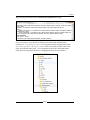
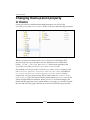
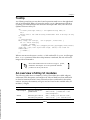
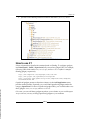
these four groups as well. The theme is made up of a folder _diffs with four
subfolders css, images, javascript, and templates; and a folder WEB-INF with
the properties file liferay-plugin-package.properties and, optionally, XML file
liferay-look-and-feel.xml.
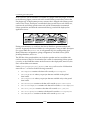
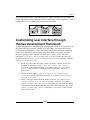
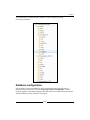
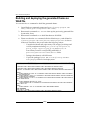
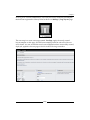
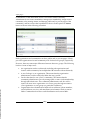
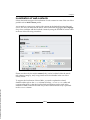
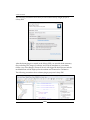
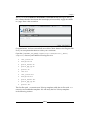
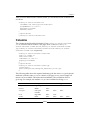
1. As shown in the following figure, when you deploy a theme, it will copy
all files from the folder ${app.server.portal.dir}/html/themes/_
unstyled/ to the folder $PLUGINS_SDK_HOME/themes/${theme-name}/
docroot/ first. In fact this will happen during build time, instead of
deploy time.
2. All files from the folder ${app.server.portal.dir}/html/themes/_
styled/ are copied to the folder $PLUGINS_SDK_HOME/themes/${themename}/docroot/, too.
3. Later, it will copy all files from the folder $PLUGINS_SDK_HOME/themes/
${theme-name}/docroot/_diffs/ to the folder $PLUGINS_SDK_HOME/
themes/${theme-name}/docroot/. It means that you will override existing
files with new files and changed files under the folder $PLUGINS_SDK_HOME/
themes/${theme-name}/docroot. Here the ${theme-name} refer to a real
theme project name.
[ 19 ]