1
User Interface in Production
jQuery in Themes
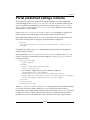
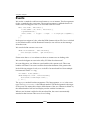
Suppose that you are using a URL to latest version like http://code.jquery.
com/jquery-1.4.4.min.js, and you are going to add JavaScript Libraries jQuery
in themes. Definitely you would be able to add JavaScript Libraries jQuery into your
theme. Inside of your theme's /docroot/_diff/templates/portal_normal.vm you
would add this line in the head of your theme:
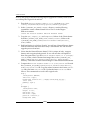
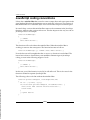
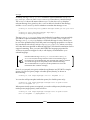
<script src="http://code.jquery.com/jquery-1.4.4.min.js"></script>
The above code will make jQuery available for everywhere in Liferay portal,
including portal core portlet and plugins that you deploy.
jQuery in Alloy UI
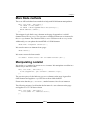
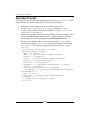
Of course, you can use Alloy UI to load up other JavaScript files including
jQuery. This approach would be useful if you don't want to edit either the
liferay-portlet.xml or the HTML file or the JSP file. In any JavaScript
that gets added to the page, you can add following code:
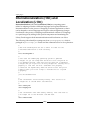
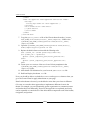
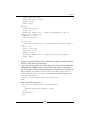
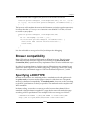
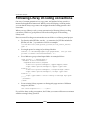
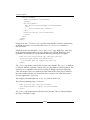
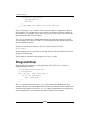
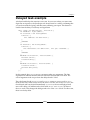
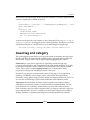
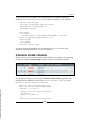
AUI().use('get', function(A){
A.Get.script('http://code.jquery.com/jquery-1.4.4.min.js', {
onSuccess: function(){
// add your own jQuery code here
}
});
});
As shown in the above code, you can add your jQuery code inside the method
onSuccess: function(). Note that you would be able to replace a URL to the latest
version, like http://code.jquery.com/jquery-1.4.4.min.js with local jQuery
JavaScript libraries.
Workflow capabilities in plugins
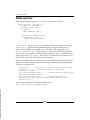
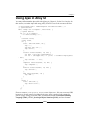
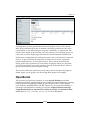
Liferay 6 integrates workflow systems such as jBPM or Kaleo on, either core assets
or custom assets. Ideally, workflow would be available for any assets, either portal
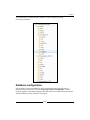
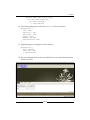
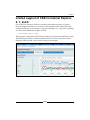
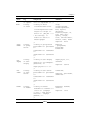
core assets or plugins custom assets. But out-of-the-box Liferay 6 supports workflow
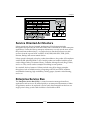
capabilities only on core assets such as Blogs Entry, Comments, Document Library
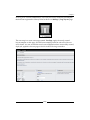
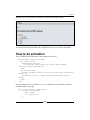
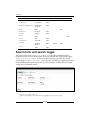
the Document, Message Boards Messages, Web Content, and Wiki Pages as shown
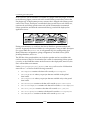
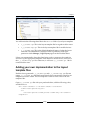
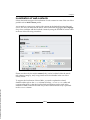
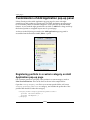
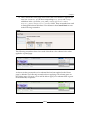
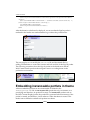
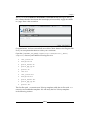
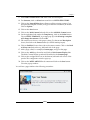
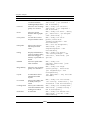
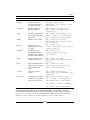
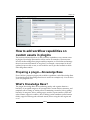
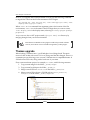
in following screenshot:
[ 306 ]