1
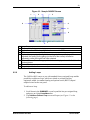
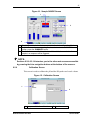
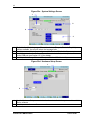
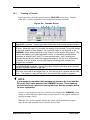
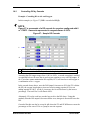
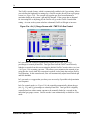
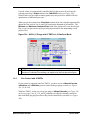
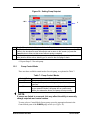
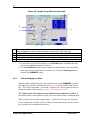
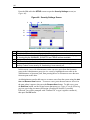
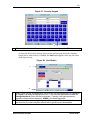
70 The GasFlo cascade feature, which is automatically enabled with 3-gas mixing, allows you to define the high and low settings for a GasFlo cascade directly from a gas gauge screen (see Figure 31b). The cascade will regulate gas flow from minimum to maximum based on the system’s pH and DO demand. If the system has no demand for increasing DO or adjusting pH, the GasFlo will go to the GasFlo Cascade Min setting. As soon as the system calculates a demand, GasFlo will begin to increase. Figure 31a: Air (1) Gauge Screen with 1 TMFC & 3-Gas Control 1 1 GasFlo Cascade minimum & maximum settings In 3-gas mode, the controller automatically adjusts the gas (Air, O2 & CO2) percentages to control pH and DO. Total gas flow from the TMFC can be directly linked to a cascade from this screen using the default GasFlo Cascade values (see item 1 in Figure 31a) or setting your own. This allows you to minimize the amount of gas going into the vessel when DO correction is needed; it also limits the total gas flow to avoid foaming. In this control mode, flow will automatically adjust based on both pH and DO demands. In 3-gas mode, we suggest that you always use an overlay if possible to help maintain your setpoints. In 4-Gas control mode (see Figure 31b), the controller automatically adjusts the gas (Air, O2, CO2 and N2) percentages to control pH and DO. Total gas flow is digitally controlled and can either remain constant or be manually linked to a cascade in the individual gas gauge screens. GasFlo cascade is not automatically available in 4-Gas mode. CelliGen BLU M1363-0050 User’s Guide