1
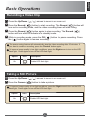
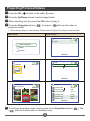
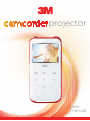
English Basic Operations Recording a Video Clip 1 Press the Up/Down ( / ) arrows to zoom in or zoom out. 2 Press the Record ( ) button to start recording. The Record ( ) button will turn red in recording mode, and the video recording timer will start rolling. 3 Press the Record ( ) button again to stop recording. The Record ( button will turn white to indicate is in standby mode. ) 4 While in recording mode, press the OK ( ) button to pause recording. Press the ( ) button again to resume recording. The power saving feature will automatically stop the video recording after 25 minutes. If you want to continue recording, press the “Record” button again. To improve image quality in low light conditions, press the Right arrow to turn on the LED | % ^| Option Icon On Description ^| Taking a Still Picture 1 Press the Up/Down ( 2 Press the Camera ( / ) arrows to zoom in or zoom out. ) button to take a picture. To improve image quality in low light conditions, press the Right arrow to turn on the LED | % ^| Option On Icon Description ^| 7