1
Troubleshooting
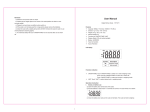
Start Measuring
Initializing Your Scale
1. Press the platform center and remove your foot
or
Press UNIT button to turn on the scale.
2. “0.0” will be displayed.
Error Prompt
Error
Description
Overload. The device will
power off.
Low Battery. The device
will power off in four
seconds.
Solution
Stop using this scale for
measurement.
Replace with 2xCR2032 new
batteries. Please purchase the
authorized batteries for replacement.
3. The scale will switch off and is now ready for use.
This initialization process must be repeated if the scale is moved.
At all other times step straight on the scale.
Start Measuring
1. Place the scale flat on a hard surface
2. Step onto the platform and stand still until the numeral on the LCD stops blinking,
then the weight is locked.
3. The measuring result is displayed for about 10 seconds, and then it will turn off.
Note: If there is no operation in 10 seconds when the scale is on, it will turn off automatically.
8
9