1
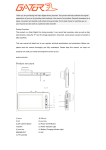
Wireless Pen User Guide TSE-Touch / TSE-817 www.Spy-Earpiece.com Thank you!!! Thank you for buying this product, hope our product could satisfy you. With this product you can make and receive calls while on some special occasions. You can use the product with compatible devices that support Bluetooth wireless technology. Read this user guide carefully before using the product. Also read the user guide for your mobile device, which provides important safety and maintenance information. Keep the product and its accessories out of reach of small children. Key feature The system was specially worked out for those special situations when a person needs to communicate secretly. Mainly apply to the working condition because of expositing earphone and earphone body inconveniently. Look like a normal pen, High secret, without any LED light, without any key, which other people can see if they check carefully. Remote control key for Power on, Power OFF, make a call, answer a call, end a call, Play music, Pause/resume music playing, with voice notification when operating the pen. The smallest size in the market. The best sound in the market. Built-in the biggest battery in the market....300mah, other pen: 120mah, working time is about 3 hours Work with magnet earpiece (10cm), work with electric earpiece (over 30cm) Works with all phones with Bluetooth wireless technology Bluetooth 4.0, Power indicator on iPhone, and some of Android phones High sensitive microphone Working distance Pen to Phone or Bluetooth device: 10 meters Pen to earpiece (which in your ear) Earpiece Operating range/distance Magnet earpiece Electric earpiece 3x1.5mm Which needs 337 battery to work 10cm Over 30cm Please check the earpiece Guide for more details, for some electric earpieces, the working range is about 50cm www.Spy-Earpiece.com Diagram Figure 1 1. Charging socket (DC 5V), Microphone 2. Hidden key for music Stop/ Pause/Play Turning ON or OFF/Pairing/Answer/Ending/Reject/Redial/Voice-dialing 3. Cube shape Remote and slot www.Spy-Earpiece.com Get Started Charging the built-in battery: Figure 2 The pen has an internal, rechargeable battery. Do not attempt to open the pen, as you may damage it. The internal battery is not fully charged. Before using it, please charge it first. There is a LED indicator in the USB end. The light will be ON when charging. Do not use the charging cable on other device. It is specially made for the Pen. Importance Note: Charge the Pen immediately after your mission, and charge it every 3 months to keep the built-in battery in good condition. If you have not used the Pen for a long time or the battery is completely out, the charger indicator may not turn on until minutes later. 1. Connect the USB end of the cable with a USB port from a computer or the USB charger. 2. Plug the other end of the charger cable into the Pen. 3. The indicator light in the USB end is ON while charging. If charging does not start, disconnect the charger, plug it in again, and retry. 4. Charging the battery fully may take up to 3 hours. When the battery is fully charged, the indicator light turns off. Disconnect the charger cable from both ends. www.Spy-Earpiece.com Hidden key in the Pen There is a hidden key inside the Pen (Check Figure 1). And there is an Arrow mark on the Pen to indicate where the key is. Putting the Remote to the mark is equal to pushing the key down. Moving the Remote from the mark means releasing the key, just like when you click a normal key, and move your finger away. Short click: Put the Remote to the mark and move it away immediately. Long click: Put the remote to the mark and move it away after a few seconds. Switch the Pen on or off To switch on, Long click the key until the pen makes a “beep” sound and you hear voice “Power ON” To switch off, Long click the key until the pen makes a “beep” sound and you hear voice “Power OFF” Pair the Pen with your phone 1. Ensure that your mobile device is switched on. 2. Ensure that the Pen is initially switched off 3. To pair the Pen if it has not been previously paired with a device, Long click the key for about 6 seconds until you hear “Power ON”, and then “Paring”. The Pen is now in pairing mode. 4. Activate the Bluetooth feature on the mobile device, and set it to search for Bluetooth devices. See the user guide of your device for instructions. 5. Select the Pen (TSE-Touch) from the list of found devices. 6. Enter the passcode 0000 (if needed) to pair and connect the pen to your device. In some mobile devices, you may need to make the connection separately after pairing. See the user guide of your device for details. You only need to pair the Pen with your device once. If the pairing is successful, you will hear voice “connected”, and the Pen appears in the menu of the mobile device where you can view the currently paired Bluetooth devices. If the pairing is not established over a period of approx.5 minute, the pairing process will be terminated. Please repeat the pairing process. Disconnect the Pen To disconnect the Pen from your mobile device, switch off the Pen, or disconnect the Pen in the Bluetooth menu of your device. You do not need to delete the pairing information on the mobile to disconnect it. Reconnect the Pen To connect the Pen to your mobile device, make the connection in the Bluetooth menu of your device; or switch on the Pen and the Pen will look for your mobile device automatically. If the connection is established, you will hear voice “connected”. www.Spy-Earpiece.com Troubleshooting for connecting If you cannot connect the Pen to your mobile device, do as follows: • Ensure that the Pen is charged, switched on, and paired with your device. • Ensure that the Bluetooth feature is activated on your device. • Ensure that the Pen is within 10 meters (30 feet) of your device and that there are no obstructions between the Pen and the device, such as walls, or other electronic devices. • Please try to delete the paring information on your phone and paring it again. Enjoy music using the Pen After successfully pairing the Pen with your mobile phone, you can play music from your mobile phone. An incoming call will interrupt the music and the ring will be heard from the Pen. Short click to start music playing on iPhone and most of other phones. Short click to pause and resume music playing Note: Make sure your mobile phone is with the music function and Bluetooth A2DP, AVRCP profiles. (Please contact your mobile phone manufacturer for further information). When you are listening to the music, the music will automatically cut down by the incoming phone. And the music will play again once the phone is off. Call handling To make a call, use your mobile device in the normal way when the Pen is connected to it. Make a call, Redial the last number If your device supports last number redialing with the Pen, Long click the key when no call is in progress. Receive a call When there is an incoming call, you will hear a ringing tone through the Pen or voice “incoming call”. To answer the call, Short click the key, or use the keys of the mobile device. End a call To end a call, Short click the key, or use the keys of the mobile device. www.Spy-Earpiece.com Advance Usage Battery life and volume setting The fully charged battery has power for up to 3 hours of talk time or up to 160 hours of standby time. However, the talk and standby times may vary when used with different compatible Bluetooth devices, usage settings, usage styles, and environments. TIPS: Full battery can make the pen work at its best, especially when it works with the magnet Earpiece. We suggest charging it before every single usage. The built-in battery has no memory effect; therefore, the user doesn’t need to wait until it is empty. iPhone users, please note: The battery life for noisy music is about 1 hours at 100% volume on iPhone. We strongly suggest 70% volume preset when the user is listening to music, 80% volume preset when listening voice recording. At these volume presets, the battery life is 3 hours, and the sound is clear without noise. Adjust the volume The user can adjust the volume on the phone. From our experience, 80% volume setting is good for the sound quality without noise, and the battery life is acceptable. Note: On some phones, there may be two volume presets for music and for voice calling), the users should adjust them separately. Power meter indicator on the phone screen The user may be able to check the power status of the pen on the phone status bar, it is near the Bluetooth icon. The feature works on iPhone and some of Android phones. Change the replacement of writing tip The user can adjust the volume on the phone. www.Spy-Earpiece.com Figure 3 More information of Battery Your device is powered by a rechargeable battery. The battery can be charged and discharged hundreds of times, but it will eventually wear out. Unplug the charger from the electrical plug and the device when not in use. Do not leave a fully charged battery connected to a charger, since overcharging may shorten its lifetime. If left unused, a fully charged battery will lose its charge over time. Never use any charger that is damaged. Leaving the device in hot or cold places, such as in a closed car in summer or winter conditions, will reduce the capacity and lifetime of the battery. Always try to keep the battery between 15°C and 25°C (59°F and 77°F). A device with a hot or cold battery may not work temporarily, even when the battery is fully charged. Battery performance is particularly limited in temperatures well below freezing. Limited care and maintenance Your device is a product of superior design and craftsmanship and should be treated with care. The following suggestions will help you protect your warranty coverage. • Keep the device dry. Precipitation, humidity, and all types of liquids or moisture can contain minerals that will corrode electronic circuits. If your device does get wet, allow it to dry completely. www.Spy-Earpiece.com • Do not use or store the device in dusty, dirty areas. Its moving parts and electronic components can be damaged. • Do not store the device in hot areas. High temperatures can shorten the life of electronic devices, damage batteries, and warp or melt certain plastics. • Do not store the device in cold areas. When the device returns to its normal temperature, moisture can form inside the device and damage electronic circuit boards. • Do not drop, knock, or shake the device. Rough handling can break internal circuit boards and fine mechanics. • Do not use harsh chemicals, cleaning solvents, or strong detergents to clean the device. • Do not paint the device. Paint can clog the moving parts and prevent proper operation. All of the above suggestions apply equally to your device, battery, charger, or any enhancement. If any device is not working properly, contact us for service. www.Spy-Earpiece.com