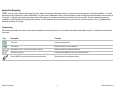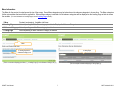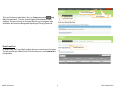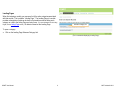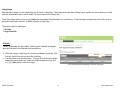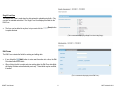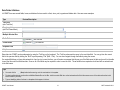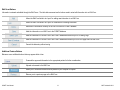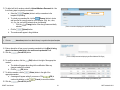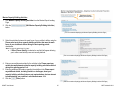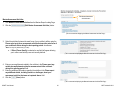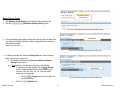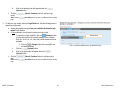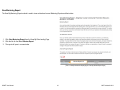
1
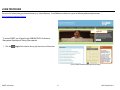
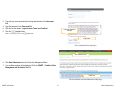
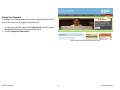
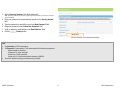
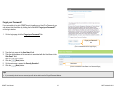
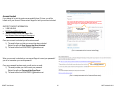
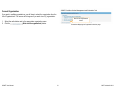
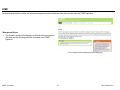
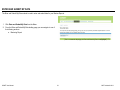
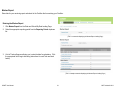
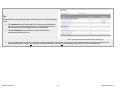
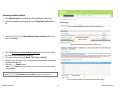
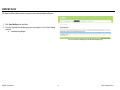
COMET Coalition Online Management and Evaluation Tool MENTEE USER MANUAL VERSION 1.0 JULY 2013 Ph: 888.348.4248 Fax: 412.366.7199 [email protected] KIT Solutions®, LLC 5700 Corporate Dr Suite 530 Pittsburgh, PA 15237 TABLE OF CONTENTS Introduction ............................................................................................................................................................................................................................................................. 4 Tips For Using the Application Effectively .............................................................................................................................................................................................................. 5 Recommended Computer Settings .................................................................................................................................................................................................................... 5 Application Navigating........................................................................................................................................................................................................................................ 6 Menu Information ........................................................................................................................................................................................................................................... 7 Bread Crumb Trail ................................................................................................................................................................................................................................... 8 Landing Pages ............................................................................................................................................................................................................................................... 9 Listing Pages ............................................................................................................................................................................................................................................... 10 Grid View .............................................................................................................................................................................................................................................. 10 Single Form View .................................................................................................................................................................................................................................. 11 Edit Forms ................................................................................................................................................................................................................................................... 11 Data Fields & Buttons ...................................................................................................................................................................................................................................... 12 Edit Form Buttons ........................................................................................................................................................................................................................................ 13 Additional Feature Buttons ........................................................................................................................................................................................................................... 13 Login Procedure ................................................................................................................................................................................................................................................... 14 Change Your Password ................................................................................................................................................................................................................................... 16 Forgot your Password? .................................................................................................................................................................................................................................... 18 Account Locked ............................................................................................................................................................................................................................................... 20 Current Organization ........................................................................................................................................................................................................................................ 21 Home .................................................................................................................................................................................................................................................................... 22 Enter and Submit My Data ................................................................................................................................................................................................................................... 23 Mentee Report ................................................................................................................................................................................................................................................. 24 Entering the Mentee Report ......................................................................................................................................................................................................................... 24 Mentee Coalition Information ................................................................................................................................................................................................................ 26 Mentee Target Community .................................................................................................................................................................................................................... 27 Mentee Target Zip Codes ..................................................................................................................................................................................................................... 29 Mentee Membership ............................................................................................................................................................................................................................. 32 Mentee Capacity Building Activities ...................................................................................................................................................................................................... 35 Mentee Assessment Activities............................................................................................................................................................................................................... 36 Mentee Planning Activity ....................................................................................................................................................................................................................... 37 Submitting the Mentee Report ..................................................................................................................................................................................................................... 39 View My Data ....................................................................................................................................................................................................................................................... 41 COMET User Manual 2 ©KIT Solutions® 2013 View Mentoring Report..................................................................................................................................................................................................................................... 42 COMET User Manual 3 ©KIT Solutions® 2013 INTRODUCTION The COMET application is a web-based system designed to help your Coalition use SAMHSA’s Strategic Prevention Framework (SPF) for managing your DFC grant. COMET enables mentees to enter and submit their annual mentee report along with other tools requiring for reporting. In addition, mentees will be able to view and print their submitted data, download their data and utilize their data through trends and analysis reports. COMET User Manual 4 ©KIT Solutions® 2013 TIPS FOR USING THE APPLICATION EFFECTIVELY Recommended Computer Settings Screen Resolution You will get the best screen layout if you set your PC monitor settings to 1024 x 768 pixels or larger. If your screen resolution is smaller (ex. 800 X 600 pixels), everything on the screen will appear larger. But, if you use 800 X 600 pixels, then you will have to scroll more both up & down and left & right to access all the data fields. To change your PC Monitor settings, right click on the Desktop Background and select Properties. Next, click on the Settings tab and move the Screen Resolution scroll bar to the right (towards “more”) to select 1024 x 768 resolution. Click the OK icon at the bottom of the window to make the change effective. Web Browser The web browser supported by COMET is Microsoft Internet Explorer (IE). Currently Mozilla Firefox, Netscape, AOL, MSN and other browsers may not be supported by COMET. They may function, but not to design specifications. We recommend users have the latest version of IE installed on their computer along with the updates provided by Microsoft (which are released periodically). Pop-Up Blockers Modern computer security technology and usability features development have lead to pop-up blocking. Although this new feature of internet browsers, toolbars and other 3rd party managing software blocks hazardous and annoying pop-ups, sites like COMET require pop-ups to be able to function. If your pop-up blocker is enabled, then there is a possibility that by COMET may not function or appear properly. You should either disable the pop-up blocker while using by the COMET (while remembering to enable it, if desired, when not in COMET) or create exceptions for the pop-up blocker. This is cumbersome, but may be easier than making exceptions to the pop-up blocker. To create exceptions for the pop-up blocker, open your Internet Explorer browser window. Once the browser is open, click the top toolbar option “Tools” and then go to “Internet Options”. After the Internet Options window is available, you will want to click on the “Privacy” tab at the top of the window. You will notice while on the “Privacy” tab, at the bottom will be a section on Pop-Up Blockers. If you’re “Block Pop-Ups” checkbox is checked, then click on the “Settings” button. You can now add the COMET link to the “Allowed Sites” list which the pop-up blocker will ignore when trying to block pop-ups from COMET. *Note: These are instructions for Internet Explorer 7.0 and may be different for other Internet Explorer versions. COMET User Manual 5 ©KIT Solutions® 2013 Application Navigating COMET is set up in such a fashion that moving from top to bottom of each page and section to section on the menu is the only approach to using the application. You must start at Home and complete the Coalition Classification Tool, then move to Assessment, filling in all the information for that area (all pages and sub-menus), before moving on to Capacity. Continuing in this manner will ensure that all of the sections of the system have enough information to function correctly. If certain sections have not been completed, you will have difficulty completing other sections. You also must save each screen before moving onto the next section by clicking on the (Save) button located at the bottom of the page. Computer Keys While entering information into a form, several keys are helpful for moving the cursor from one information box (called a data field) to another. The table below summarizes those keys: Key Description Function The Cursor Points to desired location The TAB key Moves the cursor to the next data field Hold down the SHIFT key and then press the TAB key Moves the cursor to the previous data field The Control (Ctrl) key Enables blocked material to open (due to pop-up blocker) Use the MOUSE by pointing and clicking to move the cursor Moves the cursor by pointing and clicking COMET User Manual 6 ©KIT Solutions® 2013 Menu Information The Menu for the service is located across the top of the screen. Some Menu categories may be broken down into submenu categories to choose from. The Menu categories list the main modules that are within the application. When a Menu category is selected a list of submenu categories will be displayed on the Landing Page as links to access the modules. (For more information on Landing Pages, see the Landing Pages section.) 1. Menu Constant (unchanging). Available at all times. 2. Landing Page Varies depending on which Menu category is selected. Displays the Submenu Categories. 3. Submenu Category Varies depending on which Menu category is selected. 4. Listing Page Varies depending on which Submenu Category is selected. Menu 2. Landing Page and 3. Submenu Category Link 4. Listing Page (This is a screenshot displaying the Menu (1), a Landing Page (2) and a Submenu Category list (3)) COMET User Manual (This is a sample screenshot displaying a Listing Page (4)) 7 ©KIT Solutions® 2013 User currently logged in Link to Log Out The top of the menu provides links to the (Home) page and to (Log Out) of the application. The user currently logged into the application is also displayed. The menu at the top of the screen will allow you to navigate to other areas within the Prevention Management Reporting and Training System site. Link to Home Page Bread Crumb Trail Bread Crumb Trail A “Bread Crumb Trail” is provided to indicate where you currently are in the system. The links provided in the Bread Crumb Trail also allows you to move backwards in the application. COMET User Manual 8 ©KIT Solutions® 2013 Landing Pages When first entering a module you may see a list of the entire categories associated with that module. This is called a “Landing Page”. The Landing Page of a module provides a description of what can be done in that module as well as listing each category as a link to the Listing Page and entry forms. (For more information on the Listing Pages, see the Listing Page section.) No data is entered on the Landing Page. Submenu Category link To open a category: Click on the Landing Page Submenu Category link. (This is a screenshot displaying a Landing Page.) COMET User Manual 9 ©KIT Solutions® 2013 Listing Pages After selecting a category from the Landing Page you will see the “Listing Page”. When going into an area where a Listing Page is available, the service allows you to select previously entered data to edit or view its content. No data is entered on the Listing Page. Those Listing Pages that do not have an (Add) button automatically list the information you are working on. To add information to these forms, click the link next to the appropriate name listed in the table. No data is entered on a Listing Page. There are two types of Listing Pages: 1. Grid View 2. Single Form View Grid View The Grid View displays the data in tables. Specific pieces of data will be displayed within the Grid based on the fields within the entry/edit form. When first viewing a Listing Page, all of the data is available for Searching. Click the link to the left of the data you would like to edit/view. You will be taken to the entry/edit screen. This page will be in edit mode (all data fields will be open for data entry). Make any changes needed to the form. Click the (Save) button to save the changes. Grid View (This is a sample screenshot displaying a “Grid View” Listing Page.) COMET User Manual 10 ©KIT Solutions® 2013 Single Form View The Single Form View is used when the data entered is updated periodically. Only one form is available and edited. The Single Form View displays the fields on the Edit Form. The form can be edited at any time, but you must click the to update the data. (Save) button (This is a screenshot displaying a Single Form View Listing Page.) Edit Forms The Edit Form contains the fields for entering and editing data. If you clicked the (Add) button to enter new information into a form, the Edit Form data fields will be blank. When clicking the link to select and view existing data, the Edit Form data fields will display the data entered/selected previously. These fields may be modified, if needed. (This is a screenshot displaying a blank Edit Form.) COMET User Manual 11 ©KIT Solutions® 2013 Data Fields & Buttons In COMET there are several fields, boxes, and buttons that are used to collect, store, print, organize and delete data. Here are some examples: Type Preview/Description Text Field (aka ‘Text Box’) Dropdown List (aka ‘Pull Down Menu’) Multiple Selector Box Radio Buttons Selected Check Boxes Selected Not Selected Not Selected Required Field Help Icon Enter data into COMET can be made easier by using the “Tab” key on the keyboard. The “Tab” key advances the cursor to the next data field. You can go from the current field to the previous field by holding the “Shift” key and pressing “Tab” (Shift + Tab). You can also navigate through the fields by using the mouse. If a required field does not have data entered into it and you try to save the form, you will receive a message that informs you of the field vacant of data and you will not be able to save that form until that field has data. Some or all of the fields may be required in order to save the form. Those fields that are required are bold and with an asterisk next to the field name. Tips You must click the (Save) button before moving on to the next section in the system. To select multiple data at one time from a Multiple Selector Box or List Box, hold the control (Ctrl) key on the keyboard and left click the mouse on any of the data options that you’d like to include in your entry. Type an identifying letter of an item in a dropdown list to appear in the box. COMET User Manual 12 ©KIT Solutions® 2013 Edit Form Buttons Information is entered and edited through the Edit Forms. The table below summarizes the buttons used to enter/edit information into an Edit Form. Allows the Edit Form fields to be “open” for adding new information to an Edit Form Allows the Edit Form fields to be “open” for modifications to existing information Removes the information currently on an Edit Form from the COMET database Adds the information on an Edit Form to the COMET database Adds the information on an Edit Form to the COMET database and returns you to a Landing Page Adds the information on an Edit Form to the COMET database and takes you to the next page within the Edit Form Cancels the data entry without saving Additional Feature Buttons Below are some additional buttons that may appear within a form. Forwards the approved information to the appropriate parties for further consideration Uploads a document to the Edit Form Allows you to locate a document currently saved on your computer for upload Returns you to a previous page on the Edit Form COMET User Manual 13 ©KIT Solutions® 2013 LOGIN PROCEDURE Connect to the Internet using your Internet browser (e.g., Internet Explorer). In the Address (Location) box, type in the following address and press enter: https://www.pmrts.samhsa.gov/pmrts Login Link To access COMET, you will login through SAMHSA/CSAP’s Performance Management Reporting and Training System website. 1. Click the (Login) link located on the top right hand corner of the screen. (This is a partial screenshot displaying the Home Page.) COMET User Manual 14 ©KIT Solutions® 2013 2. Type the login name provided by the acting administrator in the User name field. 3. Type the password in the Password field. 4. Click the box that states: ‘I agree to these Terms and Condition’. 5. Click the (Log In) button. *Note: To cancel the login process, click the Terms and Conditions checkbox (Cancel) button. Login button (This is a screenshot of the Login Page.) Data Submissions link 6. Click Data Submissions from the Prevention Management Menu. 7. Your available systems will be displayed. Click the COMET – Coalition Online Management and Evaluation Tool link. COMET link (This is a screenshot of the Data Submissions Landing Page.) COMET User Manual 15 ©KIT Solutions® 2013 Change Your Password My Account link The Change Your Password feature allows a user to change the password for the account he or she is currently logging into the system with. 1. To change your password, begin by clicking My Account from the Prevention Management Reporting and Training System main menu. 2. Click the Change Your Password link. (This is a partial screenshot displaying the Home Page.) COMET User Manual 16 ©KIT Solutions® 2013 3. Select a Security Question* from the dropdown list. *Note: The Security Question will be used when using the Forgot Password feature to ensure the user requesting a password is legitimate. 4. Enter your answer to the selected security question in the Security Answer* field. 5. Type the password you would like to use in the New Password* field. 6. Retype the password in the Confirm New Password* field. 7. Verify or update the email address in the Email Address* field. 8. Click the (Submit) button. Submit button (This is a screenshot of the Change Password Page.) Tips The User Name* is NOT case sensitive. The Password* IS case sensitive. The Password must fill the following requirements: Minimum length: 8 characters At lease one (1) upper case letter At least one (1) lower case letter At least one (1) of the following special characters: !@#$%^& You will be required to change your password every 90 days. COMET User Manual 17 ©KIT Solutions® 2013 Forgot your Password? If you are unable to log into COMET due to forgetting your User ID or Password, you can retrieve this information by clicking the link entitled “Forgot your Password?” on the login window. 1. On the Login page, click the Forgot your Password? link. Forgot your Password? link (This is a screenshot of the Login Page.) 2. Type the login name in the User Name* field. 3. Type the email address of the user who is associated with the User Name in the User Email* field. *Note: This must be a valid email address. 4. Click the (Next) button. 5. On the next screen, answer the Security Question*. 6. Click the (Next) button. Next button (This is a screenshot of the Reset Your Password Page.) Tips If you currently do not have an account you will not be able to use the Forgot Password feature. COMET User Manual 18 ©KIT Solutions® 2013 7. A link to reset the password will be sent to the email address that is associated with the User Name. (This is a screenshot of the Reset Your Password Confirmation Page.) Tips If you do not receive a new temporary password, first check your junk mail and spam folders. If you still did not receive a temporary password contact Support at 1-888-348-4248. The following reasons may be the cause: your email address has changed since the account was created, you mistyped the email address, or you are unable to receive emails from Support. Please add the following domain to your email safe list: @kitsolutions.net to ensure you receive emails from Support. COMET User Manual 19 ©KIT Solutions® 2013 Account Locked If you attempt to log into the system unsuccessfully three (3) times, you will be locked out of your account. Please contact Support to have your account unlocked. SUPPORT CONTACT INFORMATION: 1-888-348-4248 [email protected] Use the Contact Form on the Support Site: http://kitusers.kithost.net/support/dcarsupport Contact Support information Once your account is unlocked you will receive an email: 1) The email informs you that your account has been unlocked. Subject line will read: User Account has Been Unlocked 2) The email will be from [email protected] (This is a screenshot of the Account Locked Page.) When your account is unlocked you can request Support to reset your password if you do not remember your current password. Link to change password Once your password has been reset you will receive an email: 1) The email provides you a link to reset your password. Subject line will read: Password Has Been Reset 2) The email will be from [email protected] (This is a sample screenshot of the Password Reset email.) COMET User Manual 20 ©KIT Solutions® 2013 Current Organization If you work in multiple organizations, you will have to select the organization from the list of Organizations. This screen will not appear if you work at one (1) organization. Work on this organization! button 1. Select the radio button next to the appropriate organization name. 2. Click the (Work on this organization!) button. COMET User Manual Screenshot displaying the Organization selection page 21 ©KIT Solutions® 2013 HOME The Home Page provides the coalition with important messages and events including due dates and information about the COMET application. Messages and Events The information provided in the Messages and Events sections are based on dues dates and any upcoming events that are relevant to the COMET Application. (This is a sample screenshot displaying the Home Landing Page.) COMET User Manual 22 ©KIT Solutions® 2013 ENTER AND SUBMIT MY DATA The Enter and Submit My Data module is used to enter and submit data for your Mentee Reports. 1. Click Enter and Submit My Data from the Menu. 2. From the Enter and Submit My Data landing page you can navigate to one of the following sections: a. Mentoring Report (This is a screenshot displaying the Enter and Submit My Data Landing Page.) COMET User Manual 23 ©KIT Solutions® 2013 Mentee Report Enter data for your mentoring report and submit to the Coalition that is mentoring your Coalition. Entering the Mentee Report 1. Click Mentee Report from the Enter and Submit My Data Landing Page. 2. Select the appropriate reporting period from the Reporting Period dropdown list. (This is a screenshot displaying the Mentee Report Landing Page.) 3. A list of Tasks will appear allowing you to enter the data for submission. Click the appropriate link to begin data entry (instructions for each Task are listed below). (This is a sample screenshot displaying the Mentee Report Landing Page.) COMET User Manual 24 ©KIT Solutions® 2013 Tips The Mentee Report Landing Page grid displays a Completed column and a Date Completed column. The Completed column will display an N if the Task has not been completed yet and a Y if you have entered and saved the Task. Once all of the Tasks show Y in the Completed column, you are ready to submit your Mentee Report. The Date Completed column will inform you of the most recent date for entering/saving data within the Task. (This is a sample screenshot of the Mentee Reports Landing Page.) If you have multiple reporting periods, when selecting a mentee report task for a new reporting period you may receive a message asking if your data has changed since the previous reporting period. Selecting Yes, allows you to modify the information. Selecting No, will automatically set the Task to a Y for the Completed column. COMET User Manual 25 ©KIT Solutions® 2013 Edit Mentee Coalition Information button Mentee Coalition Information 1. Click Mentee Coalition Information from the Mentee Report Landing Page. 2. Click the (Edit Mentee Coalition Information) button. (This is a sample screenshot displaying the Mentee Coalition Information Page.) 3. The details will be in edit mode. Make any changes needed to the details. *Note: The Grantee Name, Coalition Name and Award Number are not available for modification. If this information is incorrect, please contact your Mentor. 4. Click the (Save) button. (This is a sample screenshot displaying the Mentee Coalition Information Edit Page.) COMET User Manual 26 ©KIT Solutions® 2013 Edit Mentee Target Community button Mentee Target Community 1. Click Mentee Target Community from the Mentee Report Landing Page. 2. Click the (Edit Mentee Target Community) button. (This is a screenshot displaying the Mentee Target Community Page.) 3. Select the geographic setting using the Mentee Geographic Setting(s) Served checkboxes. 4. Select the community setting using the Mentee Community Setting(s) Served checkboxes. (This is a screenshot displaying the Mentee Target Community Edit Page.) COMET User Manual 27 ©KIT Solutions® 2013 5. Answer the question using the Do you target information/intervention efforts to a specific minority group or minority groups? radio buttons. a. If Yes is selected, a new field will appear allowing you to select the specific minority group(s). 6. Select the grade levels being served using the Mentee Grade Level(s) Served: checkboxes. (This is a screenshot displaying the Mentee Target Community Edit Page.) 7. Select the substances addressed in your community using the Please select up to 5 Substances that your Coalition is Addressing in your Community: checkboxes. 8. Enter a description of any other substances addressed within your community in the Additional Substances Addressed: field. (Save) button. 9. Click the (This is a screenshot displaying the Mentee Target Community Edit Page.) COMET User Manual 28 ©KIT Solutions® 2013 Edit Mentee Target Zip Codes button Mentee Target Zip Codes 1. Click Mentee Target Zip Codes from the Mentee Report Landing Page. 2. Click the (Edit Mentee Target Zip Codes) button. (This is a screenshot displaying the Mentee Target Zip Codes Page.) Target Zip Codes tabs 3. Zip codes can be entered in two (2) ways: Enter Mentee Target Zip Codes or Upload Mentee Target Zip Codes. Select the appropriate tab to either enter your zip codes or upload them. *Note: An active tab will be blue. (This is a screenshot displaying the Mentee Target Zip Codes Edit Page.) COMET User Manual 29 ©KIT Solutions® 2013 4. The Enter Mentee Target Zip Codes tab is selected by default. This tab is used to enter your targeted zip codes manually. Use the following steps to enter your zip codes manually: a. Enter the 5-digit zip code in the Please list the zip code served: field. b. Answer the question using the Do you serve the entire zip code? radio buttons. i. If No is selected, enter the specific area served in the If no, please list the specific areas served field. c. Click the (Add) button. d. The zip code will appear in the grid below. (This is a screenshot displaying the Enter Mentee Target Zip Codes Edit Page.) Tips Click the (USPS Zip Code Look-Up) button to ensure the zip code you are entering is a valid zip code. 5. To add a bulk list of zip codes, select the Upload Mentee Target Zip Codes tab. Use the following steps to upload your zip codes: a. Select the (Template) button to add your zip codes to the template for uploading. b. To upload your zip codes file, click the (Browse) button to locate and open the file currently saved on your computer. Only .doc, .docx, .txt, .xls, .xlsx, and .pdf file extensions can be uploaded. i. Click the (Change) button if the wrong file was accidently selected. (Upload) button. c. Click the d. The zip code will appear in the grid below. (Save) button. 6. Click the COMET User Manual Browse button (This is a screenshot displaying the Upload Mentee Target Zip Codes Edit Page.) 30 ©KIT Solutions® 2013 Tips Click the (Instructions) button for a data dictionary in regards to the upload template. 7. To modify a zip code, click the (Edit) button to the right of the appropriate zip code. a. The details will appear above the grid for modification. Make any changes needed to the details. (OK) button. b. Click the 8. To delete a zip code, click the (Delete) button to the right of the appropriate zip code. a. A message will appear asking if you are sure. Click (OK) to (Cancel) to cancel the deletion. continue the deletion or click 9. Click the (Save) button. COMET User Manual (This is a sample screenshot displaying the Zip Codes Served grid.) 31 ©KIT Solutions® 2013 Edit Mentee Membership button Mentee Membership 1. Click Mentee Membership from the Mentee Report Landing Page. 2. Click the (Edit Mentee Membership) button. (This is a sample screenshot displaying the Mentee Membership Page.) 3. Enter the number of formal coalition meetings your organization held in the Number of Formal Coalition Meetings Held During This Period: field. 4. Enter the average attendance at the coalition meetings in the Average Attendance at Coalition Meetings (not including paid staff): field. 5. Using the Is Collaboration Among Members of Your Coalition radio buttons, select whether the collaboration effort is changing among your coalition members. 6. Click the (Save) button. (This is a sample screenshot displaying the Mentee Membership Edit Page.) 7. Using the grid, enter the number of members represented for each Sector in the How many coalition members represent this sector? column fields. 8. Using the grid, enter the number of members that are actively involved in coalition meetings for each Sector in the How many of these coalition members are ‘active’? column fields. 9. Using the grid, select the level of commitment for each Sector using the What is the average level of involvement for each of the sectors? radio buttons. 10. Click the (Save & Continue) button to add individual coalition members. *Note: If you do not have any individual members, click the return to the Mentee Report Landing page. COMET User Manual (Save & Exit) button to (This is a sample screenshot displaying the Mentee Membership Edit Page.) 32 ©KIT Solutions® 2013 Membership tabs 11. Individual members can be entered in two (2) ways: Enter Members or Upload Members Document. Select the appropriate tab to either enter your individual members or upload them. *Note: An active tab will be blue. (This is a screenshot displaying the Enter Members Edit Page.) 12. The Enter Members tab is selected by default. This tab is used to enter your individual members manually. Use the following steps to enter your individual members manually: a. Using the Type: radio buttons, select whether the member is an Individual or an Organization. i. If Individual is selected, enter the name of the member in two (2) fields: First Name and Last Name. ii. If Organization is selected, enter the name of the organization in the Organization Name field. b. Select the sector the member belongs to from the Sector dropdown list. c. Select the status of the member using the Status radio buttons. d. Click the (Add) button. e. The member will appear in the grid below. COMET User Manual (This is a screenshot displaying the Enter Member Edit Page with Organization selected.) 33 ©KIT Solutions® 2013 13. To add a bulk list of members, select the Upload Members Document tab. Use the following steps to upload your members: a. Select the (Template) button to add your members to the template for uploading. (Browse) button to locate b. To upload your members file, click the and open the file currently saved on your computer. Only .doc, .docx, .txt, .xls, .xlsx, and .pdf file extensions can be uploaded. i. Click the (Change) button if the wrong file was accidently selected. c. Click the (Upload) button. d. The members will appear in the grid below. Browse button (This is a screenshot displaying the Upload Members Document Edit Page.) Tips Click the (Instructions) button for a data dictionary in regards to the upload template. 14. Enter a description of how you are increasing membership in the What is being done to increase membership in the sectors not represented? field. 15. Click the (Save & Exit) button. (This is a sample screenshot displaying the Enter Members Edit Page.) 16. To modify a member, click the (Edit) button to the right of the appropriate member. a. The details will appear above the grid for modification. Make any changes needed to the details. b. Click the (OK) button. 17. To delete a member, click the (Delete) button to the right of the appropriate member. (OK) to a. A message will appear asking if you are sure. Click continue the deletion or click (Cancel) to cancel the deletion. 18. Click the (Save & Exit) button. COMET User Manual (This is a sample screenshot displaying the Members grid.) 34 ©KIT Solutions® 2013 Edit Mentee Capacity Building Activities button Mentee Capacity Building Activities 1. Click Mentee Capacity Building Activities from the Mentee Report Landing Page. 2. Click the (Edit Mentee Capacity Building Activities) button. (This is a screenshot displaying the Mentee Capacity Building Activities Page.) 3. Select the activities that were the main focus of your coalition’s efforts using the Please select up to three capacity building activities that were the main focus of your coalition’s efforts during the last reporting period: checkboxes. *Note: You may only select three (3) or less). a. If Other (Please Specify) is selected, a new field will appear allowing you to enter a new activity name not currently defined. (This is a screenshot displaying the Mentee Capacity Building Activities Edit Page.) 4. Enter any accomlishments related to the activities in the Please report any notable accomplishments related to capacity building activities achieved during this reporting period: field. 5. Enter any additional information regarding the activities in the Please report any additional details, including barriers or challenges, about your capacity building activities that were not captured above, but are relevant to understanding your coalition’s activities/outcomes: field. 6. Click the (Save) button. (This is a screenshot displaying the Mentee Capacity Building Activities Edit Page.) COMET User Manual 35 ©KIT Solutions® 2013 Edit Mentee Assessment Activities button Mentee Assessment Activities 1. Click Mentee Assessment Activities from the Mentee Report Landing Page. 2. Click the (Edit Mentee Assessment Activities) button. (This is a screenshot displaying the Mentee Assessment Activities Page.) 3. Select the activities that were the main focus of your coalition’s efforts using the Please select up to three assessment activities that were the main focus of your coalition’s efforts during the last reporting period: checkboxes. *Note: You may only select three (3) or less). a. If Other (Please Specify) is selected, a new field will appear allowing you to enter a new activity name not currently defined. (This is a screenshot displaying the Mentee Assessment Activities Edit Page.) 4. Enter any accomplishments related to the activities in the Please report any notable accomplishments related to assessment activities achieved during this reporting period: field. 5. Enter any additional information regarding the activities in the Please report any additional details, including barriers or challenges, about your assessment activities that were not captured above: field. (Save) button. 6. Click the (This is a screenshot displaying the Mentee Assessment Activities Edit Page.) COMET User Manual 36 ©KIT Solutions® 2013 Edit Mentee Planning Activity button Mentee Planning Activity 1. Click Mentee Planning Activity from the Mentee Report Landing Page. 2. Click the (Edit Mentee Planning Activity) button. (This is a screenshot displaying the Mentee Planning Activity Page.) Planning tabs 3. There are multiple components to entering the Planning Activity: Strategic Plan, Logic Model, and Additional Details. Select the appropriate tab to either your planning activity details. *Note: An active tab will be blue. (This is a screenshot displaying the Strategic Plan Edit Page.) 4. To add your strategic plan, select the Strategic Plan tab. Use the following steps to upload your strategic plan: a. Answer the question using the Has your coalition developed a strategic? radio buttons. b. If Yes is selected, you will need to upload your strategic plan. i. To upload your strategic plan file, click the (Browse) button to locate and open the file currently saved on your computer. Only .doc, .docx, .txt, .xls, .xlsx, and .pdf file extensions can be uploaded. (Change) button if the wrong file was 1) Click the accidently selected. ii. Click the (Upload) button. COMET User Manual Browse button (This is a screenshot displaying the Strategic Plan Edit Page.) 37 ©KIT Solutions® 2013 iii. A link to the strategic plan will appear below the (Upload) button. c. Click the (Save & Continue) button to add your logic model. *Note: Click the page. (Save & Exit) button to return to the Mentee Report Landing 5. To add your logic model, select the Logic Model tab. Use the following steps to upload your logic model: a. Answer the question using the Has your coalition developed a logic model? radio buttons. b. If Yes is selected, you will need to upload your logic model. i. To upload your logic model file, click the (Browse) button to locate and open the file currently saved on your computer. Only .doc, .docx, .txt, .xls, .xlsx, and .pdf file extensions can be uploaded. (Change) button if the wrong file was 1) Click the accidently selected. ii. Click the (Upload) button. iii. A link to the logic model will appear below the (Upload) button. c. Click the (Save & Continue) button to add your action plan. *Note: Click the page. COMET User Manual Browse button (This is a screenshot displaying the Logic Model Edit Page.) (Save & Exit) button to return to the Mentee Report Landing 38 ©KIT Solutions® 2013 Submitting the Mentee Report 1. Click Mentee Report from the Enter and Submit My Data Landing Page. 2. Select the appropriate reporting period from the Reporting Period dropdown list. (This is a screenshot displaying the Mentee Report Landing Page.) 3. Click the bottom of the page. (Submit Mentee Report to Mentor) button at the Submit Mentee Report to Mentor button (This is a screenshot displaying the Mentee Report Page.) 4. Click the Click here to open your Mentoring Report link to view your report for accuracy before submitting for approval. 5. Fill out the Contact Information (Name, Title, Phone and Email). 6. Ensure that you check the box if you have read and understand the submission instructions and process. 7. Click the (Submit) button. *Note: The (Submit) button will become Active once the submission process checkbox has been selected. *Note: Once you have submitted the mentee report if you return to the Mentee Report Listing Page the (Submit Mentee Report to Mentor) button will be “grayed out”. Submit button (This is a screenshot displaying the Submit your Mentee Report Page.) COMET User Manual 39 ©KIT Solutions® 2013 Tips By submitting the Mentee Report, you are allowing your Mentor to review the report. If revisions are required, you will be notified with an email and will need to make the appropriate changes. Once changes have been made, you will need to submit the Mentee Report following the above instructions. The Submission button will only be available once the Completed column reads ‘Y’ for all Tasks. You cannot submit a new Mentee Report if the reporting period has not ended or the previously-submitted Mentee Report has not yet been accepted. COMET User Manual 40 ©KIT Solutions® 2013 VIEW MY DATA The View My Data module is used to view previously submitted Mentee Reports. 1. Click View My Data from the Menu. 2. From the View My Data landing page you can navigate to one of the following sections: a. View Mentoring Report (This is a screenshot displaying the View My Data Landing Page.) COMET User Manual 41 ©KIT Solutions® 2013 View Mentoring Report The View My Mentoring Report module is used to view archived and current Mentoring Reports and their status. 1. Click View Mentoring Report from the View My Data Landing Page. 2. Click the link for the desired Mentee Report. 3. The report will open in a new window. Mentee Report link (This is a sample screenshot displaying the View My Mentee Report Page.) COMET User Manual 42 ©KIT Solutions® 2013 4. Click the arrows to maneuver to other pages in the report. Clicking the single arrow forward or backward, will move the view to the next page or the previous page. The arrows with the bar can move the report view to either the first or last page of the report. 5. To find a specific word or phrase enter it into the Find textbox and click the (Find) link. a. Click the (Next) link to be taken to the next instance of the word or phrase. 6. To download the report, select the type of file you want from the Select a format dropdown menu and click the (Export) link. Export link a. Click the (Printer) button to print a copy of the report from the exported window. (This is a sample screenshot displaying the view window.) COMET User Manual 43 ©KIT Solutions® 2013