1
®
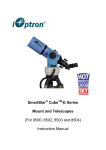
SmartStar® CubeTM-G Series
Mount and Telescopes
(For 8800, 8802, 8803 and 8804)
Instruction Manual
Table of Content
Table of Content.............................................................................................................. 2
1. SmarStar® CubeTM-G Series Overview ....................................................................... 4
1.1. SmartStar® CubeTM-G Series Features................................................................. 4
1.2. Assembly Terms ................................................................................................... 6
2. Telescope Assembly ................................................................................................... 7
3. GoToNova® 8402G Hand Controller ......................................................................... 10
3.1. Key Description................................................................................................... 10
3.2. The LCD Screen ................................................................................................. 11
4. Getting Started .......................................................................................................... 12
4.1. Level and Align the Mount .................................................................................. 12
4.1.1. Level the Mount............................................................................................ 12
4.1.2. Initial Positions ............................................................................................. 12
4.2. Setting Up the Mount .......................................................................................... 12
4.2.1. Set Up Time and Site ................................................................................... 13
4.2.2. Using your telescope.................................................................................... 14
4.2.3. Go to the Moon ............................................................................................ 15
4.2.4. Initial Star Alignment .................................................................................... 15
4.3. Turn Off the Mount.............................................................................................. 16
5. Use SmartStar® CubeTM-G Telescopes..................................................................... 17
5.1. Manual Operation of a Telescope....................................................................... 17
5.2. Slew to an Object................................................................................................ 17
5.2.1. Planets, Sun, Moon...................................................................................... 17
5.2.2. Deep Sky Objects ........................................................................................ 17
5.2.3. Comets......................................................................................................... 17
5.2.4. Asteroids ...................................................................................................... 18
5.2.5. Stars............................................................................................................. 18
5.2.6. User Objects ................................................................................................ 18
5.2.7. Enter Position............................................................................................... 18
5.2.8. Watch List .................................................................................................... 18
5.2.9. Watch List Auto ............................................................................................ 18
5.3. Land Objects....................................................................................................... 18
5.4. Sync to Target .................................................................................................... 20
5.5. Electric Focuser .................................................................................................. 21
5.6. Set Up Controller ................................................................................................ 21
5.6.1. Set Up Time and Site ................................................................................... 21
5.6.2. Set Display Info ............................................................................................ 21
5.6.3. Set Key Beep ............................................................................................... 21
5.6.4. Reset All....................................................................................................... 21
5.6.5. Update Firmware.......................................................................................... 22
5.7. Align.................................................................................................................... 22
5.7.1. Easy One Star Align ..................................................................................... 22
5.7.2. One Star Align.............................................................................................. 22
5.7.3. Two Star Alignment...................................................................................... 22
5.8. User Object List .................................................................................................. 22
5.8.1. R.A. and DEC............................................................................................... 23
2
5.8.2. Comets......................................................................................................... 25
5.8.3. Asteroids ...................................................................................................... 26
5.9. Watch List ........................................................................................................... 26
5.10. Set Telescope Coord. ....................................................................................... 27
5.11. Park Scope ....................................................................................................... 27
6. Maintenance and Servicing ....................................................................................... 28
6.1. Maintenance ....................................................................................................... 28
6.2. Storage and Transport........................................................................................ 28
6.3. Troubleshooting .................................................................................................. 29
6.4. iOptron Customer Service .................................................................................. 30
Appendix A. Technical Specifications............................................................................ 31
Appendix B. GoToNova® 8402G HC MENU STRUCTURE .......................................... 32
Appendix C. GoToNova® Star List................................................................................. 34
Appendix D. Set Up USB-PC Connection ..................................................................... 40
Appendix E. Firmware Upgrade .................................................................................... 44
Appendix F. Use a PC to Control an iOptron Mount...................................................... 47
IOPTRON ONE YEAR LIMITED WARRANTY.............................................................. 48
WARNING!
NEVER USE A TELESCOPE TO LOOK AT THE SUN!
Looking at or near the Sun will cause instant and irreversible damage to your eye.
Children should always have adult supervision while observing.
3
1. SmarStar® CubeTM-G Series Overview
1.1. SmartStar® CubeTM-G Series Features
Alt-Azimuth Mount– The Cube™
The SmartStar® CubeTM-G series come with our patented Alt-Azimuth (AltAzi) mount,
a.k.a. The Cube™. This compact mount design is probably the most functional and flexible unit
on the market. It was named “Hot Product 2008” by Sky and Telescope. Both axis motors are
built into a small single unit with optical encoders which provides accurate GOTO and tracking.
The mount is universally compatible with all telescopes using a dove-tail connection. In addition,
there are no “dead spots” – so you can point your telescope to ANYWHERE above the horizon,
whereas, other mounts block the telescope tube at certain points of rotation. This mount also
comes standard with AC connection. An optional DC adaptor is available so you can plug your
telescope mount into your car if you’re camping or at any remote location.
32-Channel GPS Module
All G-series telescopes come standard with a 32-channel GPS module for fully
automated operation. Simply turn on the GoToNova® Hand Controller and the GPS module will
automatically synchronize your telescope location and time with the GoToNova® computerized
control system. View celestial objects without having to manually punch in the date, time,
latitude or longitude.
GoToNova® Computerized Control System
The revolutionary GoToNova® computerized control system is by far the most
technologically advanced automated tracking system available on the market today. With a
database over 50,000 celestial objects, including all of the most famous galaxies, nebulae, star
clusters, not to mention the planets, you’ll be able to enjoy star gazing with the simple push of a
button.
The easy to understand controller on the market
The GoToNova® hand controller is much easier to use than other similar products. The
hand controller is more intuitive with menu categories better organized. It also has a larger LCD
screen with more lines of content compared with the competition. Using the easy-to-use hand
controller and its large LCD screen, you can easily set up your telescope and select where you
want to go.
More precise speed control for viewing objects
The control system also allows you to slew the telescope at 5 different drive speeds,
keeping the object within the telescope’s viewfinder for as long as you wish.
Compatible with many OTAs
4
Most light weight (<7 lbs) Optical Tube Assembles (OTAs) with dovetail connection
should be compatible with the SmartStar® CubeTM-G GOTO AltAzi mount. If you do not have a
dovetail connection -- attach your OTA using mounting rings and dovetail available at your local
telescope store or the OTA manufacturer. Contact iOptron for expert’s advice on compatibility
issues.
USB Port
The 8402 hand controller comes with a USB port that tremendously expands the
functionalities of the already powerful system. With the USB2COM driver installed, the USB port
works as an RS232 serial port. It supports firmware upgrades and computer control. With
ASCOM protocol, you can control your telescope with most ASCOM compatible software. This
enables you to utilize the CPU, large screen, and disk space of your PC/laptop. With a wide
selection of software, your star gazing experience will never be the same again.
Package Contents1
(1) SmartStar® CubeTM-G Mount with built-in GPS receiver (Models 8800, 8802,
8803 and 8804)
(1) GoToNova® Hand Controller (Part No. 8402G)
(1) Controller Cable
(1) USB Cable
(1) Tripod
(1) Tripod bolt and Tray Lock
(1) Tripod Tray
(1) AC adapter with cord
For Model 8802 (SmartStar® CubeTM-G R80)
(1) 80mm Refractor Telescope
(2) Eyepieces (10mm & 25mm)
(1) 3X Barlow Lens
(1) 45º Diagonal
For Model 8803 (SmartStar® CubeTM-G N114)
(1) 114mm Newtonian Reflector Telescope
(2) Eyepieces (10mm & 25mm)
(1) Red Dot Finderscope
For Model 8804 (SmartStar® CubeTM-G MC90)
(1) 90mm Maksutov-Cassegrain Reflector Telescope
(2) Eyepieces (10mm & 25mm)
(1) Red Dot Finderscope
(1) 45º Diagonal
1
The contents may vary from batch to batch.
5
1.2. Assembly Terms
1.
2.
3.
4.
5.
6.
7.
8.
9.
Telescope tube
Dovetail lock
Hand controller
Altitude lock
Mount
Tripod
Tripod bolt
Tray
Tray lock
6
2. Telescope Assembly
Step 1. Preparing the Tripod
Extend tripod legs to full extension.
Step 2. Attaching the Mount
Attach mount to tripod using the long bolt (#7). Slide tray on
bottom of shaft. Then screw on round black knob (#9).
Step 3a. Installing Batteries (not included)
Note: you may use 8 AA batteries (Step 3) or the AC adaptor
(Step 5) to operate the mount.
Pull the batteries compartment cover (shown) open.
Gently pull the batteries holder (shown next) out of the
compartment to avoid breaking the attached wires.
Step 3b.
Insert 8 AA batteries (not included) according to the diagrams on
the holder. Refer to the diagram on the holder to orient the
batteries properly. Replace the holder back into the batteries
compartment and replace the cover.
For reference: the battery pack fits in with wires on the bottom
right (See arrow in photo). Use only fresh batteries. Using/mixing
old or low batteries may cause error messages.
Optional AC Adapter and Car Charger accessories are available
at www.ioptron.com
Step 4. Attaching Telescope
Attach telescope to mount using the dovetail lock knob (#2).
Dovetail
lock (#2)(Picture shows 80mm refractor. However all scopes will
attach in the same manner.)
7
Step 5. Plug in hand controller and AC adaptor.
Plug hand controller into either one of the two HBX ports on the
mount. Next plug in AC adaptor. (Or use batteries—see step 3).
Turn on power (the red light should go on).
At this point you can begin observing manually. Use the 4 Arrow
keys (▲▼◄►) to rotate the scope Up, Down, Left, and Right.
Use the SPEED key to change the slew rate from the slowest
(2X) to the fastest (MAX).
The other HBX is reserved for accessories, such as external GPS
module, electronic focuser or laser pointer. DO NOT plug noniOptron accessories into the unit to avoid damaging the
mount or accessories.
For 80mm Refractor (#8802)…….....................................................
Insert 45º diagonal: Insert the diagonal into the eyepiece side of
the telescope. Tighten the thumbscrews to a firm feel only.
Plug in AC
adaptor
here
Insert the eyepiece: Slide the eyepiece into the open end of the
diagonal. Tighten the thumbscrews to a firm feel only. Remove
the dust cover from the other end of optical tube assembly.
45º diagonal
Use the focus knob to bring objects into focus. You may need to
turn the focus knob quite a few turns to focus your telescope for
the first time. Always start observing using a low power eyepiece
(such as a 25mm eyepiece) to get a nice wide field of view. Later
you can change to high power if so desired. Higher powered
eyepieces have a much narrower field of view. So it’s more
Focus knob
difficult to initially locate objects using higher powered eyepieces.
For 114mm Newtonian (#8803) …….................................................
Attach the red dot finder scope to the telescope tube (#1):
Point toward open
First remove the two washers on the tube. Then place the finder
end of telescope
scope onto the two bolts and re-attach the washers securely. The
finder scope should face towards the open end of the tube (see
Bolts
arrow in diagram).
eyepiece
Turn on the beam using the switch on the side. (note: you may
need to remove the plastic insulation placed next to the battery
underneath)
Switch
For 90mm Maksutov-Cassegrain (#8804)………………………………….
Diagonal
Install Diagonal by screwing it onto the back end of the scope.
You can adjust the position of the diagonal by loosening the freespinning threader on the diagonal.
8
Eyepiece
Install the Finderscope by sliding the dovetail plate onto the
sleeve (see arrow) and tightening the side screw.
The eyepiece can be placed on the end of the scope or on the
side (see next step). Secure the eyepiece using the side screw.
Use the focus knob to adjust the focus.
Flip
switch
This picture shows the eyepiece on the side. Remove the
protective cap to insert the eyepiece. The diagonal is not used for
side viewing.
Use the flip switch to flip the internal mirror to view from the side
or the end of the scope.
9
3. GoToNova® 8402G Hand Controller
HBX USB
Port Port
Figure 1. GoToNova 8402 Hand Controller
GoToNova® 8402G hand controller (HC) is the standard controller for a SmartStar®
Cube-G series mount and telescope, as shown in Figure 1.
3.1. Key Description
•
•
•
•
•
•
•
•
•
MENU: Press “MENU” to enter the Main Menu.
BACK: Move back to the previous screen, or end/cancel current operation, such as
slewing.
ENTER: Confirm an input, go to the next menu, select a choice, slew the telescope to
a selected object, or stop/start tracking.
Arrow (▲▼►◄): Press ▲▼ buttons to move a telescope along the altitude direction,
►◄ to move a telescope along the azimuth direction. Brows the menu or move the
cursor in operating menu.
SPEED Key: To select slew speed (2X, 8X, 64X, 256X, and MAX)
Light Key(☼): Turns on/off the red LED reading light on the back of the controller.
HELP Key: Display the definition of some terms.
HBX (handbox) port: connect the HC to SmartStar mount using a 6-wire RJ11 cable.
USB port: connect the HC to a Computer via a USB cable.
10
3.2. The LCD Screen
The 8402G HC consists of a large 8-line LCD screen, which displays all the information
as shown in Figure 2. The user interface is simple and easy to learn.
Target Name
GPS Status
Target R.A.
Target DEC.
Right Ascension
Slew Speed
Declination
Tracking Speed
Altitude
Azimuth
Local Date and Time
N/S Hemisphere
Figure 2. 8402G HC LCD Information Screen
1. Target Name: display the name of the target that telescope is currently point to.
• Park Position: A default position when the mount is turned on, i.e., the telescope is
point to zenith (altitude is 90º) and the mount is facing south (azimuth is 180º);
• An object name, such as “Mercury” or “Andromeda Galaxy”: Name of the celestial
object or land target that is currently slewing, gotoing, observing or tracking;
2. GPS Status: when the power is turned on, it shows “GPS ON”, which means a GPS receiver
is connected. When the GPS receiver finds the satellite and receives GPS signal, it shows
“GPS OK”. The “GPS OK” may turn off after few minutes.
3. Slew speed: It has 5 speeds: 2X, 8X, 64X, 256X(1º/sec), MAX(4º/sec). Press SPEED key to
change it.
4. Tracking speed: display current operation mode of the mount
•
Land: the mount is operating at a land mode.
•
Cel., Sol. or Lun.: the mount is tracking an celestial object at Sidereal, Solar or Lunar
speed.
5. Altitude of the telescope (zenith is 90º).
6. Azimuth of the telescope (north is 0º, east 90º, south 180º, and west 270º).
7. Local Date and Time: display local time in a format of YYYY-MM-DD HH:MM:SS.
8. N/S Hemisphere: display the observation hemisphere.
11
4. Getting Started
In order to experience the full GOTO capability of GoToNova technology, it is very
important to set up the mount correctly before observation.
4.1. Level and Align the Mount
4.1.1. Level the Mount.
Leveling is critical for a good GOTO and tracking accuracy.
Level the mount by observing the bubble (shown) on the
base of the mount by adjusting tripod legs. The bubble should be in
the center of the circle. It is also recommended to use additional
levelers (such as a torpedo leveler) to assure precise leveling. Turn
the mount around by pressing ► or ◄ button to make sure it is
always leveled.
4.1.2. Initial Positions
Each time the mount is turned on, the default
position is Park Position, i.e.,its altitude is 90º0.0’ and
azimuth is 180º0.0’, which means the “SOUTH” mark is
pointing to south and the telescope is pointing straight up
at the zenith. To set the Park Position, you can:
1. Align the mount to south by turning the mount so that
the South mark facing south. An additional compass is
needed. Unlock the altitude lock (#4) and rotate the
telescope to point straight up at the Zenith. A torpedo
level may help. Make sure the mount is leveled. Then
turn the mount power on.
2) Up
1) South
Alt lock (#4)
or
2. Turn the mount power on. Press the SPEED button to select a slew speed (MAX for fast
slew and 2X for fine tuning). Turn the SOUTH mark pointing to south using ► or ◄ button.
An additional compass may be needed. Rotate the telescope point to the zenith using ▲ or
▼ button. A torpedo level may help. Then turn the mount power off and turn it on. Or you
can press MENU, scroll down to “Set Telescope Coord.”, press ENTER. The default number
is “Alt: 90º00.0’ and Azi: 180º00.0’”. Press ENTER to complete the initialization.
4.2. Setting Up the Mount
A SmartStar Cube-G is equipped with a GPS receiver, which will receive the local time,
longitude and latitude information from a satellite after the link is established. However, manual
input is still needed for time zone and Daylight Saving setting.
A clear sky outside is needed for GPS to communicate well with the satellites.
12
4.2.1. Set Up Time and Site
Press MENU button, from the main menu, scroll down and select “Set up controller”
Select and slew
Land Objects
Sync. to target
Electronic focuser
Set up controller
Align
User Object List
Watch List
Press ENTER. Select “Set Up Time and Site”
Set Up Time and Site
Set Display Info
Set Key Beep
Reset All
Upgrade Firmware
Press ENTER. The “Set Local Time” screen will show:
Set Local Time:
2009-06-01 11:55:09
300 Min. behind
UT
Daylight Time Saving √
The local time will be updated when the GPS picks up satellite signals. If for any reason
your GPS can’t pick up a signal you can manually enter the time. Press ◄ or ► key to move the
cursor and using ▲ or ▼ key to change the number.
Press ◄ or ► key, move the cursor to the line below time info to set the time zone
information (add or subtract 60 minutes per time zone). Enter minutes “ahead of” or “behind” UT
(universal time).
• New York City is 300 minutes “behind” UT
• Los Angeles is 480 minutes “behind” UT
• Rome is 60 minutes “ahead of” UT
• Beijing is 480 minutes “ahead of” UT
• Sydney is 600 minutes “ahead of” UT
All the time zones in North America are behind UT (universal time), as shown in the
following table. So make sure it shows “behind” instead of “ahead of” UT.
Time Zone
Hawaii Alaska Pacific
Mountain Central
Eastern
Hour behind UT
-10
-9
-8
-7
-6
-5
Enter Minutes
600
540
480
420
360
300
13
To adjust minutes, move the cursor to each digit and use the n▲ or ▼ key to change the
number. To change the “behind” or “ahead of” UT, move the cursor to “ahead of” and using ▲
or ▼ key to toggle between “behind” and “ahead of”. For other parts of the world, you can find
out your “time zone” information from internet, such as http://www.timeanddate.com/worldclock/.
DO NOT COUNT DAYLIGHT SAVING TIME.
To set daylight saving time, use the ◄ or ► key to move the cursor to the bottom of the
screen, use ▲ or ▼ button to toggle the Daylight Time Saving between X, which means “No”
and √, which means (Yes).
When the number is correct, press ENTER and go to “Setup Site Info” screen:
Set up site info:
Longitude:
W071d27m47s
Latitude:
N42d15m40s
The longitude and latitude coordinates will be updated when the GPS picks up satellite
signals. “W/E” means west/east hemisphere; “N/S” means north/south hemisphere; “d” means
degree; “m” means minute; and “s” means second.
If for any reason your GPS can’t pick up a signal you can manually enter the GPS
coordinates. Press ◄ or ► key to move the cursor and using ▲ or ▼ key to toggle between
“W” and “E”, “N” and “S”, or to change the numbers. It is always a good idea to do your home
work to get the GPS coordinates before traveling to a new observation site.
The site coordinates information can be found from internet, such as GPSVisualizer
(http://www.gpsvisualizer.com/geocode), by entering the city name or address. In case you only
find the site information in decimal format you can convert them into d:m:s format by multiplying
the decimal numbers by 60. For example, N47.53 can be changed to N47º31'48”: 47.53º = 47º
+0.53º, 0.53º=0.53x60'=31.8', 0.8'=0.8x60"=48". Therefore, 47.53º=47º31'48" or 47d31m48s.
Same as N47º31.8’: 31.8’=31’+0.8’, 0.8’=0.8x60”=48”.
4.2.2. Using your telescope
Selecting an Eyepiece:
1. Always begin viewing with the lowest power eyepiece. (Note: a 25 mm focal length
eyepiece has a lower power than a 10 mm one.) A formula can be used to determine the power
of each eyepiece: Telescope focal length divided by eyepiece focal length equals magnification.
Ex. 400mm ÷ 25mm = 16X (magnification). The rule of thumb is that the magnification should
not be too much larger than the OTA aperture, otherwise view and color distortion may occur.
2. A 45° Erecting Diagonal Prism is included in the R80 or MC90 telescope. The
Erecting Diagonal Prism is used to erect the image you will see. Astronomical telescopes are
designed in such a way that the image you see may be UPSIDE DOWN and REVERSED. This
is perfect for viewing celestial bodies. However, it will feel strange when observing a land object
or a bird.
14
Focusing Telescope:
1. After selecting the desired eyepiece aim the telescope tube at a land-based target at
least 200 yards away (e.g. A telephone pole or building). Fully extend focusing tube by turning
the focus knob.
2. While looking through selected eyepiece, slowly retract focusing tube by turning
focusing knob until object comes into focus.
Aligning Finderscope:
1. Look through main telescope tube and establish a well-defined target (see focusing
telescope section). Tighten all lock knobs (Declination, Latitude, Right Ascension, Horizontal
Axis) so that telescope’s aim is not disturbed.
2. Turn on the red dot finder and look through the finder window. Adjust the red dot
alignment screws to center the red dot on the object.
3. Now, objects located with the finderscope first will be centered in field of view of the
main telescope.
4.2.3. Go to the Moon
After performing these setups, the mount is ready to GOTO and track objects. The most
common object will be the Moon.
Press MENU button, select “Select and Slew” by press ENTER button. Select “Planets,
Sun, Moon”, and using ▲ or ▼ button to select Moon. Press ENTER. The telescope will
automatically slew to the Moon and lock on. It will automatically begin to track once it locks on to
it. Use the arrow keys to center the Moon in your eyepiece, if it is not centered. Press BACK key
to stop GOTO during the slew. Press ENTER key to stop the tracking.
4.2.4. Initial Star Alignment
A simple alignment/synchronization can be performed to improve the GOTO and
tracking accuracy. To do so, press MENU button, scroll down to “Align”, select “Easy One Star
Align” and press ENTER. A list of three bright objects, such as Moon, Venus, and other stars,
will be displayed for you to select from. Select an object using ▲ or ▼ key. Then press ENTER.
Use ◄ ► ▲ or ▼ key to center the object in your eyepiece. Press SPEED button to change the
slew speed if needed. Then press ENTER to complete the alignment. Or press the BACK key to
cancel the process.
An alternate way is performing “Sync to Target”. To do so, press MENU button, select
“Select and Slew” and press ENTER. Then select a known sky object, such as Moon from
“Planets, Sun, Moon” menu and press ENTER. The mount will slew to the Moon. When the
mount stopped slewing, the Moon could be just inside your eyepiece or way off. Press MENU
button and scroll down the menu to “Sync to Target” and press ENTER. Follow the instruction,
use ◄ ► ▲ and ▼ keys to move the Moon in the center of your eyepiece and press ENTER.
15
4.3. Turn Off the Mount
When finishing observing, always move the mount to Park Position. If the mount is not
moved, no initial set up is needed when powered on the next time. To do so, press the MENU
button, scroll down to “Park Telescope” and press ENTER. Turn the power off.
16
5. Use SmartStar® CubeTM-G Telescopes
5.1. Manual Operation of a Telescope
You may observe land and astronomical objects using GoToNova’s arrow keys.
After the telescope was assembled (referring to Section 2. Telescope Assembly), flip the
I/O switch on the telescope mount to turn on the mount. Use ►,◄,▼ or ▲ buttons to point the
telescope to desired object. You may need using SPEED key to change the slewing speed.
5.2. Slew to an Object
Press MENU button, from the main menu, select “Select and Slew.” Select an object you
would like to observe and press ENTER key.
The GoToNova® 8402G hand controller has a database consists of over 50,000 objects.
Use ► or ◄ button to move the cursor and ▼ or ▲ button to change the number. A check mark
“√” indicates the object is above the horizon, and cross mark “X” means it is below the horizon.
Only those objects above the horizon can be observed. In some catalogs, those stars below the
horizon may not display.
5.2.1. Planets, Sun, Moon
There are 9 objects in Solar system.
5.2.2. Deep Sky Objects
This menu includes objects outside our Solar system such as galaxies, star clusters,
quasars, nebulae.
•
Named Deepsky Objects: It consists of 60 deep sky objects with their common
names. More information will be available by pressing HELP key. A list of named
deep sky objects is also attached in Appendix C.
•
Messier Catalog: It consists of all 110 objects in Messier catalog. More information
will be available by pressing HELP key.
•
NGC IC Catalog: consists of 7840 objects in NGC catalog and 5386 objects in IC
catalog. To select an object from NGC or IC catalog, move the cursor to NGC,
using▲ or ▼ button to toggle between NGC and IC. Then move the cursor to
numerical position and use the number button to select the object.
•
UGC Catalog: consists of 12939 objects.
5.2.3. Comets
It contains up to 64 comets, with 16 pre-loaded comets. This database is customer
upgradeable.
17
5.2.4. Asteroids
It contains up to 64 asteroids, with 16 pre-loaded asteroids. This database is customer
upgradeable.
5.2.5. Stars
•
Named Stars: It consists of 191 stars with their common names. They are listed
alphabetically. A list is attached in Appendix C.
•
Constellations: It consists of 88 modern constellations with their names. They are
listed alphabetically. A list is attached in Appendix C.
•
Double Stars: It consists of 40 double stars. A list is attached in Appendix C.
•
SAO Bright Stars: It consists of 21460 SAO catalog objects.
5.2.6. User Objects
It can consist up to 128 user predefined objects. These objects need to be entered
before they can be selected for slewing (Refer to 5.8.1 R.A. and DEC).
5.2.7. Enter Position
Go to a target by entering its R.A. and DEC numbers.
5.2.8. Watch List
A watch list is a list of your favorite celestial objects in the database. It can be selected
for slewing. User can add, delete and browse the watch list. (Refer to 5.9 Watch List).
5.2.9. Watch List Auto
This function will set the mount automatically slew to all the objects listed in Watch List
at a preset time interval. The time interval can be set to from 10 seconds to 1200 seconds by
using ▼ or ▲ button.
5.3. Land Objects
Up to 64 your favorite land objects can be stored in the hand controller. Press MENU,
select “Land Objects” and press ENTER, the Land Objects screen will show.
Goto Landmark
Record New Landmark
Add a New landmark
Edit One Data
Delete One Data
Delete All
Goto Landmark:
18
Use ▼ or ▲ button to move the cursor to “Goto Landmark” line, press ENTER. The first
saved landmark will display:
No: 01
Name: Z0
Alt. 23d33.1m
Azi. 225d58.8m
Use ► or ◄ button to move the cursor and ▼ or ▲ button to change the number, then
press ENTER. The mount will automatically slew to the target.
This function only works if a land object has been stored in database.
Record New Landmark
Use ▼ or ▲ button to move the cursor to “Record New Landmark” line, and press
ENTER. A landmark screen will show:
Alt.
Azi.
13º 0.0’
25º58.8’
Use arrow keys to
Move. Press “ENTER”
To modify.
64X
Use ◄ ► ▲ and ▼ keys to slew the telescope to the target you want to observe. Press
SPEED button to change the slew speed if needed. Then press ENTER to save the target.
Enter the Name using ▼ or ▲ to select form A-Z, 0-9 and “-, space“. (such as Z0). The object
No. will be assigned by the system in order. Press ENTER to record your landmark.
Add a new Landmark
Use ▼ or ▲ button to move the cursor to “Add a new Landmark” line, and press ENTER.
Enter the Name using ▼ or ▲ to select form A-Z, 0-9 and “-, space“. (such as Z0). A coordinate
setting screen will show:
Enter Alt. Azi.
Alt: 13d 0.0m
Azi: 25d58.8m
Use ► or ◄ button to move the cursor, and ▼ or ▲ button to change the number. Then
press ENTER. Press ENTER to add the landmark information.
19
Edit One Data
Use ▼ or ▲ button to move the cursor to “Edit One Data” line, and press ENTER. The
first saved landmark will display:
No: 01
Name: Z0
Alt. 23º33.1’
Azi. 225º58.8’
Use ► or ◄ button to move the cursor and ▼ or ▲ button to change the number, then
press ENTER. You can change the name and Alt/Azi coordinates accordingly.
Delete One Data
Use ▼ or ▲ button to move the cursor to “Delete One Data” line, and press ENTER.
The first saved landmark will display:
No: 01
Name: Z0
Alt. 23º33.1’
Azi. 225º58.8’
Use ► or ◄ button to move the cursor and ▼ or ▲ button to change the number, then
press ENTER. Press ENTER to confirm the deletion.
Delete All Data
Use ▼ or ▲ button to move the cursor to “Delete All Data” line, and press ENTER.
Press ENTER to confirm the deletion.
Press BACK to back to main menu.
5.4. Sync to Target
This operation will match the telescope's current coordinates to Target Right Ascension
and Declination. After slew to an object, move the cursor to “Sync to Target” and press ENTER.
Follow the screen to do the sync. Using this function can improve the GOTO accuracy in nearby
sky. Multiple syncs can be performed if needed.
“Sync to Target” will only work after “Select and slew” was performed. You may need
using SPEED key to change the slewing speed to make the centering procedure easier. A
default slew speed is 2X.
20
5.5. Electric Focuser
N/A
5.6. Set Up Controller
5.6.1. Set Up Time and Site
•
Please refer to section 4.2.
5.6.2. Set Display Info
•
Adjust LCD Contrast
Use arrow keys to adjust LCD display contrast. Press ENTER.
Adjust LCD Contrast
•
LCD Back Light.
Use arrow keys to adjust LCD screen back light intensity. Press ENTER.
LCD Back Light
•
Keypad Backlight.
Use arrow keys to adjust keypad backlight. Press ENTER.
LCD Back Light
5.6.3. Set Key Beep
Turn the key beep on/off.
5.6.4. Reset All
Reset all settings to factory default data.
21
5.6.5. Update Firmware
Firmware updating using iOptron Downloader through USB port on hand controller.
(Refer to Appendix E.)
5.7. Align
This function is used for align the telescope. Before star alignment, please make sure
the mount is well leveled. The system also provides “Easy One Star Align”, “One Star Align” and
“Two Star Align”. Any one can be selected for telescope alignment.
5.7.1. Easy One Star Align
From the main menu, select “Align”. Select “Easy One Star Align” and press ENTER.
Three most popular objects, such as Moon, a planet or a bright star that are above the horizon
will be provided for selection. Use ▲ or ▼ button to select an alignment star and press ENTER.
Then manually slew the telescope to the object and center the object in your eyepiece using ◄
► ▲ or ▼ key. Press SPEED button to adjust the slew speed. Then press ENTER to complete
the alignment. Or press the BACK key to cancel the process.
5.7.2. One Star Align
From the main menu, select “Align”. Select “One Star Align” and press ENTER. A list of
align stars that are above the horizon is computed based on your local time and location. Use ▲
or ▼ button to select an alignment star and press ENTER. Center the object in your eyepiece
using ◄ ► ▲ or ▼ key. Press SPEED button to adjust the slew speed. Then press ENTER to
complete the alignment. Or press the BACK key to cancel the process.
If you have a very good initial setup, one star alignment should be sufficient for good
GOTO accuracy. To increase the accuracy you may choose to do two star alignment.
5.7.3. Two Star Alignment
Two star alignment will increase the GOTO accuracy of the mount. It is suggested to do
two star alignment after one star alignment. Select “Two Star Align” in the Align menu. Use ▲ or
▼ button to select a star and press ENTER. The mount will slew to it automatically. Use ◄ ►
▲ or ▼ key to center the object in your eyepiece. Press SPEED button to adjust the slew speed
if needed. Then press ENTER to complete the alignment. After you finish the first star, the
system will prompt you to choose the second star. Repeat the process to finish the second star
alignment. An “Align OK!” screen will show briefly. To obtain a better alignment effect, it is
suggested to choose two align stars far apart.
“Two Star Align” result will be overridden if “One Star Align” or “Sync. to Target” is
performed after “Two Star Align.”
5.8. User Object List
Besides various star lists available in the hand controller, users can add, edit or delete
their own defined objects. The comets and asteroids list also can be edited. Up to 128 user
22
objects can be added or modified. For comets or asteroids, the maximum number is 64, which
includes the preloaded objects.
To edit a user object, press MENU, use ▲ or ▼ button move the cursor to “User Object
List” and press ENTER. A following screen will show:
R.A. and DEC.
Comets
Asteroids
Use ▲ or ▼ button to select R.A. and DEC., comets or asteroids.
5.8.1. R.A. and DEC.
Select “R.A. and DEC.” and press ENTER, a menu like following will show:
Add a new object
Edit one data
Delete one data
Delete all
Add a new object:
Use ▼ or ▲ button to move the cursor to “Add a new object” line, and press ENTER.
Enter the name of your object by using ▲ or ▼ key to change the display from 1 to 9, space, and A to Z, and ◄ or ► key to move the cursor. Press ENTER when you are done. A screen
will display to ask you to enter R.A. and DEC. numbers:
Enter R.A. DEC
RA:
00h00.0m
DEC: +00d00.0m
Use◄ or ► key to move the cursor and ▲ or ▼ key to change the numbers of your
object. RA ranges from 0 hour to 24 hour and DEC from -90 degree to +90 degree. Press
ENTER when it is done. A confirmation screen will show:
23
Save to No.
Press “ENTER” to
Confirm
Press, “BACK” to
Cancel
003 ?
Press ENTER to confirm. The user object will be stored in the hand controller in
sequence. Up to 256 objects can be added.
Edit one data
Use ▼ or ▲ button to move the cursor to “Edit one data” line, and press ENTER. A user
object screen will show:
No: 003
Name: SAO2940
R.A.
17h30.7m
DEC
86º58.1’
The first line shows the number of the user object. The second line shows the name of
the user object, here is “SAO2940”. The next two lines shows target’s current RA and DEC
coordinates. Use ◄ or ► move the cursor position and ▲ or ▼ key change the number and
press ENTER to select the object you want to edit.
Follow the same procedure as “Add a new object” to edit it.
Delete one data
Use ▼ or ▲ button to move the cursor to “Delete one data” line, and press ENTER. A
user object screen will show:
No: 003
Name: SAO2940
R.A.
17h30.7m
DEC
86º58.1’
Use ► or ◄ button to move the cursor, and ▼ or ▲ button to change the number. Press
ENTER to delete selected object.
Delete all
24
Use ▼ or ▲ button to move the cursor to “Delete all” line, and press ENTER to delete all
user R.A. and DEC. data.
5.8.2. Comets
Select “Comets” and press ENTER, a menu like following will show:
Add a new comet
Edit one data
Delete one data
Reset comet data
Add a new comet:
The hand controller has 16 preloaded comets. Up to 64 comets can be stored in the
hand controller.
Select “Add a new comet” and press ENTER. Enter the name of your object by using ▲
or ▼ key to change the display from 1 to 9, space, - and A to Z, and ◄ or ► key to move the
cursor. It will then ask the following information: Year, Month, Day, e, q, w, Omega and i. After
entering all these parameters, a confirmation screen will show:
Save to No.
Press “ENTER” to
Confirm
Press, “BACK” to
Cancel
17 ?
Press ENTER to confirm. The user object will be stored in next available or previous
deleted comet position. It can be selected and slewed from Comets menu.
Edit one data
Use ▼ or ▲ button to move the cursor to “Edit one data” line, and press ENTER. A user
object screen will show:
No: 17 X
Name: 2P
R.A. 23h 3.5m
DEC
0º34.8’
Alt. -44º44.5’
Azi. 21º56.9’
25
The first line shows the number of this comet and if it is above the horizon. The second
line shows the name of the comet, here is “2P”. The third line shows comet’s current RA and
DEC coordinates. The bottom line shows its altitude and azimuth position. Use ◄ or ► move
the cursor position and ▲ or ▼ key change the number and press ENTER to select the object
you want to edit.
Follow the same procedure as “Add a new comet” to edit it.
Delete one data
Use ▼ or ▲ button to move the cursor to “Delete one data” line, and press ENTER. A
screen consists comet information will show:
No: 17 X
Name: 2P
R.A. 23h 3.5m
DEC
0º34.8’
Alt. -44º44.5’
Azi. 21º56.9’
Use ► or ◄ button to move the cursor, and ▼ or ▲ button to change the number. Press
ENTER to delete selected object.
Reset comet data
Use ▼ or ▲ button to move the cursor to “Reset comet data” line, and press ENTER to
restore all deleted or modified comets data to factory default setting.
5.8.3. Asteroids
Select “Asteroids” and press ENTER, a menu like following will show:
Add a new Asteroid
Edit one data
Delete one data
Reset Asteroids data
Refer to 5.8.2 Comets to set the Asteroids.
5.9. Watch List
A watch list is a list of your favorite celestial objects in the database. User can add,
delete and browse the watch list. All celestial objects, include User objects, can be compiled into
the list. Up to 20 objects can be added to the watch list.
26
To setup/modify a Watch List, press MENU, use ▲ or ▼ button move the cursor to
“Watch List” and press ENTER. A following screen will show:
Add a watch object
Delete one data
Delete all
Browse the list
Select “Add a watch object” and press ENTER. Browse the celestial object list and select
the one you want to watch by press ENTER. Follow the screen prompt to confirm the selection.
After you are done, press BACK to back to Watch List menu.
You also can delete one or all objects in your watching list. After the watch list is set, it
can be observed through “Select and Slew” operation, either watching them manually or
automatically using Watch List Auto.
5.10. Set Telescope Coord.
Set the current Altitude and Azimuth of your telescope.
5.11. Park Scope
Park your telescope. Return the telescope to its initial position, i.e.,its altitude is 90º0.0’
and azimuth is 180º0.0’.
27
6. Maintenance and Servicing
6.1. Maintenance
The SmartStar® Cube-G mount or telescope is a precision instrument designed to yield a
lifetime of rewarding applications. Given the care and respect due any precision instrument,
your telescope will rarely require factory servicing or maintenance. Maintenance guidelines
include:
1. Using wet cloth to clean the mount and hand controller. Do not use the solvent.
2. Leave the dust cap on while not operating the telescope. Avoid cleaning the
telescope’s optics. A little dust on the front surface of the telescope’s correcting lens
causes virtually no degradation of image quality and should not be considered a
reason to clean the lens.
3. When absolutely necessary, dust on the front lens should be removed with gentle
strokes of a camel hair brush, a soft glass clean cloth or blown off with an ear syringe
(available at any pharmacy). Do not use a commercial photographic lens cleaner.
4. Organic materials (e.g., fingerprints) on the front lens may be removed with a
solution of 3 parts distilled water to 1 part isopropyl alcohol. Use soft, white facial
tissues or cotton balls and make short, gentle strokes. Change tissues often. Do not
use scented, colored, or lotioned tissues as damage could result to the optics.
5. If your telescope is used outdoors on a humid night, telescope surfaces may
accumulate water condensation. While such condensation does not normally cause
any damage to the telescope, it is recommended that wait the entire telescope be
dried before being packed away. Do not wipe any of the optical surfaces. In addition,
the dust cap should not be placed back on to the optical tube until the telescope is
thoroughly dry.
6. If your telescope is not to be used for an extended period, perhaps for one month or
more, it is advisable to remove the batteries from battery holder, if they are installed.
Batteries left installed for prolonged periods may leak, causing damage to the
telescope’s electronic circuitry.
7. Do not leave your telescope outdoors on a warm day or inside a sealed car for an
extended period of time. Excessive ambient temperatures can damage the
telescope’s internal lubrication and electronic circuitry.
6.2. Storage and Transport
When not in use, store the telescope in a cool, dry place. Do not expose the instrument
to excessive heat or moisture. It is best to store the telescope in its original box with the altitude
lock knob unlocked. If shipping the telescope, use the original box and packing material to
protect the telescope during shipment.
When transporting the telescope, take care not to bump or drop the instrument; this type
of abuse can damage the optics or affect the GOTO tracking accuracy.
28
6.3. Troubleshooting
The following suggestions may be helpful with operation of the SmartStar® E mount or
telescope.
The power indicator light on the mount does not come on or there is no response when
pressing hand controller’s arrow keys:
(1) Verify that the power switch on the mount is in the ON position.
(2) Verify that the hand controller cord is firmly connected to the HBX port on the mount,
or switch the cord to the other HBX port.
(3) Check the power source, which include:
• Using the battery? Are the batteries installed correctly? Are the batteries fresh?
How long have they been used? (frequent slew and GOTO will deplete battery
power very quickly)
• Using AC or DC adapter? Check the plugs to the mount and to the power outlet.
• Using extension cord? Make sure the cord is in good condition. Power drop along
the extension cord was known to cause the problem. Also check all the plugs and
connections.
(4) If the telescope does not respond to commands, set the power switch to OFF and
then back to ON.
(5) If the telescope does not slew after power is applied or if the motor quits or stalls,
verify that there are no physical obstructions that would impede telescope movement.
Cannot seem to focus (No image appears in the eyepiece):
(1) Confirm that the dust cap has been removed from the telescope.
(2) Keep turning the focus knob. Your telescope has a fine focusing mechanism which
allows you to focus an image very precisely. However, this means that you may have
to rotate the focus knob 20 to 40 complete turns to achieve focus, particularly the first
time you use your telescope. After that, fewer turns will be needed.
Images through the eyepiece appear unfocused or distorted:
(1) The magnification used may be too high for the seeing conditions. Back off to a lower
power eyepiece.
(2) If inside a warm house or building, move outside. Interior air conditions may distort
terrestrial (land) or celestial images, making it difficult, if not impossible, to obtain a
sharp focus. For optimal viewing, use the telescope outside in the open air instead of
observing through an open or closed window or screen.
(3) If viewing a land object on a warm day, heat waves distort the image.
(4) The optics within the telescope need time to adjust to the outside ambient
temperature to provide the sharpest image. To "cool down" the optics, set the
telescope outside for 10 to 15 minutes before observing begins.
Error Message “Warning! Motor driver overloaded.”
(1) Check the hand controller cord. Unplug it and re-plug into, or plug it into another HBX
port.
(2) Check the power source.
The telescope does not GOTO the right object, or the alignment is always wrong:
(1) Leveling (very important).
(2) Site information (minutes ahead or behind UT, DST).
(3) Check the power source.
29
6.4. iOptron Customer Service
If you have a question concerning your telescope, contact the iOptron Customer Service
Department. Customer Service hours are 9:00 AM to 5:00 PM, Easter Time, Monday through
Friday. In the unlikely event that the telescope requires factory servicing or repairs, write or call
the iOptron Customer Service Department first, before returning the telescope to the factory,
giving full particulars as to the nature of the problem, as well as your name, address, and
daytime telephone number. The great majority of servicing issues can be resolved by telephone,
avoiding return of the telescope to the factory.
It is also strongly
[email protected].
suggested
that
30
to
send
your
technical
questions
to
Appendix A. Technical Specifications
SmartStar® GOTO Mount
Mount
Body Materials
Motor
Gear
Bearing
Speed
GOTO System
Processor
Object in Database
GOTO accuracy
Tracking
Payload
Battery
Power Requirement
Operating Temperature
Weight with tripod
AltAzimuth Mount
Die-cast Aluminum
Dual-Axis DC Servo motor with encoders
Acetal worm wheel/Nylon 6 worm gear
4 steel ball bearings
Dual-Axis, 5-Gear, Electronic
(2×,8×,64×,256×,MAX)
GoToNova® 8402G
32bit ARM
50,000+
1 Arc Min. (Typical)
Automatic
7 lbs
AA x 8(Not Included)
DC 12V±2V, >1.2A
0 ~ 40ºC
5.5 lbs (without OTA)
Refractor Telescope
Optical Design
Clear Aperture
Focal Length
Focal Ratio
Resolving Power
Weight
Achromatic Refractor
80 mm
400 mm
f/5
1.4 arc secs
2.2 lbs
Newtonian Reflector Telescope
Optical Design
Clear Aperture
Focal Length
Focal Ratio
Resolving Power
Finderscope
Weight
Reflector
114 mm
1000 mm
f/8.8
1 arc secs
Red dot
4 lbs
Maksutov-Cassegrain Telescope
Optical Design
Clear Aperture
Focal Length
Focal Ratio
Resolving Power
Finderscope
Weight
Maksutov-Cassegrain
90 mm
1200 mm
f/13.3
1.3 arc secs
Red dot
4 lbs
31
Appendix B. GoToNova® 8402G HC MENU STRUCTURE
MENU
Select and Slew
Planets, Sun, Moon
Mercury
Venus
Mars
Jupiter
Saturn
Uranus
Neptune
Sun
Moon
Deep Sky Objects
Named Deepsky Object
Messier Catalog
NGC IC Catalog
UGC Catalog
Comets
Asteroids
Stars
Named Stars
Constellations
Double Stars
SAO Bright Stars
User Objects
Enter Position
Watch List
Watch List Auto
Land Objects
Goto Landmark
Record New Landmark
Add a New Landmark
Edit One Data
Delete One Data
Delete All
32
Sync. To Target
Electric Focuser
Set Up Controller
Set Up Time and Site
Set Display Info
Set Key Beep
Reset All
Upgrade Firmware
Align
Easy One Star Align
One Star Align
Two Star Align
User Object List
R.A. and DEC.
Add a new object
Edit one data
Delete one data
Delete all
Comets
Add a new comet
Edit one data
Delete one data
Reset comet data
Asteroids
Add a new asteroid
Edit one data
Delete one data
Reset asteroid data
Watch List
Add a Watch Object
Delete One Data
Delete All
Browse the List
Set Telescope Coord.
Park Telescope
33
Appendix C. GoToNova® Star List
GoToNova Deep Sky Object List
for 8402G
ID No.
1
2
3
4
5
6
7
8
9
10
11
12
13
14
15
16
17
18
19
20
21
22
23
24
25
26
27
28
29
30
31
32
33
34
35
OBJECT
Andromeda Galaxy
Barnards Galaxy
Beehive Cluster
Blackeye Galaxy
Blinking Planetary Nebula
Blue Flash Nebula
Blue Planetary
Blue Snowball Nebula
Box Nebula
Bubble Nebula
Bipolar Nebula
Butterfly Cluster
California Nebula
Cat's Eye Nebula
Cocoon Nebula
Cone Nebula
Cork Nebula
Crab Nebula
Crescent Nebula
Draco Dwarf
Duck Nebula
Dumbbell Nebula
Eagle Nebula
Eight-Burst Nebula
Eskimo Nebula
Flaming Star Nebula
Ghost of Jupiter
Great Cluster
Helix Nebula
Hercules Galaxy Cluster
Hind's Variable Nebula
Hubble's Variable Nebula
Integral Sign Galaxy
Jewel Box Cluster
Keyhole Nebula
NGC #
224
6822
2632
4926
6826
6905
3918
7662
6309
7635
6302
6405
1499
6543
Messier #
31
IC#
A(Abell) U(UGC)
44
64
6
5146
2264
650-51
1952
6888
76
1
10822
2359
6853
27
16
3132
2392
405
3242
6205
7293
13
2151
1555
2261
3697
4755
3372
34
36
37
38
39
40
41
42
43
44
45
46
47
48
49
50
51
52
53
54
55
56
57
58
59
60
Lagoon Nebula
Little Gem
Little Gem Nebula
Little Ghost Nebula
North American Nebula
Omega Nebula
Orion Nebula
Owl Nebula
Pelican Nebula
Phantom Streak Nebula
Pinwheel Galaxy
Pleiades
Ring Nebula
Ring Tail Galaxy
Rosette Nebula
Saturn Nebula
Sextans B Dwarf
Small Magellanic Cloud
Sombrero Galaxy
Spindle Galaxy
Tank Track Nebula
Trifid Nebula
Ursa Minor Dwarf
Whirlpool Galaxy
Wild Duck Cluster
6523
6445
6818
6369
7000
6618
1976
3587
8
17
42
97
5070
6741
598
6720
4038
2237
7009
33
45
57
5373
292
4594
3115
2024
6514
104
20
9749
5194
6705
35
51
11
Messier
This table is licensed under the GNU Free Documentation License. It uses material from the
Wikipedia article List of Messier objects
36
Modern Constellations
No.
1
2
3
4
5
6
7
8
9
10
11
12
13
14
15
16
17
18
19
20
21
22
23
24
25
26
27
28
29
30
31
32
33
34
35
36
37
38
39
40
41
42
43
44
Constellation
Andromeda
Antlia
Apus
Aquarius
Aquila
Ara
Aries
Auriga
Boötes
Caelum
Camelopardalis
Cancer
Canes Venatici
Canis Major
Canis Minor
Capricornus
Carina
Cassiopeia
Centaurus
Cepheus
Cetus
Chamaeleon
Circinus
Columba
Coma Berenices
Corona Australis
Corona Borealis
Corvus
Crater
Crux
Cygnus
Delphinus
Dorado
Draco
Equuleus
Eridanus
Fornax
Gemini
Grus
Hercules
Horologium
Hydra
Hydrus
Indus
Abbreviation
And
Ant
Aps
Aqr
Aql
Ara
Ari
Aur
Boo
Cae
Cam
Cnc
CVn
CMa
CMi
Cap
Car
Cas
Cen
Cep
Cet
Cha
Cir
Col
Com
CrA
CrB
Crv
Crt
Cru
Cyg
Del
Dor
Dra
Equ
Eri
For
Gem
Gru
Her
Hor
Hya
Hyi
Ind
No.
45
46
47
48
49
50
51
52
53
54
55
56
57
58
59
60
61
62
63
64
65
66
67
68
69
70
71
72
73
74
75
76
77
78
79
80
81
82
83
84
85
86
87
88
37
Constellation
Lacerta
Leo
Leo Minor
Lepus
Libra
Lupus
Lynx
Lyra
Mensa
Microscopium
Monoceros
Musca
Norma
Octans
Ophiuchus
Orion
Pavo
Pegasus
Perseus
Phoenix
Pictor
Pisces
Piscis Austrinus
Puppis
Pyxis
Reticulum
Sagitta
Sagittarius
Scorpius
Sculptor
Scutum
Serpens
Sextans
Taurus
Telescopium
Triangulum
Triangulum Australe
Tucana
Ursa Major
Ursa Minor
Vela
Virgo
Volans
Vulpecula
Abbreviation
Lac
Leo
LMi
Lep
Lib
Lup
Lyn
Lyr
Men
Mic
Mon
Mus
Nor
Oct
Oph
Ori
Pav
Peg
Per
Phe
Pic
Psc
PsA
Pup
Pyx
Ret
Sge
Sgr
Sco
Scl
Sct
Ser
Sex
Tau
Tel
Tri
TrA
Tuc
UMa
UMi
Vel
Vir
Vol
Vul
GoToNova Named Star List
for 8402G
001 Acamar
002 Achernar
003 Acrux
004 Acubens
005 Adhafera
006 Adhara
007 Al Na’ir
008 Albali
009 Alberio
010 Alchibar
011 Alcor
012 Alcyone
013 Aldebaran
014 Alderamin
015 Alfirk
016 Algedi
017 Algenib
018 Algiebra
019 Algol
020 Algorab
021 Alhena
022 Alioth
023 Alkaid
024 Alkalurops
025 Alkes
026 Almach
027 Alnasl
028 Alnilam
029 Alnitak
030 Alphard
031 Alphecca
032 Alpheratz
033 Alrakis
034 Alrescha
035 Alshain
036 Altair
037 Altais
038 Alterf
039 Aludra
040 Alula Australis
041 Alula Borealis
042 Alya
043 Ancha
044 Ankaa
045 Antares
046 Arcturus
047 Arkab
048 Arneb
049 Ascella
050 Asellus Australis
051 Asellus Borealis
052 Aspidiske
053 Atik
054 Atlas
055 Atria
056 Avoir
057 Azha
058 Baten Kaitos
059 Beid
060 Bellatrix
061 Betelgeuse
062 Biham
063 Canopus
064 Capella
065 Caph
066 Castor
067 Celabrai
068 Celaeno
069 Chara
070 Chertan
071 Cor Caroli
072 Cursa
073 Dabih
074 Deneb
075 Deneb Algedi
076 Deneb Kaitos
077 Denebola
078 Dubhe
079 Edasich
080 Electra
081 Elnath
082 Eltanin
083 Enif
084 Errai
085 Fomalhaut
086 Furud
087 Gacrux
088 Giausar
089 Gienah
090 Gomeisa
091 Graffias
092 Groombridge 1830
093 Grumium
094 Hamal
095 Homan
096 Izar
097 Kaus Australis
098 Kaus Borealis
099 Kaus Media
100 Keid
101 Kitalpha
102 Kochab
103 Kornephoros
104 Kurhah
105 Lesath
106 Maia
107 Marfik
108 Markab
109 Matar
110 Mebsuta
111 Megrez
112 Meissa
113 Mekbuda
114 Menkalinan
115 Menkar
116 Menkent
117 Menkib
118 Merak
119 Merope
120 Mesartim
121 Miaplacidus
122 Mintaka
123 Mira
124 Mirach
125 Mirfak
126 Mirzam
127 Mizar
128 Muphrid
129 Muscida
130 Nashira
131 Nekkar
132 Nihal
133 Nunki
134 Nusakan
135 Peacock
136 Phact
137 Phecda
138 Pherkad
139 Pleione
140 Polaris
141 Pollux
142 Porrima
143 Procyon
144 Propus
38
145 Rassalas
146 Rasagethi
147 Rasalhague
148 Rastaba
149 Regulus
150 Rigel
151 Rigel Kentaurus
152 Ruchbah
153 Rukbat
154 Sabik
155 Sadachbia
156 Sadalbari
157 Sadalmelik
158 Sadalsuud
159 Sadr
160 Saiph
161 Scheat
162 Schedar
163 Seginus
164 Shaula
165 Sheiak
166 Sheratan
167 Sirius
168 Skat
169 Spica
170 Sterope
171 Sulafat
172 Syrma
173 Talitha
174 Tania Australis
175 Tania Borealis
176 Tarazed
177 Taygeta
178 Thuban
179 Unukalhai
180 Vega
181 Vindemiatrix
182 Wasat
183 Wazn
184 Yed Posterior
185 Yed Prior
186 Zaniah
187 Zaurak
188 Zavijava
189 Zosma
190 Zubenelgenubi
191 Zubeneschamali
GoToNova Double Star List
for 8402G
No.
1
2
3
4
5
6
7
8
9
10
11
12
13
14
15
16
17
18
19
20
21
22
23
24
25
26
27
28
29
30
31
32
33
34
35
36
37
38
39
40
Object
Eta
Alpha
Theta
Alpha
Alpha
Sigma
Mu
Alpha
Delta
Alpha
Alpha
Epsilon
HR 3579
Kapa
Psi
Gamma
HR 4167
Mu
Alpha
Zeta
Iota
Gamma
Gamma
Beta
HR 5089
Alpha
Zeta
Gamma
Gamma
Xi
Alpha
Lambda
Zeta
Eta
70
Zeta
Delta
Beta
Tau
Epsilon
Const
Cas
Psc
Per
For
Aur
Ori
Ori
CMa
Gem
Gem
CMi
Hya
UMa
Vel
Leo
Vel
UMa
UMa
Leo
Cen
Vir
Mus
Cen
Boo
Lup
CrA
Sco
Sco
Oph
Her
Oph
Oph
Sgr
Cyg
Del
Cyg
Lyr
39
SAO
21732
110291
38288
168373
40186
132406
113389
151881
79294
60198
115756
117112
42642
42661
221234
81298
222199
222321
15384
28737
99587
223603
138917
252019
204545
252838
101145
225938
83958
159665
184415
121658
65485
160332
123107
187600
48796
106316
71121
67310
Name
Achird
Alrisha
Fornacis
Capella
Sirius
Wasat
Castor
Algieba
Dubhe
Mizar
Porrima
Antares
Marfic
Sabik
Ascella
Rotanev
double double
Appendix D. Set Up USB-PC Connection
Before a computer being used to control the mount or update the firmware, a connection
between PC and 8402G Hand Controller has to be established. (If you have a 8402 HC, refer to
www.iOptron.com for more inforation).
For an 8402G Hand Controller, the initial LCD screen shows following when it is turned
on:
GoToNova®
8402G V071022W
www.iOptron.com
1. Install PL-2303 (usb2com) driver
Download USB to COM driver for 8402G hand controller from iOptron website and double click
on the compressed file:
Double click on it, and you will see:
40
Click “Next”.
When finished installation, click “Finish”
2. Plug the USB cable into a USB port on your PC, plug the other end of the USB
cable to hand controller. Turn the mount power on.
41
3. Install the Hardware
The computer will find a new hardware and install the driver automatically.
Now you computer should be ready for Firmware Upgrading, computer communication with the
mount via ASCOM platform and planetarium software applications. However, you need to find
assigned COM port number for the USB connection. To do so, right click “My Computer”, and
click “Properties”
Click “Hardware”, click “Device Manager”
42
Double click on “Ports (COM & LPT)”, find out the COM number and write it down (in the
following figure, it is COM4)
43
Appendix E. Firmware Upgrade
1. Download and install Firmware Downloader from iOptron Website
2. Double click and open “iOptron Downloader”
On the interface, select appropriate port using pull-down menu (in this case, COM4):
44
Click “Open Data File”, and select appropriate “.bin” file that matches your hand controller.
and click “Open”. Select “Main Program” ONLY in Update Type.
Click “Start Download”
It shows “Please reset GoToNova[GOTOSTAR], waiting for connection…”
On the hand controller, press “MENU”, and using ▼▲ scroll to select “Set up controller”, press
“ENTER”, then select “Upgrade firmware”, press “ENTER” and the upgrade starts.
45
Now the upgrade is finished.
Typical Errors:
1. Invalid Port Number: in Device Manager, make sure you have the correct COM port
number for “Prolific USB-to-Serial Com Port.”
2. Wrong “.bin” file: make sure you have the correct “.bin” file for firmware upgrade.
3. Wrong downloader, you should use iOptron Downloader instead of the Flash
Downloader.
4. Use PL-2303 driver provided by iOptron. The newest version from Prolific may not work
properly for iOptron’s hand controller.
46
Appendix F. Use a PC to Control an iOptron Mount
In general you need the followings to use a PC to control a SmartStar Cube-G mount,
1. Download USB2COM driver (PL-2303, zip file for 8402G)
2. Install USB2COM and establish the connection between the mount and the PC (see
instruction);
3. ASCOM platform (download from http://ascom-standards.org/);
4. iOptron ASCOM drive (download it from iOptron website; and
5. Planetarium software.
Some company has integrated iOptron’s products into their planetarium software, such
as Voyage and The Sky X Pro. Therefore, an ASCOM plug-in will not be needed. Most
planetarium software can be used to control iOptron’s product via ASCOM.
Some other ASCOM drivers, such as LX200 Generic ASCOM driver and AstroPhysics
GTO driver, are also compatible to SmartStar® mount.
47
IOPTRON ONE YEAR LIMITED WARRANTY
A. iOptron warrants your telescope, mount, or controller to be free from defects in materials and workmanship for one year. iOptron
will repair or replace such product or part which, upon inspection by iOptron, is found to be defective in materials or workmanship.
As a condition to the obligation of iOptron to repair or replace such product, the product must be returned to iOptron together with
proof-of-purchase satisfactory to iOptron.
B. The Proper Return Authorization Number must be obtained from iOptron in advance of return. Call iOptron at 1.866.399.4587 to
receive the number to be displayed on the outside of your shipping container.
All returns must be accompanied by a written statement stating the name, address, and daytime telephone number of the owner,
together with a brief description of any claimed defects. Parts or product for which replacement is made shall become the property
of iOptron.
The customer shall be responsible for all costs of transportation and insurance, both to and from the factory of iOptron, and shall be
required to prepay such costs.
iOptron shall use reasonable efforts to repair or replace any telescope, mount, or controller covered by this warranty within thirty
days of receipt. In the event repair or replacement shall require more than thirty days, iOptron shall notify the customer accordingly.
iOptron reserves the right to replace any product which has been discontinued from its product line with a new product of
comparable value and function.
This warranty shall be void and of no force of effect in the event a covered product has been modified in design or function, or
subjected to abuse, misuse, mishandling or unauthorized repair. Further, product malfunction or deterioration due to normal wear is
not covered by this warranty.
IOPTRON DISCLAIMS ANY WARRANTIES, EXPRESS OR IMPLIED, WHETHER OF MERCHANTABILITY OF FITNESS FOR A
PARTICULAR USE, EXCEPT AS EXPRESSLY SET FORTH HERE. THE SOLE OBLIGATION OF IOPTRON UNDER THIS
LIMITED WARRANTY SHALL BE TO REPAIR OR REPLACE THE COVERED PRODUCT, IN ACCORDANCE WITH THE TERMS
SET FORTH HERE. IOPTRON EXPRESSLY DISCLAIMS ANY LOST PROFITS, GENERAL, SPECIAL, INDIRECT OR
CONSEQUENTIAL DAMAGES WHICH MAY RESULT FROM BREACH OF ANY WARRANTY, OR ARISING OUT OF THE USE
OR INABILITY TO USE ANY IOPTRON PRODUCT. ANY WARRANTIES WHICH ARE IMPLIED AND WHICH CANNOT BE
DISCLAIMED SHALL BE LIMITED IN DURATION TO A TERM OF TWO YEARS FROM THE DATE OF ORIGINAL RETAIL
PURCHASE.
Some states do not allow the exclusion or limitation of incidental or consequential damages or limitation on how long an implied
warranty lasts, so the above limitations and exclusions may not apply to you.
This warranty gives you specific legal rights, and you may also have other rights which vary from state to state.
iOptron reserves the right to modify or discontinue, without prior notice to you, any model or style telescope.
If warranty problems arise, or if you need assistance in using your telescope, mount, or controller contact:
iOptron Corporation
Customer Service Department
6X Gill Street
Woburn, MA 01801
www.ioptron.com
Tel. (866)399-4597
Fax. (781)935-2860
Monday-Friday 9AM-5PM EST
NOTE: This warranty is valid to U.S.A. and Canadian customers who have purchased this product from an authorized iOptron
dealer in the U.S.A. or Canada or directly from iOptron. Warranty outside the U.S.A. and Canada is valid only to customers who
purchased from an iOptron Distributor or Authorized iOptron Dealer in the specific country. Please contact them for any warranty.
48