1
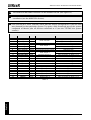
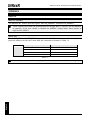
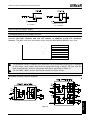
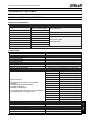
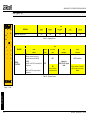
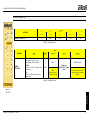
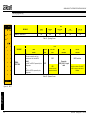
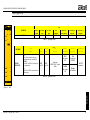
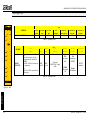
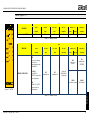
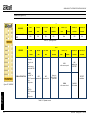
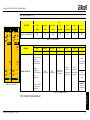
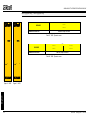
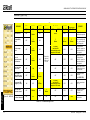
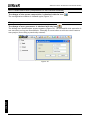
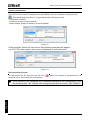
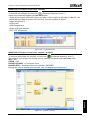
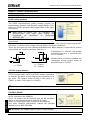
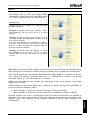
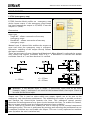
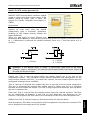
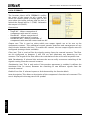
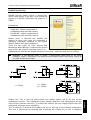
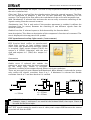
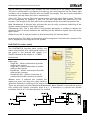
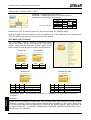
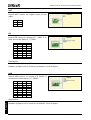
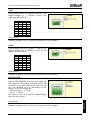
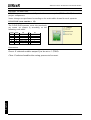
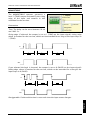
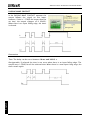
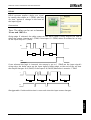
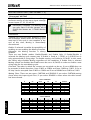
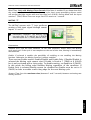
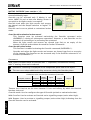
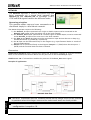
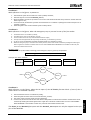
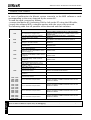
MODULAR SAFETY INTEGRATED CONTROLLER MOSAIC "Sequential" MUTING The MUTING operator with "Sequential" logic performs muting of the input signal through sensor inputs S1, S2, S3 and S4. Preliminary condition: The Muting cycle can only start if all the sensors are 0 (FALSE) and the inputs are 1 (TRUE) (barrier free). Parameters Timeout (sec): Sets the time, between 10 secs and unlimited, within which the Muting cycle must end. If the cycle is not complete at the end of this time, Muting is immediately discontinued. Enable: If selected it enables the possibility of enabling or not enabling the Muting function. Otherwise the Muting function is always enabled. There are two Enable modes: Enable/Disable and Enable Only. If Enable/Disable is selected the Muting cycle cannot start if Enable is fixed at 1 (TRUE) or 0 (FALSE) but is only activated with a rising edge. To disable muting, set Enable to 0 (FALSE). In this mode the falling edge disables Muting regardless of the condition. If Enable Only is selected Muting cannot be disabled but Enable must be set to 0 (FALSE) in order to enable a new rising edge for the next Muting cycle. Direction: The order in which the sensors are occupied can be set. If set to BIDIR they can be occupied in both directions, from S1 to S4 and from S4 to S1, if set to UP they can be occupied from S1 to S4 and if set to DOWN from S4 to S1. Muting Close: There are two types, CURTAIN and SENSOR. If you select CURTAIN muting closes when the input signal rises, if you select SENSOR it closes when the last sensor has been cleared. Select CURTAIN S1 0 1 1 1 1 1 0 0 0 0 0 S2 0 0 1 1 1 1 1 0 0 0 0 Input 1 1 1 X X X X 0 1 1 1 S3 0 0 0 0 1 1 1 1 1 0 0 S4 0 0 0 0 0 1 1 1 1 1 0 Muting 0 0 1 1 1 1 1 1 0 0 0 S4 0 0 0 0 0 1 1 1 1 1 0 Muting 0 0 1 1 1 1 1 1 1 0 0 Select SENSOR English S1 0 1 1 1 1 1 0 0 0 0 0 110 S2 0 0 1 1 1 1 1 0 0 0 0 Input 1 1 1 X X X X 0 1 1 1 S3 0 0 0 0 1 1 1 1 1 0 0 8540780 • 30th July 2013 • Rev.18