1
M1 Series - DM
Instruction Manual 9R000034-IR
E.O. 6409 JAN 2008
Record Mode
The M1 can store up to 240 pressure measurements (also called
values or points) in a single record (REC) session. For maximum
flexibility, a REC session can be:
• Automatic - the current value is automatically stored every 5
seconds, for up to 20 minutes
• Manual - the current value is stored every time the U key is
pressed, up to 240 times
Both types of REC sessions can store between 1 and 240
measurements. The measurement data is preserved in non-volatile
memory until another REC session is started.
REC Data:
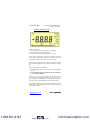
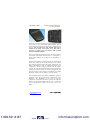
In NORMAL mode enter REC Data mode by pressing both the B
and F keys until the REC icon begins flashing.
Second, choose the type of REC session.
To start an automatic REC session, press the F key. This will
delete the previously stored pressure measurement and store the
current pressure measurement. Then, every 5 seconds, the current
pressure value will be stored.
To start a manual REC session, press the U key. This will delete
the previously stored session and store the current pressure
measurement. Then, every time the U key is pressed, the current
pressure value will be stored.
For both types of REC session, the pressure value on the LCD will
blank briefly every time a sample is stored, and after 240
measurements have been recorded, the following step (stop and
exit REC Data mode) will happen automatically.
Third, to stop and exit REC Data mode, press both the B and F
keys. All previously stored REC session data will be saved and the
M1 will return to NORMAL mode (the REC icon will go off). This
step can be done anytime the REC icon is flashing.
www.meriam.com
Page 8 of 17
1.800.561.8187
www.
.com
[email protected]