1
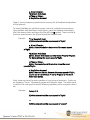
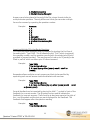
b. Vladimir Zworykin
c. Vladimir Kosma Zworykin
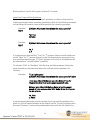
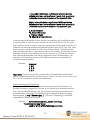
Answers can also be placed at the end of the file, using a format similar to
multiple choice questions. The only difference is that you can enter multiple
forms of an answer by repeating the question number.
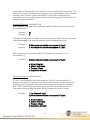
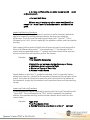
Example:
Answers:
1. A
2. C
3. B
4. C
5. Zworykin
5. Vladimir Zworykin
5. Vladimir Kosma Zworykin
6. B
Importing Multiple Fill in the Blanks Questions
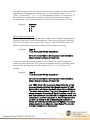
Fill in multiple blanks questions may be imported by starting the first line of
formatting with “Type: FMB”. This is followed by the “Title” (which is optional),
the question number, and the question wording with the words to be filled in
provided in [square brackets]. The wording can include up to 10 [words] to be
filled in, each of which can have up to 20 correct answers.
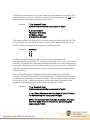
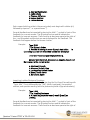
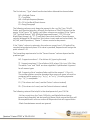
Example:
Type: FMB
Title: Multiple blanks
5. A [rose] by any other [name] would smell as
[sweet].
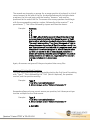
Respondus allows multiple correct answers per blank to be specified by
separating each correct answer inside the brackets with commas.
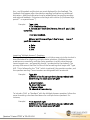
Example:
Type: FMB
Title: Multiple blanks
5. A [rose, red flower] by any other [name] would
as [sweet, good].
smell
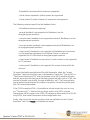
General feedback can be imported by placing the tilde “~” symbol in front of the
feedback for a correct answer. The @ symbol can be used to indicate the
feedback for incorrect answers. There must be at least one space to the right of
the ~ and @ symbols and the text you want displayed for the feedback. The
feedback must appear after the question wording
Example:
Type: FMB
Title: Multiple blanks
22