1
answers in the right column. In this situation, the extra answers act as decoys and do not match
any of the answers in the left column.)
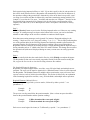
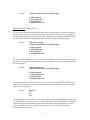
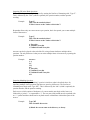
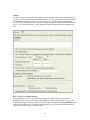
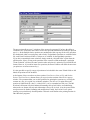
The second approach for creating matching questions allows items in the right column to be
placed in any order, but requires the correct answer for the match to be indicated in the small
column located at the far left. This approach is especially suited for questions in which a long list
of items (e.g., country names) is being matched to a relatively short list of items (e.g., type of
government). For example, the left list might contain 20 countries (Afghanistan, Albania, Algeria,
Angola, Argentina, etc.) while the list on the right might display four types of government (MultiParty Democracy, One-Party Regime, Military/Monarchical/Theocratic Regime, Disordered
State). Instead of entering the type of government for each country, you can simply enter the
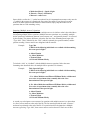
letter of the correct answer in front of the country name. See the table below.
D
A
C
D
A
A
A
C
A
B
B
Column1
Afghanistan
Albania
Algeria
Angola
Argentina
Austria
Bahamas
Bahrain
Bangladesh
China
Cuba
Match Column
A. Multi-Party Democracy
B. One-Party Regime
C. Military/Monarchical/Theocratic Regime
D. Disordered State/Civil War
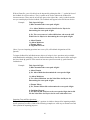
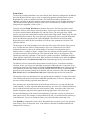
In a matching question, the left column will be displayed to the student in the order information
was entered. The answers in the right column will be automatically scrambled unless you select
the checkbox below indicating that the answers should be displayed as entered.
Tip: The easiest way to navigate through the answer choices is to use the PageUp and
PageDown keys. Press the PageDown key twice to move through the “correct match”
field.
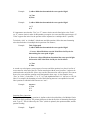
All answer choices are equally weighted and scored proportional to the number correct. So if a
student matches 8 of 10 items correctly, the score will be 80% for that question.
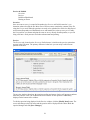
Ordering
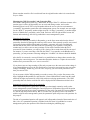
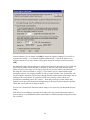
Ordering questions allow students to provide an answer by selecting the correct order the answers
are to appear. Enter the question wording or statement in the Question Wording field and then
enter the answer choices in the correct order. Finally, enter a number indicating the order in
which you want the answer choice displayed in the narrow column to the left of each answer.
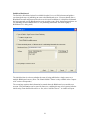
Fill in the Blank
Fill in the blank questions require students to enter a word, short phrase, or string of characters.
Since a computer automatically grades the answer, students must give an answer that exactly
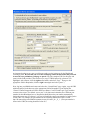
matches one of the answers provided by the teacher. You are permitted to enter multiple forms of
the correct answer. For instance, if the answer to a question is “New York Yankees,” the
instructor can make each of the following an acceptable answer:
Yankees
22