1
WELCOME
Contents
WELCOME......................................................................II
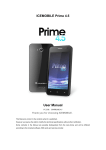
Thank you for purchasing ICEMOBILE ACQUA
Mobile Phone. This guide describes the basic
functions of ACQUA cell phone to help you
better use this phone.
The content of this manual is correct. But some
of the manual may be different from the mobile
phone because of the difference of software,
SIM cards or service provider. Some features
require phone support, please check carefully for
use. The company retains the right to amend the
technical specifications without notice.
GETTING STARTED.......................................................4
BATTERY USE...........................................................4
Installing the battery................................................4
Charge the battery...................................................4
SIM CARD INFORMATION........................................5
Installing the SIM card.............................................5
Access codes..........................................................5
INSERT MEMORY CARD..........................................6
EARPHONE...............................................................7
STANDBY MODE............................................................7
PHONE LAYOUT.......................................................8
ENTER TEXT...........................................................10
CALL FUNCTIONS.......................................................11
MAKE A CALL...........................................................11
To make an international call.................................11
To Make a call from the phonebook.......................11
ANSWERING OR REJECTING AN INCOMING CALL
.............................................................................12
To answer the incoming call..................................12
To reject an incoming call......................................12
To send message (SMS) during a call or conference
call.................................................................................12
CALL WAITING.........................................................12
MAKE A CONFERENCE CALL................................12
TIPS FOR CALL OPTIONS......................................13