1
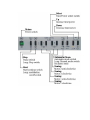
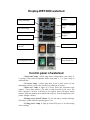
Motor 1 anticlockwise
Rotate the first tuning motor anticlockwise. You should use this only if you
are an advanced user.
Motor 2 clockwise
Rotate the second tuning motor clockwise. You should use this only if you
are an advanced user.
Motor 2 anticlockwise
Rotate the second tuning motor anticlockwise. You should use this only if
you are an advanced user.
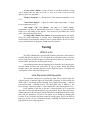
Automatic/Manual selection
Automatic
Press for a short period of time to set automatic mode. In automatic mode
all limits are checked, and power is managed by the attached computer. In
automatic mode you can press shortly this button when you reach 46°C-47°C on
the E.C.M temperature and the alarm sound will disappear. You can continue the
treatment carefully.
Manual
Press for a long period of time to set manual mode. In manual mode a lot of
things are not controlled by the microcontroller.
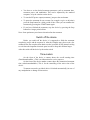
Mute
Mute the device with this button if there is an alarm for high temperature
and temperature display is flashing.
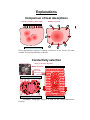
Power / Time selection
To select the function of the up/down buttons. This will change from time
to power or from power to time settings.
Up (↑)
You can change the actual time limit or power setting upward with this
button. Which one you change depends on the power/time selection button.
Down (↓)
You can change the current time limit or power setting downward with this
button. Which one you change depends on the power/time selection button.