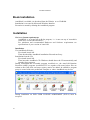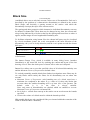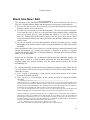
1
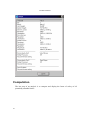
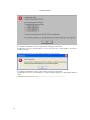
AutoBlock Manual -... In the second case the template file AutoBlock.dwt is copied from the support directory to file Project.dwg in the user's current directory, where it is loaded by AutoCAD. If a user wants a new project with always the same initial settings, he may customize AutoBlock.dwt. 2) by double-clicking an example created with AutoBlock (file with extension .dwg or .abl). 3) by loading the AutoBlock-ARX file from within AutoCAD, e.g. AutoBlock2004.arx for AutoCAD version 2004. ----- Information for Power Users ------------------------------------------------------------As mentioned in Installation, AutoBlock is based on two independent programs: .. the executable program AutoBlock.exe, which may be used to load an AutoBlock project (a file with extension .abl), or to define the AutoBlock configuration. .. the AutoCAD Runtime Extension (ARX) programs AutoBlockYYYY.arx, which are dynamic link libraries containing the actual AutoBlock program, where "YYYY" denotes the corresponding version of AutoCAD. E.g. AutoBlock2004.arx is used by AutoCAD 2004-2006. The correct ARX file is usually automatically loaded by AutoCAD, thereby enabling the features of AutoBlock. AutoBlock is compatible and works with AutoCAD version 2004 and later. Because of different Software Development Kits used (SDK ObjectARX 2004, ObjectARX 2007, etc.), several ARX – Applications are available: .. AutoBlock2000.arx for AutoCAD 2000, 2000i and 2002 (not supported any more since AutoBlock v.2.2) .. AutoBlock2004.arx for AutoCAD 2004, 2005 and 2006, .. AutoBlock2007.arx for AutoCAD 2007 and above (32-bit versions). .. AutoBlock2008_X64.arx for AutoCAD 2008 and above (64-bit versions. .. AutoBlock2010.arx and AutoBlock2010_X64.arx for AutoCAD 2010 and above (for 32- and 64-bit version respectively). AutoBlockYYYY.arx is loaded by the file acad.lsp created by AutoBlock.exe and located in the data folder (selected in AutoBlock.exe). Depending on the AutoCAD - version loaded, the required AutoBlockYYYY.arx will be loaded automatically. Compatibility with previous versions of AutoBlock: When an AutoBlock project created with an older version is loaded, it is automatically converted to the new format, i.e. older data files (.abl) will be compatible with later versions, but once saved they may not be used with the older version any more. In addition a dialog box will pop up equal or similar to the following one: 14