1
Installation Tips
We do not recommend using aluminum tape to secure the probes. This can cause false readings and
poor regulation.
If possible, route the probe wires so that they are not in direct contact with the 120vac cables going to the
heating devices. Preferably leave at least a few inches between the probe wires and the AC lines to avoid cross
talk/electrical interference issues.
Output Setup for Temperature Control
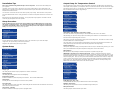
From the initial menu screen select the output configuration using the Plus and Minus button and press Enter.
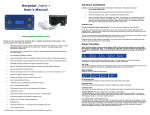
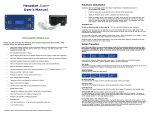
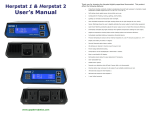
The Herpstat 1 Basic, Herpstat 1, and Herpstat 2 share much of the same software and the number in the upper
right indicates which output you are adjusting. The Herpstat Basic has only one output. The arrows indicate if
there are additional menu choices to toggle through.
The vent holes on the bottom and rear of the device provide proper cooling. Mount the device in dry location
away from additional heat sources. During operation it is normal for the Herpstat's enclosure to be warm to the
touch.
Electrical surges can often damage a thermostat. Use a good quality surge suppressor connected to the wall
outlet and plug the Herpstat into it when possible.
Setup Procedure
Note: The Enter button is used to select options while the Plus and Minus buttons are used to alter
the options or navigate the menu. If no selection is made after a period of time the unit will return
to operation automatically. While in the menu system all AC power to the outputs are turned off for
safety. Note: Adjust the Time to insure proper operation.
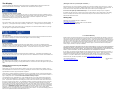
Output Mode: (Heat (Dimming), Heat (Pulse), Cooling)
When the Mode is changed all settings for the selected output will be set to the defaults.
Note:
Heat (Dimming) can adjust the voltage output to the heating device similar to a household dimmer. In most
cases this is the best performing mode of control.
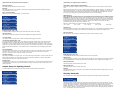
Press the Enter button to display the initial menu screen. This screen allows you to select the Output
configuration, the System Setup, and the Security Passcode.
Navigate to the System Setup option and press Enter.
System Setup
Heat (Pulse) can provide varied lengths of pulsed power to the heating device. This method of control can help
avoid the audible hum on metal rack systems .
The Cooling mode is a non-proportional mode that applies power when the set temperature is breached. The
Cooling mode then powers off the output when the temp drops below the Swing setting.
Daytime Temperature:
The Daytime Temperature setting is the temperature the device will try to maintain during the Day Cycle. If the
Nite Cycle is disabled then the Daytime Temperature setting will be used for the full 24hrs.
NiteCycle Menu:
Enter this menu to adjust settings if a different temperature is required during the night.
IMPORTANT: This device uses a software based clock. Instead of a hardware based clock chip this
devices uses a software based clock. This works the same as most alarm clocks by counting the pulses on your
households electrical line which is regulated by your power company. In most cases this provides a very stable
method of keeping time. However, when power is disconnected the thermostat will not continue to keep track
of time. On power up the device reverts to the Day Temp and the Nite Cycle options are disabled until the
system clock is set. This method allows the Herpstat 1 Basic cost to remain low while still providing some
additional advanced features which would not be otherwise possible.
Display Type:
This setting adjusts whether to display temperature in Celsius or Fahrenheit.
Display Brightness:
This setting adjust the brightness of the LCD backlighting.
Enable System Sounds:
Enables or disabled the system beep during menu selection. Does not affect audible alerts.
Master Reset:
Selecting this will reset all settings in the device to factory defaults.
Enable Nite Cycle (OFF / ON)
To Enable/Disable the Nite Cycle press the Enter button while on this display.
Set System Time:
This setting adjusts the system clock's time. While setting the time the Plus button increments the hour and the
Minus button increments the minute.
Nighttime Temperature:
This setting is the temperature the device will maintain during the Nite Cycle.
Glow System: (optional)
Enables or disables the internal glow system on equipped models.
NiteCycle Start Time:
This setting adjusts what time the Nite Cycle starts.