1
(Output Setup for Temperature Control continued...)
(Output Setup for Lighting Control continued...)
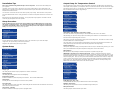
NiteCycle End Time:
This setting adjusts what time the Nite Cycle ends.
Output Mode: (Lights ON/OFF, Lights Dimming)
Note: When the Mode is changed all settings for selected output will be set to the defaults for that particular
mode.
Ramping:
This setting adjusts how long it will take to switch between the DayTemp and NiteTemp settings allowing a
smooth transition up to 10 hours.
High / Low Alarms Menu:
Enter this menu to set the audible High / Low Alarm feature.
Select the Output Mode option and set it to either Lighting (ON/OFF) or Lighting (Dimming). The ON/OFF mode
will switch the output fully on or off and is used for standard fluorescent lighting. Dimming mode can be used
with incandescent lights, most transformerless LED lighting, most dimmable fluorescent lights and can adjust
the power going to the lights to provide simulated sunrise, sunsets, and moonlighting.
Minimum Power:
Note: This setting should be set first for any dimmable fluorescent lamp that has a minimum voltage
requirement. This option affects ramping mode for lighting and will set the lowest amount of power that will
be applied to the light fixture before turning off. When enabled during a ramping session power steps between
zero and the Minimum Power setting will be skipped. If the Daylite and Nitelite power settings are greater than
the Minimum Power setting then there is no effect on operation. This option is not necessary for LED or
incandescent lighting and can be left at the default of zero.
Reference voltages measured at output of Herpstat compared to power percentage:
10% = 38Vac
15% = 47Vac
20% = 55Vac
25% = 63Vac
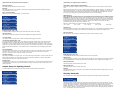
Enable H/L Alarm (OFF / ON)
To Enable/Disable the High/Low Alarms press the Enter button while on this display.
High Temp Alarm:
This setting is the highest temperature at which the audible alarm triggers if breached.
30%=70Vac
Daylite Power:
This setting adjusts the amount of power applied during the Day Cycle. If the Minimum power setting is enabled
the lowest Daylite Power setting will only decrease to the Minimum Power setting before skipping to 0%.
Nite Cycle Options:
Enter this menu to adjust settings if a different light output is required during the night.
Low Temp Alarm:
This setting is the lowest temperature at which the audible alarm triggers if breached.
Low Alarm 30 min Mute (OFF / ON)
This setting by default is disabled and is only available in temperature related modes. This will mute the low
temperature alarm for 30 minutes anytime the low alarm is triggered. This is useful to allow time for the
temperature to reach the target setting or if a door is open while maintaining an incubator. If the Low Alarm is
triggered you can reactivate the mute by entering the menu or by pressing the PLUS button on the main display
that shows the probe temperatures. This will allow another 30 minutes before the Low Alarm becomes active
again.
Sensor Adjustment:
The Sensor Adjustment setting is used to alter the temperature read by the temperature probe to match other
equipment. Note: The sensor used in the Herpstat Probes are typically more accurate than most other
equipment. Adjustments to this setting are usually not necessary.
Temperature Swing:
This setting is available in the Cooling mode. This controls the range of temperature. Once the cooling device is
activated the temperature must drop this amount below the Daytime Temperature or Nitetime Temperature
setting temperature before the output will be turned off.
Basking Assist:
The Basking Assist option is for use with basking lights as a heat source. Once the target temperature has been
reached instead of turning the power off it will continue providing a reduced power up to a degree above the
target temperature.
Output Setup for Lighting Control
From the initial menu screen select an output using the Plus and Minus button and press Enter.
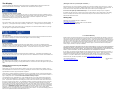
Enable Nite Cycle (OFF / ON)
To Enable/Disable the Nite Cycle press the Enter button while on this display.
Nitelite Power:
This setting adjusts the amount of power applied during the Nite Cycle. If the Minimum power setting is enabled
the lowest Nitelitelite Power setting will only decrease to the Minimum Power setting before skipping to 0%.
NiteCycle Start Time:
This setting adjusts what time the Nite Cycle starts.
NiteCycle End Time:
This setting adjusts what time the Nite Cycle ends.
Ramping:
This setting adjusts how long it will take to switch between the DayLite and NiteLite settings allowing a smooth
transition up to 10 hours.
Security Passcode
From the initial menu screen select Security Passcode using the Plus and Minus button and press Enter.
This setting creates a 4-digit Passcode that is required to be entered before menu access is granted. Use the
Plus and Minus buttons to toggle the individual digit and the Enter button to advance to the next digit. Entering
all zero's will disable the Passcode. If the menu timeout expires while in this setting the Passcode will be
disabled automatically. If you forget this Passcode in order to regain access to the menu requires the device to
be reset to factory defaults. This can be done by holding down the Plus button while plugging the Herpstat into
power. All settings are lost in the reset process.