1
Report JMC/ARTI-0107A, 31 July 2001
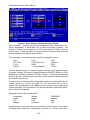
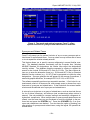
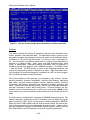
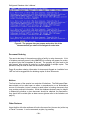
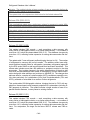
Figure 6: You can copy data summaries, citations, and abstracts into other
documents with the "mark, cut, and paste" feature of Windows® 95 and 98.
Synopses
The detailed abstracts — synopses — incorporated into the database, for selected citations, generally differ from those, if any, prepared by the author(s). The
latter vary significantly in content, from explanations of purpose or highlights of
findings to acknowledgement of sponsors or background information. The synopses in this database usually are longer and, in most cases, identify the specific
materials and data contained in the documents. While the emphasis is on content, to enable user decisions on the pertinence of documents to needs, key conclusions are summarized in some. These synopses, sometimes described as extended or content abstracts, are prepared to facilitate searches for specific information by materials, properties, similar information, or combinations of them.
Navigating Around
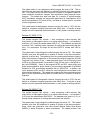
An odometer, such as "3 of 12", will appear in the top-right corner of the screen.
This message shows where you are in reviewing the data summaries and/or
documents found. In the "3 of 12" example, "3" points to the third of a dozen
summaries and/or citations, so you may use <PAGE UP> to go back two or
<PAGE DOWN> to see nine more. There is no indication for the screen number
within a single, multiple-screen summary or citation.
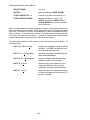
There are several ways to move within and between data summaries and bibliographic citations:
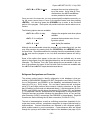
↑ or ↓
use the cursor arrow keys to move up or
down one line at a time
<PAGE UP> or
to move up or down one page (screen)
- 25 -