1
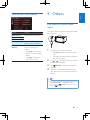
Use the home menu
Customize the home menu
Note
• If
is displayed when you touch an icon, it indicates
that the selected media or feature is unavailable at the
current time.
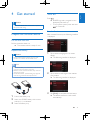
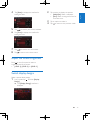
Access the home menu
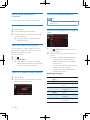
rTap
1
2
to access the home menu.
» The clock, date, and the bar for
popular icons are displayed.
3
•
•
To access the full menu with all feature
icons displayed, tap .
To return to the home menu, tap .
2
•
•
•
•
•
12
EN
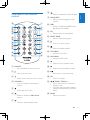
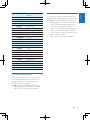
[Radio]: Switch the source to FM/
AM radio.
[Disc]: Switch the source to disc.
[USB]: Switch the source to USB
storage device.
[AV-In 1]/[AV-In 2]: Switch the
source to the audio and video input
that is transferred from an external
video player.
[SWC]: Access the interface to
assign functions to buttons on the
steering wheel.
[Settings]: Access the system menu.
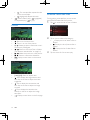
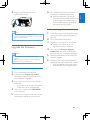
Drag it to the target place, and then
release your finger.
• When you move an icon from the bar
for popular icons to the lower area,
release your finger when the icon's
name is displayed.
• When you move an icon from the
lower area to the bar for popular icons,
release your finger when the icon's
name disappears.
Tap to return to the home menu.
» The bar for popular icons is refreshed.
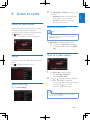
Set the date and time
1
•
Tap and hold an icon until it is movable.
3
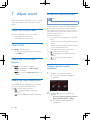
Tap > to access the full menu with all
feature icons displayed.
Tap [Settings].
» The [General] menu is displayed.
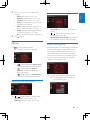
Tap [Clock mode] to select a time format.
• [24hr]: 24-hour time format
• [12hr]: 12-hour time format