1
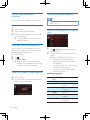
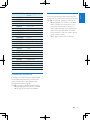
Contents
7 Adjust sound
20
20
20
20
20
20
20
21
8 Adjust settings
22
22
22
23
7
10
9 Others
11
11
11
12
12
13
13
23
23
24
24
24
24
25
10 Product information
26
11 Troubleshooting
27
27
12 Notice
28
28
28
28
29
1 Safety
2
2 Your car entertainment system
3
3
3
3
4
5
Introduction
Playable media
What's in the box
Overview of the main unit
Overview of the remote control
3 Install the car entertainment system 6
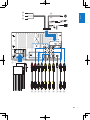
Connect wires
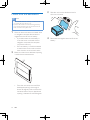
Mount into the dashboard
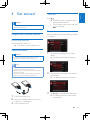
4 Get started
Prepare the remote control
Turn on
Use the home menu
Set the date and time
Adjust the screen brightness
Switch display designs
5 Play from hard media
Load a disc
Connect a USB storage device
Control play
Browse recorded files
6 Listen to radio
Switch to radio mode
Set up
Tune to a radio station
Store radio stations in memory
Tune to a preset radio station
Use RDS related features
14
14
14
15
16
17
17
17
17
18
18
18
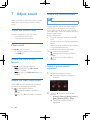
Adjust the volume level
Mute sound
Enable the MAX Sound feature
Enable the DBB sound effect
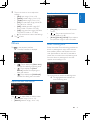
Enable the FullSound effect
Select a preset sound equalizer
Others
Access system setup menus
Adjust general settings
View system information
Play external audio/video input
Use buttons on the steering wheel
Set the rear view camera
Reset the system
Replace the fuse
Upgrade the firmware
General
Compliance
Care of the environment
Trademark notice
Copyright
EN
1
English
Contents