1
CONFIGURATION GUIDE
CONFIGURING GXW4248 VIA VOICE PROMPT
DHCP MODE
Select voice menu option 001 to enable GXW4248 to use DHCP.
STATIC IP MODE
Select voice menu option 001 to enable GXW4248 to use STATIC IP mode, then use option 002, 003,
004, 005 to set up IP address, Subnet Mask, Gateway and DNS server respectively.
PPPOE MODE
Select voice menu option 001 to enable GXW4248 to use PPPoE mode.
FIRMWARE SERVER IP ADDRESS
Select voice menu option 013 to configure the IP address of the firmware server.
CONFIGURATION SERVER IP ADDRESS
Select voice menu option 014 to configure the IP address of the configuration server.
UPGRADE PROTOCOL
Select voice menu option 015 to choose firmware and configuration upgrade protocol. User can choose
between TFTP, HTTP, and HTTPS.
FIRMWARE UPGRADE MODE
Select voice menu option 017 to choose firmware upgrade mode among the following three options:
1) always check, 2) check when pre/suffix changes, and 3) never upgrade
CONFIGURING GXW4248 WITH WEB BROWSER
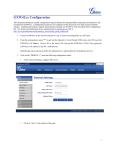
The GXW4248 gateway has an embedded Web server that allows users to configure the GXW4248
through a web browser.
FIRMWARE 1.0.3.4
GXW42XX USER MANUAL
PAGE 27 OF 55