1
the completion of a disk store transfer), it registers a callback; a function that will be invoked when the
event occurs. Event-based programs are typically driven by a loop that polls for events and executes
the appropriate callback when the event occurs.
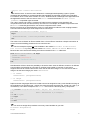
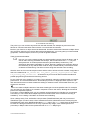
This is the famous message-loop (waiting for events) in the window model, see below chart2:
while GetMessage(lpMsg,0,0,0) do begin
TranslateMessage(lpMsg);
DispatchMessage(lpMsg);
end;
A callback executes indivisibly until it hits a blocking operation, at which point it registers a new
callback and then returns. So in our close event, how does the callback look like?
onClick:= @CloseButtonClick;
onClose:= @CloseFormClick;
As said above, we register a callback @CloseButtonClick with the address operator, so the
callback function will be executed when the event onClick occurs, in our case the button is clicked!
The interesting point is the separation of event and event handler (callback routine).
An event handler is a callback routine that operates asynchronously and handles inputs received
into a program (events). In this context, an event is some meaningful element of program information
from an underlying development framework, usually from a graphical user interface (GUI) toolkit or
some kind of input routine. On the GUI side, events include key strokes, mouse activity, action
selections, messages or timer expirations. On the input side, events include opening or closing files or
forms and data streams, reading data and so on.
Now we come to the first API event.
Hope you did already work with the Starter 1 to 15 available at:
http://www.softwareschule.ch/maxbox.htm
Remember: What makes the event synchronous or asynchronous is whether it’s handled
synchronously (blocking) or asynchronously (non-blocking.)
Non Blocking means that the application will not be blocked when the application plays a sound or a
socket read/write data. This is efficient, because your application don't have to wait for a sound result
or a connection. Unfortunately, using this technique is little complicated to develop a protocol. If your
protocol has many commands or calls in a sequence, your code will be very unintelligible.
A synchronous event is an event that – when fired - waits on a response from something called an
event handler.
A function which returns no data (has no result value) can always be called asynchronously,
cause we don’t’ have to wait for a result or there’s no need to synchronise the functions.
Let’s begin with the application structure process in general of an API call:
The PlaySound function plays a sound specified by the given file name, resource, or system event.
(A system event may be associated with a sound in the registry or in the WIN.INI file.)
1. Header: Declared in msystem.h; include Windows.h.
2. Library: Use Winmm.dll or the lib.
3. Declaration of the external function
4. Load the DLL and call the API function
•
Static at start time
•
Dynamic at run time
5. Unload the DLL (loaded DLL: C:\WINDOWS\system32\winmm.dll)
So we call the API function dynamic at runtime and of course asynchronously. The sound is played
asynchronously and PlaySound returns immediately after beginning the sound. To terminate an
asynchronously played waveform sound, call PlaySound with pszSound set to NULL.
www.softwareschule.ch
2