1
VPort 3310 User’s Manual
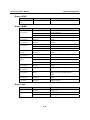
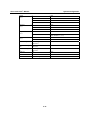
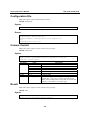
Setting
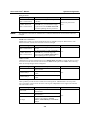
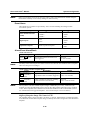
With Data and Time
With Customized
words
System Configuration
Description
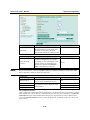
Enable or disable the function of adding
Enable
the date and time to the filename.
Enable or disable the function of adding
some additional words to the filename to Enable
identify the snapshot image.
Default
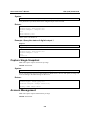
DI, Relay Status
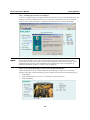
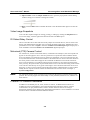
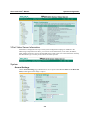
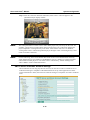
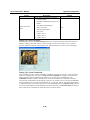
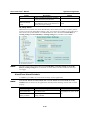
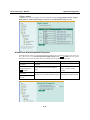
Administrators can check the current DI and Relay status of this VPort in the “DI, Relay Status”
section on the “Event Alarm Basic Settings” page. Two options are available to return the relay’s
status back to the system defaults. To make the function work, check the Override Relay 1
warning setting and Override Relay 2 warning setting boxes, and then click on Save.
NOTE
The relays will not be triggered when the Override Relay 1 warning setting and Override
Relay 2 warning setting boxes are checked. Un-check these 2 boxes to ensure that the relays
will trigger.
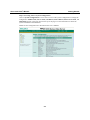
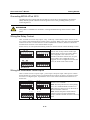
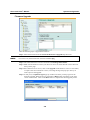
Alarm/Event Alarm/Schedule
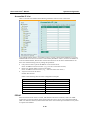
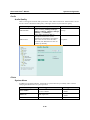
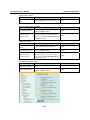
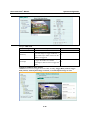
A schedule is provided to set event alarms for daily security applications.
NOTE
Either Event Alarms are active all the time or Event Alarms are active based on weekly
schedule must be selected, or the applications described in the following sections will not work
properly.
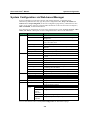
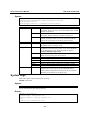
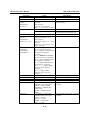
Setting
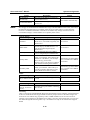
Event Alarms are
active all the time
Event Alarms are on a
weekly schedule
Description
Select the option “Event Alarms are
active all the time”
Select to operate event alarms on a
weekly schedule.
4-33
Default
Event Alarms are active all the
time