1
57
Maintenance and care tips
Your computer, like any electrical appliance, requires proper care and maintenance.
Here are some basic PC care tips to help prolong the life of the motherboard and
keep it running as best as it can.
1. Keep your computer in a well ventilated area. Leave some space between the PC
and the wall for sufficient airflow.
2. Keep your computer in a cool dry place. Avoid dusty areas, direct sunlight and
areas of high moisture content.
3. In places of hot and humid weather you should turn on your computer once
every other week to circulate the air and prevent damage from humidity.
4. If possible, ensure the power cord has an earth ground pin directly from the wall
outlet. This will reduce voltage fluctuation that may damage sensitive devices.
Panel clean tips
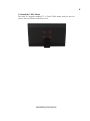
The following steps explains how to clean the panel:
1. When cleaning the computer, please make sure that the computer is switched
off.
2. Put on gloves to prevent stains on the touch panel and prevent injured by the
sharp edge of the touch panel.
3. Do not hold FPC/Copper tail while handing the touch panel.
4. Do not pile up touch panel and put heavy matter on touch panel.
5. Do not add any stress on touch film.
6. Use dry cloth or soft cloth with alcohol, neutral detergent or ethanol for clearing
the touch panel in case of dirt on it.
7. Do not use any organic solvents except alcohol.
Trouble Shooting