1
Administrator Guide : : SolarWinds LANsurveyor
Your Maps
Save and Open M aps
Save Your Map
Once you create a map, you can click the Save toolbar icon or select Save from the File
menu to save your map to a file.
You can also:
Export Your Map
Print Your Map
Open a Saved Map
Rescan a Map
AutoSave Maps
Continuous Scan options include the ability to automatically save time-stamped maps
on a schedule. Refer to the AutoSave section of the Continuous Scan documentation
for more information.
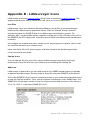
Save As Image
In addition to saving maps to Visio format, you can save maps to EMF, BMP, PNG, and
TIF formats.
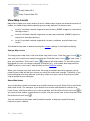
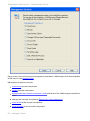
To export your map, select Save As Image from the File menu. Once the dialog is
displayed, you can name the exported file.
Your Maps : : 39