1
5.2. Advanced Settings
5.2.1. General settings
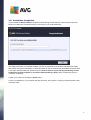
To open the settings of Document Scanner for MS SharePoint, select the Settings button from the
interface of the component.
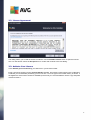
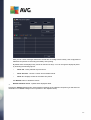
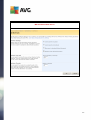
From the Server components list select the Document Scanner for MS SharePoint item:
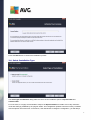
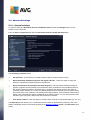
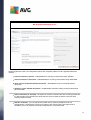
The Scanning properties section:
Use Heuristics - check this box to enable heuristic analysis method during scanning.
Report Potentially Unwanted Programs and Spyware threats - check this option to report the
presence of potentially unwanted programs and spyware.
Report enhanced set of Potentially Unwanted Programs - check to detect extended package of
spyware: programs that are perfectly ok and harmless when acquired from the manufacturer directly,
but can be misused for malicious purposes later, or programs that always harmless but might be
unwanted (various toolbars etc.). This is an additional measure that increases your computer security
and comfort even more, however it can possibly block legal programs, and is therefore switched off by
default. Note: This detection feature is additional to the previous option, so if you want protection from
the basic types of spyware, always keep the previous box checked.
Scan inside archives - check this option to let the scanner look also inside archived files (zip, rar, etc.)
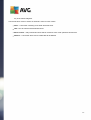
The Reporting section allows you to choose which items should be reported during scanning. This is the
default configuration which can be easily amended in the Detection actions section, part Information (see
below).
14