1
Enterprise IP Phone
Customizing Your Phone
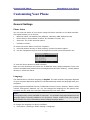
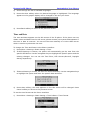
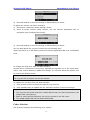
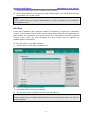
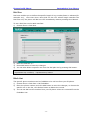
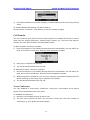
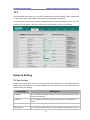
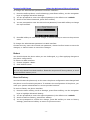
To enable keypad lock via Web interface:
Choose Phone->Preference to do the relating changes. Please refer to the instruction
above for the parameters’ detail.
Note:
1. The default password for unlock is admin.
2. Users can make emergency calls when the phone is locked.
Audio Settings
Volume
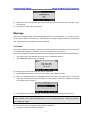
You can adjust the volume of handset/speaker/headset.
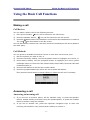
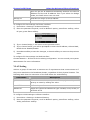
To adjust the volume when you are not in an active call:
1)
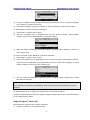
Press Menu->Settings->Basic Setting.
2)
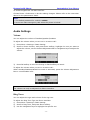
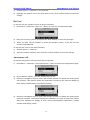
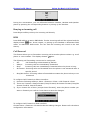
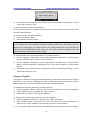
Scroll to Phone Volume, and press Enter softkey, highlight the one you want to
adjust the volume, use the Volume Adjustment Bar or navigation keys to adjust the
volume.
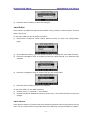
3)
Press OK softkey to save the change or Back softkey to cancel.
To adjust the volume when you are in an active call:
When Handset/Headset/Hands-free mode is activated, press the Volume Adjustment
Bar to a comfortable level.
Note:
The volume can only be adjusted via Phone interface.
Ring Tones
You can adjust the type and volume of the ring tone.
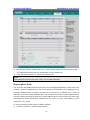
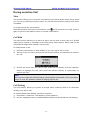
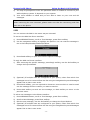
To adjust the Ring Tone Type via Phone interface:
1)
Press Menu->Settings->Basic Setting.
2)
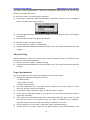
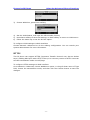
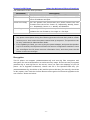
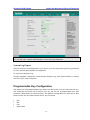
Scroll to Ring Tone, and press Enter softkey.
3)
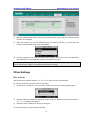
Use the navigation keys to highlight the specific one.
- 16 -