1
o Move application icons screen to screen
Press the icons of applications you need to move for several seconds, and you can drag the icon to the left side or right side.
r Delete applications
Press the icon of application you need to remove for several seconds, drag the icon 16 "x" (when the icon was turn big, the bottom of
screen will appear "x", then you can delete the application_
lf use the "pattern", as below:
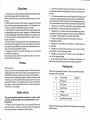
1. You must ensure the four-point connection when you draw the
unlock pattern.
1. 15 Screen gestures
.
Click
When you need to input by the on-screen keyboard, you just need
to select applications or press the button on the screen, then click
the items.
o Press
When you want to start the available options of a project(such as
web page link), you only need to press the project.
2. Click "Continue" and draw
. Slide
Sliding on the interface with your fingers to make vertical or horizontal dragging action.
o Drag
Before you start dragging, you must press the items with your fingers, and can not let fingers leave the screen before dragging to the
desired position.
. Rotation
Changing the screen orientation by rotating the device laterally.
1.16
Securityseiting
You can set the unlock pattern, each time you open or wake your
MID device, you must draw pattern to unlock the screen. ln
"Settings
Security > Screen lock", it support many unlock ways
"Slide,Face Unlock,Pattern,PlN,Password-.
>
3. Cilck "confirm" to complete unlock pattern designing.
4. Each time you open orwaking your MID device, you must draw
pattern to unlock the screen.
1
. 17 Display setting
Click "Settings > Display", you can set the brightness/ wallpaper/
Auto rotate screen/ sleep/ font size of the screen.